
Quick verdict
- What it is
- Store information collected; independent summary not yet available.
- At a glance
-
- Free to download
- In-app purchases
Categories and search queries
Official categories
- Health & Fitness
- Lifestyle
AppCorpus categories
Key functions
| Function | Availability | Access | Scope | Evidence |
|---|---|---|---|---|
| Family Sharing | Yes | Unknown | App Store | Store published |
| Free app | Yes | Free | — | Store published |
| In-app purchases | Yes | Limited free | — | Store published |
| Siri Shortcuts | Yes | Unknown | App Store | Store published |
Screens
App Store
18 store screenshots
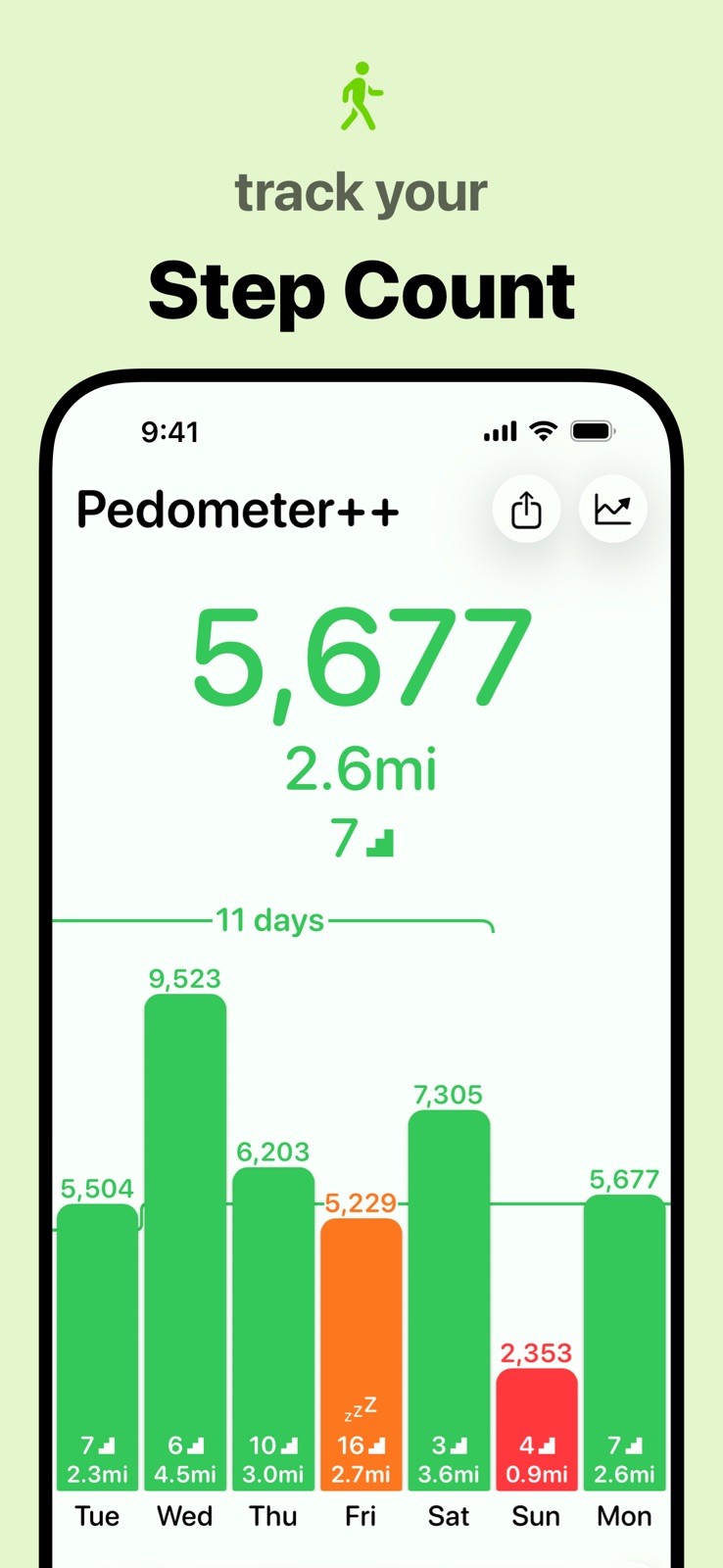
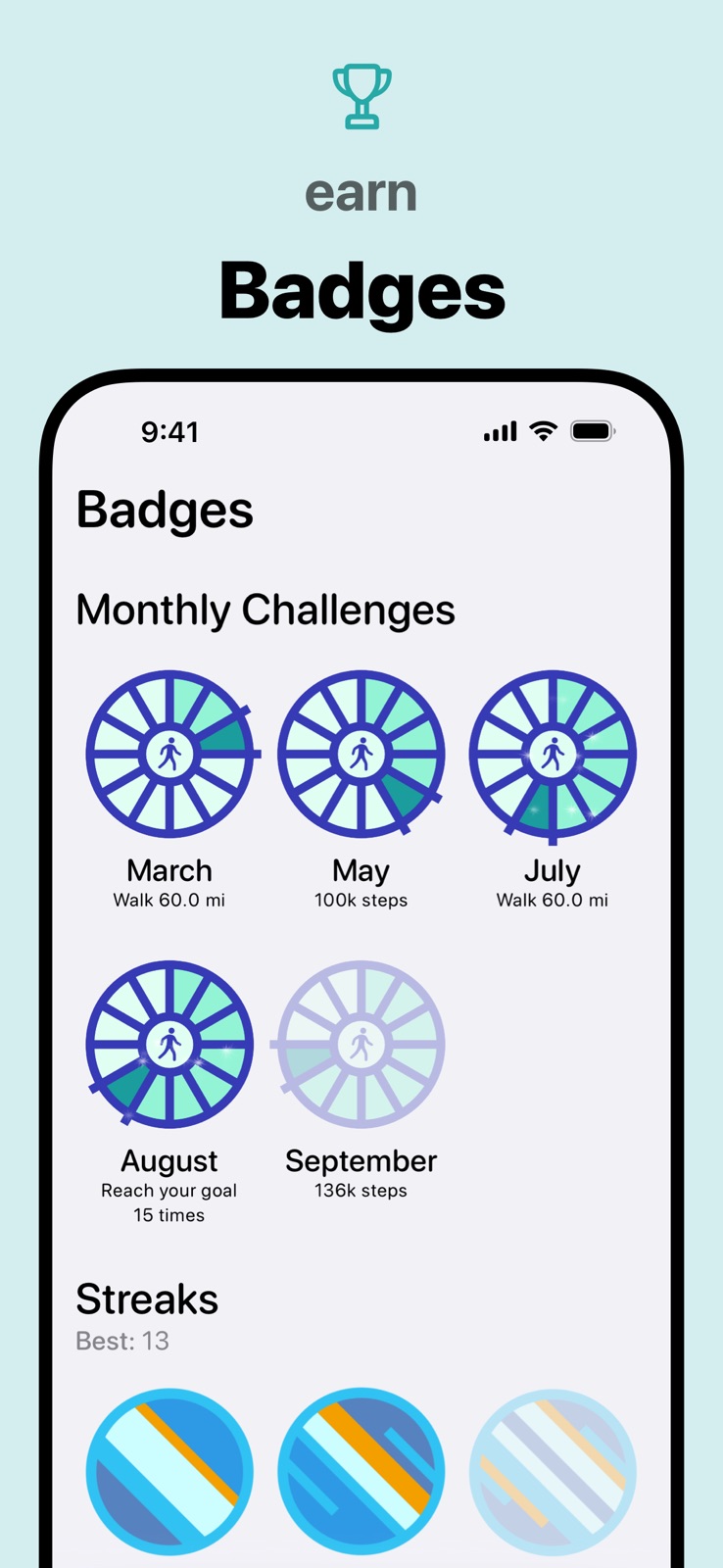
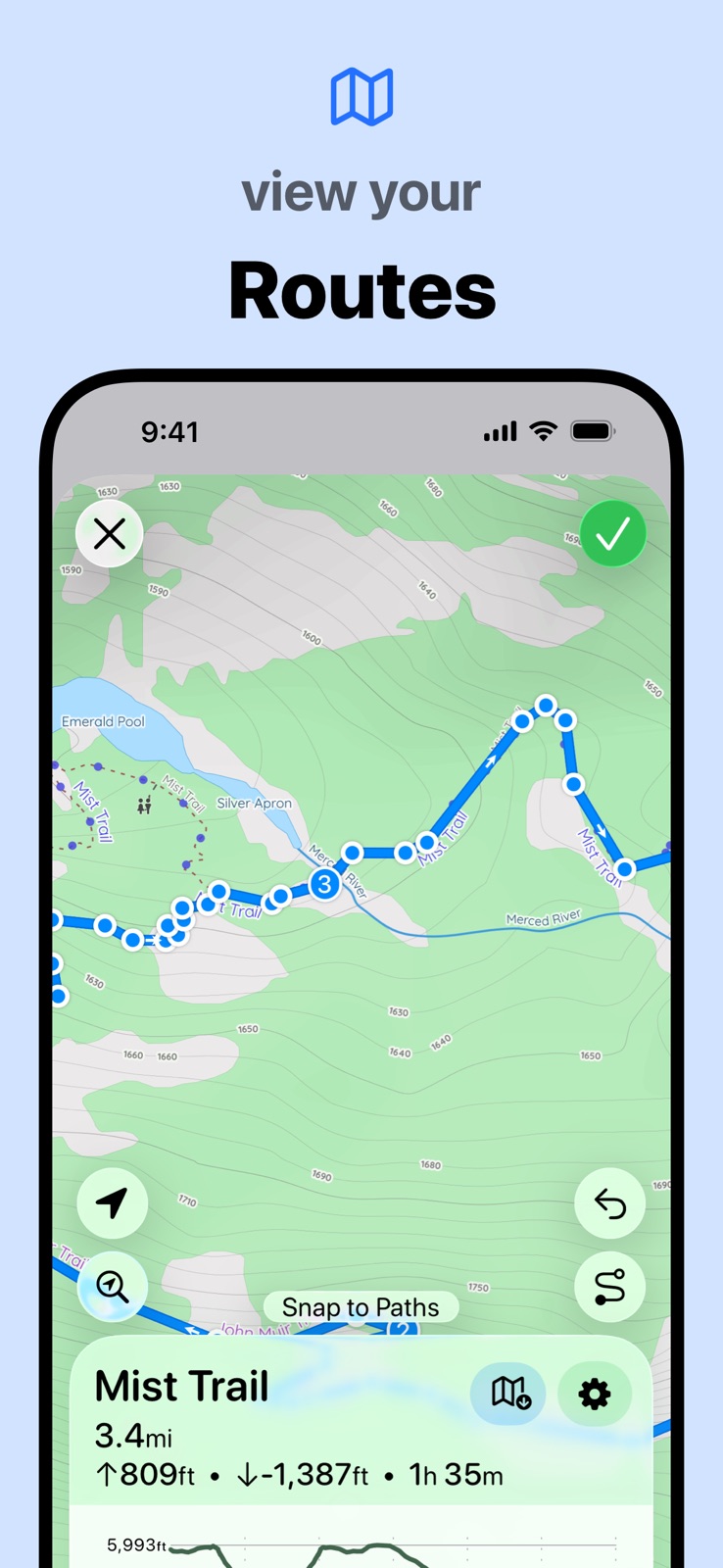
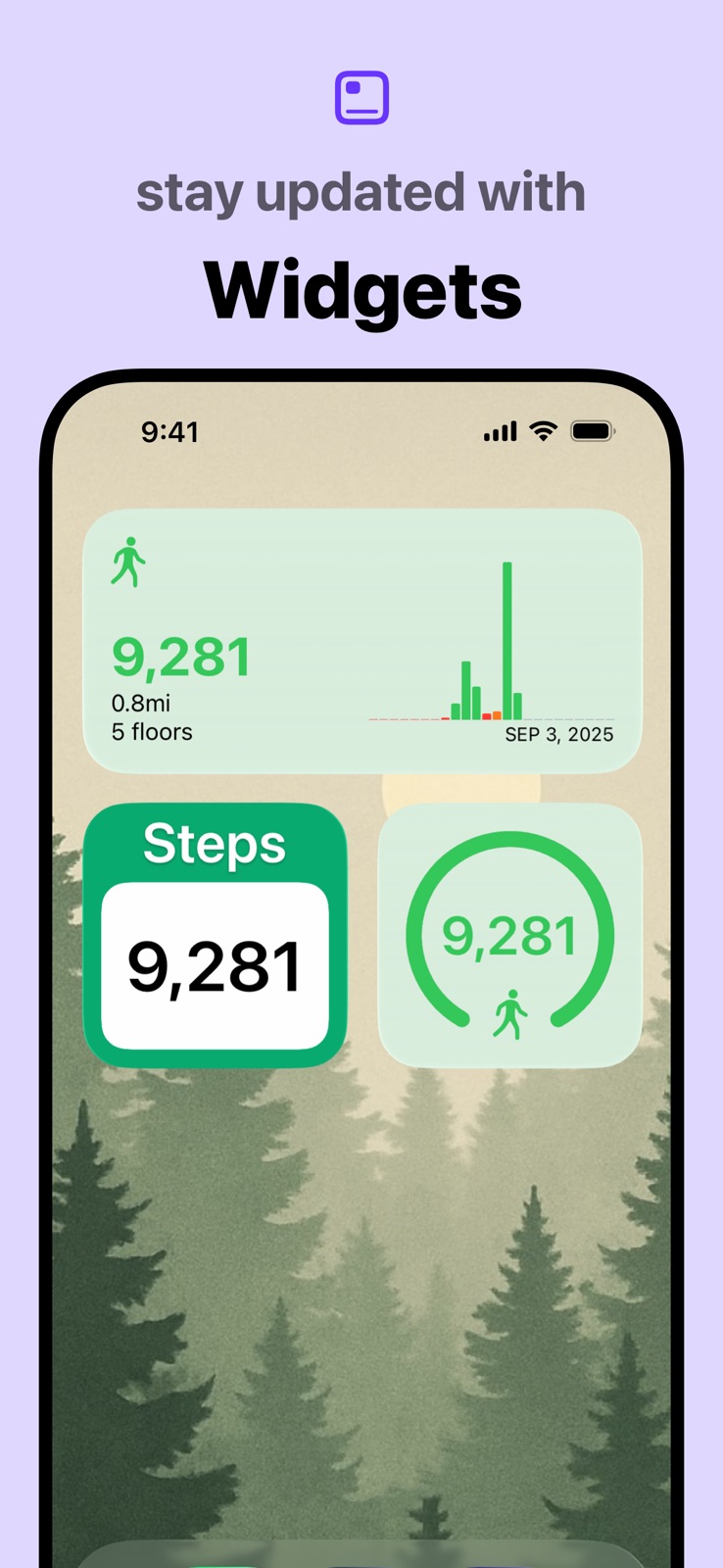
Pricing & paywalls
App Store
- Pedometer++ Premium — $1.99
- Pedometer++ Premium — $3.99
- Pedometer++ Premium — $5.99
- Pedometer++ Premium — $19.99
- Pedometer++ Premium — $29.99
- Pedometer++ Premium — $39.99
Ratings & reviews
App Store
-
5/5Things I would like to see
Great app, works all the time, and has never failed to keep accurate data. I like the idea that I can export the data and do some calculations on a spreadsheet by myself. Here are a few other things that I would like to see in the app, both running and walking. Personal best section that’s always visible in the stat section or perhaps even on the main page so it can be seen easily at a glance. Some of those that I would suggest would be. Personal best for day week month and year for number of steps, number of miles, Number of flights of stairs. In the section where you have total number of miles and relate that to number of trips from New York to Los Angeles you could also keep a running stat on progress around the world at the equator or some other goal that is not easy to achieve but would be interesting to try to perhaps circumvent the United States etc. I have more ideas but I’ll keep it short. My last suggestion would be in the tip section. Today I wanted to give a tip but it was limited to $1.99 and I wanted to give more but I did not see a way to change the entry. That should be fixed first.
Mseck · 30 Aug 2026
-
3/5Disappearing Steps
Where do they go? Heavens knows! It’s clear that the developer has a keen artistic eye as Pedometer++ has the most aesthetically pleasing and easy to use UI than any other Pedometer App out there and I love and constantly use the widget functionality for quick measuring glances. I’ve had this app for nearly 3 years now and as a person who routinely reaches 10k+ steps from morning gym sessions alone, there is one glitch/flaw that has never ceased to plaque the apps flawless functionality from the get go: steps go missing out of no where or are flat out, not counted. Just in the passed 2 weeks, there are 4 days where the app has seemingly caused a significant number of my steps to vanish into thin air EVEN AFTER THEY WERE COUNTED IN THE APP; even verified by cross referencing to Apple’s Health app that will often show a higher number. Nearly 10k steps have seemingly bestowed upon me the absolute pleasure of ghosting my counter and this has been a consistent problem for the app since day 1. The only reason I don’t flat out delete the app out of frustration some days is simply because the UI is absolutely gorgeous and I don’t think any other apps on the market measure up to the beautifully simplistic design. Please do something about the consistent step counter glitch; it proves to be a demoralizing frustration more days than you would think
PGMHecateII · 30 Aug 2026
-
5/5iPhone app is great, the ipad version, not so much
iPhone app is great, works well, the ipad version, not so much. I’ve opened up many privacy screens to accommodate as much access as possible to both devices as well as the health, pedometer, and maps apps. And synced each to the other… allegedly. But the ipad version is only showing half the distance of the iPhone version, that I was wearing in my pocket. Same with the health app. It shares virtually all info, until it glitches and the numbers are completely different. Since it’s easier to read/work with the ipad version, it would be awesome if they would sync to each other. Anything you can do to make that happen? TIA for any effort! Edit: The ipad app opens on the steps page, but won’t show steps. It says that the motion & fitness setting needs to be turned on, but the motion & fitness setting IS on in settings, and I’ve double checked the system settings, too. I’ve closed the pedometer app and turned off the ipad completely. When I turn it back on and open the pedometer app, the steps page still comes up, and says the motion & fitness app needs to be turned on.
Solbdsgiibkifdj · 30 Aug 2026
-
5/5Simple & Helpful!
I’m not a fan of over intrusive apps… especially when physical health is involved. Every app I’ve tried has felt like an abusive relationship telling me that I wasn’t doing enough with small bursts of love bombing in between… those apps took the enjoyment of simply moving my body and trying to be more active simply because I knew I’d feel better if that was just a part of my life… Pedometer++ is really the perfect activity app if you simply want to keep your body moving. It doesn’t constantly nag me to add other aspects of the app into my daily life, it doesn’t tell me how I didn’t reach my goal the day I wasn’t feeling well, it doesn’t push me… it simply informs. Yes there’s badges and reward systems available because people do respond to that but those aren’t in the forefront… tracking when you are active is what they focus on… and that’s exactly what I needed. Btw… this is my first EVER app review. And I apologize if it seems like I am not real because of how I wrote it… I am an Art Director with copywriting experience and it’s hard to turn that off… but I promise… I am a very real person who has been loving this app. ❤️
Koth1234567890 · 30 Aug 2026
-
3/5Watch gets frozen on 0 after midnight about 50% of the time.
Seriously loved this app for my watch at first. After transitioning from a Garmin with the step counter, it was just what I needed to complement the ActivityTracker. However, I keep weird hours, and I am also a run streaker, who often has to do my daily run right at midnight. It’s incredibly frustrating when my watch is frozen at zero day in and day out, and I have to reset it to her three times, and put it on the charger 2 or 3 times before it will finally start counting steps. The steps DO count on the app phone, even if my phone is still, so obviously the app on the watch is tracking the steps, but it will not show up on the watch, where I need it to show up. Currently, my watch shows me to be at less than 500 steps, but my phone shows that I’m closer to 3000. I was wearing the watch while I ran on my treadmill at midnight, but the phone was sitting still on the treadmill. That means that I’m still dependent on my phone to know how many steps I’ve taken, which is pointless. That’s a discrepancy that will not work for somebody who manages statistics the way I do. The entire reason that I have the watch is so that I don’t need to carry my phone. If this can be fixed, I will change my rating to 5- stars.
SenoritaShel · 30 Aug 2026
Privacy & accessibility
App Store
Privacy
- Data Not Linked to You — Analytics — Diagnostics — Crash Data Developer declared
- Data Not Linked to You — Analytics — Diagnostics — Performance Data Developer declared
- Data Not Linked to You — Analytics — Identifiers — Device ID Developer declared
- Data Not Linked to You — Analytics — Location — Coarse Location Developer declared
- Data Not Linked to You — Analytics — Usage Data — Advertising Data Developer declared
- Data Not Linked to You — Analytics — Usage Data — Product Interaction Developer declared
- Data Not Linked to You — App Functionality — Diagnostics — Crash Data Developer declared
- Data Not Linked to You — Third-Party Advertising — Diagnostics — Crash Data Developer declared
- Data Not Linked to You — Third-Party Advertising — Diagnostics — Performance Data Developer declared
- Data Not Linked to You — Third-Party Advertising — Identifiers — Device ID Developer declared
- Data Not Linked to You — Third-Party Advertising — Location — Coarse Location Developer declared
- Data Not Linked to You — Third-Party Advertising — Usage Data — Advertising Data Developer declared
- Data Not Linked to You — Third-Party Advertising — Usage Data — Product Interaction Developer declared
- Data Not Linked to You — Diagnostics Developer declared
- Data Not Linked to You — Identifiers Developer declared
- Data Not Linked to You — Location Developer declared
- Data Not Linked to You — Usage Data Developer declared
Accessibility
- Dark Interface — SUPPORTED Store published
- Differentiate Without Color Alone — SUPPORTED Store published
- Larger Text — SUPPORTED Store published
- Sufficient Contrast — SUPPORTED Store published
- Voice Control — SUPPORTED Store published
- VoiceOver — SUPPORTED Store published
Versions
App Store
-
6.0.2
Improvements to the onboarding experience.
-
6.0.3
This update is just small improvements to the first run experience of starting off with Pedometer++.
-
6.1
You can now easily share details of your daily step count or walks and runs with beautifully designed sharing cards.
-
6.2
This version of Pedometer++ introduces Trends, a new way to view your steps over time. You can see summaries of your activity over weeks, months, and years. Each summary includes step counts, total distances and floors, how many days you surpassed your goal, and more. Each summary can be exported as an image for posting on social media, sending to family, or sharing with your most competitive friends. Previously, Pedometer++ would import the last seven days of your step data when the app was first installed. This version also adds the ability to import historical data from Apple Health. To import your complete history, visit the Import from Health section in the app’s Settings.
-
6.2.1
This version of Pedometer++ introduces Trends, a new way to view your steps over time. You can see summaries of your activity over weeks, months, and years. Each summary includes step counts, total distances and floors, how many days you surpassed your goal, and more. Each summary can be exported as an image for posting on social media, sending to family, or sharing with your most competitive friends. Previously, Pedometer++ would import the last seven days of your step data when the app was first installed. This version also adds the ability to import historical data from Apple Health. To import your complete history, visit the Import from Health section in the app’s Settings. (This update includes fixes for a few rendering issues found in version 6.2)
-
6.2.2
Fix a bug where the January 2025 Badge showed the wrong number of days required.
-
6.2.3
This version includes minor bug fixes.
-
6.2.4
This version includes minor bug fixes.
-
6.2.5
This version adds support for Powerbeats Pro 2 heart rate data collection to iPhone-based Pedometer++ workouts. Simply wear both earbuds with the "Heart Rate Sensor" option enabled, and your data will appear during your workout.
-
6.2.6
This release contains minor bug fixes.
-
6.2.7
This release fixes a couple of minor things, including a typo that was keeping us up at night.
-
7.0
Pedometer++ 7 is here, with an updated look and feel across the app. Highlights include refreshed maps, an updated workout layout, and a more intuitive design for checking the weather along a route.
-
7.0.1
Pedometer++ 7 is here, with an updated look and feel across the app. Highlights include refreshed maps, an updated workout layout, and a more intuitive design for checking the weather along a route.
-
7.0.2
Fixes a bug where the radar weather map wouldn't load. Pedometer++ 7 is here, with an updated look and feel across the app. Highlights include refreshed maps, an updated workout layout, and a more intuitive design for checking the weather along a route.
-
7.0.3
Adds support for AirPods Pro 3 Heart Rate monitoring. Pedometer++ 7 is here, with an updated look and feel across the app. Highlights include refreshed maps, an updated workout layout, and a more intuitive design for checking the weather along a route.
-
7.0.4
Resolves an issue when ending a workout from the Apple Watch. Pedometer++ 7 is here, with an updated look and feel across the app. Highlights include refreshed maps, an updated workout layout, and a more intuitive design for checking the weather along a route.
-
7.1
Pedometer++ 7.1 introduces Training Plans, a new way to start and stay moving. Each Plan has a clear and concise goal, such as walking every day for 20 days or preparing for your first 5K. Visit the Workouts tab in the app to choose a plan and start moving!
-
7.1.1
Pedometer++ 7.1 introduces Training Plans, a new way to start and stay moving. Each Plan has a clear and concise goal, such as walking every day for 20 days or preparing for your first 5K. Visit the Workouts tab in the app to choose a plan and start moving!
-
7.1.2
This update fixes an issue with the January 2026 Challenge Badge.
-
7.1.3
This update fixes an issue that prevented badges from updating correctly.
-
7.2
You can now build your own Custom Workouts with Pedometer++ by choosing from a range of included segments or ones you create your own. This update also includes enhancements to the weather data shown during a walk, hike, or run. Lastly, you can now earn badges for completed Training Plans!
-
8.0
Pedometer++ 8.0 includes a redesigned Apple Watch app. The bold new look features your key metrics for the day: steps taken, distance traveled, and flights of stairs climbed. The design uses color to reinforce how close you are to your daily step goal. Scrolling down from the step counter reveals an updated workout picker for starting a new walk, run, or hike. Premium members can start workouts in Expedition Mode. This new mode can extend your Watch’s battery life by up to 40% during longer hikes, walks, and runs. A beautiful map with live route information overlaid shows you where you are on your workout. Heart rate and HR zones, speed, and elevation changes are. All of these screens were updated to be more useful when on the move.
-
8.0.1
Pedometer++ 8.0 includes a redesigned Apple Watch app. The bold new look features your key metrics for the day: steps taken, distance traveled, and flights of stairs climbed. The design uses color to reinforce how close you are to your daily step goal. Scrolling down from the step counter reveals an updated workout picker for starting a new walk, run, or hike. Premium members can start workouts in Expedition Mode. This new mode can extend your Watch’s battery life by up to 40% during longer hikes, walks, and runs. A beautiful map with live route information overlaid shows you where you are on your workout. Heart rate and HR zones, speed, and elevation changes are all easier to follow. All of these screens were updated to be more useful when on the move.
-
8.0.2
A new screen in the workout view shows your duration and distance, today's step total (or pushes in Wheelchair Mode), and floors climbed. The background tint reflects your progress toward your daily goal. Each time you cover a full mile or kilometer during a workout, an overlay pops up showing the distance and split time. You’ll get a tap on your wrist, so you don't have to look at the watch to keep up with your progress.
-
8.0.3
· 28 May 2026
This update fixes a minor layout issue when Dynamic Text is used.
-
8.0.4
· 24 Aug 2026
This update adds a new Home Screen widget to track your daily steps, featuring a new design we introduced with the latest update to our Apple Watch app. Your step count is front and center, with the distance and flights of stairs you've covered easy to read. The ring fills up — and changes color — throughout the day so it's easy to see your progress. It comes in three sizes so that you can achieve the perfect layout. For more information, visit the News section within Pedometer++’s settings tab.
Alternatives
- Pedometer α - Step Counter — Same category + similar ratings
- Stepz - Step Counter & Tracker — Same category + similar ratings
- StepsApp Pedometer — Same category + similar ratings
- Steps - Activity Tracker — Same category + similar ratings
- Pacer Pedometer Step Counter — Same category + similar ratings
- ActivityTracker Pedometer — Same category + similar ratings
Availability by market
- US
Data quality & evidence
- Page completeness
- Live store listing
- Last verified
- 30 Aug 2026
- Sources
- App Store
- Independent summary has not been published yet.