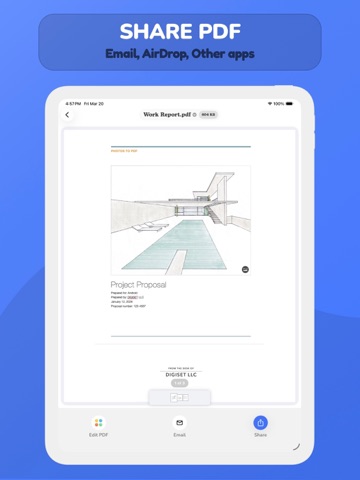
AppCorpus MCP gives your agent current app data, prices, screens, features and sources.
View JSON
GET /api/v3/apps/627640657
{
"app_id": 627640657,
"canonical_url": "https://appcorpus.com/apps/pdf-it-all-document-converter-627640657",
"identity": {
"name": "PDF it All Document Converter",
"slug": "pdf-it-all-document-converter",
"developer": {
"name": "DIGISET LLC",
"url": "https://appcorpus.com/developers/digiset-llc-developer_c727a93e9d5c86b5bc88da742f563754"
},
"icon_url": "https://is1-ssl.mzstatic.com/image/thumb/Purple221/v4/52/8b/ab/528bab14-f75e-3a44-09ed-b54e252cd9e9/AppIconComposer-0-0-1x_U007epad-0-1-0-sRGB-85-220.png/512x512bb.jpg",
"stores": [
"apple"
],
"platforms": [
"iphone",
"ipad"
],
"status": {
"state": "active",
"label": "Active",
"last_checked": "2026-08-06",
"last_checked_label": "6 Aug 2026",
"banner": null,
"region_note": null
}
},
"listings": [
{
"store": "apple",
"status": "ACTIVE",
"url": "https://apps.apple.com/us/app/pdf-it-all-document-converter/id627640657?uo=4",
"rating": 4.8,
"rating_count": 8030,
"formatted_price": "Free",
"is_free": true,
"has_iap": true,
"has_subscription": false,
"version": "6.1",
"updated": "2026-06-04",
"currency": "USD"
}
],
"summary": {
"one_liner": null,
"summary": null,
"best_for": [],
"not_for": [],
"status": "fallback",
"at_a_glance": [
"From $3.99/mo",
"Free to download",
"In-app purchases"
]
},
"categories": {
"official": [
"Productivity",
"Utilities"
],
"appcorpus": [
{
"category_id": "productivity",
"label": "Productivity",
"url": "https://appcorpus.com/categories/productivity"
},
{
"category_id": "utilities",
"label": "Utilities",
"url": "https://appcorpus.com/categories/utilities"
}
]
},
"use_cases": [],
"features": [
{
"capability_id": "free_app",
"label": "Free app",
"availability": "yes",
"access_level": "free",
"scope": null,
"evidence": "Store published"
},
{
"capability_id": "in_app_purchases",
"label": "In-app purchases",
"availability": "yes",
"access_level": "free_limited",
"scope": null,
"evidence": "Store published"
}
],
"pricing": [
{
"store": "apple",
"formatted_price": "Free",
"is_free": true,
"has_iap": true,
"has_subscription": false,
"currency": "USD",
"market": "us",
"last_verified": "2026-08-06",
"rows": [
"PDF it All Pro (Monthly) — $3.99/month",
"PDF it All Pro (Monthly) — $19.99/year ($1.66/mo)",
"PDF it All Pro - Lifetime — $39.99"
]
}
],
"screens": [
{
"url": "https://is1-ssl.mzstatic.com/image/thumb/PurpleSource211/v4/0a/da/57/0ada5752-4a42-4577-1f67-fcbd71c25ff1/1_-_Main_Screen.jpg/1600x1600bb.jpg",
"store": "apple",
"platform": "ipad",
"alt": "PDF it All Document Converter ipad screenshot 1"
},
{
"url": "https://is1-ssl.mzstatic.com/image/thumb/PurpleSource211/v4/0a/da/57/0ada5752-4a42-4577-1f67-fcbd71c25ff1/1_-_Main_Screen.jpg/360x480bb.jpg",
"store": "apple",
"platform": "ipad",
"alt": "PDF it All Document Converter ipad screenshot 2"
},
{
"url": "https://is1-ssl.mzstatic.com/image/thumb/PurpleSource221/v4/02/da/19/02da1957-87f8-a585-623a-ccb7f20f4ebd/8_-_Share_Screen.jpg/1600x1600bb.jpg",
"store": "apple",
"platform": "ipad",
"alt": "PDF it All Document Converter ipad screenshot 3"
},
{
"url": "https://is1-ssl.mzstatic.com/image/thumb/PurpleSource221/v4/02/da/19/02da1957-87f8-a585-623a-ccb7f20f4ebd/8_-_Share_Screen.jpg/360x480bb.jpg",
"store": "apple",
"platform": "ipad",
"alt": "PDF it All Document Converter ipad screenshot 4"
},
{
"url": "https://is1-ssl.mzstatic.com/image/thumb/PurpleSource221/v4/67/89/eb/6789ebe1-7240-028e-6f43-43b1fe52ba07/2_-_Compress_Screen.jpg/1600x1600bb.jpg",
"store": "apple",
"platform": "ipad",
"alt": "PDF it All Document Converter ipad screenshot 5"
},
{
"url": "https://is1-ssl.mzstatic.com/image/thumb/PurpleSource221/v4/67/89/eb/6789ebe1-7240-028e-6f43-43b1fe52ba07/2_-_Compress_Screen.jpg/360x480bb.jpg",
"store": "apple",
"platform": "ipad",
"alt": "PDF it All Document Converter ipad screenshot 6"
},
{
"url": "https://is1-ssl.mzstatic.com/image/thumb/PurpleSource211/v4/73/ef/4a/73ef4a8f-0bf0-d1d3-c6fa-a680e2521fea/3_-_Photos_to_PDF_Screen.jpg/1600x1600bb.jpg",
"store": "apple",
"platform": "ipad",
"alt": "PDF it All Document Converter ipad screenshot 7"
},
{
"url": "https://is1-ssl.mzstatic.com/image/thumb/PurpleSource211/v4/73/ef/4a/73ef4a8f-0bf0-d1d3-c6fa-a680e2521fea/3_-_Photos_to_PDF_Screen.jpg/360x480bb.jpg",
"store": "apple",
"platform": "ipad",
"alt": "PDF it All Document Converter ipad screenshot 8"
},
{
"url": "https://is1-ssl.mzstatic.com/image/thumb/PurpleSource211/v4/e4/8b/71/e48b7190-159f-f6e4-bd63-1113da144739/4_-_Sign_PDF_Screen.jpg/1600x1600bb.jpg",
"store": "apple",
"platform": "ipad",
"alt": "PDF it All Document Converter ipad screenshot 9"
},
{
"url": "https://is1-ssl.mzstatic.com/image/thumb/PurpleSource211/v4/e4/8b/71/e48b7190-159f-f6e4-bd63-1113da144739/4_-_Sign_PDF_Screen.jpg/360x480bb.jpg",
"store": "apple",
"platform": "ipad",
"alt": "PDF it All Document Converter ipad screenshot 10"
},
{
"url": "https://is1-ssl.mzstatic.com/image/thumb/PurpleSource221/v4/1c/4b/d5/1c4bd54a-c2a9-7be4-00d6-2ff36babc1b9/6_-_Multiple_PDF_Tool_Screen_.jpg/1600x1600bb.jpg",
"store": "apple",
"platform": "ipad",
"alt": "PDF it All Document Converter ipad screenshot 11"
},
{
"url": "https://is1-ssl.mzstatic.com/image/thumb/PurpleSource221/v4/1c/4b/d5/1c4bd54a-c2a9-7be4-00d6-2ff36babc1b9/6_-_Multiple_PDF_Tool_Screen_.jpg/360x480bb.jpg",
"store": "apple",
"platform": "ipad",
"alt": "PDF it All Document Converter ipad screenshot 12"
},
{
"url": "https://is1-ssl.mzstatic.com/image/thumb/PurpleSource221/v4/f4/c9/44/f4c944cd-b187-a8b2-ec42-0d0f8c7490c6/5_-_Add_text_Screen.jpg/1600x1600bb.jpg",
"store": "apple",
"platform": "ipad",
"alt": "PDF it All Document Converter ipad screenshot 13"
},
{
"url": "https://is1-ssl.mzstatic.com/image/thumb/PurpleSource221/v4/f4/c9/44/f4c944cd-b187-a8b2-ec42-0d0f8c7490c6/5_-_Add_text_Screen.jpg/360x480bb.jpg",
"store": "apple",
"platform": "ipad",
"alt": "PDF it All Document Converter ipad screenshot 14"
},
{
"url": "https://is1-ssl.mzstatic.com/image/thumb/PurpleSource211/v4/c4/56/fc/c456fcac-09e2-0da8-bd26-57bb88b0692c/7_-_Web_to_PDF_Screen.jpg/1600x1600bb.jpg",
"store": "apple",
"platform": "ipad",
"alt": "PDF it All Document Converter ipad screenshot 15"
},
{
"url": "https://is1-ssl.mzstatic.com/image/thumb/PurpleSource211/v4/c4/56/fc/c456fcac-09e2-0da8-bd26-57bb88b0692c/7_-_Web_to_PDF_Screen.jpg/360x480bb.jpg",
"store": "apple",
"platform": "ipad",
"alt": "PDF it All Document Converter ipad screenshot 16"
},
{
"url": "https://is1-ssl.mzstatic.com/image/thumb/PurpleSource211/v4/ae/37/c5/ae37c55b-0c06-60a5-826b-49579ee02569/9_-_Secure_Screen.jpg/1600x1600bb.jpg",
"store": "apple",
"platform": "ipad",
"alt": "PDF it All Document Converter ipad screenshot 17"
},
{
"url": "https://is1-ssl.mzstatic.com/image/thumb/PurpleSource211/v4/ae/37/c5/ae37c55b-0c06-60a5-826b-49579ee02569/9_-_Secure_Screen.jpg/360x480bb.jpg",
"store": "apple",
"platform": "ipad",
"alt": "PDF it All Document Converter ipad screenshot 18"
},
{
"url": "https://is1-ssl.mzstatic.com/image/thumb/PurpleSource221/v4/ff/fb/50/fffb5044-b03c-8c02-646a-aaffa93a2827/1_-_Main_Screen.jpg/1290x1600bb.jpg",
"store": "apple",
"platform": "iphone",
"alt": "PDF it All Document Converter iphone screenshot 19"
},
{
"url": "https://is1-ssl.mzstatic.com/image/thumb/PurpleSource221/v4/87/a1/0c/87a10c01-33da-c1ae-49d6-e4501f54d54e/2_-_Compress_Screen.jpg/1290x1600bb.jpg",
"store": "apple",
"platform": "iphone",
"alt": "PDF it All Document Converter iphone screenshot 20"
},
{
"url": "https://is1-ssl.mzstatic.com/image/thumb/PurpleSource211/v4/ad/09/59/ad095983-2bb7-9541-1014-adf133b347c1/3_-_Photos_to_PDF_Screen.jpg/1290x1600bb.jpg",
"store": "apple",
"platform": "iphone",
"alt": "PDF it All Document Converter iphone screenshot 21"
},
{
"url": "https://is1-ssl.mzstatic.com/image/thumb/PurpleSource211/v4/ff/cb/b8/ffcbb839-825d-581d-4984-67094f585512/4_-_Sign_PDF_Screen.jpg/1290x1600bb.jpg",
"store": "apple",
"platform": "iphone",
"alt": "PDF it All Document Converter iphone screenshot 22"
},
{
"url": "https://is1-ssl.mzstatic.com/image/thumb/PurpleSource211/v4/12/0f/34/120f3487-fbde-a847-f863-6b02bb499439/6_-_Multiple_PDF_Tools_Screen.jpg/1290x1600bb.jpg",
"store": "apple",
"platform": "iphone",
"alt": "PDF it All Document Converter iphone screenshot 23"
},
{
"url": "https://is1-ssl.mzstatic.com/image/thumb/PurpleSource211/v4/ca/23/55/ca235540-835b-7cb3-adbb-26a96f29d7b4/5_-_Add_text_Screen.jpg/1290x1600bb.jpg",
"store": "apple",
"platform": "iphone",
"alt": "PDF it All Document Converter iphone screenshot 24"
},
{
"url": "https://is1-ssl.mzstatic.com/image/thumb/PurpleSource221/v4/3d/69/65/3d6965ee-4b70-afa3-6791-96e45306af71/7_-_Web_to_PDF_Screen.jpg/1290x1600bb.jpg",
"store": "apple",
"platform": "iphone",
"alt": "PDF it All Document Converter iphone screenshot 25"
},
{
"url": "https://is1-ssl.mzstatic.com/image/thumb/PurpleSource211/v4/37/97/ea/3797ea31-0e02-2fda-ef7b-54daa6bde954/9_-_Secure_Screen.jpg/1290x1600bb.jpg",
"store": "apple",
"platform": "iphone",
"alt": "PDF it All Document Converter iphone screenshot 26"
},
{
"url": "https://is1-ssl.mzstatic.com/image/thumb/PurpleSource221/v4/04/cc/bf/04ccbfcb-354a-7822-b4a7-f2e170f5055e/8_-_Share_Screen.jpg/1290x1600bb.jpg",
"store": "apple",
"platform": "iphone",
"alt": "PDF it All Document Converter iphone screenshot 27"
}
],
"ratings": [
{
"store": "apple",
"average": 4.8,
"count": 8030,
"market": "us",
"observed_at": "2026-08-06",
"reviews": [
{
"rating": 5,
"title": "Ca$h Grab Model",
"body": "Sorry developers, unless you have created an application or service that is truly a top 10 indispensable for the consumer, a monthly subscription is not worth it. The subscription model, aka. The New Curse of the Digital Age, is ultimately an unsustainable economic approach, as many consumers have already discovered AND the majority of those remaining are destined to discover how unrealistic it is to maintain “countless” subscriptions equaling $300-$1000 per month. In the end, common sense dictates that end users won't give up free reign access to their accounts to be automatically charged/debited across a multitude of mobile apps, desktop apps, cloud services, streaming entertainment accounts, bath & beauty club, cigar club, scalp & toe massage club, gym membership, mortgage, rent, utilities, manicure club, haircut club, wine club, meat of the month club, goods shipping & delivery — most will ultimately opt out for a safer and more easily managed lifestyle thus demonstrating the very limited shelf life of this ca$h grab economic model — because exploitive consumerism is just that — exploitation.",
"author": "SeekerJones",
"date": "6 Aug 2026"
},
{
"rating": 2,
"title": "Please Don’t Ruin Your Own Work",
"body": "This was the best and most fully featured FREE pdf app in the apple store hands down. When you are initially looking for an app that converts, organizes, creates, & edits pdfs this isn’t the most obvious choice especially bc first you’ll see the bigger names like adobe, pdf expert, and others which have a reputation that businesses trust and pay for on sight. What set this apart from the competition and propelled it to the top of the list was being fully featured and within reach of the average consumer that use it for scanning in paper notes/docs to clear clutter, signing forms, and more ... all for free. Now all of a sudden I try to use & greeted to a newly implemented 2 document limit unless I pay for the “premium” version. It’s a total switch up, mistrust, & betrayal of ur core audience. If ur customer wanted pay monthly to scan pdfs I’m almost certain we would choose to subscribe to an app that is universally compatible on desktop iMac/pc as well. For these prices I should be able to edit/create the pdfs on my computer, iPad, Nintendo, watch, smart TV, and every other device. It was a great app and I want developers to be compensated so why not do legacy discount for those who already downloaded, where was the area to donate to developers, where are the tiers that cater to different customer needs, where is the trial period ? I would’ve committed to $0.99 or even $1.50 monthly but now it’s asking too much. I’m so disappointed bc this isn’t the first time I’ve adopted a good free app that later updates to an outrageous subscription model. I urge you to review your model and try again.",
"author": "Venus_Virus",
"date": "6 Aug 2026"
},
{
"rating": 5,
"title": "PDF it all",
"body": "This is the easiest I’ve seen. Easy to save Easy to export. Easy to add signature. Those are just the most used. It’s definitely worth downloading. It’s free for 2 a day. If you want to use it more & get added value parts, you will need to subscribe at $15 a year. Or $3 a month. Which could be useful if you have an a single occasionally you need to make bulk PDFs. & want to pay for only a month. I only wish that these apps offered a payment plan for us poor folk. (For yearly) The person that spoke about subscriptions may be unaware Apple is pushing all apps to subscription. (Should I saw strong arm?) I expect resisting comes with setbacks.",
"author": "Beelin",
"date": "6 Aug 2026"
},
{
"rating": 5,
"title": "Outstandingly easy!",
"body": "I regularly have to email photos of documents to my work and they prefer to have everything in PDF. This app couldn’t make it any easier. I usually capture a quick image through the app and it will immediately convert the image and allow me to email it directly, or I’ll use the app’s built in scanner: perfect! I can also grab any photo from my library and it makes easy work of that as well. I don’t pay for any apps on a monthly basis except for this one, and that will not change any time in the near future. Thank you PDF it All!",
"author": "obryfly",
"date": "6 Aug 2026"
},
{
"rating": 5,
"title": "Excellent app!",
"body": "I have used this app for a while and I am very impressed by how this app converts even the longest web pages into a pdf. IPadOS has the same feature, but it fails to get a lengthy webpage into a full size pdf. For example, a webpage may be 25 pages and with iPadOS’ built in pdf converter it may convert only 20 out the full 25 pages into a pdf. If you find iPadOS’s website pdf converter inadequate, or just want to convert things like Word, PowerPoint, websites and photos into pdf’s, DOWNLOAD THIS APP!",
"author": "unknownNES",
"date": "6 Aug 2026"
}
]
}
],
"privacy": [
{
"store": "apple",
"declarations": [
{
"title": "Data Not Linked to You",
"detail": "Analytics — Usage Data — Product Interaction",
"source": "Developer declared"
},
{
"title": "Data Not Linked to You",
"detail": "Usage Data",
"source": "Developer declared"
}
],
"accessibility": []
}
],
"changes": [
{
"store": "apple",
"version": "4.2",
"released_at": null,
"notes": "+ Dark mode is now supported. Thanks for all the feedback. Enjoy!"
},
{
"store": "apple",
"version": "4.2.1",
"released_at": null,
"notes": "+ Fixed Web to PDF automatic name + Added a new configuration for Photos to PDF: Pixel Perfect. Convert photos to PDF without losing any quality."
},
{
"store": "apple",
"version": "4.2.2",
"released_at": null,
"notes": "+ Improved excel to PDF conversion"
},
{
"store": "apple",
"version": "4.3",
"released_at": null,
"notes": "+ Personalize your PDFs with your logo or stamp with our new Stamp tool. + Performance improvements"
},
{
"store": "apple",
"version": "4.4",
"released_at": null,
"notes": "+ Support for iOS 14 Photo Library for even more privacy + Reader Mode on Web to PDF + You can now configure PDF Size on Web to PDF + Scanner Mode on Photos to PDF + UI Improvements on Notes to PDF"
},
{
"store": "apple",
"version": "4.4.1",
"released_at": null,
"notes": "+ Fixed bug where scanner and camera roll option won't appear (Thanks Anna!)"
},
{
"store": "apple",
"version": "4.4.2",
"released_at": null,
"notes": "+ Fix for UI issues when dark mode is enabled + Fix for folder issue when naming it with quotations (Thanks Hadi!)"
},
{
"store": "apple",
"version": "4.4.3",
"released_at": null,
"notes": "+ Fix UI issue when sharing PDF"
},
{
"store": "apple",
"version": "4.4.4",
"released_at": null,
"notes": "+ You can now add Text Annotations to PDF + Improved dark mode support + Performance improvements + Fixed crashing issue when adding stamp to PDF on iPad"
},
{
"store": "apple",
"version": "5.0",
"released_at": null,
"notes": "You can now compress your PDF! The most requested feature is now available on our app. You can compress your big PDF files for easier file sharing and everything is done right on your device. (No external servers needed) Also: + Dark mode improvements + UI Improvements + Performance improvements For feedback and support, please contact us at [email protected]"
},
{
"store": "apple",
"version": "5.0.1",
"released_at": null,
"notes": "+ Performance improvements"
},
{
"store": "apple",
"version": "5.0.2",
"released_at": null,
"notes": "+ Performance improvements"
},
{
"store": "apple",
"version": "5.1",
"released_at": null,
"notes": "+ Support for multiple languages + Fixed issue when removing PDF password"
},
{
"store": "apple",
"version": "5.1.1",
"released_at": null,
"notes": "+ Performance improvements"
},
{
"store": "apple",
"version": "5.2",
"released_at": null,
"notes": "+ UI improvements + Improved Web article cleaner + You can now create more than one signature + Under the hood PDF editing improvements + Fixed PDF documents search"
},
{
"store": "apple",
"version": "5.2.2",
"released_at": null,
"notes": "+ UI improvements + Improved Web article cleaner + You can now create more than one signature + Under the hood PDF editing improvements + Fixed PDF documents search + Fixed issue when sharing URL's from other browsers (Thanks Gary)"
},
{
"store": "apple",
"version": "5.2.3",
"released_at": null,
"notes": "+ Further UI enhancements"
},
{
"store": "apple",
"version": "5.3",
"released_at": null,
"notes": "+ You can now create nested folders + Even better UI + Fixed issue when importing files"
},
{
"store": "apple",
"version": "5.3.3",
"released_at": null,
"notes": "+ You can now create nested folders + Even better UI + Fixed issue when importing files + Fixed issue when moving files to folders + Fixed issue when importing links from other browsers"
},
{
"store": "apple",
"version": "5.4",
"released_at": null,
"notes": "+ Improved UI + Performance improvements"
}
],
"alternatives": [
{
"app_id": 1485259500,
"name": "Smallpdf: Scanner & PDF Editor",
"url": "https://appcorpus.com/apps/smallpdf-scanner-pdf-editor-1485259500",
"reason": "Same category + similar ratings"
},
{
"app_id": 1567656728,
"name": "PDF Maker - Convert to PDF",
"url": "https://appcorpus.com/apps/pdf-maker-convert-to-pdf-1567656728",
"reason": "Same category + similar ratings"
}
],
"evidence_summary": {
"index_state": "S1",
"evidence_level": 1,
"level_label": "Live store listing",
"indexable": true,
"last_verified_at": "2026-08-06",
"unknown_fields": [
"Independent summary has not been published yet."
],
"sources": [
"App Store"
]
},
"availability_markets": {
"live": [
"us"
],
"selected": "us",
"note": null
},
"feature_events": {
"events": []
},
"features_slice": {
"plans": [
{
"code": "it-all-pro",
"label": "PDF it All Pro (Monthly)",
"kind": "subscription",
"status": "store_listed",
"prices": [
{
"storefront": "us",
"formatted": "$3.99",
"billing_period": "monthly"
},
{
"storefront": "us",
"formatted": "$19.99",
"billing_period": "yearly"
}
],
"trial": null
},
{
"code": "it-all-pro-lifetime",
"label": "PDF it All Pro - Lifetime",
"kind": "unknown",
"status": "store_listed",
"prices": [
{
"storefront": "us",
"formatted": "$39.99",
"billing_period": "one_time"
}
],
"trial": null
}
],
"features": [],
"unknown_features": [],
"data_cutoff": "6 Aug 2026"
}
}