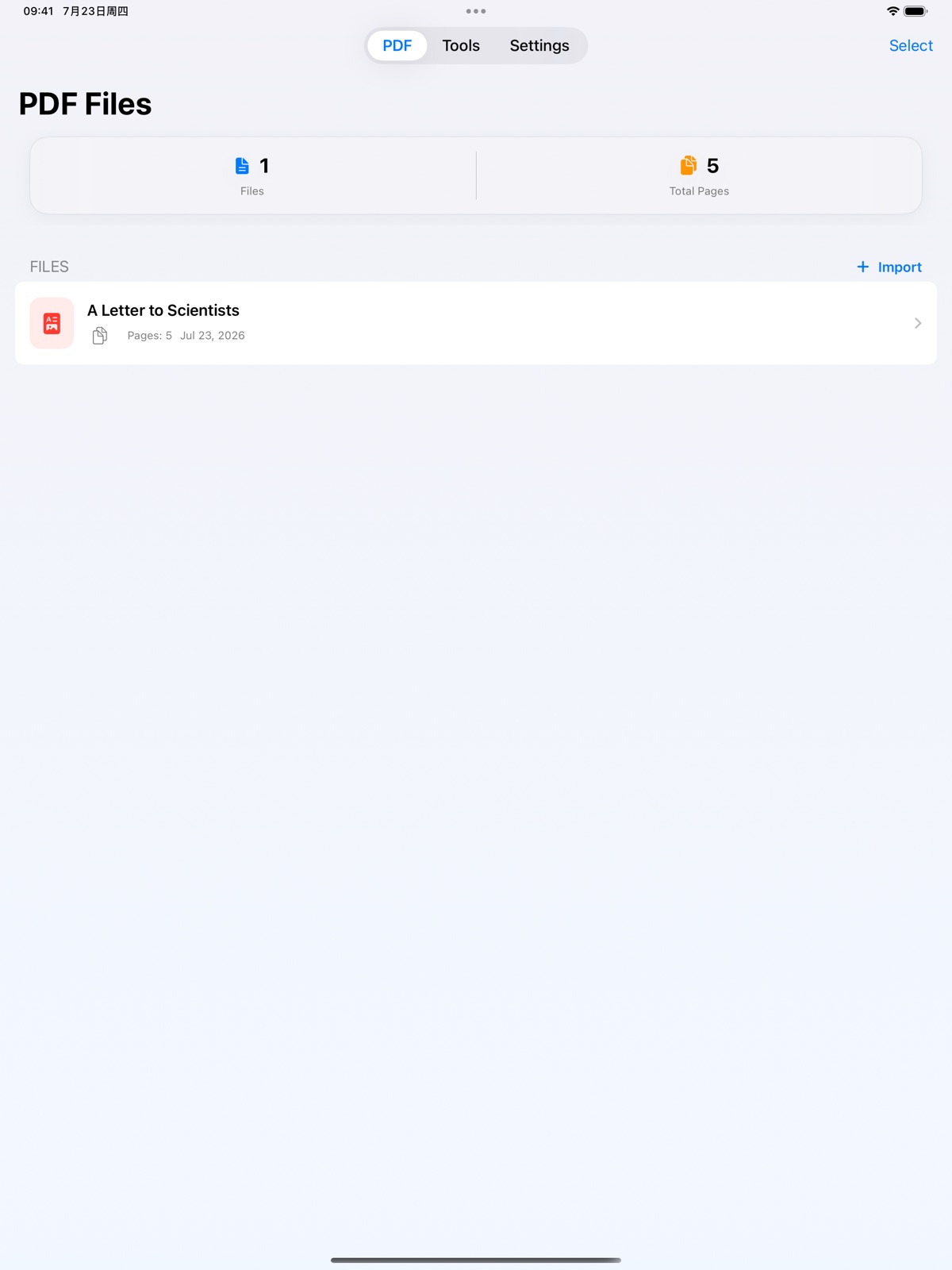
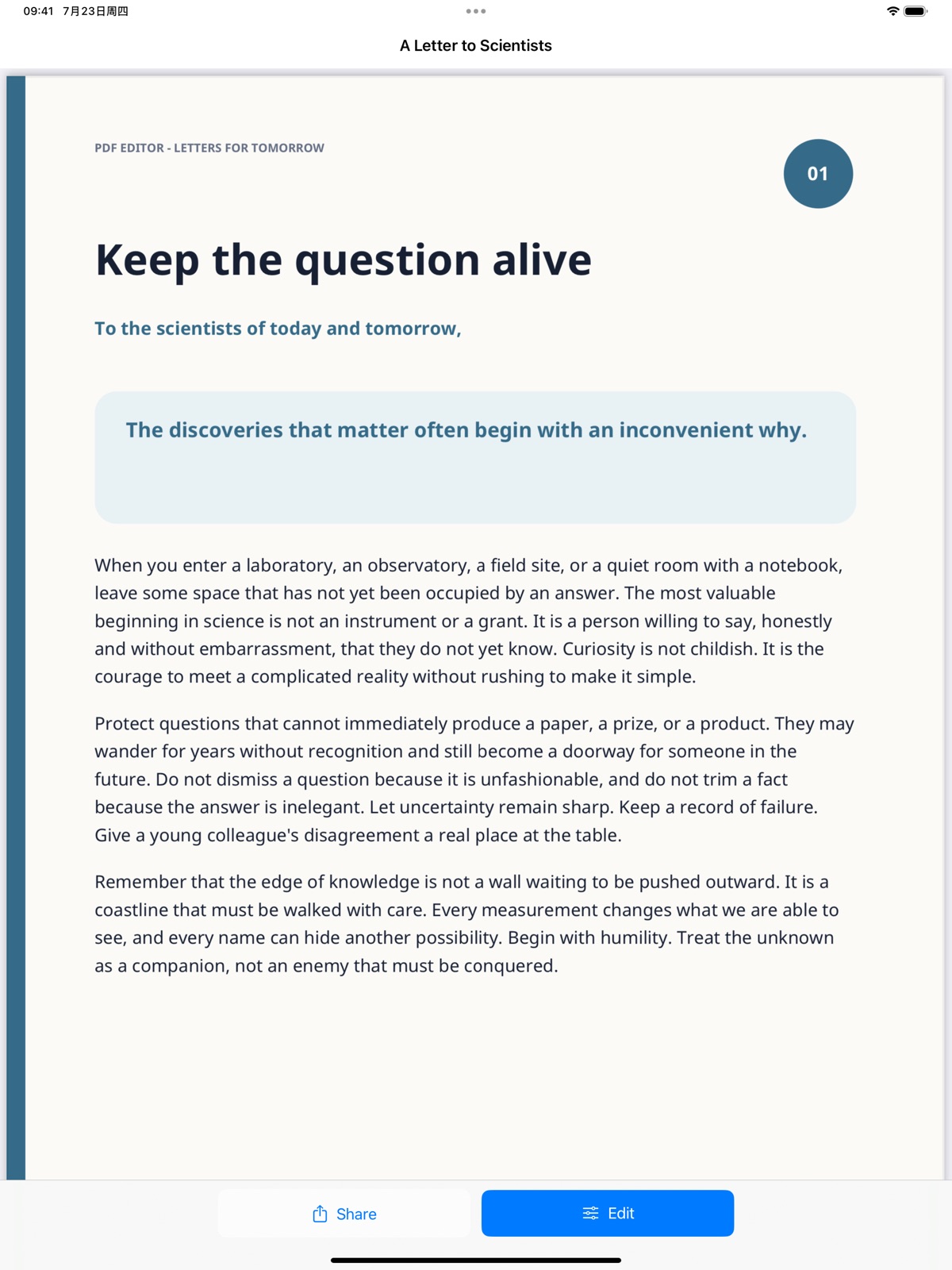
AppCorpus MCP gives your agent current app data, prices, screens, features and sources.
View JSON
GET /api/v3/apps/6450979125
{
  "app_id": 6450979125,
  "canonical_url": "https://appcorpus.com/apps/pdf-editor-secure-offline-6450979125",
  "identity": {
    "name": "PDF Editor: Secure & Offline",
    "slug": "pdf-editor-secure-offline",
    "developer": {
      "name": "大鹏 张",
      "url": "https://appcorpus.com/developers/developer-596-developer_f4cc03834c537c496096969919bd9c0a"
    },
    "icon_url": "https://is1-ssl.mzstatic.com/image/thumb/Purple211/v4/b2/1f/4a/b21f4ad8-5fb5-32e6-8b6b-ae945fe4f540/AppIcon-0-0-1x_U007epad-0-1-85-220.png/512x512bb.jpg",
    "stores": [
      "apple"
    ],
    "platforms": [
      "iphone",
      "ipad"
    ],
    "status": {
      "state": "active",
      "label": "Active",
      "last_checked": "2026-08-06",
      "last_checked_label": "6 Aug 2026",
      "banner": null,
      "region_note": null
    }
  },
  "listings": [
    {
      "store": "apple",
      "status": "ACTIVE",
      "url": "https://apps.apple.com/us/app/pdf-editor-secure-offline/id6450979125?uo=4",
      "rating": 5.0,
      "rating_count": 2,
      "formatted_price": "Free",
      "is_free": true,
      "has_iap": false,
      "has_subscription": false,
      "version": "2.2.0",
      "updated": "2026-07-30",
      "currency": "USD"
    }
  ],
  "summary": {
    "one_liner": null,
    "summary": null,
    "best_for": [],
    "not_for": [],
    "status": "fallback",
    "at_a_glance": [
      "Free to download"
    ]
  },
  "categories": {
    "official": [
      "Utilities",
      "Productivity"
    ],
    "appcorpus": [
      {
        "category_id": "utilities",
        "label": "Utilities",
        "url": "https://appcorpus.com/categories/utilities"
      },
      {
        "category_id": "productivity",
        "label": "Productivity",
        "url": "https://appcorpus.com/categories/productivity"
      }
    ]
  },
  "use_cases": [],
  "features": [
    {
      "capability_id": "free_app",
      "label": "Free app",
      "availability": "yes",
      "access_level": "free",
      "scope": null,
      "evidence": "Store published"
    }
  ],
  "pricing": [
    {
      "store": "apple",
      "formatted_price": "Free",
      "is_free": true,
      "has_iap": false,
      "has_subscription": false,
      "currency": "USD",
      "market": "us",
      "last_verified": "2026-08-06",
      "rows": [
        "Free"
      ]
    }
  ],
  "screens": [
    {
      "url": "https://is1-ssl.mzstatic.com/image/thumb/PurpleSource211/v4/6f/8c/bd/6f8cbd4b-eaa5-ed7b-f233-2beb16cbc9bc/01-library.png/1600x1600bb.jpg",
      "store": "apple",
      "platform": "ipad",
      "alt": "PDF Editor: Secure & Offline ipad screenshot 1"
    },
    {
      "url": "https://is1-ssl.mzstatic.com/image/thumb/PurpleSource211/v4/31/61/c8/3161c854-ca4e-3b0a-2294-cc37161f8a5e/02-reader.png/1600x1600bb.jpg",
      "store": "apple",
      "platform": "ipad",
      "alt": "PDF Editor: Secure & Offline ipad screenshot 2"
    },
    {
      "url": "https://is1-ssl.mzstatic.com/image/thumb/PurpleSource211/v4/6f/8c/bd/6f8cbd4b-eaa5-ed7b-f233-2beb16cbc9bc/01-library.png/360x480bb.jpg",
      "store": "apple",
      "platform": "ipad",
      "alt": "PDF Editor: Secure & Offline ipad screenshot 3"
    },
    {
      "url": "https://is1-ssl.mzstatic.com/image/thumb/PurpleSource211/v4/31/61/c8/3161c854-ca4e-3b0a-2294-cc37161f8a5e/02-reader.png/360x480bb.jpg",
      "store": "apple",
      "platform": "ipad",
      "alt": "PDF Editor: Secure & Offline ipad screenshot 4"
    },
    {
      "url": "https://is1-ssl.mzstatic.com/image/thumb/PurpleSource221/v4/9a/49/88/9a498897-ecd1-b597-8d39-a2d6e5b74bed/03-page-editor.png/1600x1600bb.jpg",
      "store": "apple",
      "platform": "ipad",
      "alt": "PDF Editor: Secure & Offline ipad screenshot 5"
    },
    {
      "url": "https://is1-ssl.mzstatic.com/image/thumb/PurpleSource211/v4/46/37/12/4637125e-05ea-a20d-fab3-5775e584cd4f/04-tools.png/1600x1600bb.jpg",
      "store": "apple",
      "platform": "ipad",
      "alt": "PDF Editor: Secure & Offline ipad screenshot 6"
    },
    {
      "url": "https://is1-ssl.mzstatic.com/image/thumb/PurpleSource221/v4/9a/49/88/9a498897-ecd1-b597-8d39-a2d6e5b74bed/03-page-editor.png/360x480bb.jpg",
      "store": "apple",
      "platform": "ipad",
      "alt": "PDF Editor: Secure & Offline ipad screenshot 7"
    },
    {
      "url": "https://is1-ssl.mzstatic.com/image/thumb/PurpleSource211/v4/46/37/12/4637125e-05ea-a20d-fab3-5775e584cd4f/04-tools.png/360x480bb.jpg",
      "store": "apple",
      "platform": "ipad",
      "alt": "PDF Editor: Secure & Offline ipad screenshot 8"
    },
    {
      "url": "https://is1-ssl.mzstatic.com/image/thumb/PurpleSource211/v4/e4/73/82/e473826f-f677-8a33-6c66-d52e9fc62271/05-images-to-pdf.png/1600x1600bb.jpg",
      "store": "apple",
      "platform": "ipad",
      "alt": "PDF Editor: Secure & Offline ipad screenshot 9"
    },
    {
      "url": "https://is1-ssl.mzstatic.com/image/thumb/PurpleSource211/v4/90/23/4b/90234bd6-d36f-9a24-26cf-5029db261c8c/06-settings.png/1600x1600bb.jpg",
      "store": "apple",
      "platform": "ipad",
      "alt": "PDF Editor: Secure & Offline ipad screenshot 10"
    },
    {
      "url": "https://is1-ssl.mzstatic.com/image/thumb/PurpleSource211/v4/e4/73/82/e473826f-f677-8a33-6c66-d52e9fc62271/05-images-to-pdf.png/360x480bb.jpg",
      "store": "apple",
      "platform": "ipad",
      "alt": "PDF Editor: Secure & Offline ipad screenshot 11"
    },
    {
      "url": "https://is1-ssl.mzstatic.com/image/thumb/PurpleSource211/v4/90/23/4b/90234bd6-d36f-9a24-26cf-5029db261c8c/06-settings.png/360x480bb.jpg",
      "store": "apple",
      "platform": "ipad",
      "alt": "PDF Editor: Secure & Offline ipad screenshot 12"
    },
    {
      "url": "https://is1-ssl.mzstatic.com/image/thumb/PurpleSource221/v4/bf/6d/95/bf6d95b0-9656-127f-9964-2ba01d242c49/01-library.png/1320x1600bb.jpg",
      "store": "apple",
      "platform": "iphone",
      "alt": "PDF Editor: Secure & Offline iphone screenshot 13"
    },
    {
      "url": "https://is1-ssl.mzstatic.com/image/thumb/PurpleSource221/v4/ca/7b/18/ca7b18e7-a834-4d57-02f9-9896a7ac0f82/02-reader.png/1320x1600bb.jpg",
      "store": "apple",
      "platform": "iphone",
      "alt": "PDF Editor: Secure & Offline iphone screenshot 14"
    },
    {
      "url": "https://is1-ssl.mzstatic.com/image/thumb/PurpleSource211/v4/3c/61/05/3c61056e-ac31-b990-f7d3-e466827c7be5/03-page-editor.png/1320x1600bb.jpg",
      "store": "apple",
      "platform": "iphone",
      "alt": "PDF Editor: Secure & Offline iphone screenshot 15"
    },
    {
      "url": "https://is1-ssl.mzstatic.com/image/thumb/PurpleSource211/v4/a7/12/d3/a712d3f7-5b35-c4ad-814d-9f779f66b346/04-tools.png/1320x1600bb.jpg",
      "store": "apple",
      "platform": "iphone",
      "alt": "PDF Editor: Secure & Offline iphone screenshot 16"
    },
    {
      "url": "https://is1-ssl.mzstatic.com/image/thumb/PurpleSource221/v4/28/81/38/288138ba-7718-b334-f51e-41f6ca00a682/05-images-to-pdf.png/1320x1600bb.jpg",
      "store": "apple",
      "platform": "iphone",
      "alt": "PDF Editor: Secure & Offline iphone screenshot 17"
    },
    {
      "url": "https://is1-ssl.mzstatic.com/image/thumb/PurpleSource211/v4/1e/d0/76/1ed076f3-cebf-888f-8811-e76ddb318e61/06-settings.png/1320x1600bb.jpg",
      "store": "apple",
      "platform": "iphone",
      "alt": "PDF Editor: Secure & Offline iphone screenshot 18"
    }
  ],
  "ratings": [
    {
      "store": "apple",
      "average": 5.0,
      "count": 2,
      "market": "us",
      "observed_at": "2026-08-06",
      "reviews": []
    }
  ],
  "privacy": [
    {
      "store": "apple",
      "declarations": [
        {
          "title": "Data Not Collected",
          "detail": "",
          "source": "Developer declared"
        }
      ],
      "accessibility": []
    }
  ],
  "changes": [
    {
      "store": "apple",
      "version": "1.0",
      "released_at": null,
      "notes": ""
    },
    {
      "store": "apple",
      "version": "1.1.0",
      "released_at": null,
      "notes": "1. Performance improvements 2. You can adjust the image position in editing view"
    },
    {
      "store": "apple",
      "version": "1.2.0",
      "released_at": null,
      "notes": "you can rearrange the pdf pages"
    },
    {
      "store": "apple",
      "version": "2.0.0",
      "released_at": null,
      "notes": "PDF Export 2.0 delivers a redesigned editing workflow: • Reorder and remove PDF pages with visual previews • Merge multiple PDFs from your document library • Create PDFs from photos with page size and orientation controls • Move, resize, rotate, duplicate, and layer images • Import PDFs from Files or receive them from other apps • Improved iPhone and iPad layouts • English and Simplified Chinese support"
    },
    {
      "store": "apple",
      "version": "2.1.0",
      "released_at": null,
      "notes": "New in version 2.1: • Convert supported Word, Excel, and PowerPoint files to PDF entirely on your device • Added Traditional Chinese, Japanese, Korean, French, German, Russian, Spanish, Portuguese, and Arabic • Improved right-to-left layout and navigation for Arabic • Improved PDF page editing on iPhone and iPad • Fixed Office import and conversion issues, including spreadsheet processing that could stall • Added in-app open-source license and source information"
    },
    {
      "store": "apple",
      "version": "2.2.0",
      "released_at": "2026-07-30",
      "notes": "New in version 2.2: • Significantly reduced app download and installation size • Streamlined the offline Office-to-PDF engine while keeping Word, Excel, and PowerPoint import support • Refined translations and terminology across all 11 supported languages • Updated open-source notices and component information"
    }
  ],
  "alternatives": [],
  "evidence_summary": {
    "index_state": "S1",
    "evidence_level": 1,
    "level_label": "Live store listing",
    "indexable": true,
    "last_verified_at": "2026-08-06",
    "unknown_fields": [
      "Independent summary has not been published yet."
    ],
    "sources": [
      "App Store"
    ]
  },
  "availability_markets": {
    "live": [
      "us"
    ],
    "selected": "us",
    "note": null
  },
  "feature_events": {
    "events": []
  },
  "features_slice": {
    "plans": [
      {
        "code": "free",
        "label": "Free",
        "kind": "free",
        "status": "inferred",
        "prices": [],
        "trial": null
      }
    ],
    "features": [],
    "unknown_features": [],
    "data_cutoff": "6 Aug 2026"
  }
}