
Quick verdict
- What it is
- Store information collected; independent summary not yet available.
- At a glance
-
- Free to download
- In-app purchases
Categories and search queries
Official categories
- Developer Tools
- Graphics & Design
AppCorpus categories
Key functions
| Function | Availability | Access | Scope | Evidence |
|---|---|---|---|---|
| Family Sharing | Yes | Unknown | App Store | Store published |
| Free app | Yes | Free | — | Store published |
| In-app purchases | Yes | Limited free | — | Store published |
Screens
App Store
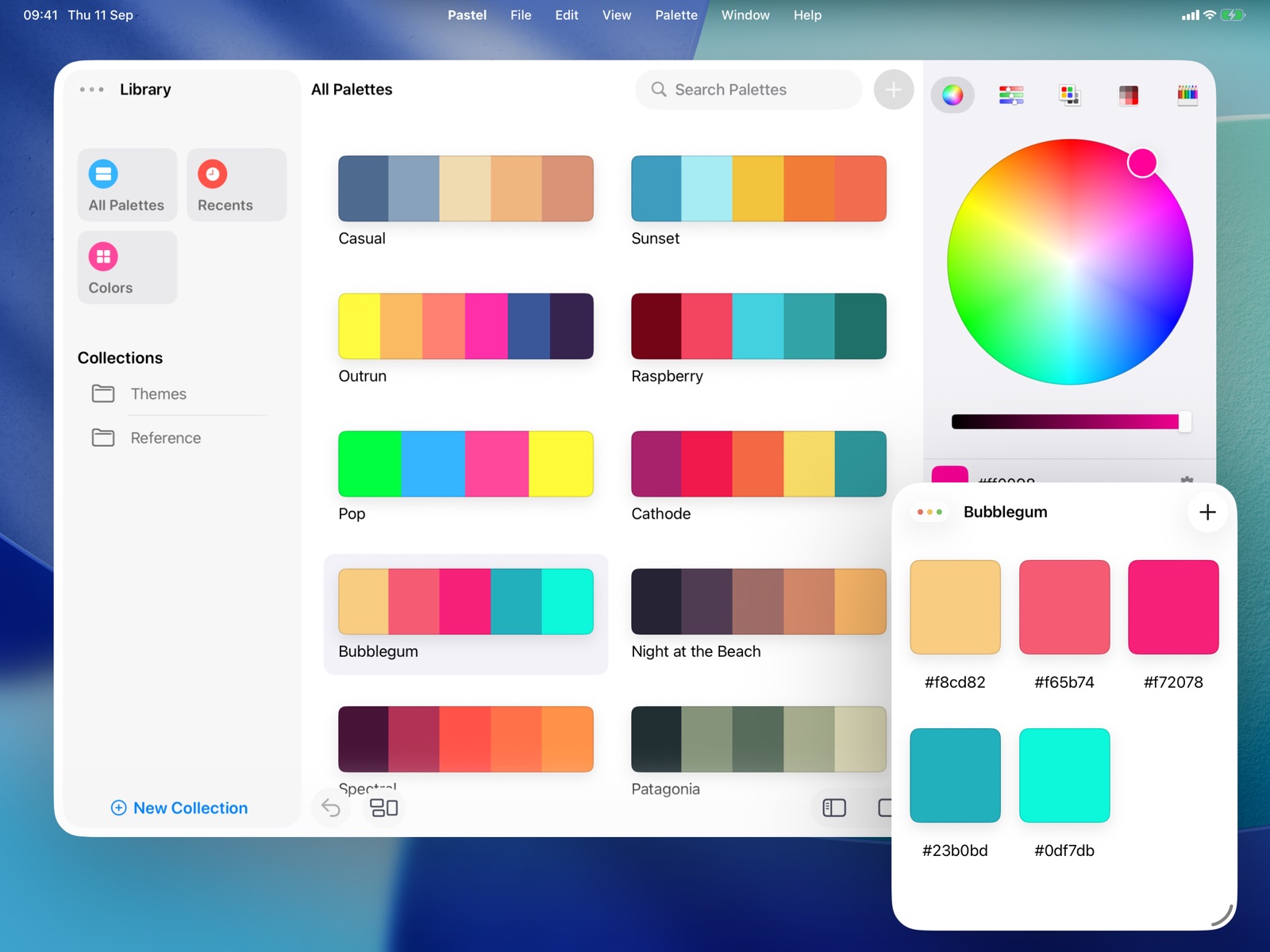
27 store screenshots



Pricing & paywalls
App Store
- Free to download
- In-app purchases
Ratings & reviews
App Store
-
5/5Love this app!!
Shooting a documentary and this app has been essential to me developing my lookbook. If you have control over the look of your project then its essential to have help developing the look that will help you tell part of your story. The look and mood that you obtain from your colors in your movie or project are just as important as the words you write down in your script or the picture you draw ... Don't neglect your project and don't get caught off guard having never made the effort to choose a look for your project ... get this app!!!!
Fard2500 · 31 Jul 2026
-
3/5Love It! Too Bad It’s Buggy.
Great app for sorting your colors and palettes right here. Not only can you create collections to store specific types of palettes (For example, I sort my palettes by theme and colors) But you can create entire color systems to reference off of when creating your palettes. This makes the app very useful for pixel artists specifically, or for any artists who like to use limited color palettes. I only have a few issues with the app that keep me from giving it 5 stars: A minor feature I request is the ability to create color systems by deriving from photos and files the same way you can for regular palettes. This would make creating color systems a much, much faster process. All my other problems with the app are how buggy it is. It’s hard to sort palettes in collections because the app keeps thinking I want to take the colors to add to another palette. I keep losing my progress because the way the offline and online storage system is extreme buggy, and I end up having to start all over again with my palettes and color systems when they’re suddenly all gone when I load it up. Palettes with a whole bunch of colors do…NOT display the best. Sometimes parts of the app will literally freeze, causing me to load it back up again. This app just really needs to be cleaned up. It’s a shame; I really like Pastel. I even paid for it to access more storage and features. I can’t use it however if it keeps fizzling on me. I really hope the developers do something about these problems.
Phinzell · 31 Jul 2026
-
1/5Custom palettes costantly disappear, no real product support or documentation
I recently purchased and downloaded this app a few hours ago to my Mac Pro running macOS Monterey. I spend an hour creating several custom palettes I put into a "collection". Suddenly, all of my palettes were gone. The "collection" was still there, but empty. I tried a few tests (making more colors, palettes, collections, open/close the app after creating them), and the palettes would either disappear out of the collection, or the palettes might still be there, but empty of colors. There is no real support for tis product. A webiste/support linke in the Apple App Store goes to webpage, which in turn, has a link back to the App Store. There is a Twitter link, where I suppose that is where we're supposed to learn how to use this app and get support. But I don't care to use Twitter, certainly not for support on a product I spent money on. I see no way to get real support nor a refund. Hopefully others are not having similar loss of time and productivity with this app.
SomDowns · 31 Jul 2026
-
4/5Much more than a colorpicker (but oddly, not a colorpicker)
This is a great palette management tool, and it does what it does really well. If you just need a colorpicker, though, this isn't that: In fact, the only way you DON'T bring colors into this app is the one way I (perhaps foolishly) had assumed I would -- By using a system-wide keyboard shortcut to pull up an eye dropper to select a color (Hint to the developer: This would be a great addition). Regardless, it's a great organizer, and I paid for the full version -- even after realizing I'd also need a colorpicker to go along with it (ie, my only issue with it lies with my expectation rather than with the app itself).
VeryVito · 31 Jul 2026
-
4/5Great App With One Flaw
This is a fantastic app for building up a library of color palettes. It's got first-class organizational capabilities, allowing you to drop palettes into one or more collections, and plenty of ways to export your palettes either to visualize them or use them in software. The one thing it's missing is a URL scheme. If you want to navigate to a particular palette, you have to manually open the application and either browse or search for it. I'd love to be able to generate links to palettes, that I could either record in a notes application or attach via Hookmark, allowing me to jump directly to the linked-to palette.
Achaerone · 31 Jul 2026
Privacy & accessibility
App Store
Privacy
- Data Not Collected Developer declared
Accessibility
No accessibility labels collected yet.
Versions
App Store
-
2.1
• Create Wallpaper: create beautiful, colorful wallpapers in various different 2D & 3D styles using Pastel's new wallpaper creator. • Adds keyboard shortcuts for all the newer copy actions, and provides alternates for copying the color from the sidebar picker
-
2.1.1
• Create Wallpaper: create beautiful, colorful wallpapers in various different 2D & 3D styles using Pastel's new wallpaper creator. • Fixes a potential layout issue on iPad when hardware keyboard is disconnected • Fixes an issue that could prevent the system from saving wallpapers to photo library • Fixes an issue that could prevent library from syncing with iCloud for some users
-
2.1.2
• Create Wallpaper: create beautiful, colorful wallpapers in various different 2D & 3D styles using Pastel's new wallpaper creator • Adds plumbing for in-app events
-
2.1.3
• New in v2.1 — Create Wallpaper: create beautiful, colorful wallpapers in various different 2D & 3D styles using Pastel's new wallpaper creator • Adds a debug panel for browsing and restoring library backups
-
2.1.4
• New in v2.1 — Create Wallpaper: create beautiful, colorful wallpapers in various different 2D & 3D styles using Pastel's new wallpaper creator • You can now swipe upwards in the Create Wallpaper screen to show the Settings panel • Create Wallpaper Settings will now remember the last selected style when closed and reopened
-
2.1.5
• New in v2.1 — Create Wallpaper: create beautiful, colorful wallpapers in various different 2D & 3D styles using Pastel's new wallpaper creator • New on iPad, you can now open palettes in their own window
-
2.1.6
• New in v2.1 — Create Wallpaper: create beautiful, colorful wallpapers in various different 2D & 3D styles using Pastel's new wallpaper creator • Fixed an instance where iPad-specific features were visible on iPhone
-
2.2
• Brand-new Widget: from the Create Wallpaper panel, save a procedurally-generated wallpaper to Pastel's home screen Widget. Choose from a list of wallpapers to personalize your home screen with colors and shapes. Manage your widget-ready wallpapers in Pastel. • Pick from advanced options for generating a palette from an image
-
2.2.1
• Minor fixes & improvements
-
2.2.3
• Last-used sliders color picker mode is now preserved
-
2.2.4
• Fixes an issue that would prevent some palettes from being copied as bitmap in full
-
2.2.6
• Adds protection against future library format changes
-
2.2.7
• Fixes a potential navigation layout bug on some devices
-
2.2.8
• Fixes a potential issue that might cause borders on widgets
-
2.3.3
• Fixes an issue with refreshing the palettes view when a palette changes • Changes and improvements to bring all versions of Pastel up to date
-
2.3.4
• Fixes an issue that could prevent saving/exporting wallpapers
-
2.3.5
• Fixes an issue that could prevent drag and drop reordering of palettes
-
2.3.6
• Adds support for Dark and Tinted app icons
-
2.3.7
• Fixes an issue that may cause certain sizes of widgets not to render
-
2.4
• Freshly-redesigned for iOS 26 and Liquid Glass
-
2.4.1
• Fixes a potential crash when dragging a color into an empty palette
-
2.4.4
• You can now zoom the image view when picking colors from an image
-
2.5
• Improvements to the undo/redo system • Fixes missing rounded corners in the color picker tab bar • Fixes a number of issues on iOS 18 and earlier
-
2.5.1
• Improvements to wording and clarity in the purchase screens
-
2.6
· 20 Apr 2026
• The Quick Add Color panel now has a new look • Color creation flow has been clarified and improved • Fixes an issue at color creation where a palette could end up with duplicated references • Improvements to save and sync
Alternatives
- Code Runner App Compiler & IDE — Same category + similar ratings
- SSH Client - Terminal & Termux — Same category + similar ratings
Availability by market
- US
Data quality & evidence
- Page completeness
- Live store listing
- Last verified
- 31 Jul 2026
- Sources
- App Store
- Independent summary has not been published yet.