
Quick verdict
- What it is
- Store information collected; independent summary not yet available.
- At a glance
-
- $9.99
Categories and search queries
Official categories
- Productivity
- Business
AppCorpus categories
Key functions
| Function | Availability | Access | Scope | Evidence |
|---|---|---|---|---|
| Family Sharing | Yes | Unknown | App Store | Store published |
Screens
App Store
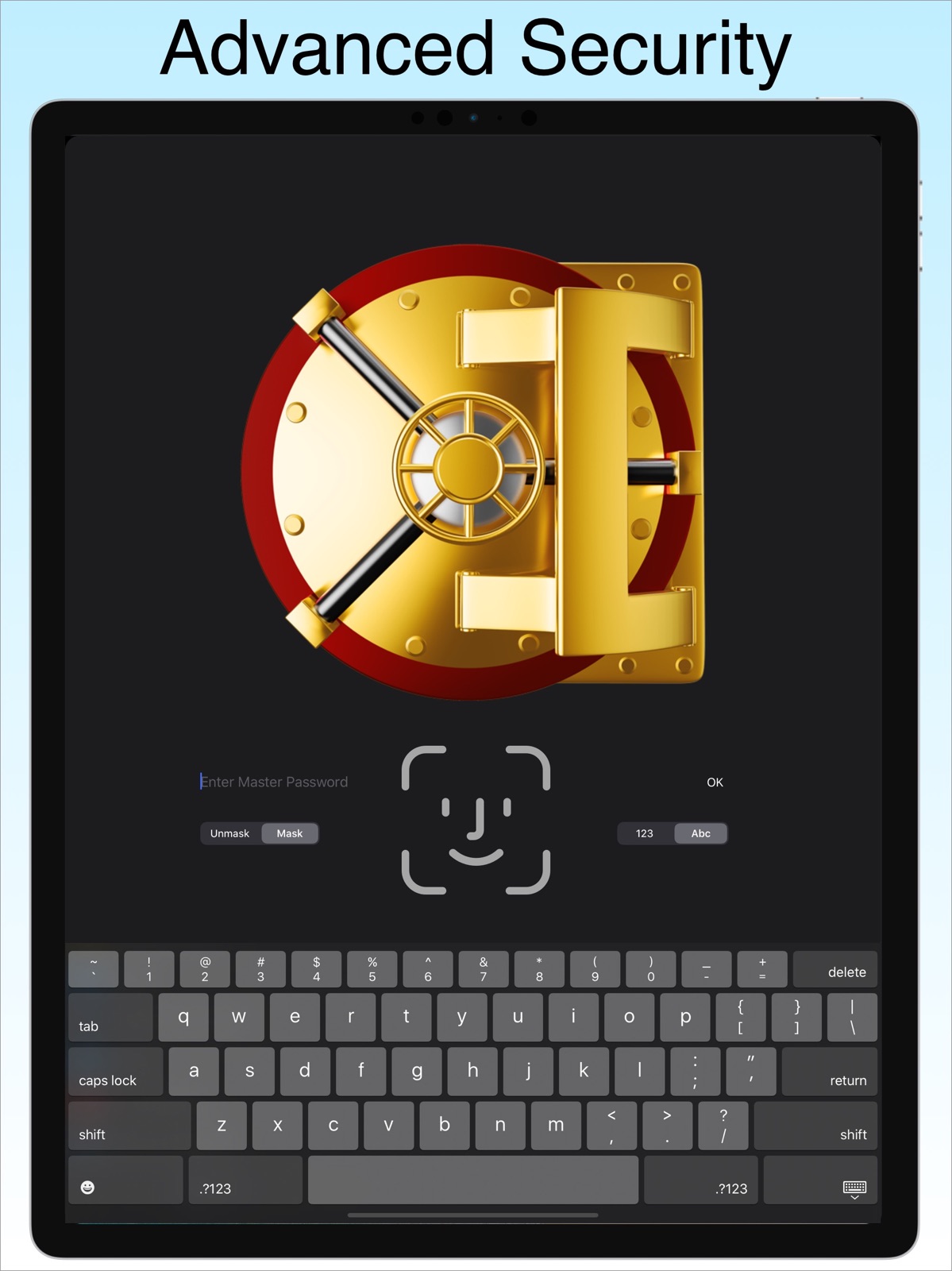
20 store screenshots


Pricing & paywalls
App Store
- Price: $9.99
Ratings & reviews
App Store
-
5/5Very happy so far
I downloaded this app for my iPhone and also downloaded the separate version for my Mac, both work very nicely and are reasonably priced. I have been using this app for about two months and so far I am very happy. I had another simple password manager app but it was not updated by the developers for iOS 11. I was looking for a app that kept all my passwords on my device and my device only and this app fit the bill. The other nice thing about this app is, you pay a one time fee and you are done. I was not going to pay a monthly fee to store my passwords on some cloud service somewhere, when I could backup my passwords myself on my computer. I feel like my personal info is safer on my computer than some cloud based servers somewhere in cyberspace that could be hacked. I know that my info is encrypted by this app but I prefer my personal info to be with me and me only and this app was perfect for that. I supposedly can backup all the data from this app through iTunes on my computer, which I have not done yet because I have not plugged in all of my passwords yet into the app. Now if the backup project will go smoothly, then I will be super excited . I would also like to mention that, before I purchase this app I email the support team with a question about this product and they responded in less than 24 hrs, that’s amazing. Once again, super nice app but, I would like to see some more icons labels in your list, like a cellphone or tablet.
NineFingerNappy · 5 Aug 2026
-
5/5Best Password App
I have been using this app on my iPhone and MacBook Pro to protect my passwords since the beginning and it has never let me down. I tried some other ones and they either were cumbersome to use or you had to pay a subscription or both. DataVault is user friendly with no subscription. I sync my data through the cloud to keep things up-to-date on the go and sync over WIFI with my wife. I also sync over WIFI with my son who lives 1,900 miles away whenever I see him because he is the executer of our estate and it is critical that he has all of our current information available in case it is ever needed. The creators of DataVault are also extremely responsive. A few weeks ago I received a pop-up on my Mac saying the app wouldn't be available on future OS updates as Apple is migrating away from Intel based support. So I reached out to Ascendo (DataVault's developer) and asked them if they were aware and were planning on an update. I received a response a few hours later saying they were aware and working on an update. Then about a week or so later I received a personal follow-up email informing me the update was complete and available in Apple's App Store. DataVault is absolutely the best!
KH108 · 5 Aug 2026
-
5/5Sync Issues
Re-rated 3 to 5 because prior synch issues were resolved. Couldn’t get by without this; it’s one of my most important of many apps. I have no idea how so many people can go on without a password program like this, including my wife. I really rely on this app for a lot of personal and business things, including LOTS of passwords. I avoid using the same password for everything like a lot of people do. Recommended this to my father in law in his 90’s and he says he couldn’t live without it. Why 3 stars? It used to synch perfect with Dropbox which to me is vital, but now the PC app which now seems a bit dated BTW, will no longer do this, and yes, everything is updated and all else is working. I tried everything, the PC app keeps saying that I need to log in to Dropbox, but I AM logged in. I logged out, logged in, did everything I could on both the mobile and PC, got nowhere, and did plenty of FAQ reading and Google searching. If there is a way to get this working again, it will be via some extremely non-intuitive weird wormhole, and if that is the case, then this app is at fault for not making this EASY and CLEAR. If this changes, I will re-review and increase the number of stars.
Renseg · 5 Aug 2026
-
5/5Most useful software I use
I have had DataVault for too many years to count. I have it on my phone, iPad, and Mac. I am always near one these devices. Whenever I create an account somewhere I add an entry with which login email I used and the pw and/or other relevant info. I record info about subscriptions, memberships, credit cards, financial accounts, medical accounts, car VIN, library card, storage site entry codes, frequent flyer numbers, insurance, credit monitoring, family SS numbers, website and telephone numbers, email addresses, password history for those accounts that require changing your pw regularly, etc. I record dates of renewal and expiration and amount paid for subscriptions and services I pay for. I use it for passwords but also as a data-secured contact directory and reference notebook file. Each device can be backed up to another device or a cloud account. Changes on one device are AUTOMATICALLY synchronized with the others. Periodically I print a hard copy and place it with my will and trust info. This software has saved me a lot of frustration and time. I can’t function without it.
Solitaire card game addict · 5 Aug 2026
-
5/5Has never let me down
I have used Ascendo DataVault for years now (I am guessing 4-6?). It is a powerful yet not-too-complicated app that gives me peace of mind, knowing that if I ever lose my phone or laptop, I will still be able to recover my passwords. I like the simplicity of syncing my iPhone with my MacBook over the WiFi at my house. I try to do it at least a couple of times a week to keep them current. Doing this, I am able to create very sophisticated and unique passwords for many many uses. It’s great for keeping data on your auto, drivers licenses, passports, etc, too. I have hardly ever had any issues with this app in all the time I have used it. With a recent update, I began to have an issue copying and pasting the info from the app to the websites. I sent a quick email to support services. We corresponded a couple of times and we tried a couple of solutions, changed a setting and, voila....back to good old reliable. Customer support was outstanding. That’s when I decided it was time to write a review. Do yourself a favor and get this safe and secure app. It is a workhorse. Well done, Ascendo!
Phonobone · 5 Aug 2026
Privacy & accessibility
App Store
Privacy
- No Details Provided Developer declared
Accessibility
No accessibility labels collected yet.
Versions
App Store
-
4.3.52
- Improvements to data management and performance. - Added 10 item icons.
-
4.3.54
✦ iOS5 Compatible. ✦ Implemented Dropbox sync with DataVault Desktops in addition to Webdav, Wi-Fi and Mobile Me (iCloud in development). ✦ Added on-device backup & restore using application file sharing (iOS 3.2 and above). ✦ Enhanced support for iOS multi-tasking to allow users to switch to other applications and copy information stored in DataVault. ✦ Improved Auto-Lock setting so that switching applications or quitting and restarting DataVault doesn't require login (set Auto-Lock to No). ✦ Added search settings to include fields and notes in lookups. ✦ Enhanced iPad screen formatting including split-panel view. ✦ Added security alert to send device position by email in case of failed login attempt. ✦ Added ability to delete on-device backups. ✦ Several usability enhancements and in-app help improvements.
-
4.5.18
Please read user guide section on backing up data before updating. - Implemented iCloud Backup to automatically make a copy of DataVault information by date. - Implemented iCloud Synchronization to automatically update DataVault edits on all iOS devices. - Removed auto-capitalization for field contents to facilitate entering usernames and passwords. - Improved item form layout. - Implemented automatic save when editing items and settings. - Improved Wi-Fi Sync Settings so user can manually enter IP address and port or select DataVault desktop from list. - Improved field editing with Suggest a Password feature. - Enhanced Display Settings to select form colors and background images. - Improved settings screens to emulate iOS settings. - Increased size of clipboard icon to facilitate cut and paste of field contents. - Improved detection of telephone numbers for Tap to Call feature. - Enhanced item notes editing. - Improved several item icons. - Added help buttons to settings screens to display detailed online instructions. - Changed color of actionable fields so they appear clearly on all themes. - Fixed Dropbox login cancel button. - Fixed Send Item by Encrypted Email issue. - Numerous other enhancements such as improvements to in-app help text, screen layouts and themes.
-
4.6.35
- Support for iPhone 5 and iOS 6. - Implemented Sync Now to initiate iCloud sync manually in case automatic iCloud sync is delayed. - Added options if DataVault master passwords are not the same on all devices syncing over iCloud. - Fixed several iCloud sync issues including partial updates, duplicates and parsing error messages.
-
4.6.36
- iPhone 5 and iOS 6 compatible. - Fix for iPad keyboard issue. - Implemented Sync Now to initiate iCloud sync manually in case automatic iCloud sync is delayed. - Added options if DataVault master passwords are not the same on all devices syncing over iCloud. - Fixed several iCloud sync issues including partial updates, duplicates and parsing error messages. - Implemented Conflict Resolution settings for iCloud Sync. - Enhanced automatic iCloud backup to keep 7 most recent backups and delete the rest. - Added device name to default filenames to avoid overwriting backups initiated by other devices. - Added password prompt to unlock backups made with different master password. - Implemented backup and restore from Dropbox. - Improved login performance to reduce delays for large databases. - Improved item details screen by moving Category and Type below notes in view mode. - Enhanced password generator by replacing strength meter indicators with a slider bar. - Fixed password generator issue causing repeated suggestions. - Implemented Reset Database feature in Tools & Settings. - Improved application icon. - Added icons to Synchronize, Backup & Restore settings and improved layout. - Moved mask/unmask button to login form and added help button with instructions for lost passwords. - Removed redundant login after selecting master password. - Updated support for Box.com Web Dav synchronization. - Improved Wi-Fi sync and removed Adhoc sync which became redundant as a result. - Removed support for Mobile Me sync following Apple's decision to terminate service. - Numerous minor improvements including help text, iPad item scrolling, bank template icon, menu names and positions, and emails/URL display in item forms.
-
4.6.39
✧ iPhone 5 and iOS 6 optimizations. ✧ Fixed startup issue for iOS v4.3 users. ✧ Improved iCloud synchronization. ✧ Fixed list / tree persistence issue.
-
4.6.45
✧ Support for Dropbox version 1 synchronization protocol. ✧ Improved transition to item details screens. ✧ Improved background images on some settings screens. ✧ Fixed issue with security alert. ✧ Fixed duplicate item issue on iPad.
-
5.1.47
PLEASE NOTE: iOS6 users should wait for next update before installing DataVault v5. - Redesigned for iOS7 to enhance the user experience. - Automatic synchronization across devices using Dropbox (premium) in addition to iCloud, Webdav, Wifi and data cable sync options. - 256-bit encryption using Password-Based Key Derivation Function (PBKDF) and salting to insure the highest level of security offered by any password manager (premium). - Improved integration with with Apple Keychain for two-layer protection of your private data. - 200 hi-res item icons redesigned for contemporary UI (premium). - Expand and collapse list view for quick peak at secondary fields. - Improved multi-tasking support by hiding user data from running apps list. New themes to match iPhone 5S and 5C colors, see Tools > Display Options. - Preview themes in Display Options - Enhanced login screen with vault animation. - Fixed Dropbox “NSRULError” issue. - Numerous other enhancements and fixes.
-
5.1.51
- Redesigned to enhance the user experience. - Automatic synchronization across devices using Dropbox (DataVault Premium) in addition to iCloud, Webdav, Wifi and data cable sync options. - 256-bit encryption using Password-Based Key Derivation Function (PBKDF2) and salting to insure the highest level of security offered by any password manager (DataVault Premium). - Improved integration with with Apple Keychain for two-layer protection of your private data. - 200 hi-res item icons redesigned for contemporary UI (premium). - Expand and collapse list view for quick peak at secondary fields. - Improved multi-tasking support by hiding user data from running apps list. New themes to match iPhone 5S and 5C colors, see Tools > Display Options. - Preview themes in Display Options - Enhanced login screen with vault animation. - Fixed Dropbox “NSRULError” issue. - Fixes for iOS6 users - Brought back numeric keyboard option for login - Numerous other enhancements and fixes.
-
5.2.20
To all our wonderful customers, thanks so much for all the great feedback, encouragement and help testing beta versions. We hope you will love this update! - Implemented Touch ID to authenticate with your fingerprint. Please note, your master password is required at regular intervals to insure strong security. See Security Settings. - Added Require Password setting. DataVault is the only password manager to give you Touch ID options. Once per Session (default), insures that your password is never stored on your device. Daily, Weekly or Monthly securely store your password to the iOS KeyChain. See User Guide to see why this is important. - Changed Security Time Out setting with Auto-Lock to improve consistency with iOS. - Replaced Time Out Action and Auto-Lock settings in previous version with Lock on Exit to simplify security settings. See user guide for more information. - Enhanced multi-tasking support to insure that private info is not visible when DataVault is running in the background. - Fixed List View to display masked fields in expanded view. - Enhanced item icons with iOS like gradients. - Added high resolution graphics for iPhone 6 Plus users. - Improved Dropbox synchronization login. - Implemented latest Dropbox API to eliminate login issues. - Added Progress indicator for Touch ID login for users with large databases. - Changed settings switch color to green. - Implemented Faster Login. To skip login animation, tap on Return key after entering master password. - Other minor improvements and bug fixes. If you have any issues with this update, please email [email protected]. If you appreciate our efforts to deliver this free update, we would be thrilled if you would write a review!
-
6.0.37
We would like to thank all of excellent customer for the suggestions and help testing! If you have any issue with this release, please email [email protected]. If you like this update, let us know that too! - Implemented iOS Spotlight search for DataVault items, see Search Settings. - Implemented seemless, automatic sync for iCloud and Drobpox. - Improved sync algorithm to reduce conflicts between devices. - Implemented Security Alert which sends picture and location of user after failed logins. - Changed encryption level to 256-bit by default. - Included all premium features in version 5. - Activate secure iCloud backup by default. - Implemented close all folders on startup. - Fixed Wi-Fi sync issue for iOS 9. - Added Reset Database settings for local, iCloud and Dropbox. - Enhanced usability for resetting password. - Fixed issue causing some notes to dissapear after sync. - Removed Webdav and iTunes sync. - Improved app icon and launch images. - Improved help text.
-
6.5.41
- Implemented Logins feature to automatically fill in username and password into website forms. - Added Logins for over 60 popular web sites such as Airbnb, Amazon, Chase, Baidu, Craig's List, Dropbox, Expedia, Facebook, Paypal. - Added Notes field to Logins, in addition to URL, username and password to store answers to security questions and other relevant information. - Implemented DataVault browser to use with pre-defined Logins. Tap URL & select Open with DataVault. - Added Next, Previous and Reload Page buttons to DataVault browser toolbar. - Implemented DataVault extension for Safari to initiate website logins. Open Safari, tap Share icon > DataVault extension, then select Login. - Added TouchID to access DataVault extension without having to enter master password, see Security Settings > Touch ID. - Implemented iOS Dynamic Type so font size in DataVault matches font size in iOS Settings > Display & Brightness > Text Size. - Switched on Automatic Backup by default so users avoid losing data when changing devices, see Setttings > Backup & Restore. - Enhanced synchronization with DataVault on other platforms (sold separately) to poll for updates every 2 seconds. - Improved Dropbox sync to check for updates as soon as intitiated, see Settings > Synchronization. - Updated to latest Dropbox SDK (v1.3.14). - Added prompt to activate Touch ID on startup. - Improved icon matrix loading speed the first time user edits item icon. - Implemented usability improvements for adding and editing Items. - Implemented usability improvements for managing Templates. - Fixed task switching issue in iOS 10 that allows users to copy & paste information from DataVault into other applications. - Update link to user guide, see Settings > Help. - Minor bug fixes.
-
6.5.49
- Localized for German, French and Russian. - Implemented new Google login flow. - Improvements to several logins. - Improved screen layouts.
-
6.5.55
- Implemented Dropbox Synchronization API version 2. - Added Clear Clipboard on Exit option to Security Settings. - Improved usability of Templates. - Corrected Touch ID issue occurring for some users. - Fixed bug which displayed folders in list view. - Fixed bug which changed position in lookup list when switching between apps. If you have any issues, please email [email protected] If you like free updates, please rate us favorably in the app store.
-
7.0.19
Added support for Face ID on iPhone X, see Tools & Settings > Security Settings. Implemented DataVault for Apple Watch, see Tools & Settings > Security Settings. Improved usability of add Item and edit Item screens. Implemented field reordering in Item edit. Press line icon, then drag field to a new position. Added ability to delete field from Item and reorder remainging fields. Implemented Import from CSV for users switching from Keeper, Dashlane, 1Password, mSecure, Lastpass, Roboform and other password managers. Added Copy without spaces to field context menu. Improved use of Dynamic Font. See iOS Settings > General > Accessibility > Larger Text to adjust. Enhanced usability of Item View screen. Tap filed to mask. Press field to Copy. Implemented alert to warn user if iCloud Drive is not available for automatic backup. Added Never option to Password Required setting for Touch ID and Face ID. Implemented progress wheel when switching Dropbox Sync On. Added persistency to password generator parameters. Added No Template option to Add Item > Template selection list. Removed American Express login from templates list. Fixed issue locking out users who didn't complete password setup on startup. Added auto-capitalization to item names and removed from field contents. Changed startup default keyboard to alphanumeric. Improved item view screen layout. Localized in-app text to Spanish and Italian. Fixed minor bugs and improved help text. If you have any issues with the new version, please email [email protected] If you like free updates, please rate DataVault favorably in the App Store
-
7.0.28
- Fixed issue causing Touch ID and Face ID to fail in some circumstances. - Improved implementation of Dynamic Type for users who adjust Larger Text in iOS Setting. - Added alert to explain that Copy is accessible by pressing any field while viewing an item. - Added alert to explain that the Password Generator is accessible by pressing any field while editing an item. - Added help text to guide users who enable Security Alert. - Fixed issue causing keypad to hide fields on iPad. - Improved localization on Apple Watch. - Minor bug fixes.
-
7.0.32
- Fixed issue causing crash for some users when managing Categories, Types or Templates. - Implemented hide keyboard when user swipes up in search screen to show bottom items in list. - Fixed grayed out Done button on Import from CSV screen. - Added animation to smooth navigation bar transitions. - Improved font size on Security Settings screen when user select iOS Larger Text. - Added default masking to Reset Local Database password prompt. - Modified security setting defaults after resetting database to match first startup. - Fixed bug causing navbar to disappear when moving items to different categories. - Fixed Send by Email, Encrypted DVX bug. - Improved screen layouts and help test.
-
7.1.20
- Improved support for iPhone X. - Implemented Split View for iPads. See Apple support for demonstration. - Implemented Drag & Drop for iPads. Drag information from DataVault into another app like Safari. - Added option to show copy icons with all fields, see Display Settings > Show Copy Icons. - Added Search Settings > Quick Search to show search field by default on home screen. - Moved Generate Password and Mask field to top of keyboard when editing an item. - Implemented Mask field by default so field returns to masked after unmasking in view mode. - Made password generator settings persistent between startups. - Tapping on phone numbers now initiates phone calls. - Tapping on email addresses now initiates email. - Improved Themes selection in Display Settings. - Fixed Change Password bug limiting the number of characters. - Improved Dropbox sync flow. - Improved Security Alert Setting. - Added clear field icon to Edit Item form. - Fixed Duplicate > Delete bug. - Improved screen text and layouts. - Minor bug fixes. If you have any issues, please email [email protected] If you like free updates, please rate DataVault favorably in the App Store.
-
7.2.14
- Implemented Password Autofill for apps and websites. See User Guide for instructions. - Added multiline support for item names and fields to replace device tilt for long fields. - Repositioned Unmask and Keyboard Selector on login screens to accommodate small devices. - Fixed bug affecting some users when selecting Add Item > No Template. - Fixed bug that changed labels when moving fields. - Eliminated delay initializing item details screen on iPads. - Fixed bug deleting logins created using Safari extension. - Updated Help buttons to point to new User Guide sections. - Improvements to Add Item screen. - Improved login screen for small iPhones. - Fixed Auto-Backup bug. - Fixed CSV Import bug. - Eliminated blank space appearing above long notes.
-
7.2.15
- Fixed crash on startup for devices running iOS 9. - Improvements to iCloud sync. If you have any problems with this version please email [email protected] If you appreciate free updates, please rate DataVault favorably in the App Store.
-
7.3.10
- Added support for iOS 13 Dark Mode. To select in DataVault, tap on the Tools icon > Display Settings > Theme Color > iOS Mode. In iOS, start Settings > Display & Brightness and select Dark. - Fixed long press Copy feature. While waiting for an update, tap on Tools icon > Display Settings and turn on Show Copy Icons. - Added Delete All to Restore screen to remove backups. - Fixed bug deleting a single backup from iCloud. - Updated in-app help links. If you have any issues with the new version, please email [email protected] If you like free updates, please rate DataVault favorably in the App Store
-
7.3.14
Fixed login issue affecting some iOS 13 users. If you have any problems with this version, please email [email protected]
-
7.3.19
If you have any issues with this version, please email [email protected] - Added support for iOS 13 Dark Mode. To select in DataVault, tap on the Tools icon > Display Settings > Theme Color > iOS Mode. In iOS, start Settings > Display & Brightness and select Dark. - Fixed long press Copy feature. Tap and hold field to display Copy menu. Alternatively, tap on Tools icon > Display Settings and turn on Show Copy Icons. - Improved Item View Layout. - Added Delete All to Restore screen to remove backups. - Fixed bug deleting a single backup from iCloud. - Updated in-app help links. If you like free updates, please rate DataVault favorably in the App Store!
-
7.3.24
Thanks to our beta testers for all their help! If you have any issues with this version, email [email protected] What's New - Implemented Copy | Look Up | Share menu for notes in item view mode. Double tap to select. - Integrated notes editing from within the the item edit form. - Restored word wrap for long fields in item view mode. - Fixed save item issue that occurs if user edits an item, taps Done and quits immediately. - Suppressed Copy without Spaces option if field doesn't contain spaces. - Enhanced support for iOS Dark Mode. - Improved layout of DataVault on Apple Watch. If you like free updates, please rate DataVault 5-stars on the App Store.
-
7.3.31
· 25 Jul 2020
- Improvements to Edit Item flow. Changed back arrow to Cancel. If user cancels after making edits, DataVault prompts to Discard Changes or Keep Editing. - Fixed issue which caused Edit Item to fail on occasion for a small subset of users. - Improved Theme colors and icons for iOS Light and Dark modes. - Fixed Add Item Field bug. - Improvements to layout of Login screen. - Fixed Crash on Startup bug. - Fixed Apple Watch sync bug. - Improvements to web Logins. - Fixed Search Settings bug. - Improved localizations for French, Spanish, Italian, German and Russian. If you have any issues with the new version, please email [email protected] If you like free updates, please rate DataVault favorably in the App Store!
Alternatives
- eWallet - Password Manager — Same category + similar ratings
- Password Manager: Safe — Same category + similar ratings
Availability by market
- US
Data quality & evidence
- Page completeness
- Live store listing
- Last verified
- 5 Aug 2026
- Sources
- App Store
- Independent summary has not been published yet.