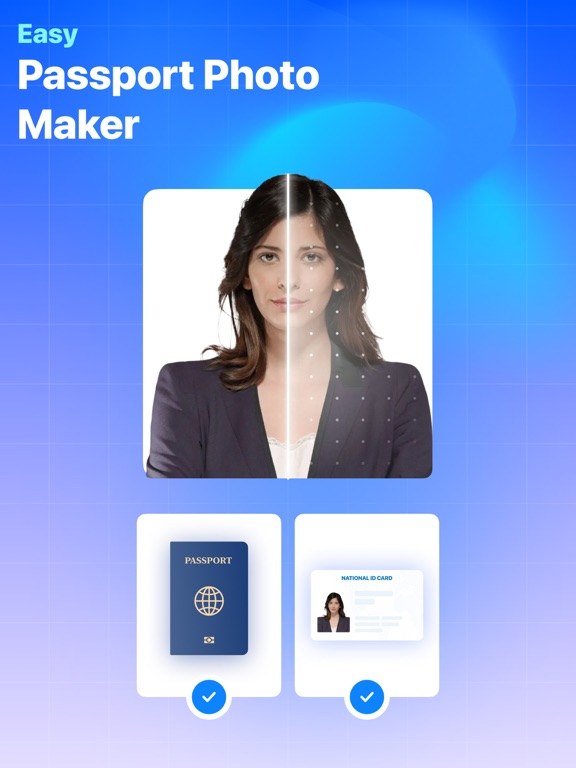
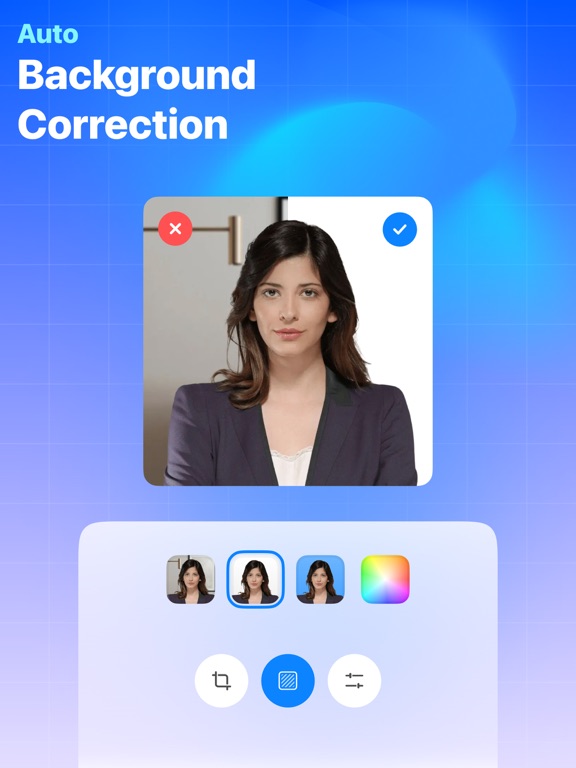
Apoku MCP provides app discovery, detailed cards, evidence, sources and screenshots where available. Unknown or conflicting prices stay explicit.
View JSON
GET /api/v3/apps/6472762578
{
  "app_id": 6472762578,
  "canonical_url": "https://appcorpus.com/apps/passport-photo-6472762578",
  "identity": {
    "name": "Passport Photo+",
    "slug": "passport-photo",
    "developer": {
      "name": "Viet Ho Duc",
      "url": "https://appcorpus.com/developers/viet-ho-duc-developer_940a93400b495fc23e124e445b6c2c4b"
    },
    "icon_url": "https://is1-ssl.mzstatic.com/image/thumb/Purple221/v4/bc/f2/2f/bcf22f0d-9178-fa28-78be-14a8df9ff829/AppIcon-0-0-1x_U007emarketing-0-8-0-85-220.png/512x512bb.jpg",
    "stores": [
      "apple"
    ],
    "platforms": [
      "iphone",
      "ipad"
    ],
    "status": {
      "state": "active",
      "label": "Active",
      "last_checked": "2026-11-05",
      "last_checked_label": "5 Nov 2026",
      "banner": null,
      "region_note": null,
      "data_state": "partial",
      "data_state_label": "Some information is not yet confirmed"
    }
  },
  "listings": [
    {
      "store": "apple",
      "status": "ACTIVE",
      "url": "https://apps.apple.com/us/app/passport-photo/id6472762578?uo=4",
      "rating": 4.8,
      "rating_count": 209,
      "formatted_price": "$2.99",
      "is_free": false,
      "has_iap": false,
      "has_subscription": null,
      "version": "1.0.6",
      "updated": "2026-11-05",
      "currency": "USD"
    }
  ],
  "summary": {
    "one_liner": null,
    "summary": null,
    "best_for": [],
    "not_for": [],
    "status": "fallback",
    "at_a_glance": [
      "$2.99"
    ]
  },
  "categories": {
    "official": [
      "Graphics & Design",
      "Photo & Video"
    ],
    "appcorpus": [
      {
        "category_id": "graphics-design",
        "label": "Graphics & design",
        "url": "https://appcorpus.com/categories/graphics-design"
      },
      {
        "category_id": "photo-video",
        "label": "Photo & video",
        "url": "https://appcorpus.com/categories/photo-video"
      }
    ]
  },
  "use_cases": [],
  "features": [
    {
      "capability_id": "family_sharing",
      "label": "Family Sharing",
      "availability": "unknown",
      "access_level": "unknown",
      "scope": null,
      "evidence": "Store published"
    }
  ],
  "pricing": [
    {
      "store": "apple",
      "formatted_price": "$2.99",
      "is_free": false,
      "has_iap": false,
      "has_subscription": null,
      "currency": "USD",
      "market": "us",
      "last_verified": "2026-11-05",
      "rows": [
        "Price: $2.99"
      ],
      "state": "current"
    }
  ],
  "screens": [
    {
      "url": "https://is1-ssl.mzstatic.com/image/thumb/PurpleSource126/v4/82/0a/bb/820abb93-28e1-4c4e-ffb9-ffc8fdd70211/6229d5af-156a-4888-b461-41964f65b9c9_iPad_12.9_01.jpg/1600x1600bb.jpg",
      "store": "apple",
      "platform": "ipad",
      "alt": "Passport Photo+ ipad screenshot 1"
    },
    {
      "url": "https://is1-ssl.mzstatic.com/image/thumb/PurpleSource126/v4/c3/43/3e/c3433e8a-c604-8da8-6ce0-737549e668df/6a80c7d2-4671-42b1-9aa6-21a03347f992_iPad_12.9_01.jpg/576x768bb.jpg",
      "store": "apple",
      "platform": "ipad",
      "alt": "Passport Photo+ ipad screenshot 2"
    },
    {
      "url": "https://is1-ssl.mzstatic.com/image/thumb/PurpleSource126/v4/f9/37/c6/f937c6b7-2dde-60ff-834f-b14ec2c79ac3/83379bca-e07e-4695-84bc-ba800bc00f3d_iPad_12.9_02.jpg/1600x1600bb.jpg",
      "store": "apple",
      "platform": "ipad",
      "alt": "Passport Photo+ ipad screenshot 3"
    },
    {
      "url": "https://is1-ssl.mzstatic.com/image/thumb/PurpleSource126/v4/2b/1a/6d/2b1a6dc9-f83e-899f-7de0-4f90e41db100/d5fb86e1-d175-4e3a-9fb3-faa54b28d11f_iPad_12.9_02.jpg/576x768bb.jpg",
      "store": "apple",
      "platform": "ipad",
      "alt": "Passport Photo+ ipad screenshot 4"
    },
    {
      "url": "https://is1-ssl.mzstatic.com/image/thumb/PurpleSource116/v4/1d/e1/d0/1de1d09f-5f38-84cd-eda4-0a67f254dc84/9a24de6c-2097-4732-93af-232e1ba0f1b2_iPad_12.9_03.jpg/1600x1600bb.jpg",
      "store": "apple",
      "platform": "ipad",
      "alt": "Passport Photo+ ipad screenshot 5"
    },
    {
      "url": "https://is1-ssl.mzstatic.com/image/thumb/PurpleSource126/v4/6c/cb/ac/6ccbace0-c8ae-3360-ceff-0f44cfe66c30/2a78a513-19b2-47b3-9c3f-4d7cdb3c5f54_iPad_12.9_03.jpg/576x768bb.jpg",
      "store": "apple",
      "platform": "ipad",
      "alt": "Passport Photo+ ipad screenshot 6"
    },
    {
      "url": "https://is1-ssl.mzstatic.com/image/thumb/PurpleSource126/v4/c6/d7/ce/c6d7ce98-4f20-813d-b9a2-691ee15d5092/be9d4072-1724-4bbc-b083-779fe8398a60_iPad_12.9_04.jpg/1600x1600bb.jpg",
      "store": "apple",
      "platform": "ipad",
      "alt": "Passport Photo+ ipad screenshot 7"
    },
    {
      "url": "https://is1-ssl.mzstatic.com/image/thumb/PurpleSource116/v4/69/f5/7e/69f57ec6-86e3-a911-091e-6be31019052e/b675ac1c-d994-4422-a993-fbcb733e6d9d_iPad_12.9_04.jpg/576x768bb.jpg",
      "store": "apple",
      "platform": "ipad",
      "alt": "Passport Photo+ ipad screenshot 8"
    },
    {
      "url": "https://is1-ssl.mzstatic.com/image/thumb/PurpleSource116/v4/f1/3d/ee/f13deed8-67e1-9640-14d4-c474df30cc57/6a7bf410-3012-47a4-afa0-514bc08930ed_iPad_12.9_05.jpg/1600x1600bb.jpg",
      "store": "apple",
      "platform": "ipad",
      "alt": "Passport Photo+ ipad screenshot 9"
    },
    {
      "url": "https://is1-ssl.mzstatic.com/image/thumb/PurpleSource126/v4/ca/76/a4/ca76a4dd-39ad-43ce-2684-101d7f61512b/d037ced9-c3ef-44bd-bda9-b428b938d651_iPad_12.9_05.jpg/576x768bb.jpg",
      "store": "apple",
      "platform": "ipad",
      "alt": "Passport Photo+ ipad screenshot 10"
    },
    {
      "url": "https://is1-ssl.mzstatic.com/image/thumb/PurpleSource116/v4/6c/02/e8/6c02e85e-2010-8e6d-4044-2ef6392a70b6/74606b02-f500-42ab-a7ca-5d8ac1ab93a4_iPhone_6.5_01.jpg/1242x1600bb.jpg",
      "store": "apple",
      "platform": "iphone",
      "alt": "Passport Photo+ iphone screenshot 11"
    },
    {
      "url": "https://is1-ssl.mzstatic.com/image/thumb/PurpleSource126/v4/39/0a/22/390a22cd-d774-104a-388a-3afbba12833c/470391df-c570-4293-ad76-e40f17f5817a_iPhone_6.5_02.jpg/1242x1600bb.jpg",
      "store": "apple",
      "platform": "iphone",
      "alt": "Passport Photo+ iphone screenshot 12"
    },
    {
      "url": "https://is1-ssl.mzstatic.com/image/thumb/PurpleSource116/v4/09/61/b2/0961b2f3-67e5-3a2d-b318-13574ad1da48/a84414eb-06eb-4485-84d8-4994e057ec23_iPhone_6.5_03.jpg/1242x1600bb.jpg",
      "store": "apple",
      "platform": "iphone",
      "alt": "Passport Photo+ iphone screenshot 13"
    },
    {
      "url": "https://is1-ssl.mzstatic.com/image/thumb/PurpleSource116/v4/4b/d8/e0/4bd8e03e-96f4-cba6-7089-874bc7c58b85/1e44c44a-ac3d-41c9-a95e-b239fcbe9065_iPhone_6.5_04.jpg/1242x1600bb.jpg",
      "store": "apple",
      "platform": "iphone",
      "alt": "Passport Photo+ iphone screenshot 14"
    },
    {
      "url": "https://is1-ssl.mzstatic.com/image/thumb/PurpleSource116/v4/8e/c9/63/8ec963c8-366c-8cc8-6263-46986bd31ff3/6090016b-39fa-4c80-9c89-24111980de8c_iPhone_6.5_05.jpg/1242x1600bb.jpg",
      "store": "apple",
      "platform": "iphone",
      "alt": "Passport Photo+ iphone screenshot 15"
    }
  ],
  "data_states": {
    "screens": "current"
  },
  "ratings": [
    {
      "store": "apple",
      "average": 4.8,
      "count": 209,
      "market": "us",
      "observed_at": "2026-11-05",
      "state": "current",
      "reviews": [
        {
          "rating": 5,
          "title": "Great for Passport Photos, Excellent App for Simple Product Photos",
          "body": "This app is easy to use and produces good passport photos with several options for backgrounds. However, I did not try printing the photo or submitting the photos for a passport or visa. The app makes it easy to adjust the resulting photo with several easy-to-use settings for rotating, centering, enlarging, adjusting brightness, contrast, colors, etc. before saving or printing. But what I like most about the app is how well it takes product photos. I tested the app by placing a variety of individual objects on a sheet of white poster board placed on a barstool against a light wall, lighting is the standard overhead LED bulb in the ceiling, center the object on the iPhone camera screen and shoot. The app automatically creates a bright white background and foreground, removes any shadows around the object, and creates crisp edges around the object. I tried multiple mid grade DSLR cameras and lenses before with a variety of LED lights, photo boxes, etc. and none of the photos I took with those cameras can compare to the results this app produces.",
          "author": "Burndog6",
          "date": "5 Nov 2026"
        },
        {
          "rating": 5,
          "title": "Really works!",
          "body": "I sat down on the floor with a white wall behind me, propped my iPhone on a phone stand on a chair, and set the timer to take my photo. The app worked its magic by meeting all the online passport requirements—even though the website states that selfies aren’t allowed. I never encountered any issues and just received my passport in the mail today with the photo taken by this app. I highly recommend using it! 😊",
          "author": "sun*flowers*",
          "date": "5 Nov 2026"
        },
        {
          "rating": 5,
          "title": "Great tool",
          "body": "I was avoiding “in app purchases” apps for taking my passport photo and came across this one. It’s fabulous. Hopefully parameters are accurate and it’s accepted!",
          "author": "Duchess78",
          "date": "5 Nov 2026"
        },
        {
          "rating": 4,
          "title": "Great on a Tablet!",
          "body": "I’m using Passport Photo+ on my tablet, and it works really well. The larger screen makes it easy to adjust and preview my passport photo. The app is simple to use, the instructions are easy to follow, and the photo quality is excellent. It saved me a trip to a photo store, and the whole process was quick and convenient. I would definitely recommend Passport Photo+ to anyone who needs passport, visa, or ID photos on a tablet or phone.",
          "author": "Vapo Disk",
          "date": "5 Nov 2026"
        },
        {
          "rating": 5,
          "title": "ليبيا",
          "body": "التطبيق لايشتغل",
          "author": "عبدالغني ليبيا",
          "date": "5 Nov 2026"
        }
      ]
    }
  ],
  "privacy": [
    {
      "store": "apple",
      "declarations": [
        {
          "title": "Data Not Collected",
          "detail": "",
          "source": "Developer declared"
        }
      ],
      "accessibility": []
    }
  ],
  "changes": [
    {
      "store": "apple",
      "version": "1.0",
      "released_at": null,
      "notes": ""
    },
    {
      "store": "apple",
      "version": "1.0.1",
      "released_at": null,
      "notes": "Improvements and bug fixes."
    },
    {
      "store": "apple",
      "version": "1.0.3",
      "released_at": null,
      "notes": "• Improvements and bug fixes."
    },
    {
      "store": "apple",
      "version": "1.0.4",
      "released_at": null,
      "notes": "• Added PDF save feature. • Other improvements and bug fixes."
    },
    {
      "store": "apple",
      "version": "1.0.5",
      "released_at": null,
      "notes": "• Improvements and bug fixes."
    },
    {
      "store": "apple",
      "version": "1.0.6",
      "released_at": "2026-04-21",
      "notes": "• You can now erase backgrounds manually with more control. • We’ve also made some improvements and fixed a few bugs."
    }
  ],
  "alternatives": [
    {
      "app_id": 1596000727,
      "name": "Blur Video·",
      "url": "https://appcorpus.com/apps/blur-video-1596000727",
      "reason": "Same category + similar ratings"
    },
    {
      "app_id": 6468965114,
      "name": "Resume Maker: CV Maker",
      "url": "https://appcorpus.com/apps/resume-maker-cv-maker-6468965114",
      "reason": "Same category + similar ratings"
    },
    {
      "app_id": 6479000660,
      "name": "Video Stabilizer.",
      "url": "https://appcorpus.com/apps/video-stabilizer-6479000660",
      "reason": "Same category + similar ratings"
    },
    {
      "app_id": 6502953049,
      "name": "Business Card Maker·",
      "url": "https://appcorpus.com/apps/business-card-maker-6502953049",
      "reason": "Same category + similar ratings"
    },
    {
      "app_id": 6504436456,
      "name": "WatermarkX - Markup photos app",
      "url": "https://appcorpus.com/apps/watermarkx-markup-photos-app-6504436456",
      "reason": "Same category + similar ratings"
    },
    {
      "app_id": 6504019810,
      "name": "Resize Video",
      "url": "https://appcorpus.com/apps/resize-video-6504019810",
      "reason": "Same category + similar ratings"
    }
  ],
  "evidence_summary": {
    "index_state": "S1",
    "evidence_level": 1,
    "level_label": "Live store listing",
    "indexable": true,
    "last_verified_at": "2026-11-05",
    "unknown_fields": [
      "Apoku editorial summary has not been published yet."
    ],
    "sources": [
      "App Store"
    ]
  },
  "availability_markets": {
    "live": [
      "us"
    ],
    "selected": "us",
    "note": null
  },
  "feature_events": {
    "events": []
  },
  "features_slice": {
    "plans": [],
    "features": [],
    "unknown_features": [],
    "data_cutoff": "5 Nov 2026"
  }
}