
Quick verdict
- What it is
- Store information collected; independent summary not yet available.
- At a glance
-
- $12.99
Categories and search queries
Official categories
- Graphics & Design
- Productivity
AppCorpus categories
Key functions
| Function | Availability | Access | Scope | Evidence |
|---|---|---|---|---|
| Family Sharing | Yes | Unknown | App Store | Store published |
Screens
App Store
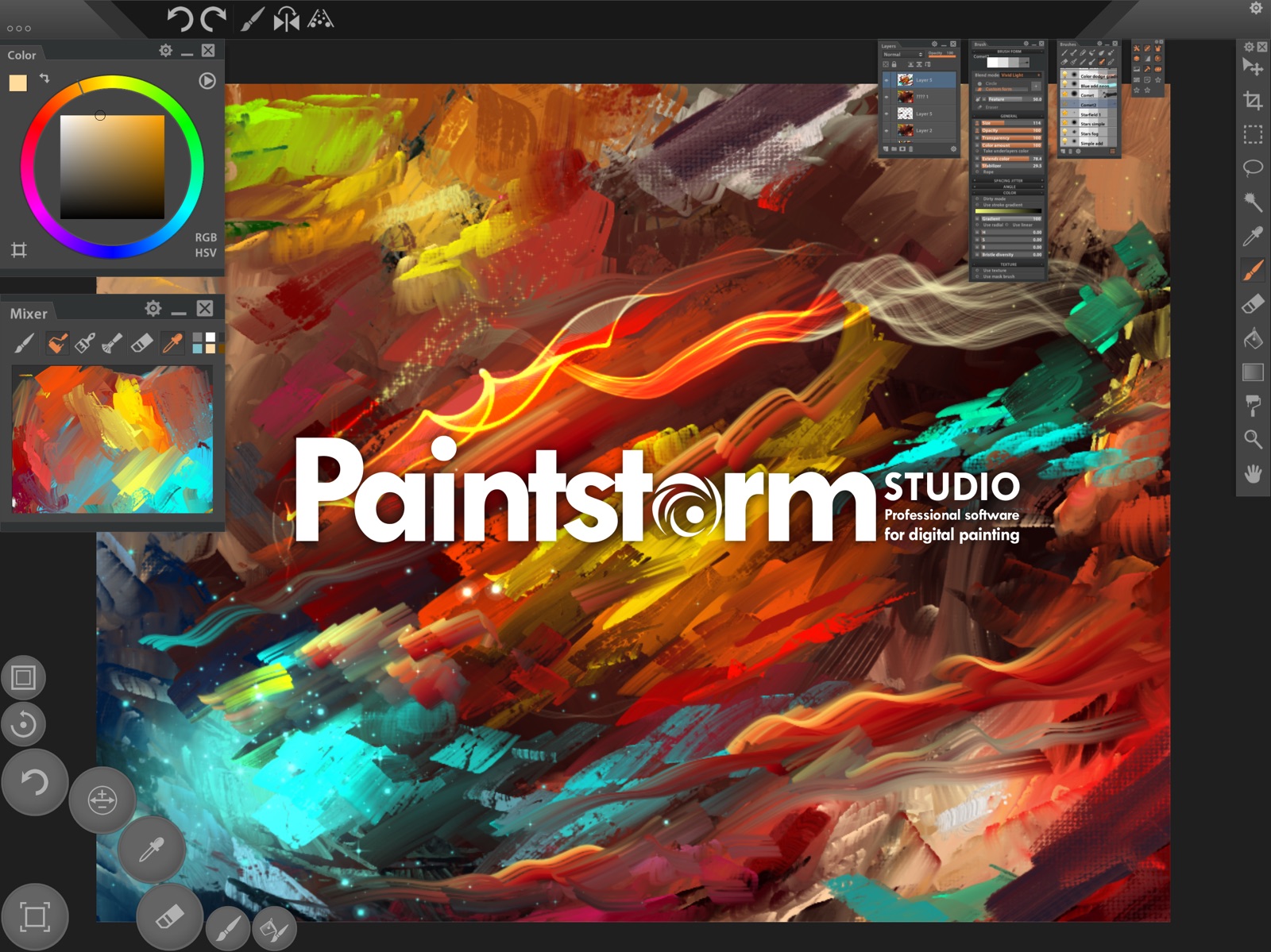
5 store screenshots


Pricing & paywalls
App Store
Shown for US
- Price: $12.99
Ratings & reviews
App Store
Shown for US
-
5/5An Underrated Gem
While I found myself disappointed in Procreates lack of features, this app was WELL worth the heftier price tag for me. Paintstorm was actually the first desktop art app ive purchased in many years, after happily using open source software, and i was delighted to see it, essentially in FULL, on the ipad pro. Paintstorm has one of the best brush engines I’ve ever used. Its the closest to Sai in its blending and stroke correction ive felt, personally. It also has a fantastic little hotkey menu down in the bottom left that I use constantly to resize my brush on the fly and switch between brush and eraser all without moving my pencil from the canvas. I do wish that it had more saving and export options, and the ability to import an image as a layer to make adding textures easier, and the ability to import textures for brushes from the camera roll. But these are all things I can happily deal with. Paintstorm strikes the balance I wanted. Enough features for serious painting, start to finish, a great brush engine, and a highly customizable interface. If youre used to drawing in full desktop apps and want that experience on your iPad, i highly recommend this app.
Jack The Vulture · 31 Jul 2026
-
5/5💥✋👍HUGE bug FIXED! Back to Amazing!
******Update****** Thank you development team. Your prompt 1/17 update fixed critical bug for resizing brushes! Back-in-business and to being my favorite app ... the best mobile painting app! ******************** HUGE bug makes it nearly impossible to use with ipencil as it appears impossible to use apple stylus AND default brush resize button. What I did do: Disabled all multiple gestures and shortcuts in iOS and PS. Tried both the Lite and the Paid version. It works as designed if I disable stylus and use fingers. I also tried changing the new features for behavior options of the resize button to no avail. I’m frustrated spending hours of limited debug. The one star rating is to raise awareness since bug overlooked in reporting tool. Of course this pains me since this is my favorite app! *Found temp unpractical work-around by turning on + & - UI brush resize toggle buttons. iPad Pro 2, 512 and iOS 11.
WiildBill · 31 Jul 2026
-
3/5Great app but slow and buggy
At its core, I’m incredibly impressed. It is the most desktop-like app I’ve worked with outside of a traditional computer environment. I’m running this on a 2020 iPad Pro 12.9 and the larger screen is much needed for all that’s going on with the interface. The good: The paint simulation is as good as anything else out there, including ArtRage, in my opinion. The amount of customization that can be done with the interface is superb. A lot of companies could learn from this design. Creating new documents with canvas textures is a breeze and looks great. Customization of brushes is, again, staggeringly good. There’s almost nothing you can’t change to your liking. The bad: Forget about working at high resolution. The app cannot handle anything beyond mid-rez sizes. At high resolutions, the app slows down to be completely unusable. Even at mid-size resolutions, once the brush gets large, it lags to the point of being unworkable. The app crashes more than any other app I’ve worked with. The interface freezes sometimes and other times certain functions cease to work without a complete restart. Despite the amazingly detailed interface, there are a lot of things that are pretty clunky. Working with a reference image in a separate panel, for example, is so convoluted. I don’t know why I can’t just pull in an image from my photo library like ArtRage. There have been very few recent updates and none over the past few years have addressed the serious lag while using bigger brushes. That leads me to believe it will not be addressed in software. Maybe the M1 and M2 iPads are not having the slowdown problem. With all of these negatives, I still love the app. If the lag issues could be resolved, it would be almost perfect. UPDATE: After using this app for a few weeks, I have decided to abandon it. While it has some amazing functionality, the crashes and bugs and sluggishness is way too anxiety-inducing.
Steven Dempsey · 31 Jul 2026
-
5/5I love paint storm
Can you please add tons of more filters because there is barely any filters on paint storm and adds more options for the text tool and have an option to change the color wheel in a circle and a hexagon and please add crystals options and edge option in the liquefy and Please add options for 2 fingers swipe up 2 fingers swipe down 2 fingers swipe right 2 fingers swipe left in performance and a can't draw with 2 or more fingers and please add an online gallery and please add tons of more stuff in paint storm that I have not thought of please make this app the most powerful drawing app in the word ❤️💛💚💙🖤💗💓💞💕❣️💖💘💝💟☮️✝️🤞🏼🤞🏼💟😘😍💓💕🤞🏼🤞🏼🖤💗💙
azdizl098 · 31 Jul 2026
-
5/5How is this app not more popular?
When I started using the iPad Pro early on in its initial release I was aware of very few options. Like most people I gravitated towards Procreate, and for a while that was okay. I liked how streamlined it was as well as its recording functionality. Fast forward a couple years—I found myself increasingly frustrated with the program, especially as I bounced back between PC and iPad. I could never get used to Procreate fully because I missed having every tool at my fingertips like I would on the PC. Procreate is extremely organized to save space, but for me it is to a point where it is detrimental to productivity. On the Procreate forums I was directed to this app and have never gone back. Paintstorm combines the functionality of amazing programs like Paint Tool Sai and Photoshop, to provide the best of both worlds. Its hotkey feature is a 100x more functional than the ones provided in Procreate, who only allows for a few gestures. Probably one of the most important features in this program for me was the ability to have an open color-wheel. This has always caused a lot of frustration for me and slowed my workload in Procreate, especially when I used a lot of painting techniques. Furthermore, the brushes in Paintstorm are just excellent. They blend like butter, similar to what you could do in Paint Tool Sai, and have an enormous amount of options to customize them the way that you want. There’s also a wide selection for you to choose from, though I personally stick to a few. All in all, this is my favorite art program for the iPad, and I loved it so much that I purchased a license on my PC. I rarely use anything else. One thing I will say is that because of all its features it’s a bit of a heavier program/app. It would also be very nice to see automatic recording like Procreate—pretty much the only feature I miss. I’m sure with newer updates; however, Paintstorm will only continue to improve. For those considering this program, it is well worth the few extra bucks.
Vanoty · 31 Jul 2026
Privacy & accessibility
App Store
Privacy
- Data Not Collected Developer declared
Accessibility
No accessibility labels collected yet.
Versions
App Store
-
1.72
- "Smart Color Correction" filter added. This is a great set of tools for image editing, which includes: RGB / HSL / HSB curves, Selective Color, gradient map and a lot of other cool features - A new "Seamless mode" feature added which can be used for creating seamless textures and patterns. Seamless mode is supported by all the brushes as well as the free transform tool Enable this mode through Menu-> Edit-> Seamless mode - Using gradient became a little more comfortable - Two new Clone modes added. To select a new mode, switch on the brush option "Clone", and then go to the "Clone modes:" on the top panel - Some small bugs fixed
-
2.00
- Stability with memory processes improved - The list of loading/saving files is now in the form of thumbnails - The program settings (Menu->File->Options) are now divided into the categories. New options added: Gesture support, the number of undo option, the cursor options, etc. - A lot of new brushes and extra textures added. When you first launch Paintstorm automatically converts old brushes. However, to access the new brushes you will have to reset all brushes by "wheel-button click on brush panel->reset brushes->reset all" - The "Link to guides" parameter affects jitter now - The "One by One" option added to the "Set of forms"controller list - "Clear layer", "Delete selection", "Fill All" buttons added - Gestures added. You can customize the gesture functions via Menu-> File-> Options-> Gestures - Some bugs fixed
-
2.01
Fixed several system issues leading to hangs and crashes of the program
-
2.02
- "Free transform" tool improved -"disable transformation" button added. - “Max mirrors” option added to Menu->Options->Performance - The value of the sliders can now be input with the keyboard - just click the digital value on the slider - The "spacing" parameter of the brush has changed the scale and became more accurate - New hotbuttons added: layer above / below, clear layer - Little bugs fixed
-
2.03
- Added features: Duplicate folder, Ungroup folder, Merge folder, Group layers to the folder - Using "Guides" And "Rulers" has become much more convenient: Paintstorm now keeps the position of the guides after each move. - A new "Color Library" panel added. Colors can now be broken down into categories (folders), renamed, saved and uploaded. You can also import color sets from Photoshop. You can enable the new panel by: Menu->View->Color Library - A lot of new hotkeys added: Panels toggle, Rulers hotkeys, etc. - "Show recent colors" option added to the “Color” panel - You can now save and load your own custom presets of documents size in the "File->New" panel - The layer mask can now be dragged from one layer to another one - New "Display HotButtons below panels" option added (Menu->Options->Interface) - Some minor bugs fixed
-
2.031
Hotfix: "Save to Camera Roll" bug fixed
-
2.10
- Bluetooth keyboards support added - You can set hotkeys in Menu-> File-> Define Hotkeys. Note: iOS modifiers Alt, Cmd, Shift, Ctrl cannot be set as hotkeys separately from other keys. To set the hotkeys of the sliders, press «Enter» and click the desired slider. - Now Paintstorm keeps all the open documents when you shut it down. And the next time you start, the all the documents will be automatically restored. - «Question mark» button is added to the upper right corner. Click it to activate the Tooltips mode. After that, you can click different interface elements, read their description and get some useful tips. - New «Refine Edge» featured added for selection. Now you can expand, feather and smooth out the selected area. - «Lasso» tool improved: «Stabilizer» slider added for the lasso for more accurate selection. The edge of the selection became smoother. «Auto action» option added for the lasso. It can be used to perform actions after the selection automatically: Fill, Gradient, Delete. - «Color wheel» can now be dragged to the Custom panels. If you hold the corresponding hot-button, the "Custom 1" panel will move to the mouse pointer and become a transparent background and when release, it will return back. - «Brushes history» added. Enable it in the «Brushes» panel settings - «Rulers» improved. Ruler states can now be saved / loaded. You can choose the color of the lines: gray, RGB or the custom color. Holding ALT + R (by default) you can highlight all ruler states and quickly select the one you want. For the 2-points and 3-points perspective, a point is added that can be used to rotate the horizon. An ability to «disable the following rulers» added - The parameters of the H, S, B - brush have been slightly changed. Now the sliders can be moved in both directions for a more accurate distribution of random values - «Place image» feature added to Menu-> File to import the image to the current document. - You can now change the cursor type between Arrow, Point and Cross in Menu-> File-> Options-> Cursors. There you can choose the «Brush Drag resize" tool mode as well - You can set the selected preset as a default in the «New File» panel. After the relaunch, a new canvas will be created of the new default size - A new «Lines width» slider added for guides, rulers, helpers, etc. to Menu-> File-> Options-> Main
-
2.20
- Our team has invented a brand new stabilization system. The stroke is now much smoother. We have added a lot of additional stabilization settings. General stabilization settings can be found in File-> Options-> Stabilizer Global Settings. Also, you can customize each brush separately by clicking the corresponding button next to the "Stabilization" slider in the Brush panel. - Keep your painting progress always safe! Now all the documents are saved and autosaved in the background. if not applicable, saving automatically switches to the normal mode. "Save As" works as usual. Also, you can disable this feature in File->Options->Performance - Adjust the hardness of the brush with a new slider. Select either the "Graph" or the "Slider" mode for each particular brush by clicking the preview button of the brush shape. For most hard brushes we recommend to switch to "Slider" mode as it is more accurate and gives a smoother and more beautiful stroke edge. - "Image Resize" and "Hue and saturation" improved. - "Select lasso" performance increased Little bugs fixed: - "Edit Document Width and Height in File new panel" bug fixed - Double brushes crash fixed - Some other small bugs fixed
-
2.21
This update is dedicated to fixing minor bugs, more than 50 of them have been fixed. Also in this release: - "Blend transparency" parameter now works for the bristle brushes. - The ability to turn the mask on / off added - "Antialiasing" button added to the lasso tools, magic wand and bucket - The ability to drag brushes into another category added - Now most of the working panels can be moved and scaled (Gradients panel, Textures panel, Image resize, define hotkeys, etc) - Two new parameters added to the "Transition" brush controller - "Transfer to down layer" function added (also works with the selection and several layers) - The ability to move selection added - The inverting of the layer added by (Menu-> Layer-> Invert) - New document orientation buttons added - "Copy from the visible layers" function added. Use Menu-> Edit-> Copy Merged
-
2.30
- Panels can now be grouped to each other (To do this, drag one panel to the top of another one) - Added the ability to change the background color (Menu-> File-> New or Menu-> Image-> Document properties) More features to work with textures: - The maximum brush texture size is increased to 4000 - Textures can now be renamed and moved - Added more than 20 new textures - The «Texture brightness» slider added and the «Texture contrast» slider now works in both directions - Added the «Mirrored repeat» tick for better display of not seamless textures - Now you can choose which brush parameter is affected by the texture: opacity, transparency, color, or all together at once - Fixed some little bugs
-
2.31
- You can now import the colored textures. By the way, the textures do not have to be square anymore - You can choose several textures at once that are going to change after each new brush stroke - The "Fill tool" improved. You can switch to Pattern mode for shading. Color mode and Opacity properties added as well - New "Convert Luma to alpha-channel" filter added - "Flip horizontally“ button added to the editing of graphs - If you hold the hotkey for more than a second, then releasing it will now return to the previous tool - Some minor bugs fixed
-
2.32
- Kaleidoscope mode added – it is a super powerful tool for creating incredible ornaments - Undo/redo options added for moving the frame and the"Free transform" points. Also, the "Free transform" frame can now be moved beyond the edges and not just beyond the vertices - The ability to "Highlight layer" added (You can customize highlighting options in Options-> Main-> Highlights Layers on) - "Snap" function added. You can use it when moving layers as well as when moving the "Free transform" frame - The ability to align layers added. The corresponding "Align" buttons are displayed in the "Move Layers tool" panel - "Recent files" panel changed completely. Now you can have a look at the previews of the documents. - "Autosaves" settings added to Options panel. Now autosaves are saved in the "FileName-date-time" format and you can choose a folder to save as well as the maximum number of files. We alse added autosaves for the "Drawing stages" in jpg. - Now you can create folders in open\save dialog - Now you can drag'n'drop layers and folders into a neighboring document. - The previews are now displayed when you click on documents in the top menu. Option can be disabled in Options-> Interface - Now you can disable Antaliasing for brushes - A feature added that will allow you to display a grid of pixels with a strong approximation of the canvas (Options-> openGL-> Show pixels grid) - Invert button added to "Gradient" panel - Now you can change the "Opacity" and "Blendmode" of several layers at once. - Now you can duplicate multiple layers at once. - If you click on a folder while several layers selected, they will now be grouped - You can now enable or disable the panel animation (Options-> Interface-> Enable panels animation) - The texture window is now centered at the current texture when opening, while the current folder and texture are being highlighted in blue. Same features are applied for "Custom forms" - Little bugs fixed
-
2.32.1
Added Chinese, French, Russian, German, Italian, Polish, Portuguese, Spanish, Japanese, Korean languages. You can change the language with Menu->File->Change language
-
2.40
- We added our own Paintstorm file format called «. PSS». PSS stores some useful additional information, such as «background color», «state and position of guides and rulers», «color of layers», etc. - «Text» tool finally added! When saving to PSD, text layers will be automatically rasterized. To save text layers correctly, please use the PSS format. - When the option "Enable scroll bars" is enabled, there is no delay when dragging a layer. - Some minor bugs fixed.
-
2.42
- This release is dedicated to improving ergonomics and fixing bugs. - The ability to select the scroll mode of lists added to In Menu-> File-> Options-> Interface, (Layers, Brushes, etc.) 1) Tablet Style (Scrolling by any space; Swap layer / Brushes / Textures works by holding the mouse button) 2) Hybrid (Scrolling by any space except the current layer / brush / texture. Swap works by a click on the current layer / brush / texture) 3) Classic (As in Photoshop: Scrolling with scrollbar only, Swap works by a click on any layer / brush / texture) - The «space» now switches the fast scroll mode on (works in all three modes) - It has become much more convenient and predictable to work with groups of panels. - Erasers are now not tied to the second category. Now "E" will switch to the last selected eraser marked with the corresponding icon. - Individual layers and brushes colors can now be set through the context menu of the corresponding panel. - The "Select Lasso" tool has become much faster. - The minimum canvas size reduced to 8x8 pixels. - Over 50 minor bugs fixed.
-
2.43
- The launch loading is now 5 times faster - The double brush is completely redone: Now the second (subsidiary) brush is stored inside of the main one and is imported / exported with it. The subsidiary brush now supports the texture, pile and GPU acceleration. With synchronization is on, the first brush has now become the main one (The "Position" synchronization parameter has been added that synchronizes brushes as accurately as possible regardless of Spacing and Stabilization) Note: Your previous double brushes have lost the sync and you will have to reconfigure them (that will not take much time though, since the corresponding button is provided for copying the parameters of the double brush) - Icons have been added to the Menu for each item as well as for displaying the hot keys - Masks are now redone in black and white mode - Custom forms and their folders can now be moved and sorted - "Add noise" option added to the brush circle stiffness settings - The gradient is now much smoother due to the addition of noise - Now you can change the radius of the villi for the bristle brush - Percentage added to image resize and canvas resize - Also this release is dedicated to improving ergonomics and fixing bugs.
-
2.45
- "Custom forms" can now be colored. You can choose both the mode of mixing the color of the form with the main color of the brush and 3 modes of displaying the color 1. Basic(Normal) 2. The brightness of the form color is equal to the transition between the main color and the secondary 3. The brightness of the form color is equal to the gradient map You can also set the overlay transparency (you will find a new slider) as well as the HSB sliders also affect the shape color - The "Free transform" tool has received the "Warp" and "Anchor Point" options. Also the “Free transform” vertices can now be moved symmetrically by holding alt + ctrl - The "Starting direction" controller added to the "Angle" - You can now set the fractional font size - When the "Fast Color Wheel" is called (for example, to the gradient point), you can use a dropper to take the color from the canvas - When merging layers, the final layer now has an opacity of 100 - Psd now saves and loads the Current layer - Some minor bugs fixed
-
2.451
Hotfix: iOS 14 support
-
2.452
Hotfix: Menu glitch fixed
-
2.46
- A new "Canvas Texture" function added. You can customize the canvas texture in Menu-> Image-> Document Properties. When canvas texture is enabled, you can also enable it for the brush by clicking the corresponding button in the brush texture settings. This is how you can enable a double texture for brushes. - When creating a new document, you can also turn on the canvas texture and customize it right away. - Added the statistics (Menu-> Other-> Statistic). (The document statistics are only saved in the .pss file) - The black and white mode added for canvas, navigator and reference window and so there are three hotkeys - The "Clear Layer" function now works for multiple layers and for a folder - The layer blending modes can now be changed on the fly (you will see the result immediately, not only after the specific layer is selected) - An ability to "capture texture" added (Menu-Selection-> Capture Texture) - It is now possible to merge the layers even if there are selected folders and masks - "Color range" and "Toggle antialiasing" hotkeys added - The global pen pressure graph improved - The layer-folders structure control added to the “script”, now you can start the script record not only from a single layer, but from any layer hierarchy. "Warp tool" and "change document properties" also added to the script - Bugs fixed
-
2.47
- Crop tool was improved. Now it support: delete cropped pixels, automatically applies to active selection, magnetic binding, square form on shift - From now when you flip group of layers or folders they will do it by whole group bounding box. - New function image rotation added. It supports 90, -90, 180, flip horizontal & vertical, and do physically change orientation of whole canvas. - Now you have ability to flip content inside reference panel by same hotkeys as was to reverse canvas. Also there are few options. - PNG files will saves with BG texture now too. - Files format of long files name will shown on the tabs - Inactive menu items in Edit and Selection menu will be colored to grey and non-pressable - Bugs fixed
-
2.48
- Timelapse video recording function. You can find it at Menu->File->Timelapse video. - Layer panel mode — toggle solo layer . Will allow you visually isolate by visibility any selected layers/folders from all others. - Layer panel mode — toggle highlight layer. This mode is in some sense similar to solo-mode, but it leaves all other layers as semi-transparency. Should be useful for line art. Also you can change the transparency level of this mode at the right corner gear of Layer panel. It calls there - "highlight's opacity (for solo layers)" - Animation tool added. You can find options for this feature at Menu->Other->Animation Settings - Hierarchy guides — it's the Layer panel properties, for visual organization of layer panel. And will allow you to see a more clear hierarchy structure of layers and folders, especially in complex hierarchy. It also has a conjunction with layers colors. - Auto color folders — it's the Layer panel properties, will automatically generate colors for all folders and layers inside it structures. - Added ability to create unpaired quantity of the rays in the symmetry tool but only in asymmetric mode
-
2.49
- Quick mask selection mode - Added "intersection" mode for all kind of selections tools - Added the "reselect" feature - Ability to put layer into closed folder - Custom panel: every of them are now (fast) and calls under cursor by hotkey - Graphs panel: added copy-paste of graphs - Realtime mode added to the reference & navigator panels - Lasso tool: new "detach" mode - Added possibility to change opacity of the selection contour - New document panel: added soft light blending mode in a canvas texture choice. - Graphs panel: You can now copy-paste graphs. - Additional hotkey to reset canvas zoom to 100% without centering canvas - Added button to reset symmetry to default position - Last one folder in a layers selection group now won't unfold by themselve - layers panel: after duplicating layer(s) or folder(s) active would be new one(s).
-
2.50
- Added support for Apple Pencil Hover. Additional settings you can find in Menu->Options->Cursors. Also added support for Apple pencil Double-tap. - Added the ability to create folders for brushes. Separators for brushes and brush categories can also be created. - Added the ability to select multiple brushes (click on the right side of the brush). - Added brush search functionality. - Added different display modes for brushes in the brush panel (Stroke+Icon+Shape, Stroke+Icon, Stroke+Shape). - Improved categorie brush movement. To move a categorie, hover over the categorie icon and hold down the mouse button. - Added "Brush presets" feature (button in the upper right corner of the brush panel). Now you can create multiple presets for each brush. - Added "Copy/Paste Brush Settings" buttons and "Undo Load Default" button in the brush panel options. - Added "Fast export" feature. it contain 2 in one. It include bunch of options to whole document export & selected layer export. - Added search functionality in the "Define Hotkeys" panel. - Added "Tex Rand Offset Point" feature in the brush texture settings for random texture offset with each stamp. - Moved layers to another document can now be done using the "Swap Layers" function - simply start dragging the desired layers in the Layers panel and drop them onto the target document. - Added "Show Tilt And Direction" checkbox in Options->Cursors. - Fixed a bug with artifacts (white dots) when applying the "Transform" tool. - Added "Mask Follows Color" feature in the "Color Wheel" panel options - if color mask is enabled, it will move towards the selected color when picking colors from the canvas. - All panels can now be quickly invoked under the cursor by pressing the corresponding hotkey. - Added batch reset of all brushes to default values. - Reduced time for deleting brush categories. - Fixed various bugs.
-
2.51
· 11 Feb 2026
Minor fix for Apple Pencil behavior on the latest iOS version
Alternatives
- ArtRage Vitae Mobile Painting — Same category + similar ratings
- Zen Brush 3 — Same category + similar ratings
Availability by market
- US
Data quality & evidence
- Page completeness
- Live store listing
- Last verified
- 31 Jul 2026
- Sources
- App Store
- Independent summary has not been published yet.