
Quick verdict
- What it is
- Store information collected; independent summary not yet available.
- At a glance
-
- Free to download
- In-app purchases
Categories and search queries
Official categories
- Books
- Utilities
AppCorpus categories
Key functions
| Function | Availability | Access | Scope | Evidence |
|---|---|---|---|---|
| Family Sharing | Yes | Unknown | App Store | Store published |
| Free app | Yes | Free | — | Store published |
| In-app purchases | Yes | Limited free | — | Store published |
Screens
App Store
26 store screenshots


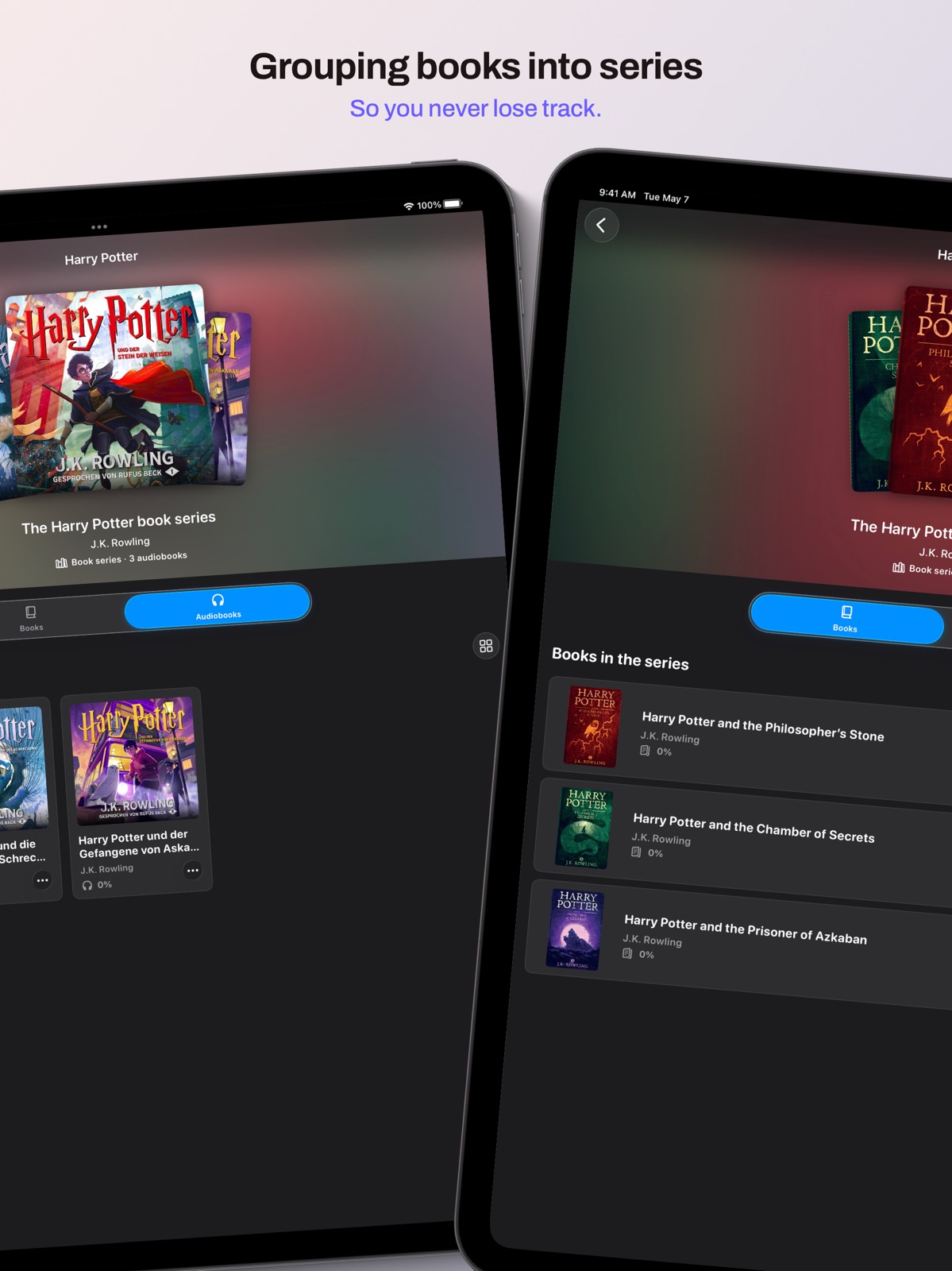

Pricing & paywalls
App Store
- Free to download
- In-app purchases
Ratings & reviews
App Store
No store reviews collected for App Store · US
Privacy & accessibility
App Store
Privacy
- Data Not Collected Developer declared
Accessibility
No accessibility labels collected yet.
Versions
App Store
- 1.0
-
1.0.1
This update includes the following new features: • PageWave can now be tested without a subscription. • Optimized user interface for even smoother and more intuitive operation. • Minor bug fixes and stability improvements.
-
1.1
This update includes the following new features: • PageWave now supports ebooks! (BETA) Import your EPUBs to read them in PageWave. • PageWave is now also available for macOS. • You can now customize various settings in PageWave to suit your needs. • A new FAQ section has been added. • Fixes an issue where chapter transitions in audiobooks were not seamless. • Various minor bug fixes and stability improvements to ensure PageWave runs smoothly.
-
1.1.1
This update includes the following new features: • Various minor bug fixes and stability improvements to ensure PageWave runs smoothly.
-
1.1.2
This update includes the following new features: • Various minor bug fixes and stability improvements to ensure PageWave runs smoothly.
-
1.1.3
This update includes the following new features: • Fixes an issue where a book or audiobook could not be marked as 'Read' or 'Unread'. • PageWave is now available as a one-time purchase – if you don't like subscriptions, you now have the option to buy PageWave outright! • Various minor bug fixes and under-the-hood optimizations to ensure PageWave runs smoothly.
-
1.2
This update includes the following new features: • The audiobook player now displays the total remaining listening time. • The Home view now includes a "Read" section. • New multi-selection in the Library: Select multiple titles simultaneously and manage them together—for example, to create series or delete multiple books at once. • New filter options in the Library: Show only favorites or unread titles. • Minor optimizations to ensure PageWave runs smoothly.
-
1.2.1
This update includes the following new features: • Magic Metadata: Missing metadata (e.g., descriptions) can be automatically added during import. • New Information View: See all important information about a book at a glance. • New Author View: All books by an author at a glance. • New Genre View: All books of a genre at a glance. • Minor stability and performance improvements.
-
2.0
What's New in PageWave 2.0 Reading List Plan what you'll read next. Add books and audiobooks to your personal Reading List and keep an eye on what's waiting for you. PageWave on Apple Watch Your audiobooks, now on your wrist. The first three audiobooks in your Reading List sync automatically to your Apple Watch. Bookmarks & Notes Capture your favorite moments. Create bookmarks with personal notes in any audiobook or eBook — and pick from a range of colors to keep things organized. Daily Goal & Celebrations Set a daily reading goal and let PageWave nudge you at the time you choose. Reach your goal or finish a book, and you'll get a brief banner with confetti — optionally as a push notification when the app is in the background. Reading Statistics How much have you actually read? Track your progress with detailed statistics — pages read, listening time, and more. PageWave Rewind Your year in reading, beautifully staged. Animated cover wall, a donut chart of your genres, a reading clock for the time of day you read most, your longest reading day, book of the month — and a confetti finale at the end. Bring your own cover on import When importing, pick a JPEG or PNG alongside the book file — PageWave automatically uses it as the cover, overriding whatever was embedded in the file. Metadata via JSON Optionally drop a `.json` file into the book folder to set title, author, genre, or the series and volume number in one go. A template you can save is in the app under Help & FAQ. Bonjour & Ciao PageWave now speaks French and Italian, too. The app picks the right language from your system settings — or you can choose it yourself in Settings. PageWave WebDAV Support Your library on your own server. Store your books and audiobooks on a WebDAV-capable NAS, your Nextcloud, or a Synology. Covers and metadata land directly in your library, audiobooks stream live from the server — or download them for offline listening if you prefer. Settings synced across all your devices Change a setting on one device and it's there on the others right away. Including your server credentials in WebDAV mode. Smaller bug fixes and improvements to keep PageWave running smoothly.
-
2.0.1
New in PageWave 2.0.1 Reading List Plan your next reads. Add books and audiobooks to your personal reading list and keep track of what's coming up next. PageWave on Apple Watch Your audiobooks, now on your wrist. The first three audiobooks from your reading list automatically sync to your Apple Watch. Bookmarks & Notes Capture your favourite moments. Create bookmarks with personal notes in any audiobook or eBook — and pick from a range of colours to keep everything neatly organised. Daily Goal & Celebrations Set yourself a daily reading goal and get reminded at the time you choose. Hit your goal or finish a book, and you'll get a banner with confetti — and an optional push notification too. Reading Stats Track your progress with detailed stats on pages read, audiobook time, and more. PageWave Year in Review Your reading year, beautifully staged. Animated cover wall, genre donut chart, a reading clock for your favourite time of day, longest reading day, book of the month — and a confetti outro to wrap it all up. Custom Covers on Import When importing, just pick a JPEG or PNG alongside the book file — PageWave will use it automatically as the cover. Metadata via JSON Drop an optional .json file into the book folder to set the title, author, genre, or series and volume number all at once. You'll find a template in the app under Help & FAQ. French & Italian PageWave now speaks French and Italian too. The app picks the right language automatically, or you can set it yourself in the settings. WebDAV Support (BETA) Access your books directly from your own server or NAS. Connect PageWave to your preferred cloud solution via WebDAV — enter your credentials once and you're good to go. Settings Synced Across Devices Change a setting on one device — and it's instantly available on all the others. Including server credentials in WebDAV mode. Bug Fixes & Improvements Minor bug fixes and improvements to keep PageWave running even more smoothly.
-
2.0.2
New in PageWave 2.0.2 Reading List Plan your next reads. Add books and audiobooks to your personal reading list and keep track of what's coming up next. PageWave on Apple Watch Your audiobooks, now on your wrist. The first three audiobooks from your reading list automatically sync to your Apple Watch. Bookmarks & Notes Capture your favourite moments. Create bookmarks with personal notes in any audiobook or eBook — and pick from a range of colours to keep everything neatly organised. Daily Goal & Celebrations Set yourself a daily reading goal and get reminded at the time you choose. Hit your goal or finish a book, and you'll get a banner with confetti — and an optional push notification too. Reading Stats Track your progress with detailed stats on pages read, audiobook time, and more. PageWave Year in Review Your reading year, beautifully staged. Animated cover wall, genre donut chart, a reading clock for your favourite time of day, longest reading day, book of the month — and a confetti outro to wrap it all up. Custom Covers on Import When importing, just pick a JPEG or PNG alongside the book file — PageWave will use it automatically as the cover. Metadata via JSON Drop an optional .json file into the book folder to set the title, author, genre, or series and volume number all at once. You'll find a template in the app under Help & FAQ. French & Italian PageWave now speaks French and Italian too. The app picks the right language automatically, or you can set it yourself in the settings. WebDAV Support (BETA) Access your books directly from your own server or NAS. Connect PageWave to your preferred cloud solution via WebDAV — enter your credentials once and you're good to go. Settings Synced Across Devices Change a setting on one device — and it's instantly available on all the others. Including server credentials in WebDAV mode. Bug Fixes & Improvements Minor bug fixes and improvements to keep PageWave running even more smoothly.
-
2.0.3
New in PageWave 2.0.3 Reading List Plan your next reads. Add books and audiobooks to your personal reading list and keep track of what's coming up next. PageWave on Apple Watch Your audiobooks, now on your wrist. The first three audiobooks from your reading list automatically sync to your Apple Watch. Bookmarks & Notes Capture your favourite moments. Create bookmarks with personal notes in any audiobook or eBook — and pick from a range of colours to keep everything neatly organised. Daily Goal & Celebrations Set yourself a daily reading goal and get reminded at the time you choose. Hit your goal or finish a book, and you'll get a banner with confetti — and an optional push notification too. Reading Stats Track your progress with detailed stats on pages read, audiobook time, and more. PageWave Year in Review Your reading year, beautifully staged. Animated cover wall, genre donut chart, a reading clock for your favourite time of day, longest reading day, book of the month — and a confetti outro to wrap it all up. Custom Covers on Import When importing, just pick a JPEG or PNG alongside the book file — PageWave will use it automatically as the cover. Metadata via JSON Drop an optional .json file into the book folder to set the title, author, genre, or series and volume number all at once. You'll find a template in the app under Help & FAQ. French & Italian PageWave now speaks French and Italian too. The app picks the right language automatically, or you can set it yourself in the settings. WebDAV Support (BETA) Access your books directly from your own server or NAS. Connect PageWave to your preferred cloud solution via WebDAV — enter your credentials once and you're good to go. Settings Synced Across Devices Change a setting on one device — and it's instantly available on all the others. Including server credentials in WebDAV mode. Bug Fixes & Improvements Minor bug fixes and improvements to keep PageWave running smoothly.
-
2.1
New in PageWave 2.1: New Statistics Insights - Streak Card: See at a glance how many days you've reached your reading goal—and beat your own record! - Find out how much time you've spent with each book. - Instantly see if you're currently reading more or less than in previous weeks. Bug Fixes and Optimizations - The copyright symbol © is now displayed correctly in book information without duplication. - Fixes an issue where the reading reminder appeared even though the daily goal had already been reached. - Various optimizations for an even better reading and listening experience with PageWave.
-
3.0
New in PageWave 3.0: Widgets PageWave now supports widgets – on the Home Screen, the Lock Screen, and the Mac desktop: "Current Book" with play/pause and skip controls right in the widget, "Daily Goal Progress" as a ring that fills up live while you read or listen, "Daily Goal Streak" with week and month views, "Reading Trend", "Up Next", and "Recently". Siri & Shortcuts PageWave now supports Siri via App Intents: play or open books and entire series, control playback, set the sleep timer, change the playback speed, or ask about your daily goal and streak. All actions are also available in the Shortcuts app, and your library appears in Spotlight search. Real-Time Statistics Reading and listening time now feeds into your statistics minute by minute – daily goal, widgets, and charts always show the latest numbers. Home The home view has been redesigned and now offers a clearer layout. Audiobooks: PDF Attachments One or more PDFs can now be added to an audiobook – during import or directly in the metadata view. In the player view, the documents can be opened conveniently via a dedicated button below the cover. More Audio Formats In addition to the existing formats, more audio formats such as WAV are now supported. eBook Reader: Text Search The content of a book can now be searched – within the current chapter or across the entire book. eBook Reader: PDF Support PDFs can now be imported and read as eBooks – including reading progress and reading-time statistics. Expanded Library Search Library search now also covers metadata such as chapter names, descriptions, series, and more. Sleep Timer: Custom Duration In addition to the predefined times, a custom duration can now be set freely using a picker wheel. Optimizations & Improvements This update also includes many small optimizations and improvements.
-
3.0.1
This update includes the following improvements: Bug fixes and optimizations Minor bug fixes and optimizations to ensure PageWave runs smoothly.
-
3.1
· 16 Jul 2026
PageWave 3.1 includes the following new features: New in Settings • Edit metadata: Rename authors, genres, narrators, and series across your whole library, or merge duplicate entries – the change is applied to all affected books. • Automatic Downloads: PageWave automatically downloads your current book and the “Up Next” suggestions – so you’re always ready to go offline. Optionally over cellular data too. Audiobook improvements • Besides PDFs, you can now add images as companion material. • The book info for audiobooks now shows companion material, if there is any. • Forgot a track during import? No problem! Simply add more tracks to an audiobook afterwards. You can also delete individual tracks or rearrange them via drag & drop. • Reorder your companion material via drag & drop and rename it if needed. Better cover detection on import • For audiobooks with several included images, PageWave now automatically detects the cover – the rest becomes companion material. • Cover detection for eBooks (EPUBs) is much more robust, so PageWave automatically detects the right cover for even more eBooks. Extended metadata • Books and audiobooks can now have multiple authors and multiple genres. • You can now add narrators to your audiobooks. • While editing, PageWave suggests known authors, genres, and narrators from your library. Bug fixes & optimizations • Reading progress in PDFs is reliably saved again, and your PDFs open right where you left off. • Audiobook chapter names no longer show file extensions (e.g. with WAV imports). • Many more small optimizations and stability improvements.
Alternatives
- LibriLink for Calibre — Same category + similar ratings
Availability by market
- US
Data quality & evidence
- Page completeness
- Live store listing
- Last verified
- 31 Jul 2026
- Sources
- App Store
- Independent summary has not been published yet.