
Quick verdict
- What it is
- Store information collected; independent summary not yet available.
- At a glance
-
- Free to download
Categories and search queries
Official categories
- Health & Fitness
- Medical
AppCorpus categories
Key functions
| Function | Availability | Access | Scope | Evidence |
|---|---|---|---|---|
| Free app | Yes | Free | — | Store published |
Screens
App Store
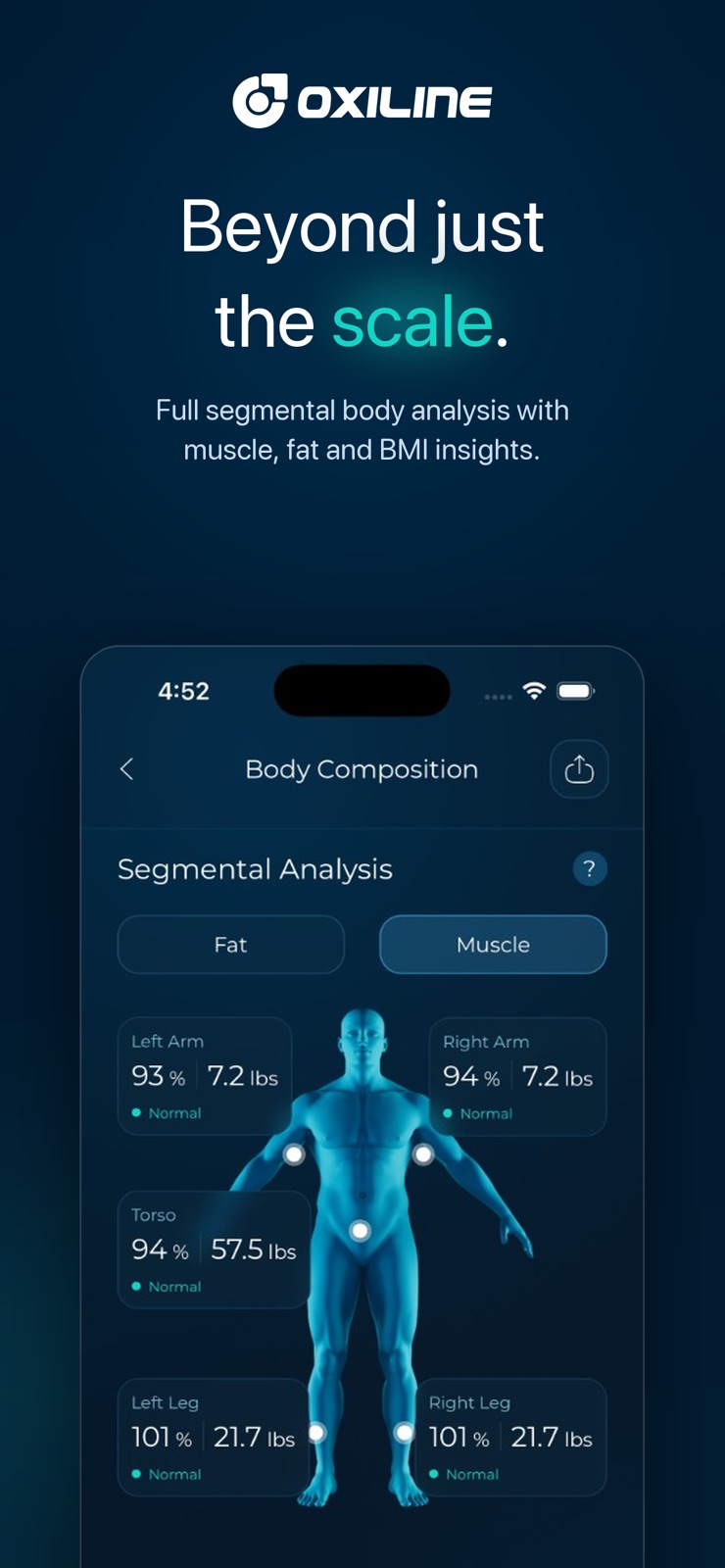
4 store screenshots



Pricing & paywalls
App Store
- Free
Ratings & reviews
App Store
-
5/5It’s Fixed!!
When I bought this I was so mad that I bought (from what I could tell) was about the most expensive at home blood pressure monitor and the app was HORRIBLE! But I saw something about it being fixed somewhere so I tried it again and it works great!! I was manually logging before in a different app that allowed that, but now it’s all good, I can use this one! Thanks for fixing. Not sure if I missed the email because I emailed you guys about how bad it was and if I would’ve known sooner it was fixed I would have updated my review sooner ;) I’d go back and check your emails! ***************** Old review: I have sent in a message to the help center (no response 3 days later) there is no phone number. I’ve tried uninstalling the device & app & redoing everything and it’s finally logging my manually entered data but it won’t sync automatically. This may the worst app I’ve ever used for anything ever. Not helpful for my blood pressure…super frustrating. But I guess if you want the device this is all you’re left with. The most expensive at home blood pressure machine I’ve seen and a totally useless app.
langell73 · 31 Jul 2026
-
5/5App is fixed
UPDATE: Version 1.1.0 This update seems to have the app working and it’s great. I have the blood pressure unit: Pressure XS Pro so I can’t comment on the other devices using this app. Also I should add that I don’t export the data as I have no need to do that. So far all seems to be well with the features I’ve tested. This app went from garbage to gold! Thank you developers. Now this app is as good as the blood pressure unit I have. Previous review: I purchased the Pressure XS Pro blood pressure moniter. I just deleted this app because it does nothing it’s supposed to. Yes my iPhone is up-to-date. Yes the app is up-to-date. Yes my Bluetooth is on and connected to the app. Out of about 20 blood pressure readings with my B/P monitor only about 2 were actually recorded within the app. I’m doing everything right so apparently the app is not doing its job. I have yet to figure out what the “live readings” are all about on the app as nothing is showing up there either. I guess that’s not recording readings either. On a positive note, I really do like the XS Pro B/P machine and its accuracy. I’m a very petite woman and the cuff still fits my arm correctly. I like that the machine gives you averages of your readings and it is easy to use and not complicated. Maybe the developer can work on the app and get it Fixed.
IrishCharmer11111 · 31 Jul 2026
-
2/5Accurate, but too many glitches
I love that there is no subscription, so I don’t expect many features. I can confirm that the readings are pretty accurate as I have confirmed against results with different devices at doctor’s offices. With that said, way too many glitches for me to give a better rating. -Scale reading issues, need to wet my feet every time for it to work - Doesn’t work well for multiple users. It takes time for the scale to disconnect from the other phone even after the app is closed and Bluetooth is off, scale still remains “connected”. At this point my wife hasn’t been able to get a consistent reading every day, hit or miss. - Doesn’t sync one of the basic health measures, lean body mass. Even though it is calculated in the app, it doesn’t sync it to Apple Health. It syncs weight and fat body %, but not lean body mass. Seems something easy enough since it syncs the other 2 metrics, weird. Not necessarily a glitch, but felt I should call this out. - The recent update introduced a glitch where it doesn’t connect to Apple Health at all, nothing is syncing. All settings are set to sync.
dRASticDUKE · 31 Jul 2026
-
1/5Doesn’t really work
When the scale works, it seems like a great scale. The problem is that it works on the first try perhaps 25% of the time. Often it fails to connect with the app on my phone, and when it fails to connect, it gives my weight in kg and doesn’t take the other measurements. And even when it makes the connection, the app often doesn’t display my data. Fir the past month, my readings haven’t synced- I can tell there’s a connection because the scale works, but all the data seems to be stuck in a place called “offline sync,” where it’s virtually unreadable. What’s more, even when the app sync was working, it’s really hard to access any meaningful time-series data. The weight chart defaults to showing you one week, and it’s a total pain to adjust that. I’m interested in tracking body fat and muscle mass over time, but as far as I can tell, there’s no way to see a trend line in the app. The app syncing issues and general clunkiness are so bad I might just pony up for a Withings scale, even though it’s way costlier and, according to numerous reviews, less accurate. Accuracy doesn’t matter much when your scale barely works.
aragonitey · 31 Jul 2026
-
1/5Dependent on Hokey App
So the advanced scans (data beyond weight) don’t even work without the app actively open. With other scales I can walk up and use the scale, then every now and then open the app to sync data. But with this scale, it doesn’t work without the app open. But to make things worse it doesn’t really work without the app open either. After hours of back and forth with email support they had me download a different app, Fitdays, and that app actually has to be open for the Bluetooth to work for this app. So every morning when I want to weigh myself I have to open Fitdays, then switch to Oxiline, then stand on my scale and cross my fingers. And this is the functional place we got to after having a non-working product for about 1.5-2 months and spending 15-30 minutes every morning exchanging emails with their support because I can’t use the product. For half the price prior to purchasing I had the Wyze equivalent product. And I returned that and moved to this because it provides significantly more datapoints and is presumably more accurate. But every day I just wish I had stuck with Wyze because it just worked.
Mat Kordell · 31 Jul 2026
Privacy & accessibility
App Store
Privacy
- Data Linked to You — App Functionality — Contact Info — Email Address Developer declared
- Data Linked to You — App Functionality — Contact Info — Name Developer declared
- Data Linked to You — App Functionality — Contact Info — Phone Number Developer declared
- Data Linked to You — Contact Info Developer declared
- Data Not Linked to You — App Functionality — Health & Fitness — Health Developer declared
- Data Not Linked to You — Health & Fitness Developer declared
Accessibility
No accessibility labels collected yet.
Versions
App Store
-
1.0.3
We have made some major improvements in this version - Sync all your data to Apple Health app - Change Email - Change Password - Resolved crashes - Performance enhancements - Bug fixes
-
1.0.4
We have made some major improvements in this version - Export data to PDF - Charts data is more accurate - Ability to Add Custom Logs for devices - Resolved crashes - Performance enhancements - Bug fixes
-
1.0.5
We have made some major improvements in this version - Export data to PDF or CSV - When exporting data, you can now select a date range for it - Improved device connectivity - Fixed Gluco X Pro historical data syncing - Resolved crashes - Performance enhancements - Bug fixes
-
1.0.6
We have made some major improvements in this version - Delete your profile picture - Edit custom added logs - Choose between °F or °C for Therma XS - Choose between kg or lb for Scale X Pro - Feedback messages to show the action performed - Resolved crashes - Performance enhancements - Bug fixes
-
1.0.7
We have made some major improvements in this version - Pressure XS Pro added! - Select unit (mmol/L or mg/dL) for Gluco X Pro - Fixed Apple Health syncing - Improvements to the log screen - Resolved crashes - Performance enhancements - Bug fixes
-
1.0.8
We have made some major improvements in this version - Added notes to each log - Revised the device scan functionality for smoother experience - Resolved crashes - Performance enhancements - Bug fixes
-
1.0.9
We have made some major improvements in this version - Added Gluco XS Pro device - Revised the device scan functionality for smoother experience - Resolved crashes - Performance enhancements - Bug fixe
-
1.1.0
We have made some major improvements in this version - Added Scale MD Pro device - Fixed Pressure XS Pro connectivity issues - Resolved crashes - Performance enhancements - Bug fixes
-
1.1.1
We have made some major improvements in this version - Scale MD Pro stabilized - Fixed Pressure XS not logging readings in certain cases - Gluco XS now reminds you to add dietary to your reading - Resolved crashes - Performance enhancements - Bug fixes
-
1.1.2
We have made some major improvements in this version - Scale MD Pro can now change weight units - Fixed duplicate entries in Health app from Pressure XS - Resolved crashes - Performance enhancements - Bug fixes
-
1.1.3
We have made some major improvements in this version - Tutorial overlays to guide you through the app - Pick a specific time to be reminded about using your device - Log filter will now persist between app sessions - Resolved crashes - Performance enhancements - Bug fixes
-
1.1.4
We have made some major improvements in this version - Alarms for Pulse XS - Improved design of the app - Resolved crashes - Performance enhancements - Bug fixes
-
1.1.5
We heard you! This app update comes with some major improvements - Charts page fully revamped—better, smarter, and more user-friendly - Scale XS Pro added - Scale MD Pro / Scale XS Pro / Scale X Pro readings now shows ranges & definitions - Improved design of the app - Resolved crashes - Performance enhancements - Bug fixes
-
1.1.6
We heard you! This app update comes with some major improvements - Charts page fully revamped—better, smarter, and more user-friendly - Scale XS Pro added - Scale MD Pro / Scale XS Pro / Scale X Pro readings now shows ranges & definitions - Fixed a bug where Pressure XS was logging duplicate readings to Apple Health - Now you can export a single PDF reading for Scale MD Pro - Improved design of the app - Resolved crashes - Performance enhancements - Bug fixes
-
1.1.7
We heard you! This app update comes with some major improvements - Charts page fully revamped—better, smarter, and more user-friendly - Scale XS Pro added - Scale MD Pro / Scale XS Pro / Scale X Pro readings now shows ranges & definitions - Fixed a bug where Pressure XS was logging duplicate readings to Apple Health - Now you can export a single PDF reading for Scale MD Pro - Ability to turn off Tutorials (Home Screen > Hamburger Menu > Tutorial) - Scale MD Pro CSV import now includes more fields - Improved design of the app - Resolved crashes - Performance enhancements - Bug fixes
-
1.1.8
We heard you! This app update comes with some major improvements - Fixes an issue where Scale MD Pro won't sync weight unit - Resolved crashes - Performance enhancements - Bug fixes
-
1.1.9
We heard you! This app update comes with some major improvements - Fixed an issue where delete account wouldn't open the keyboard to enter OTP - Resolved crashes - Performance enhancements - Bug fixes
-
1.2.0
We heard you! This app update comes with some major improvements - Included additional fields to CSV import for Scale MD Pro - Resolved crashes - Performance enhancements - Bug fixes
-
1.2.1
We heard you! This app update comes with some major improvements - Fixes an issue where Scale XS Pro won't connect - Included additional fields to CSV import for Scale MD Pro - Resolved crashes - Performance enhancements - Bug fixes
-
2.0.0
Oxiline, completely reimagined. We kept everything you loved about the original Oxiline — the simplicity, the trusted readings, the seamless device pairing — and rebuilt the rest from the ground up. Faster, smarter, and beautifully designed around you and your devices. Every screen, every chart, every connection has been rethought to give you a clearer picture of your health. A brand-new experience Stunning new design across every screen — cleaner layouts, smoother animations, and a friendlier feel. Guided onboarding & welcome flow that gets you up and running in under a minute. Interactive tutorial overlay that walks you through the app the first time you open it. Multi-language support — use Oxiline in your preferred language. Insights that actually mean something Completely redesigned Insights with a brand-new charting engine. Mini charts and full-screen large charts with date ranges, tooltips, averages, and trends. Smart range engine that tells you whether each reading is in a healthy zone — for weight, body composition, BP, pulse, SpO2, glucose, temperature, and more. Compare sessions side-by-side to track your progress over time. Built for the real world Offline-first — take readings anywhere, and we'll sync them automatically when you're back online. Smart caching & persistent state — open the app and your data is right there, instantly. Update today to experience the new Oxiline — and unlock the smartest, smoothest way to track your health yet.
-
2.0.1
Oxiline, completely reimagined. We kept everything you loved about the original Oxiline — the simplicity, the trusted readings, the seamless device pairing — and rebuilt the rest from the ground up. Faster, smarter, and beautifully designed around you and your devices. Every screen, every chart, every connection has been rethought to give you a clearer picture of your health. A brand-new experience Stunning new design across every screen — cleaner layouts, smoother animations, and a friendlier feel. Guided onboarding & welcome flow that gets you up and running in under a minute. Interactive tutorial overlay that walks you through the app the first time you open it. Multi-language support — use Oxiline in your preferred language. Insights that actually mean something Completely redesigned Insights with a brand-new charting engine. Mini charts and full-screen large charts with date ranges, tooltips, averages, and trends. Smart range engine that tells you whether each reading is in a healthy zone — for weight, body composition, BP, pulse, SpO2, glucose, temperature, and more. Compare sessions side-by-side to track your progress over time. Built for the real world Offline-first — take readings anywhere, and we'll sync them automatically when you're back online. Smart caching & persistent state — open the app and your data is right there, instantly. Update today to experience the new Oxiline — and unlock the smartest, smoothest way to track your health yet.
-
2.0.2
Oxiline, completely reimagined. We kept everything you loved about the original Oxiline — the simplicity, the trusted readings, the seamless device pairing — and rebuilt the rest from the ground up. Faster, smarter, and beautifully designed around you and your devices. Every screen, every chart, every connection has been rethought to give you a clearer picture of your health. A brand-new experience Stunning new design across every screen — cleaner layouts, smoother animations, and a friendlier feel. Guided onboarding & welcome flow that gets you up and running in under a minute. Interactive tutorial overlay that walks you through the app the first time you open it. Multi-language support — use Oxiline in your preferred language. Insights that actually mean something Completely redesigned Insights with a brand-new charting engine. Mini charts and full-screen large charts with date ranges, tooltips, averages, and trends. Smart range engine that tells you whether each reading is in a healthy zone — for weight, body composition, BP, pulse, SpO2, glucose, temperature, and more. Compare sessions side-by-side to track your progress over time. Built for the real world Offline-first — take readings anywhere, and we'll sync them automatically when you're back online. Smart caching & persistent state — open the app and your data is right there, instantly. Update today to experience the new Oxiline — and unlock the smartest, smoothest way to track your health yet.
-
2.0.3
Oxiline, completely reimagined. We kept everything you loved about the original Oxiline — the simplicity, the trusted readings, the seamless device pairing — and rebuilt the rest from the ground up. Faster, smarter, and beautifully designed around you and your devices. Every screen, every chart, every connection has been rethought to give you a clearer picture of your health. A brand-new experience Stunning new design across every screen — cleaner layouts, smoother animations, and a friendlier feel. Guided onboarding & welcome flow that gets you up and running in under a minute. Interactive tutorial overlay that walks you through the app the first time you open it. Multi-language support — use Oxiline in your preferred language. Insights that actually mean something Completely redesigned Insights with a brand-new charting engine. Mini charts and full-screen large charts with date ranges, tooltips, averages, and trends. Smart range engine that tells you whether each reading is in a healthy zone — for weight, body composition, BP, pulse, SpO2, glucose, temperature, and more. Compare sessions side-by-side to track your progress over time. Built for the real world Offline-first — take readings anywhere, and we'll sync them automatically when you're back online. Smart caching & persistent state — open the app and your data is right there, instantly. Update today to experience the new Oxiline — and unlock the smartest, smoothest way to track your health yet.
-
2.0.4
Oxiline, completely reimagined. We kept everything you loved about the original Oxiline — the simplicity, the trusted readings, the seamless device pairing — and rebuilt the rest from the ground up. Faster, smarter, and beautifully designed around you and your devices. Every screen, every chart, every connection has been rethought to give you a clearer picture of your health. A brand-new experience Stunning new design across every screen — cleaner layouts, smoother animations, and a friendlier feel. Guided onboarding & welcome flow that gets you up and running in under a minute. Interactive tutorial overlay that walks you through the app the first time you open it. Multi-language support — use Oxiline in your preferred language. Insights that actually mean something Completely redesigned Insights with a brand-new charting engine. Mini charts and full-screen large charts with date ranges, tooltips, averages, and trends. Smart range engine that tells you whether each reading is in a healthy zone — for weight, body composition, BP, pulse, SpO2, glucose, temperature, and more. Compare sessions side-by-side to track your progress over time. Built for the real world Offline-first — take readings anywhere, and we'll sync them automatically when you're back online. Smart caching & persistent state — open the app and your data is right there, instantly. Update today to experience the new Oxiline — and unlock the smartest, smoothest way to track your health yet.
-
2.0.5
· 16 Jul 2026
Your feedback helps us keep improving Oxiline • Custom Logs: Quickly add your own measurements with the new custom log button and home widget. • Face ID & Touch ID: Secure the app with biometric unlock, now with haptic feedback throughout. • Export Your Data: New options to export and share your readings. • Better Charts: Smoother, clearer graphs with improved readings and spot-check details. Plus various bug fixes and stability improvements. Thanks for using Oxiline!
Alternatives
- Lumen - Metabolic Coach — Same category + similar ratings
Availability by market
- US
Data quality & evidence
- Page completeness
- Live store listing
- Last verified
- 31 Jul 2026
- Sources
- App Store
- Independent summary has not been published yet.