AppCorpus MCP gives your agent current app data, prices, screens, features and sources.
View JSON
GET /api/v3/apps/457404788
{
  "app_id": 457404788,
  "canonical_url": "https://appcorpus.com/apps/osnap-lapse-motion-457404788",
  "identity": {
    "name": "OSnap! Lapse & Motion",
    "slug": "osnap-lapse-motion",
    "developer": {
      "name": "Justin Cegnar",
      "url": "https://appcorpus.com/developers/justin-cegnar-developer_d804596974577a780a316e0daf0e5536"
    },
    "icon_url": "https://is1-ssl.mzstatic.com/image/thumb/Purple221/v4/af/94/25/af9425fc-d014-0eb8-e1d6-df021d7eacb3/AppIcon_osnaplite-0-0-1x_U007epad-0-1-0-85-220.png/512x512bb.jpg",
    "stores": [
      "apple"
    ],
    "platforms": [
      "iphone",
      "ipad"
    ],
    "status": {
      "state": "active",
      "label": "Active",
      "last_checked": "2026-08-07",
      "last_checked_label": "7 Aug 2026",
      "banner": null,
      "region_note": null
    }
  },
  "listings": [
    {
      "store": "apple",
      "status": "ACTIVE",
      "url": "https://apps.apple.com/us/app/osnap-lapse-motion/id457404788?uo=4",
      "rating": 4.6,
      "rating_count": 1303,
      "formatted_price": "Free",
      "is_free": true,
      "has_iap": true,
      "has_subscription": false,
      "version": "4.2.61",
      "updated": "2026-06-14",
      "currency": "USD"
    }
  ],
  "summary": {
    "one_liner": null,
    "summary": null,
    "best_for": [],
    "not_for": [],
    "status": "fallback",
    "at_a_glance": [
      "Free to download",
      "In-app purchases"
    ]
  },
  "categories": {
    "official": [
      "Photo & Video",
      "Graphics & Design"
    ],
    "appcorpus": [
      {
        "category_id": "photo-video",
        "label": "Photo & video",
        "url": "https://appcorpus.com/categories/photo-video"
      },
      {
        "category_id": "graphics-design",
        "label": "Graphics & design",
        "url": "https://appcorpus.com/categories/graphics-design"
      }
    ]
  },
  "use_cases": [],
  "features": [
    {
      "capability_id": "free_app",
      "label": "Free app",
      "availability": "yes",
      "access_level": "free",
      "scope": null,
      "evidence": "Store published"
    },
    {
      "capability_id": "in_app_purchases",
      "label": "In-app purchases",
      "availability": "yes",
      "access_level": "free_limited",
      "scope": null,
      "evidence": "Store published"
    }
  ],
  "pricing": [
    {
      "store": "apple",
      "formatted_price": "Free",
      "is_free": true,
      "has_iap": true,
      "has_subscription": false,
      "currency": "USD",
      "market": "us",
      "last_verified": "2026-08-07",
      "rows": [
        "Export+ — $3.99",
        "OSnap! Upgrade — $9.99",
        "Photo Import — $3.99",
        "Voice Over — $2.99"
      ]
    }
  ],
  "screens": [
    {
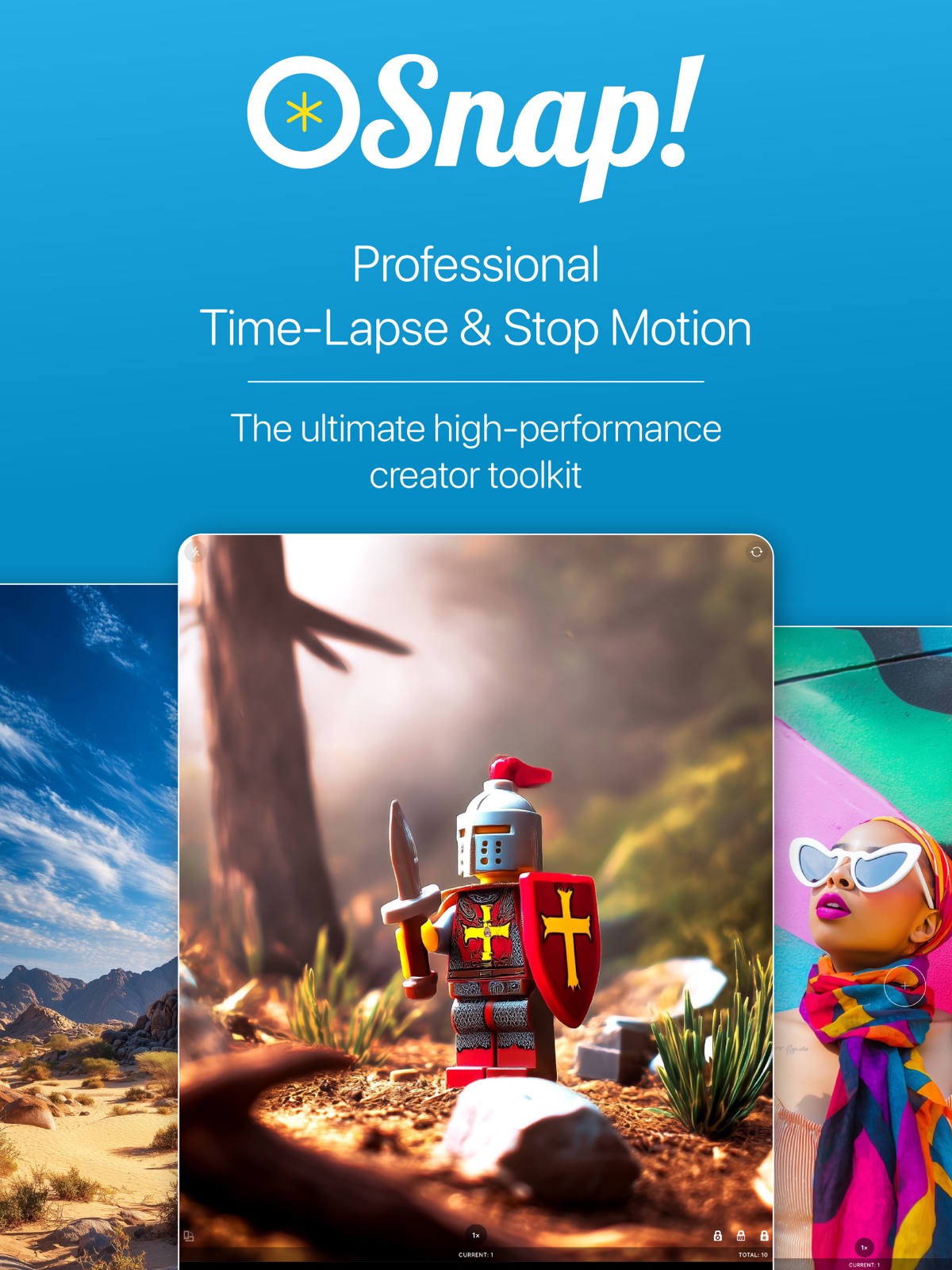
      "url": "https://is1-ssl.mzstatic.com/image/thumb/PurpleSource221/v4/4a/c2/8a/4ac28a1a-e6ee-f5d1-a8a2-e31eeec39cb9/ipad_screen_shots-01.png/1600x1600bb.jpg",
      "store": "apple",
      "platform": "ipad",
      "alt": "OSnap! Lapse & Motion ipad screenshot 1"
    },
    {
      "url": "https://is1-ssl.mzstatic.com/image/thumb/PurpleSource221/v4/4a/c2/8a/4ac28a1a-e6ee-f5d1-a8a2-e31eeec39cb9/ipad_screen_shots-01.png/360x480bb.jpg",
      "store": "apple",
      "platform": "ipad",
      "alt": "OSnap! Lapse & Motion ipad screenshot 2"
    },
    {
      "url": "https://is1-ssl.mzstatic.com/image/thumb/PurpleSource211/v4/08/de/0c/08de0c94-6bac-2177-2ec3-a1f31449100c/ipad_screen_shots-02.png/1600x1600bb.jpg",
      "store": "apple",
      "platform": "ipad",
      "alt": "OSnap! Lapse & Motion ipad screenshot 3"
    },
    {
      "url": "https://is1-ssl.mzstatic.com/image/thumb/PurpleSource211/v4/08/de/0c/08de0c94-6bac-2177-2ec3-a1f31449100c/ipad_screen_shots-02.png/360x480bb.jpg",
      "store": "apple",
      "platform": "ipad",
      "alt": "OSnap! Lapse & Motion ipad screenshot 4"
    },
    {
      "url": "https://is1-ssl.mzstatic.com/image/thumb/PurpleSource211/v4/33/91/49/339149a1-a1db-5566-a066-054642665ceb/ipad_screen_shots-03.png/1600x1600bb.jpg",
      "store": "apple",
      "platform": "ipad",
      "alt": "OSnap! Lapse & Motion ipad screenshot 5"
    },
    {
      "url": "https://is1-ssl.mzstatic.com/image/thumb/PurpleSource211/v4/33/91/49/339149a1-a1db-5566-a066-054642665ceb/ipad_screen_shots-03.png/360x480bb.jpg",
      "store": "apple",
      "platform": "ipad",
      "alt": "OSnap! Lapse & Motion ipad screenshot 6"
    },
    {
      "url": "https://is1-ssl.mzstatic.com/image/thumb/PurpleSource221/v4/36/f5/76/36f57684-8310-508d-b870-ce6efd968db6/ipad_screen_shots-04.png/1600x1600bb.jpg",
      "store": "apple",
      "platform": "ipad",
      "alt": "OSnap! Lapse & Motion ipad screenshot 7"
    },
    {
      "url": "https://is1-ssl.mzstatic.com/image/thumb/PurpleSource221/v4/36/f5/76/36f57684-8310-508d-b870-ce6efd968db6/ipad_screen_shots-04.png/360x480bb.jpg",
      "store": "apple",
      "platform": "ipad",
      "alt": "OSnap! Lapse & Motion ipad screenshot 8"
    },
    {
      "url": "https://is1-ssl.mzstatic.com/image/thumb/PurpleSource221/v4/ef/05/2e/ef052e53-b9d1-060a-1c2c-d753dc4f5e26/ipad_screen_shots-05.png/1600x1600bb.jpg",
      "store": "apple",
      "platform": "ipad",
      "alt": "OSnap! Lapse & Motion ipad screenshot 9"
    },
    {
      "url": "https://is1-ssl.mzstatic.com/image/thumb/PurpleSource221/v4/ef/05/2e/ef052e53-b9d1-060a-1c2c-d753dc4f5e26/ipad_screen_shots-05.png/360x480bb.jpg",
      "store": "apple",
      "platform": "ipad",
      "alt": "OSnap! Lapse & Motion ipad screenshot 10"
    },
    {
      "url": "https://is1-ssl.mzstatic.com/image/thumb/PurpleSource221/v4/8b/18/70/8b1870a9-fa29-f21b-8f11-f817e5a8df84/ipad_screen_shots-06.png/1600x1600bb.jpg",
      "store": "apple",
      "platform": "ipad",
      "alt": "OSnap! Lapse & Motion ipad screenshot 11"
    },
    {
      "url": "https://is1-ssl.mzstatic.com/image/thumb/PurpleSource221/v4/8b/18/70/8b1870a9-fa29-f21b-8f11-f817e5a8df84/ipad_screen_shots-06.png/360x480bb.jpg",
      "store": "apple",
      "platform": "ipad",
      "alt": "OSnap! Lapse & Motion ipad screenshot 12"
    },
    {
      "url": "https://is1-ssl.mzstatic.com/image/thumb/PurpleSource211/v4/02/69/40/02694036-871a-06f1-49e9-f4a3ea8e5407/ipad_screen_shots-07.png/1600x1600bb.jpg",
      "store": "apple",
      "platform": "ipad",
      "alt": "OSnap! Lapse & Motion ipad screenshot 13"
    },
    {
      "url": "https://is1-ssl.mzstatic.com/image/thumb/PurpleSource211/v4/02/69/40/02694036-871a-06f1-49e9-f4a3ea8e5407/ipad_screen_shots-07.png/360x480bb.jpg",
      "store": "apple",
      "platform": "ipad",
      "alt": "OSnap! Lapse & Motion ipad screenshot 14"
    },
    {
      "url": "https://is1-ssl.mzstatic.com/image/thumb/PurpleSource221/v4/2d/b8/10/2db810f8-a1c1-5fc4-e9ad-f5b59860a6a6/ipad_screen_shots-08.png/1600x1600bb.jpg",
      "store": "apple",
      "platform": "ipad",
      "alt": "OSnap! Lapse & Motion ipad screenshot 15"
    },
    {
      "url": "https://is1-ssl.mzstatic.com/image/thumb/PurpleSource221/v4/2d/b8/10/2db810f8-a1c1-5fc4-e9ad-f5b59860a6a6/ipad_screen_shots-08.png/360x480bb.jpg",
      "store": "apple",
      "platform": "ipad",
      "alt": "OSnap! Lapse & Motion ipad screenshot 16"
    },
    {
      "url": "https://is1-ssl.mzstatic.com/image/thumb/PurpleSource221/v4/54/b2/c2/54b2c2c0-b911-e1a4-e399-8052ecbd190e/ipad_screen_shots-09.png/1600x1600bb.jpg",
      "store": "apple",
      "platform": "ipad",
      "alt": "OSnap! Lapse & Motion ipad screenshot 17"
    },
    {
      "url": "https://is1-ssl.mzstatic.com/image/thumb/PurpleSource221/v4/54/b2/c2/54b2c2c0-b911-e1a4-e399-8052ecbd190e/ipad_screen_shots-09.png/360x480bb.jpg",
      "store": "apple",
      "platform": "ipad",
      "alt": "OSnap! Lapse & Motion ipad screenshot 18"
    },
    {
      "url": "https://is1-ssl.mzstatic.com/image/thumb/PurpleSource211/v4/c7/e4/f7/c7e4f7b7-6897-d1a3-5ecd-bc830598091c/ipad_screen_shots-10.png/1600x1600bb.jpg",
      "store": "apple",
      "platform": "ipad",
      "alt": "OSnap! Lapse & Motion ipad screenshot 19"
    },
    {
      "url": "https://is1-ssl.mzstatic.com/image/thumb/PurpleSource211/v4/c7/e4/f7/c7e4f7b7-6897-d1a3-5ecd-bc830598091c/ipad_screen_shots-10.png/360x480bb.jpg",
      "store": "apple",
      "platform": "ipad",
      "alt": "OSnap! Lapse & Motion ipad screenshot 20"
    },
    {
      "url": "https://is1-ssl.mzstatic.com/image/thumb/PurpleSource211/v4/59/6d/3f/596d3fa2-7150-bd06-2b74-73dab8ed70c6/iphone_screen_shots-01.png/1290x1600bb.jpg",
      "store": "apple",
      "platform": "iphone",
      "alt": "OSnap! Lapse & Motion iphone screenshot 21"
    },
    {
      "url": "https://is1-ssl.mzstatic.com/image/thumb/PurpleSource221/v4/9d/21/8c/9d218c3c-6b77-a61a-91fc-d0636a4a0a2f/iphone_screen_shots-02.png/1290x1600bb.jpg",
      "store": "apple",
      "platform": "iphone",
      "alt": "OSnap! Lapse & Motion iphone screenshot 22"
    },
    {
      "url": "https://is1-ssl.mzstatic.com/image/thumb/PurpleSource221/v4/7d/49/19/7d491958-50d1-d64e-cc06-8227ce2b215f/iphone_screen_shots-04.png/1290x1600bb.jpg",
      "store": "apple",
      "platform": "iphone",
      "alt": "OSnap! Lapse & Motion iphone screenshot 23"
    },
    {
      "url": "https://is1-ssl.mzstatic.com/image/thumb/PurpleSource221/v4/c0/d7/a2/c0d7a241-68be-edc5-5b16-70cc3f67399e/iphone_screen_shots-03.png/1290x1600bb.jpg",
      "store": "apple",
      "platform": "iphone",
      "alt": "OSnap! Lapse & Motion iphone screenshot 24"
    },
    {
      "url": "https://is1-ssl.mzstatic.com/image/thumb/PurpleSource211/v4/04/d7/ef/04d7ef8d-7084-4ce2-ed9e-e3912a0beaae/iphone_screen_shots-05.png/1290x1600bb.jpg",
      "store": "apple",
      "platform": "iphone",
      "alt": "OSnap! Lapse & Motion iphone screenshot 25"
    },
    {
      "url": "https://is1-ssl.mzstatic.com/image/thumb/PurpleSource221/v4/c0/b7/7c/c0b77ca8-2420-3039-3453-09cc71ccaab6/iphone_screen_shots-06.png/1290x1600bb.jpg",
      "store": "apple",
      "platform": "iphone",
      "alt": "OSnap! Lapse & Motion iphone screenshot 26"
    },
    {
      "url": "https://is1-ssl.mzstatic.com/image/thumb/PurpleSource211/v4/7f/50/21/7f5021d4-7a81-3df5-4160-3a35cfb5e87e/iphone_screen_shots-07.png/1290x1600bb.jpg",
      "store": "apple",
      "platform": "iphone",
      "alt": "OSnap! Lapse & Motion iphone screenshot 27"
    },
    {
      "url": "https://is1-ssl.mzstatic.com/image/thumb/PurpleSource221/v4/9a/9e/d4/9a9ed4f1-ebaa-e4ed-3ada-c7fab6c4e825/iphone_screen_shots-08.png/1290x1600bb.jpg",
      "store": "apple",
      "platform": "iphone",
      "alt": "OSnap! Lapse & Motion iphone screenshot 28"
    },
    {
      "url": "https://is1-ssl.mzstatic.com/image/thumb/PurpleSource221/v4/76/9a/e5/769ae5e5-0fa5-8349-d424-7c6cd61dd878/iphone_screen_shots-09.png/1290x1600bb.jpg",
      "store": "apple",
      "platform": "iphone",
      "alt": "OSnap! Lapse & Motion iphone screenshot 29"
    },
    {
      "url": "https://is1-ssl.mzstatic.com/image/thumb/PurpleSource221/v4/e3/71/9f/e3719fed-2ea8-943a-4eb2-7b161ac59afa/iphone_screen_shots-10.png/1290x1600bb.jpg",
      "store": "apple",
      "platform": "iphone",
      "alt": "OSnap! Lapse & Motion iphone screenshot 30"
    }
  ],
  "ratings": [
    {
      "store": "apple",
      "average": 4.6,
      "count": 1303,
      "market": "us",
      "observed_at": "2026-08-07",
      "reviews": [
        {
          "rating": 5,
          "title": "Must have this app",
          "body": "If you are like me and love to take photos, videos or just snap some time frame video. You have to try this all. I was using regular iOS timeLapse video. But it’s missing lots of features like slow down the shot or speed it up. You can not control the video quality like on this app. You can not delete individual frame or shot on the ios standard app. This app let you do that. I read somebody review saying it doesn’t save timeLapse as video but as photos. This person is doing it wrong you just have to click on play the video, change any setting at your desire and from there you will see and arrow pointing up on the right hand side once you click there you will see create video after it finish creating the video just click save to camera roll or share it to facebook or other social network site. I was having some problem and message Justin. I was surprise with his quick respond. And he helped me so much. Best customer support I had in a long time. Thank you Justin and keep the great work. I love your app",
          "author": "J2chulo",
          "date": "7 Aug 2026"
        },
        {
          "rating": 5,
          "title": "Awesome Time Lapse App",
          "body": "I've never reviewed an app before but this one was so good I felt I had to write. We had a modular house (3 modules) delivered and lifted onto a foundation and I wanted to set my old iPhone 4 to record it all day. It would have run out of storage for video but the time lapse was perfect. There is even a setting to adjust resolution to save memory and a setting to darken the screen when the photos begin to save the battery. You can adjust how often you want a photo (I took 1 photo every 15 seconds) and how many of the photos per second in playback. There are a lot more features but being able to save all of the photos to my phone and create a video so you don't have to view it from the app and then transfer them to my PC was the icing on the cake.",
          "author": "Traveler Tom",
          "date": "7 Aug 2026"
        },
        {
          "rating": 5,
          "title": "Best app",
          "body": "Best app please keep this the way it is. Amazing no fail keep it this way. Only thing I would add if you can take pics while app is hidden or off and you want to use another app it can still take pic. This would be good feature. However amazing app doesn't fail unlimited frame video rendering and pics no glitch and no personal information shared amazing time snap. Easy download pic video to phone and laptop with date and time Perfect app. Keep it.. please 5 star plus.....",
          "author": "dannphotography",
          "date": "7 Aug 2026"
        },
        {
          "rating": 1,
          "title": "Problems.",
          "body": "I just started using this app and made 2 claymations. I wanted to make a 3rd when it said you could only have 2. I was wondering if there was a way to delete the claymations, and I looked at one review here that said if you hit the edit button, it can delete them. I searched everywhere for the edit button and couldn’t find it. There was another option where you could pay $5 to make more. But when I bought the voice-over, I thought it was a bad idea, which brings me to my next problem. I bought the voice over option for 0.99. I used it on one of my claymations, and heard more static than my actual voice. I watch plenty of you tubers who have great voice overs, this one was pretty bad. Please make the quality of the voice over better, or I want a refund. Please respond as soon as you can and help me. Thank you.",
          "author": "itzameamario!",
          "date": "7 Aug 2026"
        },
        {
          "rating": 4,
          "title": "Love this app!",
          "body": "I absolutely love this app! I love that it’s so easy to use and not very complicated. I also love that you don’t have to use pictures from your camera roll and it’s all stored on the app! There are a couple things that I would say give it 4 stars instead of 5. First of all, I wish the voiceover was free. It would make the app so much better! Second, I wish that it was free to make more than 2 videos. I am a kid and my parents don’t let me spend money on apps. I also had a problem with my first video that I made and there were just random black frames popping up and it cut off a lot of my hard work. For this reason I give this app 4 stars, but I do really love this app and totally recommend it!",
          "author": "AG Pensylvannia fan",
          "date": "7 Aug 2026"
        }
      ]
    }
  ],
  "privacy": [
    {
      "store": "apple",
      "declarations": [
        {
          "title": "Data Not Linked to You",
          "detail": "Analytics — Usage Data — Product Interaction",
          "source": "Developer declared"
        },
        {
          "title": "Data Not Linked to You",
          "detail": "Usage Data",
          "source": "Developer declared"
        }
      ],
      "accessibility": []
    }
  ],
  "changes": [
    {
      "store": "apple",
      "version": "4.2.36",
      "released_at": null,
      "notes": "Fixed video rendering bug that could cause multiple frames to overlap in final video when rendering video from projects containing different image sizes and/or aspect ratios"
    },
    {
      "store": "apple",
      "version": "4.2.37",
      "released_at": null,
      "notes": "Minor bug fixes and improvements"
    },
    {
      "store": "apple",
      "version": "4.2.38",
      "released_at": null,
      "notes": "--When using the 'darken screen to save battery' feature, you can now touch anywhere on the screen to temporarily increase device screen brightness --Other minor bug fixes and improvements"
    },
    {
      "store": "apple",
      "version": "4.2.39",
      "released_at": null,
      "notes": "--Minor design changes to Camera UI"
    },
    {
      "store": "apple",
      "version": "4.2.40",
      "released_at": null,
      "notes": "--Fixed bugs in \"Saved Locked Camera Settings\" feature"
    },
    {
      "store": "apple",
      "version": "4.2.41",
      "released_at": null,
      "notes": "--UI improvements and minor bug fixes"
    },
    {
      "store": "apple",
      "version": "4.2.42",
      "released_at": null,
      "notes": "--New and improved \"point of interest\" indicator that appears when you tap on the camera screen to set focus and/or exposure; the indicator is now also draggable --Other minor UI improvements Thanks for creating with OSnap! Questions or suggestions? Drop us a line at [email protected]"
    },
    {
      "store": "apple",
      "version": "4.2.43",
      "released_at": null,
      "notes": "--New and improved \"point of interest\" indicator that appears when you tap on the camera screen to set focus and/or exposure; the indicator is now also draggable --Other minor UI improvements Thanks for creating with OSnap! Questions or suggestions? Drop us a line at [email protected]"
    },
    {
      "store": "apple",
      "version": "4.2.44",
      "released_at": null,
      "notes": "--Updates to Resources & Info screen --Other minor bug fixes and improvements"
    },
    {
      "store": "apple",
      "version": "4.2.45",
      "released_at": null,
      "notes": "--Updates to Resources & Info screen --Other minor bug fixes and improvements"
    },
    {
      "store": "apple",
      "version": "4.2.46",
      "released_at": null,
      "notes": "--Minor bug fixes and improvements"
    },
    {
      "store": "apple",
      "version": "4.2.47",
      "released_at": null,
      "notes": "--Fixed bug that could cause improper display of date/time in timestamp overlays --Many other minor bug fixes and improvements"
    },
    {
      "store": "apple",
      "version": "4.2.48",
      "released_at": null,
      "notes": "--iOS 18 updates --Fixed bug on project home screen that could cause photos not to display immediately after photo import --Fixed photo rotation bugs that could sometimes occur when importing photos into the app --Fixed issue that prevented iOS device from sleeping after completion of a timed photo shoot --Many other bug fixes and improvements As always, get in touch with questions or feedback at [email protected]."
    },
    {
      "store": "apple",
      "version": "4.2.49",
      "released_at": null,
      "notes": "--Fixed bug that could sometimes cause timestamps to be out of position on playback preview screen --Video rendering resolution now adheres to resolutions for imported photos with irregular dimensions/aspect ratios --Other bug fixes and improvements"
    },
    {
      "store": "apple",
      "version": "4.2.50",
      "released_at": null,
      "notes": "--Added the ability to share videos directly to TikTok --Added time-lapse shoot duration calculations to various relevant screens so that you will know exactly how long each time-lapse shoot will last --Other bug fixes and improvements Thanks for creating with OSnap! Questions or suggestions? Drop us a line at [email protected]"
    },
    {
      "store": "apple",
      "version": "4.2.51",
      "released_at": null,
      "notes": "Minor bug fixes and improvements"
    },
    {
      "store": "apple",
      "version": "4.2.52",
      "released_at": null,
      "notes": "Minor bug fixes and improvements"
    },
    {
      "store": "apple",
      "version": "4.2.53",
      "released_at": null,
      "notes": "--Various bug fixes and improvements"
    },
    {
      "store": "apple",
      "version": "4.2.54",
      "released_at": null,
      "notes": "--Minor bug fixes and improvements"
    },
    {
      "store": "apple",
      "version": "4.2.55",
      "released_at": null,
      "notes": "--Minor bug fixes and improvements"
    }
  ],
  "alternatives": [
    {
      "app_id": 937208291,
      "name": "Skyflow – Time-lapse Camera",
      "url": "https://appcorpus.com/apps/skyflow-time-lapse-camera-937208291",
      "reason": "Same category + similar ratings"
    },
    {
      "app_id": 421365625,
      "name": "iMotion",
      "url": "https://appcorpus.com/apps/imotion-421365625",
      "reason": "Same category + similar ratings"
    },
    {
      "app_id": 1453701169,
      "name": "Video Speed Changer - Editor",
      "url": "https://appcorpus.com/apps/video-speed-changer-editor-1453701169",
      "reason": "Same category + similar ratings"
    },
    {
      "app_id": 1352231998,
      "name": "Onion Cam2 - StopMotion camera",
      "url": "https://appcorpus.com/apps/onion-cam2-stopmotion-camera-1352231998",
      "reason": "Same category + similar ratings"
    },
    {
      "app_id": 1584162246,
      "name": "Timelapse Camera: Stop Motion",
      "url": "https://appcorpus.com/apps/timelapse-camera-stop-motion-1584162246",
      "reason": "Same category + similar ratings"
    },
    {
      "app_id": 1281464378,
      "name": "Life Lapse Stop Motion",
      "url": "https://appcorpus.com/apps/life-lapse-stop-motion-1281464378",
      "reason": "Same category + similar ratings"
    }
  ],
  "evidence_summary": {
    "index_state": "S1",
    "evidence_level": 1,
    "level_label": "Live store listing",
    "indexable": true,
    "last_verified_at": "2026-08-07",
    "unknown_fields": [
      "Independent summary has not been published yet."
    ],
    "sources": [
      "App Store"
    ]
  },
  "availability_markets": {
    "live": [
      "us"
    ],
    "selected": "us",
    "note": null
  },
  "feature_events": {
    "events": []
  },
  "features_slice": {
    "plans": [
      {
        "code": "export",
        "label": "Export+",
        "kind": "unknown",
        "status": "store_listed",
        "prices": [
          {
            "storefront": "us",
            "formatted": "$3.99",
            "billing_period": null
          }
        ],
        "trial": null
      },
      {
        "code": "upgrade",
        "label": "OSnap! Upgrade",
        "kind": "unknown",
        "status": "store_listed",
        "prices": [
          {
            "storefront": "us",
            "formatted": "$9.99",
            "billing_period": null
          }
        ],
        "trial": null
      },
      {
        "code": "photo-import",
        "label": "Photo Import",
        "kind": "unknown",
        "status": "store_listed",
        "prices": [
          {
            "storefront": "us",
            "formatted": "$3.99",
            "billing_period": null
          }
        ],
        "trial": null
      },
      {
        "code": "voice-over",
        "label": "Voice Over",
        "kind": "unknown",
        "status": "store_listed",
        "prices": [
          {
            "storefront": "us",
            "formatted": "$2.99",
            "billing_period": null
          }
        ],
        "trial": null
      }
    ],
    "features": [],
    "unknown_features": [],
    "data_cutoff": "7 Aug 2026"
  }
}