
Quick verdict
- What it is
- Store information collected; an Apoku editorial summary is not yet published.
- At a glance
-
- Free to download
- In-app purchases
Categories and search queries
Official categories
- Developer Tools
- Productivity
Apoku categories
Key functions
| Function | Availability | Access | Scope | Evidence |
|---|---|---|---|---|
| Free app | Yes | Free | Context-specific | Store published |
| In-app purchases | Yes | Limited free | Context-specific | Store published |
Screens
App Store
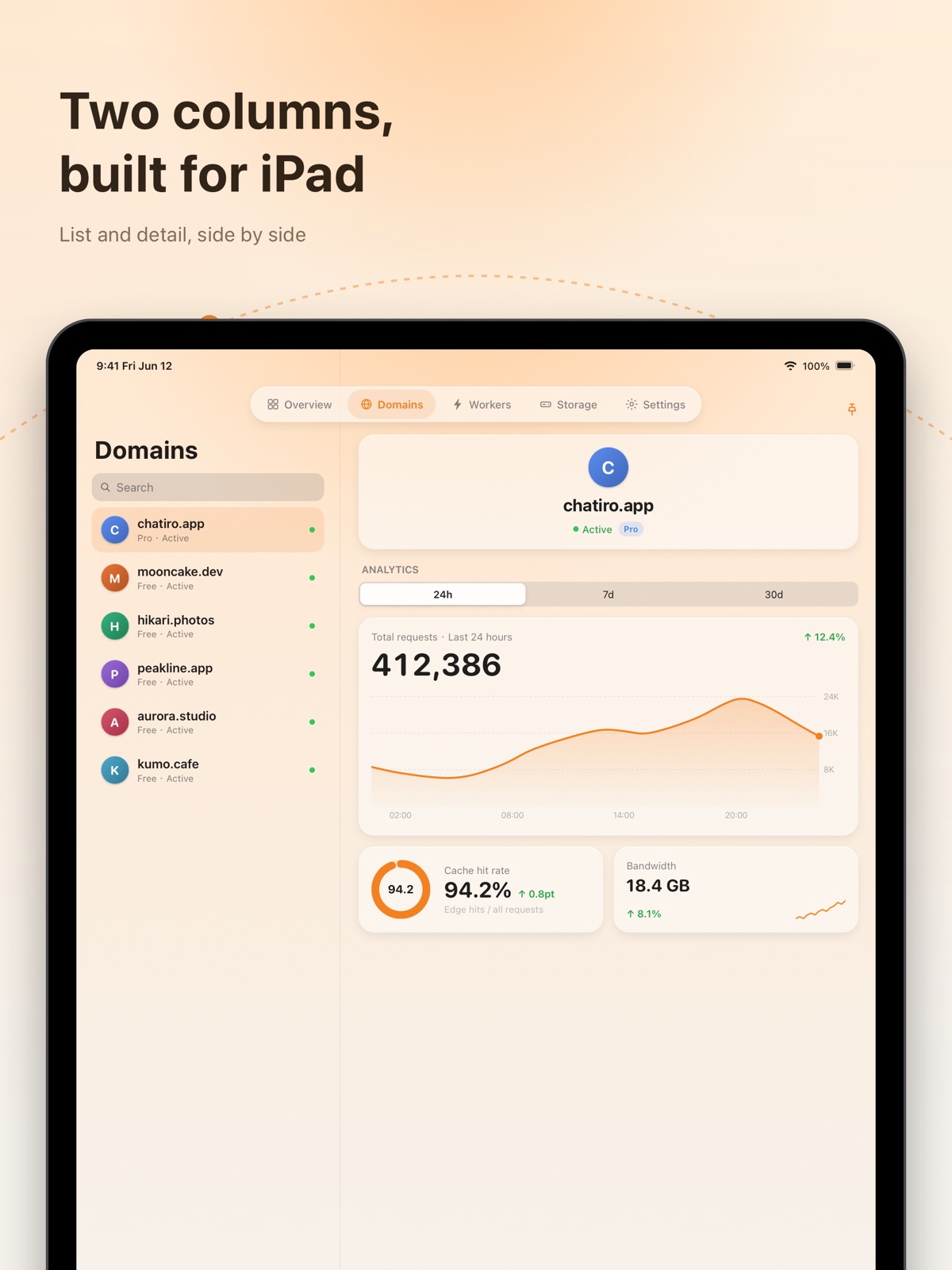
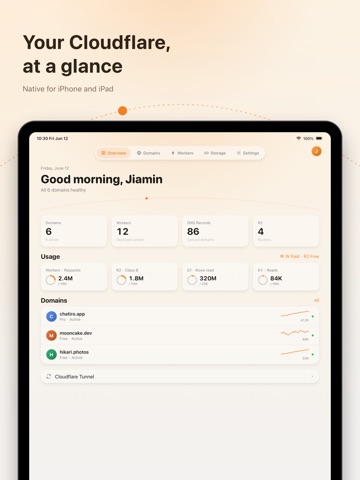
31 store screenshots

Pricing & paywalls
App Store
Shown for US
- Orange Cloud Pro - Lifetime
- Orange Cloud Pro - Monthly
Ratings & reviews
App Store
Shown for US
No store reviews collected for App Store · DE
Privacy & accessibility
App Store
Privacy
- Data Not Collected Developer declared
Accessibility
- Dark Interface — SUPPORTED Store published
- Differentiate Without Color Alone — SUPPORTED Store published
- Larger Text — SUPPORTED Store published
- Reduced Motion — SUPPORTED Store published
- Sufficient Contrast — SUPPORTED Store published
- Voice Control — SUPPORTED Store published
- VoiceOver — SUPPORTED Store published
Versions
App Store
- 1.0
-
1.2.1
• Apple Watch app: your domains and 24-hour requests on your wrist, plus watch-face complications • Lock Screen widgets: account requests, a domain's traffic, or your usage gauge — a glance away • Snippets: view, edit, and create Cloudflare edge code snippets and their rules from any domain (Pro) • Fully accessible: VoiceOver, larger text, sufficient contrast, and never color alone • Added Spanish, Korean, and Portuguese — now in nine languages • Refresh failures no longer interrupt with alerts, pull-to-refresh is steadier, plus fixes throughout
-
1.3.1
• Add Domain: add a domain you already own to your account and get the name servers to set at your registrar • Full Worker management: environment variables and secrets, Cron triggers, plus workers.dev subdomain, custom domains, and routes • Cloudflare Tunnel: create tunnels, get connection tokens and commands, and configure public hostname routing • D1 databases: create one, or delete it safely after confirming its name • New app icon: a Liquid Glass icon rebuilt with Icon Composer that adapts to light, dark, and tinted modes (iOS 18 and later) • Fixed a Worker's domains and routes failing to load for some accounts • Fixed a rare startup issue caused by a corrupted local cache, plus various refinements
-
1.4.0
• SSL Certificates & Encryption: View your domain's edge certificates and expiry dates, toggle Universal SSL, and adjust the SSL/TLS encryption mode. • Transform Rules: View and edit URL rewrite, request header, and response header rules — manage traffic transformations right from your phone. • IP Access Rules: Block, challenge, or allow visitors by IP, IP range, ASN, or country — add and remove rules anytime. • R2 Storage Upgrades: Browse objects by folder, copy or move files, view per-bucket usage, and manage public access domains and CORS. • Purge Cache by URL: Refresh the cache for specific URLs without clearing the whole site — plus a new performance and cache settings page. • More Languages & Stability: Added German, French, Arabic, and Turkish, plus improved crash diagnostics to track down tricky issues faster. • WAF Rules in Plain Language: On devices with Apple Intelligence, describe what you want in a sentence to generate a WAF custom rule — and translate existing rules into plain words. Runs entirely on-device, offline. • Launch Crash Fix: Fixed an issue where the app could crash on launch on some iOS 17 devices. • More Reliable Sign-In: Sign-in details are now kept securely on your device only, fixing occasional unexpected sign-outs. Sign-in state is no longer synced across devices via iCloud.
-
1.5.1
• Cache Rules: Customize edge and browser cache TTLs per URL or bypass cache entirely — manage cache rules right from your phone. • Load Balancing: View and manage load balancers, origin pools, and health monitors — stay on top of traffic steering and origin health. • Cloudflare Pages: Browse Pages projects and deployments, retry / roll back / delete deployments, and edit build configuration. • Email Routing: Turn Email Routing on or off, create and edit forwarding rules, and manage your account's verified destination addresses. • Rate Limiting: Create and manage rate limiting rules: cap requests per visitor IP within a time window, then block or challenge when exceeded. • Zero Trust: View apps protected by Cloudflare Access, along with your Gateway DNS / HTTP / network filtering policies. • Stability fixes: Fixed a rare crash when opening the dashboard on some devices running iOS 17.0.
-
1.7.0
• A new Developer Platform: Workers, Pages, Queues, Durable Objects, Hyperdrive, Workers AI and AI Gateway now share one tab, grouped into Compute / Data & Messaging / AI to mirror Cloudflare's own layout. • Create resources, not just view them: Spin up R2 buckets, KV namespaces, Pages projects, Queues, Hyperdrive and AI Gateway right in the app — and delete them too. • Deploy Pages and Workers: Pages supports Direct Upload deploys (paste code or pick files/ZIP); Workers can be created and updated whole-script, with bulk JSON import for vars and secrets. • Zero Trust editing: Create, edit and remove Access self-hosted apps and policies, plus Gateway DNS / HTTP / network policies — with an expression editor and a per-type selector palette. • Visual WAF rule builder: When writing a custom rule, switch any time between a guided rule builder and the raw expression editor. • Easier authorization: The authorization screen adds quick presets — all read-only, all read-write, or required-only. New modules like Queues, AI Gateway and Workers AI need a fresh authorization to light up. • Open R2 in the Files app: Mount an R2 bucket right inside the system Files app — browse, upload, download and rename like iCloud Drive, and open files in any app. A Pro feature. • On-device AI assistant: Create a DNS record from a sentence, or get a one-line summary of your traffic analytics — all on-device and offline, nothing leaves your iPhone. Requires iOS 26 and an Apple Intelligence–capable device. A Pro feature. • Global traffic map: See where your traffic comes from at a glance — requests and threats plotted by country on a world map. A Pro feature. • Experience & stability improvements: A new “Reduce Animations” toggle makes the interface feel snappier, multi-account switching is more reliable, and data is pre-warmed in the background so you see the latest content faster when you return.
-
1.7.1
Stability fixes and minor improvements.
-
1.8.0
• Push Center: A built-in push service: get your own endpoint and send messages to this device with a simple curl or script — with titles, groups, sounds and end-to-end encryption. No Cloudflare sign-in required. • No-login developer toolbox: A set of handy network tools you can use without signing in: DNS lookup, SSL certificate inspection, HTTP headers, WHOIS, IP geolocation, a CIDR calculator and Cloudflare trace — reachable right from the login screen. • Cloudflare alerts on your phone: Once signed in, manage your Cloudflare alert policies right here: pick the alert types you care about (DDoS, health checks, certificate expiry, Workers error rate and more) and wire them to the Push Center in one tap, so events land on this device. Requires a domain on a Pro or higher plan. • Developer Platform goes further: Queues can now pause/resume delivery, purge messages, and adjust retention and delay; Hyperdrive lets you edit query caching and the origin database connection; Durable Objects can browse object instances; and Workers AI runs text-generation models right in the app — with one-tap permission top-up, no sign-out needed.
-
1.8.1
• Access: fixed only the first of multiple public hostnames showing — you can now view and edit all of them. • Fixed a rare “stays signed in but won’t refresh data” after long use that previously required signing out of all accounts. • Fixed duplicate, undeletable R2 bucket mounts in the system Files app after reinstalling. • Polish: the Reduce Animations setting now truly takes effect; Overview usage shows the last data first, then refreshes in the background.
-
1.8.2
• Rules hub: Domain details gain a unified “Rules” entry: Single Redirects, Origin, Configuration, Compression and Custom Error rules with view, toggle, create, edit and delete; Page Rules and URL Normalization support view and toggle. • Pages custom domains: Manage custom domains right inside a Pages project: add, remove, re-validate, and check DNS status — with one-tap CNAME setup when the domain’s zone is on your account. • List sorting: Workers and Pages lists can now be sorted by name (default), date created, or recently updated — your choice is remembered. • More reliable sign-in: Fixes the root cause of being signed out unexpectedly: the authorization flow now obtains long-lived credentials, so your session no longer lapses when the token expires. If authorization does become invalid, Overview offers one-tap re-authorization. • Insider Program: New opt-in Insider Program, off by default: join to share anonymous diagnostics that help us pinpoint crashes and sign-in issues faster. No personal data is collected. • Data unit display: Storage and traffic sizes now always use the universal unit symbols (KB / MB / GB) in every language, instead of localized unit names. • Stability fixes: Fixes multiple crashes and freezes on iOS 17.0 across Overview, resource lists and domain details, plus the Tunnel page hanging and doubled requests on cold launch. • Smoother scrolling: Glass cards are rendered with far less overhead while looking identical — lists and Overview scroll noticeably smoother, especially on older devices.
-
1.8.4
• Edit WAF rules: WAF custom firewall rules can now be edited: tap any rule to change its action, expression, name and enabled state — no need to delete and recreate it. • Stability fixes: Fixes freezes and crashes when tapping “Access Apps / Gateway Policies / Bulk Redirects” on the Overview page (most noticeable on iOS 17), along with similar navigation issues such as Pages project sub-pages failing to open. Startup crashes caused by a corrupted cache database on a few iOS 17.0 devices are now repaired automatically, and two rare exits around the sign-in callback and background token refresh are fixed.
-
1.8.5
• Worker deployment history: See every past deployment of a Worker and delete older ones you no longer need. • Edit and delete Workers in place: Load the live source, edit it and redeploy — your variables, secrets and bindings are kept. You can also import from a .js file or delete the whole Worker. • Delete D1 tables: Long-press any table in the query console to drop it, with a type-the-name confirmation.
-
1.8.7
• One-tap workers.dev URL: When a Worker’s workers.dev subdomain is on, its full URL now shows right there — tap to open. • Quickly bind D1 / KV: Bind an existing D1 database or KV namespace to a Worker right from the bindings page — and unbind just as easily. • Quickly bind R2 buckets: Resource bindings now cover R2 — attach an existing bucket to a Worker, and unbind it just like D1 / KV.
-
1.9.1
• Search everything from one place: The magnifier on the overview searches domains, Workers, R2 buckets, D1 databases, KV namespaces and tunnels at once — tap a result to go straight there. And any resource can now be starred to the overview. • Alert center: The overview now gathers what needs attention — inactive domains, tunnels in a bad state and more — into a single card. Tap an item to jump right to it. • Better live logs: Live Worker logs now support keyword search and level filtering; long-press to copy a whole line, tap to expand the full detail and select any part of it. Pause now only freezes the view — logs keep arriving, so nothing is missing when you resume. • SQL history and favorites: D1 keeps your last 12 queries and lets you favorite the ones you reuse (saved per database). Results export to CSV in a tap, and table details now list indexes. • Generate images with Workers AI: The model playground now covers text-to-image models — type a prompt, get a picture, then share or save it.
-
1.9.2
· 25 Jul 2026
• Remembers your default account: With more than one Cloudflare account, the app now remembers the one you picked last and opens straight into it, instead of always falling back to the first in the list.
Alternatives
- Mono Dash - Made for 1Panel — Same category + similar ratings
- Monito - Server Monitor & SSH — Same category + similar ratings
- CFPanel — Same category + similar ratings
- FlareKit for Cloudflare — Same category + similar ratings
- NodePass — Same category + similar ratings
- Markdown Editor MDQuill — Same category + similar ratings
Availability by market
- US
Data quality & evidence
- Page completeness
- Live store listing
- Last verified
- 6 Aug 2026
- Sources
- App Store
- Apoku editorial summary has not been published yet.