
Quick verdict
- What it is
- Store information collected; independent summary not yet available.
- At a glance
-
- From $1.99/mo
- Free to download
- In-app purchases
Categories and search queries
Official categories
- Photo & Video
- Lifestyle
AppCorpus categories
Key functions
| Function | Availability | Access | Scope | Evidence |
|---|---|---|---|---|
| Free app | Yes | Free | — | Store published |
| In-app purchases | Yes | Limited free | — | Store published |
Screens
App Store
8 store screenshots

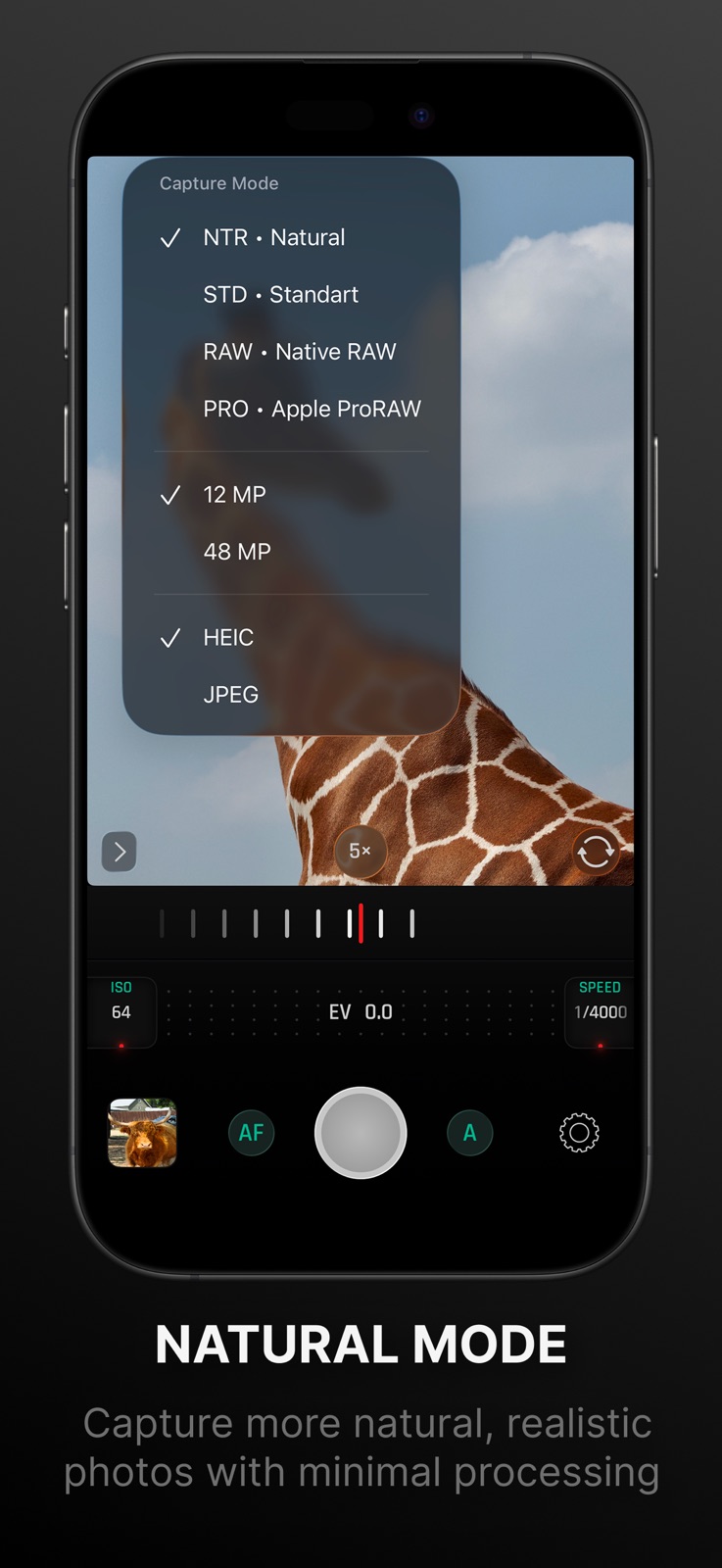
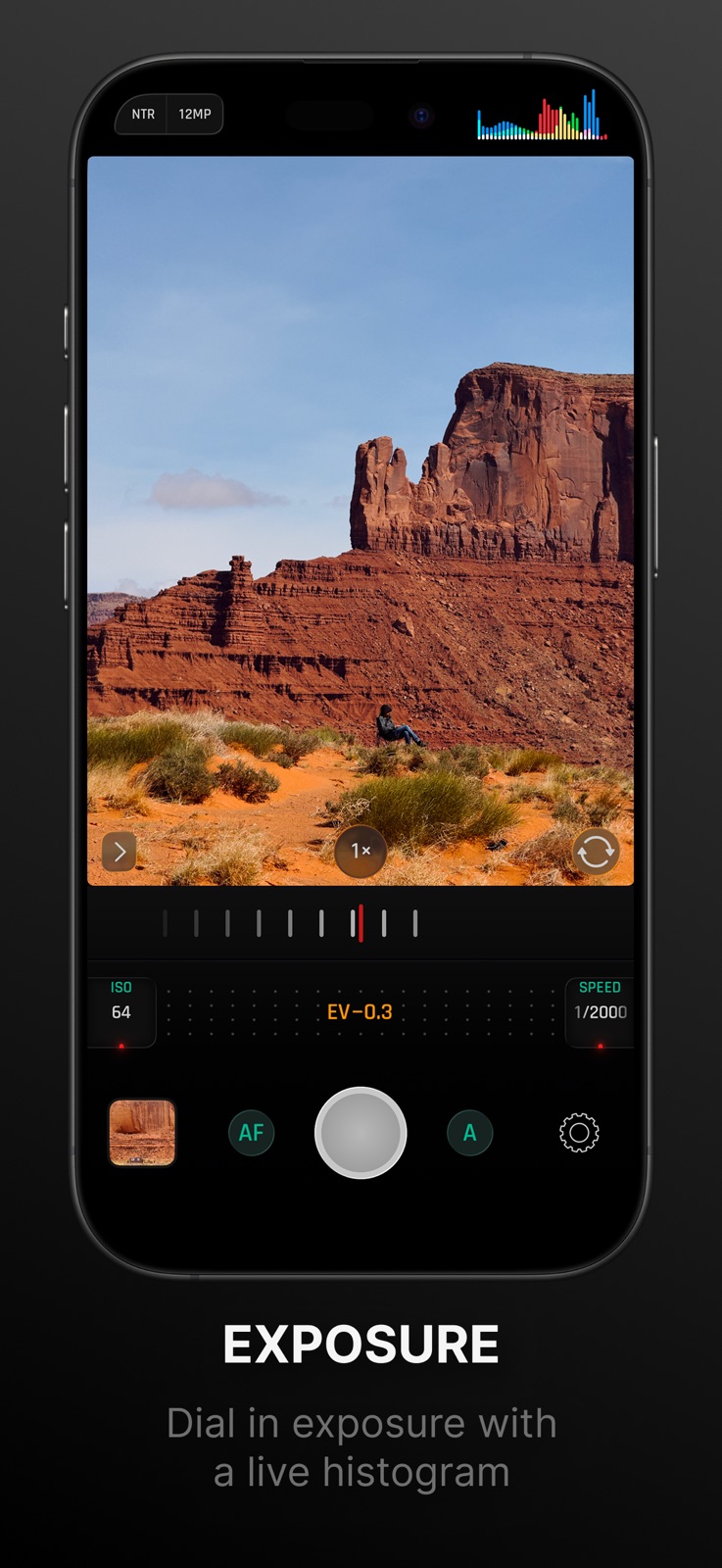

Pricing & paywalls
App Store
- Monthly — $1.99/month
- Monthly — $14.99/year ($1.24/mo)
- One Time Purchase — $19.99
Ratings & reviews
App Store
-
4/5Great app
It's great app lightweight doesn't take up lots of memory space,easy and simple to use the UI,it's fast soon as I open it its already focusing. only things I wish it had would be focus pecking and to zoom in/out with the option to have the zoom bar always on the screen maybe 1 click buttons to turn the screen brightness to 100% great work on the app! Tho
reviewAPPS1904 · 7 Aug 2026
-
5/5Simple + Effective = Powerful
The controls for this manual camera app are intuitive and easy to use. Other manual camera apps I’ve used favored UI aesthetic over usability. The controls remind me of handling a physical DSLR. In about 90 seconds of trying it out, I understood the controls and was using them without thinking. That is the experience I want with a manual camera app. I want to be focused on taking the shot, not the setup process. As a suggestion, the Settings popover could use a landscape mode like the rest of the controls already have. And I think if the Settings popover is opened by tapping a button, then it should close by tapping a button. Maybe it could close by either sliding or tapping.
Israel V. · 7 Aug 2026
-
5/5Excellent camera
I like the UI and how all main controls can be easily adjusted with one finger
DangerBoost · 7 Aug 2026
-
5/5Thanks for the application
Thanks again and please keep working on the new features like “macro photography” and more in the future. With Kindest Regards-BR
Sherap6 · 7 Aug 2026
-
5/5The simplicity is so elegant
Let’s me manuallly control my camera like a pro.
@Bxlarry176 · 7 Aug 2026
Privacy & accessibility
App Store
Privacy
- Data Not Collected Developer declared
Accessibility
No accessibility labels collected yet.
Versions
App Store
-
1.4.1
Added support for iPhone 13 series Added RGB Histogram Fixed issue with depth capture for iPhones with one camera
-
1.5
– ProRAW Improvements – New toolbar with Histogram and Grid tools – A few UI changes in the settings
-
1.6
– 48MP capture support (iPhone 14 Pro and 14 Pro Max) – Manual white balance temperature adjustment
-
1.6.1
Added Lock Screen widgets (iOS 16 required). Now you can run Optika from your lock screen.
-
1.7
Optimized for iOS 17: Zero Shutter Lag, Responsive Capture A new Photo Viewer
-
1.7.1
– Fixed the ISO/Shutter Speed pickers not working correctly
-
1.7.2
- Improved handling of volume button presses using native iOS implementation.
-
1.7.3
– Native 2× zoom mode for iPhone 14 Pro, 15 and 15 Pro – Fixed a focus slider that could sometimes not work smoothly
-
1.7.4
– Fixed a lens switcher for triple-camera iPhones – Fixed exports of depth map images Previous update: – Native 2× zoom mode for iPhone 14 Pro, 15 and 15 Pro – Fixed a focus slider that could sometimes not work smoothly
-
1.7.5
This update fixes a few crashes and improves stability.
-
1.7.6
Improve stability and fix bugs
-
1.7.7
Fixed UI for home-button iPhones
-
1.7.8
Fixed the inactive location button on permissions screen
-
1.8
- New Camera Control Features for iPhone 16. - Optika Lock Screen Extension. This allows you to launch Optika instantly, without needing to unlock your device.
-
1.8.1
- Fix crash for older devices
-
1.8.2
- Fixed an issue where a level could accidentally become unresponsive.
-
1.8.3
- Bug fixes and stability improvements
-
1.8.5
- Improvements and Bug fixes for iOS 26
-
2.0
Meet Optika 2! • New Natural mode for more film-like, minimally processed photos* • Refined interface focused on shooting, not distractions • Ability to separate exposure and focus points • Added support for Liquid Glass *On non-Pro devices without ProRAW support, results may differ from Pro models.
-
2.0.1
This update fixes an issue where manual ISO and shutter speed controls were not responsive. -------------- Meet Optika 2! • New Natural mode for more film-like, minimally processed photos* • Refined interface focused on shooting, not distractions • Ability to separate exposure and focus points • Added support for Liquid Glass *On non-Pro devices without ProRAW support, results may differ from Pro models.
-
2.0.2
This update fixes an issue where photo orientation could be incorrect when capturing a photo from the Lock Screen. -------------- Meet Optika 2! • New Natural mode for more film-like, minimally processed photos* • Refined interface focused on shooting, not distractions • Ability to separate exposure and focus points • Added support for Liquid Glass
-
2.0.4
Improved UI behavior in landscape and portrait upside-down orientations for better usability across device rotations. -------------- Meet Optika 2! • New Natural mode for more film-like, minimally processed photos* • Refined interface focused on shooting, not distractions • Ability to separate exposure and focus points • Added support for Liquid Glass
-
2.0.5
Fixes an issue where the lock screen camera shortcut could incorrectly show a subscription screen for users who already purchased it.
-
2.0.6
Free users now get 10 photo captures each week. Fixed a white balance control issue where it could show the previous preset after switching to AWB.
-
2.1
· 2 Aug 2026
• Faster app launch time • More detailed EXIF metadata
Alternatives
- Video Compressor Gold — Same category + similar ratings
- Pictura - AI Photo Enhancer — Same category + similar ratings
- RCam Pro - Manual Camera & RAW — Same category + similar ratings
- Luca - Photo Editor & Filters — Same category + similar ratings
Availability by market
- US
Data quality & evidence
- Page completeness
- Live store listing
- Last verified
- 7 Aug 2026
- Sources
- App Store
- Independent summary has not been published yet.