
Quick verdict
- What it is
- Store information collected; independent summary not yet available.
- At a glance
-
- $19.99 (App Store) · Free (Google Play)
- In-app purchases
Categories and search queries
Official categories
- Art & Design
- Graphics & Design
AppCorpus categories
Key functions
| Function | Availability | Access | Scope | Evidence |
|---|---|---|---|---|
| Family Sharing | Yes | Unknown | App Store | Store published |
| In-app purchases | Yes | Limited free | — | Store published |
Screens
27 store screenshots

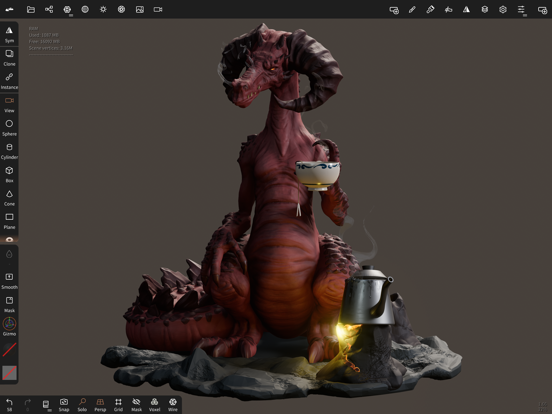

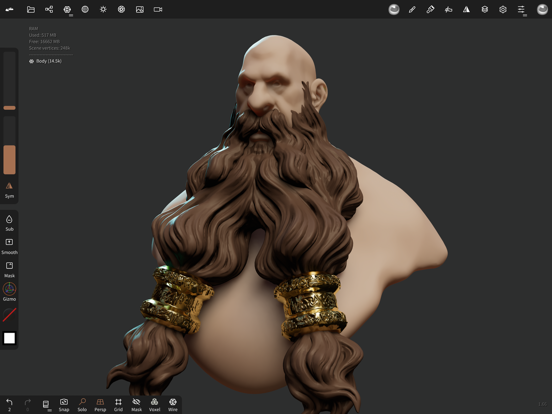
23 store screenshots


Pricing & paywalls
Shown for US
- Price: $19.99
- Quad Remesher — $15.99
Shown for US
- Free to download
- In-app purchases: $19.99 per item
Ratings & reviews
Shown for US
-
5/5Overall Amazing and intuitive, but lacks a few key features.
Let me start with the positives. This software has so many capabilities that other similar softwares don’t. It is easy to work with, very customizable, and produces great quality renders at high numbers of faces. Easily the best software out there for the IPad Pro. One minor issue is that the software lacks the ability to more finely control the topology of models. Often i will find formations of quads that are unnecessary, or that meet in weird ways and create visible seams on my models upon smoothing. However, using dynamic topology is an easy workaround if the character you’re sculpting doesn’t need to be animated. Materials could also use more customization options, and UVs would also be nice, but the main issue i have with this software is how much battery it drains. It drains battery so fast that even when plugged into the wall, the charging cannot keep up with the power demands. Overall an amazing software (nearly on par with some professional sculpting softwares ive worked with before) but is not very optimized in terms of power usage.
MantacidTech · 30 Aug 2026
-
4/5Great aoftware, with some issues
First of all, I’ll start positives. I have been bouncing around on 3-D software for a few months now, and I’ve found all of them very difficult to learn or they just simply don’t have the features I’m looking for. Blender Is great but it requires too much time and focused to learn for me, fusion 360 is decent, but it doesn’t have a sculpt feature, ect. Nomad has made the process of learning 3-D design, super easy and I’ve already made a few decent pieces! The interface is simple yet it has a lot of really good tools and functions. Now for the improvements that could be made. There are definitely some bugs in this app, including ones that occasionally affect the sculpting tools. They will either indent or add texture when they are supposed to do the opposite, etc. these bugs often require me to save the design and then restart the whole app. Also, occasionally, when I add an object, it just glitches out and I don’t have access to the. “Gizmo” feature, which basically allows me to edit and alter the shape entirely. I am also forced to restart for this glitch. Other than being buggy occasionally, I’m really love this software, and if you are a beginner or just looking for something more simple to use, I definitely recommend this.
wolf33n · 30 Aug 2026
-
4/5Incredible. Auto-save could be better.
Really well done. I find it much more approachable than ZBrush when I tried it way back when. This app is quite powerful with what it can do, and isn’t a massive overload of complexity. Only one thing that bothers me is when dealing with primitives, before ‘validate’ (strange word to use but ok), my tendency is to try to scroll the toolbar on the right vertically as I would scroll the usual modeling toolbar. Unfortunately this drags & rearranges the tools without any long press/jiggle or anything. I’d prefer long press to rearrange as is pretty standard UI design practice (and as is also the case for entries the Scene panel in Nomad). Update: auto-save should just happen silently without a popup by default. Save a recoverable file that can be reloaded on launch if a crash was detected, like how MS Excel might do it, for example. If a crash was detected, prompt the user, explain that the app didn’t close properly; show a preview of the last auto-save and ask if they want to reload it. Unfortunately one of my kids was getting into Nomad, but found auto-save annoying & disabled it (not knowing you could just silence the popup), and lost her work due to a crash… so now she “hates” it. Ugh.
Dheugjejdfjriggjsbf · 30 Aug 2026
-
5/5Traveling artists dream come true
I held off on writing a review for awhile. Wanted to get the full experience of Nomad Sculpt. I’ve worked with Zbrush before so I came in with some sculpting experience. I have to say, I am in awe of this app. The power this program has to exist on an IPad is insane. I don’t get to sit down and work a lot, so I’m a big fan of procreate and the likes. This app is exactly what I’ve been dreaming of. Now of course there are it’s bugs and glitches and sometimes it’ll crash. But it’s running on an iPad, and that is a truly impressive feat. I work zbrush on my custom built computer, and after an hour it sounds like its going to take off. I can work hours on this app and the only thing stopping me is the iPad battery life. The app is gigantic, and needs a fair amount of storage but honestly, not as much as I thought for an app this powerful. If you’re a experienced sculptor or just wanting to start out, spend the money. Seriously, it’s worth it. I am excited to see how Nomad grows in the next few months. Seriously impressive, I cannot rave enough.
Piswolf · 30 Aug 2026
-
5/5People said the iPad isn’t a pro device, this app proved that they’re wrong
This app needs more attention, it is such a pro level app that I actually wish I have more performance in my M1 iPad Pro, it utilize the chip so well it maxed out the M1’s thermal design limit, the way you know is by how it drains the battery even when you’re plugged in to a 20W charger, this means that this app is pushing the chip as high or higher than 20W just like on the M1 Macs, and this doesn’t mean that this app is poorly optimized, this just mean you need a bigger charger, the charging port on the iPad Pro can reach 33W, if you have a 30W charger it should keep the iPad Pro running without draining the battery while charging. It’s not the apps fault for being such a power hog, and it is certainly not that it is poorly optimized, because to maintain good battery life at this point is to sacrifice performance, and I’ll rather have the app not lagging when I sculpt than good battery life, you just can’t have both people.
Yuantian Mai · 30 Aug 2026
Shown for US
-
1/5
the app was perfect until the subscribe update author of the app youre are serious?? you think that i need to aform a subscribe to pay months just for render and export to files??! thats ridiculos
Юрий Бурбик · 1 Aug 2026
-
4/5
need some features for timelapse the workflow
Goryky Vr · 1 Aug 2026
-
4/5
It's a good app for 3d modeling and I think it's very creative but alongside that feature, they should make exporting free cause I won't be spending money to get a file for animation.
London Daniels · 1 Aug 2026
-
1/5
i am not paying to just export one sculpture
ilovemyself · 1 Aug 2026
-
1/5
Such a greedy creator, limiting others creativity by giving only 1 project thus the premium price is very unfriendly
I eat chicken · 1 Aug 2026
Privacy & accessibility
App Store
Privacy
- Data Not Collected Developer declared
Accessibility
No accessibility labels collected yet.
Versions
-
1.82
stylus: fix pencil being off pointer when sculpting pivot: improve pivot of tube and curve repeat node when using the snap option bake: fix crash if object is instance reproject: fix crash if object is instance
-
1.83
file: fix boolean operation corrupting mesh (issue only revealed when reloading the project) file: detect obj and stl even if the file extension is missing tube: add per point profile tube: fix snapping option when creating a new tube tube: improve snap alignment (profile view aligned with gizmo) tube: add profile presets curve: fix bspline broken sampling around the end points repeat: prevent negative radius (negative scale) gizmo: Move To Origin option now centers the current gizmo pivot instead of geometric center hole: edit world space value instead of radius ratio mask: world space thickness slider
-
1.84
render: fix DOF focus update on tap gesture: tube editing with finger was possible even it shouldn’t grid: improve grid antialiasing profile: fix curve preview issue with preset replace feature profile: move folder button wasn’t always working
-
1.85
ios: add quad remesh plugin, from EXOSIDE (~15$, one time purchase) ios: quad remesher supports face group, guides and density painting dyntopo: add an option to take the brush falloff and alpha into account facegroup: add facegroup tool hide: add hide tool paint: add vertex transparency support light: replace shadow softness option with size (point, spot) and angle (directional) option light: point lights will automatically cast screenspace shadow even if shadowmap option is on light: add environment light (directional with automatic color, intensity and orientation) light: fix crash when deleting a light primitive: all primitives now have UVs primitive: replace linear subdivision checkbox with a slider to allow more control (more subtle round borders) misc: improve overall brush behaviour when non uniform scale, skew or inverse culling is present misc: add sonar pen support obj: export folder only if textures are present ply: add ply import and export lathe: display orange vertical line when curve is selected tube: profile viewport UX improved file: improve tiff support ios: import button now supports folder selection smudge: improve tool quality render: fix fov and camera position being tweaked during render export interface: reset tool orders will reset custom tools according to their name mask: interacting with extraction slider will show a preview of the output matcap: added a lock rotation option for matcap (prevent three-fingers gesture rotation) move: add background radius option layer: fix longstanding bug where layers could be corrupted when using the keep top details option split: fix line shape gizmo: fix reset pivot mask button being always disabled heightmap: fix black screen when tone mapping is disabled background: gradient option stroke: fix snap radius option symmetry: flip object now works with multires object (enabling material culling instead of flipping faces) bake: improvements for both vertex and texture reprojection gesture: more control for three-finger gestures. In case of conflict, UI order matters. But light gesture is only active in PBR or Matcap+Lock off. So by default: Matcap+lock on mode, radius/intensity gestures active PBR mode, radius/light gestures active
-
1.86
ios: fix shortcut preview display gesture: fix one-tap gesture when toolbox is not hidden gizmo: fix crash when vertex transforming a mesh alongside a primitive gif: fix opaque gif generation
-
1.87
tool: front vertex bug facegroup: ignore mask if mask is hidden facegroup: fix group recoloring wrongly creating new unnecessary group
-
1.88
tool: fix front facing bug impacting most brushes when two sided was off light: fix type radio button single click not working bake: fix texture opacity to layer opacity alpha file: fix nom loading sometimes failing when an infinite value was present mask: fix crash when clearing when multiple objects are selected bake: improve opacity baking gltf: fix color export stroke: fix incorrect alpha handling with mirroring binding: tool preset added
-
1.89
triplanar: two sided bug triplanar: fix crash when tapping the generated mesh bake: bake vertex doesn’t delete texture if the channel isn’t checked bake: add an option “opacity to mask” option bake: normal map texture baking improved tools: fix preset crashing on clone binding: fix search helper
-
1.90
ios: quad remesher alt shortcut resets the density painting ios: quad remesher allow smooth density intensity greater than 100 percent remesh: quad remeshers now keep hidden faces voxel: fix voxel remesh when hidden faces are present voxel: fix crash sometimes happening due to layers smooth: add screen painting smoothing if paint intensity is greater than 100 percent layer: fix merge logic (voxel, join)
-
1.91
ios: improve quad remesher guide handling when symmetry is enabled gizmo: add new target mode with sync instance insert: fix previewed insertion when inserting on a repeated instance insert: fix crash when inserting a node while instance option is on insert: insert the nodes as a child instead of next to the picked object insert: tries to keep hierarchy when inserting subpart of a tree selection silhouette: fix option when mesh isn’t aligned (transform not reset) silhouette: fix option when mesh has a non identity transform ply: fix export when objects have transform ply: fix export when exporting multiple objects fbx: improve import fbx: add basic export support (no textures, no materials) tube: prevent profile editing if the profile is aligned with the camera view tube: only snaps the first point of the tube when creating a tube and if the snap option is off tube: fix cap triangulation sometimes failing in some cases tube: snap can snaps on other object vertex bake: fix self vertex baking in some case bake: fix crash when a mesh has a normal map but without UV bake: show offset preview interface: quick mask or smooth shortcut sometimes didn’t work if tools were re-ordered interface: add checkbox to disable long press undo/redo interface: add alternative color wheel picker interface: improve material and tool alpha preview wireframe: only show wireframe on visible faces (can be changed in wireframe option) wireframe: add an option to only show wireframe for the current selection symmetry: fix flip option symmetry: more robust handling by sculpting brushes mask: mask shape selector can now clear and mask multiple objects at the same time mask: masked area will ignore transparency and be visible (hidden face data will still be hidden though) mask: clear mask even if the mirrored shape collides with the mesh (when the main shape doesn’t collide with the mesh) move: fix background radius when mesh has non uniform or skew matrix move: add swirl effect when using a secondary finger or input facegroup: add auto group from normal option facegroup: add auto group from separate parts option multires: add a wireframe option to only show the first level wireframe multires: add an option to lock the vertices of the first level triplanar: add brush material triplanar mode triplanar: add mesh material triplanar mode tool: add extra contextual options to facegroup, mask and hide tool: preset can be moved in subfolder layers: add an option to extract a layer from the base painting, by comparing with a default material dyntopo: fix bug that could make sculpting fails the surface picking curve: revert behaviour of path drawing mode where new points can be inserted from dragging anywhere xray: add target option to choose whether the selected or non selected objects are ghosted file: update obj vertex color import if the file is coming from blender tool: presets can be loaded through drag n dropping or import button (Project menu) alpha: add screen projection option, instead of surface repeater: tweak default mirror and radial initial world position texture: matcap supports color texture image: improve EXR support
-
1.92
ios: fix crash on iOS 15.0, 15.1 and 15.2 toolbox: dot not display tools in subfolders toolbox: add an option to rename folder tool: fix stroke painting checkbox not being read correctly at loading tool: fix layer tool dyntopo: fix issue for some tools boolean: remove unwated plane simplification cleanup voxel: bake texture to vertex from multiple inputs inspector: fix crash in some case image: add support for webp format delLayer: fix crash when painting is off gizmo: adding a pin option so that releasing it will copy the pivot tube: fix rotate handler being too fast when radius is very small interface: add a small indicator in the the scene list when shading Instance ID or object ID is used
-
1.93
boolean: fix edge issue split: fix line bug tube: fix twist control speed tools: remove empty folder to not clutter the filesystem background: fix overlay not working with inspect or face group view
-
1.95
outline: fix issue with facegroup and inspect mode tool: fix tools folder being deleted if only subfolders were present measure: improve line thickness consistency bake: support triplanar normal baking bake: support flip y option uv: improve degenerate face when merging duplicate UVs coordinates snapcube: interacting with small buttons now prevents the view from changing. Mostly useful with pencil and grid snapping where a view change could exit orthographic
-
1.96
tube: tube profile xy mirroring tube: tube profile transform falloff: fix jitter scale stroke: fix roll mode layer: add channel blend settings render: reduce banding caused by low depth precision binding: fix custom tool bindings pencil: fix small interaction threshold issue with Drag and Move tools shading: fix crash on uv unwrap or inspector when shading texture is disabled facegroup: fix crash on undo when using finger to convert mask to group with sculpt finger off extract: fix crash when extracting the mask and opening the post process settings icon: fix custom icon on some tools when the ui is on light mode
-
1.97
paint: stop painting everything in yellow subsurface: fix effect when multiple object have different scattering in the scene primitive: expose division control in the contextual menu voxel: hole filling will reuse voxel edge length lathe: improve axis editing
-
1.98
render: fix normal map rendering where there is skew and non uniform scale render: better smooth normal and tangent, especially when strong skew and non uniform scale is present bake: normal baking improved when skew and non uniform scale is present subsurface: fix scattering effect obj: fix normal map import and export operation: add global mesh operation menu curve: add spiral option to curve repeater material: toggling embed texture doesn’t force or delete alpha on existing materials profile: fix preset selection sometimes not working profile: fix bugs when using mirroring
-
1.99
hide: fix facegroup view ignoring hidden faces background: improve a bit background and layer base dropper preview interface: small improvements for small screen and fixes glitches in the scene menu layer: fix bleeding issue on layer when using screen smooth or blur operation operation: fix color operation on layer mode
-
2.0
mask: fix mask not working correctly with connected topology (for example move tool) operation: improve blurring on mask area hide: fix sculpting not working correctly caused by wrong handling of stroke spacing on hidden area when show hide is off connected: fix connected topology not respecting disabled mask, face group and hidden faces options repeat: add random option in repeaters show: allow contact shadows even if screenspace shadows are used material: add copy and paste button toolbox: add resize handler interface: add most bindings as customisation for the bottom bar facegroup: fix render artefact on grazing angle normals
-
2.1
pivot: fix pivot editing on multiple mesh pivot: repeat randomness now uses mesh pivots pivot: add option to mesh vertices from pivot paint: fix texture popup tube: fix preset popup binding: fix hide clear all repeater: fix repeater not working directly when adding it to the scene shortcut: fix some bottom shortcuts not being saved
-
2.2
postprocess: add denoiser (oidn) postprocess: fix ssr for refraction material boolean: fix crash when running boolean on a single mesh culling: fix front-vertex shape operation in case of transform with non uniform scale or skew material: add shadow catcher fbx: fix crash at loading light: improve angle and size parameter support baking: imrpove normal baking on very low poly mesh shortcut: improve bottom shortcuts ux
-
2.3
locale: add czech, dutch, hebrew, swedish locale: fix arabic ligature ply: fix ascii import usd: fix procreate export when smooth shading is enabled with inverse culling or flip matrix usd: fix crash when exporting an usd with hidden group nodes with children usd: fix zbrush usd color space voxel: fix crash for high resolution (~1200) voxel: improve performance for high value brush: tweak brush behavior, add more normal filtering option brush: improve performance a bit brush: fix falloff editing in symmetry mode brush: layer tool improvement for lock radius mode postprocess: add stupid color tint to ssao and bloom postprocess: add options and improve curvature effect postprocess: fix pixel art render export keeping correct pixel size postprocess: remove full resolution option (always on) postprocess: denoiser is not saved anymore in project or general settings shading: improve screenspace soft shadow, especially for point light scene: add separate layers option in scene menu to split layers into multiple objects scene: add join layer option to joint multiple objects into different layers pressure: change default pressure curve for brushes to take into account light pressure pressure: support pressure greater than 100 percent, can be turned off camera: add alternative trackball option camera: when the camera is locked through the corner cube, the reference will be sync with camera movement. This is meant to be used with an orthographic camera. curve: add an option to not merge automatic points project: make sure to keep the current active project when deleting another project facegroup: add option to generate face group from uv islands gizmo: fix pivot wrongly being reseted on multiselection mirror: add more mirroring options
-
2.4
ios: fix crash on older ipad layer: fix crash on clone
-
2.5
ios: add back language selector in Settings app ios: fix nomad file thumbnail on iOS File app ios: pencil double tap hotkey now forces toggle ios: reuse previous render preview crash: fix crash when decompressing legacy data interface: fix fonts and text not appearing correctly interface: fix warning icon positioning at the bottom interface: floating window keeps their position more consistently pencil: increase interaction threshold for tap reference: fix jittery translation syncing gesture: added transform tool to interaction filters export: make sure that export count is the same as actual export tube: fix point not being able to be dragged with very small radius layer: join as layer now only pushes one undo instead of two
-
2.7
scene: fix random crashes and freezes reference: keep roll when unlocking voxel: add 100% relax pass grid: fix snapping with large scene move: fix normal deformation with object with non uniform scale or skew interface: fix crash when using binding search bar interface: fix gamepad button bindings interface: add collapse all button in scene menu interface: multi material editing was sometimes broken when selecting instances interface: fix slider issue with tooltip tube: add normal snap option ply: fix faces being sometimes flipped on export stl: fix faces being sometimes flipped on export fbx: improve export with non uniform scale, skew and layers gltf: improve loading speed for files with many facegroups usd: improve support
-
2.8
· 23 Dec 2025
usd: fix crash on export and import scene: group lock will now lock its children boolean: fix random crash input: fix second single tap sometimes not being recorded reference: simplify reset view on unlock option reference: fix transform mode going crazy when reference is locked and rolled
- 2.8 · 22 Dec 2025
Alternatives
- ToonSquid — Same category + similar ratings
- Brushes for Procreate — Same category + similar ratings
Availability by market
- US
Data quality & evidence
- Page completeness
- Live store listing
- Last verified
- 30 Aug 2026
- Sources
- App Store, Google Play
- Independent summary has not been published yet.