
Quick verdict
- What it is
- Store information collected; independent summary not yet available.
- At a glance
-
- Free to download
Categories and search queries
Official categories
- Developer Tools
- Productivity
AppCorpus categories
Key functions
| Function | Availability | Access | Scope | Evidence |
|---|---|---|---|---|
| Free app | Yes | Free | — | Store published |
Screens
App Store
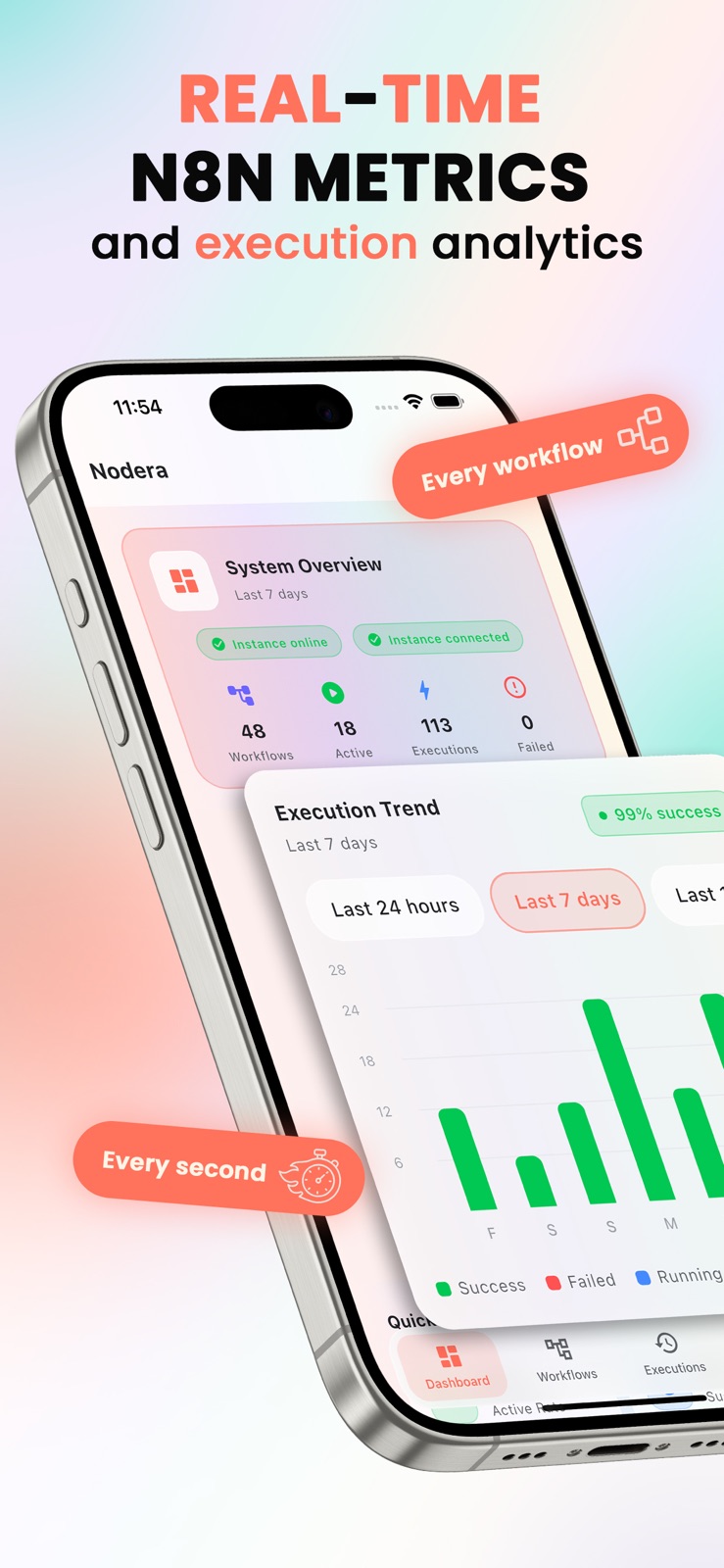
6 store screenshots


Pricing & paywalls
App Store
- Free
Ratings & reviews
App Store
No store reviews collected for App Store · US
Privacy & accessibility
App Store
Privacy
- Data Not Linked to You — Analytics — Usage Data — Other Usage Data Developer declared
- Data Not Linked to You — Analytics — Usage Data — Product Interaction Developer declared
- Data Not Linked to You — Usage Data Developer declared
Accessibility
No accessibility labels collected yet.
Versions
App Store
- 1.0
-
1.1.0
WHAT'S NEW IN VERSION 1.1.0: - Star your most-used workflows for quick access with the new Favorites filter - See average, fastest, and slowest execution times on workflow details - Shake your phone to refresh all data instantly - Execution trends now display as smooth line charts with touch tooltips - Rate the app directly from Settings - Bug fixes and performance improvements
-
1.1.1
WHAT'S NEW IN VERSION 1.1.1: Self-Signed SSL Support Connect to n8n instances that use self-signed SSL certificates. Simply enable it with one tap in the Settings screen - perfect for self-hosted setups. Improved Launch Screen New branded splash screen featuring the Nodera logo for a polished app experience. Bug Fixes & Improvements Updated iOS App Transport Security for better compatibility with self-hosted instances
-
1.2.0
WHAT'S NEW IN VERSION 1.2.0: Workflow Editing Edit your workflows directly from the app. Rename workflows, tweak node parameters, toggle nodes on or off, and adjust workflow settings - all without opening n8n. Notifications Fixed Notifications now arrive instantly, even when the app is closed. Nodera automatically adds a notification node to your workflow when you enable alerts. Duplicate it if your workflow has multiple exit points. Notifications also fire when a workflow is triggered directly from n8n. Correct Node Order Nodes are now displayed in execution order, exactly matching how n8n runs them - no more guessing the flow. Bug Fixes & Improvements Fixed the notification bell toggle in the Workflows screen. Fixed the execution trend chart not loading correctly. Unified the UI design across all screens for a more consistent look and feel.
-
1.2.1
WHAT'S NEW IN VERSION 1.2.1: Bug Fixes The app icon badge now shows your actual unread notification count instead of always showing "1".
-
1.2.10
· 31 May 2026
WHAT'S NEW IN VERSION 1.2.10: - See all your workflows: Instances with more than 100 workflows now load every one of them, instead of stopping at the first 100. - Smoother multi-instance setup: Adding a second or third n8n instance no longer gets stuck loading, and you'll now see a clear message if something goes wrong.
-
1.2.2
WHAT'S NEW IN VERSION 1.2.2: NEW FEATURES • Enable or disable notifications directly from the workflow detail screen • Delete workflows with confirmation from the workflow detail screen • Push notification setup check: Prompts you to enable notifications first if not configured IMPROVEMENTS • Workflow name now displayed on the status card in workflow details • Workflow name shown in execution detail view with full display • Status badge repositioned below header for better readability in execution details • Success rate stat is now green and Running Now is blue on the dashboard for clearer distinction BUG FIXES • Consistent button styling across all confirmation sheets • Fixed text styling in notification popups for visual consistency across screens • Fixed overflow issue with long workflow names in execution details
-
1.2.3
WHAT'S NEW IN VERSION 1.2.3: NEW FEATURES • View raw execution output data directly in the execution detail popup with collapsible JSON viewer • Copy raw output to clipboard with one tap • Execution detail popup now available from both the Executions screen and the Workflows screen IMPROVEMENTS • Unified execution detail popup across the app - Workflows and Executions screens now share the same consistent design • Workflow name now correctly displayed in execution popup when opened from the Workflows screen • "Webhook Required" dialog redesigned as a bottom sheet to match the app's visual style BUG FIXES • Fixed "No output data available" by requesting full execution data from the n8n API • Fixed overflow issue with shimmer loading cards on the workflow detail screen • Removed italic styling from webhook info text for visual consistency
-
1.2.4
WHAT'S NEW IN VERSION 1.2.4: NEW FEATURES • Dashboard System Overview redesigned - instance hostname as title, metrics split into instance and time-filtered sections • Credentials count now displayed in the dashboard • Success rate percentage shown in the dashboard • Search bar added to the Executions screen to filter by workflow name or ID • Favorites filter added to the Executions screen - tap the star to show only executions from favorited workflows • Workflow cards now show Last Execution and Created dates • Tappable Most Active Workflows - jump directly to workflow details • Tappable Recent Activity - tap an execution to view its details IMPROVEMENTS • All dates and times now follow your device locale and system settings • Consistent orange accent color across dashboard icons and workflow rankings • Server icon added in front of the instance hostname • "No Hook" badge renamed to "No Webhook" • Workflow card icons removed for a cleaner look • Section headers in Settings and Executions screens updated for better readability in both light and dark mode • Execution details bottom sheet no longer hidden behind the dashboard app bar BUG FIXES • Fixed execution details sheet max height to prevent content from being hidden behind the status bar
-
1.2.5
WHAT'S NEW IN VERSION 1.2.5: NEW FEATURES • Multi-language support - Nodera is now available in English, German, French, and Spanish • Language selector in Settings - choose your preferred language from the new picker in App Settings • Language preference is saved across sessions
-
1.2.6
WHAT'S NEW IN VERSION 1.2.6: • Multi-Instance Support: Manage up to 3 n8n instances and switch between them with a single tap from the app bar. • Instance Picker: A new instance picker in the app bar lets you quickly switch between your dev, staging, and production environments. • Custom Instance Names: Give each instance a friendly name like "Production" or "Client X" for easy identification. • Activate & Deactivate Feedback: Toggling workflows now shows a success or error message so you always know what happened. • UI Polish: Consistent icon styling, spacing, and badge colors across all screens for a cleaner look.
-
1.2.7
WHAT'S NEW IN VERSION 1.2.7: • Interactive Charts: Switch between line, bar, and area charts in the Execution Trend section. Toggle series visibility and view summary stats. • Dashboard Redesign: Instance name and date range filter are now at the top for quick access. Reorganized stat cards with a fresh layout. • Search Notifications: Quickly find workflows in the notification settings with the new search field.
-
1.2.8
WHAT'S NEW IN VERSION 1.2.8: • Workflow Version History: Every edit is saved locally as a snapshot. Browse past versions and restore any previous state with a single tap. • Tappable Dashboard Stats: Tap any stat card on the dashboard to jump directly to the matching screen with the right filter pre-applied. • Collapsible Executions: Recent executions now show the last 5 by default with a "Load more" button to keep the detail screen clean.
-
1.2.9
WHAT'S NEW IN VERSION 1.2.9: - Upcoming Workflows: A new Dashboard card shows the next 5 scheduled runs at a glance. The Executions screen also has a new "Upcoming" filter for the full list. - Polished Dashboard: Tighter spacing, consistent icon sizing, and a redesigned Execution Trend section. - Cleaner workflow dates: Created and Updated now display the date and time on separate lines. - Stability fix: Resolved a crash that could break Dashboard cards on certain workflows.
Alternatives
- Infinity Workflows — Same category + similar ratings
- Trigga - N8N Automations Panel — Same category + similar ratings
- n8n Viewer — Same category + similar ratings
- API Widgets — Same category + similar ratings
- N8N Automations — Nathan — Same category + similar ratings
- Local LLM Server — Same category + similar ratings
Availability by market
- US
Data quality & evidence
- Page completeness
- Live store listing
- Last verified
- 7 Aug 2026
- Sources
- App Store
- Independent summary has not been published yet.