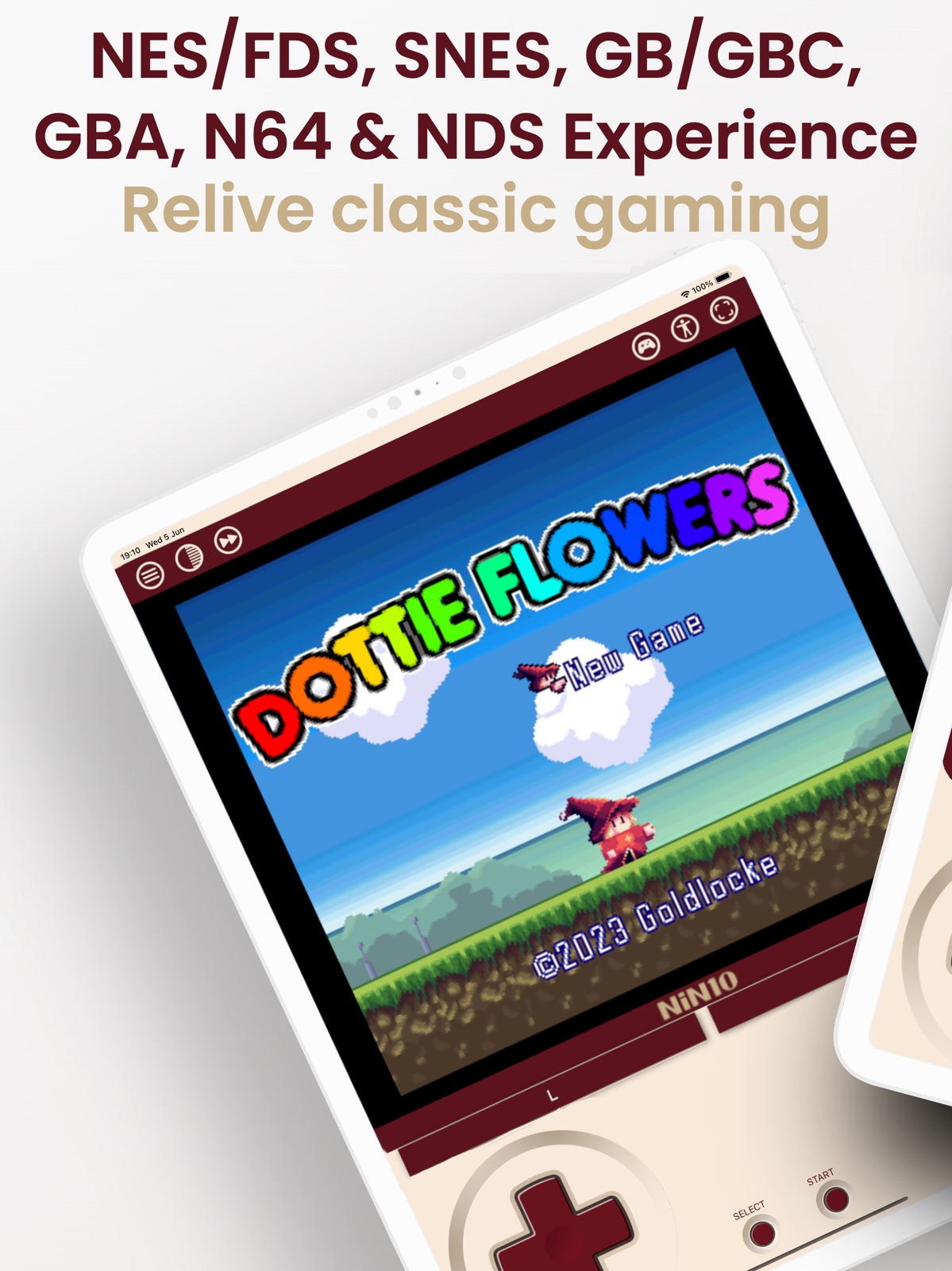
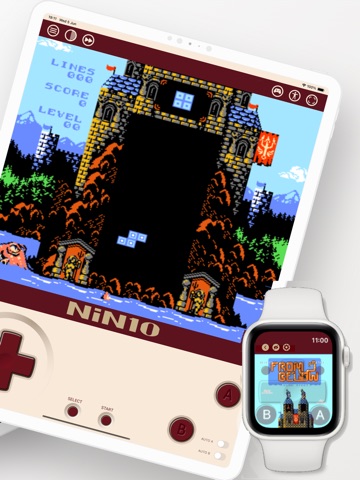
AppCorpus MCP gives your agent current app data, prices, screens, features and sources.
View JSON
GET /api/v3/apps/6503959130
{
  "app_id": 6503959130,
  "canonical_url": "https://appcorpus.com/apps/nin10-nintendo-emulator-6503959130",
  "identity": {
    "name": "NiN10: Nintendo Emulator",
    "slug": "nin10-nintendo-emulator",
    "developer": {
      "name": "Enrique Enguix",
      "url": "https://appcorpus.com/developers/enrique-enguix-developer_d9c7d19a1fd104e0c2ca8a258e341ab2"
    },
    "icon_url": "https://is1-ssl.mzstatic.com/image/thumb/Purple221/v4/20/4e/e9/204ee9d7-896d-6c64-fb00-db2901e0d84c/AppIcon-0-1x_U007epad-0-1-0-sRGB-85-220-0.jpeg/512x512bb.jpg",
    "stores": [
      "apple"
    ],
    "platforms": [
      "iphone",
      "ipad"
    ],
    "status": {
      "state": "active",
      "label": "Active",
      "last_checked": "2026-08-06",
      "last_checked_label": "6 Aug 2026",
      "banner": null,
      "region_note": null
    }
  },
  "listings": [
    {
      "store": "apple",
      "status": "ACTIVE",
      "url": "https://apps.apple.com/us/app/nin10-nintendo-emulator/id6503959130?uo=4",
      "rating": 4.1,
      "rating_count": 21,
      "formatted_price": "Free",
      "is_free": true,
      "has_iap": true,
      "has_subscription": false,
      "version": "3.1",
      "updated": "2026-07-31",
      "currency": "USD"
    }
  ],
  "summary": {
    "one_liner": null,
    "summary": null,
    "best_for": [],
    "not_for": [],
    "status": "fallback",
    "at_a_glance": [
      "Free to download",
      "In-app purchases"
    ]
  },
  "categories": {
    "official": [
      "Entertainment",
      "Games"
    ],
    "appcorpus": [
      {
        "category_id": "entertainment",
        "label": "Entertainment",
        "url": "https://appcorpus.com/categories/entertainment"
      }
    ]
  },
  "use_cases": [],
  "features": [
    {
      "capability_id": "family_sharing",
      "label": "Family Sharing",
      "availability": "yes",
      "access_level": "unknown",
      "scope": "App Store",
      "evidence": "Store published"
    },
    {
      "capability_id": "free_app",
      "label": "Free app",
      "availability": "yes",
      "access_level": "free",
      "scope": null,
      "evidence": "Store published"
    },
    {
      "capability_id": "game_center",
      "label": "Game Center",
      "availability": "yes",
      "access_level": "unknown",
      "scope": "App Store",
      "evidence": "Store published"
    },
    {
      "capability_id": "game_controller",
      "label": "Game controller",
      "availability": "yes",
      "access_level": "unknown",
      "scope": "App Store",
      "evidence": "Store published"
    },
    {
      "capability_id": "in_app_purchases",
      "label": "In-app purchases",
      "availability": "yes",
      "access_level": "free_limited",
      "scope": null,
      "evidence": "Store published"
    }
  ],
  "pricing": [
    {
      "store": "apple",
      "formatted_price": "Free",
      "is_free": true,
      "has_iap": true,
      "has_subscription": false,
      "currency": "USD",
      "market": "us",
      "last_verified": "2026-08-06",
      "rows": [
        "Famicom Disk System — $0.99",
        "Game Boy & Game Boy Color — $0.99",
        "Game Boy Advance — $0.99",
        "NiN10 — $2.99",
        "Nintendo 64 — $0.99",
        "Nintendo DS — $0.99",
        "Super Nintendo — $0.99"
      ]
    }
  ],
  "screens": [
    {
      "url": "https://is1-ssl.mzstatic.com/image/thumb/PurpleSource221/v4/a9/d4/1c/a9d41cdb-8b96-8a86-cd5a-5d1009b3efa5/1.png/1600x1600bb.jpg",
      "store": "apple",
      "platform": "ipad",
      "alt": "NiN10: Nintendo Emulator ipad screenshot 1"
    },
    {
      "url": "https://is1-ssl.mzstatic.com/image/thumb/PurpleSource221/v4/a9/d4/1c/a9d41cdb-8b96-8a86-cd5a-5d1009b3efa5/1.png/360x480bb.jpg",
      "store": "apple",
      "platform": "ipad",
      "alt": "NiN10: Nintendo Emulator ipad screenshot 2"
    },
    {
      "url": "https://is1-ssl.mzstatic.com/image/thumb/PurpleSource211/v4/09/f7/71/09f7715a-87fe-bfd4-d958-065a08cdadf3/2.png/1600x1600bb.jpg",
      "store": "apple",
      "platform": "ipad",
      "alt": "NiN10: Nintendo Emulator ipad screenshot 3"
    },
    {
      "url": "https://is1-ssl.mzstatic.com/image/thumb/PurpleSource211/v4/09/f7/71/09f7715a-87fe-bfd4-d958-065a08cdadf3/2.png/360x480bb.jpg",
      "store": "apple",
      "platform": "ipad",
      "alt": "NiN10: Nintendo Emulator ipad screenshot 4"
    },
    {
      "url": "https://is1-ssl.mzstatic.com/image/thumb/PurpleSource211/v4/f0/26/97/f026972f-0546-02f5-7d88-db1066afc121/3.png/1600x1600bb.jpg",
      "store": "apple",
      "platform": "ipad",
      "alt": "NiN10: Nintendo Emulator ipad screenshot 5"
    },
    {
      "url": "https://is1-ssl.mzstatic.com/image/thumb/PurpleSource211/v4/f0/26/97/f026972f-0546-02f5-7d88-db1066afc121/3.png/360x480bb.jpg",
      "store": "apple",
      "platform": "ipad",
      "alt": "NiN10: Nintendo Emulator ipad screenshot 6"
    },
    {
      "url": "https://is1-ssl.mzstatic.com/image/thumb/PurpleSource211/v4/6f/fc/30/6ffc30d2-98a3-8915-9829-61baeaacc845/4.png/1600x1600bb.jpg",
      "store": "apple",
      "platform": "ipad",
      "alt": "NiN10: Nintendo Emulator ipad screenshot 7"
    },
    {
      "url": "https://is1-ssl.mzstatic.com/image/thumb/PurpleSource211/v4/6f/fc/30/6ffc30d2-98a3-8915-9829-61baeaacc845/4.png/360x480bb.jpg",
      "store": "apple",
      "platform": "ipad",
      "alt": "NiN10: Nintendo Emulator ipad screenshot 8"
    },
    {
      "url": "https://is1-ssl.mzstatic.com/image/thumb/PurpleSource211/v4/c1/36/d4/c136d460-e83b-7d8b-d928-1331cb0d7cd3/5.png/1600x1600bb.jpg",
      "store": "apple",
      "platform": "ipad",
      "alt": "NiN10: Nintendo Emulator ipad screenshot 9"
    },
    {
      "url": "https://is1-ssl.mzstatic.com/image/thumb/PurpleSource211/v4/c1/36/d4/c136d460-e83b-7d8b-d928-1331cb0d7cd3/5.png/360x480bb.jpg",
      "store": "apple",
      "platform": "ipad",
      "alt": "NiN10: Nintendo Emulator ipad screenshot 10"
    },
    {
      "url": "https://is1-ssl.mzstatic.com/image/thumb/PurpleSource211/v4/aa/ef/b7/aaefb716-637e-8c23-5da8-20f00bf98597/6.png/1600x1600bb.jpg",
      "store": "apple",
      "platform": "ipad",
      "alt": "NiN10: Nintendo Emulator ipad screenshot 11"
    },
    {
      "url": "https://is1-ssl.mzstatic.com/image/thumb/PurpleSource211/v4/aa/ef/b7/aaefb716-637e-8c23-5da8-20f00bf98597/6.png/360x480bb.jpg",
      "store": "apple",
      "platform": "ipad",
      "alt": "NiN10: Nintendo Emulator ipad screenshot 12"
    },
    {
      "url": "https://is1-ssl.mzstatic.com/image/thumb/PurpleSource211/v4/57/23/11/5723117a-e4c9-09c7-40b0-ce783f8337ee/7.png/1600x1600bb.jpg",
      "store": "apple",
      "platform": "ipad",
      "alt": "NiN10: Nintendo Emulator ipad screenshot 13"
    },
    {
      "url": "https://is1-ssl.mzstatic.com/image/thumb/PurpleSource211/v4/57/23/11/5723117a-e4c9-09c7-40b0-ce783f8337ee/7.png/360x480bb.jpg",
      "store": "apple",
      "platform": "ipad",
      "alt": "NiN10: Nintendo Emulator ipad screenshot 14"
    },
    {
      "url": "https://is1-ssl.mzstatic.com/image/thumb/PurpleSource221/v4/e5/37/75/e53775ad-5e2d-b5ac-d11c-22bc0efcc44b/8.png/1600x1600bb.jpg",
      "store": "apple",
      "platform": "ipad",
      "alt": "NiN10: Nintendo Emulator ipad screenshot 15"
    },
    {
      "url": "https://is1-ssl.mzstatic.com/image/thumb/PurpleSource221/v4/e5/37/75/e53775ad-5e2d-b5ac-d11c-22bc0efcc44b/8.png/360x480bb.jpg",
      "store": "apple",
      "platform": "ipad",
      "alt": "NiN10: Nintendo Emulator ipad screenshot 16"
    },
    {
      "url": "https://is1-ssl.mzstatic.com/image/thumb/PurpleSource221/v4/31/f2/10/31f2100a-f0df-57ab-9bd2-b0183ddae577/9.png/1600x1600bb.jpg",
      "store": "apple",
      "platform": "ipad",
      "alt": "NiN10: Nintendo Emulator ipad screenshot 17"
    },
    {
      "url": "https://is1-ssl.mzstatic.com/image/thumb/PurpleSource221/v4/31/f2/10/31f2100a-f0df-57ab-9bd2-b0183ddae577/9.png/360x480bb.jpg",
      "store": "apple",
      "platform": "ipad",
      "alt": "NiN10: Nintendo Emulator ipad screenshot 18"
    },
    {
      "url": "https://is1-ssl.mzstatic.com/image/thumb/PurpleSource221/v4/51/3f/22/513f22c8-f3d6-8d86-be0e-e05e4b51e99b/1.png/1260x1600bb.jpg",
      "store": "apple",
      "platform": "iphone",
      "alt": "NiN10: Nintendo Emulator iphone screenshot 19"
    },
    {
      "url": "https://is1-ssl.mzstatic.com/image/thumb/PurpleSource211/v4/b1/e3/05/b1e3053c-7121-7060-567a-eea60d9c1593/2.png/1260x1600bb.jpg",
      "store": "apple",
      "platform": "iphone",
      "alt": "NiN10: Nintendo Emulator iphone screenshot 20"
    },
    {
      "url": "https://is1-ssl.mzstatic.com/image/thumb/PurpleSource221/v4/cb/d7/2c/cbd72c26-197b-8bc6-823d-706815fb92c8/3.png/1260x1600bb.jpg",
      "store": "apple",
      "platform": "iphone",
      "alt": "NiN10: Nintendo Emulator iphone screenshot 21"
    },
    {
      "url": "https://is1-ssl.mzstatic.com/image/thumb/PurpleSource221/v4/4c/1a/c2/4c1ac228-4d07-7955-76d8-8e44bb9bae4c/4.png/1260x1600bb.jpg",
      "store": "apple",
      "platform": "iphone",
      "alt": "NiN10: Nintendo Emulator iphone screenshot 22"
    },
    {
      "url": "https://is1-ssl.mzstatic.com/image/thumb/PurpleSource221/v4/76/8c/44/768c443d-cb24-848d-f202-20cb78a2f3ea/5.png/1260x1600bb.jpg",
      "store": "apple",
      "platform": "iphone",
      "alt": "NiN10: Nintendo Emulator iphone screenshot 23"
    },
    {
      "url": "https://is1-ssl.mzstatic.com/image/thumb/PurpleSource221/v4/fd/b4/63/fdb46332-22cb-a121-9d28-dfa84de8c05a/6.png/1260x1600bb.jpg",
      "store": "apple",
      "platform": "iphone",
      "alt": "NiN10: Nintendo Emulator iphone screenshot 24"
    },
    {
      "url": "https://is1-ssl.mzstatic.com/image/thumb/PurpleSource221/v4/ee/1f/aa/ee1faa4a-a140-0bf9-29e7-8ecb86abd812/7.png/1260x1600bb.jpg",
      "store": "apple",
      "platform": "iphone",
      "alt": "NiN10: Nintendo Emulator iphone screenshot 25"
    },
    {
      "url": "https://is1-ssl.mzstatic.com/image/thumb/PurpleSource221/v4/e4/d1/ee/e4d1eec2-ca34-4305-5650-b6a8dd074fbd/8.png/1260x1600bb.jpg",
      "store": "apple",
      "platform": "iphone",
      "alt": "NiN10: Nintendo Emulator iphone screenshot 26"
    },
    {
      "url": "https://is1-ssl.mzstatic.com/image/thumb/PurpleSource221/v4/fa/bd/12/fabd1290-b940-9827-051d-32075932413e/9.png/1260x1600bb.jpg",
      "store": "apple",
      "platform": "iphone",
      "alt": "NiN10: Nintendo Emulator iphone screenshot 27"
    },
    {
      "url": "https://is1-ssl.mzstatic.com/image/thumb/PurpleSource211/v4/86/25/47/86254739-490e-f5d5-bce1-e8b02dfdcd1c/Simulator_Screenshot_-_Apple_Watch_Series_9__U002845mm_U0029_-_2024-09-06_at_22.53.52.png/396x484bb.jpg",
      "store": "apple",
      "platform": "watch",
      "alt": "NiN10: Nintendo Emulator watch screenshot 28"
    },
    {
      "url": "https://is1-ssl.mzstatic.com/image/thumb/PurpleSource221/v4/fc/33/24/fc3324f2-a519-db18-7f71-46f1d7f58c7e/Simulator_Screenshot_-_Apple_Watch_Series_9__U002845mm_U0029_-_2024-09-06_at_22.54.14.png/396x484bb.jpg",
      "store": "apple",
      "platform": "watch",
      "alt": "NiN10: Nintendo Emulator watch screenshot 29"
    },
    {
      "url": "https://is1-ssl.mzstatic.com/image/thumb/PurpleSource221/v4/40/5a/68/405a68fc-af25-74e6-744d-f78843fcda7e/0x0ss.png/396x484bb.jpg",
      "store": "apple",
      "platform": "watch",
      "alt": "NiN10: Nintendo Emulator watch screenshot 30"
    },
    {
      "url": "https://is1-ssl.mzstatic.com/image/thumb/PurpleSource211/v4/6a/a9/5b/6aa95baa-1c1c-6b8c-3bcc-21045ad07c9c/0x0ss__U00281_U0029.png/396x484bb.jpg",
      "store": "apple",
      "platform": "watch",
      "alt": "NiN10: Nintendo Emulator watch screenshot 31"
    },
    {
      "url": "https://is1-ssl.mzstatic.com/image/thumb/PurpleSource221/v4/e3/05/6f/e3056ffc-4b30-0c20-aea4-8905553c6bdd/Simulator_Screenshot_-_Apple_Watch_Series_10__U002842mm_U0029_-_2025-01-23_at_13.33.28.png/396x484bb.jpg",
      "store": "apple",
      "platform": "watch",
      "alt": "NiN10: Nintendo Emulator watch screenshot 32"
    },
    {
      "url": "https://is1-ssl.mzstatic.com/image/thumb/PurpleSource221/v4/4c/ae/92/4cae9205-95bb-999e-225e-ded3caa08939/Simulator_Screenshot_-_Apple_Watch_Series_9__U002845mm_U0029_-_2024-08-19_at_22.21.14.png/396x484bb.jpg",
      "store": "apple",
      "platform": "watch",
      "alt": "NiN10: Nintendo Emulator watch screenshot 33"
    },
    {
      "url": "https://is1-ssl.mzstatic.com/image/thumb/PurpleSource221/v4/5f/e0/6a/5fe06a62-9988-7424-8fb1-0d17f7e0b5a8/Simulator_Screenshot_-_Apple_Watch_Series_9__U002845mm_U0029_-_2024-08-19_at_22.24.57.png/396x484bb.jpg",
      "store": "apple",
      "platform": "watch",
      "alt": "NiN10: Nintendo Emulator watch screenshot 34"
    },
    {
      "url": "https://is1-ssl.mzstatic.com/image/thumb/PurpleSource221/v4/d2/7a/02/d27a027c-bfc8-ed57-cdfb-ecf16359f83f/0x0ss__U00282_U0029.png/396x484bb.jpg",
      "store": "apple",
      "platform": "watch",
      "alt": "NiN10: Nintendo Emulator watch screenshot 35"
    },
    {
      "url": "https://is1-ssl.mzstatic.com/image/thumb/PurpleSource221/v4/22/75/17/22751752-5789-4e53-b79a-a36d29415d46/0x0ss__U00283_U0029.png/396x484bb.jpg",
      "store": "apple",
      "platform": "watch",
      "alt": "NiN10: Nintendo Emulator watch screenshot 36"
    },
    {
      "url": "https://is1-ssl.mzstatic.com/image/thumb/PurpleSource221/v4/8e/21/dc/8e21dc47-88c6-d04e-2587-ede9e3a70c6e/0x0ss__U00284_U0029.png/396x484bb.jpg",
      "store": "apple",
      "platform": "watch",
      "alt": "NiN10: Nintendo Emulator watch screenshot 37"
    }
  ],
  "ratings": [
    {
      "store": "apple",
      "average": 4.1,
      "count": 21,
      "market": "us",
      "observed_at": "2026-08-06",
      "reviews": [
        {
          "rating": 4,
          "title": "Not too shabby but needs some improvement",
          "body": "Performance seems to be on top so that’s good, but audio for NES games seems to be messed up since you can only hear the higher frequencies. The controls are pretty bad but not too bad for Apple Watch. It just needs to be easier to reach the A and B buttons. Also hoping that GBA support comes !",
          "author": "IAJAKAMMAKASKSJSJSHDH",
          "date": "6 Aug 2026"
        },
        {
          "rating": 5,
          "title": "Wow! A must buy paid app.",
          "body": "This is my very first time writing a review for any app and when I installed the roms that I owned the layout and gameplay was very nice. You can even save the games right were you left off at. You can also use Bluetooth controllers. I then also installed some roms on my Apple Watch series 10 with ease. Please buy this app . I hope future updates will add more options to talk about. Maybe a link cable option up to (4)players and also a fan community , so we can talk more about future options.👍",
          "author": "nasdrug1",
          "date": "6 Aug 2026"
        },
        {
          "rating": 5,
          "title": "Really great emulator for the watch, But needs more.",
          "body": "Everything would’ve been perfect, it had the screen right, controls are great too, I wish you could do inputs and change controls through the watch crown because you can’t dual input on the watch. So being able to use the an and b buttons at the same time as the arrows would be PERFECT.",
          "author": "Ahhh yeasss",
          "date": "6 Aug 2026"
        },
        {
          "rating": 5,
          "title": "I love this app, needs work though",
          "body": "The GameBoy emulator ArcEmu has the scroll wheel configured to be button presses, scroll up is button A, scroll down is button B. Having this implemented in your app would make this emulator way more functional. Also snes save states keep crashing/freezing the game",
          "author": "Clintosfan",
          "date": "6 Aug 2026"
        },
        {
          "rating": 4,
          "title": "Questions and suggestions",
          "body": "Why can‘t I delete the game? It’s so uncomfortable, because there are some game files that have problems, and they can‘t be sorted at will. The screen interface of this game selection is too rough, and the game archive can only save one.",
          "author": "Smith Eui",
          "date": "6 Aug 2026"
        }
      ]
    }
  ],
  "privacy": [
    {
      "store": "apple",
      "declarations": [
        {
          "title": "Data Not Collected",
          "detail": "",
          "source": "Developer declared"
        }
      ],
      "accessibility": [
        {
          "title": "Dark Interface",
          "detail": "SUPPORTED",
          "source": "Store published"
        },
        {
          "title": "Voice Control",
          "detail": "SUPPORTED",
          "source": "Store published"
        },
        {
          "title": "VoiceOver",
          "detail": "SUPPORTED",
          "source": "Store published"
        }
      ]
    }
  ],
  "changes": [
    {
      "store": "apple",
      "version": "1.8.6",
      "released_at": null,
      "notes": "What's New in the Latest Version: - iOS 18 Support: Now fully compatible with the latest iOS version - Added support for the new iPhone 16, 16 Pro, and 16 Pro Max - Added icons for dark mode and tinted mode of iOS 18"
    },
    {
      "store": "apple",
      "version": "1.8.7",
      "released_at": null,
      "notes": "What's New in the Latest Version: - Added dark theme based on SNES USA colors - Fixed minor bugs"
    },
    {
      "store": "apple",
      "version": "1.9",
      "released_at": null,
      "notes": "What's New in the Latest Version: - Apart from state saving, SNES game battery saving has been added. When you save your game, both a .sav file for the state and a .ram file for the battery will be saved. The battery file will load automatically when any SNES game is launched - Minor fixes"
    },
    {
      "store": "apple",
      "version": "1.9.1",
      "released_at": null,
      "notes": "What's New in the Latest Version: - In addition to state saving, battery saving has been added for both SNES and GB/GBC games. When you save a game, a .sav file for the state and a .ram file for the battery will be saved. The battery file will automatically load when starting any SNES or GB/GBC game - New button in the Apple Watch game list to transfer saved games from the watch to the iPhone/iPad"
    },
    {
      "store": "apple",
      "version": "1.9.5",
      "released_at": null,
      "notes": "What's New in the Latest Version: - Added support for .ZIP files - New menu for Apple Watch to remove the UI and adjust volume"
    },
    {
      "store": "apple",
      "version": "1.9.6",
      "released_at": null,
      "notes": "What's New in the Latest Version: - New game selection and saving screen - Fixed minor errors"
    },
    {
      "store": "apple",
      "version": "2.0",
      "released_at": null,
      "notes": "What's New in the Latest Version: - Big Update – GBA Support (WIP) We’re excited to share a major update for NiN10! The emulator now includes early support for Game Boy Advance (GBA) games. This is a work-in-progress feature, but it’s available starting now so users can try it out and help improve it by sharing feedback and suggestions. Thank you for trusting NiN10. We hope you enjoy this new addition and look forward to hearing your thoughts to make the experience even better!"
    },
    {
      "store": "apple",
      "version": "2.0.1",
      "released_at": null,
      "notes": "What's New in the Latest Version: - Big Update – GBA Support (WIP) We’re excited to share a major update for NiN10! The emulator now includes early support for Game Boy Advance (GBA) games. This is a work-in-progress feature, but it’s available starting now so users can try it out and help improve it by sharing feedback and suggestions. Thank you for trusting NiN10. We hope you enjoy this new addition and look forward to hearing your thoughts to make the experience even better!"
    },
    {
      "store": "apple",
      "version": "2.1",
      "released_at": null,
      "notes": "What's New in the Latest Version: - Editable button layout for each orientation - Improved accessory support (GAMEBABY / PlayCase) - More flexible and user-friendly control setup"
    },
    {
      "store": "apple",
      "version": "2.5",
      "released_at": null,
      "notes": "What's New in the Latest Version: - Added NES mappers 5 (MMC5), 7 (AxROM), 9 (MMC2), 10 (MMC4), 11 (Color Dreams), 12 (MMC3 variant), 13 (CPROM), 15 (Contra 100-in-1), 19 (Namco 163), 21 (VRC4a/c), 22 (VRC2a), 23 (VRC2b/VRC4e), 24 (VRC6a), 25 (VRC4b/d), 26 (VRC6b), 28 (Action 52), 30 (UNROM-512), 31 (NSF player), 32 (Irem G-101), 33 (Taito TC0190/TC0350), 34 (BNROM/NINA-001), 36 (TxC), 37 (SMB2j pirate), 38 (Bit Corp./Cony), 40 (SMB2 prototype), 41 (Caltron 6-in-1), 43 (SMB2 pirate variant), 44 (MMC3 clone), 45 (110-in-1), 46 (Rumble Station), 47 (NES-QJ board), 48 (Taito TC190V), 49 (MMC3 variant), 50 (SMB2j multicart), 52 (Namco 108), 57–62 (Kaiser and other pirate boards), 64 (Irem H-3001 / RAMBO-1), 65 (Irem H-3001), 66 (GxROM/MxROM), 67 (Sunsoft 3), 68 (Sunsoft 4), 69 (Sunsoft 5B / FME-7), 70 (Bandai), 71 (Camerica/Codemasters), 73 (VRC3), 75 (VRC1), 76 (Namco 109), 77 (Irem), 78 (Irem 74HC161/32), 79 (NINA-03/06), 80 (Taito X1-005), 82 (Taito X1-017), 85 (VRC7), 87 (Jaleco SS88006), 88 (Namco 118 derivative), 89 (Sunsoft 2), 93 (Sunsoft derivative), 94 (Senjou no Ookami bootleg), 95 (Namco 118 variant), 97 (Irem TAM-S1), 101 (Jaleco JF-11/14), 107 (Magic Kid GooGoo), 112 (MMC3 variant), 113 (NINA-06), 118 (TxSROM), 119 (TQROM), 132–149 (Sachen boards), 152 (Bandai Datach), 154 (Namco derivative), 155 (Bandai Karaoke Studio), 156 (Kaiser), 158 (Irem RAMBO-1 variant), 162–164 (Waixing boards), 172–174 (Waixing boards), 180 (Crazy Climber), 184 (Sunsoft 1), 185 (CNROM with protection), 193 (Waixing), 200–203 (Waixing), 205 (UNROM-512 clone), 206 (Namco 118 / MIMIC-1), 207 (Taito X1-005 variant), 210 (Namco 175/340), 212 (Waixing), 221 (Waixing), 224 (Waixing), 225 (42-in-1), 226 (76-in-1), 228 (Action 52), 229 (Quattro multicart), 230 (Golden Five), 231 (21-in-1), 232 (Quattro Adventure/Arcade), 235 (150-in-1), 237 (76-in-1), 240 (Waixing), and 242 (Waixing)."
    },
    {
      "store": "apple",
      "version": "2.6",
      "released_at": null,
      "notes": "What's New in the Latest Version: - Added Famicom Disk System (FDS) compatibility (requires adding the BIOS) - Added a button to load Side B for games where it’s needed"
    },
    {
      "store": "apple",
      "version": "2.6.1",
      "released_at": null,
      "notes": "What's New in the Latest Version: - Added Famicom Disk System (FDS) compatibility (requires adding the BIOS) - Added a button to load Side B for games where it’s needed"
    },
    {
      "store": "apple",
      "version": "2.7",
      "released_at": null,
      "notes": "What's New in the Latest Version: - NiN10 is now free to download and play NES games - Added optional unlocks for additional systems (GB, GBC, GBA, FDS, SNES) - Previous buyers automatically keep full access, no extra payment required - Improved performance and stability - Minor bug fixes and optimizations"
    },
    {
      "store": "apple",
      "version": "2.8",
      "released_at": null,
      "notes": "- iCloud Sync for Save Game States - New accessibility features (Voice recognition, OCR and translation) - App translated into 11 languages - Minor bug fixes and optimizations"
    },
    {
      "store": "apple",
      "version": "2.8.1",
      "released_at": null,
      "notes": "- iCloud Sync for Save Game States - New accessibility features (Voice recognition, OCR and translation) - App translated into 11 languages - Minor bug fixes and optimizations"
    },
    {
      "store": "apple",
      "version": "2.8.2",
      "released_at": null,
      "notes": "- iCloud Sync for Save Game States - New accessibility features (Voice recognition, OCR and translation) - App translated into 11 languages - Minor bug fixes and optimizations"
    },
    {
      "store": "apple",
      "version": "2.8.5",
      "released_at": null,
      "notes": "- Updated GB/GBC core - First approach to using Game Boy Camera in supported games - Minor bug fixes and optimizations"
    },
    {
      "store": "apple",
      "version": "2.8.6",
      "released_at": null,
      "notes": "- Updated GB/GBC core - First approach to using Game Boy Camera in supported games - Minor bug fixes and optimizations"
    },
    {
      "store": "apple",
      "version": "2.9",
      "released_at": null,
      "notes": "- Famicom Disk System core is now free + new NiN10 pricing!!! - Added CRT and scanline screen filters - Introduced fast forward mode - New game and system options menu"
    },
    {
      "store": "apple",
      "version": "2.9.1",
      "released_at": null,
      "notes": "- Famicom Disk System core is now free + new NiN10 pricing!!! - Added CRT and scanline screen filters - Introduced fast forward mode - New game and system options menu"
    }
  ],
  "alternatives": [
    {
      "app_id": 6758611562,
      "name": "RetroGo - Retro Game Emulator",
      "url": "https://appcorpus.com/apps/retrogo-retro-game-emulator-6758611562",
      "reason": "Same category + similar ratings"
    },
    {
      "app_id": 6745463828,
      "name": "YOHU - Retro Game Emulator PSP",
      "url": "https://appcorpus.com/apps/yohu-retro-game-emulator-psp-6745463828",
      "reason": "Same category + similar ratings"
    },
    {
      "app_id": 6757157265,
      "name": "Foxol",
      "url": "https://appcorpus.com/apps/foxol-6757157265",
      "reason": "Same category + similar ratings"
    }
  ],
  "evidence_summary": {
    "index_state": "S1",
    "evidence_level": 1,
    "level_label": "Live store listing",
    "indexable": true,
    "last_verified_at": "2026-08-06",
    "unknown_fields": [
      "Independent summary has not been published yet."
    ],
    "sources": [
      "App Store"
    ]
  },
  "availability_markets": {
    "live": [
      "us"
    ],
    "selected": "us",
    "note": null
  },
  "feature_events": {
    "events": []
  },
  "features_slice": {
    "plans": [
      {
        "code": "famicom-disk-system",
        "label": "Famicom Disk System",
        "kind": "unknown",
        "status": "store_listed",
        "prices": [
          {
            "storefront": "us",
            "formatted": "$0.99",
            "billing_period": null
          }
        ],
        "trial": null
      },
      {
        "code": "game-boy-game-boy-color",
        "label": "Game Boy & Game Boy Color",
        "kind": "unknown",
        "status": "store_listed",
        "prices": [
          {
            "storefront": "us",
            "formatted": "$0.99",
            "billing_period": null
          }
        ],
        "trial": null
      },
      {
        "code": "game-boy-advance",
        "label": "Game Boy Advance",
        "kind": "unknown",
        "status": "store_listed",
        "prices": [
          {
            "storefront": "us",
            "formatted": "$0.99",
            "billing_period": null
          }
        ],
        "trial": null
      },
      {
        "code": "nin10",
        "label": "NiN10",
        "kind": "unknown",
        "status": "store_listed",
        "prices": [
          {
            "storefront": "us",
            "formatted": "$2.99",
            "billing_period": null
          }
        ],
        "trial": null
      },
      {
        "code": "nintendo-64",
        "label": "Nintendo 64",
        "kind": "unknown",
        "status": "store_listed",
        "prices": [
          {
            "storefront": "us",
            "formatted": "$0.99",
            "billing_period": null
          }
        ],
        "trial": null
      },
      {
        "code": "nintendo-ds",
        "label": "Nintendo DS",
        "kind": "unknown",
        "status": "store_listed",
        "prices": [
          {
            "storefront": "us",
            "formatted": "$0.99",
            "billing_period": null
          }
        ],
        "trial": null
      },
      {
        "code": "super-nintendo",
        "label": "Super Nintendo",
        "kind": "unknown",
        "status": "store_listed",
        "prices": [
          {
            "storefront": "us",
            "formatted": "$0.99",
            "billing_period": null
          }
        ],
        "trial": null
      }
    ],
    "features": [],
    "unknown_features": [
      "family_sharing",
      "game_center",
      "game_controller"
    ],
    "data_cutoff": "6 Aug 2026"
  }
}