
Quick verdict
- What it is
- Store information collected; independent summary not yet available.
- At a glance
-
- Free to download
Categories and search queries
Official categories
- Entertainment
AppCorpus categories
Key functions
| Function | Availability | Access | Scope | Evidence |
|---|---|---|---|---|
| Free app | Yes | Free | — | Store published |
Screens
App Store
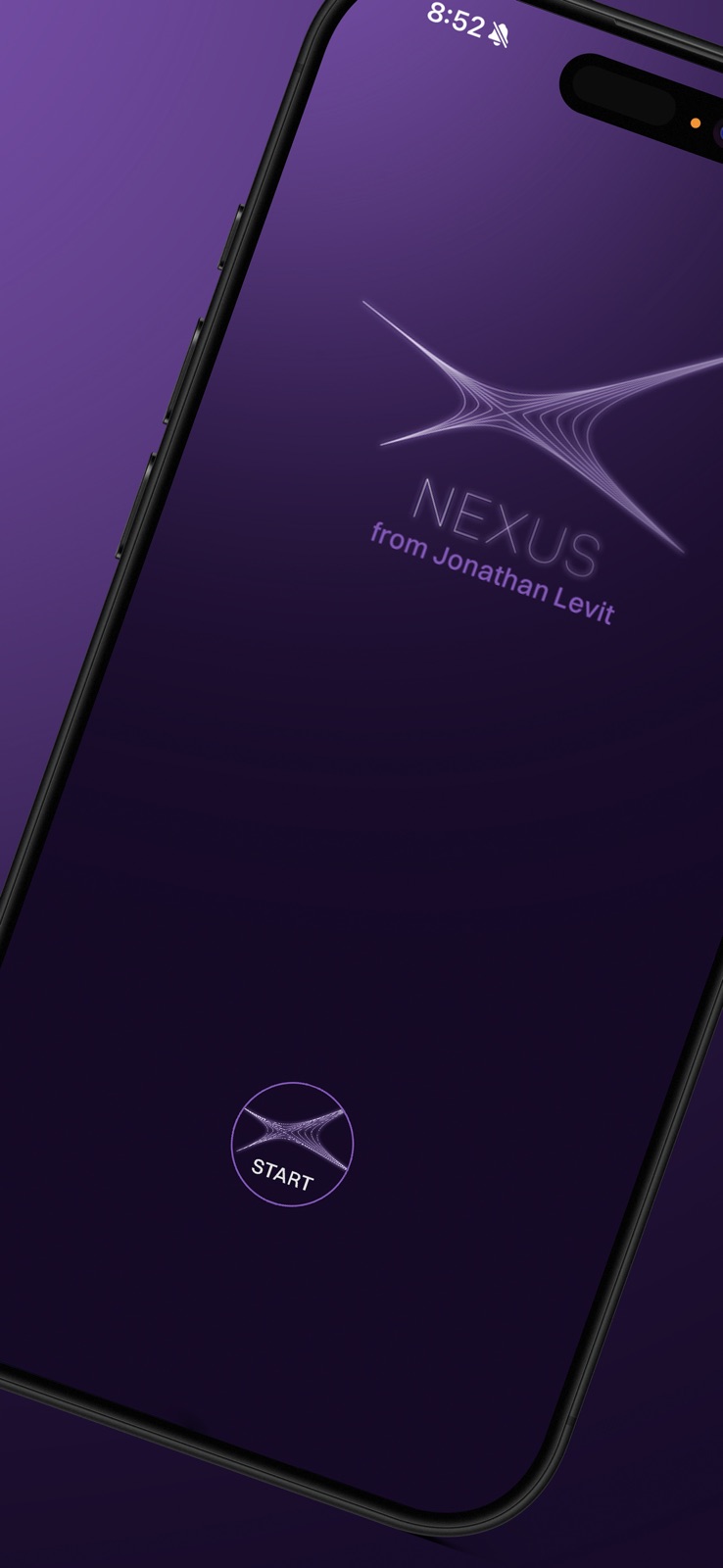
7 store screenshots


Pricing & paywalls
App Store
- Free
Ratings & reviews
App Store
-
5/5Best professional magic app available
I literally buy every magic app produced. Nexus is a powerhouse of magic. It effortlessly independently delivers a seamless mentalism show. The support of Lexus is remarkable.
Dmtwite · 31 Jul 2026
-
5/5Couldn’t have a better name
Nexus is the hub that runs my whole show, as well as my favorite EDC Magic. It makes all the connections for an effect automatically, then moves on to the next one. It’s hard to understand just how powerful Nexus is until you’ve used it.
scuba_curt · 31 Jul 2026
-
5/5Please don’t buy Nexus. I want it for myself.
Nexus is amazing! The best way to think of this app is that it is like a Swiss Army knife. No. Actually it’s much better than a Swiss Army knife. Multiple inputs and multiple outputs can be utilized through Nexus. It is the link between most of your other great apps. It makes them all work together. Jonathan has done an incredible job with this app. He is fantastic in keeping it up-to-date, and helping all of us users whenever we have questions.
Sports Med Surgeon · 31 Jul 2026
-
5/5It’s a toolkit
This isn’t just an app that does a trick. It’s an entire ecosystem of magic. It’s a tool to gather information in multiple ways and the process it for magical output in numerous other ways. Collect from one app and output in another. Or build an impossible to decipher or reconstruct miracle that takes in spoken words and delivers predictions that just astound.
m-squared Chicago · 31 Jul 2026
-
5/5The Magic Wand of Input/Output Mastery!
The Nexus app is pure digital wizardry. It allows a vast number of inputs to be directed to a vast number of outputs with a simplicity that makes it a truly magical experience. Whether you’re juggling data streams, synchronizing services, or orchestrating workflows, Nexus makes the impossible look easy. Using Nexus is like casting a spell: define your inputs, set your desired outputs, and let the app handle the rest—fluidly, intelligently, and invisibly. What you create is only limited by your imagination. To the spectators—your audience—it will seem effortless, even impossible. They won’t understand how it’s done, and that’s exactly how it should be. Highly recommended for magicians, mentalists, and anyone else skilled enough to master the unseen connections behind the curtain.
@jonrees.magic · 31 Jul 2026
Privacy & accessibility
App Store
Privacy
- Data Not Collected Developer declared
Accessibility
No accessibility labels collected yet.
Versions
App Store
- 1.0
-
1.0.1
Minor bug fixes and enhancements.
-
1.0.2
- Haptic feedback on remote for pathway selection - Bug fixes and improvements
-
1.0.3
ADDED: Increased limit of Autocrib import to 500 entries ADDED: iThump as an input for Pathways ADDED: Elips information now show on peek screen ADDED: Remote can now expand and collapse Pathway details ADDED: Korea Region in registration ADDED: Send birthday and star sign options added in Hydra and Prevision FIXED: Watch Accelerometer settings was toggling off FIXED: Translations for Pi Revelations and Dice now working MISC: UI enhancements and fixes
-
1.04
ADDED: Stranger Phone Call: You can now send SMS text without leaving Nexus ADDED: Autocrib has been moved into every output, allowing for routines with multiple outs ADDED: Peeksmith option is now in global settings and removed from pathways ADDED: Options buttons on Pathway Sets and Pathways screens can now be collapsed to allow more pathways to be seen ADDED: Global Settings can now be accessed from Pathways screen as well as Pathway Sets screen ADDED: When entering a Pathway Set, the first pathway will automatically be toggled on ADDED: Peeksmith now shows name of the active pathway ADDED: Prevision: User can now upload their own fake home screens ADDED: Alert text can now be sent to Live Stranger once a Pathway starts. These alerts are populated from the Stranger Phone Call app ADDED: Remote: Pathways Sets Screen: SP left and right will scroll the list ADDED: Remote: When in Number Screen, LP Zero (10) will exit and go back to the Pathways list ADDED: Lumen: Added Pi mode ADDED: Number: Calculation Mode ADDED: Nexus Remote Settings show current firmware version ADDED: Ability to change the fake home screen on the phone when using the Watch for input. UPDATED: Autocrib import windows are more understandable UPDATED: Number pad for Number input has been flipped to better represent the number pad, with the number 1 in the upper left. UPDATED: Removed Revelation Sequence option in Settings UPDATED: Nameforge integration now works with the Nameforge app without the need for the Nameforge shortcut UPDATED: Peeksmith settings moved to Pathways UPDATED: App integrations FIXED: Lumen to Inject FIXED: iThump API call FIXED: Sending Pi Revelations Data to Hydra is now working. FIXED: Auto Advance in Pathways FIXED: Lumen to Nexus and displaying PI Revelations data FIXED: Eavesdrop: Tap screen to start listening is now possible FIXED: Password reset now is possible FIXED: Inject as Output using Watch with Eavesdrop is now working Misc UI changes and feature enhancements
-
1.05
- FIX: Version update issues on pathway screen. - NEW: Number module with Autocrib support.
-
1.06
NEW: Prevision: You can now choose your Video ID in each Pathway NEW: Prevision: You can now choose a delimiter other than comma NEW: Lumen: When outputting to Glyphs, you can now choose to use a comma or space as your delineator from Lumen input. FIXED: Elips: Selected Song is now playable through Nexus, Stranger System, and as a static URL FIXED: Lumen to outputs with Autocrib now uses B value FIXED: Returned Inject as an input FIXED: Text and Push notifications for the Stranger Phone Call app
-
1.07
ADDED: Shortcuts as input and output ADDED: Integrations for more apps. ADDED: Motherboard: Nexus now automatically adds a return character between multiple words to allow them to display better on the board. ADDED: Created a new section, titled “Input Processing”, placed between Inputs and Outputs. included in this section are “Autocrib Extreme” and “Nameforge” UPDATED: Pi Revelation Data on Peeksmith now displays without the labels UPDATED: Removed commas after line entries within an Autocrib Extreme prompt FIXED: Pathways Error for some users FIXED: Sending to a Live Stranger and opening the Stranger app, while also sending to another output is now fixed FIXED: Auto Advance timer always resetting to zero FIXED: Auto Advance in Pathways on, remote was not able to choose a pathway. FIXED: Remote: if auto advance in pathways is on, then the single button press of a pathway number should set the default pathway. This now FIXED: “Something Went Wrong” error occurring for some users. UPDATED: Misc UI changes
-
1.08
ADDED: Support for Nexus Mirror ADDED: Days Since option in Eavesdrop and Number Modes. This gives option to send year, Days Since, and Day of Week. ADDED: Show Mode: This starts a show timer that can be displayed on Nexus Mirror ADDED: Default Pathway for Show Mode ADDED: Change Default Pathway from swipe of Pathway ADDED: Lumen and Mindbuster now show the drawing and OCR text in Peek screen and Nexus Mirror ADDED: Fake number and city is now sent with backup text ADDED: Ability to use borrowed phone with input from Nexus, without opening the Stranger app ADDED: Pi Mode: You can now choose to show or hide the Pi labels ADDED: Pi Mode: Using the Translation feature in settings, you can change the labels for Pi ADDED: For Hydra and Glyphs output, you can now choose to send birthday and/or zodiac using birthday mode with Eavesdrop ADDED: Option to send Playing Card to Stranger app, for borrowed phone, without needing to open the Stranger app ADDED: Ability to choose which Conversation Recording to play in the Stranger app ADDED: Support for the Lumen Eye ADDED: Autocrib Extreme: New option for “Long Prompt”. This allows for a preview mode to test your prompt without leaving the Autocrib Extreme module. ADDED: Use Default Pathway on Startup ADDED: Lumen: Lotto Mode & Calculation Mode ADDED: Added Decimal mode in Number Mode in Pathways ADDED: Instructions link is now available from the Settings screen ADDED: Instructions link in User Portal ADDED: Integration: MentyX from Marc Sueper ADDED: Integration: Goo ADDED: Zodiac added to the Translation settings ADDED: Eavesdrop birthday mode options (birthday or zodiac) added to Hydra and Glyphs outputs ADDED: Support for GPT 5. You can now choose from any of the Chat GPT 4 and Chap GPT 5 models including mini and nano ADDED: Rainman as input ADDED: Send URL in Nailwriter Inputs to enable a live link sent to the Live Stranger in text ADDED: Autocrib Extreme settings in Peeksmith Settings ADDED: Glyphs, Nailwriters: User can now define a comma to be used to designate a new box in a Glyphs template ADDED: List and Autocrib: Entries can now have multiple items if separated by a semicolon. The semicolon will be converted to a comma automatically ADDED: Entries in Lists and Autocribs can now include multiple items, separated by a comma RESTORED: Borrowed Phone RESTORED: Primary texting UPDATED: Integration: Momo UPDATED: Eavesdrop birthday mode: User can now say “December 1st” OR “The first of December” UPDATED: Pathway Sets navigation with remote. It now behaves the same way as choosing and starting Pathways UPDATED: Returned Rainman to the Inputs section UPDATED: Changed “Start Listening on Screen Load” to “Start Listening on Fake Homescreen” UPDATED: “Custom Values” label is now “Crib Values” FIXED: Peeksmith: Live display of entered data when using remote FIXED: Nameforge with Eavesdrop FIXED: Thousands mode for Eavesdrop Calculation now printing to glyphs with thousands comma FIXED: Prevision is now showing in the reveal FIXED: Lumen to Glyphs in Pi Mode: Sending number when not selected is now fixed. FIXED: Lumen Pi Revelation FIXED: Timesmith as input Oher misc fixes (UI and functionality)
-
1.09
FIX: Using show mode on app launch, the START button didn't work.
-
1.10
NEW: Allow to use plus signs for calculation mode in LUMEN.
-
2.0
UPDATED: Output settings in Pathways now has a new, streamlined UI ADDED: Days Since Mode in Lumen ADDED: Glyphs: Send to Stranger only option now available. This will send the link to print to the Stranger without opening the Stranger app. ADDED: Glyphs: Receipt Feature ADDED: Pi Revelations: User can now choose to show or hide labels, and can establish custom display in the Translations section ADDED:Motherboard Autocrib Output Settings: “Force Line Break” option ADDED: Lumen settings for Send Birthday and Send Star Sign added in MotherBoard, Glyphs, Hydra and Prevision ADDED: "Timer Ending Soon" text title input in Nexus Mirror Settings and the same title will be reflected on the Mirror app. ADDED: Elips options added in Prevision output settings. UPDATED: Calculation Mode: Eavesdrop: Now includes operators UPDATED: AutocribeExtreme changed to Nexus AI UPDATED: Pathways: Now renamed to “Pathways (Routines) UPDATED: Autocrib now sets “send B” as default UPDATED: Pathways can now be run with no output selected if Peek is on UPDATED: You can now update an Autocrib from Output Settings UPDATED: Days Since in Eavesdrop and Number now accepts the entire birthday, with or without year, and will process for Days Since as set in the outputs. UPDATED: Text message for Lumen is now formatted properly UPDATED: Lumen QPAL has now been integrated, replacing the previous Nexus peek process. UPDATED: When exporting Pathways, the file is now named with the same name as the Pathway Set FIXED: Lumen: Days Since FIXED: Number: Days Since FIXED: Crashing when calling a recording from Nexus to Stranger FIXED: NexusAI now working properly with Autocrib FIXED: Crash when sending from Lumen to Nexus FIXED: Stranger Phone Call Settings now only show loaded Recordings in Stranger Phone call app FIXED: Default Set can not be deleted FIXED: Hydra and Eavesdrop now working properly FIXED: Eavsdrop issue fixed when words were also shown in the birthday reveal.
-
2.1
FIX: Birthday reveal sent to Stranger using Number, Eavsdrop and Lumen.
-
2.2
FIX: Year input, when used with Number, Lumen or Eavsdrop, was not parsed properly sending incorrect year reveal. FIX: Glyphs URL was not visible after input.
-
2.3
The Watch App has been reconfigured to improve sync
-
2.4
ADDED: Ready to Go Pathways ADDED: Switchboard Feature for Nexus Remote ADDED: Matt+ Integration for Color Match routine ADDED: ACAAN routine ADDED: If Watch option for Eavesdrop is turned on, a visual indicator appears in the Pathway line. ADDED: Haptic vibrations on phone and watch app on pathway start ADDED: Show pathway name on watch FIXED: Pi Mode on watch now working FIXED: Conversation Mode can now be used in conjunction with Nexus AI UPDATED: Changed label from Peek to Phone Peek UPDATED: Send Birthday toggle on by default UPDATED: Send AI Response toggle on by default UPDATED: Peek set to on by default for new Pathway Sets UPDATED: Pathway Options Changes: -Peek option moved to the Options within a Pathway Set -Return option moved to the Options within a Pathway Set -Watch option for Eavesdrop moved into the settings of a Pathway. This icon is only available if Eavesdrop is selected as an input -VOIP (Wifi Call) option moved into the settings of a Pathway. This icon is only available if Stranger Phone call is selected as an output REMOVED: Confirmation Peek in Eavesdrop settings FIXED: Duplicating Pathways Sets would result in the duplicated Pathways being rearranged. This has been fixed. MISC: UI Changes
-
2.5
NEW: Added a toggle in Nexus remote setting to change the mode. NEW: Duo settings added
-
2.6
Remote optimization: License validation Switchboard: Moved delay before action item
-
2.7
- FIX: Home screen switchboard licence activation alert showing despite activated. - FIX: Switchboard "Open App" action - saving app name with special character showed error.
-
2.8
ADDED: Days alive options added to Lumen Duo ADDED: Lumen text message content added Qpal ID as a backup for Strangers ADDED: Omega board updates: New options added. ADDED: Autocrib added for Lumen UPDATED: New Settings UI FIXED: Nexus Remote licensing UPDATED: Alphabetized inputs and outputs in pathways list ADDED: Live feedback to watch and Lumen Duo ADDED: Lumen Prism integration ADDED: When in remote mode, and entering a date, if the format is wrong, instead of bringing up the pop-up, we now have a triple vibration on remote. ADDED: Hydra Pro integration ADDED: Lumen Prism integration ADDED: Lumen Impra Integration ADDED: DFBx Integration ADDED: Amun mic Integration REMOVED: Invert peek option for Lumen and Impra CHANGED: Section header for Impra and Lumen options from General to Peek ADDED: Additional Nexus AI models: GPT 5 and 5.5 UPDATED: QPAL ID can now support the entire URL or just the user ID UPDATED: Peeksmith error: Scan timeout is now more descriptive ADDED: Rewind option: Play your song before or after processing rewind song FIX: Nexus AI: Days Since was not processing proper value UPDATED: Eavesdrop Pathway setting: Numbers only toggle when ON, will now set "Any" as default for Number of Digits.
-
2.9
FIXED: Impra to Nexus AI now working ADDED: Motherboard X Integration UPDATED: PI settings in Hydra Pro output ADDED: Peeksmith: Added Days Since options.
-
3.0
· 28 Jul 2026
- NEW: Motherboard use api toggle in pathways settings for Use api or url scheme - FIX: Impra with motherboard - Pi labels were showing even if the show label toggle was off - CHANGE: Glyphs with Pi - Replaced dashed line with comma for good visual effect - FIX: Switchboard slots were updating not working properly on reorder - CHANGE: Added validations for required 3rd party ids for selected pathway on start click - NEW: Number, Lumen, Impra, Eavesdrop with birthday module now support 2 digit year input - FIX: Rewind with Impra did not process the input - FIX: App was sending playing card value even if playing card was not active
Alternatives
- Notarized - Magic & Mentalism — Same category + similar ratings
- SAM by Christian Grace — Same category + similar ratings
Availability by market
- US
Data quality & evidence
- Page completeness
- Live store listing
- Last verified
- 31 Jul 2026
- Sources
- App Store
- Independent summary has not been published yet.