AppCorpus MCP gives your agent current app data, prices, screens, features and sources.
View JSON
GET /api/v3/apps/6757994072
{
  "app_id": 6757994072,
  "canonical_url": "https://appcorpus.com/apps/neuralvid-smartest-editor-6757994072",
  "identity": {
    "name": "NeuralVid - Smartest Editor",
    "slug": "neuralvid-smartest-editor",
    "developer": {
      "name": "Brandon Starr",
      "url": "https://appcorpus.com/developers/brandon-starr-developer_b67a0cb37aa032b5aa33c18218204400"
    },
    "icon_url": "https://is1-ssl.mzstatic.com/image/thumb/Purple221/v4/43/76/2e/43762e18-e8aa-726c-55aa-68a57bb4a3d4/AppIcon-0-0-1x_U007ephone-0-1-85-220.jpeg/512x512bb.jpg",
    "stores": [
      "apple"
    ],
    "platforms": [
      "iphone"
    ],
    "status": {
      "state": "active",
      "label": "Active",
      "last_checked": "2026-07-31",
      "last_checked_label": "31 Jul 2026",
      "banner": null,
      "region_note": null
    }
  },
  "listings": [
    {
      "store": "apple",
      "status": "ACTIVE",
      "url": "https://apps.apple.com/us/app/neuralvid-smartest-editor/id6757994072?uo=4",
      "rating": 5.0,
      "rating_count": 1,
      "formatted_price": "Free",
      "is_free": true,
      "has_iap": true,
      "has_subscription": false,
      "version": "2.0",
      "updated": "2026-02-13",
      "currency": "USD"
    }
  ],
  "summary": {
    "one_liner": null,
    "summary": null,
    "best_for": [],
    "not_for": [],
    "status": "fallback",
    "at_a_glance": [
      "Free to download",
      "In-app purchases"
    ]
  },
  "categories": {
    "official": [
      "Photo & Video",
      "Productivity"
    ],
    "appcorpus": [
      {
        "category_id": "photo-video",
        "label": "Photo & video",
        "url": "https://appcorpus.com/categories/photo-video"
      },
      {
        "category_id": "productivity",
        "label": "Productivity",
        "url": "https://appcorpus.com/categories/productivity"
      }
    ]
  },
  "use_cases": [],
  "features": [
    {
      "capability_id": "free_app",
      "label": "Free app",
      "availability": "yes",
      "access_level": "free",
      "scope": null,
      "evidence": "Store published"
    },
    {
      "capability_id": "in_app_purchases",
      "label": "In-app purchases",
      "availability": "yes",
      "access_level": "free_limited",
      "scope": null,
      "evidence": "Store published"
    }
  ],
  "pricing": [
    {
      "store": "apple",
      "formatted_price": "Free",
      "is_free": true,
      "has_iap": true,
      "has_subscription": false,
      "currency": "USD",
      "market": "us",
      "last_verified": "2026-07-31",
      "rows": [
        "Free to download",
        "In-app purchases"
      ]
    }
  ],
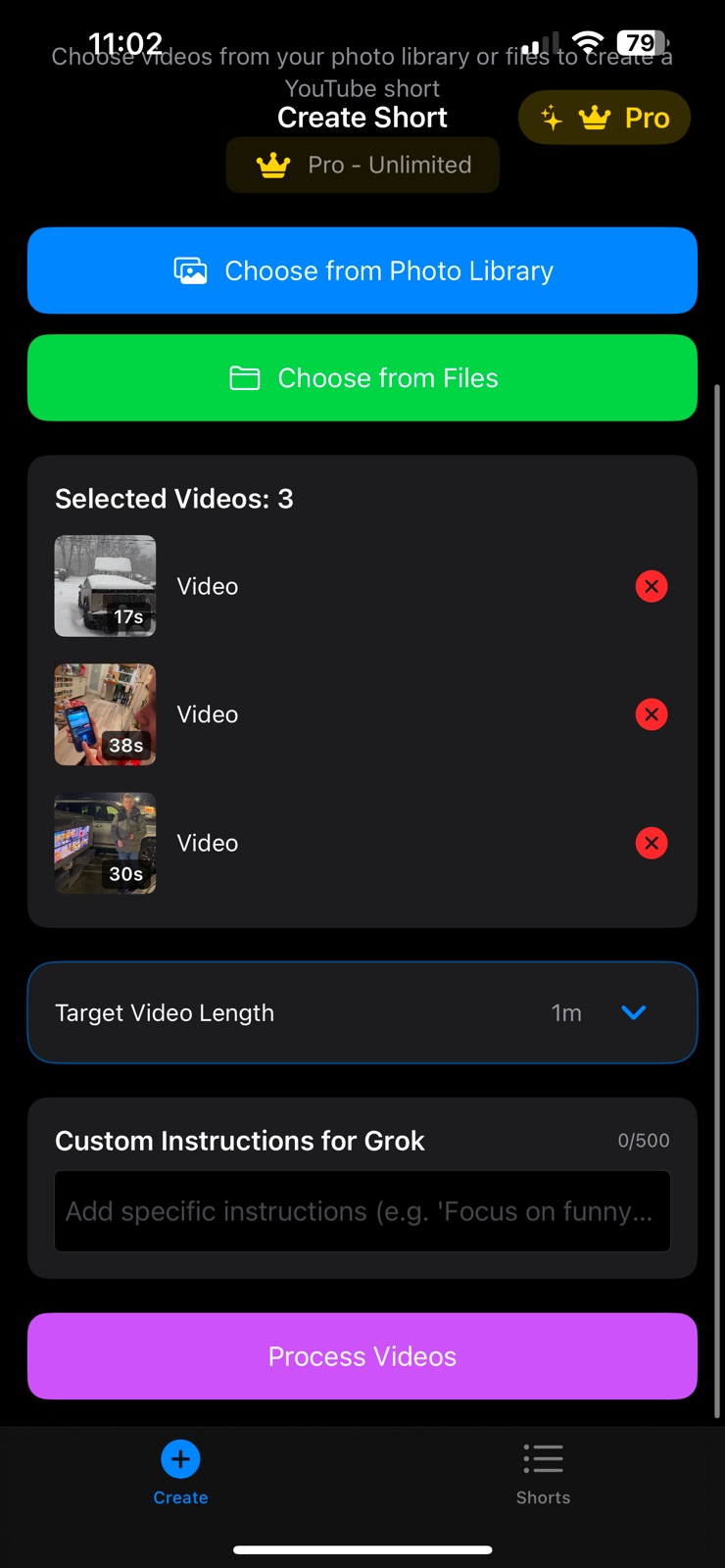
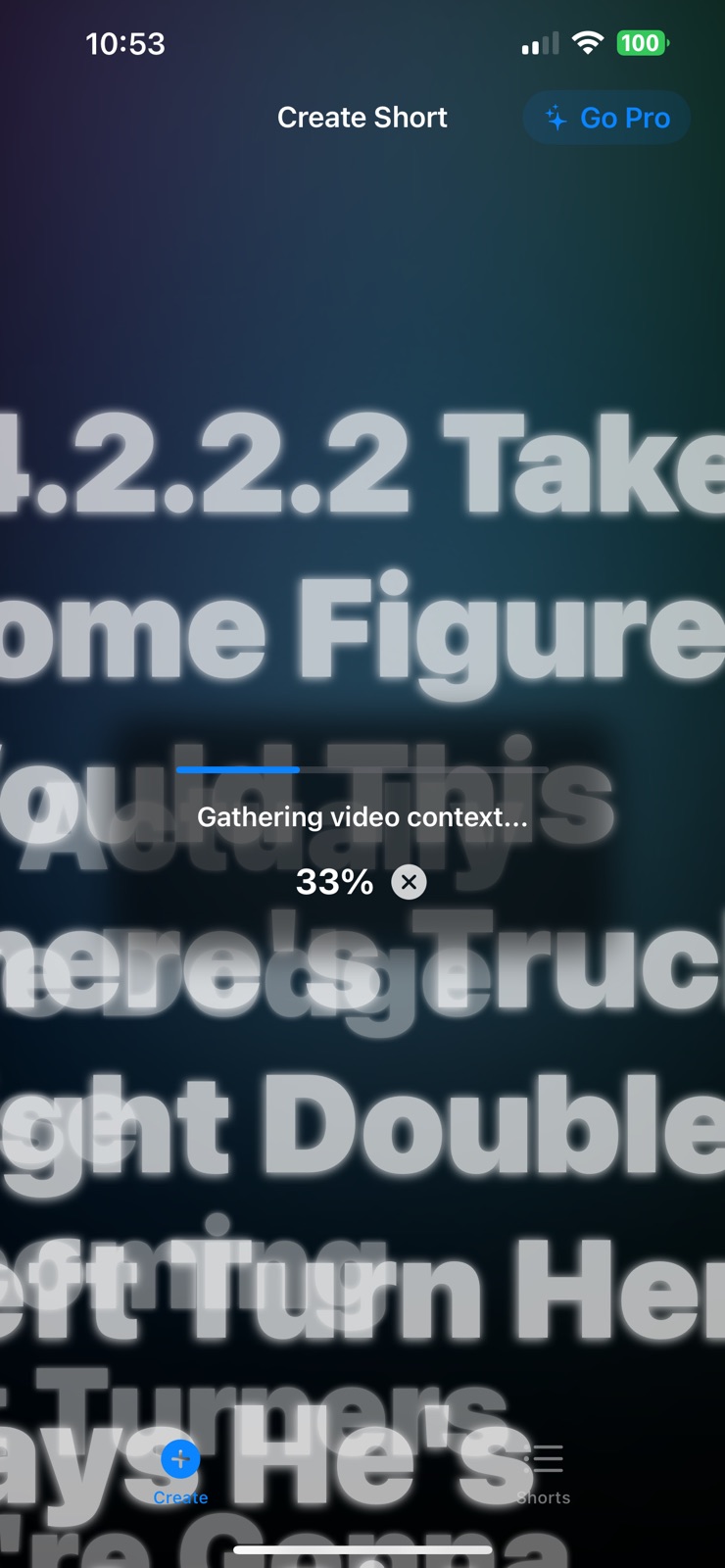
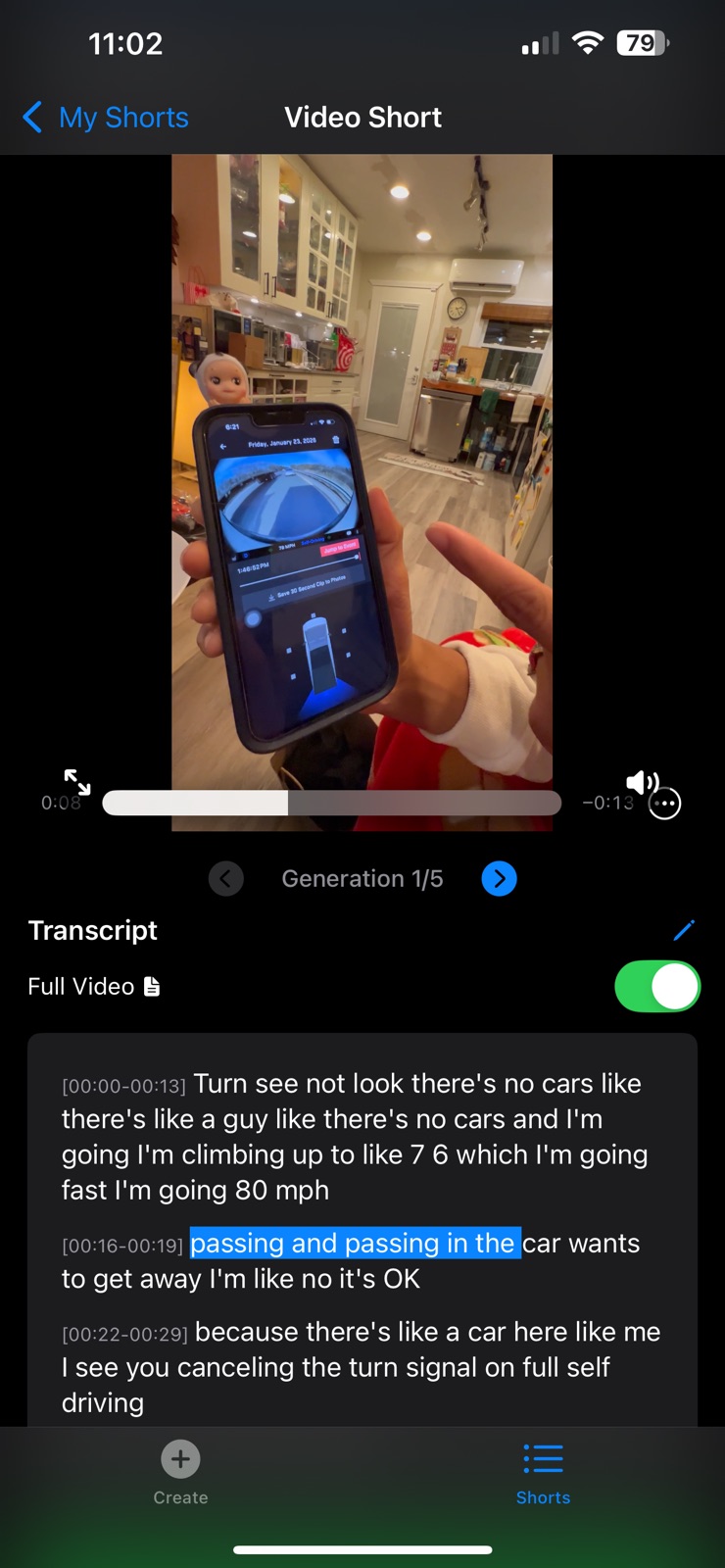
  "screens": [
    {
      "url": "https://is1-ssl.mzstatic.com/image/thumb/PurpleSource221/v4/df/eb/64/dfeb648e-75fc-b9ff-3bbd-1d5247ce5054/IMG_2921.PNG/1284x1600bb.jpg",
      "store": "apple",
      "platform": "iphone",
      "alt": "NeuralVid - Smartest Editor iphone screenshot 1"
    },
    {
      "url": "https://is1-ssl.mzstatic.com/image/thumb/PurpleSource211/v4/fa/b1/0b/fab10b32-64c5-4fea-0e2b-00b524a50a10/IMG_2680.PNG/1284x1600bb.jpg",
      "store": "apple",
      "platform": "iphone",
      "alt": "NeuralVid - Smartest Editor iphone screenshot 2"
    },
    {
      "url": "https://is1-ssl.mzstatic.com/image/thumb/PurpleSource221/v4/73/58/55/7358554b-4455-2d85-eaf0-9409b3bf5b30/IMG_2920.PNG/1284x1600bb.jpg",
      "store": "apple",
      "platform": "iphone",
      "alt": "NeuralVid - Smartest Editor iphone screenshot 3"
    },
    {
      "url": "https://is1-ssl.mzstatic.com/image/thumb/PurpleSource211/v4/d6/b3/48/d6b3484f-9e91-1e5e-15d0-4a296ab59208/IMG_2684.PNG/1284x1600bb.jpg",
      "store": "apple",
      "platform": "iphone",
      "alt": "NeuralVid - Smartest Editor iphone screenshot 4"
    },
    {
      "url": "https://is1-ssl.mzstatic.com/image/thumb/PurpleSource221/v4/28/11/63/281163e5-b9d2-ddbb-4f66-804494e0c089/IMG_2919.PNG/1284x1600bb.jpg",
      "store": "apple",
      "platform": "iphone",
      "alt": "NeuralVid - Smartest Editor iphone screenshot 5"
    },
    {
      "url": "https://is1-ssl.mzstatic.com/image/thumb/PurpleSource221/v4/f0/58/d2/f058d247-bcd1-4fed-9a39-b1cac62bcace/IMG_2688.PNG/1284x1600bb.jpg",
      "store": "apple",
      "platform": "iphone",
      "alt": "NeuralVid - Smartest Editor iphone screenshot 6"
    },
    {
      "url": "https://is1-ssl.mzstatic.com/image/thumb/PurpleSource221/v4/40/ad/44/40ad44e5-2bb0-b24a-bfc2-61cada66a6ab/IMG_2682.PNG/1284x1600bb.jpg",
      "store": "apple",
      "platform": "iphone",
      "alt": "NeuralVid - Smartest Editor iphone screenshot 7"
    },
    {
      "url": "https://is1-ssl.mzstatic.com/image/thumb/PurpleSource221/v4/f1/cc/bf/f1ccbfd6-c875-40c0-06d3-2c09c978c909/IMG_2685.PNG/1284x1600bb.jpg",
      "store": "apple",
      "platform": "iphone",
      "alt": "NeuralVid - Smartest Editor iphone screenshot 8"
    },
    {
      "url": "https://is1-ssl.mzstatic.com/image/thumb/PurpleSource211/v4/01/04/3c/01043ceb-de44-ab63-bbd9-7afb2ef27ed0/IMG_2678.PNG/1284x1600bb.jpg",
      "store": "apple",
      "platform": "iphone",
      "alt": "NeuralVid - Smartest Editor iphone screenshot 9"
    },
    {
      "url": "https://is1-ssl.mzstatic.com/image/thumb/PurpleSource221/v4/ff/31/09/ff3109dc-758d-404e-1b10-9e7d6628c929/IMG_2686.PNG/1284x1600bb.jpg",
      "store": "apple",
      "platform": "iphone",
      "alt": "NeuralVid - Smartest Editor iphone screenshot 10"
    }
  ],
  "ratings": [
    {
      "store": "apple",
      "average": 5.0,
      "count": 1,
      "market": "us",
      "observed_at": "2026-07-31",
      "reviews": [
        {
          "rating": 5,
          "title": "Super fast Video & X Post in Minutes",
          "body": "Wow 🤩making videos 🎥with this fast video editing app @NeuralVid which uses Grok Ai to edit 🎞️🎬videos and ✍️ write X post descriptions includes time segments too! Was lovely 🥰 fast! 🙏@BStarr119 My first time using app, works great selecting 7 different clips, it edited into selected time length, wrote the X post, even posted it on X! Superb and fast!",
          "author": "@cstarrfilms",
          "date": "31 Jul 2026"
        }
      ]
    }
  ],
  "privacy": [
    {
      "store": "apple",
      "declarations": [
        {
          "title": "Data Not Collected",
          "detail": "",
          "source": "Developer declared"
        }
      ],
      "accessibility": []
    }
  ],
  "changes": [
    {
      "store": "apple",
      "version": "1.0",
      "released_at": null,
      "notes": ""
    },
    {
      "store": "apple",
      "version": "1.1",
      "released_at": null,
      "notes": "New prompt to edit added for natural control"
    },
    {
      "store": "apple",
      "version": "1.2",
      "released_at": null,
      "notes": "-regenerate in shorts viewer (reusing understanding from your video) -regeneration selectable by arrow buttons -transcripts for both full video and short -edit post/transcript text in short viewer -edit segments -segment titles -improved file management (cleaning unused temp files respecting your space) -selected video thumbnails and durations -current words are highlighted as video progresses"
    },
    {
      "store": "apple",
      "version": "1.3",
      "released_at": null,
      "notes": "-You'll notice vastly improved editing! -reorder segments by dragging in edit segments -source clips are now your originals in your photo library, saves space and increases editing speed -transcript captions"
    },
    {
      "store": "apple",
      "version": "2.0",
      "released_at": "2026-02-13",
      "notes": "- added support for no audio/no speech videos - supports meta glasses video format - added default grok's choice for total duration - added b-roll beta, now you can add multiple takes of the same subject and the system auto edits these to a single coherent story"
    }
  ],
  "alternatives": [
    {
      "app_id": 6702028512,
      "name": "FaceScreen: Floating Camera",
      "url": "https://appcorpus.com/apps/facescreen-floating-camera-6702028512",
      "reason": "Same category + similar ratings"
    }
  ],
  "evidence_summary": {
    "index_state": "S1",
    "evidence_level": 1,
    "level_label": "Live store listing",
    "indexable": true,
    "last_verified_at": "2026-07-31",
    "unknown_fields": [
      "Independent summary has not been published yet."
    ],
    "sources": [
      "App Store"
    ]
  },
  "availability_markets": {
    "live": [
      "us"
    ],
    "selected": "us",
    "note": null
  },
  "feature_events": {
    "events": []
  },
  "features_slice": {
    "plans": [],
    "features": [],
    "unknown_features": [],
    "data_cutoff": "31 Jul 2026"
  }
}