Quick verdict
- What it is
- Store information collected; independent summary not yet available.
- At a glance
-
- $9.99
Categories and search queries
Official categories
- Photo & Video
AppCorpus categories
Key functions
| Function | Availability | Access | Scope | Evidence |
|---|---|---|---|---|
| Family Sharing | Yes | Unknown | App Store | Store published |
Screens
App Store
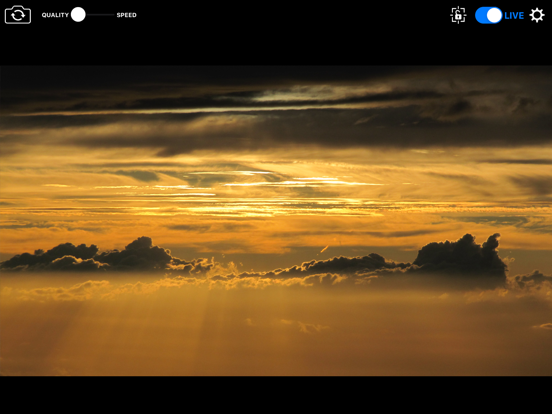
5 store screenshots

Pricing & paywalls
App Store
- Price: $9.99
Ratings & reviews
App Store
-
5/5Worked great for festival livestream
I recently used several iPhones running NDICAM as part of the camera setup for a 3 day festival livestream, using Lightning-Ethernet(PoE) connections. They worked well with only minimal issues. Edit: one improvement I would like to see is better documentation. The online docs aren’t quite up to date, don’t mention all of the features, and could use some screenshots. For example, one thing I struggled with is that the “NDI vs NDI HX3” slider is ambiguous, do you slide it toward the one you want, or does the “off” position mean full NDI is off (the opposite), that can really mess you up since most connections using a phone don’t have enough bandwidth for full NDI.
Dan Tappan · 6 Aug 2026
-
3/5iPhone 13 not displaying properly
Installed and connected to ndi studio. Looks correct on iPad. On iPhone 13 the controls are bunched at the top and you can’t access to configure. No red box around video as shown in App Store
Lljdavis · 6 Aug 2026
-
5/5Works for us
We use it once or twice a year for live streaming in odd places. Just make sure to have a solid 5gig WiFi connection. I like the tally light. Works with iPad or iPhone.
HOTHammster · 6 Aug 2026
-
5/5Works great
Works great with vmix. The full ndi setting is actually a toggle, was pretty confusing but once we figured that out it’s been fantastic!! I wish I could control zoom with my dji Bluetooth gimbal but not apps fault. Overall great
Apostate_Mage · 6 Aug 2026
-
2/5Bad App+ Update
UPDATE: After getting in touch with Sienna (the company that makes this app) they quickly got in touch with Newtek and their app developer, and even CC me on the email! It turns out the “Newtek NDI Video monitor” is is not compatible with this app which runs NDI 1.x . They do have a newer version of the app that does work, and I was told they will try to schedule an update soon. 5 star customer service experience! Begin original Review: All NDI camera apps should be compatible with all other NDI apps because they use the same standard. This app works great with the Sienna monitor app, but fails to work with the Newtek NDI Video monitor app for Mac. Because it doesn’t work with the Newtek app, I’m not sure it would work with the Tricaster TC1 that I operate. I will update this review if anything changes and also try the other app by Newtek. But overall first impressions are not impressive.
Marching Comet · 6 Aug 2026
Privacy & accessibility
App Store
Privacy
- Data Not Collected Developer declared
Accessibility
No accessibility labels collected yet.
Versions
App Store
- 1.0
-
1.1
Added touch response to focus and set exposure Added control of flashlight Added device name as part of NDI service name
-
1.2
Added Focus / Exposure Lock Added switch to disable audio Added settings window and better layout for 4x3 screens Added preference to rename the NDI Source which appears on the network
-
1.21
- Fixed double NDI registration issue. - Improved behaviour when switching out of the app and back in. - Added prevent sleep preference
-
1.22
Work around for compatibility with NDI receivers based on incompatible NDI SDK released May 25th 2016.
-
1.30
Added Tally Indication on screen Added pref to link PGM tally to camera flash (cover with Red Gel to use as tally for talent) Added Pinch to Zoom (where supported on iPhone device)
-
1.50
Updated NDI Library
-
3.60
Support for 25 FPS as well as 29.97 FPS New scaling modes to deliver 1920, 1280, 720 resolutions Updated NDI library to 3.8
-
4.10
Updated to NDI 4.10 Library Added preference to specify NDI4 discovery server. Added iPad version
-
5.00
Added NDI HX2 Mode, in addition to Full NDI Mode. HX2 uses much lower data rate, providing better performance on WIFI. Updated to NDI 4.1.6 Library
-
5.02
Added Multi-Lens Support
-
5.10
Corrected declared frame rate in HX2 25 fps mode Updated NDI Library
-
6.00
Updated with NDI 5
-
6.01
Fix for Bonjour access in iOS 14
-
6.11
Fixed random crash in iOS14. Fixed Proxy stream in HX2 mode Fixed compatibility with macOS Apple Silicon Platform
-
6.20
NDI 5.1 support, rUDP support Fix for HX2 proxy decode on Linux NDI5
-
6.21
Fixed Prevent Sleep control broken in the 6.20 release.
-
7.00
Added HX3 Ultra Support (50mBit) Added support for rotation - Portrait Mode Vertical video.
-
7.10
Added NDI Device name support for iOS 17 compatibility
-
7.20
Fixed crash with older iOS 12.x devices
-
7.30
Fixed issue when running on macOS Sonoma
-
7.31
· 18 Sep 2024
Fixed issue when running on macOS Sonoma Now uses NDI Name for Host Name and Device Name Updated NDI
Alternatives
- Stream Camera for NDI HX — Same category + similar ratings
- Screen Capture for NDI HX — Same category + similar ratings
- NDI Camera: Easy Streaming — Same category + similar ratings
- NDI Multiview — Same category + similar ratings
- NDI Capture: Screen Sharing — Same category + similar ratings
- NDI Player — Same category + similar ratings
Availability by market
- US
Data quality & evidence
- Page completeness
- Live store listing
- Last verified
- 6 Aug 2026
- Sources
- App Store
- Independent summary has not been published yet.