AppCorpus MCP gives your agent current app data, prices, screens, features and sources.
View JSON
GET /api/v3/apps/1304488725
{
  "app_id": 1304488725,
  "canonical_url": "https://appcorpus.com/apps/myscript-calculator-1304488725",
  "identity": {
    "name": "MyScript Calculator",
    "slug": "myscript-calculator",
    "developer": {
      "name": "MyScript",
      "url": "https://appcorpus.com/developers/myscript-2-developer_4b98c4ededfbe94ebf31972e9abb870b"
    },
    "icon_url": "https://is1-ssl.mzstatic.com/image/thumb/Purple122/v4/96/00/53/960053ee-7168-b10c-f519-d1588a172913/AppIcon-1x_U007emarketing-0-7-0-85-220.png/512x512bb.jpg",
    "stores": [
      "apple",
      "gplay"
    ],
    "platforms": [
      "iphone",
      "ipad",
      "android"
    ],
    "status": {
      "state": "active",
      "label": "Active",
      "last_checked": "2026-07-31",
      "last_checked_label": "31 Jul 2026",
      "banner": null,
      "region_note": null
    }
  },
  "listings": [
    {
      "store": "apple",
      "status": "ACTIVE",
      "url": "https://apps.apple.com/us/app/myscript-calculator/id1304488725?uo=4",
      "rating": 4.5,
      "rating_count": 1508,
      "formatted_price": "$2.99",
      "is_free": false,
      "has_iap": false,
      "has_subscription": false,
      "version": "2.0.8",
      "updated": "2022-04-25",
      "currency": "USD"
    },
    {
      "store": "gplay",
      "status": "ACTIVE",
      "url": "https://play.google.com/store/apps/details?id=com.myscript.calculator",
      "rating": 4.61,
      "rating_count": 5608,
      "formatted_price": "$2.99",
      "is_free": false,
      "has_iap": false,
      "has_subscription": false,
      "version": "2.1.4",
      "updated": "2022-04-25",
      "currency": "USD"
    }
  ],
  "summary": {
    "one_liner": null,
    "summary": null,
    "best_for": [],
    "not_for": [],
    "status": "fallback",
    "at_a_glance": [
      "$2.99"
    ]
  },
  "categories": {
    "official": [
      "Productivity",
      "Tools",
      "Education"
    ],
    "appcorpus": [
      {
        "category_id": "productivity",
        "label": "Productivity",
        "url": "https://appcorpus.com/categories/productivity"
      },
      {
        "category_id": "utilities",
        "label": "Utilities",
        "url": "https://appcorpus.com/categories/utilities"
      },
      {
        "category_id": "education",
        "label": "Education",
        "url": "https://appcorpus.com/categories/education"
      }
    ]
  },
  "use_cases": [],
  "features": [
    {
      "capability_id": "family_sharing",
      "label": "Family Sharing",
      "availability": "yes",
      "access_level": "unknown",
      "scope": "App Store",
      "evidence": "Store published"
    }
  ],
  "pricing": [
    {
      "store": "apple",
      "formatted_price": "$2.99",
      "is_free": false,
      "has_iap": false,
      "has_subscription": false,
      "currency": "USD",
      "market": "us",
      "last_verified": "2026-07-29",
      "rows": [
        "Price: $2.99"
      ]
    },
    {
      "store": "gplay",
      "formatted_price": "$2.99",
      "is_free": false,
      "has_iap": false,
      "has_subscription": false,
      "currency": "USD",
      "market": "us",
      "last_verified": "2026-07-31",
      "rows": [
        "Price: $2.99"
      ]
    }
  ],
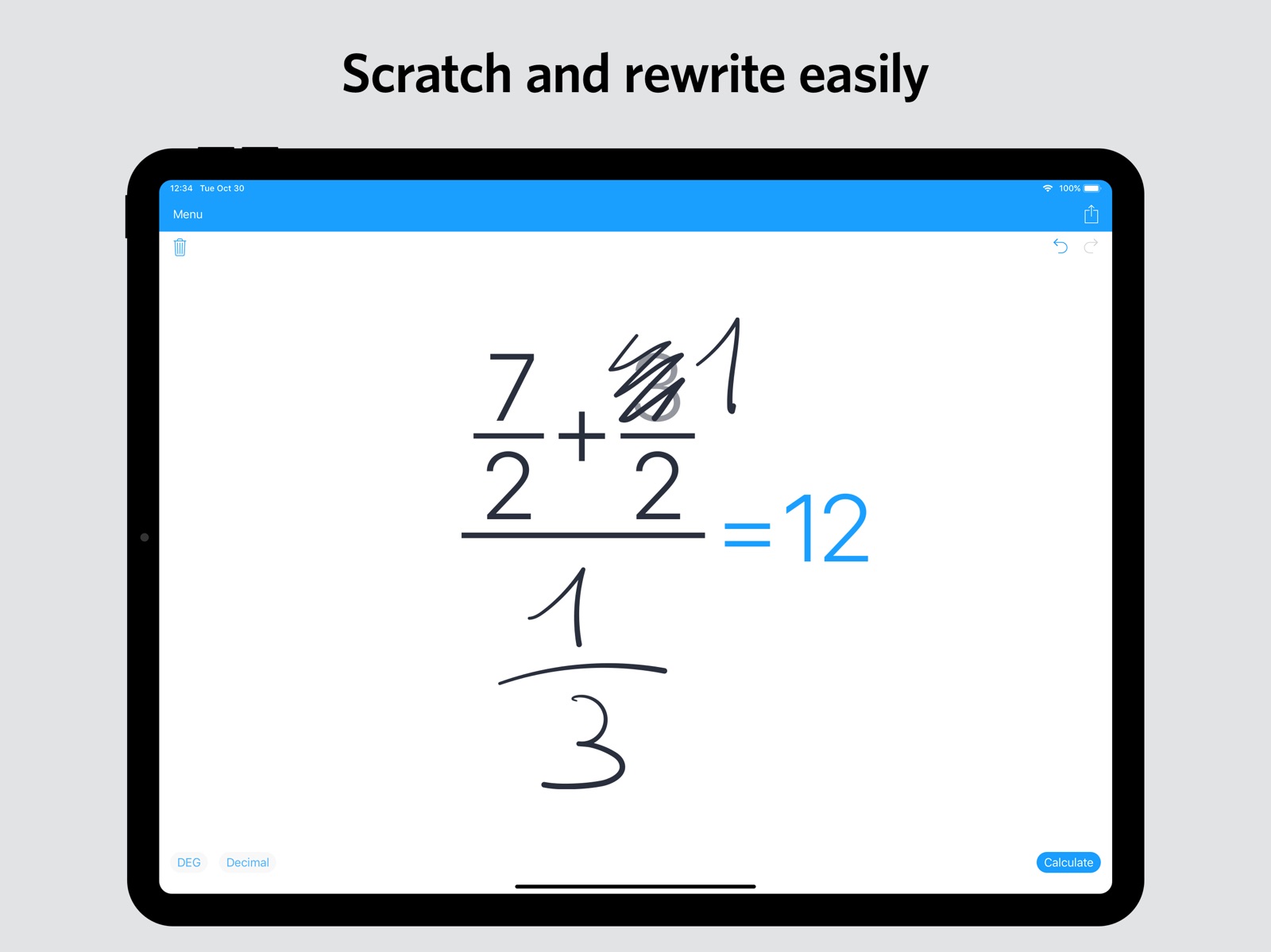
  "screens": [
    {
      "url": "https://is1-ssl.mzstatic.com/image/thumb/Purple113/v4/2f/5b/78/2f5b7819-88b2-45af-5463-7fad69ee4ec5/pr_source.png/1600x1600bb.jpg",
      "store": "apple",
      "platform": "ipad",
      "alt": "MyScript Calculator ipad screenshot 1"
    },
    {
      "url": "https://is1-ssl.mzstatic.com/image/thumb/Purple113/v4/e0/03/b0/e003b0ab-e731-1292-7b9b-47f688eaef7b/pr_source.png/1600x1600bb.jpg",
      "store": "apple",
      "platform": "ipad",
      "alt": "MyScript Calculator ipad screenshot 2"
    },
    {
      "url": "https://is1-ssl.mzstatic.com/image/thumb/Purple113/v4/2f/e2/96/2fe2961b-ae49-9ea6-095b-732eed92438d/pr_source.png/1600x1600bb.jpg",
      "store": "apple",
      "platform": "ipad",
      "alt": "MyScript Calculator ipad screenshot 3"
    },
    {
      "url": "https://is1-ssl.mzstatic.com/image/thumb/Purple123/v4/bc/1a/71/bc1a7130-eaf7-c6b2-f82c-9b06659a5f80/pr_source.png/1600x1600bb.jpg",
      "store": "apple",
      "platform": "ipad",
      "alt": "MyScript Calculator ipad screenshot 4"
    },
    {
      "url": "https://is1-ssl.mzstatic.com/image/thumb/Purple113/v4/c2/33/e8/c233e83e-b86b-2052-5f74-1ba73eb3258f/pr_source.png/1600x1600bb.jpg",
      "store": "apple",
      "platform": "ipad",
      "alt": "MyScript Calculator ipad screenshot 5"
    },
    {
      "url": "https://is1-ssl.mzstatic.com/image/thumb/Purple113/v4/b3/02/b3/b302b3d9-11a5-caf8-aee7-546df285a98c/pr_source.png/1125x1600bb.jpg",
      "store": "apple",
      "platform": "iphone",
      "alt": "MyScript Calculator iphone screenshot 6"
    },
    {
      "url": "https://is1-ssl.mzstatic.com/image/thumb/Purple123/v4/08/6c/eb/086cebca-d2c5-4070-7988-82324d780277/pr_source.png/1125x1600bb.jpg",
      "store": "apple",
      "platform": "iphone",
      "alt": "MyScript Calculator iphone screenshot 7"
    },
    {
      "url": "https://is1-ssl.mzstatic.com/image/thumb/Purple123/v4/db/97/1d/db971dc8-b530-3a87-0f2d-3b649a4ed057/pr_source.png/1125x1600bb.jpg",
      "store": "apple",
      "platform": "iphone",
      "alt": "MyScript Calculator iphone screenshot 8"
    },
    {
      "url": "https://is1-ssl.mzstatic.com/image/thumb/Purple113/v4/c2/02/35/c2023573-e198-5877-25cd-de2425b4c390/pr_source.png/1125x1600bb.jpg",
      "store": "apple",
      "platform": "iphone",
      "alt": "MyScript Calculator iphone screenshot 9"
    },
    {
      "url": "https://is1-ssl.mzstatic.com/image/thumb/Purple113/v4/68/da/65/68da6533-f4ae-29e0-87d3-d8d2d034c05b/pr_source.png/1125x1600bb.jpg",
      "store": "apple",
      "platform": "iphone",
      "alt": "MyScript Calculator iphone screenshot 10"
    },
    {
      "url": "https://play-lh.googleusercontent.com/G_umkCdsI0N_2UqT6xqGH8vQNW7l8NxAB1ho7lvpWJGJJOEg2oFwrVm5SrSQ30y-2KAAVH3Q5IfuzhsVdggtCg",
      "store": "gplay",
      "platform": "android",
      "alt": "MyScript Calculator android screenshot 1"
    },
    {
      "url": "https://play-lh.googleusercontent.com/1rgrnL1RgoRHPj_kHrSx7y3iAmM5_F6ckHeff0xFTPM8oAgyzwR1SguUGfkTXa97SJHIVF6WJJp4GjIHymQAvQ",
      "store": "gplay",
      "platform": "android",
      "alt": "MyScript Calculator android screenshot 2"
    },
    {
      "url": "https://play-lh.googleusercontent.com/AgYZsYjXcEG37-fK5ok5yUGlZPYI5XtfWb4GFcG7AeqcjBjGPsVpckpjbQCAS35i0IPXlL-qpnjPzuSeXyJ59bg",
      "store": "gplay",
      "platform": "android",
      "alt": "MyScript Calculator android screenshot 3"
    },
    {
      "url": "https://play-lh.googleusercontent.com/zjahDppOSu2CsjC8f9AyOJ9T1uUmWnbKwCi7y8eYc5BTwxCrsUDda5zxqOswOsxPgeWZD-CS9XuZQgCycIYe",
      "store": "gplay",
      "platform": "android",
      "alt": "MyScript Calculator android screenshot 4"
    },
    {
      "url": "https://play-lh.googleusercontent.com/dZeBViTDoB7aPw-NpENeWShqFUmdtx2y4S0W_hg9sjJwePU2HlU4MFeg28x0J3DncHI7YHG1y8Nc7M1_ySG5uw",
      "store": "gplay",
      "platform": "android",
      "alt": "MyScript Calculator android screenshot 5"
    },
    {
      "url": "https://play-lh.googleusercontent.com/5rt3eF8a7OPHuwaJv_wfTF5SUsPxC6iS261L55gtbgWdhgqN0FGMXn9a2vFtUuHB5XREHcX9lTBtNliyRIf8Ug",
      "store": "gplay",
      "platform": "android",
      "alt": "MyScript Calculator android screenshot 6"
    },
    {
      "url": "https://play-lh.googleusercontent.com/m2X5eS8DLYnYTHtORjQXjVejhbkvI43aIm9KuNw5dzljCC9PL8Czi0HnCWX2z_PGScfUxQXrcYl8aFWe3M38",
      "store": "gplay",
      "platform": "android",
      "alt": "MyScript Calculator android screenshot 7"
    },
    {
      "url": "https://play-lh.googleusercontent.com/UeSt4F0xFlzPJSKdlE08juq46MCWjvXhX6apzqh189nzh0c8zj8M3q-STIhhMPNw5EuUC56-x7P600GzribpMQ",
      "store": "gplay",
      "platform": "android",
      "alt": "MyScript Calculator android screenshot 8"
    },
    {
      "url": "https://play-lh.googleusercontent.com/XZJowEN7OBAjOTVDpGSxV_WKRSJkm_UevZZ2S6cqQCwI2xW76tylhQsDxkk5R4SQ-0jQyDR4Y0qBtV3HrVCyT-U",
      "store": "gplay",
      "platform": "android",
      "alt": "MyScript Calculator android screenshot 9"
    },
    {
      "url": "https://play-lh.googleusercontent.com/D-gYP70cW3pu-RTZ81RwzvB40-xmn77xyUoDLK5eampvf9T-lZv0JQ3DQtsaWHuQ45XYv-CN7wDwLVl81hUGS5c",
      "store": "gplay",
      "platform": "android",
      "alt": "MyScript Calculator android screenshot 10"
    }
  ],
  "ratings": [
    {
      "store": "apple",
      "average": 4.5,
      "count": 1508,
      "market": "us",
      "observed_at": "2026-07-29",
      "reviews": [
        {
          "rating": 5,
          "title": "This Is The Future.",
          "body": "I have never before written an app review—such is my enthusiasm for this app. I am using a 2018 iPad Pro with Apple Pencil, and the handwriting recognition is incredible. For basic numerical calculations, it is simply stupendous to see a string of calculations reduced to a single solution in one step. The speed and fluidity of writing numbers down and then tapping calculate (or doing it in real time(there is a setting in the menu)) feels like the future of basic calculators. I wish there were more powerful calculation options, or that this input method was available for other calculation tools like PocketCAS or others, but for simple numerical calculations the rapidity is just unmatched. For accuracy or complexity, look elsewhere, but what makes this special is the handwriting recognition. Having used it, I would now pay far more and feel it was worth it—but then again, if it cost more, I might not have tried it out. I wouldn’t hesitate for anyone using a stylus type thing on a notepad sized device.",
          "author": "$cottay",
          "date": "29 Jul 2026"
        },
        {
          "rating": 5,
          "title": "Helpful to see everyday calculations on magical paper",
          "body": "This is quite a useful app. It’s helpful to see your math on a page anytime you have the chance to write it down. This time, however, the page finishes your calculations once you show your work. Magic. This is something from the future. Helps me with mundane household budgeting when comparing shopping options. Especially great with the Apple Pencil, where I use this app the most, though the iPhone app is there in a pinch when you’re out and about. Very cool stuff. It would be cool to be able to change the weight of the ink; I think it’s too thick. Altering the auto-calculate time to be a little bit longer would be good too, perhaps as an adjustable setting.",
          "author": "D’Anconia Copper",
          "date": "29 Jul 2026"
        },
        {
          "rating": 5,
          "title": "Great Calculator!",
          "body": "This is a great calculator and I would highly suggest it! It can do fractions, decimals, variables, all of that plus more! The detection is great and it always knows what I’m drawing! It also helps with the problem I sometimes have where I press a wrong number on the regular calculator and have to delete it all. With this you obviously draw so messing up is pretty hard! Even if you do you can just scribble it out or hit the undo button! In the end I highly recommend this app! It will save you time that may be wasted when using the built in calculator app! 5 Stars! Great App!",
          "author": "UltimatePikmin",
          "date": "29 Jul 2026"
        },
        {
          "rating": 3,
          "title": "Not for smaller device users",
          "body": "There are a few major problems on this app. For example, it is very difficult to write any equation because the writing space is very limited; though that might be just a small device problem. Another problem is having a difficult time editing the equation. Say you wrote an equation already. You then realize you messed up and try to fix it~ it gets confused and tries to put something else instead or it just doesn’t work at all. This is happened to me plenty of times and it’s gotten to the point where I’ve given up. Everything else works fine though, like the simpler problems. All in all I think this app is all right, although if I had to say, I would NOT recommend purchasing this item. Very disappointed in this!",
          "author": "nicknicknickleback",
          "date": "29 Jul 2026"
        },
        {
          "rating": 5,
          "title": "Great App as is, 2 more features would make perfect",
          "body": "I really LOVE this app, it’s certainly performs as advertised and my review could end here. but, I have 2 features to request; 1) DARK mode, please. && 2) a way to press a new button CLEANUP, to just cleanup the hand written equation WITHOUT solving for X. That way one could work out all of the steps by hand, but not SOLVING or expressing variables, keeping them SYMBOLIC until such time when the SOLVE button is pressed which then would work as it does now. — I wear an 2XL t-shirt. Thanks",
          "author": "infowork4food",
          "date": "29 Jul 2026"
        }
      ]
    },
    {
      "store": "gplay",
      "average": 4.61,
      "count": 5608,
      "market": "us",
      "observed_at": "2026-07-29",
      "reviews": [
        {
          "rating": 5,
          "title": "",
          "body": "nice apps",
          "author": "Timz Al Fajr",
          "date": "31 Jul 2026"
        },
        {
          "rating": 5,
          "title": "",
          "body": "love those app. very handy and easy to use",
          "author": "Rick Burns",
          "date": "31 Jul 2026"
        },
        {
          "rating": 5,
          "title": "",
          "body": "great eay to do math.",
          "author": "Ellen Delgado",
          "date": "31 Jul 2026"
        },
        {
          "rating": 5,
          "title": "",
          "body": "Easy to use and work like magic ✨🪄",
          "author": "KIRAN AHIR",
          "date": "31 Jul 2026"
        },
        {
          "rating": 5,
          "title": "",
          "body": "Funny and usefull calculator.",
          "author": "Adriano de Oliveira Pereira",
          "date": "31 Jul 2026"
        }
      ]
    }
  ],
  "privacy": [
    {
      "store": "apple",
      "declarations": [
        {
          "title": "Data Not Collected",
          "detail": "",
          "source": "Developer declared"
        }
      ],
      "accessibility": []
    },
    {
      "store": "gplay",
      "declarations": [
        {
          "title": "Security practices",
          "detail": "The developer has committed to follow the Play Families Policy for this app. See the policy — Committed to follow the Play Families Policy",
          "source": "Developer declared"
        },
        {
          "title": "Security practices",
          "detail": "Your data isn’t transferred over a secure connection — Data isn’t encrypted",
          "source": "Developer declared"
        }
      ],
      "accessibility": []
    }
  ],
  "changes": [
    {
      "store": "apple",
      "version": "2.0",
      "released_at": null,
      "notes": ""
    },
    {
      "store": "apple",
      "version": "2.0.1",
      "released_at": null,
      "notes": "Welcome to Calculator 2."
    },
    {
      "store": "apple",
      "version": "2.0.2",
      "released_at": null,
      "notes": "Welcome to Calculator 2."
    },
    {
      "store": "apple",
      "version": "2.0.3",
      "released_at": null,
      "notes": "New App Store images."
    },
    {
      "store": "apple",
      "version": "2.0.4",
      "released_at": null,
      "notes": "Performance improvement and bug fixing."
    },
    {
      "store": "apple",
      "version": "2.0.5",
      "released_at": null,
      "notes": "Recognition of the multiplication dot is now disabled by default. If you never use the multiplication dot, it will prevent confusion with the decimal sign when it is written too high. You can turn it back on in the settings."
    },
    {
      "store": "apple",
      "version": "2.0.6",
      "released_at": null,
      "notes": "Now compatible with the iPad Pro 2018."
    },
    {
      "store": "apple",
      "version": "2.0.8",
      "released_at": "2022-04-25",
      "notes": "- Stability improvements and bug fixes."
    },
    {
      "store": "gplay",
      "version": "2.1.4",
      "released_at": "2023-09-14",
      "notes": ""
    }
  ],
  "alternatives": [
    {
      "app_id": 623690732,
      "name": "Calzy",
      "url": "https://appcorpus.com/apps/calzy-623690732",
      "reason": "Same category + similar ratings"
    }
  ],
  "evidence_summary": {
    "index_state": "S1",
    "evidence_level": 1,
    "level_label": "Live store listing",
    "indexable": true,
    "last_verified_at": "2026-07-31",
    "unknown_fields": [
      "Independent summary has not been published yet."
    ],
    "sources": [
      "App Store",
      "Google Play"
    ]
  },
  "availability_markets": {
    "live": [
      "us"
    ],
    "selected": "us",
    "note": null
  },
  "feature_events": {
    "events": []
  },
  "features_slice": {
    "plans": [],
    "features": [],
    "unknown_features": [
      "family_sharing"
    ],
    "data_cutoff": "31 Jul 2026"
  }
}