AppCorpus MCP gives your agent current app data, prices, screens, features and sources.
View JSON
GET /api/v3/apps/6737629516
{
  "app_id": 6737629516,
  "canonical_url": "https://appcorpus.com/apps/musicjot-tryout-6737629516",
  "identity": {
    "name": "MusicJot TryOut",
    "slug": "musicjot-tryout",
    "developer": {
      "name": "Mona Lisa Sound, Inc.",
      "url": "https://appcorpus.com/developers/mona-lisa-sound-inc-developer_8709cf8b618d8493cc0f5b902f828efa"
    },
    "icon_url": "https://is1-ssl.mzstatic.com/image/thumb/Purple221/v4/14/1a/4e/141a4e32-3229-79b6-5104-d90f836a18e6/AppIconTryOut-0-0-1x_U007emarketing-0-6-0-85-220.png/512x512bb.jpg",
    "stores": [
      "apple"
    ],
    "platforms": [
      "iphone"
    ],
    "status": {
      "state": "active",
      "label": "Active",
      "last_checked": "2026-08-05",
      "last_checked_label": "5 Aug 2026",
      "banner": null,
      "region_note": null
    }
  },
  "listings": [
    {
      "store": "apple",
      "status": "ACTIVE",
      "url": "https://apps.apple.com/us/app/musicjot-tryout/id6737629516?uo=4",
      "rating": 1.0,
      "rating_count": 1,
      "formatted_price": "Free",
      "is_free": true,
      "has_iap": false,
      "has_subscription": false,
      "version": "3.0.5",
      "updated": "2025-02-06",
      "currency": "USD"
    }
  ],
  "summary": {
    "one_liner": null,
    "summary": null,
    "best_for": [],
    "not_for": [],
    "status": "fallback",
    "at_a_glance": [
      "Free to download"
    ]
  },
  "categories": {
    "official": [
      "Music",
      "Productivity"
    ],
    "appcorpus": [
      {
        "category_id": "music",
        "label": "Music",
        "url": "https://appcorpus.com/categories/music"
      },
      {
        "category_id": "productivity",
        "label": "Productivity",
        "url": "https://appcorpus.com/categories/productivity"
      }
    ]
  },
  "use_cases": [],
  "features": [
    {
      "capability_id": "free_app",
      "label": "Free app",
      "availability": "yes",
      "access_level": "free",
      "scope": null,
      "evidence": "Store published"
    }
  ],
  "pricing": [
    {
      "store": "apple",
      "formatted_price": "Free",
      "is_free": true,
      "has_iap": false,
      "has_subscription": false,
      "currency": "USD",
      "market": "us",
      "last_verified": "2026-08-05",
      "rows": [
        "Free"
      ]
    }
  ],
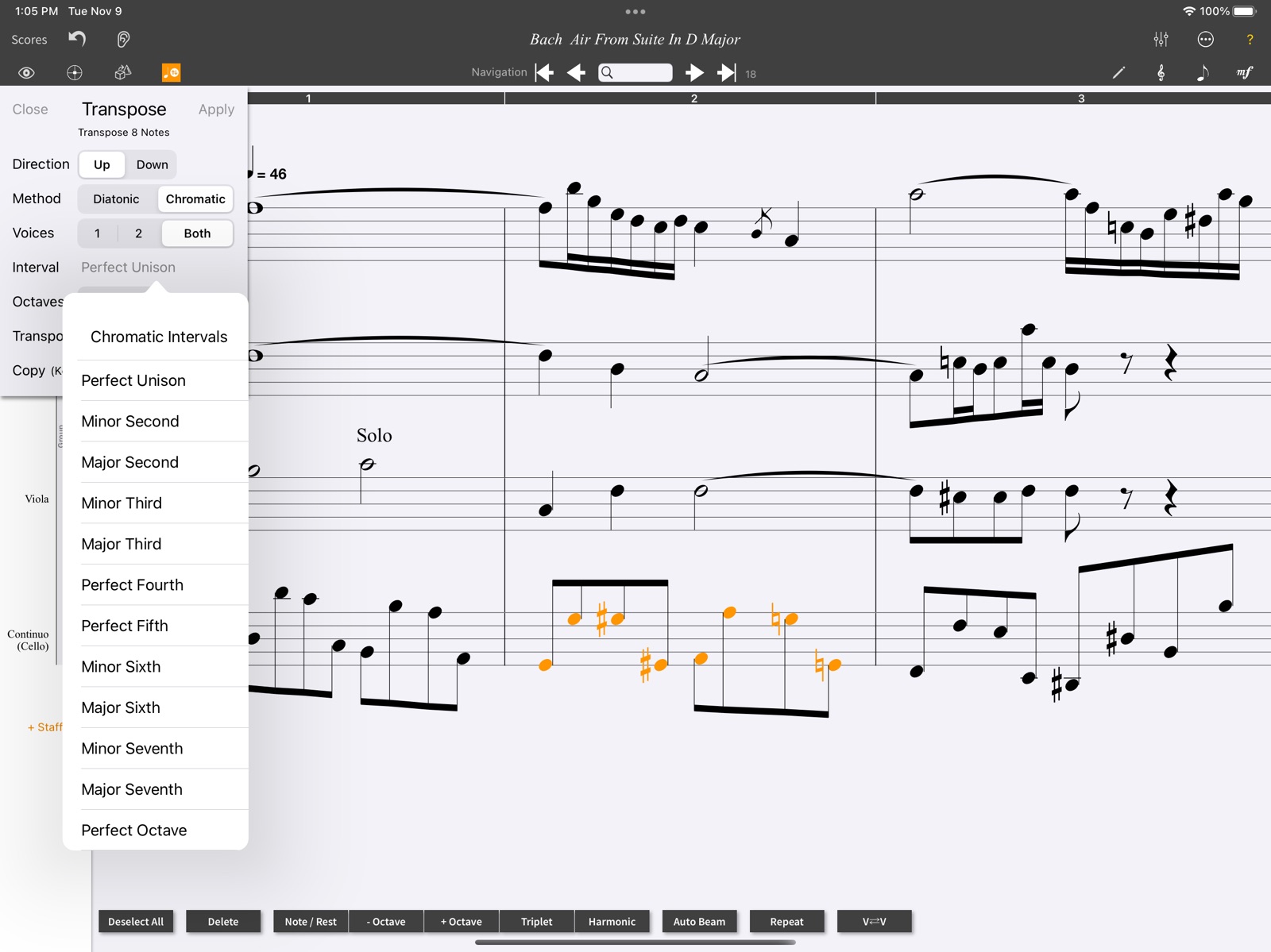
  "screens": [
    {
      "url": "https://is1-ssl.mzstatic.com/image/thumb/PurpleSource211/v4/24/c9/64/24c96419-4c05-0d24-4efe-84ec90180001/Expressions_Palette.png/1600x1600bb.jpg",
      "store": "apple",
      "platform": "ipad",
      "alt": "MusicJot TryOut ipad screenshot 1"
    },
    {
      "url": "https://is1-ssl.mzstatic.com/image/thumb/PurpleSource211/v4/ec/b9/77/ecb97721-1afe-dc29-f9b9-ec5f9b343813/Instrument_Chooser.png/1600x1600bb.jpg",
      "store": "apple",
      "platform": "ipad",
      "alt": "MusicJot TryOut ipad screenshot 2"
    },
    {
      "url": "https://is1-ssl.mzstatic.com/image/thumb/PurpleSource211/v4/f9/a3/e9/f9a3e9d3-3fb9-ddea-3af3-d7b9406287b5/Transpose_Menu.png/1600x1600bb.jpg",
      "store": "apple",
      "platform": "ipad",
      "alt": "MusicJot TryOut ipad screenshot 3"
    },
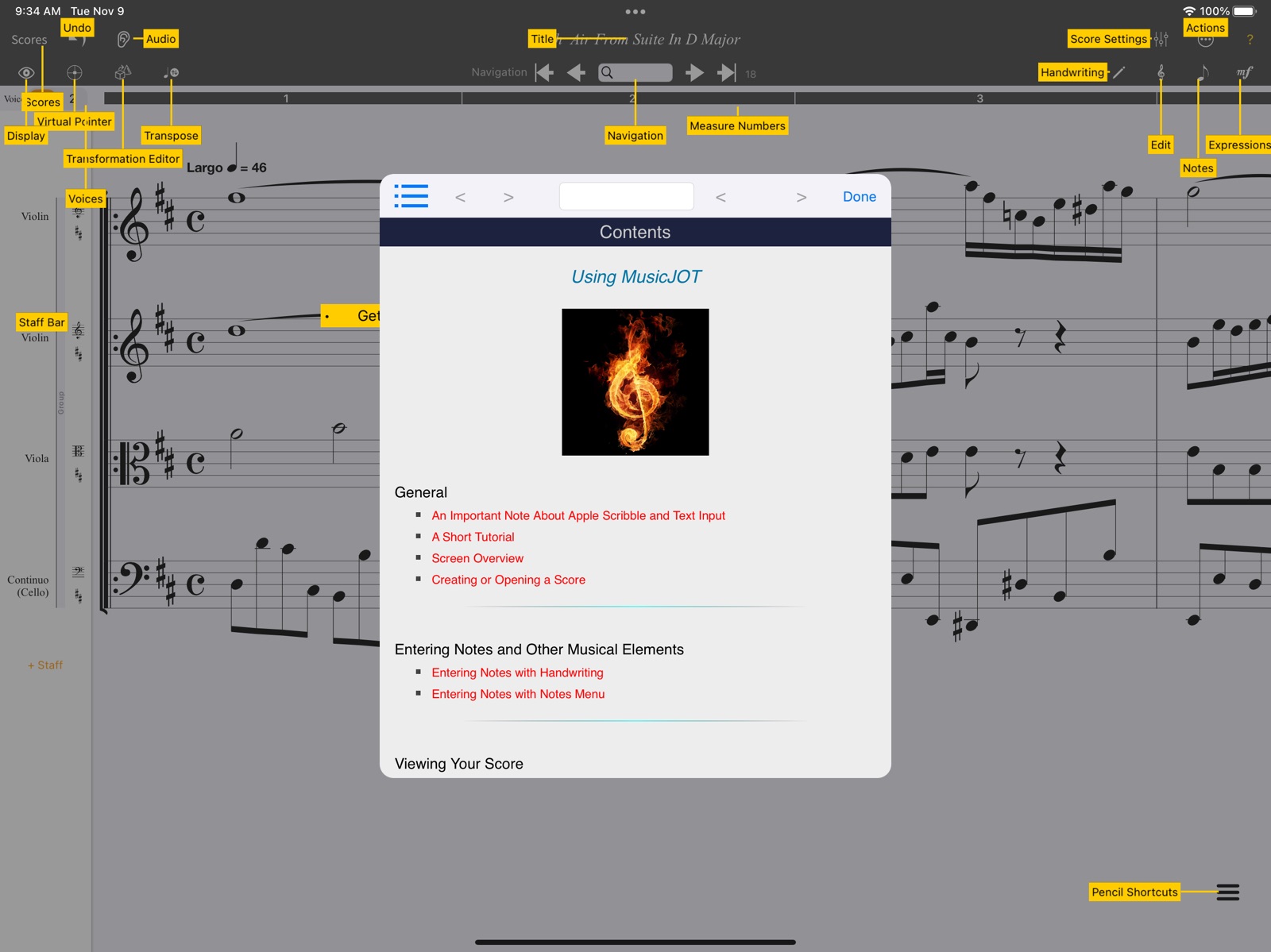
    {
      "url": "https://is1-ssl.mzstatic.com/image/thumb/PurpleSource221/v4/92/b9/8d/92b98d95-0ff0-d5e5-b48a-13e7ba918ccf/Help.png/1600x1600bb.jpg",
      "store": "apple",
      "platform": "ipad",
      "alt": "MusicJot TryOut ipad screenshot 4"
    },
    {
      "url": "https://is1-ssl.mzstatic.com/image/thumb/PurpleSource221/v4/7f/84/32/7f8432de-7f5e-8ec2-5340-81354688e1cf/Layers.png/1600x1600bb.jpg",
      "store": "apple",
      "platform": "ipad",
      "alt": "MusicJot TryOut ipad screenshot 5"
    },
    {
      "url": "https://is1-ssl.mzstatic.com/image/thumb/PurpleSource221/v4/56/2f/38/562f383b-6f4d-90f8-8960-ab16dd41257e/TransformationPanels.png/1600x1600bb.jpg",
      "store": "apple",
      "platform": "ipad",
      "alt": "MusicJot TryOut ipad screenshot 6"
    },
    {
      "url": "https://is1-ssl.mzstatic.com/image/thumb/PurpleSource211/v4/9e/22/60/9e226092-1ca4-01a0-947f-209f03349b27/Fretted_Instruments_Chooser.png/1600x1600bb.jpg",
      "store": "apple",
      "platform": "ipad",
      "alt": "MusicJot TryOut ipad screenshot 7"
    },
    {
      "url": "https://is1-ssl.mzstatic.com/image/thumb/PurpleSource221/v4/dd/10/1b/dd101b50-a322-f9dc-4455-13a315d53f20/Audio_Playback.png/1600x1600bb.jpg",
      "store": "apple",
      "platform": "ipad",
      "alt": "MusicJot TryOut ipad screenshot 8"
    },
    {
      "url": "https://is1-ssl.mzstatic.com/image/thumb/PurpleSource221/v4/d2/c9/93/d2c99339-be3b-5147-612a-f7bcfd8a35e7/Page_View.png/1600x1600bb.jpg",
      "store": "apple",
      "platform": "ipad",
      "alt": "MusicJot TryOut ipad screenshot 9"
    },
    {
      "url": "https://is1-ssl.mzstatic.com/image/thumb/PurpleSource211/v4/ae/c0/be/aec0be9e-1026-9b5c-6379-3ddcae420cca/Add_Fretboards.png/1600x1600bb.jpg",
      "store": "apple",
      "platform": "ipad",
      "alt": "MusicJot TryOut ipad screenshot 10"
    }
  ],
  "ratings": [
    {
      "store": "apple",
      "average": 1.0,
      "count": 1,
      "market": "us",
      "observed_at": "2026-08-05",
      "reviews": [
        {
          "rating": 1,
          "title": "Frustrating",
          "body": "Let me preface this with the fact that I have been working on software like Finale, Sibelius, ProTools, and a number of free notation softwares. I’m usually pretty okay with figuring out user interfaces without needing to read manuals or help menus. With this, I gave up in frustration and rage quit a few minutes in. The handwriting feature is nice, but after the writing tool never gave me enough space to draw all my needed notes into a measure, then came up with garbled stuff on top of each other (and I have neat handwriting, I still hand write scores I read from, and I do calligraphy) It would also start placing random whole notes throughout, and me going back and forth 10 minutes with AI on how I can delete an errant note was just not worth the experience of even trying to get past measure 4 before uninstalling.",
          "author": "petra1685",
          "date": "5 Aug 2026"
        }
      ]
    }
  ],
  "privacy": [
    {
      "store": "apple",
      "declarations": [
        {
          "title": "Data Not Collected",
          "detail": "",
          "source": "Developer declared"
        }
      ],
      "accessibility": []
    }
  ],
  "changes": [
    {
      "store": "apple",
      "version": "3.0",
      "released_at": null,
      "notes": ""
    },
    {
      "store": "apple",
      "version": "3.0.5",
      "released_at": "2025-02-06",
      "notes": "New Features * The Settings menu has been rolled into the Actions menu and appears at its top now called, Preferences, while the Transformation button has been moved to where the Settings menu button was. A new Duration/Space toggle button now resides where the transformation button was. * This new Duration/Space toggle button affects what happens when you drag a note horizontally to the right or left. The default behavior increases or decreases the note’s duration as in prior versions. However, when the button is tapped, it changes to Spacing drag. Now dragging a note to the right or left, the note is positionally moved. This is very useful for inserting new notes in between otherwise tightly packed notes. * The Action menu item Reset Manual Positioning, now also resets any extra intra-note spacing added (from above). * The Edit menu for changing barline styles had used the word “Live” whereas the other sections use “Add/Update.” The designation “Live” was ambiguous and so it was removed. Bugs Fixed * Fixed an issue where if you deleted a staff or measures then went into the Transformation Editor, MusicJOT might unexpectedly quit. * Fixed an issue where with 1st and 2nd endings and in audio mode when playing - both endings would play instead of just the 2nd ending (when not using repeats). * The Settings men item, “Delete Last Measure” is fixed. * Fixed an issue that was inadvertently introduced in version 3.0 where you could no longer drag a barline to make extra room at the end of a measure. * The vertical position of rests less than a half note in duration has been corrected from a slightly too high appearance. * The Shift (music) right/left section in the Transformation Editor has been totally written and now correctly shifts for both voices and with any shift amount and with correct note splitting where necessary. * Fixed an issue where rotating the iPad when in the Arrange Editor was not correctly repositioning the right-most row button area used to move into the Master Arrange window. * Fixed an issue where opening the Action menu then tapping outside it to dismiss it, then opening it again very quickly would cause an unexpected quit. * Fixed an issue in all windows that use vertically scrolling tables where the heading area would slightly shift in color when scrolling upwards. * Fixed an issue in the Staff Manager where if you scrolled upwards, the buttons at the top might flutter their positions slightly. * Fixed an issue where the “Update/Add” buttons in each section of the Edit menu were appearing when expanding a section when they shouldn’t have. * Fixed an issue in the Reference Manual, in the Actions page, where some of the referenced links were broken. * Now switching pre-roll switch on/off recalculates necessary window height in the Transformation Editor Master Section."
    }
  ],
  "alternatives": [
    {
      "app_id": 490925777,
      "name": "iWriteMusic Pro SE",
      "url": "https://appcorpus.com/apps/iwritemusic-pro-se-490925777",
      "reason": "Same category + similar ratings"
    }
  ],
  "evidence_summary": {
    "index_state": "S1",
    "evidence_level": 1,
    "level_label": "Live store listing",
    "indexable": true,
    "last_verified_at": "2026-08-05",
    "unknown_fields": [
      "Independent summary has not been published yet."
    ],
    "sources": [
      "App Store"
    ]
  },
  "availability_markets": {
    "live": [
      "us"
    ],
    "selected": "us",
    "note": null
  },
  "feature_events": {
    "events": []
  },
  "features_slice": {
    "plans": [
      {
        "code": "free",
        "label": "Free",
        "kind": "free",
        "status": "inferred",
        "prices": [],
        "trial": null
      }
    ],
    "features": [],
    "unknown_features": [],
    "data_cutoff": "5 Aug 2026"
  }
}