
Quick verdict
- What it is
- Store information collected; an Apoku editorial summary is not yet published.
- At a glance
-
- Free to download
Categories and search queries
Official categories
- Business
Apoku categories
Key functions
| Function | Availability | Access | Scope | Evidence |
|---|---|---|---|---|
| Free app | Yes | Free | Context-specific | Store published |
Screens
App Store
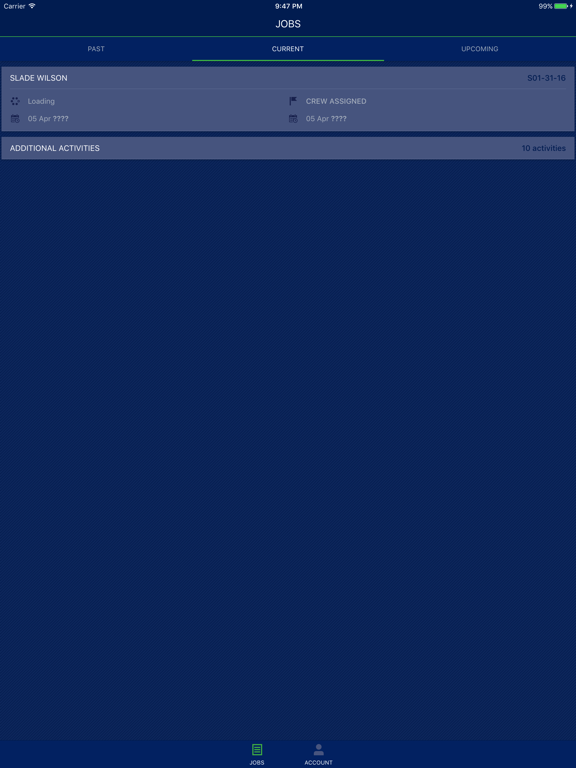
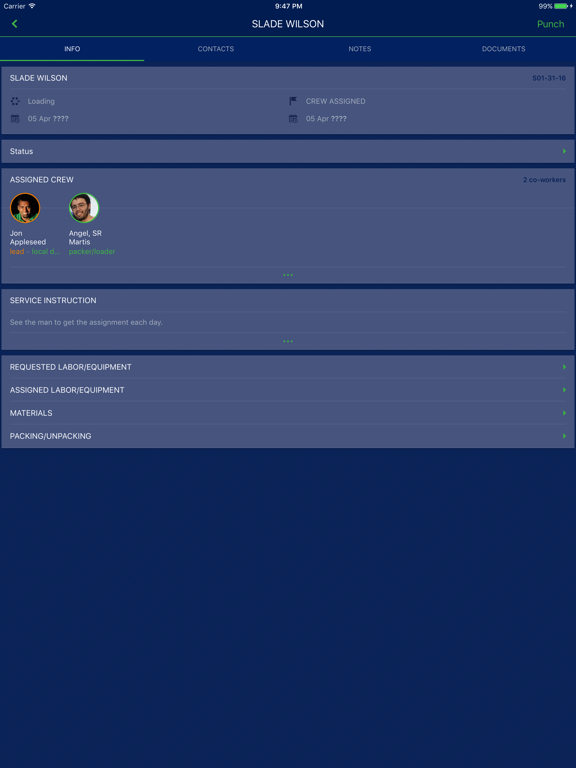
12 store screenshots


Pricing & paywalls
App Store
Shown for US
- Free to download
Ratings & reviews
App Store
Shown for US
-
2/5App
It constantly crashes and will not let you log in it can confuse your employer and you ultimately lose money
(Bigman92) · 7 Aug 2026
Privacy & accessibility
App Store
Privacy
- Data Not Linked to You — Analytics — Usage Data — Product Interaction Developer declared
- Data Not Linked to You — App Functionality — Contact Info — Email Address Developer declared
- Data Not Linked to You — App Functionality — Contact Info — Name Developer declared
- Data Not Linked to You — App Functionality — Diagnostics — Crash Data Developer declared
- Data Not Linked to You — App Functionality — Diagnostics — Performance Data Developer declared
- Data Not Linked to You — App Functionality — Identifiers — User ID Developer declared
- Data Not Linked to You — App Functionality — User Content — Photos or Videos Developer declared
- Data Not Linked to You — Contact Info Developer declared
- Data Not Linked to You — Diagnostics Developer declared
- Data Not Linked to You — Identifiers Developer declared
- Data Not Linked to You — Usage Data Developer declared
- Data Not Linked to You — User Content Developer declared
Accessibility
No accessibility labels collected yet.
Versions
App Store
- 1.0
-
1.1
We have added the ability to capture a signed change request, a signed customer summary of the job and an internal job summary. In addition, we added the ability to capture Crew Notes and added contact information for the Local Dispatcher.
-
1.2
To make sure that MSCrew is always at its highest performance we update our app regularly. All updates include improvements in security & reliability and bug fixes.
-
2.0
We have added many new features including PDF signature capture. We also exposed Scope of Work, Operational Notes and Building Requirements for O&I jobs. As well as added crate information, order weight, extra locations and changed the application to save the Company ID between sessions.
-
2.10
Reliability and stability improvements.
-
2.11
Offline Documents capabilities are now available. Crew leads can now manage documents sent down from MoversSuite while their device is offline (no Wi-Fi or cell service). Documents updated on the mobile device are synced up with MoversSuite when service is restored.
-
2.12
Many improvements are available in this version of MSCrew which include the following: · Materials show in prescribed sort order when selecting and displaying quantity assignments within the app. · Lead indicator added to Jobs pane allowing a lead to readily see their primary services. · Name of the lead and service ticket number added to Jobs pane. · Project Manager has same access to their services as a Lead does. · “Cell” phone type included in the list that populates the contact phone for Origin and Destination Addresses. · Service description no longer truncates Job number on the Jobs pane. · Inactive Crew Activity no longer show as selectable when punching in.
-
2.13
In this update, we've focused on enhancing the stability and security of the app. Here's what's new: - Library Upgrades: We've updated all internal libraries to their latest versions, ensuring your app benefits from the latest features, improvements, and security patches.
-
2.14
- Job Summary and Internal Summary reports updated to display crew role next to their name and crew activity displays in order based on time of entry. - Custom company logo no longer reset to EWS Group default after device upgrades.
-
2.15
Assigned Crew section now displays the report to location and time. Total number of hours are now displayed for certain employees.,
-
2.16
- Refresh now also gets rid of deleted punches, without the need to log out of the app. - If the crew time is locked, the date/time screen is automatically skipped. - Name is no longer cutoff when assigning through the Assigned Crew page.
-
2.17
- The time entry screen is now bypassed for crew and leads when time is locked in administration (through the "Is Crew Time Locked" and/or "Is Crew Time For Crew Lead Locked" flags in Mobile Api Setup). This saves an extra step while punching into the job. - The total accumulated work hours for the week can be manually reset through the Account settings and choosing “Reset Displayed Punch Totals”. This feature allows you to set the time back to when you wish the restart to be effective. Of note, if users are logging out of the app on a daily basis, then the weekly hours reset automatically Monday morning. - Users are now prevented from manually entering hours for Additional Activities.
-
2.18
- Users are now restricted from entering emojis in text input fields throughout the application to maintain data consistency and prevent formatting issues. - For future jobs, punch time selection is now restricted to the current day only. This prevents users from selecting dates in the future when punching in or out for jobs that haven't started yet.
-
2.19
· 22 May 2026
- When crew time is locked, non-leads can now proceed through the punch flow. For individual punches the time picker is shown but restricted to now or later; for crew punches the time is set to now automatically with no option to change it. - The "Work time since X" label now updates correctly after each punch instead of staying frozen at the initial value.
-
2.2
MSCrew 2.2 brings the ability to sign/annotate a PDF multiple times before saving. The ability to add material, packing, unpacking and quantity-based equipment on the fly. More information on HHG local jobs like special instructions. More choices when capturing documents and notes. For access to all new functionality, MoversSuite 2019 r08 is required.
-
2.3
Improved the app reliability and fixed UI issues.
-
2.4
Updated reports to properly report quantities delivered and returned for quantity based equipment.
-
2.5
Improved app stability.
-
2.6
Added an option to display the crew times in summary or detail on the Summary Report. This option is available when paired with MoversSuite 2019 r17.
-
2.7
We have made several improvements in this version. Regarding punches, you can now lock down punch times and the crew/lead can enter a punch comment as a note to whoever approves punches. You can turn on the ability for a crew lead to add additional crew to a job on the fly. When emailing documents the user can now choose email recipients from those on the job. We added a third option to the detail of the Summary reports and added the ability for admin to indicate the number of days of jobs to be shown in Past and Upcoming. You must be running MoversSuite version 2020 r09 to utilize all the new changes.
-
2.8
With this update we enhanced the reliability of the app and implemented several bugs fixes.
-
2.9
New PDF annotation options allows you to add typed text to a PDF document. Application was updated to better support the newest iOS release.
Alternatives
- Flex Inventory Management — Same category + similar ratings
- The CrewPro — Same category + similar ratings
- AtlasNet — Same category + similar ratings
- Link-X Fleet Solutions — Same category + similar ratings
Availability by market
- US
Data quality & evidence
- Page completeness
- Live store listing
- Last verified
- 7 Aug 2026
- Sources
- App Store
- Apoku editorial summary has not been published yet.