
Quick verdict
- What it is
- Store information collected; an Apoku editorial summary is not yet published.
- At a glance
-
- From $0.74/mo
- Free to download
- In-app purchases
Categories and search queries
Official categories
- Navigation
- Travel
Apoku categories
Key functions
| Function | Availability | Access | Scope | Evidence |
|---|---|---|---|---|
| Free app | Yes | Free | Context-specific | Store published |
| In-app purchases | Yes | Limited free | Context-specific | Store published |
| Family Sharing | Unknown | Unknown | Scope unknown | Store published |
Screens
App Store
12 store screenshots
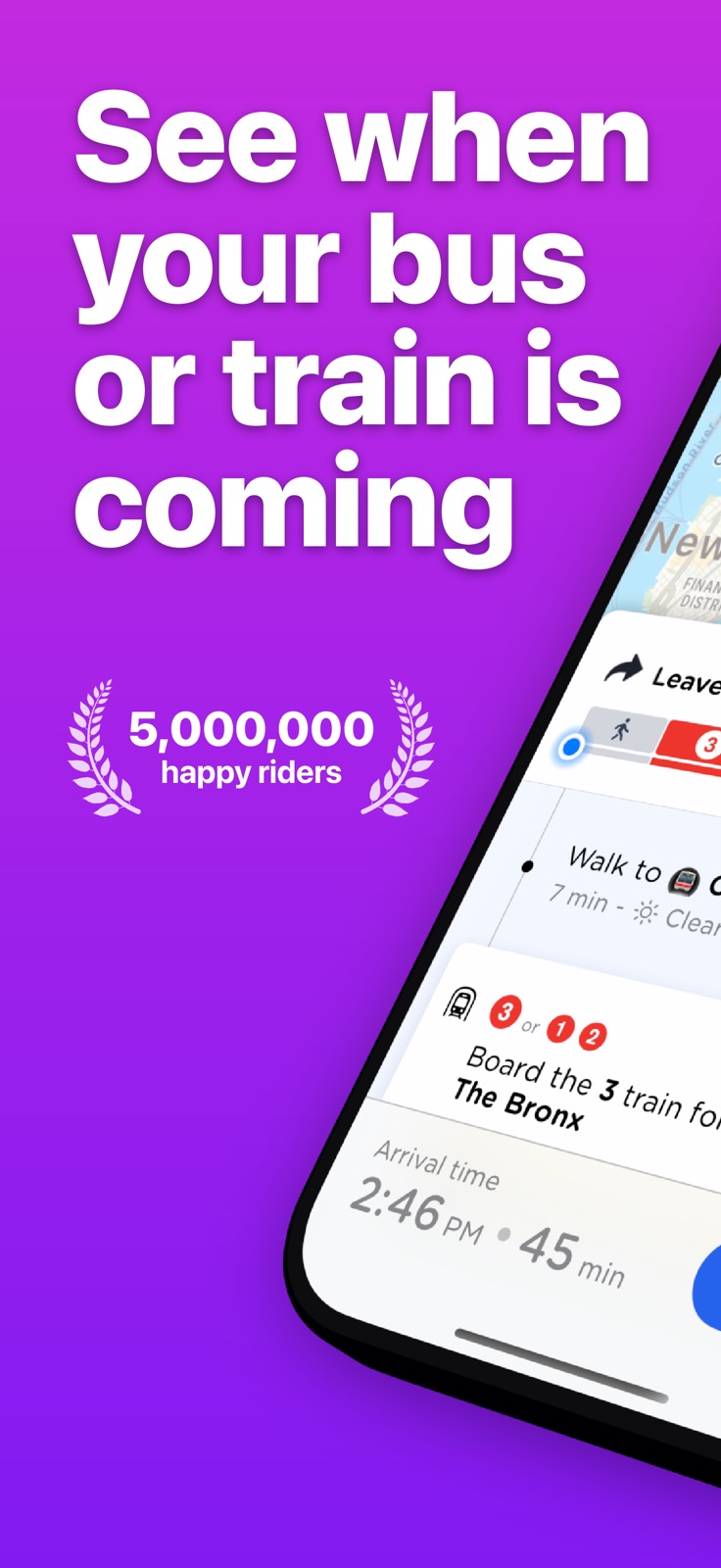
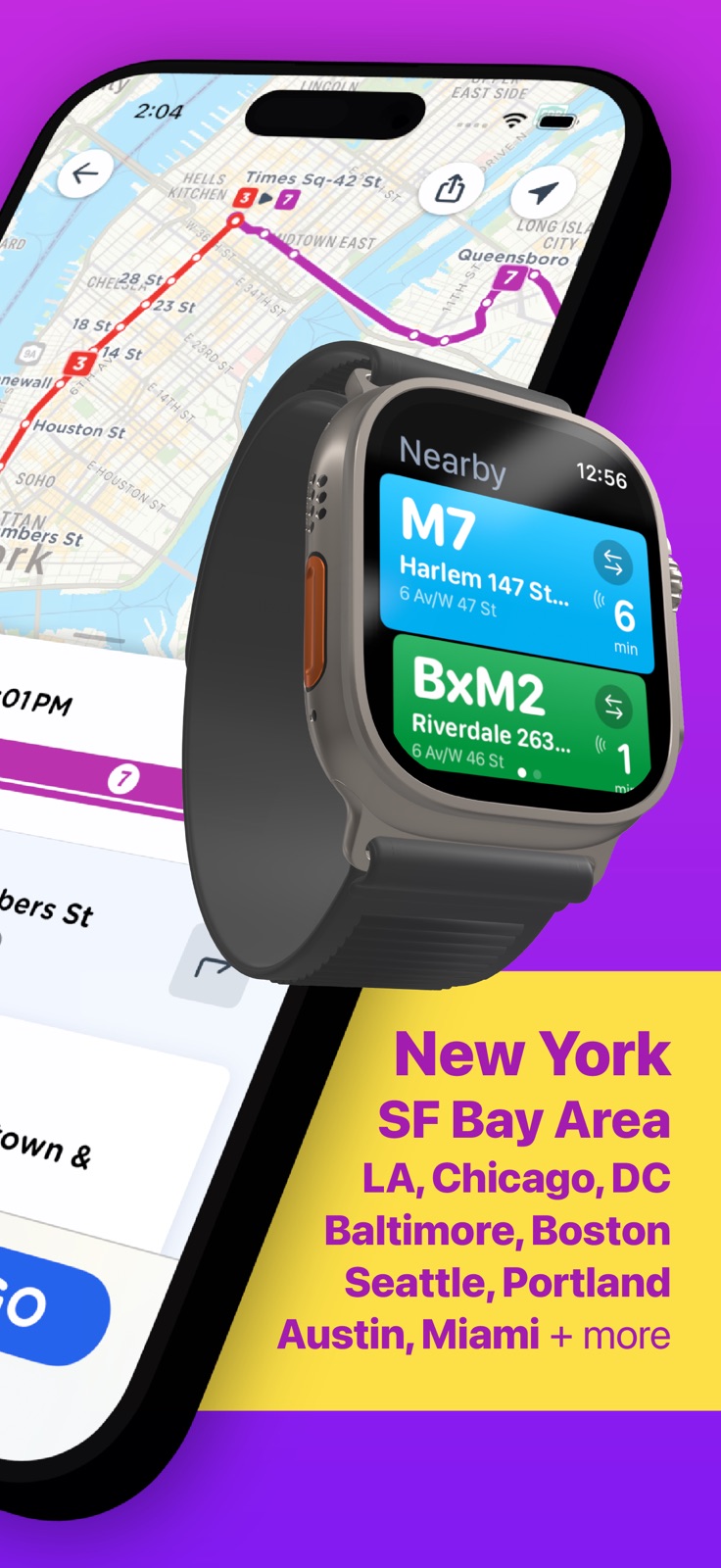

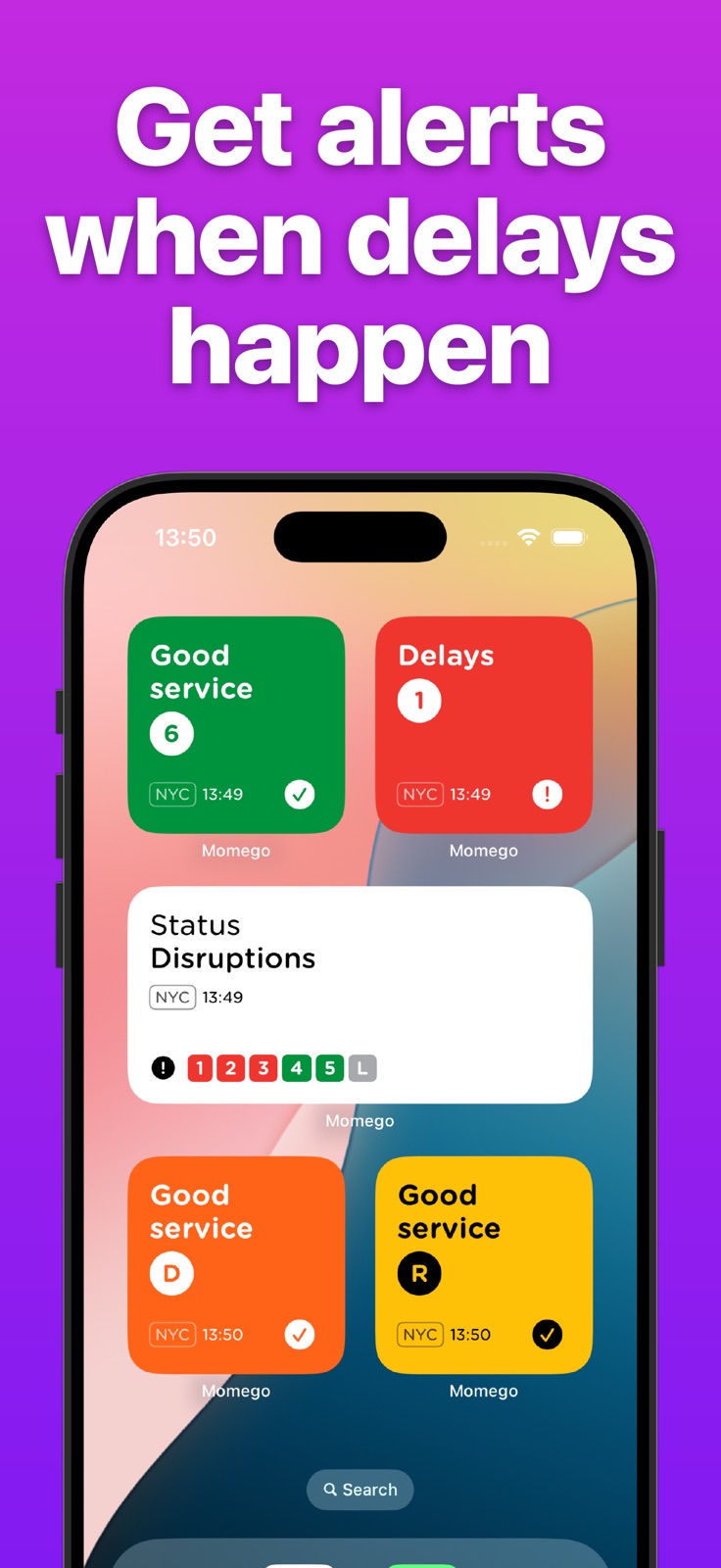
Pricing & paywalls
App Store
- Premium - Monthly Subscription — $1.49/month
- Premium - Monthly Subscription — $8.99/year ($0.74/mo)
- Momego+ Annual — $29.00/year ($2.41/mo)
- Monthly - MOMEGO Premium Plan — $3.49/month
- Monthly - MOMEGO Premium Plan — $19.99/year ($1.66/mo)
- PRO Monthly — $5.00/month
- PRO Monthly — $29.00/year ($2.41/mo)
- Lifetime Pass — $89.00
- Secret Discount — $4.99
Ratings & reviews
App Store
-
5/5Life Saver!
I love that the map shows me stops close to where I am and which buses are coming (or not!) the estimated times are usually SPOT ON. Occasionally the app says I should walk from Mattapan station to catch a bus that leaves from Mattapan station, which confused me at first. Also it does not account for shuttle service when trains aren't running which can add significant time to the trip. Very comprehensive tool, THANK YOU SO MUCH for this free gift! :D
EevieBee · 6 Aug 2026
-
5/5Promising, but some broken features
I’m generally happy with Momego, but some of the (less crucial) trip tracking features don’t work. The arrival times that are displayed on the home screen and the Apple Watch often freeze, so you can’t trust that the ETA is counting down properly. The arrival times in the app are reliable, but the app’s Live Tracking feature often shows bizarre information - I take Golden Gate Transit, and the bus location is often shown in San Jose (40 miles away from any GGT line). It’s always obvious when it’s wrong though, so it’s mostly an inconvenience. In addition to those issues, I would enjoy the ability to see favorited stops in the Apple Watch app. I generally don’t care about seeing just the stops closest to me. On the positive side, I like the appearance of the app, and I appreciate the ability to reorder favorited stops. If the bugs above are addressed, I’d be very happy with state of the app.
DammedBeThisWind · 6 Aug 2026
-
5/5Reliable and feature-rich
Pro version does all I need for complex rides across multiple transit systems. I appreciate that schedules for remote towns with limited service are kept accurate and timely, and that alternatives are offered for busy metros. I recommend it often! However, would you improve the ability to send a link? I found Settings > Share but it sent an iPhone link, which doesn’t work for everyone.
SalarySurvivor · 6 Aug 2026
-
3/5Ads
I upgraded but still have ads displaying. Otherwise I’m liking this app enough that in the first day I deleted the app I’ve used for several years and replaced it with this app. Two days later, still have banner ads though was initially informed the ads would end. There has to be a better way to support useful apps other than to detract from their functionality with links to products etc. that have little to nothing to do with negotiating a transit network.
wjksea · 6 Aug 2026
-
5/5Excellent app, hope it gets even more attention!
This is my go-to app for Boston transit (MBTA). The Live Tracking functionality is great; being able to save specific stops on routes in differing directions is really nice. The overall design is slicker than its predecessor, and feels faster. Interested to see how notifications will go, overall live tracking accuracy, and how route “wellness” is measured. Congrats to the team for upgrading the Boston app to Whiz!
Iris Amelia · 6 Aug 2026
Privacy & accessibility
App Store
Privacy
- Data Not Linked to You — Analytics — Diagnostics — Crash Data Developer declared
- Data Not Linked to You — Analytics — Diagnostics — Performance Data Developer declared
- Data Not Linked to You — Analytics — Identifiers — Device ID Developer declared
- Data Not Linked to You — Analytics — Purchases — Purchase History Developer declared
- Data Not Linked to You — Analytics — Usage Data — Product Interaction Developer declared
- Data Not Linked to You — App Functionality — Diagnostics — Crash Data Developer declared
- Data Not Linked to You — App Functionality — Identifiers — User ID Developer declared
- Data Not Linked to You — App Functionality — Location — Coarse Location Developer declared
- Data Not Linked to You — App Functionality — Location — Precise Location Developer declared
- Data Not Linked to You — App Functionality — Purchases — Purchase History Developer declared
- Data Not Linked to You — App Functionality — Usage Data — Product Interaction Developer declared
- Data Not Linked to You — Product Personalization — Identifiers — User ID Developer declared
- Data Not Linked to You — Third-Party Advertising — Diagnostics — Performance Data Developer declared
- Data Not Linked to You — Third-Party Advertising — Location — Coarse Location Developer declared
- Data Not Linked to You — Third-Party Advertising — Usage Data — Advertising Data Developer declared
- Data Not Linked to You — Third-Party Advertising — Usage Data — Product Interaction Developer declared
- Data Not Linked to You — Diagnostics Developer declared
- Data Not Linked to You — Identifiers Developer declared
- Data Not Linked to You — Location Developer declared
- Data Not Linked to You — Purchases Developer declared
- Data Not Linked to You — Usage Data Developer declared
Accessibility
- Dark Interface — SUPPORTED Store published
- Differentiate Without Color Alone — SUPPORTED Store published
- Larger Text — SUPPORTED Store published
- Reduced Motion — SUPPORTED Store published
- Sufficient Contrast — SUPPORTED Store published
- VoiceOver — SUPPORTED Store published
Versions
App Store
-
2025.4.1
You asked, and we delivered. The most requested feature request we've had in the last five years is here: live departure times on your Home Screen with our brand-new Saved Stops Widgets. These great new Home Screen Widgets show all of your saved stops, with live bus and train times for each stop. If you've spent time making your Home Screen unique to you, just tap and hold on any widget and then tap 'Edit' to choose from dozens of themes. --- If you’re enjoying the app, a quick rating or review really helps us out. Got feedback or ideas? We’re always listening — just drop us a message from the Help section in the app. Thanks for riding with us!
-
2025.4.2
You asked, and we delivered. The most requested feature request we've had in the last five years is here: live departure times on your Home Screen with our brand-new Saved Stops Widgets. These great new Home Screen Widgets show all of your saved stops, with live bus and train times for each stop. If you've spent time making your Home Screen unique to you, just tap and hold on any widget and then tap 'Edit' to choose from dozens of themes. --- If you’re enjoying the app, a quick rating or review really helps us out. Got feedback or ideas? We’re always listening — just drop us a message from the Help section in the app. Thanks for riding with us!
-
2025.4.3
You asked, and we delivered. The most requested feature request we've had in the last five years is here: live departure times on your Home Screen with our brand-new Saved Stops Widgets. These great new Home Screen Widgets show all of your saved stops, with live bus and train times for each stop. If you've spent time making your Home Screen unique to you, just tap and hold on any widget and then tap 'Edit' to choose from dozens of themes. --- If you’re enjoying the app, a quick rating or review really helps us out. Got feedback or ideas? We’re always listening — just drop us a message from the Help section in the app. Thanks for riding with us!
-
2025.5
We've made a few tweaks to how the app looks, to make it easier to find what you're looking for. We've also added a touch of the new Liquid Glass design for everyone using iOS 26. --- If you’re enjoying the app, a quick rating or review really helps us out. Got feedback or ideas? We’re always listening — just drop us a message from the Help section in the app. Thanks for riding with us!
-
2025.5.2
We've made a few tweaks to how the app looks, to make it easier to find what you're looking for. We've also added a touch of the new Liquid Glass design for everyone using iOS 26. Also, bug fixes! We've fixed an issue where widgets wouldn't display correctly on devices with Clear or Tinted home screens, as well as a bug where the line search bar would appear when you tapped on a stop on a route map, obscuring the back button. --- If you’re enjoying the app, a quick rating or review really helps us out. Got feedback or ideas? We’re always listening — just drop us a message from the Help section in the app. Thanks for riding with us!
-
2025.5.3
This release fixes an issue where the map wasn't scrolling properly. Previously... We've made a few tweaks to how the app looks, to make it easier to find what you're looking for. We've also added a touch of the new Liquid Glass design for everyone using iOS 26. Also, bug fixes! We've fixed an issue where widgets wouldn't display correctly on devices with Clear or Tinted home screens, as well as a bug where the line search bar would appear when you tapped on a stop on a route map, obscuring the back button. --- If you’re enjoying the app, a quick rating or review really helps us out. Got feedback or ideas? We’re always listening — just drop us a message from the Help section in the app. Thanks for riding with us!
-
2025.5.5
This release fixes several issues: • On iOS 26.1 maps now scroll and zoom correctly • Widgets (including Widgets in Carplay) now show train departures with destinations • The number keys above the keyboard when searching now have a solid background • A small fix for Live Activities --- If you’re enjoying the app, a quick rating or review really helps us out. Got feedback or ideas? We’re always listening — just drop us a message from the Help section in the app. Thanks for riding with us!
-
2025.5.6
This release fixes several issues: • On iOS 26.1 maps now scroll and zoom correctly • Widgets (including Widgets in Carplay) now show train departures with destinations • The number keys above the keyboard when searching now have a solid background • A small fix for Live Activities --- If you’re enjoying the app, a quick rating or review really helps us out. Got feedback or ideas? We’re always listening — just drop us a message from the Help section in the app. Thanks for riding with us!
-
2025.6.1
Our first release of 2026 comes with a brand new Live Departures widget for your Lock Screen, where you can see live updates for your saved stops and stations. Once added, just tap on the widget to cycle through all of your saved stops. --- If you’re enjoying the app, a quick rating or review really helps us out. Got feedback or ideas? We’re always listening — just drop us a message from the Help section in the app. Thanks for riding with us!
-
2026.1.2
Our first release of 2026 comes with a brand new Live Departures widget for your Lock Screen, where you can see live updates for your saved stops and stations. Once added, just tap on the widget to cycle through all of your saved stops. Also, this will be the last release to support iOS 17. The next release will only be available for iOS 18 and above. --- If you’re enjoying the app, a quick rating or review really helps us out. Got feedback or ideas? We’re always listening — just drop us a message from the Help section in the app. Thanks for riding with us!
-
2026.1.3
Our first release of 2026 comes with a brand new Live Departures widget for your Lock Screen, where you can see live updates for your saved stops and stations. Once added, just tap on the widget to cycle through all of your saved stops. Also, this will be the last release to support iOS 17. The next release will only be available for iOS 18 and above. --- If you’re enjoying the app, a quick rating or review really helps us out. Got feedback or ideas? We’re always listening — just drop us a message from the Help section in the app. Thanks for riding with us!
-
2026.2
We've made some improvements to how train times are shown in the app and in widgets. You should find it's easier to see if your train is delayed. More train updates to come in the next release - soon you'll be able to choose your destination stations and only the trains going there will show up in your widgets. --- If you’re enjoying the app, a quick rating or review really helps us out. Got feedback or ideas? We’re always listening — just drop us a message from the Help section in the app. Thanks for riding with us!
-
2026.3
Major improvements for Shortcuts users You can now launch live directions straight from a Shortcut or Siri request. Instead of opening the app, directions start instantly as a Live Activity - perfect for automated routines like getting directions to work every morning. The app now remembers your preferred routes too. If a familiar journey is available, it will be selected automatically. Otherwise, you can pick from available routes and the app will remember your choice for future trips. --- If you’re enjoying the app, a quick rating or review really helps us out. Got feedback or ideas? We’re always listening — just drop us a message from the Help section in the app. Thanks for riding with us!
-
2026.4
This is a big update with new features and plenty of improvements behind the scenes. Service Alert Summaries No more scrolling through long lists of alerts. The app now creates a short summary highlighting the most recent and important disruptions affecting your journey. Better for your battery We’ve made major optimisations to how the app uses location and background activity while you’re travelling. You can now tap GO with confidence that it won’t drain your battery. Smarter Live Activities Live Activities now end cleanly when you reach your destination. You’ll also see a quick summary of your trip when a Live Activity begins. Home & Work improvements You can now edit or remove your Home and Work locations again. Saved places and stations also sync automatically through iCloud, keeping all your devices up to date. Powerful new Shortcuts support You can now start live directions directly from Shortcuts or Siri. Instead of opening the app, directions begin instantly as a Live Activity — perfect for routines like starting your commute each morning. The app also remembers your preferred routes. If a familiar journey is available, it will be selected automatically. Otherwise, just choose a route once and we’ll remember it for next time. Clearer train departure boards Train times are now easier to read in both the app and widgets, so you can find what you need at a glance. --- If you’re enjoying the app, a quick rating or review really helps. Have feedback or ideas? Send us a message from the Help section in the app.
-
2026.4.1
A small update for everyone today, with the following bug fixes: • Once you complete a trip, the app makes sure it stops tracking your location in the background. • Sometimes, the Lock Screen Next Departures Widget would stop refreshing. This has been fixed. In our previous release (2024.4) we added: Service Alert Summaries No more scrolling through long lists of alerts. The app now creates a short summary highlighting the most recent and important disruptions affecting your journey. Better for your battery We’ve made major optimisations to how the app uses location and background activity while you’re travelling. You can now tap GO with confidence that it won’t drain your battery. Smarter Live Activities Live Activities now end cleanly when you reach your destination. You’ll also see a quick summary of your trip when a Live Activity begins. Home & Work improvements You can now edit or remove your Home and Work locations again. Saved places and stations also sync automatically through iCloud, keeping all your devices up to date. Powerful new Shortcuts support You can now start live directions directly from Shortcuts or Siri. Instead of opening the app, directions begin instantly as a Live Activity — perfect for routines like starting your commute each morning. The app also remembers your preferred routes. If a familiar journey is available, it will be selected automatically. Otherwise, just choose a route once and we’ll remember it for next time. Clearer train departure boards Train times are now easier to read in both the app and widgets, so you can find what you need at a glance. --- If you’re enjoying the app, a quick rating or review really helps. Have feedback or ideas? Send us a message from the Help section in the app.
-
2026.4.2
A small update for everyone today, with the following bug fixes: • Once you complete a trip, the app makes sure it stops tracking your location in the background. • Sometimes, the Lock Screen Next Departures Widget would stop refreshing. This has been fixed. In our previous release (2024.4) we added: Service Alert Summaries No more scrolling through long lists of alerts. The app now creates a short summary highlighting the most recent and important disruptions affecting your journey. Better for your battery We’ve made major optimisations to how the app uses location and background activity while you’re travelling. You can now tap GO with confidence that it won’t drain your battery. Smarter Live Activities Live Activities now end cleanly when you reach your destination. You’ll also see a quick summary of your trip when a Live Activity begins. Home & Work improvements You can now edit or remove your Home and Work locations again. Saved places and stations also sync automatically through iCloud, keeping all your devices up to date. Powerful new Shortcuts support You can now start live directions directly from Shortcuts or Siri. Instead of opening the app, directions begin instantly as a Live Activity — perfect for routines like starting your commute each morning. The app also remembers your preferred routes. If a familiar journey is available, it will be selected automatically. Otherwise, just choose a route once and we’ll remember it for next time. Clearer train departure boards Train times are now easier to read in both the app and widgets, so you can find what you need at a glance. --- If you’re enjoying the app, a quick rating or review really helps. Have feedback or ideas? Send us a message from the Help section in the app.
-
2026.5
In this release, we've added a toggle to the Saved screen which re-orders your saved stop list based on your location. In our previous release (2024.4) we added: Service Alert Summaries No more scrolling through long lists of alerts. The app now creates a short summary highlighting the most recent and important disruptions affecting your journey. Better for your battery We’ve made major optimisations to how the app uses location and background activity while you’re travelling. You can now tap GO with confidence that it won’t drain your battery. Smarter Live Activities Live Activities now end cleanly when you reach your destination. You’ll also see a quick summary of your trip when a Live Activity begins. Home & Work improvements You can now edit or remove your Home and Work locations again. Saved places and stations also sync automatically through iCloud, keeping all your devices up to date. Powerful new Shortcuts support You can now start live directions directly from Shortcuts or Siri. Instead of opening the app, directions begin instantly as a Live Activity — perfect for routines like starting your commute each morning. The app also remembers your preferred routes. If a familiar journey is available, it will be selected automatically. Otherwise, just choose a route once and we’ll remember it for next time. Clearer train departure boards Train times are now easier to read in both the app and widgets, so you can find what you need at a glance. --- If you’re enjoying the app, a quick rating or review really helps. Have feedback or ideas? Send us a message from the Help section in the app.
-
2026.6
A great new addition to our departure boards today - Destination Filters. Just open up a station board, tap on Destination and choose the station you want to get to. You'll only see the services that stop there. Great for busy stations where you want to cut out the noise and focus on the lines that you care about. Best of all, it works for bus stops as well: tap on Destination and choose the place you're going to, and we'll work out which bus lines from that stop go there. Lots more to come over the summer - see you next time! Previously... Saved Stops by Distance Now just tap the toggle on the Saved tab to re-order your saved stops and stations by how close they are to you. Service Alert Summaries No more scrolling through long lists of alerts. The app now creates a short summary highlighting the most recent and important disruptions affecting your journey. Better for your battery We’ve made major optimisations to how the app uses location and background activity while you’re travelling. You can now tap GO with confidence that it won’t drain your battery. Smarter Live Activities Live Activities now end cleanly when you reach your destination. You’ll also see a quick summary of your trip when a Live Activity begins. Home & Work improvements You can now edit or remove your Home and Work locations again. Saved places and stations also sync automatically through iCloud, keeping all your devices up to date. Powerful new Shortcuts support You can now start live directions directly from Shortcuts or Siri. Instead of opening the app, directions begin instantly as a Live Activity — perfect for routines like starting your commute each morning. The app also remembers your preferred routes. If a familiar journey is available, it will be selected automatically. Otherwise, just choose a route once and we’ll remember it for next time. Clearer train departure boards Train times are now easier to read in both the app and widgets, so you can find what you need at a glance. If you’re enjoying the app, a quick rating or review really helps. Have feedback or ideas? Send us a message from the Help section in the app.
-
2026.6.1
A great new addition to our departure boards today - Destination Filters. Just open up a station board, tap on Destination and choose the station you want to get to. You'll only see the services that stop there. Great for busy stations where you want to cut out the noise and focus on the lines that you care about. Best of all, it works for bus stops as well: tap on Destination and choose the place you're going to, and we'll work out which bus lines from that stop go there. Lots more to come over the summer - see you next time! Previously... Saved Stops by Distance Now just tap the toggle on the Saved tab to re-order your saved stops and stations by how close they are to you. Service Alert Summaries No more scrolling through long lists of alerts. The app now creates a short summary highlighting the most recent and important disruptions affecting your journey. Better for your battery We’ve made major optimisations to how the app uses location and background activity while you’re travelling. You can now tap GO with confidence that it won’t drain your battery. Smarter Live Activities Live Activities now end cleanly when you reach your destination. You’ll also see a quick summary of your trip when a Live Activity begins. Home & Work improvements You can now edit or remove your Home and Work locations again. Saved places and stations also sync automatically through iCloud, keeping all your devices up to date. Powerful new Shortcuts support You can now start live directions directly from Shortcuts or Siri. Instead of opening the app, directions begin instantly as a Live Activity — perfect for routines like starting your commute each morning. The app also remembers your preferred routes. If a familiar journey is available, it will be selected automatically. Otherwise, just choose a route once and we’ll remember it for next time. Clearer train departure boards Train times are now easier to read in both the app and widgets, so you can find what you need at a glance. If you’re enjoying the app, a quick rating or review really helps. Have feedback or ideas? Send us a message from the Help section in the app.
-
2026.7
To celebrate World Awareness Day this month, we've added an extra accessibility feature - custom fonts. From the Settings screen, you can now choose from several easy-to-read fonts that will be used throughout the app, including dyslexic-friendly typefaces. New: Destination Filters Just open up a station board, tap on Destination and choose the station you want to get to. You'll only see the services that stop there. Great for busy stations where you want to cut out the noise and focus on the lines that you care about. Best of all, it works for bus stops as well: tap on Destination and choose the place you're going to, and we'll work out which bus lines from that stop go there. Previously... Saved Stops by Distance Now just tap the toggle on the Saved tab to re-order your saved stops and stations by how close they are to you. Service Alert Summaries No more scrolling through long lists of alerts. The app now creates a short summary highlighting the most recent and important disruptions affecting your journey. Better for your battery We’ve made major optimisations to how the app uses location and background activity while you’re travelling. You can now tap GO with confidence that it won’t drain your battery. Smarter Live Activities Live Activities now end cleanly when you reach your destination. You’ll also see a quick summary of your trip when a Live Activity begins. Home & Work improvements You can now edit or remove your Home and Work locations again. Saved places and stations also sync automatically through iCloud, keeping all your devices up to date. Powerful new Shortcuts support You can now start live directions directly from Shortcuts or Siri. Instead of opening the app, directions begin instantly as a Live Activity - perfect for routines like starting your commute each morning. The app also remembers your preferred routes. If a familiar journey is available, it will be selected automatically. Otherwise, just choose a route once and we’ll remember it for next time. Clearer train departure boards Train times are now easier to read in both the app and widgets, so you can find what you need at a glance. If you’re enjoying the app, a quick rating or review really helps. Have feedback or ideas? Send us a message from the Help section in the app.
-
2026.7.1
To celebrate World Awareness Day this month, we've added an extra accessibility feature - custom fonts. From the Settings screen, you can now choose from several easy-to-read fonts that will be used throughout the app, including dyslexic-friendly typefaces. New: Destination Filters Just open up a station board, tap on Destination and choose the station you want to get to. You'll only see the services that stop there. Great for busy stations where you want to cut out the noise and focus on the lines that you care about. Best of all, it works for bus stops as well: tap on Destination and choose the place you're going to, and we'll work out which bus lines from that stop go there. Previously... Saved Stops by Distance Now just tap the toggle on the Saved tab to re-order your saved stops and stations by how close they are to you. Service Alert Summaries No more scrolling through long lists of alerts. The app now creates a short summary highlighting the most recent and important disruptions affecting your journey. Better for your battery We’ve made major optimisations to how the app uses location and background activity while you’re travelling. You can now tap GO with confidence that it won’t drain your battery. Smarter Live Activities Live Activities now end cleanly when you reach your destination. You’ll also see a quick summary of your trip when a Live Activity begins. Home & Work improvements You can now edit or remove your Home and Work locations again. Saved places and stations also sync automatically through iCloud, keeping all your devices up to date. Powerful new Shortcuts support You can now start live directions directly from Shortcuts or Siri. Instead of opening the app, directions begin instantly as a Live Activity - perfect for routines like starting your commute each morning. The app also remembers your preferred routes. If a familiar journey is available, it will be selected automatically. Otherwise, just choose a route once and we’ll remember it for next time. Clearer train departure boards Train times are now easier to read in both the app and widgets, so you can find what you need at a glance. If you’re enjoying the app, a quick rating or review really helps. Have feedback or ideas? Send us a message from the Help section in the app.
-
2026.7.2
To celebrate World Awareness Day this month, we've added an extra accessibility feature - custom fonts. From the Settings screen, you can now choose from several easy-to-read fonts that will be used throughout the app, including dyslexic-friendly typefaces. New: Destination Filters Just open up a station board, tap on Destination and choose the station you want to get to. You'll only see the services that stop there. Great for busy stations where you want to cut out the noise and focus on the lines that you care about. Best of all, it works for bus stops as well: tap on Destination and choose the place you're going to, and we'll work out which bus lines from that stop go there. Previously... Saved Stops by Distance Now just tap the toggle on the Saved tab to re-order your saved stops and stations by how close they are to you. Service Alert Summaries No more scrolling through long lists of alerts. The app now creates a short summary highlighting the most recent and important disruptions affecting your journey. Better for your battery We’ve made major optimisations to how the app uses location and background activity while you’re travelling. You can now tap GO with confidence that it won’t drain your battery. Smarter Live Activities Live Activities now end cleanly when you reach your destination. You’ll also see a quick summary of your trip when a Live Activity begins. Home & Work improvements You can now edit or remove your Home and Work locations again. Saved places and stations also sync automatically through iCloud, keeping all your devices up to date. Powerful new Shortcuts support You can now start live directions directly from Shortcuts or Siri. Instead of opening the app, directions begin instantly as a Live Activity - perfect for routines like starting your commute each morning. The app also remembers your preferred routes. If a familiar journey is available, it will be selected automatically. Otherwise, just choose a route once and we’ll remember it for next time. Clearer train departure boards Train times are now easier to read in both the app and widgets, so you can find what you need at a glance. If you’re enjoying the app, a quick rating or review really helps. Have feedback or ideas? Send us a message from the Help section in the app.
-
2026.7.3
To celebrate World Accessibility Awareness Day this month, we've added an extra accessibility feature - custom fonts. From the Settings screen, you can now choose from several easy-to-read fonts that will be used throughout the app, including dyslexic-friendly typefaces. New: Destination Filters Just open up a station board, tap on Destination and choose the station you want to get to. You'll only see the services that stop there. Great for busy stations where you want to cut out the noise and focus on the lines that you care about. Best of all, it works for bus stops as well: tap on Destination and choose the place you're going to, and we'll work out which bus lines from that stop go there. Previously... Saved Stops by Distance Now just tap the toggle on the Saved tab to re-order your saved stops and stations by how close they are to you. Service Alert Summaries No more scrolling through long lists of alerts. The app now creates a short summary highlighting the most recent and important disruptions affecting your journey. Better for your battery We’ve made major optimisations to how the app uses location and background activity while you’re travelling. You can now tap GO with confidence that it won’t drain your battery. Smarter Live Activities Live Activities now end cleanly when you reach your destination. You’ll also see a quick summary of your trip when a Live Activity begins. Home & Work improvements You can now edit or remove your Home and Work locations again. Saved places and stations also sync automatically through iCloud, keeping all your devices up to date. Powerful new Shortcuts support You can now start live directions directly from Shortcuts or Siri. Instead of opening the app, directions begin instantly as a Live Activity - perfect for routines like starting your commute each morning. The app also remembers your preferred routes. If a familiar journey is available, it will be selected automatically. Otherwise, just choose a route once and we’ll remember it for next time. Clearer train departure boards Train times are now easier to read in both the app and widgets, so you can find what you need at a glance. If you’re enjoying the app, a quick rating or review really helps. Have feedback or ideas? Send us a message from the Help section in the app.
-
2026.7.5
To celebrate World Awareness Day this month, we've added an extra accessibility feature - custom fonts. From the Settings screen, you can now choose from several easy-to-read fonts that will be used throughout the app, including dyslexic-friendly typefaces. New: Destination Filters Just open up a station board, tap on Destination and choose the station you want to get to. You'll only see the services that stop there. Great for busy stations where you want to cut out the noise and focus on the lines that you care about. Best of all, it works for bus stops as well: tap on Destination and choose the place you're going to, and we'll work out which bus lines from that stop go there. Previously... Saved Stops by Distance Now just tap the toggle on the Saved tab to re-order your saved stops and stations by how close they are to you. Service Alert Summaries No more scrolling through long lists of alerts. The app now creates a short summary highlighting the most recent and important disruptions affecting your journey. Better for your battery We’ve made major optimisations to how the app uses location and background activity while you’re travelling. You can now tap GO with confidence that it won’t drain your battery. Smarter Live Activities Live Activities now end cleanly when you reach your destination. You’ll also see a quick summary of your trip when a Live Activity begins. Home & Work improvements You can now edit or remove your Home and Work locations again. Saved places and stations also sync automatically through iCloud, keeping all your devices up to date. Powerful new Shortcuts support You can now start live directions directly from Shortcuts or Siri. Instead of opening the app, directions begin instantly as a Live Activity - perfect for routines like starting your commute each morning. The app also remembers your preferred routes. If a familiar journey is available, it will be selected automatically. Otherwise, just choose a route once and we’ll remember it for next time. Clearer train departure boards Train times are now easier to read in both the app and widgets, so you can find what you need at a glance. If you’re enjoying the app, a quick rating or review really helps. Have feedback or ideas? Send us a message from the Help section in the app.
-
2026.8
· 6 Jun 2026
A big improvement for Live Departure Widgets in this release: you can now pin a station inside a widget. This means that you can now have multiple Live Departure Widgets on your Home Screen, one for each station. We've been busy during 2026. Here's some of the additions to the app we've made since the start of the year in case you've missed any: • New custom fonts, including dyslexia-friendly options, available in Settings • Destination Filters: show only services that stop at your chosen destination from stations and bus stops • Sort saved stops and stations by distance from your current location • Service Alert Summaries: quick, easy-to-read disruption overviews • Improved battery efficiency when using live directions and location features • Smarter Live Activities with automatic trip completion and journey summaries • Home & Work locations can now be edited or removed • Saved places and stations now sync automatically across devices with iCloud • New Shortcuts and Siri support to start live directions instantly as a Live Activity • The app now remembers your preferred route choices for regular journeys • Clearer train departure boards in both the app and widgets Enjoying the app? A quick rating or review helps a lot. Have feedback or ideas? Send us a message from the Help section in the app.
Alternatives
- Travel Tracker by PhotoRoute — Same category + similar ratings
- Transit.Tracker — Same category + similar ratings
- CityTransit: Bus & Train Times — Same category + similar ratings
- ToPack: Trip Packing Checklist — Same category + similar ratings
- EV Charge Stations Map — Same category + similar ratings
- Greater Montreal Transit — Same category + similar ratings
Availability by market
- US
Data quality & evidence
- Page completeness
- Live store listing
- Last verified
- 6 Aug 2026
- Sources
- App Store
- Apoku editorial summary has not been published yet.