
Quick verdict
- What it is
- Store information collected; independent summary not yet available.
- At a glance
-
- Free to download
- In-app purchases
Categories and search queries
Official categories
- Graphics & Design
- Entertainment
AppCorpus categories
Key functions
| Function | Availability | Access | Scope | Evidence |
|---|---|---|---|---|
| Free app | Yes | Free | — | Store published |
| In-app purchases | Yes | Limited free | — | Store published |
Screens
App Store
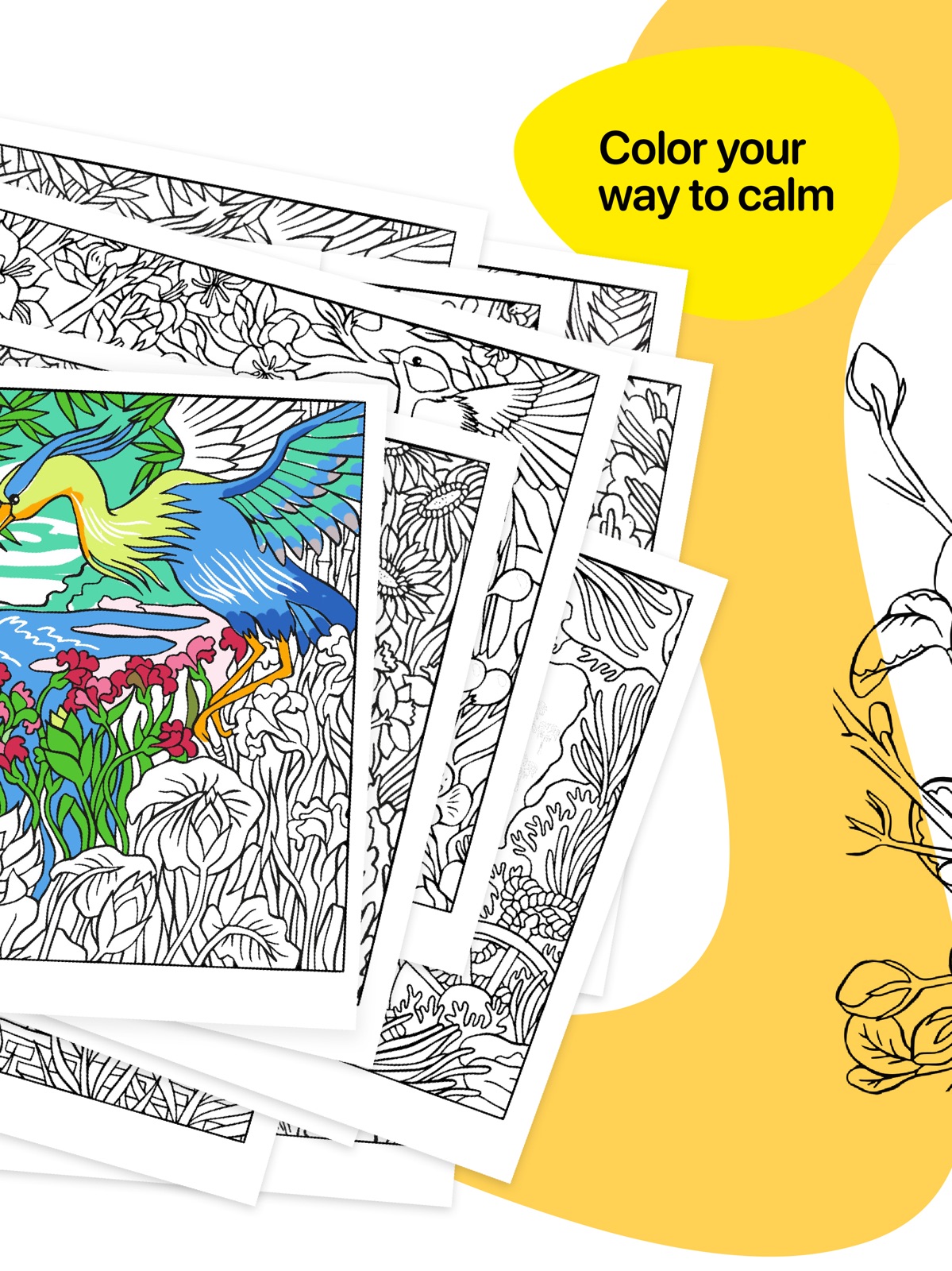
13 store screenshots



Pricing & paywalls
App Store
- Free to download
- In-app purchases
Ratings & reviews
App Store
-
5/5Highly recommend this one!
So I have been using this coloring app now for a little over 2 weeks! I am absolutely in love with it. There are numerous amounts of pages to color, i think it is around 70+, if I’m not mistaken. With new pictures added every so often. There are 4 different coloring tools to use, plus an eraser... Here are a couple suggestions to have added to the app.... 1. when actually coloring- having the ability to use “gradient” coloring effect, or even an effect that resembles hammered steal, or wood grain effect. 2. Adding a few more coloring mediums- like oil pastels, acrylic painting, or maybe even something like or having the effect of “staining”, having colors that have a “glitter” effect (if that’s possible) or maybe an effect as if one had “oil to water” appearance. 3. Offering other styles of pictures to color, such as Mandalas, repeated patterns, or even “kid friendly” pages that are not as complicated to complete. Again, this app is one of my absolute favorite to use for free-handed coloring... polar opposite to the “color by number” app I am also addicted to. It’s nice to switch it up every now and then...Great job to the developers in the creation of this one.
Kevychevy420 · 31 Jul 2026
-
4/5Very enjoyable. Would like a few more options.
The app has a small learning curve. I found myself tapping in the wrong places and messing up my work at first. The drawing selection is just okay. As others have said, it would be nice to see some mandalas or other more abstract drawings. Blending colors isn’t easy. You can best achieve blending with the water color brush, but the pen and even the pencil tool aren’t very good at blending or layering color. A smudge tool would be a great addition. I am using a regular stylus on an iPad and I don’t know if an Apple pen would make a difference. The app would have better flexibility if the brush sizes went a lot smaller. It would also be helpful to be able to lock in a color selection to the palette so you don’t have to keep resampling the color to use it again. Even with the drawbacks, the app is very enjoyable and offers a lot of flexibility with color selection. When you look at what others have achieved in the gallery, good results are clearly possible.
TCtronic · 31 Jul 2026
-
3/5Great tools, lousy pictures
The tools are fantastic, you choose the style you want to use, watercolor, painting, etc. You pick what color and style you want to use on the pictures, it’s not paint by the numbers like other apps. But...there are only 25-30 pictures to choose from, and they are all in one style of art, the animals and everything look the same in every picture. The content of the pictures change, but the look is the same because of the very distinctive drawing style. You don’t get to choose by type, mandalas, animals, flowers like in other programs, they are presented in a book style. Most are animal with a few flower pot ones. I’m quite disappointed, even though it wasn’t much money, I don’t like the style of the art, or the lack of selection. If you don’t want much selection beyond bears, wolves and a few kittens, in a very unusual style, this program is for you. If I could integrate the tools with the selection of most of the other adult coloring apps, that would be the best of both worlds.
checkers90 · 31 Jul 2026
-
3/5Less than ideal
I purchased this because I am very fond of the tools in Tatsui Sketches and thought this would be a great option for a digital coloring book but within 10 min I’m frustrated and disappointed. My biggest frustration is with the eye dropper tool. I’m using my Apple Pencil to color and I am constantly losing my color because the eye dropper is randomly popping up and choosing a different color when I’m trying to color. I thought maybe it was just a fluke and my finger was also touching the screen or something but nope, over and over again it kept screwing things up. The second frustration is the lack of tools. The few they have would generally be fine but I know they can do more. The flexibility of the drawing and coloring tools in Sketches is phenomenal and I would hope they would have brought at least most of that here as well. Finally, they don’t have the full Apple Pencil support. In Sketches you can make sure that if the Pencil is connected then that’s the only source of input and it uses all of various capabilities but here it’s like it doesn’t care if you’re using the expensive stylus, your finger, or a potato. Really if I had my preference I would have been able to purchase these coloring pages as an add on into Tatsui Sketches so I can get the full power there but get to relax and enjoy coloring. I’ll probably still manage to get a few pictures colored but I really wish I could disable that eye dropper or at least relegate it to a button / tool so trigger as desired instead of when it thinks my coloring is actually a hold.
Gleeble · 31 Jul 2026
-
2/5Misleading
I bought this app thinking it would be really great because of excellent marketing skills. But then I started using the app and everything it promised was pretty much misguided. Crashes all the time, when using the pen and my palm touches the screen, my other coloring spots become messed up. There is no such thing as a “smart border”, the colors bleed everywhere — the most annoying thing about this whole app. The instructions are pretty good but the settings are weak because all you can do is turn 3 things on or off. You should be able to select palm detection, smart borders, define your color pallet.. I also really hate how I’m coloring with one color but then it changes to another color and then have to find the color I originally had because the app changes the color you’re using if you rest your pen in one area. Really annoying. Wish I could get my money back and delete the app. At least update it and fix all the kinks if you’re going to take my money. Don’t download.
Iamka09 · 31 Jul 2026
Privacy & accessibility
App Store
Privacy
- Data Not Linked to You — Analytics — Identifiers — Device ID Developer declared
- Data Not Linked to You — Analytics — Usage Data — Product Interaction Developer declared
- Data Not Linked to You — Identifiers Developer declared
- Data Not Linked to You — Usage Data Developer declared
Accessibility
No accessibility labels collected yet.
Versions
App Store
- 1.0
-
10
· 16 Jul 2026
A fresh start: Tayasui Color is now Miyako, the same relaxing escape, even more beautiful. This update adds a brand-new, far more enjoyable navigation, refines the tools, and fixes a few odds and ends.
-
1.1
Apple Pencil support Color Picker Brush Editor
-
1.2
Better smart boundaries.
-
1.3
Fixed a black screen bug on iPod.
-
1.4
Special Rio
-
1.4.2
Minor bug fixes.
-
1.5
Fixed minor bugs.
-
2.0
6 new illustrations.
-
3.0
New : 6 new coloring pages with a winter and Christmas theme.
-
4.0
it's spring time! 6 new drawings to celebrate spring, enjoy!
-
4.1
iPhone X full support
-
5.0
A big update with the addition of new exclusive Gold and Silver textures! We also added 6 new drawings that will make this textures shine!
-
5.1
Fixed crash on opening drawing
-
5.2
Bug fix
-
5.3
Adjustment for iPad Pro
-
6.0
Use Color to go around the world ! Asia, USA, Europe... Escape through these 6 new drawings and discover inspiring and vibrant cultures.
-
7.0
To celebrate the end of the year, enjoy 6 new colorings inspired by Winter !
-
8
5 beautiful new drawings to color made with the artist Olivia De Bona
-
9.0
New drawings New Paint tool All drawings are now available in 4K quality New feature to duplicate a page for a fresh coloring experience New Interface design A lot of new things to enjoy in this spring edition !
-
9.01
Color bar fix on small iPad screens
-
9.1
Bug fixes
-
9.5
A better organization by books and a new Portrait Mode.
Alternatives
- GrainLab Film Grain Editor — Same category + similar ratings
- Video Reverser. — Same category + similar ratings
Availability by market
- US
Data quality & evidence
- Page completeness
- Live store listing
- Last verified
- 31 Jul 2026
- Sources
- App Store
- Independent summary has not been published yet.