
Quick verdict
- What it is
- Store information collected; an Apoku editorial summary is not yet published.
- At a glance
-
- Free to download
Categories and search queries
Official categories
- Productivity
- Education
Apoku categories
Key functions
| Function | Availability | Access | Scope | Evidence |
|---|---|---|---|---|
| Free app | Yes | Free | Context-specific | Store published |
Screens
App Store
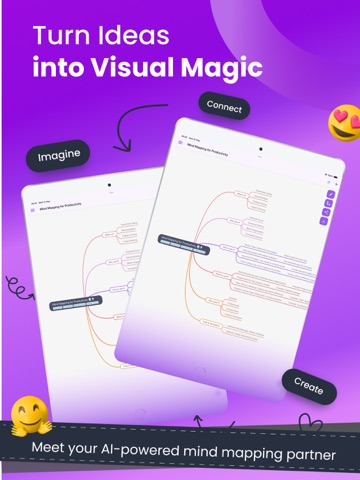
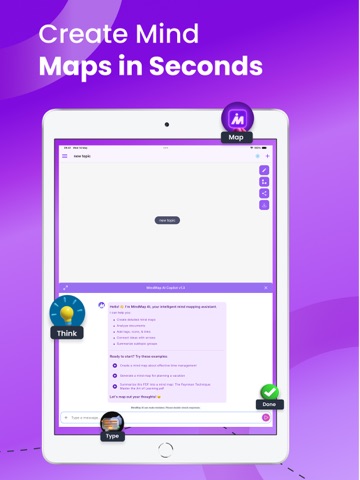
24 store screenshots


Pricing & paywalls
App Store
- Free to download
Ratings & reviews
App Store
-
5/5I'M a medical student from BD. This AI is fascinating for my Medical education.
Very useful for organizing complex medical topics and quick revision. The AI-generated mind maps save time and help connect concepts visually, especially in pathology , physiology and medicine . However,explanations can be oversimplified, so textbooks are still necessary for deep understanding. Best used as a revision and concept-linking tool, not as a replacement for core study.
RA mullah · 6 Aug 2026
-
5/5Best
The best mind map app actually
Solomandro · 6 Aug 2026
-
1/5Appearances Can Be Deceiving
The app doesn’t have a fee nor does it indicate any charges. However, the fact that it works off of credits and they are used up at an extraordinary rate is quite frustrating. So no, it isn’t free and it doesn’t tell you how they are processed. 😒
KiraPW · 6 Aug 2026
Privacy & accessibility
App Store
Privacy
- Data Linked to You — Analytics — Identifiers — User ID Developer declared
- Data Linked to You — App Functionality — Contact Info — Email Address Developer declared
- Data Linked to You — App Functionality — Contact Info — Name Developer declared
- Data Linked to You — App Functionality — Identifiers — User ID Developer declared
- Data Linked to You — App Functionality — User Content — Audio Data Developer declared
- Data Linked to You — App Functionality — User Content — Other User Content Developer declared
- Data Linked to You — App Functionality — User Content — Photos or Videos Developer declared
- Data Linked to You — Developer’s Advertising or Marketing — Contact Info — Email Address Developer declared
- Data Linked to You — Contact Info Developer declared
- Data Linked to You — Identifiers Developer declared
- Data Linked to You — User Content Developer declared
- Data Not Linked to You — Analytics — Diagnostics — Crash Data Developer declared
- Data Not Linked to You — Analytics — Diagnostics — Performance Data Developer declared
- Data Not Linked to You — Analytics — Usage Data — Product Interaction Developer declared
- Data Not Linked to You — App Functionality — Diagnostics — Crash Data Developer declared
- Data Not Linked to You — App Functionality — Diagnostics — Performance Data Developer declared
- Data Not Linked to You — App Functionality — Usage Data — Product Interaction Developer declared
- Data Not Linked to You — Diagnostics Developer declared
- Data Not Linked to You — Usage Data Developer declared
Accessibility
No accessibility labels collected yet.
Versions
App Store
-
1.2.0
Version 1.2.0 (May 2025) AI-Powered Features Smarter tools to help you create and organise mind maps faster than ever. Manual Mind Map Editing Take full control! Edit your mind maps manually with complete flexibility. Download & Import Projects Export your work and re-import it anytime — perfect for backup and collaboration. Duplicate Projects Easily duplicate any mind map project to experiment without losing your original work. Bug Fixes & UI Improvements Enjoy a smoother, faster, and cleaner experience throughout the app.
-
1.2.1
Version 1.2.1 (May 2025) • AI-powered tools to help you create and organize mind maps faster • Bug fixes and performance improvements for a smoother experience
-
1.2.2
Version 1.2.2 (June 2025) • AI-powered tools to help you create and organize mind maps faster • Bug fixes and performance improvements for a smoother experience
-
1.3.0
Version 1.3.0 (July 2025) • AI-powered tools to help you create and organise mind maps faster • Bug fixes and performance improvements for a smoother experience • Apple Login and Google Login added for seamless sign-in options
-
1.4.1
Version 1.4.1 (November 2025) • AI-powered tools to help you create and organise mind maps faster • Bug fixes and performance improvements for a smoother experience • Apple Login and Google Login added for seamless sign-in options
-
2.0.0
Welcome to MindMap AI – your intelligent AI mind map generator that transforms your content into beautifully organised, interactive visual maps. Whether you're brainstorming, learning, planning, or reflecting, MindMap AI blends the power of advanced AI with full manual control to give you the ultimate mind mapping experience. With the new Thinking Mode, MindMap AI now thinks step-by-step, creating cleaner, more structured maps. You can switch between AI assistance and manual editing at any time, customise the look and feel with new themes and node styles, and enhance your maps with practical widgets, dates, and visual markers. MindMap AI transforms your content across major formats – including videos, CSV files, images, plain text, and PDFs — into clear, structured mind maps, helping you organise information visually and effortlessly. Key Features - AI-Powered Mind Map Generation Instantly turn your notes, thoughts, and files into mind maps using the smart AI Copilot and the new Thinking Mode for clearer, more logical structures. - Manual Edit Mode Freely customise, rearrange, and refine your mind maps to match your unique thinking style. Move nodes, rename topics, restructure branches, and stay fully in control. - New Custom Themes and Styling Choose from new custom themes and style individual nodes with different fonts, sizes, and colours so every map looks and feels the way you think. - Widgets, Date and Time Add practical widgets like priorities, checkboxes, and progress, and attach date and time to nodes to track deadlines, events, and milestones directly inside your maps. - Summary and Arrow Styling Highlight key sections with styled summaries and customise arrow styles to show relationships, flows, and dependencies with more visual clarity. - Multi-Format Upload Support Upload images, PDFs, audio, videos, CSVs, and plain text to create structured visual content effortlessly. MindMap AI extracts key ideas and organises them into mind maps for you. - AI Summarise, Expand and Focus Let MindMap AI condense long content, expand ideas creatively, or focus on specific topics within your map. Perfect for revision, research, and planning. - Copilot Assistant Interact with your AI Copilot to explore ideas, clarify thoughts, and improve your maps with guided, context-aware suggestions. - Conversation History Revisit and track the evolution of your ideas, prompts, and edits over time within each project. - Undo, Redo and Retry Edit fearlessly with powerful controls to undo, redo, or retry AI responses at any stage in your mapping flow. - Project Import, Export and Duplication Easily import and export projects, duplicate existing maps to create variations, and manage different versions of your work without starting from scratch. - Export and Download Options Download your mind maps as SVG, PNG, PDF, or Markdown (.md) for seamless sharing, presenting, or documenting your work. - Shareable Links Share your maps with teammates, classmates, or clients via secure links so others can view your visual thinking. - Clean, Intuitive Interface MindMap AI offers a fast, distraction-free experience with a clean interface designed for deep thinking and clear organisation. Use Cases - Brainstorming, Study and Learning Capture ideas fast and turn them into clear visual maps. Convert notes, PDFs and videos into digestible mind maps for easier understanding. - Content Summarisation and Strategy Planning Upload long content and let MindMap AI highlight the key points visually. Plan projects, goals and workflows with priorities, dates and simple task widgets. - Personal Growth and Reflection Map your goals, habits and journal entries into structured views. See patterns, track progress and reflect more clearly on your life. Start mapping your thoughts like never before! Install MindMap AI — the free AI mind map generator — and bring structure, creativity, and clarity to your ideas, one map at a time.
-
2.0.1
Welcome to MindMap AI – your intelligent AI mind map generator that transforms your content into beautifully organised, interactive visual maps. Whether you're brainstorming, learning, planning, or reflecting, MindMap AI blends the power of advanced AI with full manual control to give you the ultimate mind mapping experience. With the new Thinking Mode, MindMap AI now thinks step-by-step, creating cleaner, more structured maps. You can switch between AI assistance and manual editing at any time, customise the look and feel with new themes and node styles, and enhance your maps with practical widgets, dates, and visual markers. MindMap AI transforms your content across major formats – including videos, CSV files, images, plain text, and PDFs — into clear, structured mind maps, helping you organise information visually and effortlessly. Key Features - AI-Powered Mind Map Generation Instantly turn your notes, thoughts, and files into mind maps using the smart AI Copilot and the new Thinking Mode for clearer, more logical structures. - Manual Edit Mode Freely customise, rearrange, and refine your mind maps to match your unique thinking style. Move nodes, rename topics, restructure branches, and stay fully in control. - New Custom Themes and Styling Choose from new custom themes and style individual nodes with different fonts, sizes, and colours so every map looks and feels the way you think. - Widgets, Date and Time Add practical widgets like priorities, checkboxes, and progress, and attach date and time to nodes to track deadlines, events, and milestones directly inside your maps. - Summary and Arrow Styling Highlight key sections with styled summaries and customise arrow styles to show relationships, flows, and dependencies with more visual clarity. - Multi-Format Upload Support Upload images, PDFs, audio, videos, CSVs, and plain text to create structured visual content effortlessly. MindMap AI extracts key ideas and organises them into mind maps for you. - AI Summarise, Expand and Focus Let MindMap AI condense long content, expand ideas creatively, or focus on specific topics within your map. Perfect for revision, research, and planning. - Copilot Assistant Interact with your AI Copilot to explore ideas, clarify thoughts, and improve your maps with guided, context-aware suggestions. - Conversation History Revisit and track the evolution of your ideas, prompts, and edits over time within each project. - Undo, Redo and Retry Edit fearlessly with powerful controls to undo, redo, or retry AI responses at any stage in your mapping flow. - Project Import, Export and Duplication Easily import and export projects, duplicate existing maps to create variations, and manage different versions of your work without starting from scratch. - Export and Download Options Download your mind maps as SVG, PNG, PDF, or Markdown (.md) for seamless sharing, presenting, or documenting your work. - Shareable Links Share your maps with teammates, classmates, or clients via secure links so others can view your visual thinking. - Clean, Intuitive Interface MindMap AI offers a fast, distraction-free experience with a clean interface designed for deep thinking and clear organisation. Use Cases - Brainstorming, Study and Learning Capture ideas fast and turn them into clear visual maps. Convert notes, PDFs and videos into digestible mind maps for easier understanding. - Content Summarisation and Strategy Planning Upload long content and let MindMap AI highlight the key points visually. Plan projects, goals and workflows with priorities, dates and simple task widgets. - Personal Growth and Reflection Map your goals, habits and journal entries into structured views. See patterns, track progress and reflect more clearly on your life. Start mapping your thoughts like never before! Install MindMap AI — the free AI mind map generator — and bring structure, creativity, and clarity to your ideas, one map at a time.
-
2.0.2
Welcome to MindMap AI – your intelligent AI mind map generator that transforms your content into beautifully organised, interactive visual maps. Whether you're brainstorming, learning, planning, or reflecting, MindMap AI blends the power of advanced AI with full manual control to give you the ultimate mind mapping experience. With the new Thinking Mode, MindMap AI now thinks step-by-step, creating cleaner, more structured maps. You can switch between AI assistance and manual editing at any time, customise the look and feel with new themes and node styles, and enhance your maps with practical widgets, dates, and visual markers. MindMap AI transforms your content across major formats – including videos, CSV files, images, plain text, and PDFs — into clear, structured mind maps, helping you organise information visually and effortlessly. Key Features - AI-Powered Mind Map Generation Instantly turn your notes, thoughts, and files into mind maps using the smart AI Copilot and the new Thinking Mode for clearer, more logical structures. - Manual Edit Mode Freely customise, rearrange, and refine your mind maps to match your unique thinking style. Move nodes, rename topics, restructure branches, and stay fully in control. - New Custom Themes and Styling Choose from new custom themes and style individual nodes with different fonts, sizes, and colours so every map looks and feels the way you think. - Widgets, Date and Time Add practical widgets like priorities, checkboxes, and progress, and attach date and time to nodes to track deadlines, events, and milestones directly inside your maps. - Summary and Arrow Styling Highlight key sections with styled summaries and customise arrow styles to show relationships, flows, and dependencies with more visual clarity. - Multi-Format Upload Support Upload images, PDFs, audio, videos, CSVs, and plain text to create structured visual content effortlessly. MindMap AI extracts key ideas and organises them into mind maps for you. - AI Summarise, Expand and Focus Let MindMap AI condense long content, expand ideas creatively, or focus on specific topics within your map. Perfect for revision, research, and planning. - Copilot Assistant Interact with your AI Copilot to explore ideas, clarify thoughts, and improve your maps with guided, context-aware suggestions. - Conversation History Revisit and track the evolution of your ideas, prompts, and edits over time within each project. - Undo, Redo and Retry Edit fearlessly with powerful controls to undo, redo, or retry AI responses at any stage in your mapping flow. - Project Import, Export and Duplication Easily import and export projects, duplicate existing maps to create variations, and manage different versions of your work without starting from scratch. - Export and Download Options Download your mind maps as SVG, PNG, PDF, or Markdown (.md) for seamless sharing, presenting, or documenting your work. - Shareable Links Share your maps with teammates, classmates, or clients via secure links so others can view your visual thinking. - Clean, Intuitive Interface MindMap AI offers a fast, distraction-free experience with a clean interface designed for deep thinking and clear organisation. Use Cases - Brainstorming, Study and Learning Capture ideas fast and turn them into clear visual maps. Convert notes, PDFs and videos into digestible mind maps for easier understanding. - Content Summarisation and Strategy Planning Upload long content and let MindMap AI highlight the key points visually. Plan projects, goals and workflows with priorities, dates and simple task widgets. - Personal Growth and Reflection Map your goals, habits and journal entries into structured views. See patterns, track progress and reflect more clearly on your life. Start mapping your thoughts like never before! Install MindMap AI — the free AI mind map generator — and bring structure, creativity, and clarity to your ideas, one map at a time.
-
2.0.3
Welcome to MindMap AI – your intelligent AI mind map generator that transforms your content into beautifully organised, interactive visual maps. Whether you're brainstorming, learning, planning, or reflecting, MindMap AI blends the power of advanced AI with full manual control to give you the ultimate mind mapping experience. With the new Thinking Mode, MindMap AI now thinks step-by-step, creating cleaner, more structured maps. You can switch between AI assistance and manual editing at any time, customise the look and feel with new themes and node styles, and enhance your maps with practical widgets, dates, and visual markers. MindMap AI transforms your content across major formats – including videos, CSV files, images, plain text, and PDFs — into clear, structured mind maps, helping you organise information visually and effortlessly. Key Features - AI-Powered Mind Map Generation Instantly turn your notes, thoughts, and files into mind maps using the smart AI Copilot and the new Thinking Mode for clearer, more logical structures. - Manual Edit Mode Freely customise, rearrange, and refine your mind maps to match your unique thinking style. Move nodes, rename topics, restructure branches, and stay fully in control. - New Custom Themes and Styling Choose from new custom themes and style individual nodes with different fonts, sizes, and colours so every map looks and feels the way you think. - Widgets, Date and Time Add practical widgets like priorities, checkboxes, and progress, and attach date and time to nodes to track deadlines, events, and milestones directly inside your maps. - Summary and Arrow Styling Highlight key sections with styled summaries and customise arrow styles to show relationships, flows, and dependencies with more visual clarity. - Multi-Format Upload Support Upload images, PDFs, audio, videos, CSVs, and plain text to create structured visual content effortlessly. MindMap AI extracts key ideas and organises them into mind maps for you. - AI Summarise, Expand and Focus Let MindMap AI condense long content, expand ideas creatively, or focus on specific topics within your map. Perfect for revision, research, and planning. - Copilot Assistant Interact with your AI Copilot to explore ideas, clarify thoughts, and improve your maps with guided, context-aware suggestions. - Conversation History Revisit and track the evolution of your ideas, prompts, and edits over time within each project. - Undo, Redo and Retry Edit fearlessly with powerful controls to undo, redo, or retry AI responses at any stage in your mapping flow. - Project Import, Export and Duplication Easily import and export projects, duplicate existing maps to create variations, and manage different versions of your work without starting from scratch. - Export and Download Options Download your mind maps as SVG, PNG, PDF, or Markdown (.md) for seamless sharing, presenting, or documenting your work. - Shareable Links Share your maps with teammates, classmates, or clients via secure links so others can view your visual thinking. - Clean, Intuitive Interface MindMap AI offers a fast, distraction-free experience with a clean interface designed for deep thinking and clear organisation. Use Cases - Brainstorming, Study and Learning Capture ideas fast and turn them into clear visual maps. Convert notes, PDFs and videos into digestible mind maps for easier understanding. - Content Summarisation and Strategy Planning Upload long content and let MindMap AI highlight the key points visually. Plan projects, goals and workflows with priorities, dates and simple task widgets. - Personal Growth and Reflection Map your goals, habits and journal entries into structured views. See patterns, track progress and reflect more clearly on your life. Start mapping your thoughts like never before! Install MindMap AI — the free AI mind map generator — and bring structure, creativity, and clarity to your ideas, one map at a time.
-
2.1.0
Welcome to MindMap AI – your intelligent AI mind map generator that transforms your content into beautifully organised, interactive visual maps. Whether you're brainstorming, learning, planning, or reflecting, MindMap AI blends the power of advanced AI with full manual control to give you the ultimate mind mapping experience. With the new Thinking Mode, MindMap AI now thinks step-by-step, creating cleaner, more structured maps. You can switch between AI assistance and manual editing at any time, customise the look and feel with new themes and node styles, and enhance your maps with practical widgets, dates, and visual markers. MindMap AI transforms your content across major formats – including videos, CSV files, images, plain text, and PDFs — into clear, structured mind maps, helping you organise information visually and effortlessly. Key Features - AI-Powered Mind Map Generation Instantly turn your notes, thoughts, and files into mind maps using the smart AI Copilot and the new Thinking Mode for clearer, more logical structures. - Manual Edit Mode Freely customise, rearrange, and refine your mind maps to match your unique thinking style. Move nodes, rename topics, restructure branches, and stay fully in control. - New Custom Themes and Styling Choose from new custom themes and style individual nodes with different fonts, sizes, and colours so every map looks and feels the way you think. - Widgets, Date and Time Add practical widgets like priorities, checkboxes, and progress, and attach date and time to nodes to track deadlines, events, and milestones directly inside your maps. - Summary and Arrow Styling Highlight key sections with styled summaries and customise arrow styles to show relationships, flows, and dependencies with more visual clarity. - Multi-Format Upload Support Upload images, PDFs, audio, videos, CSVs, and plain text to create structured visual content effortlessly. MindMap AI extracts key ideas and organises them into mind maps for you. - AI Summarise, Expand and Focus Let MindMap AI condense long content, expand ideas creatively, or focus on specific topics within your map. Perfect for revision, research, and planning. - Copilot Assistant Interact with your AI Copilot to explore ideas, clarify thoughts, and improve your maps with guided, context-aware suggestions. - Conversation History Revisit and track the evolution of your ideas, prompts, and edits over time within each project. - Undo, Redo and Retry Edit fearlessly with powerful controls to undo, redo, or retry AI responses at any stage in your mapping flow. - Project Import, Export and Duplication Easily import and export projects, duplicate existing maps to create variations, and manage different versions of your work without starting from scratch. - Export and Download Options Download your mind maps as SVG, PNG, PDF, or Markdown (.md) for seamless sharing, presenting, or documenting your work. - Shareable Links Share your maps with teammates, classmates, or clients via secure links so others can view your visual thinking. - Clean, Intuitive Interface MindMap AI offers a fast, distraction-free experience with a clean interface designed for deep thinking and clear organisation. Use Cases - Brainstorming, Study and Learning Capture ideas fast and turn them into clear visual maps. Convert notes, PDFs and videos into digestible mind maps for easier understanding. - Content Summarisation and Strategy Planning Upload long content and let MindMap AI highlight the key points visually. Plan projects, goals and workflows with priorities, dates and simple task widgets. - Personal Growth and Reflection Map your goals, habits and journal entries into structured views. See patterns, track progress and reflect more clearly on your life. Start mapping your thoughts like never before! Install MindMap AI — the free AI mind map generator — and bring structure, creativity, and clarity to your ideas, one map at a time.
-
2.1.1
Welcome to MindMap AI – your intelligent AI mind map generator that transforms your content into beautifully organised, interactive visual maps. Whether you're brainstorming, learning, planning, or reflecting, MindMap AI blends the power of advanced AI with full manual control to give you the ultimate mind mapping experience. With the new Thinking Mode, MindMap AI now thinks step-by-step, creating cleaner, more structured maps. You can switch between AI assistance and manual editing at any time, customise the look and feel with new themes and node styles, and enhance your maps with practical widgets, dates, and visual markers. MindMap AI transforms your content across major formats – including videos, CSV files, images, plain text, and PDFs — into clear, structured mind maps, helping you organise information visually and effortlessly. Key Features - AI-Powered Mind Map Generation Instantly turn your notes, thoughts, and files into mind maps using the smart AI Copilot and the new Thinking Mode for clearer, more logical structures. - Manual Edit Mode Freely customise, rearrange, and refine your mind maps to match your unique thinking style. Move nodes, rename topics, restructure branches, and stay fully in control. - New Custom Themes and Styling Choose from new custom themes and style individual nodes with different fonts, sizes, and colours so every map looks and feels the way you think. - Widgets, Date and Time Add practical widgets like priorities, checkboxes, and progress, and attach date and time to nodes to track deadlines, events, and milestones directly inside your maps. - Summary and Arrow Styling Highlight key sections with styled summaries and customise arrow styles to show relationships, flows, and dependencies with more visual clarity. - Multi-Format Upload Support Upload images, PDFs, audio, videos, CSVs, and plain text to create structured visual content effortlessly. MindMap AI extracts key ideas and organises them into mind maps for you. - AI Summarise, Expand and Focus Let MindMap AI condense long content, expand ideas creatively, or focus on specific topics within your map. Perfect for revision, research, and planning. - Copilot Assistant Interact with your AI Copilot to explore ideas, clarify thoughts, and improve your maps with guided, context-aware suggestions. - Conversation History Revisit and track the evolution of your ideas, prompts, and edits over time within each project. - Undo, Redo and Retry Edit fearlessly with powerful controls to undo, redo, or retry AI responses at any stage in your mapping flow. - Project Import, Export and Duplication Easily import and export projects, duplicate existing maps to create variations, and manage different versions of your work without starting from scratch. - Export and Download Options Download your mind maps as SVG, PNG, PDF, or Markdown (.md) for seamless sharing, presenting, or documenting your work. - Shareable Links Share your maps with teammates, classmates, or clients via secure links so others can view your visual thinking. - Clean, Intuitive Interface MindMap AI offers a fast, distraction-free experience with a clean interface designed for deep thinking and clear organisation. Use Cases - Brainstorming, Study and Learning Capture ideas fast and turn them into clear visual maps. Convert notes, PDFs and videos into digestible mind maps for easier understanding. - Content Summarisation and Strategy Planning Upload long content and let MindMap AI highlight the key points visually. Plan projects, goals and workflows with priorities, dates and simple task widgets. - Personal Growth and Reflection Map your goals, habits and journal entries into structured views. See patterns, track progress and reflect more clearly on your life. Start mapping your thoughts like never before! Install MindMap AI — the free AI mind map generator — and bring structure, creativity, and clarity to your ideas, one map at a time.
-
2.2.0
We’ve made MindMap AI smarter, faster, and easier to use. This update focuses on clearer AI thinking, improved document handling, better collaboration, and a smoother overall experience. - Thinking Mode (New) Introducing Thinking Mode—our biggest AI upgrade yet. MindMap AI now works step by step to create cleaner, more logical, and better-structured mind maps. This helps reduce clutter, improve idea flow, and make complex topics easier to understand. - Enhanced Document Processing Document-to–mind map conversion is now faster and more accurate. Whether you upload PDFs, text files, or structured documents, MindMap AI extracts key ideas more reliably and organises them into clearer visual maps. - Email Sharing (View-Only) You can now share your mind maps directly via email. Send secure, view-only links to teammates, classmates, or clients so they can explore your visual thinking without editing. - Model Language Selection Choose your preferred language when generating mind maps. This makes MindMap AI more flexible and accessible for users working in different languages. - UI Improvements Enjoy a cleaner, smoother interface with refined layouts, improved spacing, and better visual balance. The updated UI helps you focus on thinking and mapping without distractions. - Bug Fixes & Performance Enhancements We’ve fixed reported issues and improved performance across the app, resulting in better stability, faster interactions, and a more reliable experience overall. Thanks for using MindMap AI! Your feedback continues to shape how we improve visual thinking—keep mapping and thinking smarter.
-
2.3.0
We’ve made MindMap AI smarter, faster, and more reliable. This update focuses on clearer AI thinking, improved document handling, better collaboration, stronger session stability, and a smoother overall experience. - Enhanced Document Processing Document-to–mind map conversion is now faster and more accurate. Whether you upload PDFs, text files, or structured documents, MindMap AI extracts key ideas more reliably and organises them into clearer visual maps. You can now also choose your preferred document processing mode: • On Context Mode – Best for small files. File content is loaded directly into chat history for deeper interaction. • Off Context Mode – Best for large files. AI analyzes documents via tools without loading raw text into chat history. - Model Language Selection You can now select your preferred language for mind map generation. Additionally, users can choose the language in which the AI model responds within the chat, making the experience more flexible and accessible. - UI Improvements Enjoy a cleaner, smoother interface with improved layouts, better spacing, and enhanced visual balance. Navigation and interactions are now more intuitive, helping you focus on thinking and mapping without distractions. - Zoom Bug Fix Fixed an issue related to zoom behavior to ensure smoother navigation and better map control. - Socket Session Stability Fix Resolved session-related socket issues, improving connection reliability and preventing unexpected interruptions during mapping. - Bug Fixes & Performance Enhancements We’ve addressed reported issues and optimized performance across the app, resulting in improved stability, faster interactions, and a more dependable experience overall. Thank you for using MindMap AI! Your feedback helps us continuously improve visual thinking—keep mapping and thinking smarter.
-
2.4.0
We’ve made MindMap AI faster, smoother, and more reliable to improve your overall mapping experience. • Added workspace support for better team collaboration • Improved the UI for a cleaner, smoother experience • Fixed banner-related issues • Included general bug fixes and performance improvements Thank you for using MindMap AI. Your feedback helps us continue improving the app.
-
2.4.3
We’ve made MindMap AI faster, smoother, and more reliable to improve your overall mapping experience. • Added workspace support for better team collaboration • Added draft message support • Updated the event processor • Improved the UI for a cleaner, smoother experience • Fixed banner-related issues • Included general bug fixes and performance improvements Thank you for using MindMap AI. Your feedback helps us continue improving the app.
-
2.5.0
We’ve made MindMap AI faster, smoother, and more powerful to improve your overall mapping experience. • Added outline support for mind maps • Added theme preview for easier customisation • Added import support for MindManager and XMind projects • Improved the UI for a cleaner, smoother experience • Included bug fixes and performance improvements Thank you for using MindMap AI. Your feedback helps us continue improving the app.
-
2.5.1
We’ve made MindMap AI faster, smoother, and more powerful to improve your overall mapping experience. • Added outline support for mind maps • Added theme preview for easier customisation • Added import support for MindManager and XMind projects • Improved the UI for a cleaner, smoother experience • Included bug fixes and performance improvements Thank you for using MindMap AI. Your feedback helps us continue improving the app.
-
2.6.0
We’ve made MindMap AI faster, smoother, and more powerful to improve your overall mapping experience. • Added outline support for mind maps • Added theme preview and background color support for easier customisation • Added import support for MindManager, XMind, SimpleMind, and FreePlane projects • Improved the UI for a cleaner, smoother experience • Included bug fixes and performance improvements Thank you for using MindMap AI. Your feedback helps us continue improving the app.
-
2.7.0
We’ve made MindMap AI faster, smoother, and more powerful to improve your overall mapping experience. • Added outline support for mind maps • Added theme preview and background color support for easier customisation • Added import support for MindManager, XMind, SimpleMind, and FreePlane projects • Improved the UI for a cleaner, smoother experience • Included bug fixes and performance improvements Thank you for using MindMap AI. Your feedback helps us continue improving the app.
-
2.7.1
We’ve made MindMap AI faster, smoother, and more powerful to improve your overall mapping experience. • Added outline support for mind maps • Added theme preview and background color support for easier customisation • Added import support for MindManager, XMind, SimpleMind, and FreePlane projects • Improved the UI for a cleaner, smoother experience • Included bug fixes and performance improvements Thank you for using MindMap AI. Your feedback helps us continue improving the app.
-
2.8.0
We’ve made MindMap AI faster, smoother, and more powerful to improve your overall mapping experience. • Added outline support for mind maps • Added theme preview and background color support for easier customisation • Added import support for MindManager, XMind, SimpleMind, and FreePlane projects • Improved the UI for a cleaner, smoother experience • Included bug fixes and performance improvements Thank you for using MindMap AI. Your feedback helps us continue improving the app.
-
2.8.1
We’ve made MindMap AI faster, smoother, and more powerful to improve your overall mapping experience. • Added outline support for mind maps • Added theme preview and background color support for easier customisation • Added import support for MindManager, XMind, SimpleMind, and FreePlane projects • Improved the UI for a cleaner, smoother experience • Included bug fixes and performance improvements Thank you for using MindMap AI. Your feedback helps us continue improving the app.
-
2.8.2
We’ve made MindMap AI faster, smoother, and more powerful to improve your overall mapping experience. • Added outline support for mind maps • Added theme preview and background color support for easier customisation • Added import support for MindManager, XMind, SimpleMind, and FreePlane projects • Improved the UI for a cleaner, smoother experience • Included bug fixes and performance improvements Thank you for using MindMap AI. Your feedback helps us continue improving the app.
-
2.8.3
We’ve made MindMap AI faster, smoother, and more powerful to improve your overall mapping experience. • Added outline support for mind maps • Added theme preview and background color support for easier customisation • Added import support for MindManager, XMind, SimpleMind, Mapify, FreeMind, Coggle and FreePlane projects • Improved the UI for a cleaner, smoother experience • Included bug fixes and performance improvements Thank you for using MindMap AI. Your feedback helps us continue improving the app.
-
2.9.0
· 22 Jul 2026
We’ve made MindMap AI faster, smoother, and more powerful to improve your overall mapping experience. • Added outline support for mind maps • Added theme preview and background color support for easier customisation • Added import support for MindManager, XMind, SimpleMind, Mapify, FreeMind, Coggle and FreePlane projects • Improved the UI for a cleaner, smoother experience • Included bug fixes and performance improvements Thank you for using MindMap AI. Your feedback helps us continue improving the app.
Alternatives
- Mindz - Mind Map & Outline — Same category + similar ratings
- MindThread — Same category + similar ratings
- Parcae: Mind Map AI Generator — Same category + similar ratings
- Mind Map: Flow — Same category + similar ratings
- MindFlow: AI Mind Map Maker — Same category + similar ratings
- VisuallyMind: Mind Mapping — Same category + similar ratings
Availability by market
- US
Data quality & evidence
- Page completeness
- Live store listing
- Last verified
- 6 Aug 2026
- Sources
- App Store
- Apoku editorial summary has not been published yet.