
Quick verdict
- What it is
- Store information collected; an Apoku editorial summary is not yet published.
- At a glance
-
- Free to download
- In-app purchases
Categories and search queries
Official categories
- Productivity
- Business
Apoku categories
Key functions
| Function | Availability | Access | Scope | Evidence |
|---|---|---|---|---|
| Free app | Yes | Free | Context-specific | Store published |
| In-app purchases | Yes | Limited free | Context-specific | Store published |
| Apple Wallet | Unknown | Unknown | Scope unknown | Store published |
| Siri Shortcuts | Unknown | Unknown | Scope unknown | Store published |
Screens
26 store screenshots

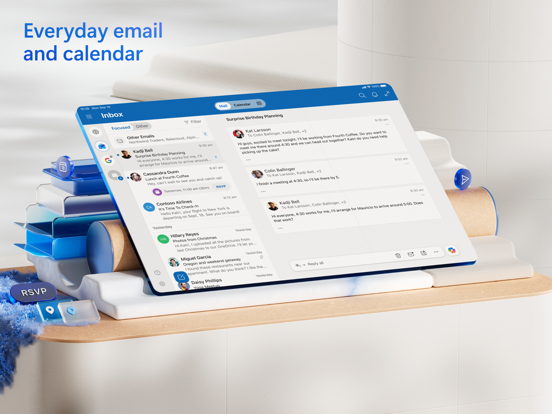

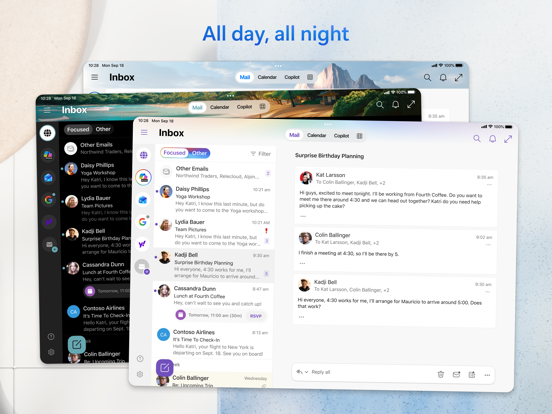
10 store screenshots


Pricing & paywalls
- Microsoft 365 Basic — $1.99
- Microsoft 365 Family — $12.99
- Microsoft 365 Personal — $9.99
- Free to download
- In-app purchases: $1.99 - $12.99 per item
Ratings & reviews
-
5/5Massive Improvements from 2020 and Before
As the years have passed, outlook has consistently improved to a point that I am recommending its use to all my friends and family. While nothing is ever perfect and can always be improved I think it’s important note the quality, service, and features that have been implemented as of late. As one of the largest tech companies, Microsoft is poised to shape the industry and oh boy has it ever. I am in love with the ability of end user to finally report phishing attempts and other emails for different categories on mobile and desktop finally! I wish we could setup and manage rules from mobile but perhaps that’s something coming in the future. Outlook still, despite the lack of a few minor things, sits atop the rest in my opinion, ease of use and operation is highly scoring for me and I believe this is something that should be advertised to the populous. It’s very effective with its protections and sometimes maybe too over zealous with junk classification but that’s okay because it’s simply resolved through marking as not junk which will ad them to safe senders. I love the unsubscribe feature and many others that I can’t remember right now. The only thing I’m really missing and haven’t quite figured it out yet is how to install extensions to the new outlook, such as my antivirus from BitDefender/NETGEAR which should scan inbound and outbound emails and be an add-in. Over all the product itself is great!!! Highly recommended
Cyber_Dispensed · 29 Sep 2026
-
5/5Continues To Improve
I have been using Outlook on IOS daily for at least the last 5 years, and I would give it 4.5 stars but only had the option of 4 or 5 and feel it is better than 4 stars but definitely not a perfect 5. I will say over that time they have made some significant improvements that enable me to do more directly from my phone like sending a copy of an email to One Note and creating a task from an email. I do wish MS would wrap the “To Do” app into Outlook and feature it as a tab at the bottom like the calendar, contacts and mail. I think it’s harder having to go between two apps. I would also like to see the ability to load a signature with graphics, logos, etc. like I have in Outlook online or on my Mac. I know this is likely more of an Apple problem than MS, but it would be close to great if this could be added. Finally, (and this may be my own ineptitude) I would love to be able to select having my contacts on my phone without having them download into the main contacts of my phone. Why can’t they live in the contact folder of the app? I know you can filter which contacts you see but I don’t like having my personal contacts mixed in with hundreds of business contacts when I want to find a friend’s address or update their contact information or see all my personal contacts in a list for cleaning up duplicates, etc. Overall, the app has improved immensely in 5 years and as a traveling sales person it allows me to do much more from my phone than when I started using it and it was just sending and receiving emails.
SCTVGirl78 · 29 Sep 2026
-
5/5Not really as good as web/Mac apps
The email functions in this app are mostly fine. It is the calendar that is lacking. There is no option to categorize (color-code). Furthermore, even if you use web/desktop/Mac to set up the events (so that you can categorize), the colors don’t show up the same in the iPad app!! They still show up as colors… just not always the same ones. For example, I currently am using blue, green, red, and orange to color-code. For whatever reason, the red events are pink on the iPad and the blue events are red. The iPhone app’s category colors are the same as the ones on the iPad (which are not the ones I actually chose). Ridiculous. Also, on all other platforms if you schedule a multi-day event and set status as “free”, the event only shows up at the top, same as an “all-day” event (and this is what I would expect and want). But on the iPad app, it shows up at the top AND it shows up down below for the first and last day. Obviously that makes no sense. The iPhone app is, once again, exactly the same. Switching the view to “agenda” fixes this issue, but “agenda” view on the iPad wastes over half the screen (on the iPhone, however, it’s actually the best view in my opinion - and it’s the default). All in all, using this app is a frustrating experience and so I have been reverting to using the web app on my iPad. On my iPhone, however, the web app is highly impractical and so I just get confused until I remember that Microsoft can’t make the colors you select actually appear on the screen.
fullycaffeinated · 29 Sep 2026
-
5/5Outlook is a great app with robust features and function
I am a lifelong Outlook user - personal and business. I’ve always liked it, but full disclosure, I haven’t explored many other alternatives to the MS suite, so I don’t know what else is out there. I’ve used gmail & yahoo and think they’re ok. I tried OpenOffice and did not like it (that was a very long time ago). I am retired now. I have a Windows laptop and have been using iphone/ipad Office/MS365 for years. I have a paid MS365 subscription. It’s expensive, but for my needs, worth it. Some things are important, to me, and worth paying for like: productivity suite, cloud backup, ID theft protection and antivirus software, but Defender has gotten much better + it’s native to Windows & free! : ) I used the native Apple mail app when I first got my devices, out of ignorance. Then, I don’t remember when or why, I switched to Outlook. Wow! What a difference! Great features and function, like: drag & drop, customize your view, many of the same features as Outlook on the desktop, though there are some things I can do on my laptop that I cannot do on mobile, e.g. attach an outlook email to an email, delete an attachment from an email, change the name of or move a folder, no junk email options, cannot hover over a link to check the url, cannot view a zip file. I have to go to the web or my laptop to do these things. I am not a Microsoft fan, but I am a HUGE MS365/outlook fan. I really love these products - mostly I use Word, Excel, PPPT, Outlook. They work well for my needs. And just as an aside, I find excel to be superior in feature and function to Numbers. So an endorsement not just for Outlook, but for MS365 suite - IMHO! ; )
DMT5217 · 29 Sep 2026
-
4/5Really good for the most part
The Outlook iPhone app has really saved me and my office and helped us transition to a work-from-home environment really smoothly, and I am forever grateful for how easy the app is to use. It takes almost no time to fetch new mail, and is very intuitive, as far as offering quick replies and suggestions for where to move messages. That being said, I have a few minor issues with the app. Could just be a bug on my phones, but I’ve never been able to get notifications for the app (push, badges, nor sounds). I thought it was just my iPhone 7 that was preventing the app from showing notifications, but now I have the 12 pro and still see no options to turn on notifications (within the app, nor my phone’s notification settings). The search feature is also not the best within the app. I’ll have an email I know I sent, yet I type in a keyword in the app and nothing comes up. I have to go on my computer to find it. I think it also stops searching messages from more than a few months before, or maybe has a cap as to how many search results it can yield. A little frustrating but not the end of the world. Lastly, the way the folders are set up is kind of annoying. I wish the folder menu could be hidden as it has been grouped together when I created the folders. For example, to get to my sent folder, I have to scroll all the way down past all the folders I’ve created within my inbox. On the computer, I would be able to expand every folder if I wanted, or keep all the subfolders hidden if I choose. The app does not allow you to do that. Again, not huge issues. Just could be better.
me02655 · 29 Sep 2026
-
5/5
I like using Outlook for both personal and business accounts. I like that I have a focused inbox that separates the important emails from the general automatically.
kelly baer · 29 Jul 2026
-
1/5
I've had the same email address since I moved to my home in 1999 using dial-up. I needed to read some documents from my email at the library. Now all of a sudden instead of getting the box to type my password, I'm told I need another email address to log in. This is BS. please chang it back so I can log in. some emails are hard to read off my cellphone.
Dale Baker · 29 Jul 2026
-
5/5
woooow great 👍 app
S Hoyi · 29 Jul 2026
-
5/5
I enjoy it
Baba Hamdu · 29 Jul 2026
-
5/5
good for emil
michael rob simon byrne · 29 Jul 2026
Privacy & accessibility
Privacy
- Data Linked to You — Analytics — Diagnostics — Crash Data Developer declared
- Data Linked to You — Analytics — Diagnostics — Other Diagnostic Data Developer declared
- Data Linked to You — Analytics — Diagnostics — Performance Data Developer declared
- Data Linked to You — Analytics — Identifiers — Device ID Developer declared
- Data Linked to You — Analytics — Identifiers — User ID Developer declared
- Data Linked to You — Analytics — Search History Developer declared
- Data Linked to You — Analytics — Usage Data — Advertising Data Developer declared
- Data Linked to You — Analytics — Usage Data — Product Interaction Developer declared
- Data Linked to You — Analytics — User Content — Emails or Text Messages Developer declared
- Data Linked to You — App Functionality — Contact Info — Email Address Developer declared
- Data Linked to You — App Functionality — Contact Info — Name Developer declared
- Data Linked to You — App Functionality — Contact Info — Phone Number Developer declared
- Data Linked to You — App Functionality — Contacts Developer declared
- Data Linked to You — App Functionality — Diagnostics — Crash Data Developer declared
- Data Linked to You — App Functionality — Diagnostics — Other Diagnostic Data Developer declared
- Data Linked to You — App Functionality — Diagnostics — Performance Data Developer declared
- Data Linked to You — App Functionality — Identifiers — Device ID Developer declared
- Data Linked to You — App Functionality — Identifiers — User ID Developer declared
- Data Linked to You — App Functionality — Search History Developer declared
- Data Linked to You — App Functionality — Usage Data — Product Interaction Developer declared
- Data Linked to You — App Functionality — User Content — Customer Support Developer declared
- Data Linked to You — App Functionality — User Content — Emails or Text Messages Developer declared
- Data Linked to You — App Functionality — User Content — Photos or Videos Developer declared
- Data Linked to You — Developer’s Advertising or Marketing — Usage Data — Advertising Data Developer declared
- Data Linked to You — Product Personalization — Contacts Developer declared
- Data Linked to You — Product Personalization — Search History Developer declared
- Data Linked to You — Product Personalization — Usage Data — Product Interaction Developer declared
- Data Linked to You — Product Personalization — User Content — Emails or Text Messages Developer declared
- Data Linked to You — Third-Party Advertising — Usage Data — Advertising Data Developer declared
- Data Linked to You — Contact Info Developer declared
- Data Linked to You — Contacts Developer declared
- Data Linked to You — Diagnostics Developer declared
- Data Linked to You — Identifiers Developer declared
- Data Linked to You — Search History Developer declared
- Data Linked to You — Usage Data Developer declared
- Data Linked to You — User Content Developer declared
- Data Not Linked to You — App Functionality — Location — Precise Location Developer declared
- Data Not Linked to You — Location Developer declared
- Data Used to Track You — Usage Data — Advertising Data Developer declared
- Data Used to Track You — Usage Data Developer declared
Accessibility
No accessibility labels collected yet.
Privacy
- Data collected — Analytics — App activity — Installed apps Developer declared
- Data collected — Analytics — App info and performance — Crash logs Developer declared
- Data collected — Analytics — App info and performance — Diagnostics Developer declared
- Data collected — Analytics — App info and performance — Other app performance data Developer declared
- Data collected — Analytics, Advertising or marketing — Device or other IDs Developer declared
- Data collected — App functionality — Audio — Music files Developer declared
- Data collected — App functionality — Audio — Other audio files Developer declared
- Data collected — App functionality — Audio — Voice or sound recordings Developer declared
- Data collected — App functionality — Files and docs Developer declared
- Data collected — App functionality — Photos and videos — Photos Developer declared
- Data collected — App functionality — Photos and videos — Videos Developer declared
- Data collected — App functionality, Account management — Personal info — User IDs Developer declared
- Data collected — App functionality, Analytics — App activity — Other actions Developer declared
- Data collected — App functionality, Analytics, Personalization — App activity — App interactions Developer declared
- Data collected — App functionality, Analytics, Personalization — App activity — In-app search history Developer declared
- Data collected — App functionality, Analytics, Personalization — App activity — Other user-generated content Developer declared
- Data collected — App functionality, Analytics, Personalization — Calendar — Calendar events Developer declared
- Data collected — App functionality, Analytics, Personalization — Contacts Developer declared
- Data collected — App functionality, Analytics, Personalization — Messages — Emails Developer declared
- Data collected — App functionality, Fraud prevention, security, and compliance — Personal info — Phone number Developer declared
- Data collected — App functionality, Personalization, Account management — Personal info — Email address Developer declared
- Data collected — App functionality, Personalization, Account management — Personal info — Name Developer declared
- Data shared — Advertising or marketing — Device or other IDs Developer declared
- Security practices — Your data is transferred over a secure connection — Data is encrypted in transit Developer declared
- Security practices — The developer provides a way for you to request that your data be deleted — You can request that data be deleted Developer declared
Accessibility
No accessibility labels collected yet.
Versions
-
5.2609.2
This update includes performance improvements and bug fixes to make Outlook better for you. Feel free to send us any comments or questions by going to Settings > Help & Feedback – we’d love to hear from you.
-
5.2610.0
This update includes performance improvements and bug fixes to make Outlook better for you. Feel free to send us any comments or questions by going to Settings > Help & Feedback – we’d love to hear from you.
-
5.2610.1
This update includes performance improvements and bug fixes to make Outlook better for you. Feel free to send us any comments or questions by going to Settings > Help & Feedback – we’d love to hear from you.
-
5.2611.0
This update includes performance improvements and bug fixes to make Outlook better for you. Feel free to send us any comments or questions by going to Settings > Help & Feedback – we’d love to hear from you.
-
5.2611.1
This update includes performance improvements and bug fixes to make Outlook better for you. Feel free to send us any comments or questions by going to Settings > Help & Feedback – we’d love to hear from you.
-
5.2612.0
This update includes performance improvements and bug fixes to make Outlook better for you. Feel free to send us any comments or questions by going to Settings > Help & Feedback – we’d love to hear from you.
-
5.2613.0
This update includes performance improvements and bug fixes to make Outlook better for you. Feel free to send us any comments or questions by going to Settings > Help & Feedback – we’d love to hear from you.
-
5.2614.0
This update includes performance improvements and bug fixes to make Outlook better for you. Feel free to send us any comments or questions by going to Settings > Help & Feedback – we’d love to hear from you.
-
5.2615.0
This update includes performance improvements and bug fixes to make Outlook better for you. Feel free to send us any comments or questions by going to Settings > Help & Feedback – we’d love to hear from you.
-
5.2616.0
This update includes performance improvements and bug fixes to make Outlook better for you. Feel free to send us any comments or questions by going to Settings > Help & Feedback – we’d love to hear from you.
-
5.2617.0
This update includes performance improvements and bug fixes to make Outlook better for you. Feel free to send us any comments or questions by going to Settings > Help & Feedback – we’d love to hear from you.
-
5.2617.1
This update includes performance improvements and bug fixes to make Outlook better for you. Feel free to send us any comments or questions by going to Settings > Help & Feedback – we’d love to hear from you.
-
5.2618.0
This update includes performance improvements and bug fixes to make Outlook better for you. Feel free to send us any comments or questions by going to Settings > Help & Feedback – we’d love to hear from you.
-
5.2619.0
This update includes performance improvements and bug fixes to make Outlook better for you. Feel free to send us any comments or questions by going to Settings > Help & Feedback – we’d love to hear from you.
-
5.2620.0
This update includes performance improvements and bug fixes to make Outlook better for you. Feel free to send us any comments or questions by going to Settings > Help & Feedback – we’d love to hear from you.
-
5.2621.0
This update includes performance improvements and bug fixes to make Outlook better for you. Feel free to send us any comments or questions by going to Settings > Help & Feedback – we’d love to hear from you.
-
5.2621.1
This update includes performance improvements and bug fixes to make Outlook better for you. Feel free to send us any comments or questions by going to Settings > Help & Feedback – we’d love to hear from you.
-
5.2622.0
This update includes performance improvements and bug fixes to make Outlook better for you. Feel free to send us any comments or questions by going to Settings > Help & Feedback – we’d love to hear from you.
-
5.2623.0
This update includes performance improvements and bug fixes to make Outlook better for you. Feel free to send us any comments or questions by going to Settings > Help & Feedback – we’d love to hear from you.
-
5.2624.0
This update includes performance improvements and bug fixes to make Outlook better for you. Feel free to send us any comments or questions by going to Settings > Help & Feedback – we’d love to hear from you.
-
5.2625.0
This update includes performance improvements and bug fixes to make Outlook better for you. Feel free to send us any comments or questions by going to Settings > Help & Feedback – we’d love to hear from you.
-
5.2626.0
This update includes performance improvements and bug fixes to make Outlook better for you. Feel free to send us any comments or questions by going to Settings > Help & Feedback – we’d love to hear from you.
-
5.2627.0
This update includes performance improvements and bug fixes to make Outlook better for you. Feel free to send us any comments or questions by going to Settings > Help & Feedback – we’d love to hear from you.
-
5.2628.0
This update includes performance improvements and bug fixes to make Outlook better for you. Feel free to send us any comments or questions by going to Settings > Help & Feedback – we’d love to hear from you.
-
5.2629.0
· 27 Jul 2026
This update includes performance improvements and bug fixes to make Outlook better for you. Feel free to send us any comments or questions by going to Settings > Help & Feedback – we’d love to hear from you.
-
5.2630.0
This update includes performance improvements and bug fixes to make Outlook better for you. Feel free to send us any comments or questions by going to Settings > Help & Feedback – we’d love to hear from you.
-
5.2631.0
This update includes performance improvements and bug fixes to make Outlook better for you. Feel free to send us any comments or questions by going to Settings > Help & Feedback – we’d love to hear from you.
-
5.2632.0
This update includes performance improvements and bug fixes to make Outlook better for you. Feel free to send us any comments or questions by going to Settings > Help & Feedback – we’d love to hear from you.
-
5.2633.0
· 24 Aug 2026
This update includes performance improvements and bug fixes to make Outlook better for you. Feel free to send us any comments or questions by going to Settings > Help & Feedback – we’d love to hear from you.
-
5.2634.0
This update includes performance improvements and bug fixes to make Outlook better for you. Feel free to send us any comments or questions by going to Settings > Help & Feedback – we’d love to hear from you.
-
5.2635.0
This update includes performance improvements and bug fixes to make Outlook better for you. Feel free to send us any comments or questions by going to Settings > Help & Feedback – we’d love to hear from you.
-
5.2635.1
This update includes performance improvements and bug fixes to make Outlook better for you. Feel free to send us any comments or questions by going to Settings > Help & Feedback – we’d love to hear from you.
-
5.2637.0
This update includes performance improvements and bug fixes to make Outlook better for you. Feel free to send us any comments or questions by going to Settings > Help & Feedback – we’d love to hear from you.
-
5.2637.1
· 25 Sep 2026
This update includes performance improvements and bug fixes to make Outlook better for you. Feel free to send us any comments or questions by going to Settings > Help & Feedback – we’d love to hear from you.
-
5.2637.2
This update includes performance improvements and bug fixes to make Outlook better for you. Feel free to send us any comments or questions by going to Settings > Help & Feedback – we’d love to hear from you.
-
5.2638.0
· 29 Sep 2026
This update includes performance improvements and bug fixes to make Outlook better for you. Feel free to send us any comments or questions by going to Settings > Help & Feedback – we’d love to hear from you.
- 5.2628.1 · 28 Jul 2026
- 5.2629.2 · 30 Jul 2026
- 5.2632.1 · 26 Aug 2026
- 5.2633.1 · 26 Aug 2026
- 5.2637.3 · 27 Sep 2026
Alternatives
- Google Drive — Same category + similar ratings
- Box: The power of Content + AI — Same category + similar ratings
- Google Calendar: Get Organized — Same category + similar ratings
- Google Sheets — Same category + similar ratings
- Google One — Same category + similar ratings
- Google Docs — Same category + similar ratings
Availability by market
- US
Data quality & evidence
- Page completeness
- Live store listing
- Last verified
- 30 Sep 2026
- Sources
- App Store, Google Play
- Apoku editorial summary has not been published yet.