
Quick verdict
- What it is
- Store information collected; an Apoku editorial summary is not yet published.
- At a glance
-
- Free to download
- In-app purchases
Categories and search queries
Official categories
- Productivity
- Business
Apoku categories
Key functions
| Function | Availability | Access | Scope | Evidence |
|---|---|---|---|---|
| Free app | Yes | Free | Context-specific | Store published |
| In-app purchases | Yes | Limited free | Context-specific | Store published |
Screens
App Store
16 store screenshots
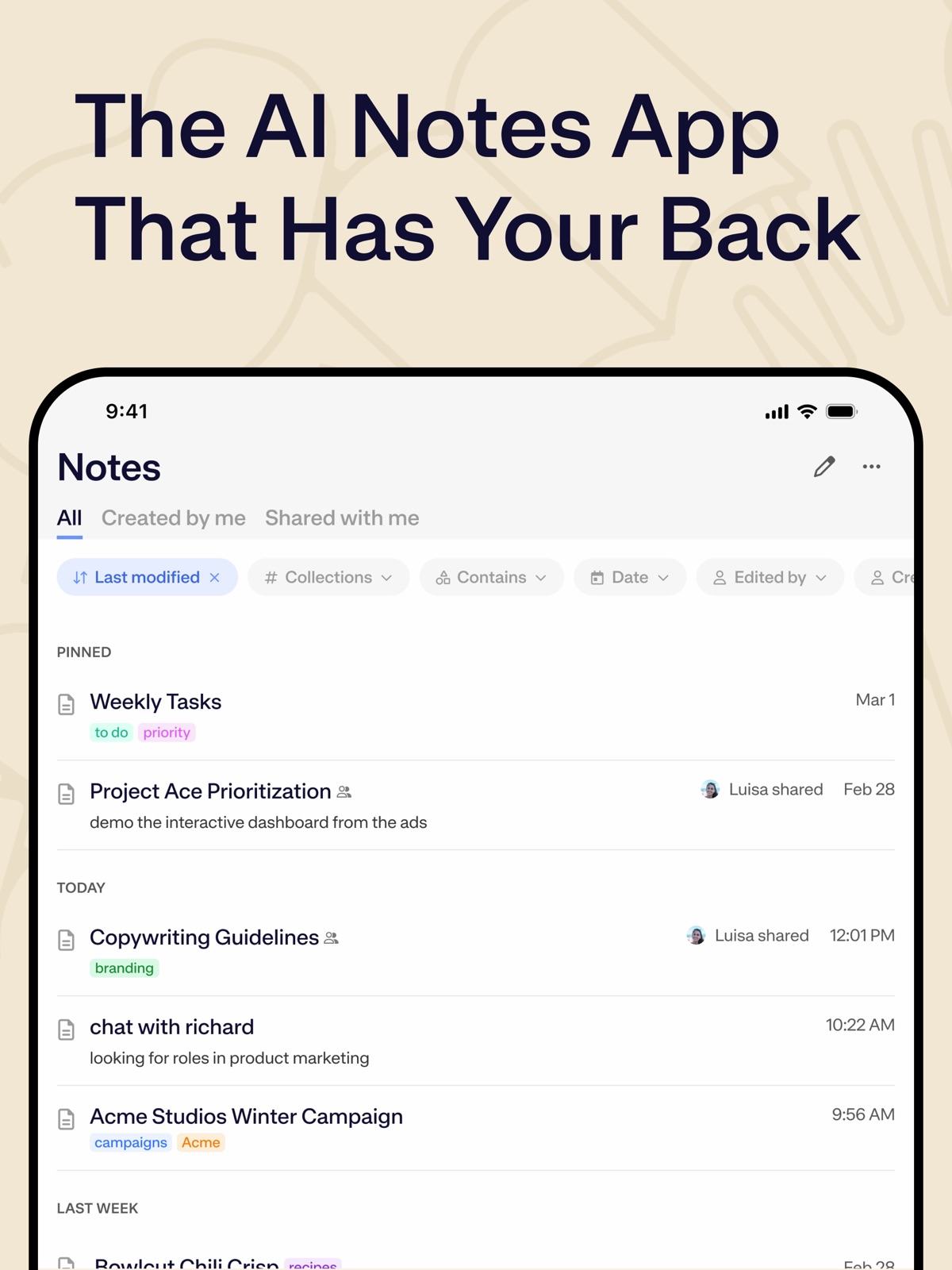

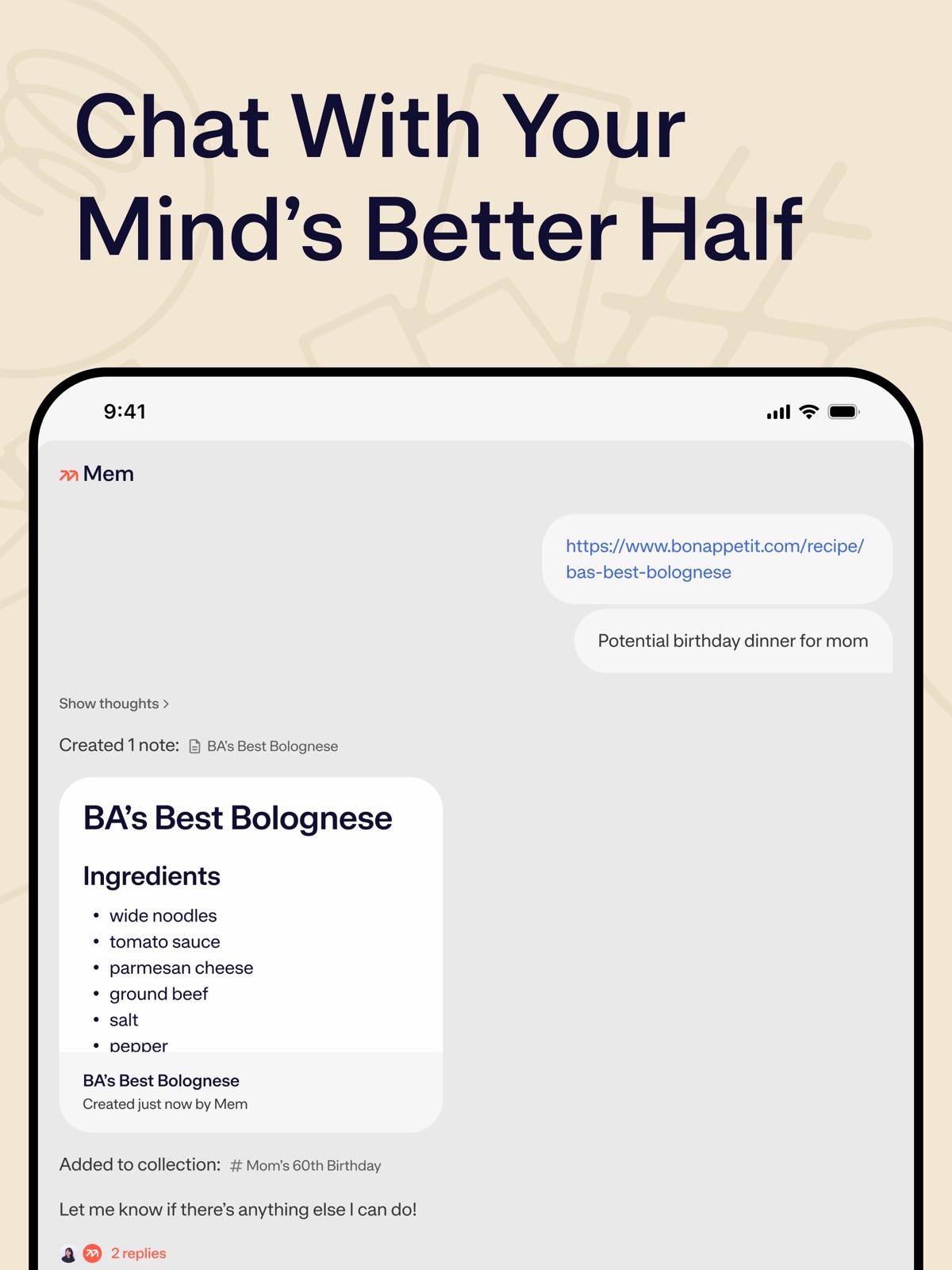

Pricing & paywalls
App Store
- Free to download
- In-app purchases
Ratings & reviews
App Store
-
5/5Amazing, simply magnificent
This is such an amazing app. I work in IT and juggle a lot of different information. Something I’ve struggled with is keeping up with notes and organizing things I learn. When time comes to find something I did or the answer to something I’ve worked on before I struggle. Not anymore this is an amazing app and I couldn’t be more excited. I’d gladly pay for double the price because that is how valuable this is. This really has boosted my productivity working on Mac and iOS. Reward yourself and watch the tutorial and try it out.
ErikMacUser · 31 Jul 2026
-
3/5Surprise 2-hour meeting limit; some bugs (explained below)
Happy to change this to a five-star review if this gets fixed. I’m a paid user on the Pro plan. I had switched from Granola which is able to record long meetings. Mem seemed better because all my personal notes and meeting notes can live together. I joined an important industry webinar that was four hours long. I left my computer because I knew Mem was taking notes, and it was really the summary I needed, but when I can came back I was surprised to learn Mem has a two hour limit on the paid plan. Why? Very disappointed, I needed that info and relied on Mem when I should have used Granola. I’ll also sometimes ask the app to make a change to a note (that is clearly selected and named in the chat) and it makes changes to the previous note I was working on. The typing in the iOS app also feels slightly delayed, not as fast as Google Keep or iOS notes or Granola. There are other small bugs I’d like to see fixed and features I’d like to see added (e.g., better task management capabilities), but I know those things will take time. Currently, the two hour limit recording time was a big disappointment, especially because I had relied on Mem. I’m rooting for Mem. There needs to be something like this on the marketplace. Mem just needs to get the meeting call length and features quality better, something closer to Granola. Happy to change this to a 5-star review if the recording length gets fixed.
DSParry · 31 Jul 2026
-
3/5Not actually “voice activated”
This app has amazing potential, but for my use case doesn’t work well because it isn’t actually voice activated/hands free. When I am driving home from work I want to be able to create notes for all the meetings I had that day, but in order to do that it requires numerous taps that I can’t do while driving: open the app, tap create note, then locate the teeny tiny microphone icon at the bottom of the screen to tap and THEN begin true hands-free use. I can’t find any information on creating a Siri shortcut that would allow me to say “Create a new note in Mem” that would be truly voice activated and hands free. Without this integration/option the app is of limited value, but has amazing potential. I also find it quite frustrating that their blog post from Sept. 2024 actually shows the mobile app with a giant microphone icon on the screen and says “Voice Activated”, but this seems to simply be a mock-up and not how the real app looks or works. Feels like false advertising. Update after using for a few days: there is no way to export notes as PDF to another app and the app is very glitchy in terms of syncing across devices so you can’t count on being able to retrieve notes elsewhere.
fireflyvixen · 31 Jul 2026
-
3/5Love the app, doesn’t support my specific use case.
I’ve tried this app and really enjoyed it for managing my notes for one role. However, it’s only set up currently for people who have one specific role. As soon as I added a second job to the mix or started adding personal notes, the space simply got too cluttered. Had to switch to Craft in the meantime because they support the ability to easily switch between multiple “spaces” where I can segment different jobs and roles from one another, as well as maintain a dedicated space for my own personal notes. Overall, it’s a great app. My use case is not everyone’s use case. But I do hope that Mem will consider adding segmented spaces in the future so I don’t have to create multiple accounts, each with their own paid subscription. That just doesn’t make sense for most people who wear multiple hats. If they’re able to do this, I would absolutely switch back.
anthonybele · 31 Jul 2026
-
5/5The Future of Note Taking
This app is now officially complete, and it stands as the best notetaking app on the market. Initially, Mem faced some challenges, but with this new refresh, they’ve truly gotten it right. No more endless organizing or wasting time developing a system—just jot down your notes or let it assist you in creating one, and you’re on your way. Don’t spend countless hours trying to organize or overthink. A wise professor once told me that the most successful people don’t over plan; they take action. This is precisely what Mem’s new notetaking app empowers you to do.
Clintusmc · 31 Jul 2026
Privacy & accessibility
App Store
Privacy
- Data Linked to You — Analytics — Identifiers — User ID Developer declared
- Data Linked to You — Analytics — Search History Developer declared
- Data Linked to You — Analytics — Usage Data — Product Interaction Developer declared
- Data Linked to You — App Functionality — Contact Info — Email Address Developer declared
- Data Linked to You — App Functionality — Identifiers — User ID Developer declared
- Data Linked to You — App Functionality — Search History Developer declared
- Data Linked to You — App Functionality — User Content — Other User Content Developer declared
- Data Linked to You — App Functionality — User Content — Photos or Videos Developer declared
- Data Linked to You — Product Personalization — Contact Info — Email Address Developer declared
- Data Linked to You — Product Personalization — Contact Info — Name Developer declared
- Data Linked to You — Product Personalization — Identifiers — User ID Developer declared
- Data Linked to You — Product Personalization — Search History Developer declared
- Data Linked to You — Product Personalization — Usage Data — Other Usage Data Developer declared
- Data Linked to You — Product Personalization — Usage Data — Product Interaction Developer declared
- Data Linked to You — Contact Info Developer declared
- Data Linked to You — Identifiers Developer declared
- Data Linked to You — Search History Developer declared
- Data Linked to You — Usage Data Developer declared
- Data Linked to You — User Content Developer declared
- Data Not Linked to You — Analytics — Diagnostics — Crash Data Developer declared
- Data Not Linked to You — App Functionality — Diagnostics — Crash Data Developer declared
- Data Not Linked to You — Diagnostics Developer declared
Accessibility
No accessibility labels collected yet.
Versions
App Store
-
2.5.20
• Download your voice recordings directly to your device for backup or sharing • Copy transcript text to clipboard • Bug fixes and performance improvements
-
2.5.21
• Improved transcript formatting when copying • Fixed a crash that could occur when swiping between the editor and heads up • Improved touch targets for audio playback controls • Bug fixes and performance improvements
-
2.5.22
• Fixed voice recording uploads that were failing to complete
-
2.6
∙ Calendar integration ∙ Bug fixes and UX improvements
-
2.6.1
∙ Chat AI model selection
-
2.6.10
∙ Content Understanding
-
2.6.11
∙ Bug fixes and improvements
-
2.6.12
∙ Bug fixes and improvements
-
2.6.13
∙ Bug fixes and improvements
-
2.6.14
∙ Bug fixes and improvements
-
2.6.15
∙ Improved attribution and collaboration details across notes and collections.
-
2.6.16
∙ Bug fixes and improvements
-
2.6.17
∙ Bug fixes and improvements
-
2.6.18
∙ Bug fixes and improvements
-
2.6.19
∙ Bug fixes and improvements
-
2.6.2
∙ Copy as Markdown option ∙ Bug fixes and improvements
-
2.6.20
• Voice Mode now supports English, Spanish, German, French, Portuguese, and Italian • Safari sharing is smarter: when you send a web page to Mem, Mem can use the page content plus any instructions you add to help create a better note • Images and web content are handled more reliably when saving or editing notes • Numbered and nested lists keep their formatting more consistently • We also fixed bugs and improved reliability across the app
-
2.6.21
Mem Chat is now Mem Agent It's smarter and more capable than the previous generation Mem Chat. Mem Agent turns the notes you capture and the messages you send it into a unified understanding of the tasks, projects, and goals you care about. Then it plans and prioritizes in the background, and proactively reminds you of things you need to remember—before anything slips through the cracks.
-
2.6.22
· 25 Jul 2026
Mem Chat is now Mem Agent It's smarter and more capable than the previous generation Mem Chat. Mem Agent turns the notes you capture and the messages you send it into a unified understanding of the tasks, projects, and goals you care about. Then it plans and prioritizes in the background, and proactively reminds you of things you need to remember—before anything slips through the cracks.
-
2.6.3
∙ Bug fixes and improvements.
-
2.6.5
∙ Bug fixes and improvements.
-
2.6.6
∙ Bug fixes and improvements
-
2.6.7
∙ Image content understanding.
-
2.6.8
∙ Calendar Onboarding
-
2.6.9
∙ Bug fixes and improvements.
Availability by market
- US
Data quality & evidence
- Page completeness
- Live store listing
- Last verified
- 31 Jul 2026
- Sources
- App Store
- Apoku editorial summary has not been published yet.