
Quick verdict
- What it is
- Store information collected; an Apoku editorial summary is not yet published.
- At a glance
-
- From $2.49/mo
- Free to download
- In-app purchases
Categories and search queries
Official categories
- Music
- Entertainment
Apoku categories
Key functions
| Function | Availability | Access | Scope | Evidence |
|---|---|---|---|---|
| Free app | Yes | Free | Context-specific | Store published |
| In-app purchases | Yes | Limited free | Context-specific | Store published |
Screens
App Store
11 store screenshots



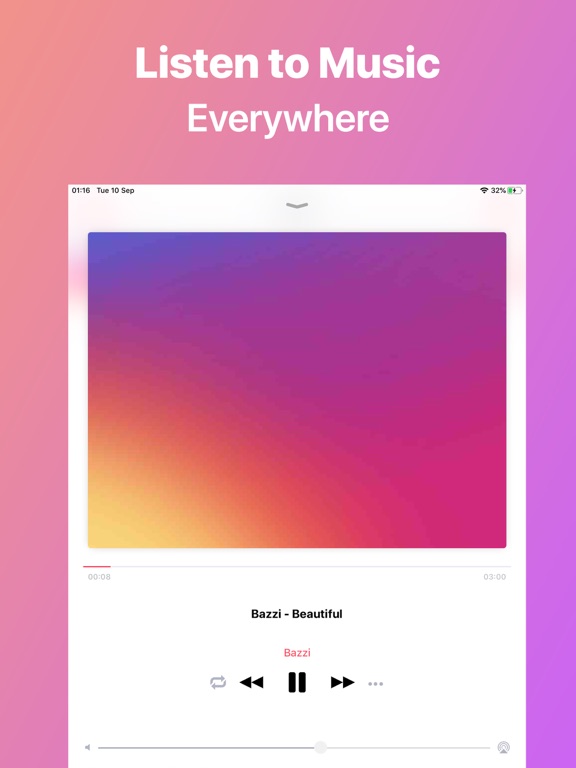
Pricing & paywalls
App Store
- Pro Unlock - 1 Month — $2.49/month
- Unlock Pro — $8.99
Ratings & reviews
App Store
-
5/5Love
Really, really great & amazing app. Exactly what I need & has great ease to do so... but it needs to be fixed a bit. A lot of the great functions of the app are ruined by bugs that need to be fixed. For example, songs will start automatically playing in order by themselves just a few seconds after clicking play on a song then doing any action on the app. The one that bugs me the most is how at first the adding/changing cover art feature worked perfectly fine, but now it's become a bug where after I change the art to something: it glitches the song info into displaying the same song title as artist name- essentially reverting it back to default & doesn't even use the cover I choose, it does the default one; however the audio does still play. Also there appears to be no way to fix this on my end, so I hope the dev (s) patch it
Daniel_42019 · 29 Sep 2026
-
3/5Needs some tweaks
Melodista is great if you have downloaded music and you need a place to organize it. The interface is pretty simple but there are just some bugs that make it difficult. I keep on having an issue with opening the app and then suddenly all of my songs are doubled? I don’t really know why especially since I went in and deleted the doubles and then the songs that remained were unplayable and I had to restart the whole process of uploading the music. I had no issues until it happened again unfortunately, although I’m just keeping it as is and hoping it is just a glitch and goes back. As for small changes that would really improve the app is allowing customization with the artists and albums part of the app. It would be nice to change the photo for the artists and also to reorder songs in the album so that it matches the studio album. Thank you so much for creating this app and would download again! (Please fix the doubling thing though it’s soooo irritating)
SaoirseKat08 · 29 Sep 2026
-
4/5Very user-friendly
I found this app to be easy to use, importing MP3’s from files on my iPhone, etc. It would be nice to have a sort order by numerical as I imported 117 tracks for one album from a class I took. I did the workaround by creating playlists and was able to create seven playlists for about 15 tracks each which worked well. The only problem is I’m going to have to get a new phone soon and I don’t think this app is backed up on my iCloud and I’m not seeing a way to export my playlists so I can recover on my new phone. Also, I want to import another album by the same author, and if these are numbered the same i’m guessing I’m going to have duplicate tracks which will be confusing as I’m trying to pick certain ones into a new playlist. I can see the albums separately when viewing but when you’re creating a playlist, it just defaults to the library where everything is uncategorized
Weatherbug1960 · 29 Sep 2026
-
4/5Pretty good a few issues though
Original - The app works well overall and I like the small customizations of things such as the background and the app icon. The only problem I’ve had is that it only lets me customize the name of this song and it won’t let me update the artist or cover. I don’t know if this is just a problem on my end or what but when I try to edit the artist of the song it always just changes back to the first word of the songs name. The covers I add also don’t update when I add them. I have the premium version as well (which works very well) but that hasn’t helped. If any developers or anyone has any idea what’s going on that would be great! Overall 8.5/10! :D Edit - I figured out the issue! It wasn’t Melodista it was the website I was using to download the music from! Make sure to not use yt5s to download your music! (I recommend getmp3)
ilikemusiclol9273 · 29 Sep 2026
-
3/5Perfect, almost
Your app is just perfect the way it replicates the Stock Music App, but with the ability to import songs from the Files App, which is insane! But there’s 2 more, but small and not so important things you can add, which are changing the album name, as well as displaying the album name on the app music player and lockscreen music player interfaces. Other than those 2 features, the app is great. Thank you EDIT I have used it for a couple of weeks, and the result was not that good actually. I usually listen to music when I go to the gym, but weirdly enough, there were many times when I was listening to my playlist, and it played like 2 songs and the second one just finishes playing, the 3rd would just play, but with no sound whatsoever. But if I try playing the next songs, they play perfectly fine. Another bug I want to point out, is that the shuffle mode with playlists is not working right : when I’m changing songs, then a song that I want to listen passes by in the queue (and I eventually skip it by mistake), I’m unable to go backwards to play it and it just shuffles my playlist the same way (EVEN backwards!), whereas it’s not supposed to be the case. I just updated the app to the latest version (Oct 30) and I still didn’t open the app after updating to see if the issues have been fixed, but if they won’t still be fixed in that update, please make sure to fix them in the next one. Thanks
DanielGeb22 · 29 Sep 2026
Privacy & accessibility
App Store
Privacy
- Data Not Linked to You — Analytics — Diagnostics — Crash Data Developer declared
- Data Not Linked to You — Third-Party Advertising — Identifiers — Device ID Developer declared
- Data Not Linked to You — Third-Party Advertising — Usage Data — Advertising Data Developer declared
- Data Not Linked to You — Third-Party Advertising — Usage Data — Other Usage Data Developer declared
- Data Not Linked to You — Third-Party Advertising — Usage Data — Product Interaction Developer declared
- Data Not Linked to You — Diagnostics Developer declared
- Data Not Linked to You — Identifiers Developer declared
- Data Not Linked to You — Usage Data Developer declared
- Data Used to Track You — Identifiers — Device ID Developer declared
- Data Used to Track You — Identifiers Developer declared
Accessibility
No accessibility labels collected yet.
Versions
App Store
-
5.0.1
Minor Design changes & bug fix
-
5.1
Fixed sorting by alphabet Minor design improvements
-
5.2
Bug fix: fixed songs order & time show 00:00
-
5.3
Minor Design Changes Improved faster files import
-
5.4
Songs list refreshing is now faster Bug Fixes
-
5.5
Bug Fix New player animation
-
5.6
Fixed bugs and errors in Playlists, skipping tracks, overall stability improvement Minor design changes
-
5.7
Bugs fixed in main page Minor design changes
-
5.8
Bug fixes on the player controls view and other small bugs Minor design changes
-
5.9
Bug fixes and performance improvements
-
6.0
Fixed a bug where song with no album art attached would crash Minor Design changes and Bug Fix
-
6.1
Fixed an issue where big song library previously led to crash while scrolling fast Minor bug fixes and Design Changes
-
6.2
Minor bug Fixes and Design Changes Added ability to import multiple items at once
-
6.3
Improved “next song” page and fixed background Improved track editor & multiple bugs fixed Overall app performance improvement Added FAQ help section
-
6.4
Fixed increased battery consumption for some users Bug Fix & Minor Design Changes
-
6.5
Fixed an issue where tracks won't play on some older devices Fixed a bug with shuffle mode Minor design changes
-
7
Improved songs library loading Improved sorting options readability & added default sorting option Bug fixes
-
7.1
Fixed not able to dismiss keyboard bug Fixed image editor drag and drop not working for some users Improved track selection in playlist Organised albums library
-
7.2
Fixed issue with loading songs on start for some users Fixed player controls not displayed properly Added player album cover animation Other minor bug fixes and design changes
-
7.3
Fixed player animation bug which affected some users Improved player layout for smaller screens Minor design changes and bug fixes
-
7.4
Fixed a player animation not being shown correctly for some users Improved player animation performance Minor design changes and improvements
-
7.5
Fixed player layout for some devices Player performance improvements Minor design changes and bug fixes
-
7.6
Fixed player animation for some users Minor design changes and performance improvements
-
7.7
Minor Bug Fixes and Design changes Fixed an issue where it won't play next track
-
7.8
· 3 Jan 2025
Minor Design changes and bug fixes Fixed an issue which prevented from editing album pictures for some users
Alternatives
- Offline Music Player ‣‣ — Same category + similar ratings
- Music Player ‣ — Same category + similar ratings
- Youtify - Music & Playlists — Same category + similar ratings
- Radio Javan: Persian Music — Same category + similar ratings
- Music IR : Instant Rhythm — Same category + similar ratings
- VOX – MP3 & FLAC Music Player — Same category + similar ratings
Availability by market
- US
Data quality & evidence
- Page completeness
- Live store listing
- Last verified
- 29 Sep 2026
- Sources
- App Store
- Apoku editorial summary has not been published yet.