AppCorpus MCP gives your agent current app data, prices, screens, features and sources.
View JSON
GET /api/v3/apps/1476107990
{
  "app_id": 1476107990,
  "canonical_url": "https://appcorpus.com/apps/meeting-notes-work-planner-1476107990",
  "identity": {
    "name": "Meeting Notes & Work Planner",
    "slug": "meeting-notes-work-planner",
    "developer": {
      "name": "Giant Brains",
      "url": "https://appcorpus.com/developers/giant-brains-developer_fe9c5c921a1b1d600c4c75a2b05e3c03"
    },
    "icon_url": "https://is1-ssl.mzstatic.com/image/thumb/Purple211/v4/b0/80/c7/b080c76c-4645-6059-68bc-b0495907775a/AppIcon-0-0-1x_U007epad-0-1-0-85-220.png/512x512bb.jpg",
    "stores": [
      "apple"
    ],
    "platforms": [
      "iphone",
      "ipad"
    ],
    "status": {
      "state": "active",
      "label": "Active",
      "last_checked": "2026-07-31",
      "last_checked_label": "31 Jul 2026",
      "banner": null,
      "region_note": null
    }
  },
  "listings": [
    {
      "store": "apple",
      "status": "ACTIVE",
      "url": "https://apps.apple.com/us/app/meeting-notes-work-planner/id1476107990?uo=4",
      "rating": 4.1,
      "rating_count": 1930,
      "formatted_price": "Free",
      "is_free": true,
      "has_iap": true,
      "has_subscription": false,
      "version": "6.2",
      "updated": "2026-05-25",
      "currency": "USD"
    }
  ],
  "summary": {
    "one_liner": null,
    "summary": null,
    "best_for": [],
    "not_for": [],
    "status": "fallback",
    "at_a_glance": [
      "Free to download",
      "In-app purchases"
    ]
  },
  "categories": {
    "official": [
      "Productivity",
      "Utilities"
    ],
    "appcorpus": [
      {
        "category_id": "productivity",
        "label": "Productivity",
        "url": "https://appcorpus.com/categories/productivity"
      },
      {
        "category_id": "utilities",
        "label": "Utilities",
        "url": "https://appcorpus.com/categories/utilities"
      }
    ]
  },
  "use_cases": [],
  "features": [
    {
      "capability_id": "free_app",
      "label": "Free app",
      "availability": "yes",
      "access_level": "free",
      "scope": null,
      "evidence": "Store published"
    },
    {
      "capability_id": "in_app_purchases",
      "label": "In-app purchases",
      "availability": "yes",
      "access_level": "free_limited",
      "scope": null,
      "evidence": "Store published"
    }
  ],
  "pricing": [
    {
      "store": "apple",
      "formatted_price": "Free",
      "is_free": true,
      "has_iap": true,
      "has_subscription": false,
      "currency": "USD",
      "market": "us",
      "last_verified": "2026-07-31",
      "rows": [
        "Free to download",
        "In-app purchases"
      ]
    }
  ],
  "screens": [
    {
      "url": "https://is1-ssl.mzstatic.com/image/thumb/PurpleSource211/v4/b6/04/a7/b604a74a-e016-bf69-529c-492304ed45f0/1.jpg/1600x1600bb.jpg",
      "store": "apple",
      "platform": "ipad",
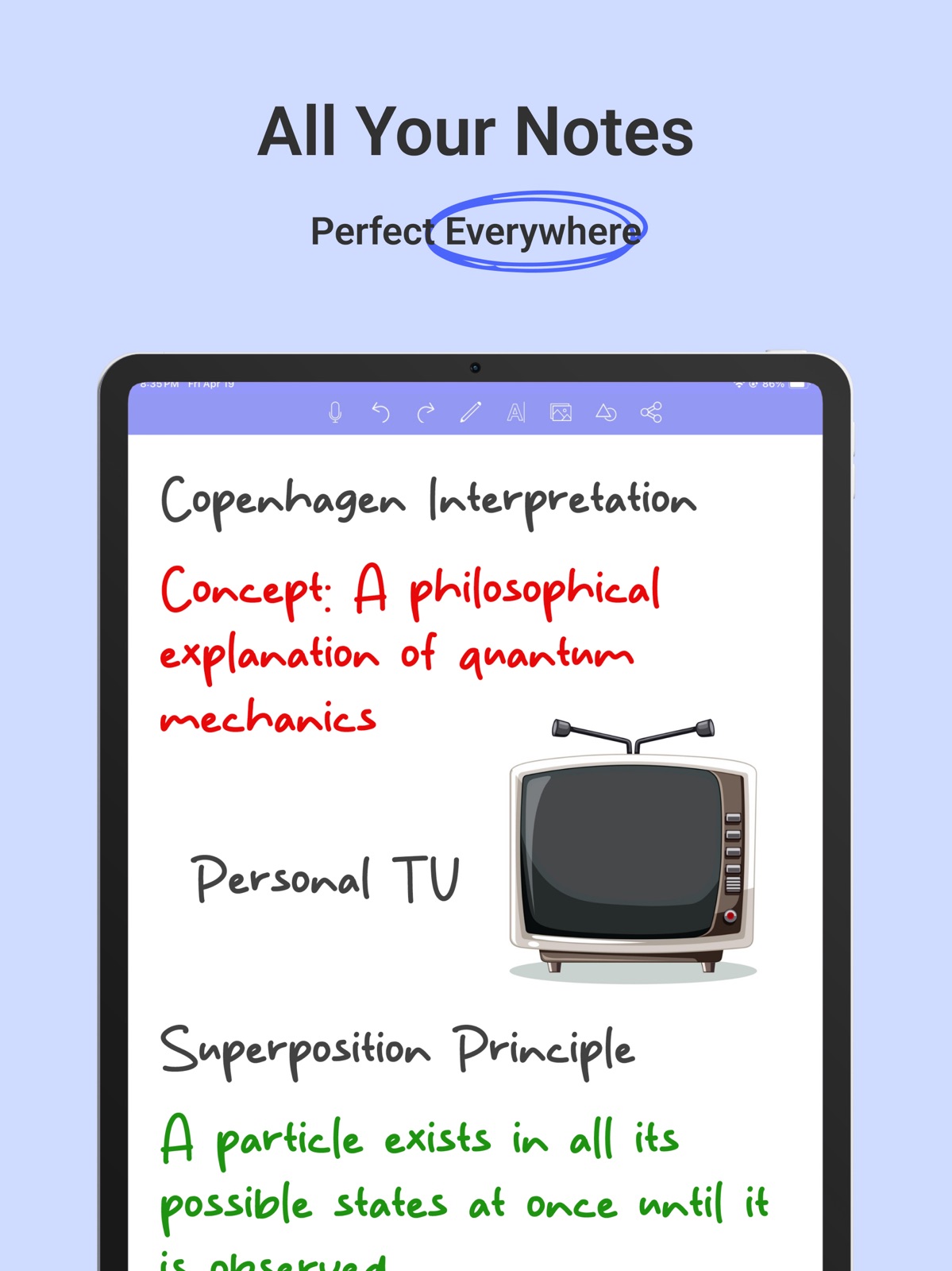
      "alt": "Meeting Notes & Work Planner ipad screenshot 1"
    },
    {
      "url": "https://is1-ssl.mzstatic.com/image/thumb/PurpleSource221/v4/a3/3b/e8/a33be8b2-eba8-1647-9037-6bb950c21a24/2.jpg/1600x1600bb.jpg",
      "store": "apple",
      "platform": "ipad",
      "alt": "Meeting Notes & Work Planner ipad screenshot 2"
    },
    {
      "url": "https://is1-ssl.mzstatic.com/image/thumb/PurpleSource221/v4/c2/4f/fd/c24ffdd7-6bc9-d47f-f75f-618c2aca7967/3.jpg/1600x1600bb.jpg",
      "store": "apple",
      "platform": "ipad",
      "alt": "Meeting Notes & Work Planner ipad screenshot 3"
    },
    {
      "url": "https://is1-ssl.mzstatic.com/image/thumb/PurpleSource221/v4/d6/14/b5/d614b5ce-bd4d-4bae-cf70-aa2a1edea7ae/4.jpg/1600x1600bb.jpg",
      "store": "apple",
      "platform": "ipad",
      "alt": "Meeting Notes & Work Planner ipad screenshot 4"
    },
    {
      "url": "https://is1-ssl.mzstatic.com/image/thumb/PurpleSource211/v4/6e/21/14/6e211460-70f2-0cae-48c8-dfcd10958f26/5.jpg/1600x1600bb.jpg",
      "store": "apple",
      "platform": "ipad",
      "alt": "Meeting Notes & Work Planner ipad screenshot 5"
    },
    {
      "url": "https://is1-ssl.mzstatic.com/image/thumb/PurpleSource211/v4/9a/f6/09/9af609cc-1aa3-48c4-7a13-92c4ac9f248c/1.jpg/1242x1600bb.jpg",
      "store": "apple",
      "platform": "iphone",
      "alt": "Meeting Notes & Work Planner iphone screenshot 6"
    },
    {
      "url": "https://is1-ssl.mzstatic.com/image/thumb/PurpleSource221/v4/81/66/53/81665314-468a-7cec-e465-113cf3572f0b/2.jpg/1242x1600bb.jpg",
      "store": "apple",
      "platform": "iphone",
      "alt": "Meeting Notes & Work Planner iphone screenshot 7"
    },
    {
      "url": "https://is1-ssl.mzstatic.com/image/thumb/PurpleSource211/v4/9d/29/7e/9d297ebf-6903-f9b5-69d8-b296088b38c0/3.jpg/1242x1600bb.jpg",
      "store": "apple",
      "platform": "iphone",
      "alt": "Meeting Notes & Work Planner iphone screenshot 8"
    },
    {
      "url": "https://is1-ssl.mzstatic.com/image/thumb/PurpleSource221/v4/fd/fb/e8/fdfbe8e4-24ff-0117-605c-9b62945ecce7/4.jpg/1242x1600bb.jpg",
      "store": "apple",
      "platform": "iphone",
      "alt": "Meeting Notes & Work Planner iphone screenshot 9"
    },
    {
      "url": "https://is1-ssl.mzstatic.com/image/thumb/PurpleSource211/v4/52/6a/01/526a01b5-b15a-3084-fa97-df39be5f3bcf/5.jpg/1242x1600bb.jpg",
      "store": "apple",
      "platform": "iphone",
      "alt": "Meeting Notes & Work Planner iphone screenshot 10"
    }
  ],
  "ratings": [
    {
      "store": "apple",
      "average": 4.1,
      "count": 1930,
      "market": "us",
      "observed_at": "2026-07-31",
      "reviews": [
        {
          "rating": 1,
          "title": "Feels Scammy",
          "body": "So this app looks good for starters but within creating one note within the app I couldn’t figure out something simple (how to rename a note). I thought I could review the help section, but I could find the help section. So I decided to go ask the question of the developers and the question form looks so generic I wonder if they’ll ever reply. The reason I’m doubting they’ll reply is for the developer’s MO—- they basically force you to leave a review (their ‘write a review’ pops up every time you open the app until you write a review, which is annoying as heck and the reason why so many users have given this app a high review without a written description ‘why’) — and then are not accessible to answer questions. On the surface the app looks great. I’m just wondering if it’ll actually deliver.",
          "author": "RRRROSI",
          "date": "31 Jul 2026"
        },
        {
          "rating": 1,
          "title": "Keeps asking for enable iCloud drive",
          "body": "I just don’t want to use that petit 5G icloud storage to sync any of these huge notes and files, so if the app requires icloud syncing, you should state it out at the description but not deliberately trick through by confusing definitions. And also, what if users simply want to write notes that’s available in local storage and export to PDF when needed? not every notes has meaning, and what makes me sick is that you can’t even get the app functioning because there would be pop-ups and prompts-out without “X” button to ask you to either watch the icloud guide video or to enable that. Shame on this app!",
          "author": "月と美少女",
          "date": "31 Jul 2026"
        },
        {
          "rating": 4,
          "title": "I cannot move pictures",
          "body": "I was looking for an app like this but they all costed money but this? No it costs money for some tools i don’t need. That is awesome. Some things to improve and add is first to let us move the pictures and not double it every time I add a picture it doubles it. Weird. Something to add is to make reminders on some notes. I understand that this is a notebook but I also understand that it is a DIGITAL notebook. So that would be very cool and creative to add a feature like this. So that is all I have other than that this app is very cute,productive, and wonderful. Bye!",
          "author": "Abo El Room",
          "date": "31 Jul 2026"
        },
        {
          "rating": 5,
          "title": "My OneNote Experience so far!",
          "body": "I really enjoy OneNote, you can do just about anything with it. From typing on your keyboard, to drawing on it or pinning a note in your action center. You can even send yourself a note to self through Outlook, which it will then be added to your tasks as a reminded or you can add it your Microsoft To Do List. I can’t wait to find out any other little hidden things that I can do with it. I wonder if anyone has anymore neat suggestions that can be done with OneNote?",
          "author": "Office Girl Learning Tricks",
          "date": "31 Jul 2026"
        },
        {
          "rating": 3,
          "title": "Decent I guess",
          "body": "I think something that this app should have is different types of paper. It would be much easier for students like me. I really love the organization, it’s so much easier for me as a student. I also think this app should have more color options for the highlighters, fills, and pens. I love the mic feature as well, it’s so nice. I don’t see it in many apps. I would also like to see an option for handwritten words to be turned into text since it’s would help many students who use stylus pens. Overall, I say this app is decent. Hopefully, these recommendations for different features happen.",
          "author": "ajhgwlrjvhwoirvh",
          "date": "31 Jul 2026"
        }
      ]
    }
  ],
  "privacy": [
    {
      "store": "apple",
      "declarations": [
        {
          "title": "Data Linked to You",
          "detail": "App Functionality — Diagnostics — Other Diagnostic Data",
          "source": "Developer declared"
        },
        {
          "title": "Data Linked to You",
          "detail": "App Functionality — Purchases — Purchase History",
          "source": "Developer declared"
        },
        {
          "title": "Data Linked to You",
          "detail": "App Functionality — Usage Data — Product Interaction",
          "source": "Developer declared"
        },
        {
          "title": "Data Linked to You",
          "detail": "Diagnostics",
          "source": "Developer declared"
        },
        {
          "title": "Data Linked to You",
          "detail": "Purchases",
          "source": "Developer declared"
        },
        {
          "title": "Data Linked to You",
          "detail": "Usage Data",
          "source": "Developer declared"
        },
        {
          "title": "Data Not Linked to You",
          "detail": "App Functionality — Diagnostics — Crash Data",
          "source": "Developer declared"
        },
        {
          "title": "Data Not Linked to You",
          "detail": "Diagnostics",
          "source": "Developer declared"
        }
      ],
      "accessibility": []
    }
  ],
  "changes": [
    {
      "store": "apple",
      "version": "3.8",
      "released_at": null,
      "notes": "-Minor Bug Fixes"
    },
    {
      "store": "apple",
      "version": "3.9",
      "released_at": null,
      "notes": "-Minor Bug Fixes"
    },
    {
      "store": "apple",
      "version": "4.0",
      "released_at": null,
      "notes": "-Minor Bug Fixes"
    },
    {
      "store": "apple",
      "version": "4.1",
      "released_at": null,
      "notes": "-Minor Bug Fixes"
    },
    {
      "store": "apple",
      "version": "4.2",
      "released_at": null,
      "notes": "-Minor Bug Fixes"
    },
    {
      "store": "apple",
      "version": "4.3",
      "released_at": null,
      "notes": "-Minor Bug Fixes"
    },
    {
      "store": "apple",
      "version": "4.4",
      "released_at": null,
      "notes": "-Minor Bug Fixes"
    },
    {
      "store": "apple",
      "version": "4.5",
      "released_at": null,
      "notes": "-Minor Bug Fixes"
    },
    {
      "store": "apple",
      "version": "4.6",
      "released_at": null,
      "notes": "-Minor Bug Fixes"
    },
    {
      "store": "apple",
      "version": "4.7",
      "released_at": null,
      "notes": "-Minor Bug Fixes"
    },
    {
      "store": "apple",
      "version": "4.8",
      "released_at": null,
      "notes": "-Minor Bug Fixes"
    },
    {
      "store": "apple",
      "version": "4.9",
      "released_at": null,
      "notes": "-Minor Bug Fixes"
    },
    {
      "store": "apple",
      "version": "5.0",
      "released_at": null,
      "notes": "-Minor Bug Fixes"
    },
    {
      "store": "apple",
      "version": "5.1",
      "released_at": null,
      "notes": "-Minor Bug Fixes"
    },
    {
      "store": "apple",
      "version": "5.2",
      "released_at": null,
      "notes": "-Minor Bug Fixes"
    },
    {
      "store": "apple",
      "version": "5.3",
      "released_at": null,
      "notes": "-Minor Bug Fixes"
    },
    {
      "store": "apple",
      "version": "5.4",
      "released_at": null,
      "notes": "-Minor Bug Fixes"
    },
    {
      "store": "apple",
      "version": "5.5",
      "released_at": null,
      "notes": "-Minor Bug Fixes"
    },
    {
      "store": "apple",
      "version": "5.6",
      "released_at": null,
      "notes": "-Minor Bug Fixes"
    },
    {
      "store": "apple",
      "version": "5.7",
      "released_at": null,
      "notes": "-Minor Bug Fixes"
    }
  ],
  "alternatives": [
    {
      "app_id": 1423643723,
      "name": "Notes Writer: PDF, Voice, AI",
      "url": "https://appcorpus.com/apps/notes-writer-pdf-voice-ai-1423643723",
      "reason": "Same category + similar ratings"
    }
  ],
  "evidence_summary": {
    "index_state": "S1",
    "evidence_level": 1,
    "level_label": "Live store listing",
    "indexable": true,
    "last_verified_at": "2026-07-31",
    "unknown_fields": [
      "Independent summary has not been published yet."
    ],
    "sources": [
      "App Store"
    ]
  },
  "availability_markets": {
    "live": [
      "us"
    ],
    "selected": "us",
    "note": null
  },
  "feature_events": {
    "events": []
  },
  "features_slice": {
    "plans": [],
    "features": [],
    "unknown_features": [],
    "data_cutoff": "31 Jul 2026"
  }
}