
Quick verdict
- What it is
- Store information collected; independent summary not yet available.
- At a glance
-
- Free to download
Categories and search queries
Official categories
- Food & Drink
- Productivity
AppCorpus categories
Key functions
| Function | Availability | Access | Scope | Evidence |
|---|---|---|---|---|
| Free app | Yes | Free | — | Store published |
Screens
App Store
16 store screenshots


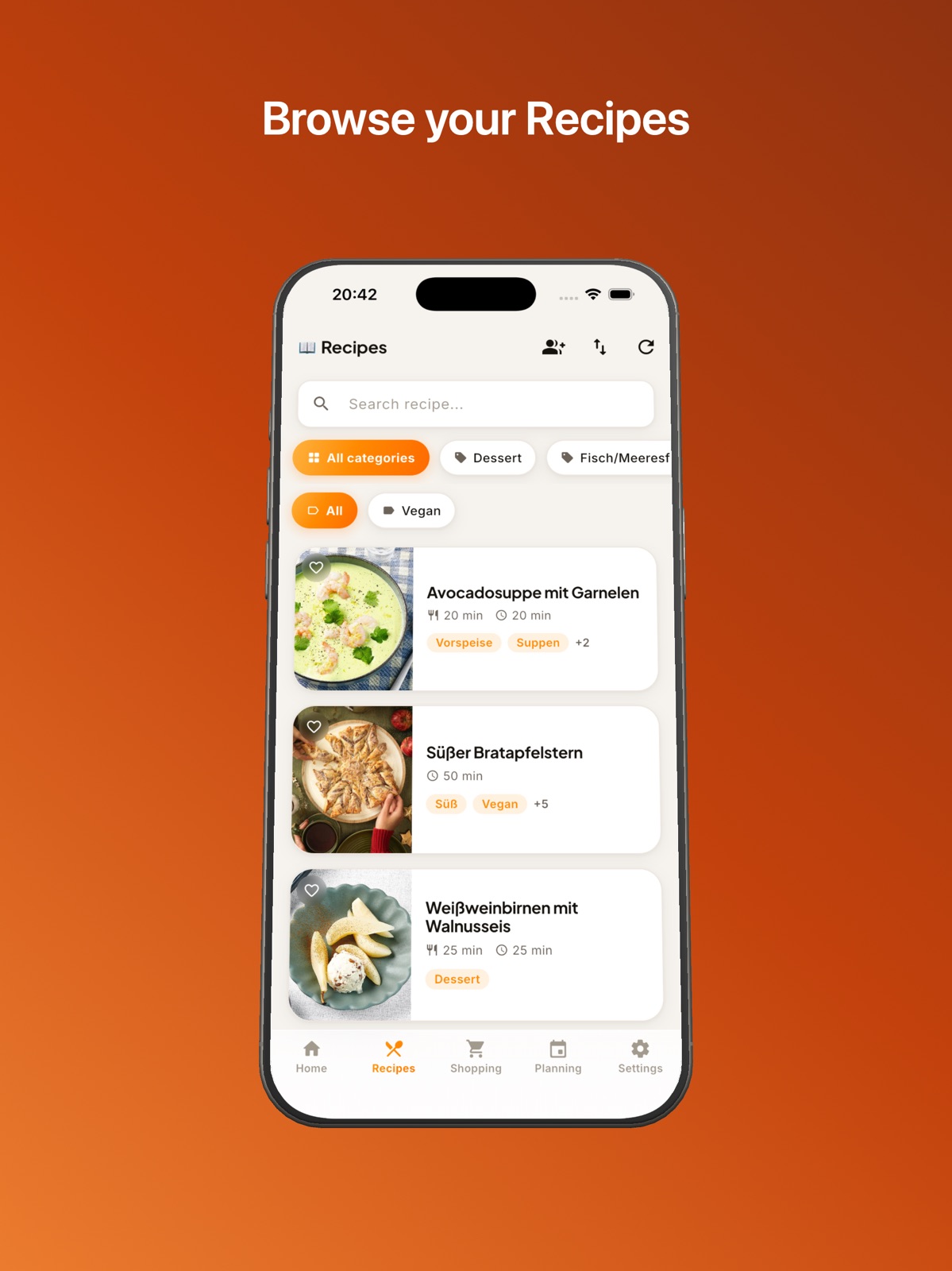
Pricing & paywalls
App Store
- Free
Ratings & reviews
App Store
-
2/5Works OK
Works ok, the calendar is one day off. Also the import doesn’t let you choose the language. All my imported recipes are not in English.
Coolerguy101 · 31 Jul 2026
Privacy & accessibility
App Store
Privacy
- Data Not Collected Developer declared
Accessibility
No accessibility labels collected yet.
Versions
App Store
- 1.0
-
1.1
Schlagwortansicht in der Rezeptansicht Kategorien werden in der Einkaufsliste synchronisiert
-
1.2
komplett neue Einkaufsliste mit Bearbeitungsfunktion von Artikeln mittels "long Tap" & "Swipe To" Mengensupport bei der Einkaufsliste wurde hinzugefügt Änderung der Artikelkategorie in der App möglich Weitere Sprachen wurden hinzugefügt Resteverwertung wurde inplementiert Rezepte werden zwischengespeichert Alternatives App Icon verfügbar Einkaufslisten werden zwischengespeichert
-
1.2.1
Fehler in der Einkaufsliste mit den Buttons wurde behoben
-
1.2.2
Einplanen von Mahlzeiten auch über die Rezeptansicht möglich Timer mit voreingestellter Zeit in den Zubereitungsschritten
-
1.2.3
Servings and preparation times added in landscape mode
-
1.2.4
Added Dutch language, thanks to the Community on Github! :-)
-
1.2.5
With the new update, you can now filter recipes by category. This makes it even easier to find the dishes you’re looking for!
-
1.2.6
The timer now remains permanently visible within the app and automatically returns to the corresponding recipe upon completion. Additionally, the user interface has been thoroughly redesigned and modernized.
-
1.2.7
A function for editing recipes has been added.
-
1.2.8
Bugfixes
-
1.2.9
Bugfixes Shoppinglist
-
1.3.0
Support for API Version 3.x
-
1.3.1
The shopping list now allows editing the order of categories.
-
1.3.2
Import function from Apple’s Reminders app minor improvements
-
1.3.3
In this update, I have added new settings options and improved existing features: New Settings: I have added an option to show or hide images in the recipe list. Note: Within the recipe itself, the photo will continue to be displayed only in the optimal landscape format. You can now enable logging for the app. There are new buttons to view, copy, and completely delete the logs. Bug Fixes: I have fixed the bug that occurred during PDF upload. Other: I have implemented several minor improvements for a better user experience. I hope you like the new control options! If you have any questions or feedback, you can reach me directly via GitHub.
-
1.3.4
**What's New in This Version:** - **Live Timer on Lock Screen & Apple Watch** – Running timers are displayed on the lock screen and in Apple Watch's Stage Manager. Tap to open the associated recipe. - **Redesigned Setup & Settings** – Fresh new design for initial setup and all settings. - **Sorting in Recipe List** – Recipes can now be sorted by name, date, or preparation time. - **Optimized Timer Display** – Cleaner and more intuitive presentation. - **Improved Meal Plan** – Better overview and easier navigation between weeks.
-
1.3.5
Fixed an issue with the import
-
1.3.6
This version makes your cooking experience even better and clearer: Reviews at a Glance: You can now view and manage all recipe reviews. Easier Recipe Editing: We've optimized the recipe editing process – making it more intuitive and faster than ever. Ingredient Notes: Your private notes for individual ingredients are now displayed directly in the recipe. Never forget a detail again! Improved Recipe Upload: Uploading your culinary creations now works even more smoothly. Timezone Fix: Resolved an issue with date display in different time zones – everything is now always correctly dated. All Times in One View: We now clearly display cooking time, preparation time, and total cooking time. Sort by Rating: You can finally sort your recipes by highest rating. Quickly find your new favorites! All-Around Better: Plus the usual stability and performance improvements for a smoother app experience. Happy cooking!
-
1.3.7
Fixed an Issue with the shopping list.
-
1.3.8
**Cook Mode ** Do you often cook several dishes at the same time? The new Cook Mode is made for exactly that: add multiple recipes to one cooking session and keep track of everything at a glance – ingredients, preparation steps, and timers, all under control at once. Start timers directly from the recipe steps or set your own timers, with custom names as needed. Active timers appear as a Live Activity on your Lock Screen and in the Dynamic Island – you always see how much time is left, without even opening the app. When a timer finishes, you'll immediately receive a notification with sound. **Widgets** Your meal plan and shopping list – now right on your Home Screen. The Meal Plan widget shows you the meals for today and tomorrow in small, medium, or large size. Tap on a recipe to open it instantly in the app. The Shopping List widget gives you a quick overview of pending items – a single tap opens the shopping list directly. Widgets can be added via "Edit Widgets" on the Home Screen. For Live Activities to work, "Live Activities" must be enabled in the app settings.
-
1.4.0
Happy Birthday, Mealie Recipes! A year full of delicious moments – and we think that deserves a celebration. With our big birthday update, we're taking your cooking experience to the next level. Here's what's waiting for you: Face ID / Touch ID Lock Your recipes – your privacy. Lock your app and protect it from prying eyes. Simple, secure, instant. Recipe of the Day Widget No idea what to cook? Your new widget shows you a random recipe every day – right when you need inspiration. One glance is all it takes. Send to – seamless between Apple devices Found a recipe on your iPhone but want to cook using your iPad in the kitchen? No problem. With "Send to," you can send your recipe to your iPad or Mac with a single tap – just open the notification on that device and you're ready to go. This service only works for devices that have opened the new update at least once and are connected to the same Apple ID. Cooking has never been so easy. Cook with Friends – the first social cooking mode Cooking together, double the fun. Start a "Cook with Friends" session, share the code (or via AirDrop) – and your friends will see your recipe live. Even without their own Mealie server, your guests can join your cooking session through the app. Anyone can check off ingredients or steps. Perfect for cooking nights when you want to put your feet up every now and then. ;-) Celebrate with us – and cook smarter. Download the update for free now. Your next favorite recipe is waiting.
-
1.4.1
The app has been completely redesigned from the ground up, both visually and in terms of its navigation structure. Cleaner lines, a more organized interface, and more consistent navigation provide a modern and more enjoyable user experience. The quick access tiles on the home screen can now be freely arranged. By long-pressing and dragging them to the desired position, you decide which functions are available to you at a glance. When opening the app, you are now greeted with a personalized welcome message. When you share a recipe via "Cook with Friends," your guests now have the option to save the recipe directly to their own Mealie server with a single click. This feature can be disabled in the settings if desired. The new companion app for your smartwatch extends your cooking experience to your wrist. The shopping list can be checked off directly on the watch, and all active timers from the cooking mode are bundled and always visible at a glance. The cooking mode has been completely overhauled and offers a more focused, step-by-step cooking experience.
-
1.4.2
· 14 Jul 2026
New Features: Added a setting that allows you to add the exact quantity when adding items to the shopping list from within the app (e.g., 200g butter instead of 1x butter). Link ingredients with recipe steps. Support for Markdown formatting in recipe steps. Support for images in recipe steps. Bug Fixes: Fixed an issue with the suggested recipe. Fixed an issue where the suggested recipe changed more often than every 24 hours.
Alternatives
- Forked Recipes — Same category + similar ratings
- Kitchen Compass for Mealie — Same category + similar ratings
Availability by market
- US
Data quality & evidence
- Page completeness
- Live store listing
- Last verified
- 31 Jul 2026
- Sources
- App Store
- Independent summary has not been published yet.