Quick verdict
- What it is
- Store information collected; an Apoku editorial summary is not yet published.
- At a glance
-
- Free to download
Categories and search queries
Official categories
- Navigation
Apoku categories
Key functions
| Function | Availability | Access | Scope | Evidence |
|---|---|---|---|---|
| Free app | Yes | Free | Context-specific | Store published |
Screens
App Store
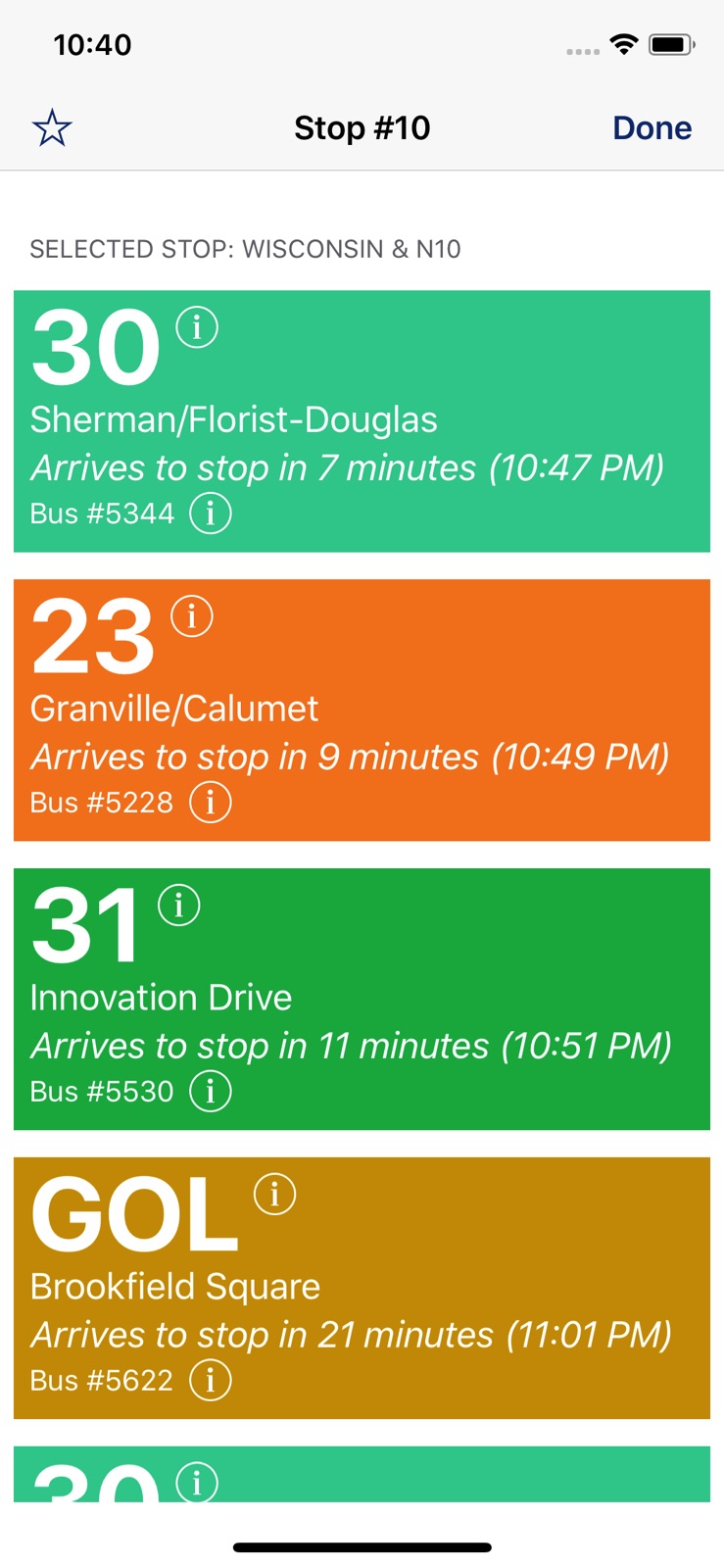
5 store screenshots


Pricing & paywalls
App Store
Shown for US
- Free to download
Ratings & reviews
App Store
Shown for US
-
5/5Thank you.
Thank you for creating this app. It’s a sure thing to get you on your way. I got sick two years ago standing on the bus stop in the Cold weather not knowing if I just missed a bus or not. Thank you for this app because it’s very dangerous for women out there at night. Not I can walk out my house or job 6 minutes before the bus is to arrive at the closet stop and see it at the light down the street. Wait time is safer and warmer. Thank you for this accurate app.
Brien Sugar · 7 Aug 2026
-
1/5Inaccurate and unreliable
I’ve used this app for 6+ years and at first I didn’t have too many issues with it, but recently I moved and started taking a different bus than usual and this app has become completely and entirely useless. I’ve been late to work half a dozen times solely because of bus drivers being late and this app not showing accurate information. It will say that a bus is approaching a stop when it’s not, it will say that a bus came and went and then I see the bus go by 4 minutes later after I’ve already left the bus stop. And every single day the buses disappear from the map once they reach a certain area in Milwaukee and then reappear as they get closer. When this happens the app will say the bus is 5 minutes away, then 4, then 3 and then the bus reappears on the map and it goes back up to 5 or 6 minutes. Combine the unreliability of this app with bus drivers being inconsiderate and you have an awful public transit system.
annarosew · 7 Aug 2026
-
2/5Please fix these problems
I ride the 30 every day from UWM to my house and I rely on this app for my commute. However, there are multiple issues that make it almost impossible to know when the bus is going to come. Last fall, the Maryland and Kenwood stop by the UWM student union was moved about 50 feet for some reason. Ever since then I have not been able to see the stop on the app. The old stop, #4377 says “Not a valid stop” when I click on it. I see a new stop has been added labeled #2379, but when I click on this I get an error message saying “connection problem” Because of this problem, I check the Hartford and Maryland stop instead. However, before this stop the bus driver takes a break in front of the Sandburg residence hall. This is not accounted for on the schedule at all. The bus will arrive in front of Sandburg and the app will say it’s arriving at Hartford and Maryland in 4 minutes. It will keep pushing the arrival time back every minute. If I check the app and see that the bus is 4 minutes away, I have no idea if the bus is going to arrive in 4 minutes or 15 minutes after the drivers break. I end up walking to the union and checking the tracker every minute or so to see if the bus has moved. Sometimes the drivers will take breaks for 20-30 minutes and meanwhile I’m waiting with no idea when the bus will arrive. Luckily I can wait across the street in the union instead of at the stop in the cold, but I see many people who trust the app and don’t know about the driver’s break waiting in the cold for up to half an hour. Please fix this. I am so tired of having to wait for a completely unreliable bus. If I knew when the bus was coming at least I could do something else while I was waiting instead of sitting in the union checking my phone every minute.
jv496 · 7 Aug 2026
-
5/5Can’t search routes
When I click the search route button, it tells me to select a language and then it tells me that it can not fetch and to make sure I am connected to the internet, even though I clearly am. I have erased and redownloaded the app and it still does it.
FuqThisAppp · 7 Aug 2026
-
1/5Inconsistent & Inaccurate
I use this app every day and every day it is consistently wrong. Says my bus is “approaching stop” when it is over half a mile away, says it is approaching for 20+ minutes or will not show up at all. Sometimes times fluctuate so much it will say I have 20 minutes until a bus arrives and 5 minutes later it says it’s 5 minutes away, then back up to 10 minutes moments later. There has never been consistency with it for the past several years I have used it. Really hoping this can get resolved.
nicoleewal · 7 Aug 2026
Privacy & accessibility
App Store
Privacy
- Data Not Collected Developer declared
Accessibility
No accessibility labels collected yet.
Versions
App Store
-
1.3.6
*Push notifications - if there's a system wide service disruption (say from a driver strike), you'll now get a handy push notification letting you know *Bug fixes
-
1.3.7
*Push notifications - if there's a system wide service disruption (say from a driver strike), you'll now get a handy push notification letting you know *Behind the scene changes to make things faster, more reliable & ready for iOS9
-
1.3.8
+ iOS9 support + Updated stop info + Major speed and stability improvements
-
1.4
+ new Recents feature shows you the most recent stops you've checked + new Updates feature lets you get the latest tracking info more easily and quickly + Fixed bug where a failed connection in the Arrivals screen would prevent from refreshing ever again + Removed the QR scanning feature - it seems like the MCTS gave up on trying to make that a thing + Improved accessing of databases for better speed, especially on older devices
-
1.4.1
+ Fixed bug where direction itinerary selection couldn't be dismissed - credit to Wiscotrav for pointing out said bug + Fixed bug where dismissing the direction's steps list would break everything + Updated resources to latest versions
-
1.4.10
+ Fixed some routes on "Search by route" being broke + Updated the maps and nearby stuff for the Spring update (see https://goo.gl/scZtj0)
-
1.4.11
+ Fix the Directions list view crashing sometimes + Fixed some other stuff that was crashing having to do with databases + Removed some now unused libraries, updated others PS, versions of iOS before iOS 9 are going to lose support soon, so if you're on iOS <9 and are having specific issues, send an email so those can be fixed in a release compatible with your device. For reference, iOS 7 (which we still support) came out in 2014, and there are new features that would be good/cool/useful to get in that necessitate dropping support for earlier versions...
-
1.4.12
Fixed some bugs that was causing various crashes
-
1.4.13
+ Fixed an issue where using dictation in the Directions search box could crash the app + General fix-ups **Note**: Assuming I don't hear anything, this will likely be the last release that supports iOS <9. If you're on iOS 7 or 8 (released in 2013 and 2014 respectively), and you find bugs in this release, please, PLEASE get in contact with me at [email protected], so I can put out a nice stable final release for you iOS 7 & 8 folks. If it were up to me I would continue to support both indefinitely, but Apple's tooling prevents me from supporting iOS 11 if I continue to support 7 and 8...
-
1.4.14
+ Fixed issue with directions departure time + New nearby and map info data + Show the arrival time by default, instead of just minutes until arrival + Layout support for all upcoming Apple products + Dropped support for iOS 7, and other behind the scenes updates
-
1.4.15
+ Map Tracking has new icons to show you exactly what direction a bus is headed + Latest and greatest map tracking and nearby stop info + Fixed a bug where sometimes Directions would just show a white screen + Fixed a handful of other random bugs Happy New Years!
-
1.4.16
faster start up times, other behind the scene things fixed
-
1.4.17
Fixed some routes that were broken by a data changed (BLU, GRE, GOL, PUR, & RED)
-
1.4.18
+ Removed directions: sorry everyone, this had been broken because our friends at the world's largest search engine decided to keep it cool by jacking the prices on their data up by 10,000x; so now this feature I worked damned hard on for long hours is unaffordable in its current configuration. I'm trying to figure out a way a to bring the cost of the data down so that I can bring the feature back, I'm currently aiming to have directions back by next release, hopefully within a month or month and a half. Again I'm very sorry to have to remove this and I'm working hard to bring it back! (if anyone reading this is a developer with any ideas on how to get around this problem, please email me!) + Added an Advertising ID opt-out preference: for our security-minded friends who don't want to have their tastes profile used to figure out which ads to show 'em! + Added a privacy policy: with the GDPR (aka Grand Deutsche Phunk Republic) and all that, gotta make sure your behind is covered
-
1.4.19
+ Fixes an issue where the MCTS changed their mind on what a couple routes were called, then changed them back, and given this will probably change them yet again some time in the none too distant future. As such, measures have been taken to attempt to future proof against any changes to route names that may be made going forward. + Building against a more secure platform target. + Behind the scenes testing work to bring back directions, though clearly nothing is fully ready yet :(
-
1.4.2
+ Seemingly, hopefully fixed the issue where nearby would "loading" until app restart + Made it so filtering nearby stops by route orients the map to display the pertinent stops relative to user position
-
1.4.3
+ Hopefully actually fixed that loading spinner bug in Nearby for real this time
-
1.4.4
+ New route picking view + Lots of behind the scenes stuff to make your experience better
-
1.4.5
hopefully far fewer crashes
-
1.4.6
+ Fixed directions list crash + New layout for direction list rows + Attempted to fix some arrival list layout weirdness on iOS 10 + Latest and greatest nearby stops info
-
1.4.7
+ Actually fixed the layout weirdness on iOS 10 + Arrival time info far more accurate in trip planning
-
1.4.8
+ Rewrote Directions + Fixed some crashes
-
1.4.9
+ Fixing crashes! Sorry everyone- that's why you always empty your trash before releases.
-
1.5
Several changes that have been long in the making and were causing major issues: * Updated nearby and map track data * Fixed route selection bug where only languages were shown, instead of the routes * Fix route direction text disappearing on newer iOS versions * Fixed dark mode looking like garbage - will implement real dark mode in future * Fixed renaming favourites not working properly Please contact with any feedback our support at [email protected]
-
1.5.1
· 8 Jan 2025
+ Updated nearby and map tracking data + Added redundancy for unknown stop names + Fixed an issue where route direction on filtered Nearby stops could display incorrect info + Fixed the status bar color appearing white and thus invisible on Arrivals screen + Fixed placeholder text on Stop # screen displaying with ellipses + Updated error dialogs to provide more detail
Alternatives
- Umo Mobility — Same category + similar ratings
- MKE Park — Same category + similar ratings
- Transit.Tracker — Same category + similar ratings
- MTM Link Member — Same category + similar ratings
- TransLoc — Same category + similar ratings
Availability by market
- US
Data quality & evidence
- Page completeness
- Live store listing
- Last verified
- 7 Aug 2026
- Sources
- App Store
- Apoku editorial summary has not been published yet.