
Quick verdict
- What it is
- Store information collected; an Apoku editorial summary is not yet published.
- At a glance
-
- Free to download
- In-app purchases
Categories and search queries
Official categories
- Developer Tools
- Utilities
Apoku categories
Key functions
| Function | Availability | Access | Scope | Evidence |
|---|---|---|---|---|
| Free app | Yes | Free | Context-specific | Store published |
| In-app purchases | Yes | Limited free | Context-specific | Store published |
Screens
App Store
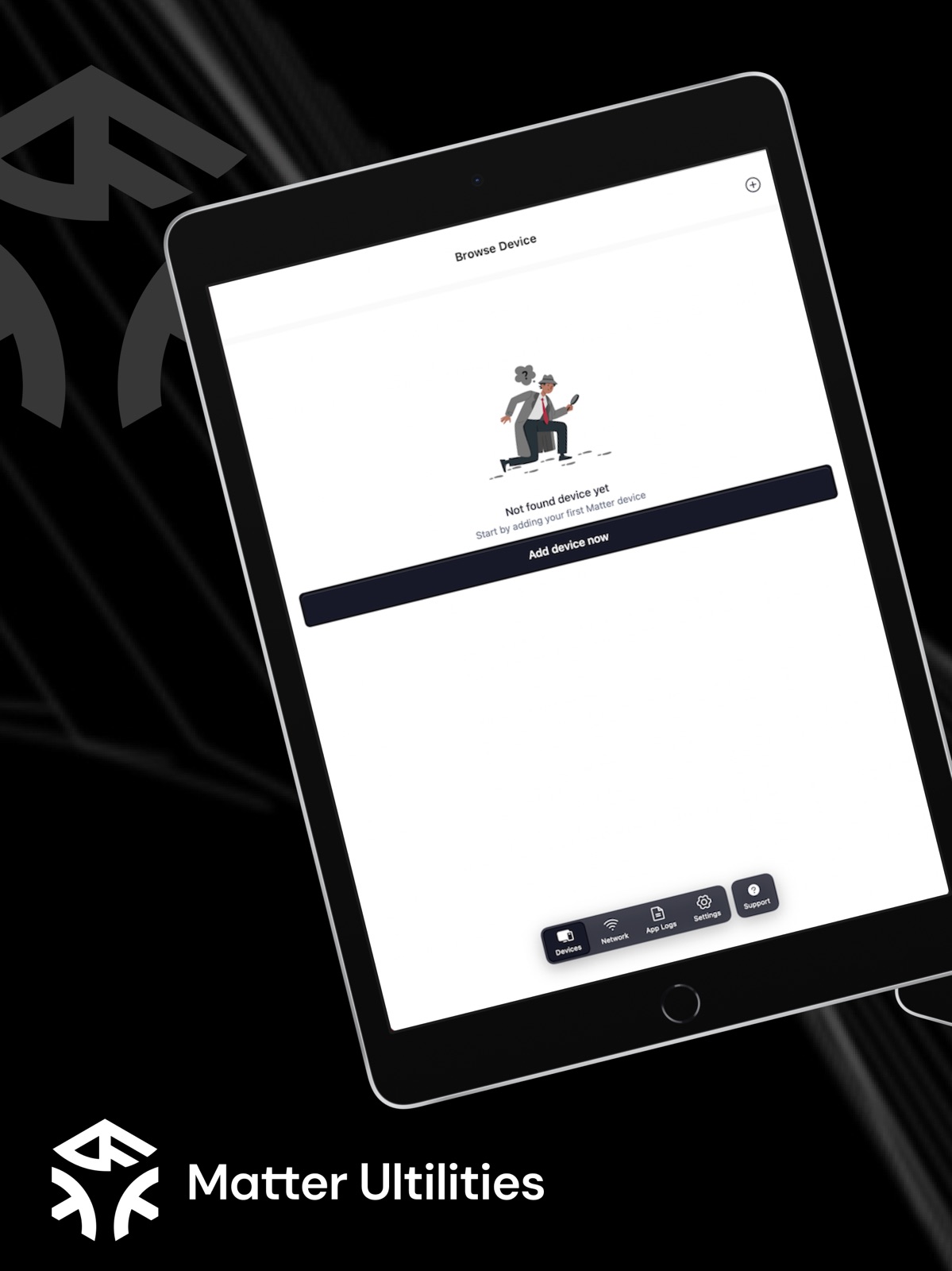
16 store screenshots


Pricing & paywalls
App Store
- Free to download
- In-app purchases
Ratings & reviews
App Store
-
5/5App now Fixed!
Thanks to the developer! The app is now fixed and it even links it with Apple HomeKit which is super nice!
dczfo · 31 Jul 2026
-
2/5Opens & Insta crashes
Used to work before the most recent update, now it opens & immediately crashes closed.
DrDankNuggs · 31 Jul 2026
-
1/5Doesn't connect!!!!
i’ve tried 23 times to connect my device and it will not connect. I’ve tried different account accounts different Wi-Fi password and it still won’t connect. This is a horrible app. Don’t recommend for anyone who is not good with technology.!!! 😭😭☠️
Bella snitzer · 31 Jul 2026
-
1/5Cync/Matter issues
I’ve been working on this led strip for 2 hours and it still doesn’t connect, this is the worst investment I’ve made…
C/M sucks · 31 Jul 2026
-
1/5Not able to connect
Don’t buy if u don’t know about it u have to pay a monthly subscription if not, it don’t work .not good !
210Clos · 31 Jul 2026
Privacy & accessibility
App Store
Privacy
- Data Not Linked to You — Analytics — Diagnostics — Crash Data Developer declared
- Data Not Linked to You — Analytics — Diagnostics — Other Diagnostic Data Developer declared
- Data Not Linked to You — Analytics — Diagnostics — Performance Data Developer declared
- Data Not Linked to You — Analytics — Identifiers — Device ID Developer declared
- Data Not Linked to You — App Functionality — Diagnostics — Crash Data Developer declared
- Data Not Linked to You — App Functionality — Diagnostics — Other Diagnostic Data Developer declared
- Data Not Linked to You — App Functionality — Diagnostics — Performance Data Developer declared
- Data Not Linked to You — App Functionality — Identifiers — Device ID Developer declared
- Data Not Linked to You — Diagnostics Developer declared
- Data Not Linked to You — Identifiers Developer declared
Accessibility
No accessibility labels collected yet.
Versions
App Store
-
1.1.10
**New Updates**: - Fixed crash when adding an invalid Open Thread Border Router
-
2.0.0
**Release update**: - Updated UI/UX to be easier to use. - Add a Support Screen to have some guide to use and join our community easier
-
2.1.0
**Release update**: - Updated UI/UX to be easier to use. - Add a Support Screen to have some guide to use and join our community easier
-
2.10.0
**New Features**: - Now, in the loading screen while pairing with Matter devices, the user can view the "debug log" and the steps that the phone connects with it. - Add "Copy Logs" button in "Debug Log" view after done/fail pairing process. The users can copy and send this log when they report bugs to the developer team. **Bug Fixes & Improvements** - Fixed known issues - Fixed UI/UX issues reported in the previous version
-
2.10.1
**New Features**: - Improved UI/UX for displaying logs during the device connection process, including troubleshooting suggestions when a Matter device connection fails. **Bug Fixes & Improvements**: - Fixed known issues. - Optimized performance. - Fixed UI/UX issues reported in the previous version.
-
2.11.0
· 14 Jul 2026
**New Features**: - Implemented the iOS control experience for Matter Power Source Device Type. - Added Simple, Full, and Custom display modes with detailed sections including overview, battery, charging, replacement, wired input, powered endpoints, events. **Bug Fixes & Improvements**: - Fixed performance issues. - Enhanced data loading with progressive, best-effort attribute loading and localized loading/error states. - Improved cleanup and cancellation paths for automation timeouts and subscriptions. - Fixed UI/UX issues reported in the previous version.
-
2.2.0
**Release Update**: - Select Connection Method – Choose how you want to connect to your device. - Control Multiple Endpoints – Manage multiple device endpoints more efficiently. - Control Outlet & Lamp – New UI for controlling lamps and added support for outlet control. - Save & Display Matter QR Code – Easily save and retrieve your Matter QR code. - Root Node Controller View – Added a new view for better device management. - Rate Us Button – Show your support by rating us in the Settings screen. **Fixes & Improvements**: - Improved Device Reconnection – More stable and reliable device connections. - Setup Code Issue Fixed – Adding a device with a setup code now works as expected. - Device Name Display – Updated logic to ensure device names appear correctly. - Missing Device Information – Resolved an issue where some device details were not displayed. - Updated Manufactories List – Ensuring up-to-date and accurate manufacturer information.
-
2.2.1
**Release Update**: - Select Connection Method – Choose how you want to connect to your device. - Control Multiple Endpoints – Manage multiple device endpoints more efficiently. - Control Outlet & Lamp – New UI for controlling lamps and added support for outlet control. - Save & Display Matter QR Code – Easily save and retrieve your Matter QR code. - Root Node Controller View – Added a new view for better device management. - Rate Us Button – Show your support by rating us in the Settings screen. **Fixes & Improvements**: - Improved Device Reconnection – More stable and reliable device connections. - Setup Code Issue Fixed – Adding a device with a setup code now works as expected. - Device Name Display – Updated logic to ensure device names appear correctly. - Missing Device Information – Resolved an issue where some device details were not displayed. - Updated Manufactories List – Ensuring up-to-date and accurate manufacturer information.
-
2.2.2
**Release Update**: - Select Connection Method – Choose how you want to connect to your device. - Control Multiple Endpoints – Manage multiple device endpoints more efficiently. - Control Outlet & Lamp – New UI for controlling lamps and added support for outlet control. - Save & Display Matter QR Code – Easily save and retrieve your Matter QR code. - Root Node Controller View – Added a new view for better device management. - Rate Us Button – Show your support by rating us in the Settings screen. - Display image of production in Detail Screen **Fixes & Improvements**: - Improved Device Reconnection – More stable and reliable device connections. - Setup Code Issue Fixed – Adding a device with a setup code now works as expected. - Device Name Display – Updated logic to ensure device names appear correctly. - Missing Device Information – Resolved an issue where some device details were not displayed. - Updated Manufactories List – Ensuring up-to-date and accurate manufacturer information.
-
2.2.3
**Release Update**: - Select Connection Method – Choose how you want to connect to your device. - Control Multiple Endpoints – Manage multiple device endpoints more efficiently. - Control Outlet & Lamp – New UI for controlling lamps and added support for outlet control. - Save & Display Matter QR Code – Easily save and retrieve your Matter QR code. - Root Node Controller View – Added a new view for better device management. - Rate Us Button – Show your support by rating us in the Settings screen. - Display image of production in Detail Screen **Fixes & Improvements**: - Improved Device Reconnection – More stable and reliable device connections. - Setup Code Issue Fixed – Adding a device with a setup code now works as expected. - Device Name Display – Updated logic to ensure device names appear correctly. - Missing Device Information – Resolved an issue where some device details were not displayed. - Updated Manufactories List – Ensuring up-to-date and accurate manufacturer information.
-
2.2.4
**Release Update**: - Check for Updates – Get notified when a new version is available. - Share App Button – Easily share the app with your friends or teammates. **Fixes & Improvements**: - Bug Fixes – We've fixed a crash that occurred in certain situations to improve stability. We’re always working to improve your experience. Update now to enjoy the latest features and enhancements!
-
2.3.0
**Release Update**: - Share App – Easily share the app with your friends or teammates. - Upload Images – Attach screenshots or photos when reporting issues or submitting feedback. - Report Bugs & Request Features – Brand-new UI for reporting bugs and requesting new features directly from the app. - Screen Capture Detection – Automatically detects when a user takes a screenshot and prompts them to report a bug. - Feedback Form Enhancements – Updated feedback form with the latest requirements and improved the “Contribute Your Ideas” section under Settings. - Contribute Ideas – Redesigned Settings screen where users can submit ideas and recommendations more intuitively. - Device Connection UI – Improved UI/UX when selecting and connecting devices from the Home screen. **Fixes & Improvements**: - Deleting Devices – Fixed an issue where deleted devices would still appear after navigating away and back. - Disconnect Confirmation – Added a confirmation modal before disconnecting a device to prevent accidental unpairs. - General Stability – Various minor bug fixes and under-the-hood improvements to enhance overall app stability. We’re always working to improve your experience. Update now to enjoy the latest features and enhancements!
-
2.4.0
**Release Update**: - Subscriptions: Unlock premium tools with monthly or yearly plans. Manage or restore purchases right in the app. - E2E Automation Tests: Run end-to-end automated test flows with step logs, run history, and result summaries. - Advanced Mode Tests: Power-user test suite with custom scenarios, parameters, and deeper diagnostics. - Download/Print Matter QR: Export device pairing QR as PNG or PDF for easy sharing and printing. - Community Forum: Built-in forum to discuss issues, share tips, and get faster support. - Running Custom Read/Write Cluster: Now you can enter a JSON payload to send to the device by the Custom Read/Write Cluster easily **Fixes & Improvements**: - Test Reliability: Reduced flaky runs and improved timeout handling for long test sessions. - Performance: Faster device discovery and smoother navigation in test screens. - Error Clarity: Clearer messages and one-tap log export when something goes wrong. - General Stability: Various minor bug fixes and under-the-hood improvements to enhance overall app stability. - Updated some UI/UX to be more user-friendly We’re always working to improve your experience. Update now to enjoy the latest features and enhancements!
-
2.5.0
**Release Update**: - Multiple Languages: The app now supports English, German, Italian, French, Spanish, and Chinese for a more global experience. **Fixes & Improvements**: - Connectivity Fix: Resolved an issue preventing some Matter devices from connecting on iOS versions below 17.6. - Performance & Stability: Reduce latency when listening to the device status - UI/UX Enhancements: Polished several interface elements for a cleaner, more consistent experience.
-
2.5.1
**Release Update**: - Enhanced Subscription Flow: The subscription process has been improved for a smoother and more reliable experience. - New Matter Version Cluster: Added the “Get Matter Version” cluster in the Transaction tab for Endpoint 0 to provide more detailed device information. **Fixes & Improvements**: - Automation Access Fix: Resolved an issue where some users with active subscriptions were unable to access the Automation Test feature. - Performance & Stability: General optimizations and stability improvements for a better overall experience.
-
2.5.2
**Release Update**: - Simplified Matter over Thread Setup: Connecting Matter devices over Thread is now easier than ever. The setup flow automatically detects available Thread Border Routers on your local network and guides you through pairing seamlessly (tested with Apple TV 4K Gen 2 2021, Google Nest Hub, Amazon Echo Dot Gen 4th, Aqara Hub M3, Aqara Hub M100). - Border Router Setup Guide: Added a dedicated walkthrough within the app to assist users in adding a Thread Border Router via the manufacturer’s app — step-by-step instructions make onboarding smoother than before. **Fixes & Improvements**: - Thread Connectivity Enhancements: Improved Thread network stability and connection retries for smoother device onboarding. - Performance & Reliability: Optimized connection handling and background scanning to ensure faster discovery and more consistent results. - General Stability: Minor fixes and under-the-hood improvements for a better overall Matter experience.
-
2.5.3
**Fixes & Improvements**: - NFC Scanner Fix: We’ve fixed an issue where the NFC scanner failed to work on some devices, improving compatibility and reliability across all supported hardware. - Report & Upload Issue Flow: Introducing a new in-app workflow to submit bug reports—users can now attach device photos and detailed descriptions directly in the app for faster diagnostics and support. - Quality & Support Focus: We’re committed to delivering the best product experience and broad device support. Your contributions—reporting device types and sharing issues you encounter—help us identify bugs and improve the app faster. We value your feedback and thank you for helping us make the app better every day!
-
2.5.4
**Fixes & Improvements**: - Camera Permission Crash Fix: Fixed a crash that occurred when opening the camera without granting permissions — now the app handles permission requests gracefully to avoid unexpected closures. - Matter Device Browsing Crash Fix: Addressed a crash that could happen when navigating through some sequences - Improved QR Code Sharing Screen: Enhanced the screen that displays the QR code for sharing device control when pairing mode is turned on — visuals and rendering are now more reliable. - Log & Diagnostics Fixes: Cleaned up several logging issues to improve debugging, reporting accuracy, and overall stability. - Stable connection of Matter over Thread: Automatically select the Thread Network with the strongest signal
-
2.5.5
**Fixes & Improvements**: * **Enhanced Matter Device Setup Error Handling**: Clearly separated and identified Matter device setup failure reasons with updated UI/UX and logic, including: - No visible Wi-Fi network - No 2.4 GHz Wi-Fi available - Phone connected to 5 GHz Wi-Fi only - BLE not reachable - Device not in pairing mode - Attestation failed - Device not supported - Device already in fabric - Fabrics full - No Thread Border Router detected - Network timeout - Home configuration error - Generic errors (e.g. user cancellation, app closed, etc.) * **Improved Matter Connection Diagnostics**: Display more detailed logs during Matter device connection to help users better understand setup progress and failures. * **Codebase Cleanup & Refactor**: Removed legacy screen, take device photos screen (avoid confusion for user), and refactored related code to improve maintainability, readability, and long-term stability. * **Device Name Synchronization**: Automatically sync the device name set during the Matter pairing flow with the app to ensure consistent naming across the system. * **Network Information Persistence**: Save and display the Thread or Wi-Fi network name that the device is connected to in the Device Details screen (persisted via Core Data).
-
2.6.0
**Bug Fixes**: - Security send log issue - Device pairing (BLE, Paring mode) - Various minor issues **Implement**: - UI/UX and workflow updates Cluster light - New concept for Simple Mode - UI/UX updates for the Device List - UI/UX workflow updates for Rating Mode
-
2.7.0
*Bug Fixes**: - Various minor issues **Implement**: - UI/UX and workflow updates Cluster light - New concept for Full Mode & Custom Mode - Added more test cases with many other clusters for the Matter device that has a type of Light
-
2.8.0
**Overview**: Version 2.8.0 introduces several important features to enhance device control and user experience within the Matter ecosystem. This release focuses on enabling core device interactions, improving device organization, and introducing automation capabilities. Additionally, we have addressed multiple issues from previous versions to improve system stability and performance. **New Features**: - On/Off Plugin : + Users can now remotely turn devices on/off directly from the application + Supports basic control for smart devices such as plugs and lights + Provides real-time status updates for device state + Ensures stable communication via Matter protocol - Group Management: + Users can create, edit, and delete groups of devices + Control multiple endpoints simultaneously within a group + Simplifies device management for rooms or specific use cases - Scenes Management: + Users can create and manage scenes + A scene allows controlling a group of devices with predefined states in a single action **Bug Fixes & Improvements** - Fixed issues related to device connectivity stability - Fixed UI/UX issues reported in the previous version
-
2.9.0
**Overview**: This release introduces key features to enhance device organization and automation within the Matter ecosystem. By introducing Group and Scene Management, users can now efficiently manage multiple devices simultaneously and automate repetitive tasks. Additionally, this update brings system performance improvements and resolves connectivity bugs to ensure a more stable and optimized experience. **New Features**: - Group Management: + Create and flexibly manage device groups by adding or removing devices + Control multiple devices within the same group simultaneously + Synchronize states between devices in a group + Allows Matter firmware developers to effectively test Group and Scene features - Scene Management: + Set up and trigger specific state scenarios and command lists for devices to execute + Create and configure scenes involving multiple devices, saving specific states (e.g., on/off, level, mode) + Automate repetitive actions through grouped control in a single action **Bug Fixes & Improvements**: - Improved system performance when handling multiple devices - Optimized the user experience during device control - Fixed minor bugs related to connecting Matter devices - Improved stability when synchronizing device states
-
2.9.1
**Bug Fixes & Improvements**: - Fixed issue "Device Unavailable." - Fixed multiple language issues in the Guideline of Group & Scene screen
-
2.9.2
- Fixed bugs for a smoother experience and improved control of the Matter accessories experience
Alternatives
- Get My IDFA — Same category + similar ratings
- eNES: NES & SNES Retro Emu — Same category + similar ratings
Availability by market
- US
Data quality & evidence
- Page completeness
- Live store listing
- Last verified
- 31 Jul 2026
- Sources
- App Store
- Apoku editorial summary has not been published yet.