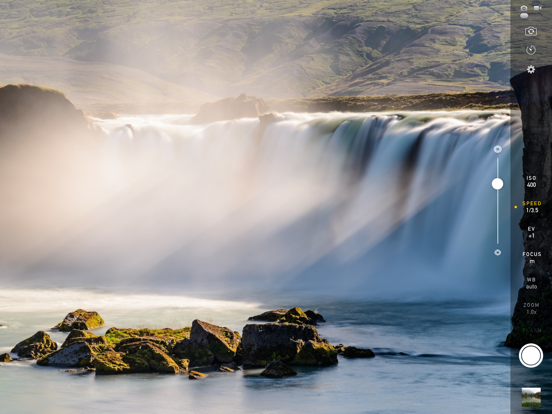
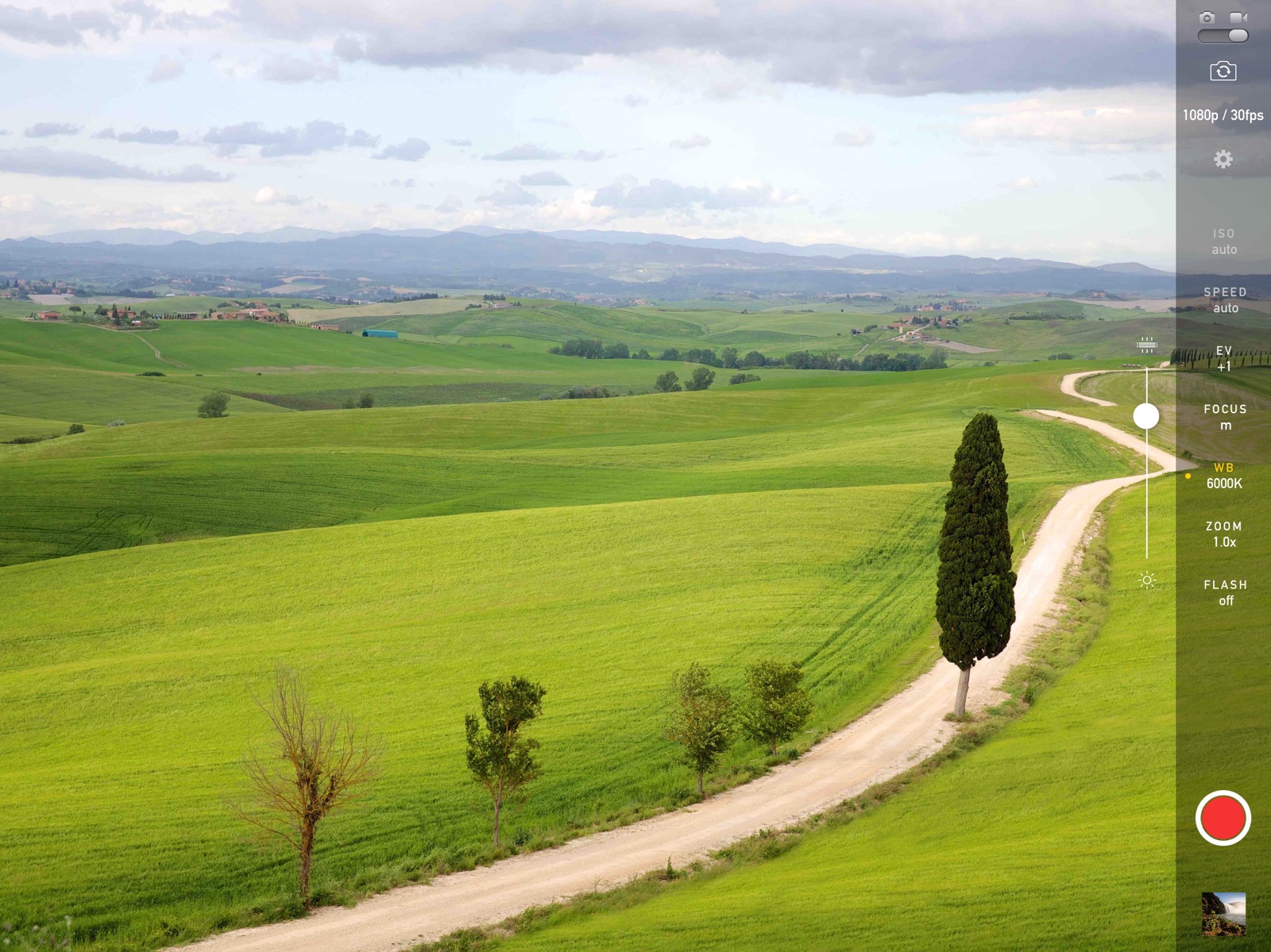
Apoku MCP provides app discovery, detailed cards, evidence, sources and screenshots where available. Unknown or conflicting prices stay explicit.
View JSON
GET /api/v3/apps/916568801
{
  "app_id": 916568801,
  "canonical_url": "https://appcorpus.com/apps/manual-camera-4-916568801",
  "identity": {
    "name": "Manual Camera 4",
    "slug": "manual-camera-4",
    "developer": {
      "name": "Kenneth Kao",
      "url": "https://appcorpus.com/developers/kenneth-kao-developer_2bb33249623c0e63ed7af304dfba531f"
    },
    "icon_url": "https://is1-ssl.mzstatic.com/image/thumb/Purple221/v4/9c/65/53/9c655391-1927-be80-bab3-3a5ad14c0556/AppIcon-0-0-1x_U007emarketing-0-7-0-85-220.png/512x512bb.jpg",
    "stores": [
      "apple"
    ],
    "platforms": [
      "iphone",
      "ipad"
    ],
    "status": {
      "state": "active",
      "label": "Active",
      "last_checked": "2026-08-06",
      "last_checked_label": "6 Aug 2026",
      "banner": null,
      "region_note": null,
      "data_state": "stale",
      "data_state_label": "Some store data may be out of date"
    }
  },
  "listings": [
    {
      "store": "apple",
      "status": "ACTIVE",
      "url": "https://apps.apple.com/us/app/manual-camera-4/id916568801?uo=4",
      "rating": 4.6,
      "rating_count": 343,
      "formatted_price": "$3.99",
      "is_free": false,
      "has_iap": false,
      "has_subscription": null,
      "version": "4.9.7",
      "updated": "2026-08-06",
      "currency": "USD"
    }
  ],
  "summary": {
    "one_liner": null,
    "summary": null,
    "best_for": [],
    "not_for": [],
    "status": "fallback",
    "at_a_glance": [
      "$3.99"
    ]
  },
  "categories": {
    "official": [
      "Photo & Video",
      "Utilities"
    ],
    "appcorpus": [
      {
        "category_id": "photo-video",
        "label": "Photo & video",
        "url": "https://appcorpus.com/categories/photo-video"
      },
      {
        "category_id": "utilities",
        "label": "Utilities",
        "url": "https://appcorpus.com/categories/utilities"
      }
    ]
  },
  "use_cases": [],
  "features": [
    {
      "capability_id": "family_sharing",
      "label": "Family Sharing",
      "availability": "unknown",
      "access_level": "unknown",
      "scope": null,
      "evidence": "Store published"
    }
  ],
  "pricing": [
    {
      "store": "apple",
      "formatted_price": "$3.99",
      "is_free": false,
      "has_iap": false,
      "has_subscription": null,
      "currency": "USD",
      "market": "us",
      "last_verified": "2026-08-06",
      "rows": [
        "Price: $3.99"
      ],
      "state": "current"
    }
  ],
  "screens": [
    {
      "url": "https://is1-ssl.mzstatic.com/image/thumb/Purple113/v4/af/8d/f7/af8df78f-e515-cad3-c12c-f27f8b6110f4/pr_source.jpg/1600x1600bb.jpg",
      "store": "apple",
      "platform": "ipad",
      "alt": "Manual Camera 4 ipad screenshot 1"
    },
    {
      "url": "https://is1-ssl.mzstatic.com/image/thumb/Purple113/v4/08/76/9a/08769aef-c32c-27ea-d494-1a2a647879a3/pr_source.png/552x414bb.png",
      "store": "apple",
      "platform": "ipad",
      "alt": "Manual Camera 4 ipad screenshot 2"
    },
    {
      "url": "https://is1-ssl.mzstatic.com/image/thumb/Purple113/v4/bf/09/34/bf0934b8-e754-22df-244a-10f21f1cd0e8/pr_source.jpg/1600x1600bb.jpg",
      "store": "apple",
      "platform": "ipad",
      "alt": "Manual Camera 4 ipad screenshot 3"
    },
    {
      "url": "https://is1-ssl.mzstatic.com/image/thumb/Purple113/v4/9b/bb/34/9bbb3462-bcb0-4b82-dcb7-b633299a2439/pr_source.png/552x414bb.png",
      "store": "apple",
      "platform": "ipad",
      "alt": "Manual Camera 4 ipad screenshot 4"
    },
    {
      "url": "https://is1-ssl.mzstatic.com/image/thumb/Purple123/v4/7a/31/bd/7a31bd48-8ae1-eb0d-b91e-431a384a238e/pr_source.jpg/1600x1600bb.jpg",
      "store": "apple",
      "platform": "ipad",
      "alt": "Manual Camera 4 ipad screenshot 5"
    },
    {
      "url": "https://is1-ssl.mzstatic.com/image/thumb/Purple123/v4/ab/c7/73/abc77396-e404-fbc8-e131-33606f653c93/pr_source.png/552x414bb.png",
      "store": "apple",
      "platform": "ipad",
      "alt": "Manual Camera 4 ipad screenshot 6"
    },
    {
      "url": "https://is1-ssl.mzstatic.com/image/thumb/Purple113/v4/a9/34/fc/a934fc5f-fec7-c55a-ae9b-f88f0319d999/pr_source.png/1600x1600bb.jpg",
      "store": "apple",
      "platform": "ipad",
      "alt": "Manual Camera 4 ipad screenshot 7"
    },
    {
      "url": "https://is1-ssl.mzstatic.com/image/thumb/Purple113/v4/28/13/d4/2813d451-f4d1-604f-2409-3eb2288070e1/pr_source.png/552x414bb.png",
      "store": "apple",
      "platform": "ipad",
      "alt": "Manual Camera 4 ipad screenshot 8"
    },
    {
      "url": "https://is1-ssl.mzstatic.com/image/thumb/Purple113/v4/07/1c/61/071c6182-c5e3-447a-3794-a9fb01da8ef3/pr_source.jpg/1600x1600bb.jpg",
      "store": "apple",
      "platform": "ipad",
      "alt": "Manual Camera 4 ipad screenshot 9"
    },
    {
      "url": "https://is1-ssl.mzstatic.com/image/thumb/Purple113/v4/96/d1/82/96d182fb-47bc-5f6d-6d0d-ac33489c0251/pr_source.png/552x414bb.png",
      "store": "apple",
      "platform": "ipad",
      "alt": "Manual Camera 4 ipad screenshot 10"
    },
    {
      "url": "https://is1-ssl.mzstatic.com/image/thumb/Purple113/v4/78/ac/17/78ac1735-da46-45f5-a065-d85111f88117/pr_source.png/1125x1600bb.jpg",
      "store": "apple",
      "platform": "iphone",
      "alt": "Manual Camera 4 iphone screenshot 11"
    },
    {
      "url": "https://is1-ssl.mzstatic.com/image/thumb/Purple123/v4/ba/05/6c/ba056c3a-ea70-67e5-d7d6-814166a7736f/pr_source.png/1125x1600bb.jpg",
      "store": "apple",
      "platform": "iphone",
      "alt": "Manual Camera 4 iphone screenshot 12"
    },
    {
      "url": "https://is1-ssl.mzstatic.com/image/thumb/Purple113/v4/07/8b/f7/078bf76c-479b-3c3a-2eef-0be4bd4ce39a/pr_source.png/1125x1600bb.jpg",
      "store": "apple",
      "platform": "iphone",
      "alt": "Manual Camera 4 iphone screenshot 13"
    },
    {
      "url": "https://is1-ssl.mzstatic.com/image/thumb/Purple123/v4/6a/ac/d7/6aacd7e3-ea30-aac9-664b-6a96c6d92a43/pr_source.png/1125x1600bb.jpg",
      "store": "apple",
      "platform": "iphone",
      "alt": "Manual Camera 4 iphone screenshot 14"
    },
    {
      "url": "https://is1-ssl.mzstatic.com/image/thumb/Purple113/v4/ae/ce/33/aece3366-276c-b3ee-9191-dca842ad515f/pr_source.png/1125x1600bb.jpg",
      "store": "apple",
      "platform": "iphone",
      "alt": "Manual Camera 4 iphone screenshot 15"
    }
  ],
  "data_states": {
    "screens": "current"
  },
  "ratings": [
    {
      "store": "apple",
      "average": 4.6,
      "count": 343,
      "market": "us",
      "observed_at": "2026-08-06",
      "state": "current",
      "reviews": [
        {
          "rating": 5,
          "title": "Pretty amazing!",
          "body": "I've looked high and low for a video app that actually gave me the controls I was looking for. I think the interface is very clean and simple. I have no complaints, and only praise to give here. One tip for users: I may have spotted a bug, but let me explain how to actually get everything to actually lock. It is a little tricky. If you set the focus, exposure and ISO, it will still compensate a little with the EV. Even though it will say \"0\", it in reality, it will be changing a little bit. When the value here is manually changed, then it will lock and it will remain so until something is changed like the frame rate, or resolution. It would be nice if there was a \"lock all settings\" button somewhere, maybe at the top bar or above the pictures review button. Great, great App!",
          "author": "addyonmac",
          "date": "6 Aug 2026"
        },
        {
          "rating": 5,
          "title": "Rack focus",
          "body": "I needed to be able to do rack focus during video recording, and this app does it beautifully. Even better, it doesn't compress the video, and allows you to select the resolution (up to 4K!) and fps, then saves it right to your camera roll. It also lets you manually adjust a million other settings, which I'm looking forward to utilizing. But the manual focus adjusting during video recording is what really made it worth the $2.99 for me. Very easy to use, very tempting to use all the time!",
          "author": "devroyspa",
          "date": "6 Aug 2026"
        },
        {
          "rating": 3,
          "title": "Decent",
          "body": "This app has its moments. There are only like 3 apps including this one that can really give you some good control over your camera. This particular apps user interface isn't the most intuitive. The slider bars can be quit annoying as it can be impossible to get your shutter speed to 1/60. You slide to 1/60 and once you take your finger off, it's moves ever so slightly to 1/62 or 1/57. I also feel that white balance isn't quit correct on the kelvin temp scale. I know for a fact the lights in my home are 4700. Not 3000 but that's okay. It's not hard to get it balance. Just if you ever have to reshot something after changing the settings it could be difficult to get it just right like before. It's not like a DSLR but it does well at giving you more control. I like the slider bar for focus but I would rather not have the slider for everything else.",
          "author": "Tyler Sandy",
          "date": "6 Aug 2026"
        },
        {
          "rating": 3,
          "title": "Update needed for video glitches",
          "body": "I honestly love this app minus a few video glitches. Today while recording an event the app crashed around 40 minutes in. It did not store the video to the point of the crash it just crashed and I lost all that video. I then restarted the phone (iPhone 8 plus) and tried to continue to record the event but couldn’t get the app past 4 minutes of video without it crashing. Please get this fixed. Furthermore, please adjust the controls to where you can gradually change options without it making drastic jumps depending on where you place your finger. Hope that makes sense but an example would be the zoom. If it’s on 3x and you want to gradually zoom back out it’s impossible.",
          "author": "Lopez2three45",
          "date": "6 Aug 2026"
        },
        {
          "rating": 5,
          "title": "Better clarity, color accuracy",
          "body": "As an artist I use this app exclusively to take photos of paintings. Its color-accurate less-opinionated algorithm drastically improves the images produces by native iPhone hardware (the Apple algorithm does things fo make your selfies and vacation shots pretty that take forever to reduce in Photoshop afterward). I was thinking of buying an SLR camera but instead I got Manual. Thanks for making it! Highly recommend.",
          "author": "al1c1a301",
          "date": "6 Aug 2026"
        }
      ]
    }
  ],
  "privacy": [
    {
      "store": "apple",
      "declarations": [
        {
          "title": "Data Not Linked to You",
          "detail": "Analytics — Usage Data — Other Usage Data",
          "source": "Developer declared"
        },
        {
          "title": "Data Not Linked to You",
          "detail": "Analytics — Usage Data — Product Interaction",
          "source": "Developer declared"
        },
        {
          "title": "Data Not Linked to You",
          "detail": "App Functionality — Diagnostics — Crash Data",
          "source": "Developer declared"
        },
        {
          "title": "Data Not Linked to You",
          "detail": "App Functionality — Diagnostics — Other Diagnostic Data",
          "source": "Developer declared"
        },
        {
          "title": "Data Not Linked to You",
          "detail": "Diagnostics",
          "source": "Developer declared"
        },
        {
          "title": "Data Not Linked to You",
          "detail": "Usage Data",
          "source": "Developer declared"
        }
      ],
      "accessibility": []
    }
  ],
  "changes": [
    {
      "store": "apple",
      "version": "2.1",
      "released_at": null,
      "notes": "Support for new iPhones."
    },
    {
      "store": "apple",
      "version": "2.1.1",
      "released_at": null,
      "notes": "- Support for new iPhones v2.1.1: - Bug fixes"
    },
    {
      "store": "apple",
      "version": "2.1.2",
      "released_at": null,
      "notes": "- Support for new iPhones - Bug fixes"
    },
    {
      "store": "apple",
      "version": "2.2",
      "released_at": null,
      "notes": "Support for new iPhone and iPad"
    },
    {
      "store": "apple",
      "version": "3.0",
      "released_at": null,
      "notes": "Support for ultra wide camera and iOS 13."
    },
    {
      "store": "apple",
      "version": "3.1",
      "released_at": null,
      "notes": "- Optimized for new iPhones - Bug fixes"
    },
    {
      "store": "apple",
      "version": "3.2",
      "released_at": null,
      "notes": "- Focus Peaking - Improved histogram - Haptic feedback"
    },
    {
      "store": "apple",
      "version": "3.3",
      "released_at": null,
      "notes": "- Easily change video formats with new menu - Support for wide color videos"
    },
    {
      "store": "apple",
      "version": "3.4",
      "released_at": null,
      "notes": "- Bug fixes"
    },
    {
      "store": "apple",
      "version": "4.0",
      "released_at": null,
      "notes": "- New \"Auto Exposure Lock\" button - New \"Auto White Balance Lock\" button - Overall improvements"
    },
    {
      "store": "apple",
      "version": "4.1",
      "released_at": null,
      "notes": "Optimizations for iOS 14"
    },
    {
      "store": "apple",
      "version": "4.2",
      "released_at": null,
      "notes": "Supports HDR (Dolby Vision / HLG) recording on iPhone 12"
    },
    {
      "store": "apple",
      "version": "4.2.1",
      "released_at": null,
      "notes": "Supports HDR (Dolby Vision / HLG) recording on iPhone 12"
    },
    {
      "store": "apple",
      "version": "4.3",
      "released_at": null,
      "notes": "Support for Apple ProRAW capturing."
    },
    {
      "store": "apple",
      "version": "4.3.1",
      "released_at": null,
      "notes": "Support for Apple ProRAW capturing."
    },
    {
      "store": "apple",
      "version": "4.4",
      "released_at": null,
      "notes": "Shoot macro photography with iPhone 13 Pro's ultrawide lens."
    },
    {
      "store": "apple",
      "version": "4.5",
      "released_at": null,
      "notes": "Improved compatibility with iPhone 13 and iOS 15."
    },
    {
      "store": "apple",
      "version": "4.6",
      "released_at": null,
      "notes": "Supports Apple ProRes on iPhone 13 Pro."
    },
    {
      "store": "apple",
      "version": "4.7",
      "released_at": null,
      "notes": "Improved compatibility."
    },
    {
      "store": "apple",
      "version": "4.8",
      "released_at": null,
      "notes": "Fixed issues with iOS 15.2."
    }
  ],
  "alternatives": [
    {
      "app_id": 1239098425,
      "name": "Camera M - Pro Manual Camera",
      "url": "https://appcorpus.com/apps/camera-m-pro-manual-camera-1239098425",
      "reason": "Same category + similar ratings"
    },
    {
      "app_id": 914386930,
      "name": "DSLR Camera",
      "url": "https://appcorpus.com/apps/dslr-camera-914386930",
      "reason": "Same category + similar ratings"
    },
    {
      "app_id": 1238096354,
      "name": "M=Camera",
      "url": "https://appcorpus.com/apps/m-camera-1238096354",
      "reason": "Same category + similar ratings"
    },
    {
      "app_id": 924438909,
      "name": "ProShot",
      "url": "https://appcorpus.com/apps/proshot-924438909",
      "reason": "Same category + similar ratings"
    },
    {
      "app_id": 1543743256,
      "name": "Manual Camera – Focus, ISO, WB",
      "url": "https://appcorpus.com/apps/manual-camera-focus-iso-wb-1543743256",
      "reason": "Same category + similar ratings"
    },
    {
      "app_id": 1152205153,
      "name": "Manual Camera, Pro DSLR | RAW+",
      "url": "https://appcorpus.com/apps/manual-camera-pro-dslr-raw-1152205153",
      "reason": "Same category + similar ratings"
    }
  ],
  "evidence_summary": {
    "index_state": "S1",
    "evidence_level": 1,
    "level_label": "Live store listing",
    "indexable": true,
    "last_verified_at": "2026-08-06",
    "unknown_fields": [
      "Apoku editorial summary has not been published yet."
    ],
    "sources": [
      "App Store"
    ]
  },
  "availability_markets": {
    "live": [
      "us"
    ],
    "selected": "us",
    "note": null
  },
  "feature_events": {
    "events": []
  },
  "features_slice": {
    "plans": [],
    "features": [],
    "unknown_features": [],
    "data_cutoff": "6 Aug 2026"
  }
}