
Quick verdict
- What it is
- Store information collected; independent summary not yet available.
- At a glance
-
- Free to download
Categories and search queries
Official categories
- Lifestyle
AppCorpus categories
Key functions
| Function | Availability | Access | Scope | Evidence |
|---|---|---|---|---|
| Free app | Yes | Free | — | Store published |
Screens
App Store
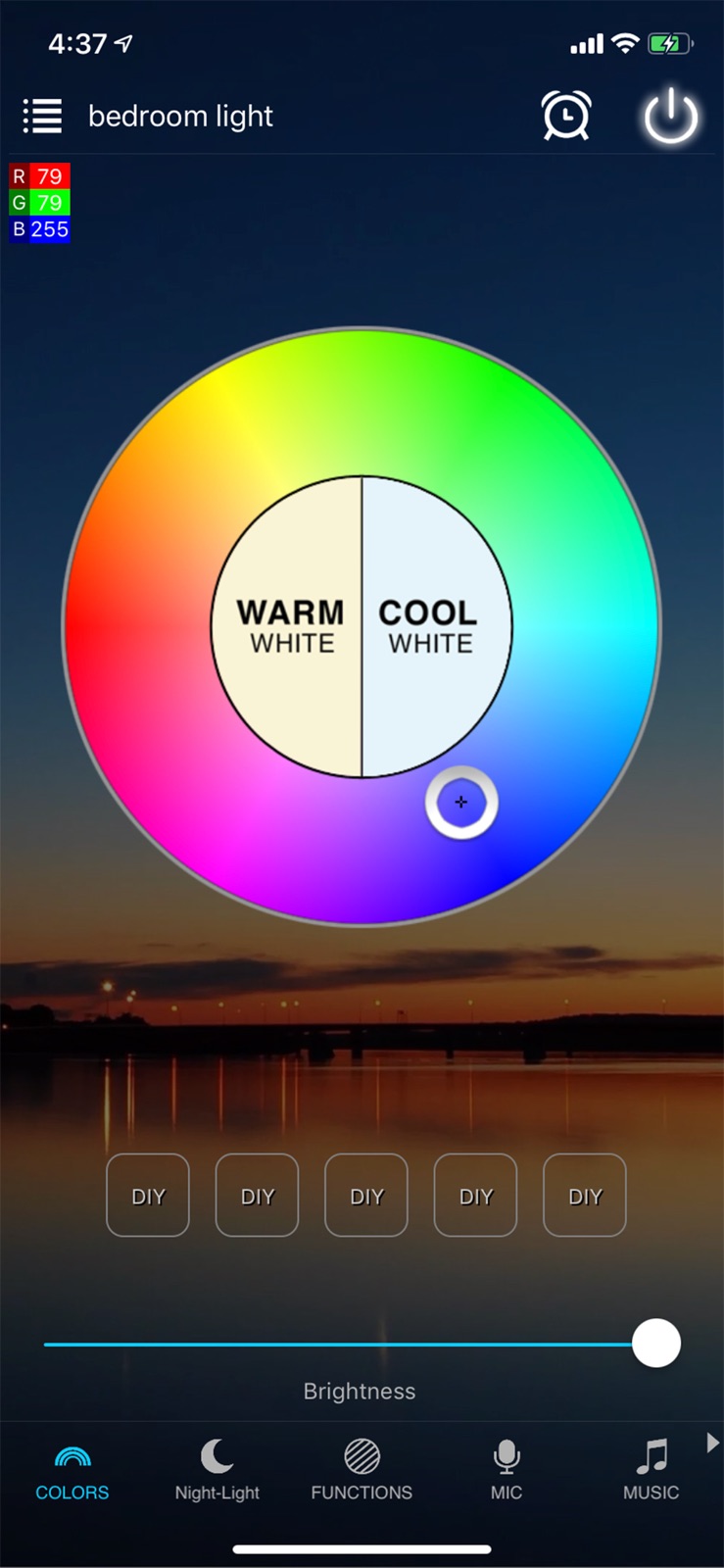
3 store screenshots


Pricing & paywalls
App Store
- Free
Ratings & reviews
App Store
-
2/5The light bulbs are freaking out
I can’t say if it’s the app or the bulbs…my guess is the app, so here you go! My bulbs worked fine awhile ago. Then they needed to be reset, but I didn’t have time. Today, I upgraded the app and reset two bulbs and connected another for the first time. It worked fine configuring and connected the new one. The other two I could not get to work. One connected, turned green and then went off line. I could not get it back online, so I deleted the device and decided to start over. The app discovers the bulbs and the phone displays the wifi settings. The bulbs also flash or change color, which clearly indicates it’s communicating with the app. But when I try to continue, app consistently says it can’t connect to wifi. I’ll reset, then close the app, reopen it, blah blah blah and they won’t connect. Since I actually have a life and can’t sit here for hours to connect bulbs to my phone, something I’ve managed to live without my whole life, I just turned the lights off and closed the app. Now, when I turned the lights on, both bulbs keep changing colors between a stark, almost blue white and a beige normal light bulb color. The app isn’t open, bulbs never connected, yet it like Vegas in my room! It’s very very &%*¥!=~ annoying! Going to find a couple good old-fashioned incandescent, money wasting glass light bulbs that won’t give me a headache!
Bets777 · 31 Jul 2026
-
1/5Unsecured connections, unnecessary data request
Package came with 2 bulbs, first one would not make available the Wi-Fi network the instructions said to connect to. Couldn’t get to the faq, the link for said faq I had to open on my computer to get it to load- the link for said faq showed “not secure” in the search bar when I entered it. I gave up on the first bulb and tried the Second bulb, which upon screwing in to my desk lamp revealed the network instructed to connect to, which I did, it then asked me to connect to my home Wi-fi router while in the app. Again, this time in my Wi-Fi settings my phone said the provided connection was an “unsecured network”, and I was not comfortable typing my router password when prompted to by the app. When I went back to the app, despite not providing my Wi-Fi information, the app suddenly worked, and while connected to the Wi-Fi network the instructions lead me to, I could access and control the Second Bulb. This was a gross hassle, hate when a product says “easy setup”, then tries to collect data on you it doesn’t actually need to access a product’s functions. Can’t tell if the app developer was incompetent or if this is some sort of phishing scheme. Time will tell. One star because through sheer tenacity I got it to work, the bulb base is hot to the touch which makes me nervous, LED bulbs I’ve used in the past don’t get hot. A Bluetooth only bulb would be more secure, I’m sure there are better products out there but this was given to me as a gift. Research products before you buy, my friends.
Midian67 · 31 Jul 2026
-
2/5Went down hill fast
The light strips worked great for a short time. Then all of the sudden, they would reset themselves in the middle of the night and begin flashing through all colors. This was inconvenient to have to get up and unplug 6-8 sets throughout the house. The first time this happened it was somewhat difficult to reset and reconnect due to having to eventually reset the router in order to get them to connect. This sporadically happened over several months then again last night they all reset, flashing the rainbow throughout the house. Again, I just unplugged them all and began working to reset and reconnect them today. So far, I have reset the router and attempted to reset and reconnect the lights around 7 times with only one of 8 controllers being able to reconnect. I am lost and have went through all the FAQs and tips while wasting many many hours troubleshooting this.
hjjjahbnfnfnf · 31 Jul 2026
-
1/5No App support
I have 60 devices and have a 500 megabit Internet connection. I’ve had nothing but problems with connecting my floodlights and LED strips that need to be used with this app. I recently went to a mesh system with 3 pods. My house is only 850 ft.², I still have the same exact problem trying to connect my Magic products. It takes 10 or more tries and maybe you will get them to connect. You would think once you connect one it would remember your password and just connect others but no. It’s been over two years and nothing has been done with this app so if you’re going to purchase any lights or anything, make sure it isn’t with magic app. Here’s what happens, It tells you to go to your settings to grab the light or strip join that network and then you go back to the app to get it to connect and all it does is time out or says other excuses. I have six other apps that don’t do that all my other ones connect right away even after a power failure. Very disappointed.
SX4JB · 31 Jul 2026
-
2/5Ugh
i’ve used the bulbs from here with this app for a couple years now. Took a minute to actually figure everything out but then i only occasionally had disconnection problems and it was almost always something on my end. all the sudden a couple days ago, i came home from my boyfriends and the light was on and disconnected! It was searching for internet so i got on the app to just reconnect it real quick. I assumed that the storm had just disconnected it somehow. I tried for an hour and couldn’t get it. I thought to try removing the bulb from the app and restarting the entire thing bc that usually solved everything, but now i can’t add it back. it has to search several times for wifi, and then once i select my home wifi and start trying to connect, it says there was an issue and makes me restart everything. The light flashes as it does when factory resetting, but all by itself, after this failure. if i turn my phone wifi on to the LED bulb network then suddenly it’s reconnected within the app and i can control it that way, but as soon as i set my phone back to my home network it starts flashing again. Really disappointed. Unless i want to find my phone every time i need the light, i have to use the switch like it’s just another normal light. Im quite upset over it.
AlecIsPlaying · 31 Jul 2026
Privacy & accessibility
App Store
Privacy
- Data Linked to You — Analytics — Contact Info — Email Address Developer declared
- Data Linked to You — App Functionality — Contact Info — Email Address Developer declared
- Data Linked to You — Contact Info Developer declared
- Data Not Linked to You — App Functionality — Diagnostics — Crash Data Developer declared
- Data Not Linked to You — App Functionality — Diagnostics — Other Diagnostic Data Developer declared
- Data Not Linked to You — App Functionality — Diagnostics — Performance Data Developer declared
- Data Not Linked to You — App Functionality — User Content — Customer Support Developer declared
- Data Not Linked to You — App Functionality — User Content — Other User Content Developer declared
- Data Not Linked to You — Diagnostics Developer declared
- Data Not Linked to You — User Content Developer declared
Accessibility
No accessibility labels collected yet.
Versions
App Store
-
1.5.0
1. New configuration for Bluetooth devices 2. Optimize music functions and user experience. 3. Optimize IOS14 compatibility.
-
1.5.1
fix bug of music.
-
1.5.2
Fixed bug
-
1.7.0
Fixed bug
-
1.7.5
1. Increase light strings compatibility. 2. Increase grow light compatibility. 3. Fix bug.
-
1.7.6
1. Increase light strings compatibility. 2. Increase grow light compatibility. 3. Fix bug.
-
1.7.7
1. Fixed the problem of RGB controller unable to change color in remote mode 2. Fixed the problem that occurs when a floor lamp automatically turns on or off. Please follow the steps below: App settings -> Device information -> Check for Firmware Updates
-
1.7.8
1. Fixed the problem that occurs when a floor lamp automatically turns on or off. Please follow the steps below: App settings -> Device information -> Check for Firmware Updates 2. Add Italian, Spanish, French.
-
1.7.9
Fixed bug
-
1.8.1
1. New interface design for smart socket . 2. Automatically discover new devices 3. Add App evaluation function.
-
1.8.2
1. Fix the problem of popping up Bluetooth prompt every time. 2. Fixed bug.
-
1.8.3
Fixed bug
-
1.8.4
Fixed bug
-
1.8.5
Fixed bugs
-
1.8.6
1. Add customer service evaluation function 2. Increase the text size of support
-
1.8.7
Fixed some known bugs
-
1.8.8
1. Added a new IC type CF1903B to the Symphony controller 2. Fix Christmas lights timer issue
-
1.8.9
1.Fixed bug 2.Add internal payment to experience the ifttt function
-
1.9.0
Fixed some bugs
-
1.9.1
Fixed bugs
-
1.9.2
fied bug
-
1.9.3
fixed bug
-
1.9.4
fixed bug
-
1.9.5
fixed bug
-
1.9.7
· 13 Feb 2025
Compatible with new chip devices
Alternatives
- SmartLife: Smart Living — Same category + similar ratings
Availability by market
- US
Data quality & evidence
- Page completeness
- Live store listing
- Last verified
- 31 Jul 2026
- Sources
- App Store
- Independent summary has not been published yet.