
Linksys
Manage your home network and control internet access with this app.
iPhone · iPad
Quick verdict
- What it is
- This app allows you to manage your home network, control internet access, and monitor connected devices. It also includes features such as parental controls and guest network management.
- Best for
-
- someone who wants to manage their home network
- someone who wants to control internet access for their kids
- At a glance
-
- Free to download
Categories and search queries
Official categories
- Utilities
- Productivity
AppCorpus categories
People use this app to
Relevant searches
- age rating parental gate
- daily screen time limit for a child
- pin lock for child purchases
Key functions
| Function | Availability | Access | Scope | Evidence |
|---|---|---|---|---|
| Free app | Yes | Free | — | Store published |
| Parental controls | Yes | Free | — |
From listing
|
Screens
App Store
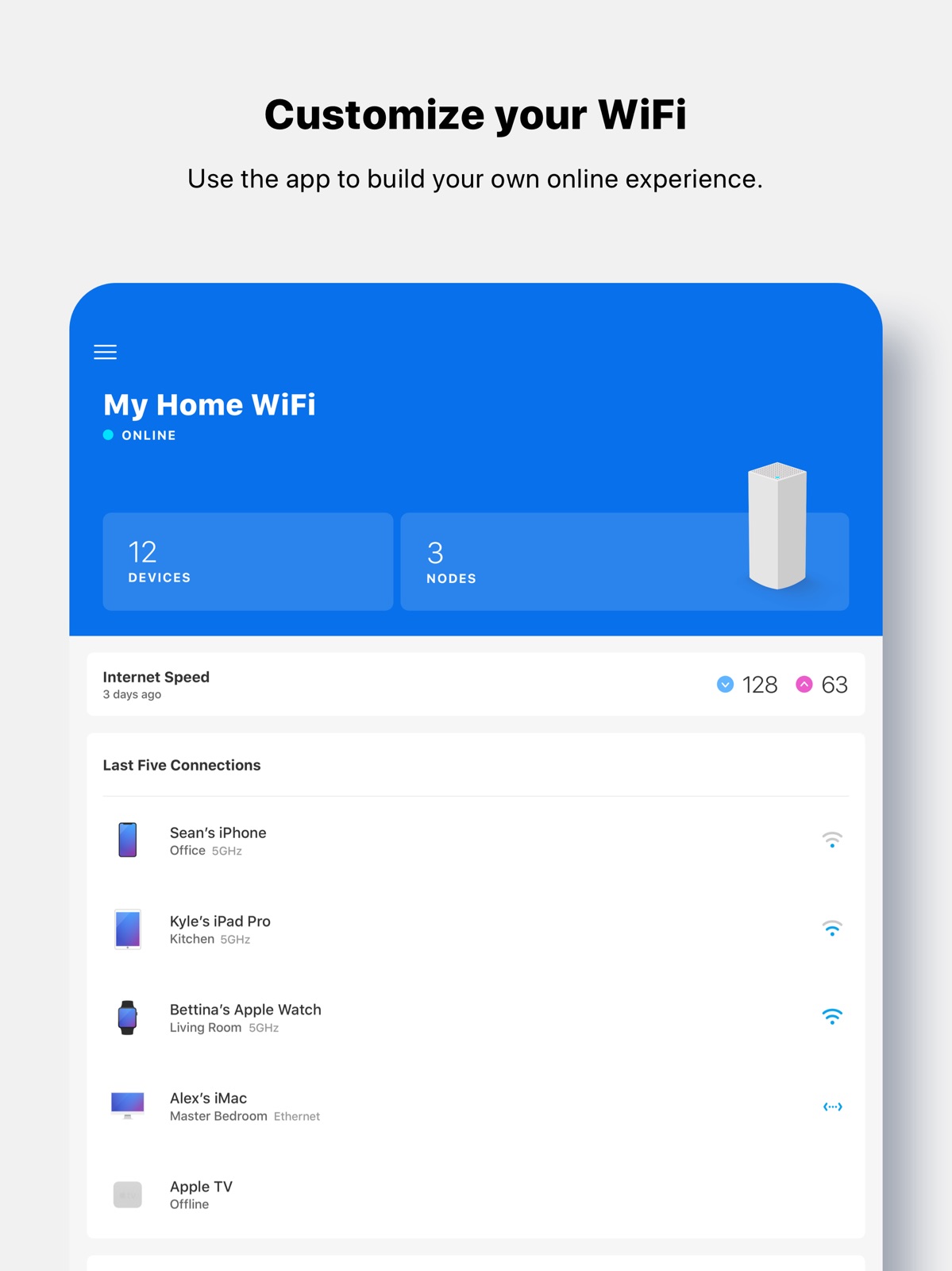
12 store screenshots


Pricing & paywalls
App Store
- Free
Ratings & reviews
App Store
-
1/5Outdated and inaccurate
The mesh product is great but it is held back by the app and or smartwifi via Internet. Inferior products have outpaced Linksys with the ability to direct connection of nodes and or devices to specific nodes. This single feature is the most frustrating thing that Linksys apparently refuses to accept as necessary. When I have a child node less than 10 ft from the node it should connect to, but it insists on connecting to the furthest node and maintaining a -65 signal, that’s trash. I’ve turned off node steering, it still connects to the furthest node. When I can get it to connect to the node just above it, the signal is great -38. Why is the threshold for seeking a stronger signal so high that it will accept a signal that is literally defined on Linksys as “some people experience loss of internet…”. What? Really? I have unplugged the node (coincidently been unplugged for over 30 min and this trash app still says it’s connected with “excellent” signal no less). Half the time it reports the connection incorrectly as connected to Ethernet when it’s clearly only a WiFi connection. The app is worthless if the data is inaccurate and always telling me my router is offline when in fact it is online. Don’t tell me to move the node farther away. It’s clearly capable of connecting to the stronger node but I have to wrap it in foil and whatever to get the dB to drop below 70 before it does. Put the option in the app for us to control connections! Just holding back what is a supreme product with crappy router management app and internet portal. How much time is wasted because of lacking features?
*Dr. J* · 4 Sep 2026
-
1/5Worst app ever!
I expected way more from Linksys but this app is a joke! On the devices I was able to name, every time one disconnects and reconnects it creates a new unnamed connection! I have 22 different devices showing on the app but in reality I have maybe 11 with all the duplicates and I can’t delete until they go on the unconnected and then I can clear all! Also the nodes drop connection a few times each day and the nodes that connect to each other with strong signal strength, randomly drop and then connect to the router, which has very weak signal strength causing everything on that node to run poorly! My tv which never buffered on an old router is now buffering multiple times within a hour on this mesh network! Spent way too much money for this to be worse than what I had previously! Please give us an app that is useful! Stop the network devices making extra entries! Let us see in real time who is connected to what and stop saying we are not connected when we clearly are connected! Stop backing us all the way to the beginning (home page) when we back out of something😠 just take us back to the previous page we were on! What’s the point of the last 5 connected devices on the initial page - build us something useful on that first page- that’s not useful in anyway especially since you can’t even engage with any of the devices listed. And let us actually save an update on a device instead of the circle of death that makes you close out the app and restart the whole process!
123rvrental · 4 Sep 2026
-
2/57 months with no update. App is buggy.
The app is useful for getting your Linksys system set up, but once that’s done it’s basically useless. The system can never accurately show which devices are connected, it thinks some devices are using Ethernet when they’re connected with WiFi, “times out” when trying to rename a connected device, among other small issues like having a bright white screen for the home view and then a dark-mode type settings screen. When going to write my review I noticed that the app hasn’t been updated in 7 months. That’s an incredibly long time for a major wireless / router brand to not apply bug fixes or feature updates. I’m very disappointed in the lack of care regarding the app. It’s essentially useless because it’s completely unreliable. There’s also no way to directly contact Linksys, their contact site pushes you toward their FAQs, which don’t address the issues I’m seeing, or to reddit, of all places, where anyone can comment. There’s no way to submit a bug report or suggestion to Linksys. To improve: Patch/update the app so you can reliably manage and rename devices. Ensure the app accurately and reliably reflects how the devices are connected. Add a section in the app to report feedback or report bugs; allow the report to take photos or videos that can show the issue. Allow a dark mode or light mode option for the app so there’s a consistency in the user interface.
Ripp Steakface · 4 Sep 2026
-
5/5Velop Router
I spent 10 hours trying to set up two different routers from two different companies and had such a difficult time setting them up. After much frustration, I took them both back. I talked to two representatives at one of the local electronic stores and both had the Linksys Velop systems. They mentioned the ease of set-up and convenience of the Linksys App. I was convinced that if this is the system that they use, then this is the system that I need to try out. I figured if I couldn't get it to setup, I was going to have to have an internet specialist come to my house and install this unit. WELL, this was the easiest setup and literally took me less than 10 minutes to set up the whole system. The app is clear and extremely understandable and walked me through the whole setup (plug in wall, plug in signal, and it goes through a few setup steps) and WOW- it was online. Then, I set up the extra node with power and it connected right away. EASY, EASY, EASY. If you are looking for a GREAT system with awesome coverage and easy setup then the Velop system is for you. Thanks Linksys for making this system so easy that even a non-technical person like me can set it up in minutes.
FlagKFED · 4 Sep 2026
-
1/5Similar experiences to the other one star reviews
I recently (foolishly) opened the app – my network had a hiccup that spurred me to reboot everything, and after everything restarted and reconnected and was working fine, I wanted to see if there was a firmware update that hadn’t been installed (yes, I have the firmware auto update set), and was greeted by the app telling me that one of my Velop units could not connect to the others. All units appeared to be functioning ok, no red lights. So I followed the app’s instructions and power cycled the node it said could not connect to the others, it rebooted and displayed the same blue light that it had previously. I then used the app to reset the network, and when things returned, everything had a blue light, everything worked, but the app now flagged a different node as being “unable to connect”. I repeat, the network was functioning fine. I tried excoriating their tech support drones via the “send us a suggestion” link in the app, and received the final humiliation … the email was returned as the address it was set to did not exist. Folks, the Linksys development person has apparently expired or has relocated to an unused missile silo until the pandemic is over. Velop users are on your own. I have deleted the Linksys app from my iPad to protect my Velop network from software assaults.
Inconstantnormal · 4 Sep 2026
Privacy & accessibility
App Store
Privacy
- Data Linked to You — Analytics — Purchases — Purchase History Developer declared
- Data Linked to You — App Functionality — Contact Info — Email Address Developer declared
- Data Linked to You — App Functionality — Contact Info — Phone Number Developer declared
- Data Linked to You — App Functionality — Purchases — Purchase History Developer declared
- Data Linked to You — Other Purposes — Contact Info — Name Developer declared
- Data Linked to You — Contact Info Developer declared
- Data Linked to You — Purchases Developer declared
- Data Not Linked to You — Analytics — Usage Data — Product Interaction Developer declared
- Data Not Linked to You — App Functionality — Diagnostics — Crash Data Developer declared
- Data Not Linked to You — Diagnostics Developer declared
- Data Not Linked to You — Usage Data Developer declared
Accessibility
No accessibility labels collected yet.
Versions
App Store
-
2.13.6
Now you can lock down your smart home devices with Velop and Apple Home. Your Velop tri-band system now works with the Apple Home app to provide added security to your HomeKit accessories and the rest of your network. All you need is your Velop system and an Apple home hub, such as an Apple TV, iPad or HomePod, running the latest version of software.
-
2.13.7
Now you can lock down your smart home devices with Velop and Apple Home. Your Velop tri-band system now works with the Apple Home app to provide added security to your HomeKit accessories and the rest of your network. All you need is your Velop system and an Apple home hub, such as an Apple TV, iPad or HomePod, running the latest version of software.
-
2.14.0
Add an extra layer of security to your Linksys account with 2-Step Verification. Choose to receive a verification code by email or text when logging in from an unfamiliar device. We love hearing from you. Send suggestions to [email protected].
-
2.14.1
We cooked up a handful of bug fixes for this release. Keep sharing your ideas. Send suggestions to [email protected].
-
2.15.5
We cooked up a handful of bug fixes for this release. Keep sharing your ideas. Send suggestions to [email protected].
-
2.15.6
We cooked up a handful of bug fixes for this release. Keep sharing your ideas. Send suggestions to [email protected].
-
2.15.7
We cooked up a handful of bug fixes for this release. Keep sharing your ideas. Send suggestions to [email protected].
-
2.16.0
We cooked up a handful of bug fixes for this release. Keep sharing your ideas. Send suggestions to [email protected].
-
2.16.1
We cooked up a handful of bug fixes for this release. Keep sharing your ideas. Send suggestions to [email protected].
-
2.16.2
We cooked up a handful of bug fixes for this release. Keep sharing your ideas. Send suggestions to [email protected].
-
2.16.3
We cooked up a handful of bug fixes for this release. Keep sharing your ideas. Send suggestions to [email protected].
-
2.16.5
We cooked up a handful of bug fixes for this release. Keep sharing your ideas. Send suggestions to [email protected].
-
2.16.6
We cooked up a handful of bug fixes for this release. Keep sharing your ideas. Send suggestions to [email protected].
-
2.16.7
We cooked up a handful of bug fixes for this release. Keep sharing your ideas. Send suggestions to [email protected].
-
2.16.8
We cooked up a handful of bug fixes for this release. Keep sharing your ideas. Send suggestions to [email protected].
-
2.18.0
We cooked up a handful of bug fixes for this release. Keep sharing your ideas. Send suggestions to [email protected].
-
2.20.0
We cooked up a handful of bug fixes for this release. Keep sharing your ideas. Send suggestions to [email protected].
-
3.0.0
Introducing quicker setup to get your WiFi network up in minutes. We added Linksys LinkUp, a new section to view upcoming features, located at the bottom of your dashboard. We also zapped more bugs to improve your experience.
-
3.1.0
Introducing quicker setup to get your WiFi up in minutes. Your privacy is our priority so we’ve added Privacy Pledge. As always, we’ve zapped more bugs to improve your experience.
-
3.2.0
We added a way to see your network topology at a glance. Plus, you can now block unwanted content through Safe Browsing with OpenDNS. As always, we zapped more bugs to improve your experience.
-
3.3.0
We added a way to see your network topology at a glance. Plus, you can now block malicious websites and adult content through Safe Browsing with Fortinet Secure DNS and Cisco OpenDNS. As always, we zapped more bugs to improve your experience.
-
3.4.0
We added a way to see your network topology at a glance. Plus, you can now block malicious websites and adult content through Safe Browsing with Fortinet Secure DNS and Cisco OpenDNS. As always, we zapped more bugs to improve your experience.
-
3.5.0
We added a way to see your network topology at a glance. Plus, you can now block malicious websites and adult content through Safe Browsing with Fortinet Secure DNS and Cisco OpenDNS. As always, we zapped more bugs to improve your experience.
-
3.5.1
We added a way to see your network topology at a glance. Plus, you can now block malicious websites and adult content through Safe Browsing with Fortinet Secure DNS and Cisco OpenDNS. As always, we zapped more bugs to improve your experience.
-
3.6.0
· 25 Apr 2024
We added a way to see your network topology at a glance. Plus, you can now block malicious websites and adult content through Safe Browsing with Fortinet Secure DNS and Cisco OpenDNS. As always, we zapped more bugs to improve your experience.
Alternatives
- SURFboard Central — Same category + similar ratings
Availability by market
- US
Data quality & evidence
- Page completeness
- Independent summary published
- Last verified
- 4 Sep 2026
- Sources
- App Store