
Quick verdict
- What it is
- Store information collected; independent summary not yet available.
- At a glance
-
- Free to download
- In-app purchases
Categories and search queries
Official categories
- Graphics & Design
- Productivity
AppCorpus categories
Key functions
| Function | Availability | Access | Scope | Evidence |
|---|---|---|---|---|
| Family Sharing | Yes | Unknown | App Store | Store published |
| Free app | Yes | Free | — | Store published |
| In-app purchases | Yes | Limited free | — | Store published |
Screens
App Store
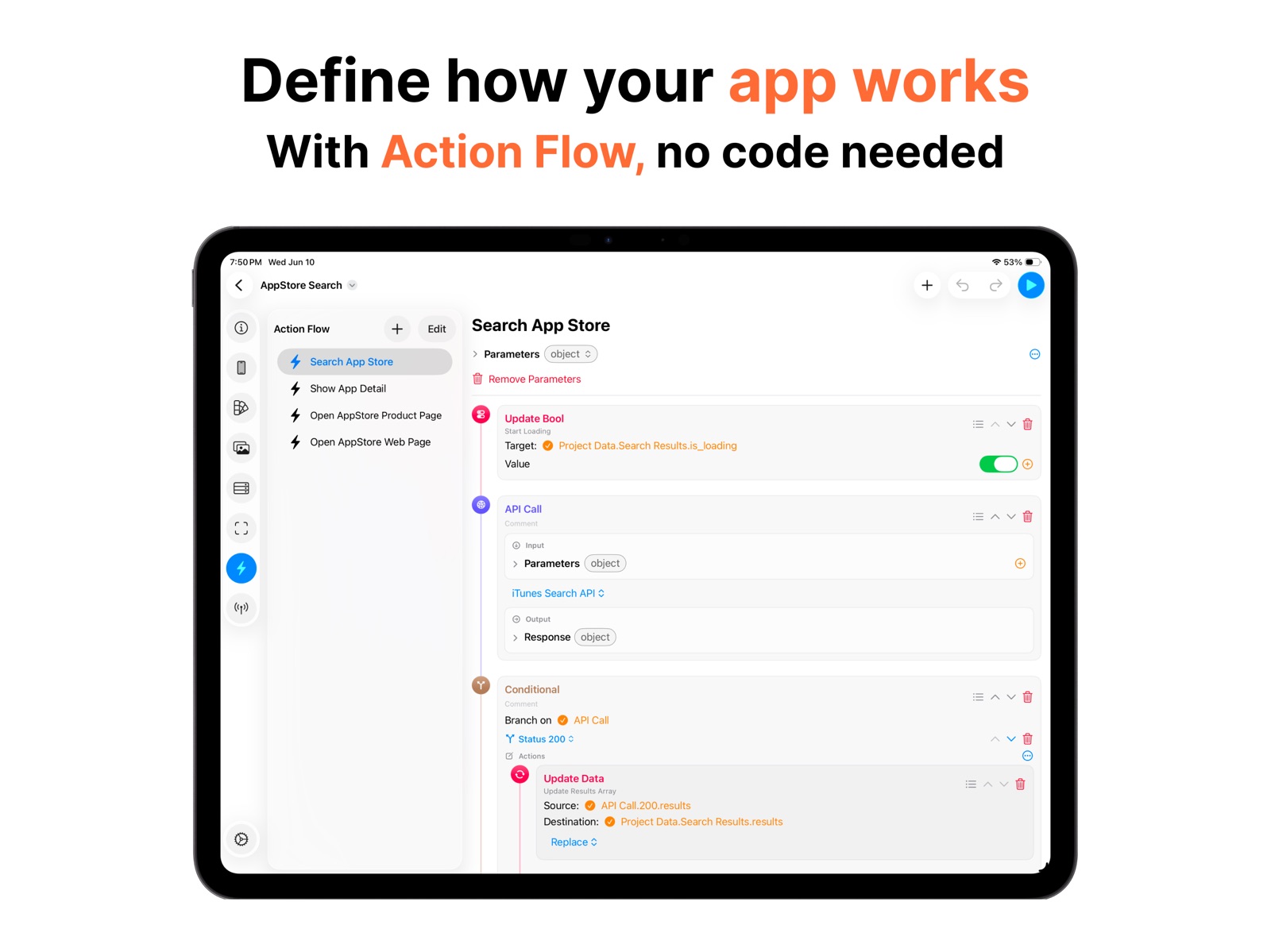
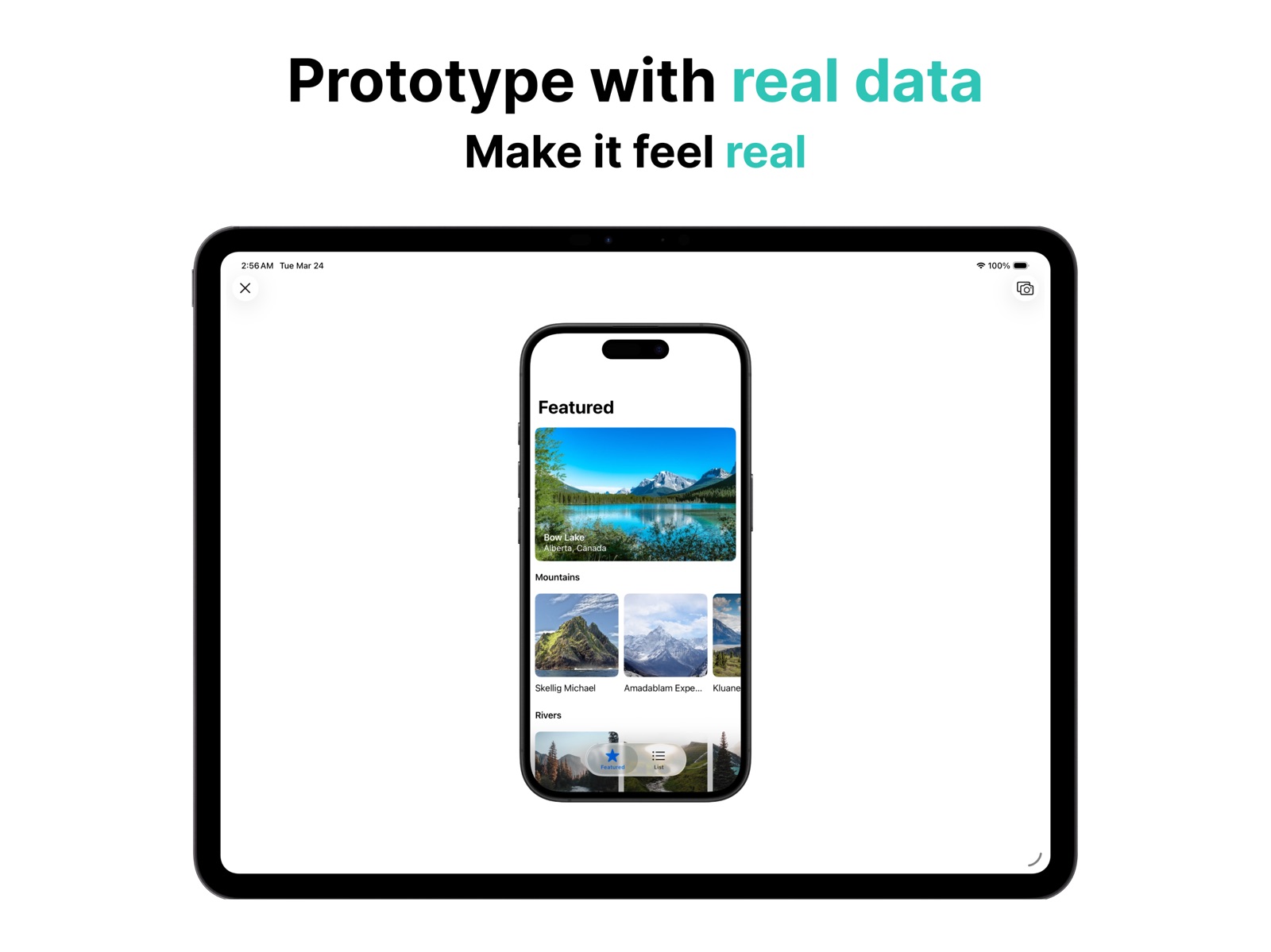
18 store screenshots


Pricing & paywalls
App Store
Shown for US
- Free to download
- In-app purchases
Ratings & reviews
App Store
Shown for US
No store reviews collected for App Store · DE
Privacy & accessibility
App Store
Privacy
- Data Not Linked to You — Analytics — Purchases — Purchase History Developer declared
- Data Not Linked to You — Analytics — Usage Data — Product Interaction Developer declared
- Data Not Linked to You — App Functionality — Diagnostics — Crash Data Developer declared
- Data Not Linked to You — App Functionality — Purchases — Purchase History Developer declared
- Data Not Linked to You — Diagnostics Developer declared
- Data Not Linked to You — Purchases Developer declared
- Data Not Linked to You — Usage Data Developer declared
Accessibility
No accessibility labels collected yet.
Versions
App Store
- 1.0.0
-
1.0.1
New templates have been added. Korean language support has been added.
-
1.1.0
You can now set images directly on empty views, not just image views.
-
1.1.1
A preview button has been added to the sidebar, making it easier to check your designs. Stability has been improved.
-
1.2.0
You can now add gradient effects to empty or image views.
-
1.3.0
A new type, WebView, has been added. Try using WebView in your app design.
-
1.3.1
Minor bugs have been fixed.
-
1.3.2
Minor bugs have been fixed.
-
1.4.0
Bug fixes and performance improvements.
-
2.0.0
Editor Improvements: Numerous enhancements to the UI editor, including component templates, tab scenes, blur view support, gradient scenes, and stackview interaction. New Features: Added welcome view with tutorials, image importing, GIF support, view drag behaviors and fluid transitions. App Icon refinements.
-
2.1.0
Now, when you select a view, the margin guidelines are displayed. When moving a view, the floating toolbar is hidden so you can better check its position. A new template, Landmarks, has been added.
-
2.2.0
Fixed minor bugs.
-
2.3.0
Fixed minor bugs.
-
2.4.0
We’ve prepared an update for iOS 26 and iPadOS 26. - The app’s UI has been refreshed to match the new OS. - You can now use the Liquid Glass effect in your app designs. Check out how it looks on Views, Buttons, Tab Bars, and Bar Buttons. - Added a Helper Button to iPhone Preview, making it easier to close the preview. - You can now use the app through the new menu bar on iPad.
-
2.5.0
Get ready for iOS 26 and iPadOS 26! - Fresh, updated UI that looks great on the new OS. - New Liquid Glass effect for Views, Buttons, Tab Bars, and more — try it out in your designs. - Added a Helper Button to quickly close iPhone Preview. - Meet the new iPad menu bar – making navigation smoother than ever. - iPad Preview can now show a Sidebar instead of a Tab Bar.
-
3.0.0
Bring your UI to life with real data. Now you can bind data directly to your design and create truly dynamic prototypes.
-
3.1.0
You can now use various gradient types, including linear, angular, and radial.
-
3.2.0
- Redesigned Main Screen with sidebar navigation, Design Gallery, and in-app Tips - New templates: Delivery, Weather, Components, WebViews - Start a free project to explore the editor without purchasing - Share your .layerz file with anyone - Space + drag to scroll, Cmd + wheel to zoom (Mac) - Per-project color mode (Light / Auto / Dark)
-
3.3.0
Introducing Action Flow — define how your app behaves. - Navigation, data manipulation, alerts, sharing, URL opening, and more - Connect to events like button taps and page load - Inject data with Action Flow Parameters Improvements: - Device and theme switching in the Previewer - Dashed border (stroke dash) support - Expand All / Collapse All in ViewModel Outline - Image list performance improvements - Undo support and delete button in Data Editor - New template: Web Browser - Data tips category added
-
3.4.0
Introducing API Integration — connect your app to real data. - Configure HTTP endpoints with headers, body, auth, timeout, and retry - Import OpenAPI 3.x / Swagger 2.0 specs from a file or URL - Import standalone JSON Schema documents (full metadata preserved) - Organize endpoints into API Collections - Per-status response schemes + Send Test Request Action Flow: - Branching — run different actions based on conditions or API status - New actions: Compare Number, Compare Text, Update String/Number/Bool, Array Count, App Store Product Page - Redesigned editor with an inline, type-colored timeline More: - Data Enums for schemes (String / Integer) - Search bar text binding and search button event - New template: App Store Search - New Tips category: Action Flow
-
3.5.0
Dynamic data — your lists come alive. - Filter array-bound lists with live conditions (AND / OR, data-bound values, enums) - Sort lists by one or more fields - New Date data type with a configurable format Action Flow: - New actions: Make Data Instance, Invoke Action Flow, Alert with Input, Toggle Bool, Generate - Edit dialog button actions inline; new `isEmpty` condition operator More: - New List layout with row separators and swipe-to-delete - Custom toggle type for the Switch component
-
3.6.0
A polish update — refreshed screens and smoother editing. - Redesigned template gallery, Settings, and project overview - Free users can now start editing a template right in their Free Project - Editor refinements, improved data bindings, plus performance and stability improvements
-
3.7.0
· 13 Jul 2026
Design your UI on your own terms. - Design System — reusable color & typography tokens; switch sets to re-skin your whole project - Data Transformer + Data Mapper — reshape API data to fit your own UI data model (single values or arrays) - New Native Components gallery — explore every iOS component with a live preview - Action Flow steps collapse to a clean list; expand any step to edit - Editor and data-scheme refinements
Alternatives
- AI Background Eraser: CleanCut — Same category + similar ratings
- Pixelmost: AI App Prototyping — Same category + similar ratings
Availability by market
- US
Data quality & evidence
- Page completeness
- Live store listing
- Last verified
- 31 Jul 2026
- Sources
- App Store
- Independent summary has not been published yet.