
Quick verdict
- What it is
- Store information collected; an Apoku editorial summary is not yet published.
- At a glance
-
- From $0.99/mo
- Free to download
- In-app purchases
Categories and search queries
Official categories
- Weather
Apoku categories
Key functions
| Function | Availability | Access | Scope | Evidence |
|---|---|---|---|---|
| Free app | Yes | Free | Context-specific | Store published |
| In-app purchases | Yes | Limited free | Context-specific | Store published |
Screens
App Store
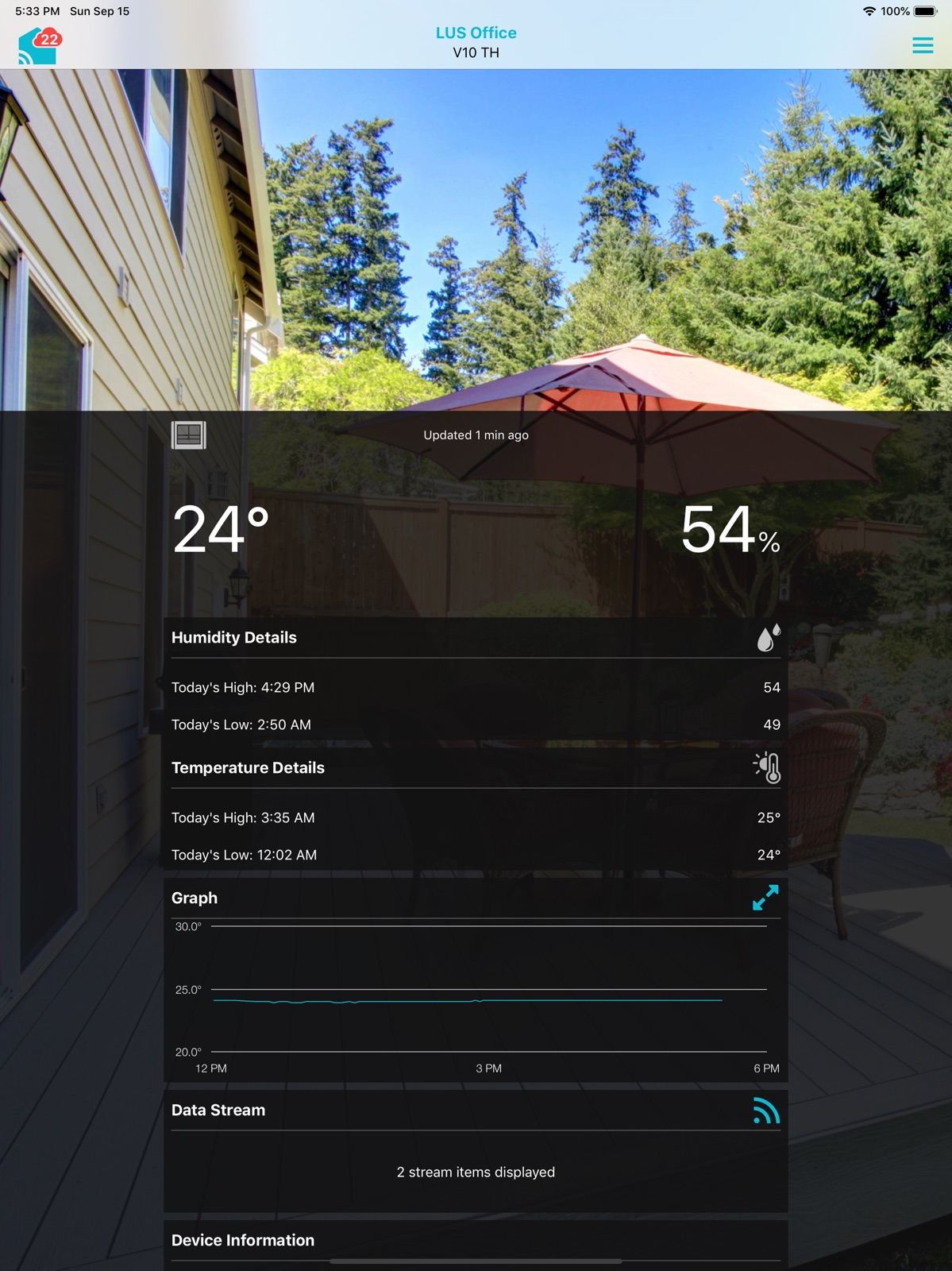
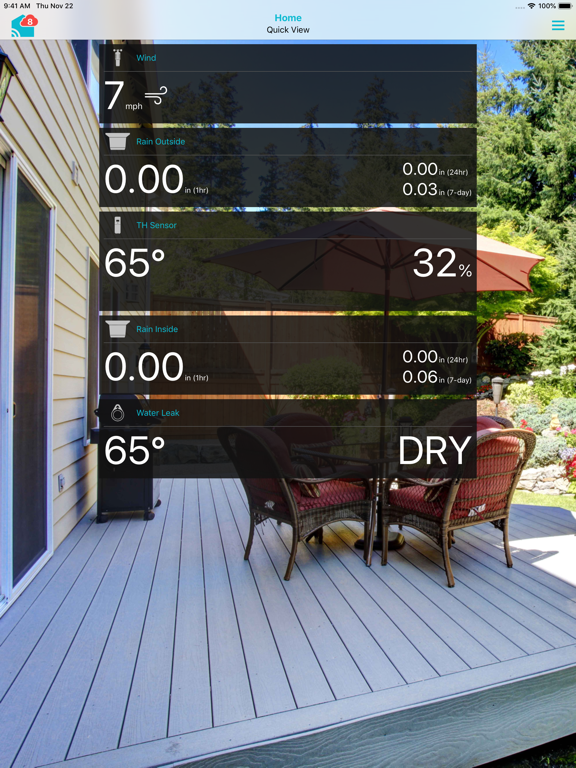
16 store screenshots


Pricing & paywalls
App Store
- Enhanced 1 Month Service Plan — $1.99/month
- Enhanced 1 Month Service Plan — $11.99/year ($0.99/mo)
- Advanced 1 Month Service Plan — $2.99/month
- Advanced 1 Month Service Plan — $24.99/year ($2.08/mo)
- Plus 1 Month Service Plan — $4.99/month
- Plus 1 Month Service Plan — $29.99/year ($2.49/mo)
Ratings & reviews
App Store
-
5/5Great app love my VA1 WiFi clock
I like this app it gives me all the information I want with a very friendly user interface. It’s simple to use. I have a VA1 WiFi projection alarm clock that I absolutely love. This is the best projection alarm clock. It was easy to set up using this app. It projects a very bright time/temp&humidity that you can even see in daylight. The projection and clock display brightness are both adjustable. It is very easy to program and has a lot of adjustability. The clock has a beautiful color display. The controls are very intuitive and easy to use. You don’t have to but if you connect the clock to WiFi it gives you the correct time ,date ,indoor,and outdoor temperature and humidity,the high and low temperature and the acu weather forecast for the next 12 hrs. I especially like that the time is always accurate without having to depend on an atomic clock connection. At 2 AM this morning the display went blank. I clicked on the contact us section in this app and used the AI bot. It gave me detailed instructions on how to fix my problem. I followed the instructions and my clock is working perfectly. After rebooting my clock it automatically connected itself to my WiFi and set itself. It was very convenient being able to fix my clock this early in the morning. I thought I was going to have to return it. I also like being able to set an alert if the temperature in my home drops below whatever temperature I set in the app.
Bill Camp · 29 Sep 2026
-
5/5Unexpected and Exceptional
Got this as a unexpected gift and had no idea the amount of detail it actually offers. The set up was good with one issue: No Wireless MAC Address label to be found. So I disabled my MAC filtering on the WiFi router, connected it, went into my router’s settings on the internet and saw the address that way, added it to my address list and re-enabled the filter. The app works seamlessly on an iPhone 7 Plus. I have experienced zero issues. You can also add other sensors that you buy for a cottage, barn, or dog house etc and use your personal pictures as a background for each location of the sensor you wish to see readings on. This set up with the app and device is working so far. I’ll update my review in 2 months but as of now it works perfectly. -Update- 4 months later and everything is going good sensor wise but display wise there’s issues. I just managed my data stream, deleted cloud cover which only reads a percentage and says auto/auto next to it in the ticker, deleted snow accumulation which read normal, added wind speed, and possibility of damaging thunderstorms, and for some reason it won’t update correctly and I get an error in the app. I took two stars away
mdkochan · 29 Sep 2026
-
2/5La Crosse View App is cumbersome at best
First let me say - We love our La Crosse weather station! We do NOT love the App for viewing on our phones or computer. It’s not user friendly - it slides between each devices reading which makes it hard to read the screen, the display of temp, humidity and the graphs are placed in a cumbersome order causing one to double look and check again before realizing what your looking at, each devices screen is basically the same so your searching for the reference- “Am I looking at Wind or Rain or Inside or outside Temp” the reference is like an after note at the top of the page and since the pages slide between each device it’s difficult at best reading your information. The graphs are great ideas but very basic, not real easy to read. This App has good ideas it just needs to be massively updated with different colors (get rid of the hard to read light blue colored fonts!), defining pages that swipe between devices (not flow between devices), make the statistics for each devices page literally on the page so I don’t have to continuously scroll down to read everything, maybe define each device in your App like La Cross does on the weather panel so that every device and its reading is consistent throughout the La Cross brand. La Crosse has a good product hopefully they can make it better by improving their Software. Update: The App WiFi keeps disconnecting from the La Crosse display, I call and they say they will send me a new screen product-we’ve gone through 4 in 9 months!!!
sage0812 · 29 Sep 2026
-
1/5Lacrosse weather station doesn’t work
I had the device for about three months. Almost every single time I opened my phone app, it displayed only dashes as it did not show any of the information? Several days would go by and none of the digits displayed on the device would change? Clearly as cold as it has been, The temperature would go way down at night and back up again later in the day but the device did not display this? I contacted the company a few times and one of the times they replied back saying that the device will only update once every six hours. So basically four times within a 24 hour. The device changes which means at that exact moment it is displaying possibly the correct digits, but for the next six hours it’s only displaying what it was six hours ago?? In our case the numbers were not even changing and on the phone app it almost always displayed nothing at all. The company never contacted us back the other times and the information they gave us initially did not help so we finally returned the weather station. We purchased one for a Christmas gift for somebody and they are having the same problem. The information displayed even if correct is on our phone app on a regular basis so it’s kind of useless because we were to the understanding it would show the information from right outside of our home. Walmart sells a device for under $10 that shows your inside and outside temperature on real time not only once every six hours.
confused on correct weather · 29 Sep 2026
-
1/5Alarm/weather station with no program??
I really wanted to like the projector alarm clock weather station that I got at Costco, but am so disappointed by the app, that I might return it. I was excited by the prospect of allowing my kids to see the forecast as they woke up, to help them prepare for the day ahead, but the utter lack of design in the alarm’s program features render it almost useless. There needs to be a better way to program the alarm in the app, for which days it should be on and off. Seems like it would be really easy to add this feature, so that you can program a M-F alarm and not worry about turning it off every weekend and back on again for weekdays. Can this be incorporated into an update?? I hope so or I’ll be returning them soon. The app also doesn’t allow you to delete any erroneous stations that are inadvertently created. Which would be another easy fix. I like the display, and the projection features, but wish there was a radio option built in for the alarm. And even though you can turn on and off the alarm with the app, the change is not initiated right away, and so it’s hard to tell if the alarm is actually being set or not. And when I get frustrated and turn it on annually, if I forget to change the app’s “on” setting, the alarm will turn itself back off through the app. This could be a really great product if they make a few small changes, but as it is, I’m more frustrated than happy with it.
Tarahook · 29 Sep 2026
Privacy & accessibility
App Store
Privacy
- Data Linked to You — Analytics — Contact Info — Email Address Developer declared
- Data Linked to You — Analytics — Usage Data — Product Interaction Developer declared
- Data Linked to You — App Functionality — Contact Info — Email Address Developer declared
- Data Linked to You — App Functionality — Diagnostics — Crash Data Developer declared
- Data Linked to You — App Functionality — Location — Coarse Location Developer declared
- Data Linked to You — App Functionality — Usage Data — Product Interaction Developer declared
- Data Linked to You — Developer’s Advertising or Marketing — Contact Info — Email Address Developer declared
- Data Linked to You — Contact Info Developer declared
- Data Linked to You — Diagnostics Developer declared
- Data Linked to You — Location Developer declared
- Data Linked to You — Usage Data Developer declared
- Data Not Linked to You — App Functionality — Diagnostics — Other Diagnostic Data Developer declared
- Data Not Linked to You — App Functionality — Diagnostics — Performance Data Developer declared
- Data Not Linked to You — Diagnostics Developer declared
Accessibility
No accessibility labels collected yet.
Versions
App Store
-
1.83.23
-Bug fixes -Performance improvements
-
1.83.25
-Bug fixes -Performance improvements
-
1.83.35
-Bug fixes -Performance improvements
-
1.83.36
-Bug fixes -Performance improvements
-
1.83.49
-Bug fixes -Performance improvements -New device support
-
1.83.60
-Bug fixes -Performance improvements
-
1.83.61
-Bug fixes -Performance improvements
-
1.83.75
-Bug fixes -Performance improvements
-
1.83.78
- Barcode scanning improvements
-
1.83.79
-Bug fixes -Performance improvements
-
1.83.80
-Bug fixes -Performance improvements
-
1.83.82
-Bug fixes -Performance improvements
-
1.83.94
-Bug fixes -Performance improvements -New alerting options
-
1.85.0
-Bug fixes -Performance improvements -New Sensor and Location image options -Additional new device support
-
1.85.9
-Bug fixes -Performance improvements
-
1.87.3
-Bug fixes -Performance improvements
-
1.87.5
-Bug fixes -Performance improvements -Additional device support
-
1.89.5
-Bug fixes -Performance improvements -Additional device support
-
1.90.3
-Bug fixes -Performance Improvements -Additional device support
-
1.90.4
-Bug fixes -Performance Improvements -Additional device support
-
1.91.0
-Bug fixes -Performance improvements -New device support
-
1.91.1
-Bug fixes -Performance improvements -New device support
-
1.91.3
-Bug fixes -Performance improvements
-
1.92.5
-Bug fixes -Performance improvements
-
1.92.6
· 27 Jul 2026
-Bug fixes -Performance improvements
-
1.93.2
· 29 Sep 2026
-Bug fixes -Performance improvements
Alternatives
- MyWeather - 15-Day Forecast — Same category + similar ratings
- What The Forecast?!! — Same category + similar ratings
- Aurora Now - Northern Lights — Same category + similar ratings
- Weather Gods — Same category + similar ratings
- Ambient Weather Network — Same category + similar ratings
- Tempest Weather — Same category + similar ratings
Availability by market
- US
Data quality & evidence
- Page completeness
- Live store listing
- Last verified
- 29 Sep 2026
- Sources
- App Store
- Apoku editorial summary has not been published yet.