
Quick verdict
- What it is
- Store information collected; independent summary not yet available.
- At a glance
-
- From $0.49/mo
- Free to download
- In-app purchases
Categories and search queries
Official categories
- Books
AppCorpus categories
Key functions
| Function | Availability | Access | Scope | Evidence |
|---|---|---|---|---|
| Free app | Yes | Free | — | Store published |
| In-app purchases | Yes | Limited free | — | Store published |
Screens
App Store
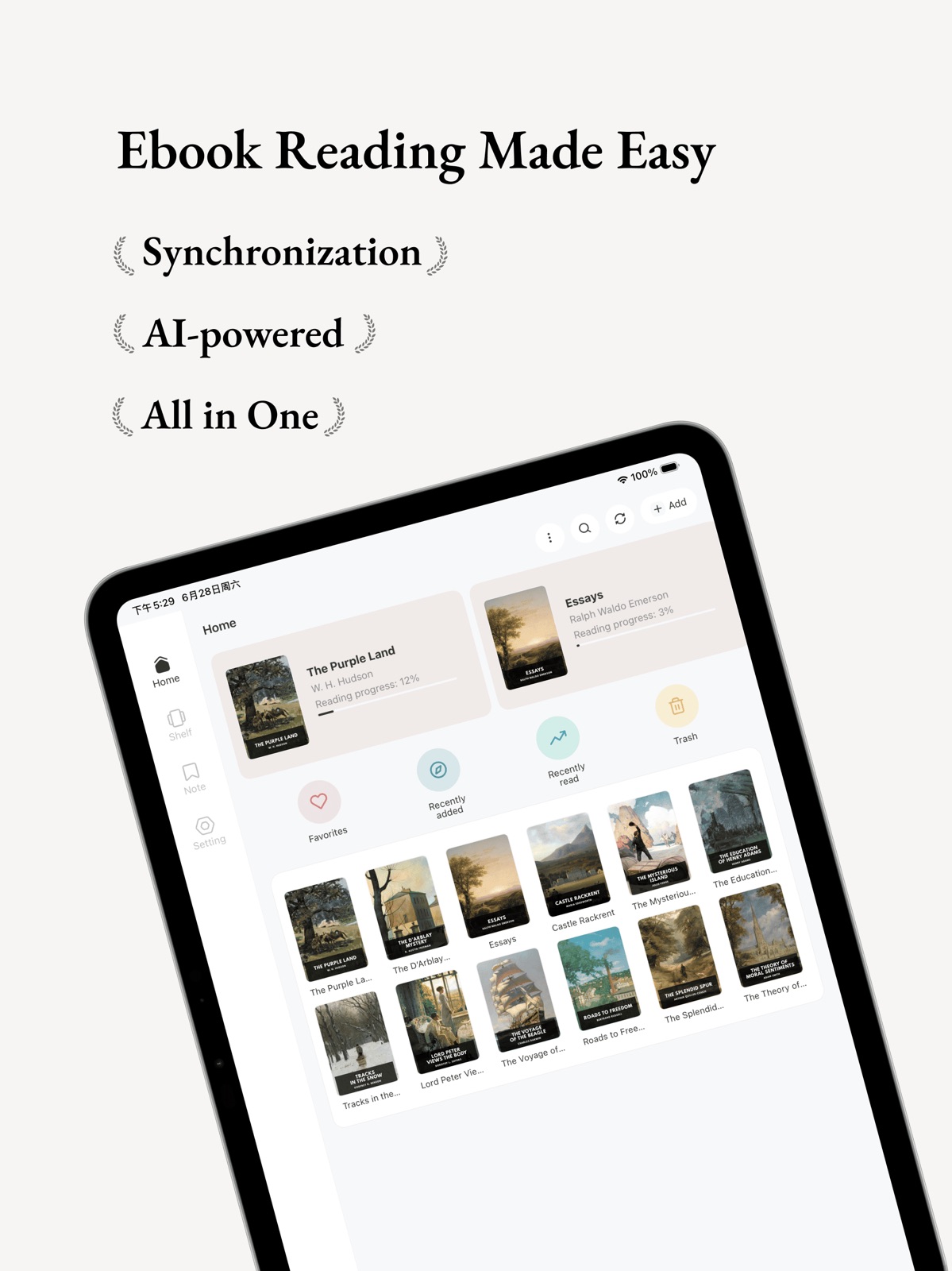
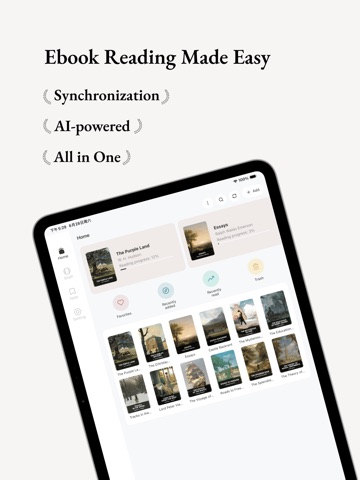
17 store screenshots


Pricing & paywalls
App Store
Shown for US
- Koodo Reader Pro (1 Year) — $5.99/year ($0.49/mo)
- 5 million Character Quota — $4.99
Ratings & reviews
App Store
Shown for US
-
5/5Best Reader for all use cases.
Looking for a self-hosted reader? A full featured, multi-platform reader? Look no further! Koodo reader is genuinely such an amazingly seamless software with so much customization, features, and very, very affordable premium! I am happy to support an open-source, amazing project like this one. Keep up the good work :)
Alltheanime · 6 Aug 2026
-
5/5Best e-reader app ever
I had 5 requirements when looking for an e-reader app: 1. Can sync across platforms 2. Must have continuous scroll mode on both Desktop and Mobile versions 3. Can customize font/ page layouts/ font/ page colors 4. Can use other drives than iCloud 5. Low cost This app hits EVERY SINGLE ONE of them. What I like the most is the customization they allow. Truly unparalleled! I paid for the Pro version after trying for a couple hours! Keep it up team!
Hulahulahulahey · 6 Aug 2026
-
5/5THE BEST READER
Found Koodo Reader when looking for a new reader on Windows that had a clean design/UI and mainly allowed font to be edited. It checked both those boxes and much more. All features I could want are implemented. It’s the best! Thank you devs
Prince Akeemer · 6 Aug 2026
-
5/5Good overall
Please incorporate the AI so that whenever I highlight something, it explains it using AI.
WinnieJuno · 6 Aug 2026
-
5/5open get comfy read
simply wise and intuitive - as near to a real book as one nan imagine - feedback questions answered within hours - no gimmicks, no bugs, no promotions
geewhz · 6 Aug 2026
Privacy & accessibility
App Store
Privacy
- Data Linked to You — App Functionality — Contact Info — Email Address Developer declared
- Data Linked to You — App Functionality — Identifiers — Device ID Developer declared
- Data Linked to You — App Functionality — Identifiers — User ID Developer declared
- Data Linked to You — Contact Info Developer declared
- Data Linked to You — Identifiers Developer declared
- Data Not Linked to You — App Functionality — Diagnostics — Crash Data Developer declared
- Data Not Linked to You — Diagnostics Developer declared
Accessibility
No accessibility labels collected yet.
Versions
App Store
- 2.0.4
-
2.0.5
Emergency Fix: Unable to open books after returning to the homepage from the settings page in some scenarios.
-
2.1.1
Support login with Apple ID, Google, GitHub, and Microsoft accounts Support password-protected PDF books mobi/azw3/azw books support in-book table of contents navigation and footnote preview PDF supports text-to-speech functionality Improved AI dictionary lookup speed and pronunciation loading speed Added 20 new reading themes Footer now displays battery level, time, book title, and reading progress Support batch deleting books and adding books to bookshelves
-
2.1.2
NEW FEATURES · Added support for viewing all historical changelogs. Go to Settings > About Us > Changelogs · The text menu now automatically hides during text selection to avoid blocking the text · The add note pop-up now supports increasing the height of the input box FIXES · Fixed lag issues during rapid page turning · Fixed the issue where two-finger zooming was not working for PDFs in single-page and double-page modes · Fixed text color issues when switching from dark mode to other modes in PDFs · Fixed the issue where the read-aloud function did not start from the first sentence of the current page after turning pages in certain cases · Fixed the issue where text could not be reselected after initial selection · Fixed the issue where the note pop-up appeared when sliding to turn pages on highlighted text · Fixed the issue where the note pop-up sometimes displayed previously added notes · Fixed the issue where modifying book covers did not take effect
-
2.1.7
NEW FEATURES · Added support for Baidu Netdisk, 115 Netdisk, and Yandex Disk. · Added support for SMB, FTP, and SFTP protocols. · Support for clicking on table of contents and footnotes in PDF books for navigation. OPTIMIZATIONS · Optimized app performance when the library contains a large number of books, notes, and highlights. · Improved S3 protocol support for minio. · Optimized book title sorting, with Chinese sorted by Pinyin, Japanese by Gojuon, and numbers by natural order. · Reading progress is now accurate to two decimal places. FIXES · Fixed known issues and improved stability. Welcome to report any problems you encounter during use.
-
2.2.1
NEW FEATURES · Added an indicator to show whether the source file of a book exists locally · Added the ability to close bookshelf and notes tabs, please go to Settings-General Options · Added support for sorting tabs in the bottom navigation bar, please go to Settings-General Options · Added bookshelf information to book details · Added support for Slovenian language, thanks to community contributions · Added support for WebDAV passwords containing special characters · Now the table of contents popup will automatically hide after navigation · Added duplicate book cleanup function, please go to Settings-General Options · Text-to-Speech now supports sleep timer function · Upgraded Text-to-Speech engine · AI dictionary now supports automatic source language detection, added word forms, synonym analysis and more example sentences for English words OPTIMIZATIONS · Optimized download speed for object storage · Optimized performance and time consumption when synchronizing large amounts of data · Optimized loading speed of book list and notes list · Reduced crashes and errors FIXES · Fixed known issues and improved stability. Welcome to report any problems you encounter during use.
-
2.2.3
NEW FEATURES · TTS playback now supports system media controls for navigation · Scroll bars are hidden in scroll mode · China and Global regions now operate on completely separate data systems. If you use Koodo Sync, ensure you log in with the same region account across all devices to prevent data synchronization issues. · The service now automatically switch to either the China or Global region based on your location and language. To switch regions manually, log out and select your region on the login page. · Added a connection test step before binding data source. · Added pop-up animations to the top and bottom menus on the reading page. OPTIMIZATIONS · Added source language detection for translations · Improved dictionary language detection accuracy · Optimized Koodo Sync synchronization efficiency to reduce unnecessary data transfer FIXES · Fixed known issues and improved stability. Welcome to report any problems you encounter during use.
-
2.2.5
NEW FEATURES · Added E-ink mode; disables all animations and shadows when enabled. Go to Settings > General to activate · Added option to force override text color in books. Go to Settings > Reading to enable · WebDAV now supports URL redirection · Bookshelves now support switching between book views · When Koodo Sync is enabled, your data source credentials are now stored in our cloud after encryption. After logging in on a new device, you can start syncing immediately without re-authorizing. · Upgraded the LLM model used for AI translation, improving translation quality and expanding supported languages to 92. · Added support for clearing invalid notes, highlights, and bookmarks. Go to Settings > General Options. · Added support for resetting sync records. Go to Settings > Sync Options. OPTIMIZATIONS · Improved AI dictionary lookup speed · Optimized app memory usage and performance, reducing lag and slow response times—especially; now runs smoothly even with over 5000 imported books FIXES · Fixed known issues and improved stability. Welcome to report any problems you encounter during use.
-
2.2.8
NEW FEATURES · Added support for using iCloud for syncing and backing up your library · Official AI voice is now available on all platforms. It supports 8 languages and includes 54 realistic, human-like voices. Due to the high cost of AI voice services, this feature is available exclusively to Pro users. A daily quota of 25,000 characters is provided (subject to future adjustments). Additional character quotas can be obtained by purchasing add-on packages · Support for adjusting app font size · Added 9 new languages: Traditional Chinese, Portuguese, Japanese, Korean, German, Spanish, etc. Go to Settings > General Options > Language · Supports PDF-to-text conversion. Text-based PDFs will be extracted directly from the book, while scanned PDFs will use official AI OCR for recognition. Enable this feature by tapping the three dots in the top-right corner of the book page. · Book search now supports live search as you type. · Added E-ink theme to app theme options · Expanded margin adjustment range · Enhanced smoothness of sliding animation · Support for adjusting footer margins; fixed footer being obscured by screen corners · Further optimized UI in e-ink mode · Added support for retrieving error logs; go to Settings > About Us · Added a back button to the built-in browser · Added support for locking screen orientation. Go to Settings > General Options OPTIMIZATIONS · Optimized PDF loading speed in double-page mode FIXES · Fixed known issues and improved stability. Welcome to report any problems you encounter during use.
-
2.2.9
Urgent fix for blank page issue on certain iOS versions
-
2.3.1
NEW FEATURES · The number of languages supported by AI translation has increased to 90 · Downloaded featured fonts are now automatically applied; no manual setup is required · For security reasons, JavaScript execution within books is disabled by default. To enable it, go to Settings in the Reading menu · Vertical text layout is now supported; enable it in the Settings under the Reading menu · A hyphenation feature has been added; enable it in the Settings under the Reading menu · A feature allowing orphaned and widowed lines has been added; enable it in the Settings under the Reading menu · An AI Encyclopedia feature has been added; results will be displayed in the dictionary window after each lookup · AI Text-to-Speech now includes 559 new human voices from Azure, increasing the number of supported languages to 82. · Free users can now import up to 20 books · Reduced latency for AI services in global regions · Added a delete bookmark button to the bookmark list · Supports separate CJK font settings for mixed-language books · Added Fast Reading Mode, which boldens the first half of words when enabled · Added a note icon in the top-right corner of notes to distinguish them from highlights · Trial users can now test the AI voice feature · Automatically opening the last-read book now occurs after synchronization completes · Increase the daily quota for AI chat to 50 times · Daily quotas for all AI features will display remaining reset time OPTIMIZATIONS · Improved AI OCR speed on iOS · Optimized chapter division algorithm for TXT books · Optimized PDF opening speed · Improved sync speed for Google Drive, Yandex Diskby reducing duplicate requests and enhancing caching FIXES · Fixed known issues and improved stability. Welcome to report any problems you encounter during use.
-
2.3.3
NEW FEATURES · Added reading statistics feature, supporting heatmaps, bar charts, line charts, and more · Added word definitions feature; once enabled, definitions will appear directly next to the words in the text, supporting English, Japanese, and Chinese · Added support for customizing text menu options · Support for “Ask AI” and “Read from Here” after selecting text; you must manually enable this in the text menu · Koodo Sync data is now encrypted by default before storage · OPDS now supports connection testing · Support for custom TXT parsers, with individual settings for each book · Support for sorting books by file size and reading progress · Support for setting book styles individually for each book instead of using the global style · PDF-to-text conversion now supports individual settings for each book · Added support for editing the book's floating button · Added support for pinning books; long-press the book and select “Pin to Top” · Supports selecting highlighted text · TTS feature now supports AI multi-role speech, allowing separate voice settings for male, female, and child voices · Full-text translation feature added, including side-by-side bilingual translation and full-text translation · Support for custom AI models for AI translation, AI dictionary, and AI chat. Go to Settings > AI Services · Support for automatic synchronization of notes and highlights to Notion, Readwise, and Yuque. Go to Settings > Sync Options · Support for the OPDS protocol · Support for viewing daily remaining AI voice quotas. Go to Settings > Account · Support for selecting highlighted text · AI Encyclopedia now generates definitions based on the meaning of the term in the original text · Support for custom actions after selecting text, including immediate lookup, translation, highlighting, and note-taking; go to Settings > Reading Options to enable · Added support for editing publisher and description fields in book metadata · Added sorting support for books on the bookshelf · Sliding animations are now enabled by default · The iOS version now supports using locally installed dictionaries such as Merriam-Webster, Google Translate, Yandex Translate for word lookup and translation. Please go to Settings > Third-Party Services · After navigating to a table of contents, notes, highlights, or bookmarks, you can now tap the back button in the bottom-right corner to return to your previous location OPTIMIZATIONS · Optimized speed for the official AI OCR · Optimized performance for some unparsed TXT files · Optimized table styles within text · Optimized S3 protocol compatibility; added an option to enforce path-style URLs · Optimized performance for TXT books without parsed tables of contents · Optimized footnote display for certain MOBI and AZW3 format books FIXES · Fixed known issues and improved stability. Welcome to report any problems you encounter during use.
-
2.3.5
NEW FEATURES · Urgent fix for incomplete display of TXT files · Supports batch replacement of book covers. Please tap the “More” button at the top and select “Multi select” FIXES · Fixed known issues and improved stability. Welcome to report any problems you encounter during use.
-
2.3.6
NEW FEATURES · Support for searching and matching book covers and metadata online · Supports syncing notes and highlights with Siyuan Notes; Siyuan Notes must be running with network serving enabled · Added automatic sync feature after importing books · Added scheduled sync feature with customizable sync intervals; go to Settings > Sync Options · Support for syncing reading progress with KOReader. Go to Settings > Sync Options · Support for syncing new vocabulary to Eudic and Anki. Go to Settings > Sync Options · Support for swiping the screen to turn pages after disabling page-turn animations · Free users can now use OPDS and reading statistics features · iOS now supports update notifications · Page-turning animations are now supported when volume buttons are enabled for page turning · Send to Kindle now displays uploading progress FIXES · Fixed an issue where the narration did not sync with the current position while using TTS · Fixed an issue where the TTS feature malfunctioned in certain situations · Fixed an issue where page-turning animations were not disabled in E-ink mode · Fixed an error when sending files to Kindle that were too large · Fixed an issue where changes to TTS settings did not take effect immediately · Fixed an issue where importing large books via sharing or as a default opening method caused an error · Fixed an issue where books could not be imported or opened on older versions of iOS (caused by WebView compatibility issues) · TTS stopped unexpectedly after locking the screen
-
2.4.1
NEW FEATURES · The sync progress bar is automatically hidden while reading · Support for selecting text across pages · Strikethrough and wavy underline styles have been added to highlighting options · The image viewer now supports continuous browsing of all images in a book · AI Chat supports saving and exporting chat history · Support for editing book content using replacement and deletion rules · Added an option to preserve the original PDF background · Support for customizing the target language for full-text translation (AI Encyclopedia) · Support for code highlighting · Support for cropping PDF margin OPTIMIZATIONS · Optimized the accuracy of online book cover and metadata matching FIXES · Fixed known issues and improved stability. Welcome to report any problems you encounter during use.
-
2.4.3
· 3 Aug 2026
Fix an issue with custom translation and dictionary
Alternatives
- Reeden Reader - EPUB & eBook — Same category + similar ratings
- Readest - eBook Reader — Same category + similar ratings
- Anx Reader — Same category + similar ratings
- Readingo — Same category + similar ratings
- Readify: AI Natural Read Aloud — Same category + similar ratings
- PureLibro: eBook Reader — Same category + similar ratings
Availability by market
- US
Data quality & evidence
- Page completeness
- Live store listing
- Last verified
- 6 Aug 2026
- Sources
- App Store
- Independent summary has not been published yet.