
Quick verdict
- What it is
- Store information collected; an Apoku editorial summary is not yet published.
- At a glance
-
- $4.99
Categories and search queries
Official categories
- Photo & Video
- Graphics & Design
Apoku categories
Key functions
| Function | Availability | Access | Scope | Evidence |
|---|---|---|---|---|
| Family Sharing | Unknown | Unknown | Scope unknown | Store published |
Screens
App Store
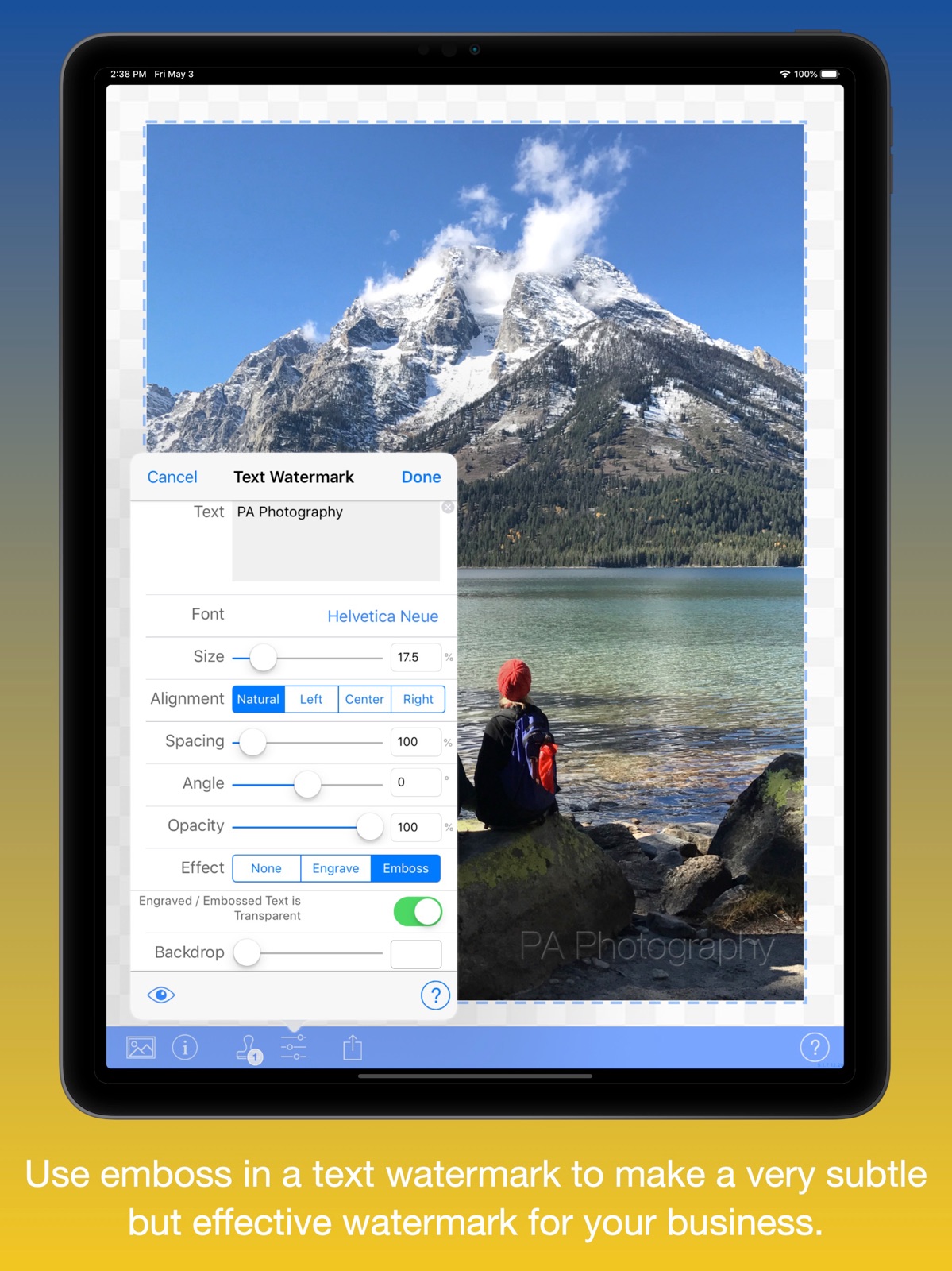
10 store screenshots



Pricing & paywalls
App Store
- Price: $4.99
Ratings & reviews
App Store
-
5/5Rating 3 for now - changed to 5 stars.
Following the last update of this app it is now working correctly. It’s a great app! I initially had problems creating a watermark, but after using the manual that is provided I was able to create my watermarks. I would recommend it to anyone interested in creating watermarks. ➖➖➖➖➖➖➖➖ Until very recently this app has worked great. I wanted to use it for awhile to see how I liked it and was about to rate it when I started having problems with it. I contacted the developer and am waiting for a response. I'm not sure they even got the message I sent as I've had no confirmation they have. Recently the app has stopped letting me change the color of my watermarks that I have saved. I have even tried to create a new watermark and am still unable to change the color. I went back today to try again and the app has crashed several times. I was able though to create one black colored watermark, but again cannot change the color. I read in the manual to reload the app. My assumption is that I should delete it first from my iPad then go back to iTunes to reload, but...will I have to pay the $3.99 I've already paid to do that??? If not for these problems, I would gladly have given this app a 5 star rating and rave review! I'm not going to give up on it yet as the developer may have received my message and is looking into these problems. I hope to be able to return and change this review to a 5 star as this really has been a wonderful app until recently.
(o:) · 5 Aug 2026
-
5/5Need a watermarking app? This is it!
I’ve been using this app for 2 or 3 years now and I don’t have any complaints. I paid for iWatermark+ specifically to use for copyright watermarks for my Instagram photos. It was just what I needed and works perfectly every time. You can import photos, files & even videos but I’ll just talk about what I use. You can import a single photo or multiple photos at once. You can use one of their pre-made watermarks or make your own custom one (or several custom ones). When done, I always save the image to my phone but there are options to share it on social media (Instagram, Twitter). With the multiple photos option, it loads the photos you select into the app. Then you watermark the first one and if you go to save image, it will save that one but will ask to batch process all or go to the next photo. I always batch process as it save so much time. The app automatically loads the watermark you just used and places it in the same location that it was in the first photo. It does this for all photos you originally loaded. The only thing to remember when you want to do this is make sure you choose photos of the same orientation (all portrait or all landscape) otherwise your watermark will be edited to fit the odd photo. As long as they’re all the same orientation, the watermark will remain in the same location and it will be the same size in each photo. Overall it’s a great app and worth the money!
Graphic Designer & Photographe · 5 Aug 2026
-
5/5Wonderful app - try it, you’ll like it.
I’m a pro photographer who’s been using iWatermark over 5 years now - and it keeps getting better. So I keep updating my review. Each year or so they add functionality that I wasn’t focused on as a big limitation — waddya want for $3? But each year this app gets easier and faster and more practical to use, like with batch processing, quickly changing font size and transparency, and horizontal vs. vertical orientation, etc. For example, sizing your custom watermark just by pinching it larger or smaller!? And snapping it into place automatically when moving a watermark from vertical to horizontal orientation on a photo. It’s actually MUCH faster to do this with this $3 app than in Photoshop on my desktop computer with dual monitors setup! This (or any) app is no replacement for Pshop, but for putting my name on iPhone photos, iWatermark is king. Hugely convenient and a time-saver if I want my name/url on ALL my photos I send out onto the interwebs. And I do! Risk the tiny investment and see for yourself how comprehensive this simple-to-use app is for putting your watermark on your phone pics. Now that I’m hooked, I don’t know what I’d do without it. NOTE: This review is written in appreciation, w/o knowing who these folks are, nor promotional consideration (no Amana radar range). I just want to gush credit when it’s earned. I wish Photoshop was as easy to use!
JackPhoto · 5 Aug 2026
-
5/5When you’re ready to buy the app that meets ALL watermarking needs- photo & video...this is the one.
I’ve used the Adobe apps that work with my Adobe CC membership software. I’ve purchased other watermarking apps for iPhone & iPad. Tried free apps that were supposed to provide a simple function...enable me to add my custom PNG logo as a watermark, preferably in the bottom-right corner of videos. Adobe’s Clip app has an overly simplified way to do it, but if your videos aren’t a standard 1920 x 1080, it’s “Branding” feature, which is accessed & controlled in the preferences settings interface of the app, is beyond problematic. After creating custom sizes of transparent backgrounds that are 1920 x 1080 and trying to create multiple workarounds that might work, i finally gave up. Using other paid apps that only allowed me to export the videos in square formats, i was ready to just give up and do the work on my desktop, which is just silly in 2017. Then i stumbled onto iWatermark+. It blew away my expectations in one use! It has an interface that exceeded what i could have come up with in my own dreams, does more than i thought an iPhone app could pull off, and in fact, exceeds what comparable computer software can do. This is the one to buy if you need to get ANY type of watermark...just dream up any kind of watermark you can imagine, in any format on the screen, photo or video, and it will blow away your expectations.
LovinItForSure · 5 Aug 2026
-
5/5Edited from 3 stars to 5 stars
After I wrote my original review the developer reached out to me to address my concerns. Selecting more than 1 picture one is very easy, you just need to select the first pic, then double click the last one and all of them in between will be highlighted. Super simple!!! Also, the app preserves your original photos. Most of the competitors apps I have tried didn’t do that and as a result of that I actually messed up some pics due to me not having a backup stored. Another great feature is that you don’t have to worry about the orientation when adding the watermark. The app will make sure the watermark gets placed exactly where you selected it. Unlike some competitors where the watermark ends up on the middle right because you went from landscape to portrait. Out of 10 apps I tried iWatermark is the only one that had this feature! I am very happy with this purchase, the app has great features, a very attentive developer, and is very good priced. (Old version: tried 4times last night to select all the pictures I wanted to watermark. In itself the app is great, but when you try to batch edit, after selecting 40 images the app crashes and you have start all over again. Also there should be a way to select a whole album for watermarking and not being forced to select one picture by one.)
totallyClaude · 5 Aug 2026
Privacy & accessibility
App Store
Privacy
- Data Not Collected Developer declared
Accessibility
No accessibility labels collected yet.
Versions
App Store
-
6.7.2
-- once again: ios15 batch fixing -- «batch pinning» fix -- ui colors fix
-
6.7.3
-- updated «photo access» message -- fixed «batch cancellation»
-
6.7.4
-- fixed toolbar and navigation bar quirks (and a «canvas preview») under ios15. -- fixed rare variant of jpeg that caused a crash
-
6.7.5
-- fixed «Watermark Position > Nudge» toolbar. -- fixed rare «QR Watermark» crash.
-
6.7.7
Version 6.7.7 - [Fix] fixed thumbnails not always showing properly on watermark list page. - [Mod] improved app-store rater. - [New] added (...) icon on in-app purchase page whick opens the store page in lite version - [Misc.] internal, graphics and permission changes Version 6.7.6 - [New] Now, in iWatermark+ Lite for the first time, watermark directly in Apple Photos app with all features. Open Apple Photos app select a photo, select edit, chose to use iWatermark+ to edit the photo in the Apple Photos, the watermarks you last selected in iWatermark+ are used to watermark in Apple Photos app, hit done and it's done. More details in 'Extension' part of the manual. - [New] iWatermark+ Lite, for the first time, has in-app purchases which allows buying individual watermarks, bundles or everything at once. It includes 3 free gifts for users not available previously. - [Mod] Improved Instagram share feature which was already the best sharing for Instagram in any app, except for in the Instagram app itself. Simply the best 3rd party app for Instagram. - [Mod] Undo fixed in Signature watermark - [Mod] App now uses dynamic text better for greater accessibility. And a few other issues fixed thanks to sharp eyed beta testers - [New] Added a nice handwriting Google font named Caveat recommended by user. https://fonts.google.com/specimen/Caveat Please give the link for iWatermark Lite to photography oriented friends, social influencers, instagramers, that want to protect their photos. It’s free and is the, 'try before you buy', shareware version for first time users. New purchases will help fund the next exciting (secret) major stage of development. iWatermark+ Lite: https://apps.apple.com/us/app/iwatermark-lite-add-watermark/id938018176
-
6.7.8
Version 6.7.8 - [added] animated content in letter to friends (from about page) - [fixed] light/dark mode issue watermark list page - [mod] misc. graphic improvements Version 6.7.7 - [Fix] fixed thumbnails not always showing properly on watermark list page. - [Mod] improved app-store rater. - [New] added (...) icon on in-app purchase page whick opens the store page in lite version - [Misc.] internal, graphics and permission changes Version 6.7.6 - [New] Now, in iWatermark+ Lite for the first time, watermark directly in Apple Photos app with all features. Open Apple Photos app select a photo, select edit, chose to use iWatermark+ to edit the photo in the Apple Photos, the watermarks you last selected in iWatermark+ are used to watermark in Apple Photos app, hit done and it's done. More details in 'Extension' part of the manual. - [New] iWatermark+ Lite, for the first time, has in-app purchases which allows buying individual watermarks, bundles or everything at once. It includes 3 free gifts for users not available previously. - [Mod] Improved Instagram share feature which was already the best sharing for Instagram in any app, except for in the Instagram app itself. Simply the best 3rd party app for Instagram. - [Mod] Undo fixed in Signature watermark - [Mod] App now uses dynamic text better for greater accessibility. And a few other issues fixed thanks to sharp eyed beta testers - [New] Added a nice handwriting Google font named Caveat recommended by user. https://fonts.google.com/specimen/Caveat Please give the link for iWatermark Lite to photography oriented friends, social influencers, instagramers, that want to protect their photos. It’s free and is the, 'try before you buy', shareware version for first time users. New purchases will help support the next exciting major stage of development. iWatermark+ Lite: https://apps.apple.com/us/app/iwatermark-lite-add-watermark/id938018176
-
6.7.9
- [fixed] import/export of watermarks got broken by a system change, now fixed. - in Apple Files app double clicking of exported watermark file will open and import the watermarks in that file into iWatermark+ or iWatermark+ Lite. We have a major update planned you will all enjoy. That means lots of coding. Please continue telling your friends and other iPhonographers about iWatermark. It helps us continue the improvements. Thanks!
-
6.8
- fixed an intermittent export/share bug.
-
6.8.1
- French localization. A big Merci Beaucoup to Hervé Bismuth who made iWatermark+ in French possible. - Ukrainian localization. Thanks to the Medvinsky family for their contributions to world peace. - Russian localization. Thanks to the Medvinsky family for their contributions to world peace. - fixed exporting cropped dng’s (raw) which is shared as jpg. - better supports phones with notches Do you love your native language? Want to see iWatermark+ in your language? We need help from people fluent in your language. Now, we've made translation way easier. First we use Google Translate and DeepL for the first pass. No time pressure and you can stop when you want. Contact us to see how it's done. If you do enough, get your name in the app.
-
7.0
- introducing a new watermark called 'Lines Watermark. the Lines Watermark is for when you want to show & probably sell your photos, but you really want to make sure people don't copy any part of your photos, product images or graphics. - works GREAT with the OUTSTANDING iOS 16 (and prior iOS's) and the iPhone 14, previous iPhones and iPads. - [fixed] fixed issue with Facebook. - New feature - 'Instantly Watermark' using shortcuts from the closed app. the app doesn’t even need to be open. to use, brief tap on the iWatermark+ icon till you feel a vibration, let go, a drop down menu appears, showing these items. --- Watermark & Instagram - opens the last photo taken, watermarks with last used watermark(s) and saves to Instagram --- Watermark & Save - opens the last photo taken, watermarks with last used watermark(s) and saves to camera album --- Edit Watermarks - opens directly into the watermark list to create or select a watermark. --- Open Manual - opens to the manual for instant reference We don’t know any other app that has ‘Instant watermarks’ only iWatermark+ The ‘Lines Watermark’ is also a unique feature. iWatermark+ has a LOT of unique features. Please let your friends know iWatermark+ has the most unique watermark features for both pro and beginner photographers. iWatermark+ is also an app designed especially for all professional photojournalists. Anyone, by dint of being in the right place at the right time, can capture an important photo. iWatermark+ gives you the tools to become a better Photographer. Thanks to all users of Watermark+. We greatly appreciate you!
-
7.0.2
- fix for facebook. first time saving to facebook did not work. now works everytime. - introducing a new watermark called 'Lines Watermark. the Lines Watermark is for when you want to show & probably sell your photos, but you really want to make sure people don't copy any part of your photos, product images or graphics. - works GREAT with the OUTSTANDING iOS 16 (and prior iOS's) and the iPhone 14, previous iPhones and iPads. - [fixed] fixed issue with Facebook. - New feature - 'Instantly Watermark' using shortcuts from the closed app. the app doesn’t even need to be open. to use, brief tap on the iWatermark+ icon till you feel a vibration, let go, a drop down menu appears, showing these items. --- Watermark & Instagram - opens the last photo taken, watermarks with last used watermark(s) and saves to Instagram --- Watermark & Save - opens the last photo taken, watermarks with last used watermark(s) and saves to camera album --- Edit Watermarks - opens directly into the watermark list to create or select a watermark. --- Open Manual - opens to the manual for instant reference We don’t know any other app that has ‘Instant watermarks’ only iWatermark+ The ‘Lines Watermark’ is also a unique feature. iWatermark+ has a LOT of unique features. Please let your friends know iWatermark+ has the most unique watermark features for both pro and beginner photographers. iWatermark+ is also an app designed especially for all professional photojournalists. Anyone, by dint of being in the right place at the right time, can capture an important photo. iWatermark+ gives you the tools to become a better Photographer. Thanks to all users of Watermark+. We greatly appreciate you!
-
7.0.4
- in the batch photo picker, when you tap the i icon (at top) you can sort you're photos in different ways. now, sort by Creation or Modification dates from the menu. as before you can still sort by file format (jpg, gif, png, etc), by resolution, by size and you can invert (reverse) the order. if you want the same order as Apple Photos app then select by Creation order. - finished Vietnamese localization. if anyone finds any mistake in the translation of Vietnamese in the app please let us know.
-
7.0.5
- in the batch photo picker, when you tap the i icon (at top) you can sort you're photos in different ways. now, sort by Creation or Modification dates from the menu. as before you can still sort by file format (jpg, gif, png, etc), by resolution, by size and you can invert (reverse) the order. if you want the same order as Apple Photos app then select by Creation order. - finished Vietnamese localization. if anyone finds any mistake in the translation of Vietnamese in the app please let us know.
-
7.0.6
- this version should resurrects lost watermarks (unless the app and it's data was deleted). the coder woke this morning and realized there was one more thing to try to resurrect previous watermarks and it turns out it works. it issue had to do with sharing prefs/watermarks between the free, paid apps and also with the extension. if you re-created the lost watermarks yesterday you most likely will have 2 sets, the original and duplicates. just delete unneeded ones. our apologies. - spanish will come in the next version. we hope to do that this week. if you are a native speaker and can help we have already done machine translation from the english and the spanish. now it just needs to be proofed all from the cloud. email if you'd like to help.
-
7.0.7
- This release is about dealing with the ever increasing thousands of photos that users keep on their iPhone. - Added a new photo picker. it's title/name is, 'Select photos'. It's faster at rendering all thumbnails even with over 100k photos (yes, we tested it) on an iphone or ipad. It allows selecting one or many photos. There is still the second photo picker called, ’Select photos (more info)’, because it can show and sort the photos based on format (jpg, png, gif, tiff, heic, etc…), modification date, creation date, resolution and invert (to reverse the order). The second picker could always do single and batches of photos. The second picker is slower because it’s sorting based on those different parameters. it's going to be slower at responding when a user has tens of thousands of photos. The way to think of these 2 photo pickers. The new first one 'Select photos' is faster particularly with 10k+ photos. The second one ’Select photos (more info)’ is slower because it's does sorting by created date, modification date, resolution or format. But it's ability to sort, can be useful. Both can select any one photo or multiple photos. - The 'pick' button in Graphic/Logo watermark now uses the (faster) photo picker. Spanish and German to come soon
-
7.0.8
- localized for German. BIG thanks to these users, Oliver, Peter and Jens. Names also in the About this app page. - localized for Spanish. BIG thanks to these users, Gabriel, Pablo and Marc. Names also in the About this app page. For German and Spanish speakers that use the app directly in those languages. If you find any mistake, please take a screenshot and let us know how to fix it. Please let your friends in Germany and Spain, that don't speak English, know that iWatermark+ is now localized for those languages. Also, to spread the news and let more people know, tell the press people and websites for those languages that iWatermark+ is now available for German and Spanish. Thanks to all users for the great support. More to come...
-
7.0.9
- now localized for Chinese (simplified). Thanks to, Goya for help on the translation. - opening passworded folder no longer crashes. If you are a Native Chinese speakers and find any mistake with iWatermark+ running in localized Chinese, please take a screenshot and describe the issue and a solution and send a support email from in the app or thru the support page of our site or email straight to [email protected] Please let your friends in China, that don't speak English, that iWatermark+ is now localized for Chinese. Spread the news and let more people know, tell the appropriate press and websites in China that iWatermark+ is now available. Dutch iWatermark+ is coming next thanks to volunteer proofreader Hans van Shaick. We need proofreaders for the Korean and Japanese language versions. Not much is needed except to look at the translations in Google Sheets done by DeepL (machine translation) and approve them. It requires ability to read English and native or near native level skills in either or both Korean and Japanese. These languages are finished, English, Spanish, French, Ukrainian, German, Vietnamese, Russian, Chinese (simplified) We are set to do languages versions of iWatermark+ worldwide. Let us know if you’d like to help proofread your language then we can release a version of iWatermark+ in your country/language. Thanks to all users for the great support. More features and languages to come...
-
7.1.0
- NEW: Import photos/videos from ANY app directly into iWatermark+. I.e. instead of launching iWatermark+ app and picking photos there, pick one(s) in Photos, Files, even Safari, or one of many other apps capable of «sharing» images or videos; then «share» selected one(s) into iWatermark+ - it’s icon will appear in the second row of the «share» popup menu. It will then launch iWatermark+ and import photos (or a batch of photos/videos) there, ready for watermarking. Overall, it’s a more convenient way to use iWatermark+. - NEW: «Batch» can now contain a mix of any number of photos and videos (unlike before, when only photos could be batched). Try it from the Photos app: select a bunch of photos AND videos, then «share» those to iWatermark+. Voila! It’s also important to realize that doing photos and video separately can make more sense because of the huge difference in sizes and times to render. - NEW: «Clear/Skip current photo» button («X») at left-top corner. - NEW: Subscribe to iWatermark+ newsletter (Help > About > Subscribe). - FIX: Pasting a «heic» (or other «non-jpeg-or-png») image now works (Import > Paste). - Numerous UI fixes and polish. - Now, use Touch ID or your login password to unlock Apple's 'Hidden' album from iWatermark+. - We welcome the 1,455,083,405 people of China to iWatermark+ which is now localized/translated for Chinese. Native Chinese speakers, if you find any mistake with iWatermark+ localization, take a screenshot and describe the issue/solution and send a support email from the about page in the app or to [email protected] If your language is not covered by iWatermark+ yet, let us know. Also let us know if you’d like to help with the localization to your language. We’ve made it really simple. It’s 95% done and we just need you to validate it. Hans volunteered for Dutch and that language will be in the next release. iWatermark+ is a secret. Sad but true. Getting seen in the App Store is challenging because of the sheer number of apps. iWatermark+ spreads mainly by word of mouth. Continuing the apps evolution depends a bit on you, the user. So, if you like the amazing new features in iWatermark+ every month, then…please, let your friends, your company and the media know about iWatermark+, the professional watermark tool. Big Thanks!
-
7.1.1
- Fixed the "grey background" bug. Default background is now white as it should be. - NEW: Load/save Adobe Photoshop images (PSD) one page saved as JPG - NEW: Load PDF files. Can't save back to PDF: watermark and save only first page as JPG. If you think watermarking all pages in a PDF is important let us know. - Tiny little ui adjustments: makes the preview more accurate - NEW: Lifted the "only 1 video per batch" limit -- batch can contain any number of photos and videos. To create such a batch, mix and match any number of selected photos and videos, in Apple Photos, Safari, Notes and most ios apps, then tap and hold on the photo(s) and/or video(s) to share to iWatermark+. It’s important to realize that doing photos and video separately can make more sense because of the huge difference in sizes and times to render. - NEW: Finalized Dutch localization. Juhu für Niederländisch if you live in beautiful Netherlands this Dutch version is thanks to Hans van Schaick. - Fixed the 'edit color' page. Entering RGB or HSL numbers instantly updates sliders and displayed colors. Other small improvements in the color editor. Reminder from previous version 7.1.0 - NEW: Import photos/videos from ANY app directly into iWatermark+. I.e. instead of launching iWatermark+ app and picking photos there, pick one(s) in Photos, Files, even Safari, or one of many other apps capable of «sharing» images or videos; then «share» selected one(s) into iWatermark+ - it’s icon will appear in the second row of the «share» popup menu. It will then launch iWatermark+ and import photos (or a batch of photos/videos) there, ready for watermarking. Overall, it’s a more convenient way to use iWatermark+. - NEW: «Batch» can now contain a mix of any number of photos and videos (unlike before, when only photos could be batched). Try it from the Photos app: select a bunch of photos AND videos, then «share» those to iWatermark+. Voila! It’s also important to realize that doing photos and video separately can make more sense because of the huge difference in sizes and times to render. - NEW: «Clear/Skip current photo» button («X») at left-top corner. - NEW: Subscribe to iWatermark+ newsletter (Help > About > Subscribe). - FIX: Pasting a «heic» (or other «non-jpeg-or-png») image now works (Import > Paste). - Numerous UI fixes and polish. - NEW: Now, use Touch ID or your login password to unlock Apple's 'Hidden' album from iWatermark+. - Welcome to the 1,455,083,405 people of China. iWatermark+ is now localized/translated to 中文 Chinese. Native speakers, if you find any mistake please email [email protected] If your language is not covered by iWatermark+ yet, let us know. If you’d like to help with the localization to your language. We’ve made it super simple. It’s 98% done using AI and we just need you to look and validate it. Thanks to a couple great volunteers, Dutch and Chinese localization is now done. Last chance, don't let your country/language be left out!
-
7.2
- Now ready for iOS 17! - Finished many improvements and fixes for the latest iOS. BIG THANKS to all the beta testers. What do you recommend we do next? What's the most important feauture we could add? Respond from in the app or on plumamazing.com Please let others know about the app. It helps us keep improving it. Thanks
-
7.2.3
- updated for ios 18 - compiled/archived for xcode 16 - fixed the crash when in left bottom nav button for finding media, tapping the item ‘Selecting Image Using Info Option.’ which is a very handy feature to show info (like format, resolution, size, aetc) to help in picking the right photo or video for watermarking. useful all photographers especially professionals. - added check to make sure that iWatermark+ doesn't open when a .csv file (spreadsheet file) is tapped in the Apple Files app. Thanks to all users for the continuing feedback which adds features and fixes to the app.
-
7.2.4
- fixed extension that allows watermarking photos in the Apple Photos app.
-
7.2.5
- [Update] Now, ready for the latest iOS 26. - [New Feature] Now, in the metadata watermark the user can use the comment (metadata) value as the title in metadata. To accomplish this we added a switch at the bottom of the iWatermark+ metadata watermark (one of the 14 watermark types in iWatermark+), when it is on then the app will use the comments field value as the title in metadata inside the app. This change shows up in Apple's display of metadata. Big thanks to iWatermark+ user Christopher Plummer. Very handy. Great idea. - [Misc.] improvements in the app and to manual. Currently, the website (plumamazing.com) is going thru an update. It is so much faster. Feel free to check out the new site but keep in mind we are still working hard on it. If you need it the old site is still available at legacy.plumamazing.com. Thanks for your patience.
-
7.2.6
- updated permissions for apple's latest api for selecting photos. - fixed issues on ipad that squashed the ui for sharing, now fixed. Big thanks to all the users who provided feedback thru the app or our website. We love to hear details of bugs, suggestions, comments and see your screenshot/screenvideos which inform us and help iWatermark+ to continue evolving.
-
7.2.7
· 22 Apr 2026
- fixed nav bar issue.
Alternatives
- Watermark Maker: Add Signature — Same category + similar ratings
Availability by market
- US
Data quality & evidence
- Page completeness
- Live store listing
- Last verified
- 5 Aug 2026
- Sources
- App Store
- Apoku editorial summary has not been published yet.