
Quick verdict
- What it is
- Store information collected; independent summary not yet available.
- At a glance
-
- $9.99
- In-app purchases
Categories and search queries
Official categories
- Music
- Education
AppCorpus categories
Key functions
| Function | Availability | Access | Scope | Evidence |
|---|---|---|---|---|
| Family Sharing | Yes | Unknown | App Store | Store published |
| In-app purchases | Yes | Limited free | — | Store published |
Screens
App Store
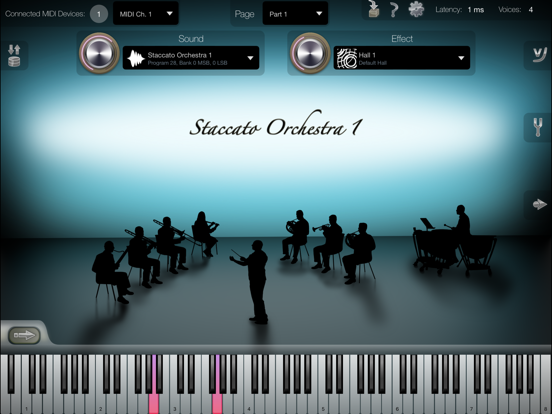
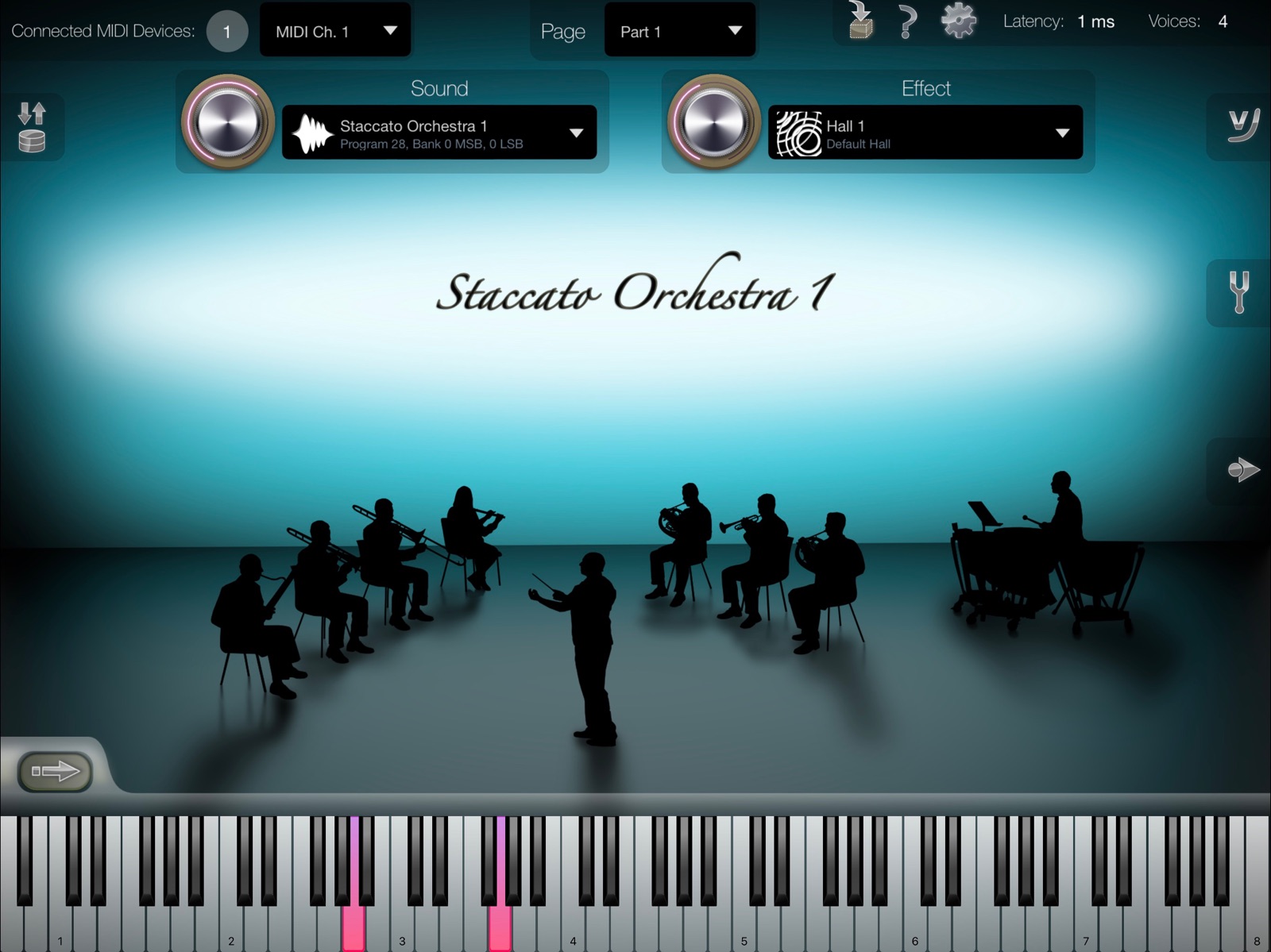
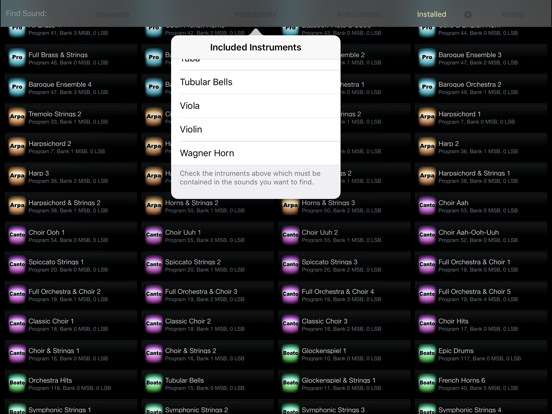
28 store screenshots

Pricing & paywalls
App Store
Shown for US
- Price: $9.99
- Arpa Sound Set — $8.99
- Aulos Sound Set — $11.99
- Boato Sound Set — $11.99
- Canto Sound Set — $11.99
- Corda Sound Set — $16.99
- Keys Sound Set — $24.99
- Pro Sound Set — $11.99
- Varia Sound Set — $11.99
- Vento Sound Set — $8.99
- Voce Sound Set — $11.99
Ratings & reviews
App Store
Shown for US
-
4/5Better than I could’ve hoped for.
This is a fantastic app with pristine sound quality. It really just blows me away the full realistic quality of instrument samples, The keyboard is very responsive and easy to use despite its tiny size when enlarged. The basic sound bank is enough to create a masterpiece in your own right. The major complaint that I have, upon recording in additional tracks, if you delete that track, the app crashes, losing all of your progress along with way. Especially tedious, if you hadn’t saved the song. This has happened at least five times. The other suggestion I would add is please include a more accessible means to save record, play actively on the main screen instead of having to stop and cycle back and fourth.
Vegeta_3 · 6 Aug 2026
-
5/5Fantastic
I’ve been using iSymphonic Orchestra for about a year as of this writing. It’s a fantastic product, almost unbelievable for the price. As a musician, composer, and producer, I have thousands of dollars worth of top sound libraries on my desktop computer, plus thousands more in high-quality synthesizers. The quality of iSymphonic Orchestra samples are easily on that level. While the instruments don’t contain all the various articulations, mic placements and effects you’d find in a high-end desktop sample library, they are incredibly expressive and beautiful. I have purchased many of the optional collections available. They are all gorgeous and more than worth the price. In addition to using these for both composing and enjoyment, I also perform live with them. One of the bands I’m in is an all-female Beatles tribute. I use iSymphonic Orchestra to perform many of the orchestral instruments found in Beatles music. For example, on the song Penny Lane, I perform the horn sections, flute, and classical trumpet parts using iSymphonic Orchestra and my Yamaha WX5 wind synthesizer. I use a set of MIDI pedals to quickly switch between instruments. The latest software update has improved latency so much that I can perform rapid passages using wireless Bluetooth MIDI. I can’t express how amazing it is to be able to pull all of that off with an iPad. The instruments sound real because they ARE real. I don’t even know how I’d accomplish this otherwise, to be honest. It’s a wonderful thing. I’m astonished, delighted, and grateful every time I fire up this app and play with it, whether I’m performing, composing, or just playing around. I hope it stays around and continues evolving for a long time to come.
GenuineHeather · 6 Aug 2026
-
5/5Keys Sound Set IAP - Best Acoustic Pianos Yet!
I have many acoustic piano sample sets for IOS, including several of the ‘premium pianos’ available from various software companies. I wasn’t truly satisfied with any of them, until I purchased the ‘Keys Sound Set’ for iSymphonic. These pianos have a nice balance between the hammer and sustained part of the piano’s sound, giving them a very natural woody quality I find missing from most of the others. They had to have been sampled from well regulated pianos. Very consistent quality sound and feel across the full 88 keys. There are other sounds in this package. But, my main quest has been to find a really satisfying piano. There are two pianos here, with just enough variance in tone to satisfy most playing situations. I have been using my iPad for years for regular live performances. I feel highly confident recommending this iSymphonic add on. I think you will be pleased.
Tedh222 · 6 Aug 2026
-
5/5Layer ‘em, mix ‘em, play ‘em, tears of joy.
iSymphonic takes a little while to get used to - and the AU, while functional, struggles with export and is basically just a basic sample player - but where it really shines is using it via IAA. The samples are GORGEOUS and DEEP and FULL and RICH, first off; but here’s my pro setup over IAA for maximum beauty: - Buy a couple sound packs so you have more gorgeous sounds to play with - Set several “Parts” to the same MIDI channel, and use the standalone app to select and mix different sounds together - Save these mixes as state-saving presets in order to quickly come back to them By layering different sounds and just going with the app’s fantastic built-in reverb effects, you can create some truly breathtaking compositions. Thus far I’ve been able to create the ultimate power low strings, full and rich staccato strings (I find iSymphonic’s stand-alone staccato and legato to be a little bland, but when you put them together... WOW.), and some nice stringy tremolo-y emotional ensembles. All in all, worth the price for what I’m doing with it (composing film scores and character themes for friends). Professional samples and massive versatility... what more do you want? This app is definitely best used with a MIDI controller - for best results use one with 88 weighted keys, although any controller can be configured with the app’s built-in velocity curve editor (a genius move). Thanks to the dev - nay, the artist - who put so much time and thought into this plugin. It’s truly a game-changer.
GrahamBablam · 6 Aug 2026
-
3/5Making Progress
I have been using this app when it first came out. The sound is absolutle amazing. This new version has improvements but still need some work though. Suggestions to Crudebyte developer below: 1. Im not sure if its possible but if i send an "all off" signal it should turn all midi channels (1-16) off. Currently it only turns off the channel that you are on. Some times midi note get stuck when you change channel, especially when using it with keyboard pedal. If you change channel while the keyboard pedal is depressed certain sound will get stuck. I get very nervous when using this for live performance 2. The added ability to search/filter sound is great. It needs an "x" button though. Ocasionally I will be scrolling around and change my mind but there is no way to exit unless i change to a different sound or just close the app. 3. Also you cannot scroll all the way to the bottom sometimes when using filter. Im using iphone 6s 4. filter by rating should only include only the rated sound. Anything not rated should not be included. You have a very large library of sounds so to include pretty much all of them makes this feature not very useful when searching 5. I would dedicate a separate view controller to select page, channel, and sound. You currently have to click on dropdown to be able to see what is selected for each channel and page. It would be great if we could see all of them in one page without having to click though multiple buttons 6. Having the ability to select preset is great. It would be great if we can send our preset to another device. There is no option to export the preset
bichpham · 6 Aug 2026
Privacy & accessibility
App Store
Privacy
- Data Not Linked to You — App Functionality — Identifiers — Device ID Developer declared
- Data Not Linked to You — App Functionality — Other Data — Other Data Types Developer declared
- Data Not Linked to You — App Functionality — Purchases — Purchase History Developer declared
- Data Not Linked to You — Identifiers Developer declared
- Data Not Linked to You — Other Data Developer declared
- Data Not Linked to You — Purchases Developer declared
Accessibility
No accessibility labels collected yet.
Versions
App Store
-
2.1
This update of iSymphonic Orchestra provides several software improvements. For more details about what's new in iSymphonic 2.1, please refer to the iSymphonic 2.1 release notes: https://doc.crudebyte.com/iSymphonic/Release-Notes/2_1/
-
2.1.1
This update of iSymphonic Orchestra provides software corrections: • Audio Unit: Fixes potential lockup with Cubasis 2.4.1 which could happen under a certain condition. • Inter-App Audio / Audiobus: Fixes crash which could happen when the app was launched from either Audiobus or as IAA from a third-party DAW app. Please also refer to the previous release notes to see what's new in iSymphonic: https://doc.crudebyte.com/iSymphonic/Release-Notes/2_1/
-
2.1.2
This update contains numerous software and sound corrections, as well as some minor new features: • Added "Panic" button. • Added support for MIDI Expression Controller (MIDI CC #11). • MIDI Recorder: Added setting whether to ignore MIDI program change on playback (by default recorder ignores program change now). • Fixed issue with sound "Legato Orchestra Strings 2" (from "Pro" sound set). • Fixed effect send knob not being updated on MIDI CC #91. • Audio Unit: Loads instruments in background again on regular (real-time) DAW usage. • App States: Fixed remote restoring App States via MIDI program change. • App States: Fixed wrong MIDI program number being displayed to user (off by one). • Fixed memory leaks. • Audio Unit: Fixed wrong preset being restored under certain conditions. • App States: Fixed transpose setting not being restored. • MIDI Recorder: Songs are sorted alphabetically now. Thanks for your feedback!
-
2.1.3
This update fixes issues with the Audio Unit plugin on iOS 12.
-
2.1.4
This update provides the following software corrections: • App States: Fixed issues with "Replace" function. • AudioUnit: Fixed issues with audio export. Thanks for your feedback!
-
2.1.5
This update provides the following software corrections: • AudioUnit: Fixed an issue where wrong instruments were being restored on offline mixdowns. • APFS: Fixed an issue that might cause a sound set download to abort in between on low SSD space situations. Thanks for your feedback!
-
2.1.6
This update fixes several issues with the new iPad Air 3 and iPad mini 5 models.
-
2.1.7
This update fixes the following issues: • Fixed several issues with the graphical user interface (iOS 13). • Fixed issues with dark mode (iOS 13). • Audio Unit: Fixed several crashes when exporting / freezing a song. • Audio Unit: Fixed AU not being loaded with some DAW apps. • Audio Unit: Fixed missing support for Expression Control (MIDI CC#11). • Inter-App Audio: Fixed crash when Inter-App Audio was disconnected. • Fixed several issues with Audiobus. • App States: Fixed MIDI device selection not being saved / restored. • App States: Fixed MIDI velocity curve setting not being saved / restored. • Virtual piano keyboard: Fixed black keys triggering notes with incorrect / inaccurate velocities. • Fixed crash which happened sometimes when retrieving product details from App Store. • Fixed seldom crash on (stand-alone) app start. • Fixed crash when opening tuning settings on app start. Thanks for your feedback, and take care!
-
2.1.8
This update fixes one issue with the Audio Unit plugin: • Audio Unit: Workaround to prevent an immediate crash when loading the Audio Unit plugin in some DAW apps (bug on iOS level introduced by iOS 13.4.1).
-
2.1.9
This regression¹ update fixes one issue with the Audio Unit plugin: • Audio Unit: Workaround to prevent an immediate crash when loading the Audio Unit plugin in some DAW apps (bug on iOS level introduced by iOS 13.4.1). ¹ Regression update: the previous update few days ago caused issues on older iOS versions (iOS 12 and older), which we corrected with this regression.
-
2.2
This update provides the following corrections and improvements: • Substantial app launch time improvement. • Fixes noise at beginning of new notes that happened under rare situations. • Fixes crash on certain MIDI messages (stand-alone app and Audio Unit). • Audiobus: Fixes connection problem with Audiobus on iOS 14 and higher (see NOTE below).¹ • Audiobus: If session is restored from Audiobus, don’t ask the same question dialog again whether IAA MIDI or IAA MIDI + CoreMIDI shall be used. • IAP downloads: Fixes active download from being interrupted under certain conditions if app was sent into background. • IAP downloads: Fixes active download being restarted under certain conditions after user requested to pause the download. • IAP downloads: Fixes download status being incorrectly shown as “Download Aborted” even though download was auto resumed already. • IAP downloads: Fixes “Download Aborted” and “Resume” button been shown even though the respective sound was already resumed. • IAP downloads: Fixes green arrow animation on progress bar which was stopped if either app went into background or user switched to a different app screen. • IAP downloads: Shows an additional small download progress bar at top edge of screen (iPad only) to make it clear the app is downloading a sound set, even if an already installed sound is currently selected on screen. • IAP downloads: Fixes installation status filter not having used the actual latest installation status of all sound sets (i.e. immediately after download or removal of a sound set). • IAP downloads: Distinguishes now between “Queued for Download” for non-installed sound sets and “Queued for Update” for already installed sets. • Audio Unit UI: Fixes sound selection list from being cropped if AU UI height inside AU host app was rather small. • MIDI recorder: Fixes crash on 2nd iOS “Open with …” request for user imported MIDI files. • MIDI recorder: Supports now MIDI files with “.midi” file extension (instead of being limited to only “.mid”). • Sound selection: Fixes readability issue of placeholder text regarding search filter options if iOS was not running in dark mode. • Volume knob: Shows now that MIDI CC#7 is associated with this control. ¹ NOTE: This version asks you for permission to access the local network, which is required for Audiobus to work on iOS 14 and higher. If you are not using Audiobus you can safely ignore or decline this permission request. You can also grant and revoke this permission under iOS Settings -> “Privacy” -> “Local Network” at any time.
-
2.3
This update provides the following software improvements: • Improved instrument load time. • Audio Unit: Allows now a high amount of AU instances. • Audio Unit: Use the new RAM bar on the AU user interface as indicator for how many AU instances you can still deploy. • Audio Unit: Fixes several issues in conjunction with various AU host apps (e.g. with AUM, GarageBand). • Shows now an estimated time for completing a download of a sound set. • There is now a "Restore/Update All" button directly on the "Optional Sound Sets" screen. • Fixes sound set download issues that have happened under certain conditions (e.g. under low SSD space scenario). • Several UI corrections and improvements.
-
2.3.1
This update provides the following software correction: • Fixes a crash which could sometimes happen when switching a sound from one sound set to another sound set (affected both, stand-alone app and Audio Unit plugin).
-
2.3.2
This update provides the following software correction [regression update¹]: • Fixes a crash which could sometimes happen when switching a sound from one sound set to another sound set (affected both, stand-alone app and Audio Unit plugin). ¹ Additionally this regression update fixes the following issue: • Audio Unit: Fixes an issue where some sounds could not be selected on AU plugin side if a specific combination of sound sets were installed.
-
2.3.3
This update provides the following software corrections: • Fixes last row on sound selection screen from being hardly accessible due to a scroll space issue which was triggered with certain sound search filter rules. • Voice Over: Various corrections and improvements to provide more meaningful speech output. • Fixes stuck keys on the virtual piano keyboard which happened when holding virtual keys with one hand and trying to select another sound preset with another hand. • MIDI: An external "All Notes Off" MIDI message now also releases potentially stuck keys on the virtual piano keyboard on screen.
-
2.3.4
• Adds support for iOS 15. • Adds support for new iPhone 13 models. • Adds support for new iPad 9 and iPad mini 6 models.
-
2.4
This update provides numerous improvements for the Audio Unit (AU) plugin version of iSymphonic: • AU: Full-screen sound selection with search criteria filter options. • AU: Added Reverb effect. • AU: Automatically save and restore all sound settings with Audio Unit session (e.g. when saving/loading a song in an Audio Unit host app) • AU: Fixed potential crash on AU session restore. Additionally this update provides the following software correction on iSymphonic stand-alone app side: • Fixed potential concurrency issue when processing MIDI Control Change (CC) commands.
-
2.4.1
This update fixes the following software issue introduced by recent feature update: • Fixed a potential crash when switching to a different sound.
-
2.4.2
This update provides a workaround for a misconfiguration on Apple iTunes servers that made all In-App Purchases of this app inaccessible with an error message "Cannot connect to App Store" (FB11711942).
-
2.4.3
This update fixes an UI issue with recent iPhone models. Note: This version raises the minimum requirement to iOS 12 and 64-bit CPU. For older devices there are still older versions of this app with lower requirements available for download on the App Store.
-
2.4.4
This update provides an important fix for App Store communication with iOS 18.2, and provides support for new iPad and iPhone models.
-
2.4.5
Fixes a crash with iOS 18.
-
2.4.6
Fixes a regression of previous update which caused a crash on some older devices.
-
2.5
• Fixes noise that could happen under certain conditions when switching sounds. • Improved download of sound sets. • Audio Unit: added audio rendering time statistics. • Audio Unit: detects audio dropouts and shows a warning in this case.
-
2.5.1
· 19 Jan 2026
• Minor corrections.
Availability by market
- US
Data quality & evidence
- Page completeness
- Live store listing
- Last verified
- 6 Aug 2026
- Sources
- App Store
- Independent summary has not been published yet.