
Quick verdict
- What it is
- Store information collected; independent summary not yet available.
- At a glance
-
- Free to download
- In-app purchases
Categories and search queries
Official categories
- Sports
AppCorpus categories
Key functions
| Function | Availability | Access | Scope | Evidence |
|---|---|---|---|---|
| Free app | Yes | Free | — | Store published |
| In-app purchases | Yes | Limited free | — | Store published |
Screens
App Store
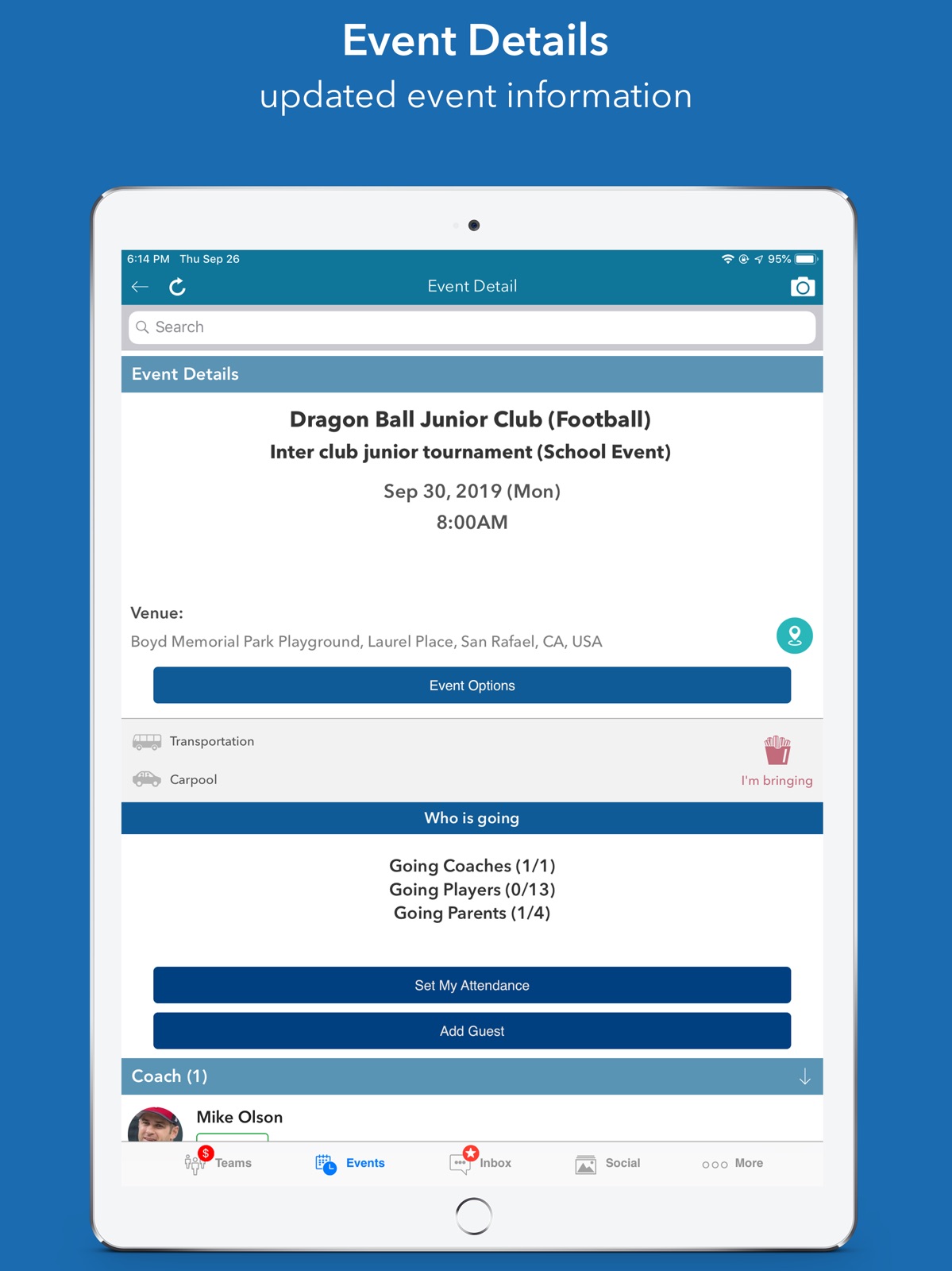
33 store screenshots


Pricing & paywalls
App Store
- InstaTeam ads free version — $3.99
Ratings & reviews
App Store
-
5/5LOVE this app!! As USER-FRIENDLY as it comes!!
I cannot rave enough about this app! Our school usually uses Shutterfly Share Sites and they seem to be confusing for every party involved and only allow the parents access. This gives coaches, parents, and teammates involved. Allowing multiple parents per child, in app payments for anything the parents may need to make payments for: dues, registration fees, jerseys/uniforms, etc. You are able to track payments or other items that are due like documents or physical forms. You can also post documents for the parents or players to download. The app allows messages to be sent to parents, team players, or both. Gives your team a social media thread that players, coaches, and parents have the ability to post on, and you are able to like and comment on each post. All parties are able to share photos with everyone as well. You can post you game schedule as well as other events and practices. There is much more you can do but these are my favorite capabilities. I’ve had compliments on the app as well as another coach saying they may switch to this app because of the user friendly design.
TiaRyan12 · 30 Aug 2026
-
5/5Great app!
I’m a little surprised to not see as many 5 star reviews. I have been using this app to manage my travel basketball organization with 4 teams for 2 years now. I LOVE this app! It helps keep me organized with game times, players, communicating with players’ parents, and monthly player fees. The ads have never bothered me. If I’m using any app for free, I expect to see ads. Nothing unusual about that or about closing out the ads. The ads pop up only once when you first open the app and maybe lasts about 5 seconds. (But after reading the reviews, I chose to purchase the subscription so that my team parents don’t have to wait for ads to be shown.) The app is also very easy to use unlike some of the other team apps out there. My daughters play other sports that are managed by other apps and this one is by far the best! Just saying... I tried 3 other team management apps before I found Insta Team and can say that I am completely satisfied with all of its features and ease of use. As a director it is very important to keep everything organized and I am able to do that easily. My team parents all love it too as it keeps them up to date with everything! Thank you, developers, for creating this app!!! You have made my basketball Director life so much easier!!!!!
Nikka1974 · 30 Aug 2026
-
5/5Excellent Tool for Recruiting
In today’s day and age this is an absolute must have! It is extremely user friendly and an excellent way for the college coaches to see your players in action. I absolutely love how you can see the archived games. It’s also brought the advantage that colleges have in being able to scout other teams as well as see your own players weaknesses. I’m very pleased at the designers attention to detail and openness to suggestions. Best app out there for integrating live game feeds as well as scoring for everyone.
Airbudejan · 30 Aug 2026
-
2/5Soooo many ads
I have multiple kids playing multiple sports. I also coach. And for all those teams, I have seen many “team manager” apps. So from my comparison of them, this one is at the bottom of my list for one reason. Ads. Tons of ads. I get it. Apps cost money, and this one is free...like my 12th cup of coffee. Trust me...nothing is free. You just pay in different ways. Just try your own comparison. All the good reviews of this app cite features that almost all of the competing apps have, too, so it doesn’t set itself apart there. But compared to those other apps, the time spent having an ad shoved in your face is noticeably higher with InstaTeam. For me, it’s past inconvenient and moved into aggravating to see a new 10-second ad every 3 clicks (or less). If you’ve got lots of time and patience, then by all means enjoy InstaTeam. For me...there are better alternatives out there.
FegaMind · 30 Aug 2026
-
3/5Constant request for gps data
I like the app. Seems to do a decent job so far of managing a swim team. The ads are annoying - it’s unclear if you have any option but to click on them to proceed. They seem to time out but they are generating clicks unethically. The app constantly asks to enable gps data. You can’t look up a team in an area by name. They ask for gps data or you have to manually place a pin on a map. I’d like to think that’s just innocent trying to add a cute helpful feature but seems much more likely that their advertisers want location data constantly which is very valuable. I haven’t enabled it yet (and looking down below I notice they haven’t provided apple yet with data on privacy practices) so extremely low trust (hence the rating).
daz10000 · 30 Aug 2026
Privacy & accessibility
App Store
Privacy
- Data Linked to You — Analytics — Diagnostics — Crash Data Developer declared
- Data Linked to You — App Functionality — Contact Info — Email Address Developer declared
- Data Linked to You — App Functionality — Contact Info — Name Developer declared
- Data Linked to You — App Functionality — User Content — Photos or Videos Developer declared
- Data Linked to You — Contact Info Developer declared
- Data Linked to You — Diagnostics Developer declared
- Data Linked to You — User Content Developer declared
- Data Not Linked to You — Analytics — Usage Data — Product Interaction Developer declared
- Data Not Linked to You — Third-Party Advertising — Identifiers — Device ID Developer declared
- Data Not Linked to You — Identifiers Developer declared
- Data Not Linked to You — Usage Data Developer declared
- Data Used to Track You — Identifiers — Device ID Developer declared
- Data Used to Track You — Identifiers Developer declared
Accessibility
No accessibility labels collected yet.
Versions
App Store
-
4.1.0
1. Admins can create events and invite selected members only. Selected members events are visible only to the members who are invited. 2. Admins can now delete the messages or media from live coverage chat. 3. Support for tracking volunteers hours along with attendance for an event 4. Added search feature in team list screen 5. Parents can now signup unregistered children for car pool
-
4.2.0
Ads Free Subscription to turn advertisement on of off. User can add comments on images and videos posted by other team members Support for urgent team messages with urgent flag when sending team messages Create and conduct team survey and check responses. Team member can view different choices and select one. Lock the event attendance/availability before the start of the event. Once locked, the team members cannot change their attendance status. Set notifications for team survey or when media is posted to the team media page UI enhancements in carpool, events filter, and team messages. Filter events based on opponent team name
-
4.3.5
We have added many new features as requested by many team admins, athletic directors, coaches and team parents. - The default event reminder can now be set for each event. By default the event reminders are sent one day before the event. - The team event attendance can be locked so that the team members cannot change attendance just few hours before the event - Ability to create group chat conversation when sending message to multiple team members - Payment due date is shown to the members for any items they have not paid for. There is now also indication on the team tab to remind them of the payment dues - If a team admin hides a member for rest of the team, that member will have (H) after their name to indicate that this member is currently hidden. - A star icon on team tab if there is an item due for the team member, admin also see the icon if any of their team has items due.
-
4.3.8
- Default attendance for parents and players for the event when creating a new event or editing an event - Ability to see signup items by all members even if all the items slots are full - Parents can see payment items due in their payment dues screen - Admin can now make members inactive even if the member has not created an account
-
5.0.0
* Major updates to payment items such that the team admins can now track payments from the team members * Event registration with limited slots such that the members can register for the event * Barcode registration confirmation for events admission
-
5.0.1
We have updated payments item feature such that the team admins can take partial payments form the team members for a given item. If the payment is less than the total due payment, then the due payment icon will still show agains the user name. Also, with paid events, the teacher, coaches, trainers can setup an event and create a public url which they can share with all their contacts. Anyone receives the link, can click on the link and pay for the event for registration.
-
5.0.2
Bug fixes and enhancements
-
5.0.3
We improved creating items for the teams.
-
5.0.4
1) Team members can delete conversations with other members or individual messages within conversation 2) Team admin can disable member messaging for a team. 3) Team member can block other members of a team from messaging them. 4) Team admin can refund excess payment to the payee. 5) User can post video links in social tab
-
5.0.5
This release contains minor bug fixes and improvements The facebook sdk has been updated to fix login via facebook issue
-
5.1.0
There are some major changes in this release: - Ability to send team messages via SMS to the team members who have mobile phone number added to the account -Create events for coaches and admins only - View your and your child attendance in the event list. - Enhanced capability to upload videos during the game for your team - New section called Inactive teams which shows teams that are not active in current season. - Ability to view and set the child attendance status within the event list - Fixed the image issue in the user profile section.
-
5.2.0
- Ability to create fundraiser events - One parent can add another parent for their child - Admin can now view their payment items and also make payments - Admin can add or delete items from I am Bringer items.
-
5.3.0
Social tab functionality improved for better experience while viewing pictures and videos Easily share videos with the team Updated the facebook sdk to allow facebook login Updated Fundraiser event creation
-
5.4.0
UI enhancements and defect fixes
-
5.5.0
Admins can now add payment information for the team members. Also, simplified adding members to the team by clicking on + icon in the respective category. Support for automatic invoice generation
-
5.5.1
Fixed the crash occurring on iOS 13 devices when user switches to inbox tab in the application.
-
5.6.0
UI enhancements and defect fixes Fixed a defect related to messaging feature.
-
5.6.1
Messaging enhancements and auto sync feature.
-
5.6.2
1. Added health check feature. 2. Added Sign in by apple Id
-
5.8.0
Bug fixes and enhancement.
-
5.8.1
Bug fixes and UI enhancements.
-
5.9.0
1. Crash fixed when tapping on Print button. 2. Social tab enhancements. 3. New option added in Social tab - Status. 4. Share option improved throughout the app. 5. Other bug fixes and enhancements.
-
5.9.1
1. Integrated Calendar in Event List Screen: The calendar is now seamlessly embedded within the event list screen, providing users with a more intuitive and streamlined way to view and manage events. 2. Resolved Calendar Crash in Events Tab: Fixed the issue causing the calendar to crash when accessed via the Events tab, ensuring a more stable and reliable user experience.
-
5.9.2
Fixed a crash that occurred when refreshing the event list screen for the first time.
-
5.9.3
· 2 Sep 2024
This app has been updated by Apple to prepare for watchOS 27 compatibility. No new features are included. Fixed calendar issue: user was not able to select date, particular for Sept month while creating the event.
Alternatives
- Zorts Sports — Same category + similar ratings
- Exposure Events — Same category + similar ratings
- LeagueApps Play — Same category + similar ratings
- Athletic.APP — Same category + similar ratings
- MADE Hoops — Same category + similar ratings
- Stack Team App — Same category + similar ratings
Availability by market
- US
Data quality & evidence
- Page completeness
- Live store listing
- Last verified
- 30 Aug 2026
- Sources
- App Store
- Independent summary has not been published yet.