AppCorpus MCP gives your agent current app data, prices, screens, features and sources.
View JSON
GET /api/v3/apps/592322129
{
  "app_id": 592322129,
  "canonical_url": "https://appcorpus.com/apps/inettools-pro-592322129",
  "identity": {
    "name": "iNetTools - Pro",
    "slug": "inettools-pro",
    "developer": {
      "name": "ComcSoft Corporation",
      "url": "https://appcorpus.com/developers/comcsoft-corporation-developer_9c760af7318ec8b753954454a724f4ac"
    },
    "icon_url": "https://is1-ssl.mzstatic.com/image/thumb/Purple211/v4/b0/c7/70/b0c770bf-63bf-f2c8-9157-00c4f5d050d7/AppIcon_pro-0-0-1x_U007emarketing-0-8-0-85-220.png/512x512bb.jpg",
    "stores": [
      "apple"
    ],
    "platforms": [
      "iphone",
      "ipad"
    ],
    "status": {
      "state": "active",
      "label": "Active",
      "last_checked": "2026-07-31",
      "last_checked_label": "31 Jul 2026",
      "banner": null,
      "region_note": null
    }
  },
  "listings": [
    {
      "store": "apple",
      "status": "ACTIVE",
      "url": "https://apps.apple.com/us/app/inettools-pro/id592322129?uo=4",
      "rating": 4.7,
      "rating_count": 347,
      "formatted_price": "$5.99",
      "is_free": false,
      "has_iap": false,
      "has_subscription": false,
      "version": "10.0",
      "updated": "2025-10-15",
      "currency": "USD"
    }
  ],
  "summary": {
    "one_liner": null,
    "summary": null,
    "best_for": [],
    "not_for": [],
    "status": "fallback",
    "at_a_glance": [
      "$5.99"
    ]
  },
  "categories": {
    "official": [
      "Utilities",
      "Productivity"
    ],
    "appcorpus": [
      {
        "category_id": "utilities",
        "label": "Utilities",
        "url": "https://appcorpus.com/categories/utilities"
      },
      {
        "category_id": "productivity",
        "label": "Productivity",
        "url": "https://appcorpus.com/categories/productivity"
      }
    ]
  },
  "use_cases": [],
  "features": [
    {
      "capability_id": "family_sharing",
      "label": "Family Sharing",
      "availability": "yes",
      "access_level": "unknown",
      "scope": "App Store",
      "evidence": "Store published"
    }
  ],
  "pricing": [
    {
      "store": "apple",
      "formatted_price": "$5.99",
      "is_free": false,
      "has_iap": false,
      "has_subscription": false,
      "currency": "USD",
      "market": "us",
      "last_verified": "2026-07-31",
      "rows": [
        "Price: $5.99"
      ]
    }
  ],
  "screens": [
    {
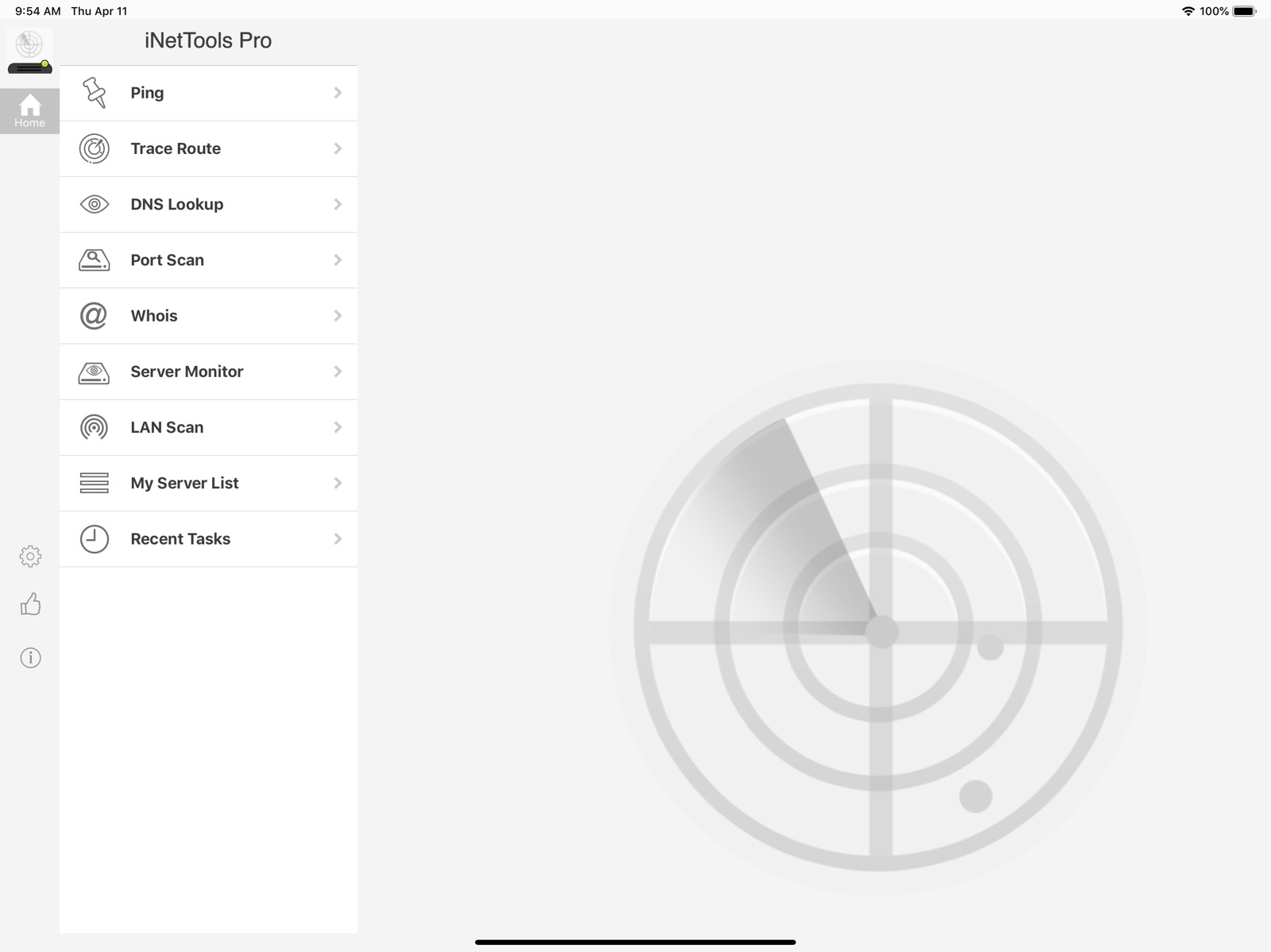
      "url": "https://is1-ssl.mzstatic.com/image/thumb/Purple113/v4/c2/7c/aa/c27caa80-d881-66f3-287c-94ce718bfb0c/pr_source.png/1600x1600bb.jpg",
      "store": "apple",
      "platform": "ipad",
      "alt": "iNetTools - Pro ipad screenshot 1"
    },
    {
      "url": "https://is1-ssl.mzstatic.com/image/thumb/Purple113/v4/b6/07/15/b6071513-4c37-4461-f6d3-3e1b9b32e988/pr_source.png/1600x1600bb.jpg",
      "store": "apple",
      "platform": "ipad",
      "alt": "iNetTools - Pro ipad screenshot 2"
    },
    {
      "url": "https://is1-ssl.mzstatic.com/image/thumb/Purple113/v4/1d/b0/35/1db03512-49b0-d154-8bec-63f16f7876b6/pr_source.png/1600x1600bb.jpg",
      "store": "apple",
      "platform": "ipad",
      "alt": "iNetTools - Pro ipad screenshot 3"
    },
    {
      "url": "https://is1-ssl.mzstatic.com/image/thumb/Purple123/v4/d7/36/83/d7368322-8bab-f362-515b-cb7faeed78f7/pr_source.png/1600x1600bb.jpg",
      "store": "apple",
      "platform": "ipad",
      "alt": "iNetTools - Pro ipad screenshot 4"
    },
    {
      "url": "https://is1-ssl.mzstatic.com/image/thumb/Purple123/v4/fc/4f/d7/fc4fd76e-3330-0134-5d0c-34997b0ce6e3/pr_source.png/1600x1600bb.jpg",
      "store": "apple",
      "platform": "ipad",
      "alt": "iNetTools - Pro ipad screenshot 5"
    },
    {
      "url": "https://is1-ssl.mzstatic.com/image/thumb/Purple123/v4/c3/df/2f/c3df2fb1-1250-ce84-6ac3-9cd217b51025/pr_source.png/1600x1600bb.jpg",
      "store": "apple",
      "platform": "ipad",
      "alt": "iNetTools - Pro ipad screenshot 6"
    },
    {
      "url": "https://is1-ssl.mzstatic.com/image/thumb/Purple123/v4/12/84/b1/1284b1ed-fe66-99fa-e3b9-ba3afa894d84/pr_source.png/1600x1600bb.jpg",
      "store": "apple",
      "platform": "ipad",
      "alt": "iNetTools - Pro ipad screenshot 7"
    },
    {
      "url": "https://is1-ssl.mzstatic.com/image/thumb/Purple123/v4/ba/c1/38/bac13822-032e-6247-dbe3-de6e10c737a5/pr_source.png/1600x1600bb.jpg",
      "store": "apple",
      "platform": "ipad",
      "alt": "iNetTools - Pro ipad screenshot 8"
    },
    {
      "url": "https://is1-ssl.mzstatic.com/image/thumb/Purple113/v4/bb/ea/d8/bbead8ac-cb9c-b3cf-0b47-8a4d5a35f931/pr_source.png/1600x1600bb.jpg",
      "store": "apple",
      "platform": "ipad",
      "alt": "iNetTools - Pro ipad screenshot 9"
    },
    {
      "url": "https://is1-ssl.mzstatic.com/image/thumb/Purple123/v4/a4/57/44/a4574430-97d5-cd01-e98c-36b757246958/pr_source.png/1600x1600bb.jpg",
      "store": "apple",
      "platform": "ipad",
      "alt": "iNetTools - Pro ipad screenshot 10"
    },
    {
      "url": "https://is1-ssl.mzstatic.com/image/thumb/Purple123/v4/3e/ba/5a/3eba5abb-eb6f-04cc-24d8-7cb002bad198/mzl.rozsrnlb.png/1242x1600bb.jpg",
      "store": "apple",
      "platform": "iphone",
      "alt": "iNetTools - Pro iphone screenshot 11"
    },
    {
      "url": "https://is1-ssl.mzstatic.com/image/thumb/Purple113/v4/03/ae/f8/03aef88f-7515-8a4a-777a-18046d0d14e8/mzl.glwenyhn.png/1242x1600bb.jpg",
      "store": "apple",
      "platform": "iphone",
      "alt": "iNetTools - Pro iphone screenshot 12"
    },
    {
      "url": "https://is1-ssl.mzstatic.com/image/thumb/Purple113/v4/9d/13/74/9d137432-02a2-f14a-9c81-f3500b5920fc/mzl.vqxiunmn.png/1242x1600bb.jpg",
      "store": "apple",
      "platform": "iphone",
      "alt": "iNetTools - Pro iphone screenshot 13"
    },
    {
      "url": "https://is1-ssl.mzstatic.com/image/thumb/Purple123/v4/6b/1a/ca/6b1acaf1-1793-1f21-5d01-c0cc93f06a05/mzl.tcllujie.png/1242x1600bb.jpg",
      "store": "apple",
      "platform": "iphone",
      "alt": "iNetTools - Pro iphone screenshot 14"
    },
    {
      "url": "https://is1-ssl.mzstatic.com/image/thumb/Purple113/v4/c7/d3/bf/c7d3bfda-4f35-e104-ea1a-b56c730ee65f/mzl.lejskmzh.png/1242x1600bb.jpg",
      "store": "apple",
      "platform": "iphone",
      "alt": "iNetTools - Pro iphone screenshot 15"
    },
    {
      "url": "https://is1-ssl.mzstatic.com/image/thumb/Purple123/v4/3a/c8/a6/3ac8a631-e59a-c6da-0438-6a8095b69925/mzl.jedltpjl.png/1242x1600bb.jpg",
      "store": "apple",
      "platform": "iphone",
      "alt": "iNetTools - Pro iphone screenshot 16"
    },
    {
      "url": "https://is1-ssl.mzstatic.com/image/thumb/Purple123/v4/1a/2a/8e/1a2a8e44-c71d-99e9-d274-614a422c5624/mzl.sggihzae.png/1242x1600bb.jpg",
      "store": "apple",
      "platform": "iphone",
      "alt": "iNetTools - Pro iphone screenshot 17"
    },
    {
      "url": "https://is1-ssl.mzstatic.com/image/thumb/Purple113/v4/fc/67/f5/fc67f5e4-a880-a05a-da67-0f794ba5ddab/mzl.eqabktlt.png/1242x1600bb.jpg",
      "store": "apple",
      "platform": "iphone",
      "alt": "iNetTools - Pro iphone screenshot 18"
    },
    {
      "url": "https://is1-ssl.mzstatic.com/image/thumb/Purple113/v4/ad/fd/b6/adfdb6f5-bff3-1f0a-bcfd-184491d2b7ae/mzl.yuyqjxli.png/1242x1600bb.jpg",
      "store": "apple",
      "platform": "iphone",
      "alt": "iNetTools - Pro iphone screenshot 19"
    },
    {
      "url": "https://is1-ssl.mzstatic.com/image/thumb/Purple113/v4/dc/1f/fe/dc1ffe56-3513-ab79-1e66-10951e211e42/mzl.pgxpspau.png/1242x1600bb.jpg",
      "store": "apple",
      "platform": "iphone",
      "alt": "iNetTools - Pro iphone screenshot 20"
    }
  ],
  "ratings": [
    {
      "store": "apple",
      "average": 4.7,
      "count": 347,
      "market": "us",
      "observed_at": "2026-07-31",
      "reviews": [
        {
          "rating": 5,
          "title": "Drove me crazy but good app",
          "body": "So, I used the trial and it popped up crap in the most inconvenient places while trying to scan. It drove me crazy! But, it definitely is a great app! I finally purchased it when I was testing a VLAN for my Alexa echo and realized how crucial this app was in my tests. Buy it, it will pay for itself.",
          "author": "Just another iPad",
          "date": "31 Jul 2026"
        },
        {
          "rating": 4,
          "title": "Nice App",
          "body": "Really like the features including the favorite servers (addresses) option. I use these to troubleshoot network connectivity on my home network when I don't feel like getting out my computer. I would like to see the following added: ping servers in specific order automatically with maybe a simple pre-defined ordered task sequence. To test my internet and ensure it is not my equipment when inet goes out I ping my access point, then my router, then my cable modem (ensures WAN port is up on firewall/router and LAN port for cable modem) then a public IP address. I usually can't get them all done before connectivity is restored. It would be nice to be able to ping them each in order quickly to see where the failure is occurring. I realize traceroute should perform this but in reality it is not aware of the modem or access point IP addresses in the path since these are not in routing tables. They are however pingable interfaces that are not in routing but are in the layer 1/2 paths and work for detecting a link/point of failure. Thanks.",
          "author": "spcsys",
          "date": "31 Jul 2026"
        },
        {
          "rating": 5,
          "title": "Does the job",
          "body": "Ping, Trace Route, DNS Lookup, Whois. Just make sure the app has data enabled when not connected to wifi, tends to be my #1 mistake. Useful when you don't have a laptop handy to diagnose network issues. Side note: Never had to press the thumb. No complaints.",
          "author": "Mcmalle",
          "date": "31 Jul 2026"
        },
        {
          "rating": 4,
          "title": "All the necessities",
          "body": "All the basic network diagnostic tools you need, now on IOS! Great for troubleshooting connectivity issues on your LAN and the ITubes. Especially useful for VPN and/or Proxy users. All tools work as they should and the app’s user interface will be familiar to anyone who has used network diagnostic tools in the past.",
          "author": "Phillco3",
          "date": "31 Jul 2026"
        },
        {
          "rating": 5,
          "title": "Has Become an essential tool in tracking phishers,cracker and malwear on the fly",
          "body": "This compact little forensic toolbox is indispensable for tracking down the bad-guys . Instant lookups and port scans can corner them before they can shut down !",
          "author": "Labmanager",
          "date": "31 Jul 2026"
        }
      ]
    }
  ],
  "privacy": [
    {
      "store": "apple",
      "declarations": [
        {
          "title": "Data Not Linked to You",
          "detail": "Analytics — Usage Data — Product Interaction",
          "source": "Developer declared"
        },
        {
          "title": "Data Not Linked to You",
          "detail": "App Functionality — Diagnostics — Crash Data",
          "source": "Developer declared"
        },
        {
          "title": "Data Not Linked to You",
          "detail": "Diagnostics",
          "source": "Developer declared"
        },
        {
          "title": "Data Not Linked to You",
          "detail": "Usage Data",
          "source": "Developer declared"
        }
      ],
      "accessibility": []
    }
  ],
  "changes": [
    {
      "store": "apple",
      "version": "10.0",
      "released_at": "2025-10-15",
      "notes": "1. Updated for iOS/iPadOS 26. 2. Bug fixes and performance improvements."
    },
    {
      "store": "apple",
      "version": "6.11",
      "released_at": null,
      "notes": "Minor bug fixes."
    },
    {
      "store": "apple",
      "version": "7.0",
      "released_at": null,
      "notes": "1. Fully redesigned for bigger iPhone and iPad screens. 2. Built for iOS 11. 3. Supports shared Server List among different devices and versions. 4. Now diagnosis logs can be shared through more ways, including email, social networking, Air Drop and other Apps. 5. Many bug fixes."
    },
    {
      "store": "apple",
      "version": "7.01",
      "released_at": null,
      "notes": "1. Fixed app crashing when failed to Ping and Traceroute."
    },
    {
      "store": "apple",
      "version": "7.50",
      "released_at": null,
      "notes": "1. Added Search in Server List. Now users can edit Servers in Server List. 2. Updated library for GDPR compliance. 3. Bug fixes."
    },
    {
      "store": "apple",
      "version": "7.60",
      "released_at": null,
      "notes": "1. Added other types of DNS records in DNS Lookup. Now all record types are returned. 2. Updated App icon."
    },
    {
      "store": "apple",
      "version": "7.65",
      "released_at": null,
      "notes": "1. Built for iOS 12 and new iPhones. 2. Updated App Screenshots. 3. Bug fixes."
    },
    {
      "store": "apple",
      "version": "8.0",
      "released_at": null,
      "notes": "Bug fixes."
    },
    {
      "store": "apple",
      "version": "8.01",
      "released_at": null,
      "notes": "1. Fixed the issue in DNS Lookup."
    },
    {
      "store": "apple",
      "version": "8.02",
      "released_at": null,
      "notes": "Fixed defects."
    },
    {
      "store": "apple",
      "version": "8.04",
      "released_at": null,
      "notes": "Fixed issues when running on iOS 13."
    },
    {
      "store": "apple",
      "version": "8.10",
      "released_at": null,
      "notes": "Fixed defects."
    },
    {
      "store": "apple",
      "version": "8.30",
      "released_at": null,
      "notes": "1. Build for iOS 14. 2. Fixed defects."
    },
    {
      "store": "apple",
      "version": "8.31",
      "released_at": null,
      "notes": "Fixed defects."
    },
    {
      "store": "apple",
      "version": "8.32",
      "released_at": null,
      "notes": "Fixed an issue in Server Monitor."
    },
    {
      "store": "apple",
      "version": "8.60",
      "released_at": null,
      "notes": "1. Updated for iOS 15. 2. Fixed defects."
    },
    {
      "store": "apple",
      "version": "8.61",
      "released_at": null,
      "notes": "Fixed defects."
    },
    {
      "store": "apple",
      "version": "8.70",
      "released_at": null,
      "notes": "1. Updated for iOS 16. 2. Bug fixes and performance improvements."
    },
    {
      "store": "apple",
      "version": "8.80",
      "released_at": null,
      "notes": "Bug fixes and performance improvements."
    },
    {
      "store": "apple",
      "version": "8.84",
      "released_at": null,
      "notes": "bug fixes and performance improvements."
    }
  ],
  "alternatives": [],
  "evidence_summary": {
    "index_state": "S1",
    "evidence_level": 1,
    "level_label": "Live store listing",
    "indexable": true,
    "last_verified_at": "2026-07-31",
    "unknown_fields": [
      "Independent summary has not been published yet."
    ],
    "sources": [
      "App Store"
    ]
  },
  "availability_markets": {
    "live": [
      "us"
    ],
    "selected": "us",
    "note": null
  },
  "feature_events": {
    "events": []
  },
  "features_slice": {
    "plans": [],
    "features": [],
    "unknown_features": [
      "family_sharing"
    ],
    "data_cutoff": "31 Jul 2026"
  }
}