
Quick verdict
- What it is
- Store information collected; an Apoku editorial summary is not yet published.
- At a glance
-
- Free to download
- In-app purchases
Categories and search queries
Official categories
- Graphics & Design
- Photo & Video
Apoku categories
Key functions
| Function | Availability | Access | Scope | Evidence |
|---|---|---|---|---|
| Free app | Yes | Free | Context-specific | Store published |
| In-app purchases | Yes | Limited free | Context-specific | Store published |
Screens
App Store
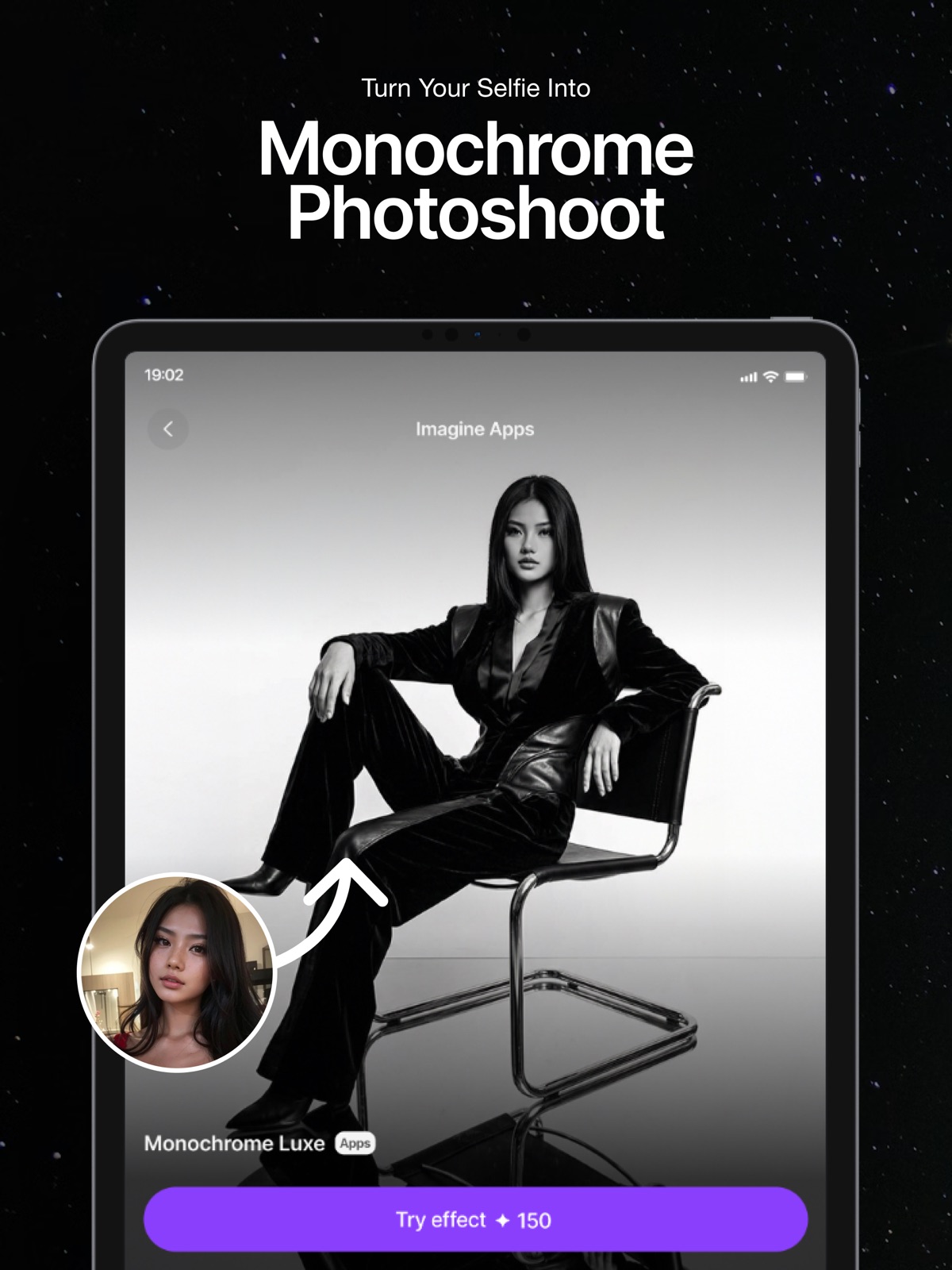
16 store screenshots


Pricing & paywalls
App Store
- Free to download
- In-app purchases
Ratings & reviews
App Store
-
5/5Imagine v1 & v3 look similar to v4
I missed the distinction between imagine v1 and v3 styles, because v1 was more animated and cartoony while v3 was more realistic but at the same time it was able to also implicate motion blur and some slow shutter speed which is why I used imagine v3 the most. Now, most of the first styles: including imagine v1 and v3 as well as the realistic style and portrait style all look like the v4 style with no differentiation. Please look into this and make the necessary adjustments so that every art style is unique and different. If you guys make these changes then your platform will be utterly perfect. You guys are doing such a fantastic job adding all the other different styles making this ai art platform the most unique and different amongst the others seen in the App Store ;) Keep on improving and growing. You guys have my support :)
Shawntay Williams · 31 Jul 2026
-
1/5What a joke
So the app worked fine for a couple of weeks, now they have their money, it’s crap and won’t process anything, I mean seriously, “ a portrait of a microcosmic mouse eating a grape seed in the garden” is considered mature content inappropriate for the app to process, but wait there is more, “a woman in a hat at the beach” takes 45 times of trying to generate, and getting the “could not process pop up - try again” over 40 times and finally on the 46th attempt it delivers a head on top of two more heads that’s useless and then you spend another 45 times of hitting the generate button again, repeat the above, to finally get a result that’s either the exact same as the last terrible image, or another terrible and not useable image, 4 hours later, you may at best have 2 images that if you have photoshop you may be able to alter and fix most of them and make them useable, and do not attempt to put in a whole string of prompts, like I was able to do 3 days ago, it locks up. And let’s not get into it deleting all my previous prompt history with the said update, I’m so freakin mad right now that I feel they ripped me off, I knew I should have gone with Leonardo or Mid Journey, sadly, Their last update destroyed what was once an app I was starting to enjoy. So now 1 star is all this app deserves.
fhhhjku · 31 Jul 2026
-
5/5Can you incorporate character & content reference
Hi! I’ve been a lifetime premium subscriber and an early supporter of this app from the very beginning. First off, I want to say you’ve done an amazing job with the platform—it’s been incredible That said, I’d really love to see a few features added, especially to support creative projects like developing my card game. Specifically: • Character Reference Support: A way to create and store visual and written references for characters, so they can be reused or built upon consistently. • Content Reference Tools: The ability to reference previous concepts, cards, or mechanics during the creative process. • Image-to-Image Prompting: Please consider allowing users to type a prompt before generating a new image from an uploaded one. Right now, the “Upload Inspiration” feature is too limited—we can’t properly use our own images as true creative bases. Lastly, I really miss the old user interface and the older model options and styles. They were simpler, more intuitive, and offered more flexibility for creative workflows. Thank you again for all the amazing work you’ve done. I hope these suggestions can help make the app even better!
GospodeanBlue · 31 Jul 2026
-
2/5Was a decent generator but…
DON’T WASTE YOUR MONEY!!! For a long time I’ve really been enjoying using this generator because it produces some really impressive results. But what I don’t understand is why are certain models getting removed every now and then? I was disappointed to find that one of my favorites was recently taken down “MeinaMix” and I would like to request that it be brought back if possible. That was the only model I ever used and even though some of the others are nice they still don’t produce the same results as MeinaMix. Update: I’m just finding out that even though I purchased the “lifetime” version which gave me unlimited uses, now there’s a limit on uses? You guys seriously want to do that to your payed customers?! I payed more money for this app than I should have and over time it’s gotten worse and worse and now this. Please fix this!
ShaolinGamer · 31 Jul 2026
-
1/5Read the critical reviews - don’t waste your money
The App Developers did not invest in infrastructure and this app is very much so in a beta state as is all technology for image generation. I purchased an ‘Unlimited Yearly Sub because obviously you’re going to get a lot of generations that are garbage it’s the nature of random. The unlimited plan used to allow you to generate images until you got something useable and this was part why I subscribed to begin with. Mid subscription on a yearly term they changed it to limit to 150 per day. You can easily expect to have 70-80% of images have errors like a horse with 5 legs. Typically when I get an image I like I have to go perform cleanup to get a useable object or scene. But now the unlimited is gone because the developers want to make quick money with less then acceptable investment in servers and infrastructure. It all boils down to bait and switch. When the app was new they wanted to generate attraction. Then now that it’s been out for a while they change up the game. Ai use in cases like this should have a cost but unlimited use. I’m paying a yearly subscription so that the developer can make a profit and also upgrade infrastructure. This whole project is largely mismanaged and the communication from the team at ImagineArt is abysmal. Save your money and use a different app. Nobody should be accepting anything but unlimited use for money spent on Ai.
Brad Boyd · 31 Jul 2026
Privacy & accessibility
App Store
Privacy
- Data Linked to You — Analytics — Location — Precise Location Developer declared
- Data Linked to You — Analytics — Usage Data — Product Interaction Developer declared
- Data Linked to You — App Functionality — Diagnostics — Crash Data Developer declared
- Data Linked to You — Third-Party Advertising — Usage Data — Advertising Data Developer declared
- Data Linked to You — Diagnostics Developer declared
- Data Linked to You — Location Developer declared
- Data Linked to You — Usage Data Developer declared
- Data Used to Track You — Diagnostics — Crash Data Developer declared
- Data Used to Track You — Diagnostics Developer declared
- Data Used to Track You — Location — Precise Location Developer declared
- Data Used to Track You — Location Developer declared
- Data Used to Track You — Usage Data — Advertising Data Developer declared
- Data Used to Track You — Usage Data — Product Interaction Developer declared
- Data Used to Track You — Usage Data Developer declared
Accessibility
No accessibility labels collected yet.
Versions
App Store
-
2.8.0
Hi there! We have fixed crashes and bugs to improve the user experience. Thank you for using our app
-
2.8.1
Bugs fixes and improvements
-
3.0.0
• A completely revamped UI, smoother, faster, and better than ever. • Introducing video effects, turn your images into dynamic visuals! • Experience all-new high-end image generation models for stunning results.
-
3.0.1
Bug fixes and improvements
-
3.0.4
• Added the new Nano Banana image model for improved generations • Introduced more trendy video effects to enhance your edits • Added new image effects including Polaroid and Figuring for creative styling
-
3.0.5
• Introducing ImagineApps – create viral apps with just one click • Added new video categories to explore and create with
-
3.0.6
Bug fixes and enhancement
-
3.0.7
Bugs Fixes and Enhancments
-
3.1.0
• AI Video: Create stunning videos using your images and text. • Crash Fixes: Improved stability with major crash resolutions. • Bug Fixes & Enhancements: General improvements for a smoother experience.
-
3.1.1
Improvements and Bug fixes
-
3.1.2
Integrated NSExceptionKt for improved app stability Optimized splash screen loading time for a faster launch experience Added credits usage analytics for better tracking and insights Introduced aspect ratio selection for more control over your creations Migrated Remote Config to Strapi for enhanced reliability (Imagine App) Implemented Superwall for a smoother subscription experience Added loader and placeholders on the preview screen for better UX Enabled randomized category assets controlled via Remote Config Added an “Infinite” icon on the Create button Fixed: Presets list not loading for the selected model in AI Video Fixed: Unable to upload image issue
-
3.1.3
• Smoother preview animations & swipe-to-dismiss • Interactive asset slider in preview • Teams access • Web folders & team assets • Team switching & join team support • New video models: Pixverse 5.5 & Kling O1 • New image model: Z Image Turbo • Upscale directly from preview • In-app feedback sent directly to our team • Subscription & overall stability fixes
-
3.2.2
Bugs fixes and improvements
-
3.3.0
We’ve introduced a refreshed Inspirations layout featuring rich image previews that make it easier to discover creative styles and ideas directly within Image Studio, while also delivering a faster and more intuitive browsing experience for creators. In addition, multiple key image actions are now available inside the Studio, allowing users to use settings, view prompts, copy, download, upscale, edit, animate, and create variations without leaving the workspace—reducing friction and keeping creators fully immersed in their creative flow. We’ve also added Image Prompt support in Create mode, enabling users to guide image generation more precisely by using existing images as prompts, which unlocks more controlled, high-quality, and consistent results.
-
3.3.1
• Revamped Home Screen: Tools prioritized, apps categorized by use case. • Recent Tab: Access recently used apps quickly. • Voice Recording: Record prompts by voice by default. • Generation Notifications: Alerts when image or video generation completes. • Private/Public Folders: Manage both folder types per organization.
-
3.3.10
Fixed crash on app launch
-
3.3.7
Restricted all iOS users to sign in to ImagineArt first before accessing the app. Video Studio Refined Image to Video Edit Video — Modify and refine existing videos without leaving the app Reference Image to Video — Visually guide your video generation using a reference image Reference Video to Video — Use an existing video as a style reference for new generations Extend Video — Stretch any video beyond its original duration with seamless continuation Image Studio Image Prompt — Generate stunning images from text descriptions Edit Image — Make precise edits to existing images directly in-app Image Upscale — Enhance resolution and recover fine detail in any image Style Reference — Lock in a visual style and apply it consistently across all your creations Platform & Analytics Intercom sessions are now secured with HMAC identity verification for enhanced account protection Play Referrer API integration ensures accurate attribution of mobile web audiences through to app installs Updated Mixpanel event tracking for improved cross-channel audience insights Bug Fixes Fixed credits balance not loading when switching between teams General bug fixes and performance improvements
-
3.3.8
Key Fixes & Improvements Incorrect Credit Deductions Fixed We resolved issues where some models were deducting the wrong number of credits. Your usage and credits should now reflect accurately. Standardized Video Model Sheet Credits All video model credits now default to standardized values to avoid confusion and make it easier to track usage. Streaming Support in Assist Added Streaming is now available in Assist, providing a faster and smoother experience when working with videos and animations. Video Upscaling Errors Resolved Any errors during video upscaling have been fixed, ensuring your videos process correctly every time. Animation Issues in Assist Fixed Animations in Assist should now render without glitches or unexpected interruptions. UI Improvements Fixed text alignment issues, so everything looks neat and consistent. Corrected color inconsistencies in dark mode, making the interface easier on the eyes. General Bug Fixes & Performance Enhancements Various other minor bugs were fixed, and performance optimizations have been applied across the app for a smoother, more stable experience.
-
3.3.9
Added auto-refresh in the Published tab for a smoother experience Fixed issues related to in-app purchases (IAP) Resolved the “no selected folder” bug
-
3.4.1
Release Notes: Team Management Create and manage teams with a custom name and image Fully redesigned Team Settings screen for easier control and navigation Complete member management, including: Inviting new members Removing existing members Updating member roles Role-based access control to ensure actions are permission-based, improving security and structure Edit team details anytime for better flexibility Member Invitations & Join Requests Invite members via email with proper validation Team Switching Seamlessly switch between multiple teams Instant workspace updates with improved context handling Folders & Asset Management Improved folder and asset organization Easier navigation across team projects Better clarity when working with multiple teams Credits & Subscriptions Fixed issues with credit usage and subscription handling Resolved bugs affecting credit accuracy Improved subscription synchronization with account access Enhanced billing stability and reliability
-
3.4.2
NSFW Content Filtering: NSFW filter has been implemented to prevent users from uploading explicit or inappropriate content. This enhancement helps maintain a safer and more community-friendly environment across the platform. Improved Credit Usage Accuracy: We've resolved issues related to credit usage to ensure more accurate tracking and deduction. Users should now experience consistent and reliable credit consumption without unexpected discrepancies. Smoother Generation Experience for Non-Pro Users: The generation process for non-Pro users has been optimized for better performance and usability. Bug Fixes: Fixed an issue where users were unable to upload videos. The video upload functionality has been restored and now works as expected.
-
3.4.3
Fixed the incorrect “Generation Started” icon color in dark mode. Resolved an issue where Variate, Upscale, and Animate were not working in Community Preview. Fixed an issue where video audio continued playing in the background after closing the video. Performance improvements and minor bug fixes for a smoother experience.
-
3.4.4
This update fixes duplicate loading states for guest users during creation, improves Android onboarding by properly showing the "No Internet" dialog when offline, and adds the ability to delete failed generation assets for a cleaner and more seamless user experience.
-
3.4.6
· 22 Jun 2026
Resolved functionality issues in Imagine Apps and implemented an improved retry mechanism to ensure content reloads correctly after connectivity interruptions.
-
New Draft
Teams & Folder Fixes Fixed team credits behavior: when switching teams, users can now use the credits of the team they’ve joined Fixed folder switching issues to ensure smooth navigation Image Editing from Preview Screen Implemented image editing features directly from the preview screen Edit Image: Open images in Studio for further editing Variate: Generate variations of an existing image Animate: Animate images directly from preview Discount UI Optimization Removed the top discount banner due to very low engagement Added a floating discount button on the home screen to improve visibility, clicks, and conversions
Alternatives
- Artist.ai - AI Art Generator — Same category + similar ratings
- Anime Art - AI Art Generator — Same category + similar ratings
Availability by market
- US
Data quality & evidence
- Page completeness
- Live store listing
- Last verified
- 31 Jul 2026
- Sources
- App Store
- Apoku editorial summary has not been published yet.