
Quick verdict
- What it is
- Store information collected; independent summary not yet available.
- At a glance
-
- $15.99
Categories and search queries
Official categories
- Navigation
- Games
- Simulation
AppCorpus categories
Key functions
| Function | Availability | Access | Scope | Evidence |
|---|---|---|---|---|
| Family Sharing | Yes | Unknown | App Store | Store published |
Screens
App Store
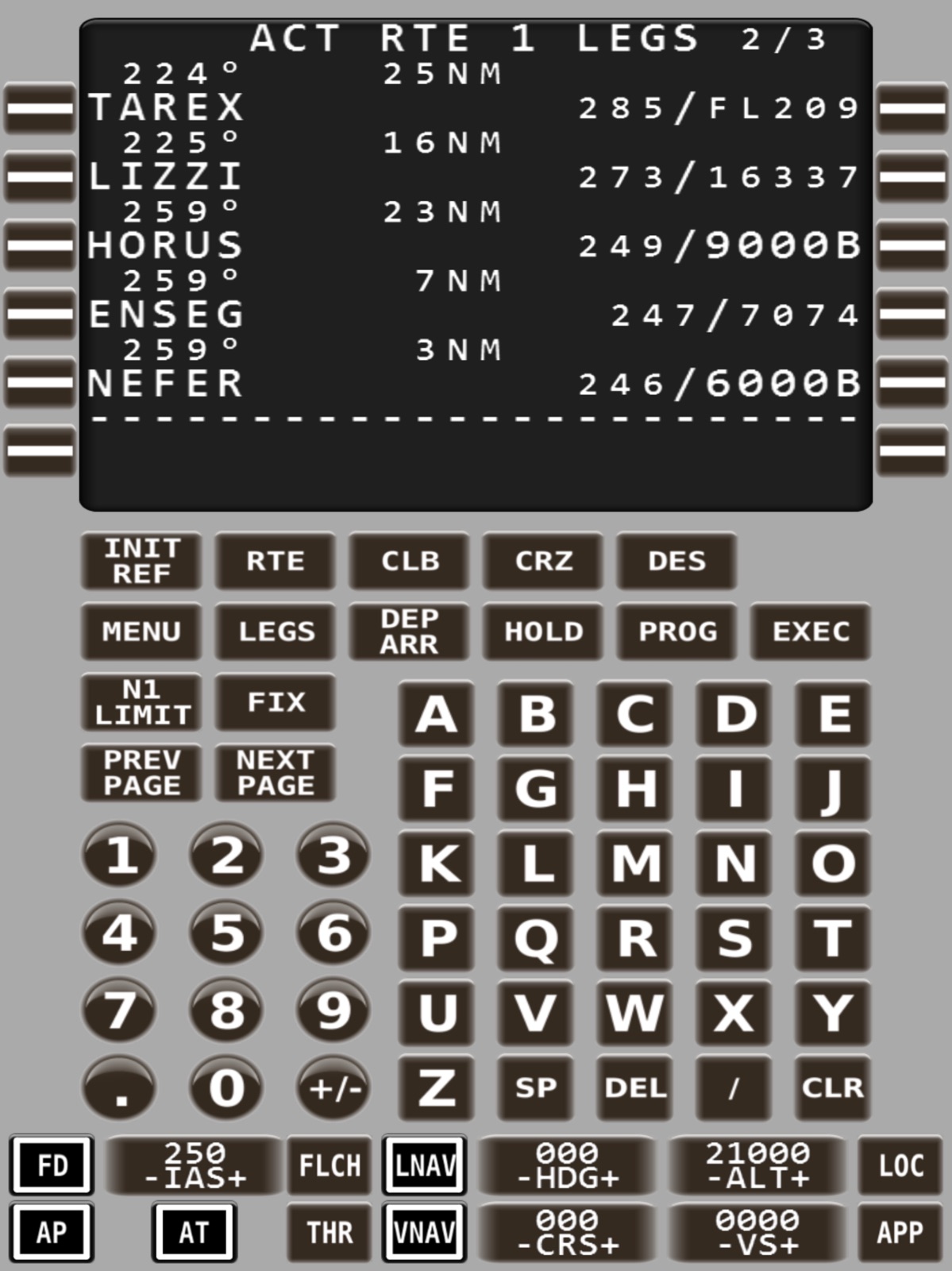
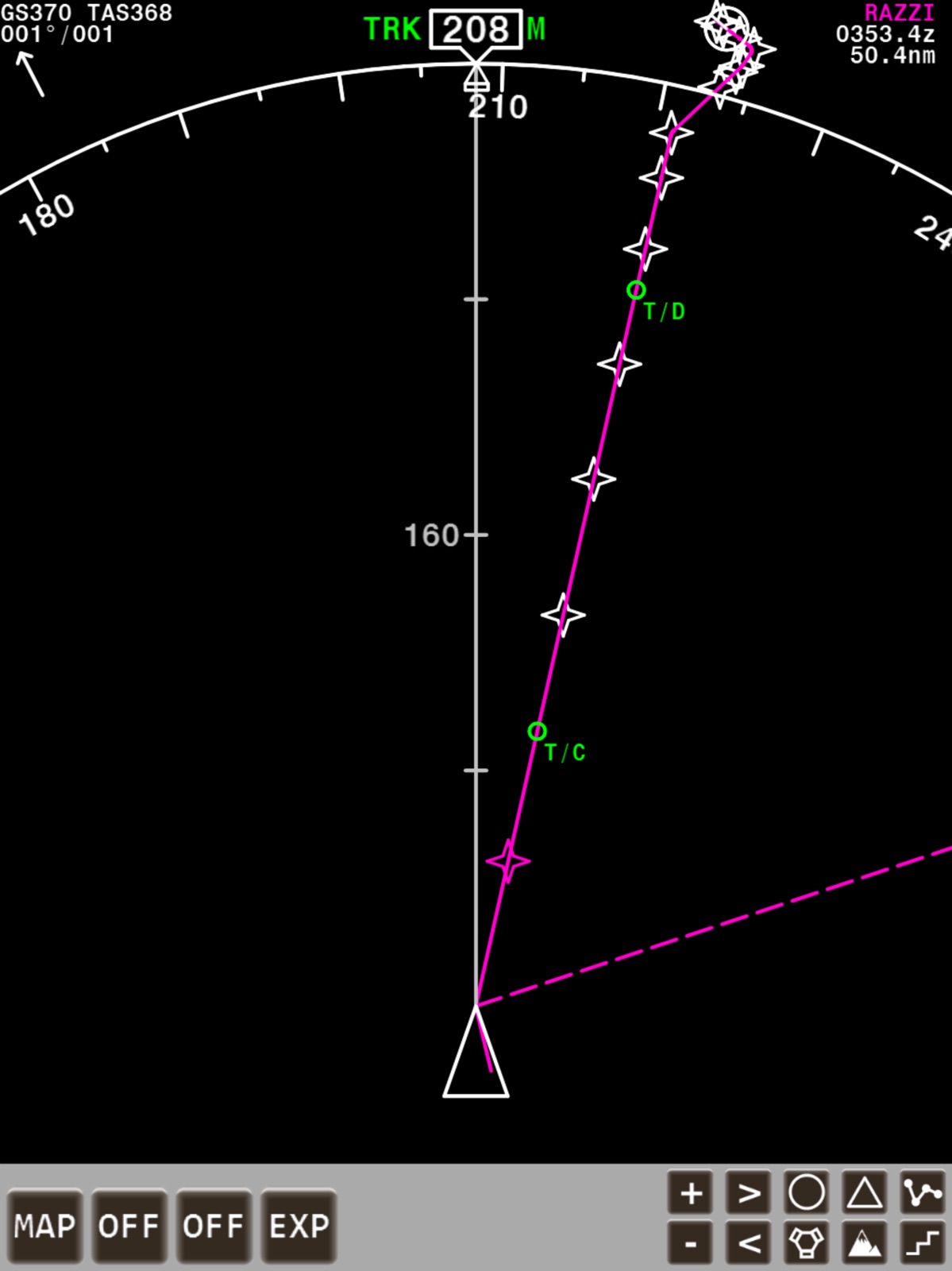
12 store screenshots


Pricing & paywalls
App Store
- Price: $15.99
Ratings & reviews
App Store
-
3/5If only the developer cared about it
This app could be so much better. There are many use cases this app can cover. Especially at a time when flight simulator are thriving. But here we have a pretty old still okay app that cannot hide its time ( probably created when older with much lower resolution). UI is 🤷🏾♂️… the only good news is that it’s still working even with all it flaws. It’s just need someone to care and update it.
Camerwa · 29 Jul 2026
-
3/5I need help with this
I like this app very much but from my understanding for X-Plane 11 is that if you insert anything into the iFMS fmc it won’t appear on the mfd or fmc in game, I would love to know if there is a fix or if that’s how it is.
Estaban.47 · 29 Jul 2026
-
5/5Great support and a great product!
I humbly revise my review. My first review was harsh due to my frustration and impatience. But Michael responded with clear instructions and understanding. He took the responsibility to help me and has turned me into a fan for life! Thank you so much and thank you for a great app!
DnJohn · 29 Jul 2026
-
5/5Airbus?
This app is amazing no need to look in the virtual cockpit! Any chance you can do an airbus style? Would be great if you can.
Flyboy.93 · 29 Jul 2026
-
5/5Great Support
This app is fun. Got an old spare smartphone? Use it as an extra display perfectly tied into your simulator. Love using the video monitor to view x-plane beautifully rendered view and have all critical aircraft display on my iPad and my iPhone. I had a little trouble starting up but quick and competent support got me running. Turned out this software was fine but my aircraft blocked auto pilot initiation. My other aircraft work seamlessly. So easy to program FMC with iPad! They have a great little utility to convert your existing flight plans.
Mikejc Bay Area · 29 Jul 2026
Privacy & accessibility
App Store
Privacy
- No Details Provided Developer declared
Accessibility
No accessibility labels collected yet.
Versions
App Store
- 1.0.0
-
1.0.1
- A specific problem STAR transitions was fixed. - A more general problem with all procedures was fixed. - HSI graphics were significantly improved. - All bitmap fonts were replaced with sharper versions. - The FMC background bitmap and button bitmaps were replaced with sharper versions. - All devices now use the same set of FMC bitmaps.
-
1.0.2
- Missing “Along Track” waypoint functionality was added. - Missing above/below speed and altitude restrictions were added. - More accurate VNAV calculation. - Added Top-Of-Climb and Top-Of-Descent markers in HSI display. - Fixed an issue with approach transitions. - Fixed a problem where selected departures/arrivals statuses would not change from “SEL” to “ACT” upon execution.
-
1.1.0
A much desired feature that is now included is the LNAV/VNAV engine. Apart from using iFMS for flight planning/tracking/navigation, with this new engine iFMS is now also capable of controlling the aircraft's autopilot to fly the programmed LNAV/VNAV route. This release also comes with 6 default aircraft configuration files, a 737-800, 747-400, 757-200, 767-300ER, 777-200LR and a PA-28, but you can easily create your own following the tutorial and examples available on the iFMS website so iFMS can be used with almost any flight simulator standard and most add-on aircraft.
-
1.1.4
This revision fixes the following issues: - Waypoint names should always be displayed when the HSI is in PLAN mode, not just when RTE DATA is selected. - When a runway is selected in some cases there was a problem only displaying the relevant departures/arrivals for this runway. - There was a crash and/or misplacement when programming a hold in an existing procedure. - When the HSI was in plan mode in landscape configuration, trying to program a hold, the “STEP” function was overwritten by the “PPOS” function. - Take-off status would only show complete after PERF INIT / ROUTE / TAKEOFF PAGE was complete and a departure runway was selected, in reality the departure runway does not need to be selected for take-off status to show as complete. Two less common aircraft were also added to the list of default aircraft, the AgustaWestland AW139 Helicopter and the Cessna C337H Skymaster.
-
1.1.5
- iOS 8 Compatibility issues resolved - Added HSI active waypoint information - Added HSI GS / TAS information - Added HSI wind information - Crash resolved in LEGS pages - Crash resolved in LOAD FLIGHT PLAN pages
-
1.1.7
A connection timeout issue that occurred on some configurations was resolved.
-
2.0.0
This latest release transforms what was already a great product into something spectacular. Apart from the original functionality, which consisted of a “Boeing style” Flight Management System, a Navigation Display and an LNAV/VNAV engine; iFMS now also incorporates a Primary Flight Display, various EICAS displays accommodating both twin and four engine aircraft, and a fully functional MCP module. On top of that iFMS now supports multiple devices being connected to a single flight simulator. This means you can program the FMC on one device and all other devices connected to the same flight simulator will sync and display the programmed route and all associated information. With the addition of the features above iFMS can be used to build relatively cheap, simple, but nevertheless, very realistic, “Boeing style” home cockpit. All flight flight information can now be displayed on as little as 2 or 3 tablets and/or phones, which means your flight simulator computer screen(s) can be fully used to display the outside view. For example, a simple setup could consist of: - a Tablet in front in Landscape mode displaying the PFD and NAV displays side by side, - a second tablet to the right in portrait mode displaying the primary and seconday EICAS displays on top of each other - a third smaller tablet or phone (configured as Master) positioned within arm’s reach beside the pilot displaying the FMC/MCP module. Of course iFMS can still be used in its original form where only a single device is used to display the FMC screen and/or the NAV display. As before, iFMS can be configured for use with almost any of your favorite Flight Simulator's standard or add-on aircraft, a number of default aircraft are included but you can easily make your own and download them to your iFMS through iTunes.
-
2.1.0
- Option to switch between classic and modern FMC layout (CLB/CRZ/DES buttons or single VNAV button) - Switch between classic brown (747/757/767/777), or grey (737) FMC background color - NAV/RAD FMC page
-
3.0.0
- Brand new more realistic FMC - EGPWS capcability - Terrain view on MFD - Map and Plan centered modes - LNAV and VNAV performance inprovements - Allowance for latest navigraph data updates (no size limitations)
-
3.0.1
- Reintroduced support for older devices such as the iPhone 4(S) or iPad 3rd Generation - Additional memory conservation - Fixed network connection issue on some devices - Fixed issue with drawing holding patterns in MFD
-
3.0.2
- Fixed application stability issues when using multiple devices - Fixed track drawing issue in MFD - Fixed crash on HOLD page
-
3.0.3
· 8 May 2020
- Fixed network stability issue when using multiple devices - Added support for older aircraft configuration files - Fixed altitude tape drawing issue
Availability by market
- US
Data quality & evidence
- Page completeness
- Live store listing
- Last verified
- 29 Jul 2026
- Sources
- App Store
- Independent summary has not been published yet.