
Quick verdict
- What it is
- Store information collected; independent summary not yet available.
- At a glance
-
- $0.99
Categories and search queries
Official categories
- Utilities
- Books
AppCorpus categories
Key functions
| Function | Availability | Access | Scope | Evidence |
|---|---|---|---|---|
| Family Sharing | Yes | Unknown | App Store | Store published |
Screens
App Store
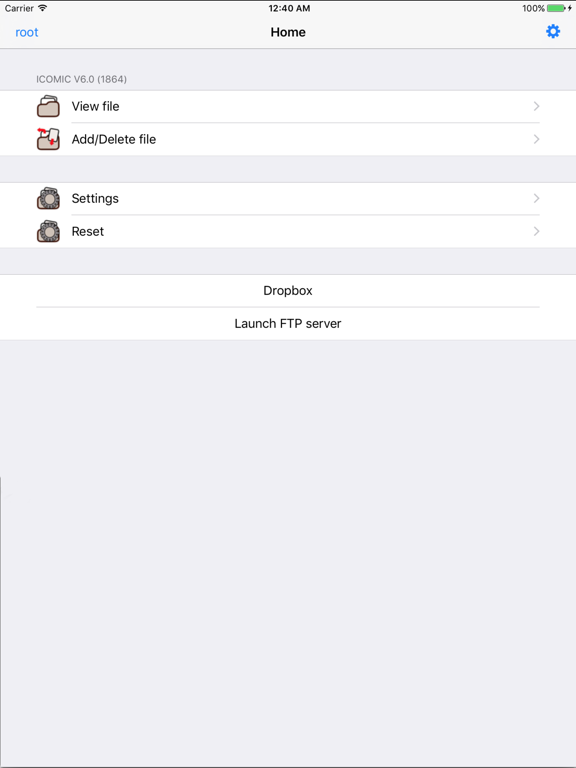
3 store screenshots

Pricing & paywalls
App Store
Shown for US
- Price: $0.99
Ratings & reviews
App Store
Shown for US
-
3/5Works well with limitations due to the iPhone/iTouch's inability to easily load files
So far, this is the only comic reader available and the functionality is a bit limited, but it's worth the price. Most of the instructions are PC, so to enable this on your Mac, do the following: 1. Go To System Preferences -> Sharing and check the box by "Web Sharing." 2. Write down the URL that appears under "Your Computer's Website:" it will probably be in the format "http://10.0.1.x", with the x being a unique IP number. If you know how to do so, I recommend creating a static IP for your Mac on your home network. 3. Go to the folder "Macintosh HD/Library/WebServer/Documents" 4. There are a lot of items in this folder, so I recommend creating a new folder called "comics" 5. Place the files you want to view on iComic in this folder 6. In iComic, start the application, select "Edit" and then "Add" 7. Type in the URL "http://10.0.1.x/comics/[your filename]" with the "x" being your unique IP number and [your filename] being the .cbz file you wish to load. It's much easier if you shorten the filenames of your .cbz files.
DreadPikathulhu · 6 Aug 2026
-
4/5One of the better ones out there
I've used this app for quite a few years and it has served me well. It could do with a little revamping in terms of newer features, and maybe make managing favorites a little better (exporting, marking favorite while viewing, etc). I use it for viewing various comics in archives where I mark my favorites and review those months later. I don't use all the features of the app so I can't say much on the rest of it.
TFWas · 6 Aug 2026
-
5/5A trusty, old pal...!
Sure, updates happen at a relaxed schedule, but major kudos to the author for keeping this app alive after all these years.
sodakat · 6 Aug 2026
-
1/5Cannot handle large JPEG or PNG files
I used this app for years, and it runs well. But over the years, I got more and more comic books with high quality digital files. In which, the JPEG files have a resolution of around 6000 x 4000 pixels. And this app cannot handle them. It is pity.
泥偶 · 6 Aug 2026
-
4/5Works perfectly, but you MUST read the instructions...
Review written on March 10, 2009 If you don't use the documentation, you don't stand a chance of figuring it out on your own. I googled the program and author, and found that he'd written a very clear FAQ with instructions for both Windows and Mac users. Using these instructions, I was able to use the program, and it worked exactly as advertised. I would not recommend this utility for computer novices. But if you have a solid understanding of image-resizing and archiving, and the patience to read before playing, you will be rewarded with a solid app. I'm satisfied with the process, but if it was a little more friendly to novices, I'd have given it five stars. In a nutshell: 1) You must use a utility (I recommend Irfanview for XP users) to batch-resize all pages to a height of roughly 1000 pixels. 2) After resizing, you must compress each book to a ZIP file. 3) You must use a tiny piece of freeware (see the author's faq) to get the ZIP files onto your iPod/iPhone. Features I'd like to see: A) Currently, it appears that you can only add one comic book at a time. It would be very convenient to be able to transfer several at once. B) The PDF file provided by the author should be reformatted, and incorporated into the application itself. The customer should not have to hunt down the documentation. C) The "animation" toggle should off by default. It significantly hurts the performance of the reader.
Djinn252 · 6 Aug 2026
Privacy & accessibility
App Store
Privacy
- Data Not Collected Developer declared
Accessibility
No accessibility labels collected yet.
Versions
App Store
-
5.10
Modify seekbar.
-
5.11
Bugs fix.
-
5.11.1
This versions can run on iOS 5.0 or later. Password dialog is changed to normal text box.
-
5.12
iOS 7 status bar. Bug fix.
-
5.13
*Improvement to paint the image. *Go next 1 page, when reading two pages.
-
5.14
Select encoding of character in zip.
-
5.15
Update to fix problems with iOS 8.0 (rotation, status bar).
-
5.16
bugs fix.
-
5.4
Add Thumbnail pattern. Add Display mode for iPhone5.
-
5.5
An improvement of an image display. The improvement of page movement. Bug correction.
-
5.5.1
Bug fix.
-
5.6
Reset iComic's settings in iOS's Settings. Bugs fix.
-
5.6.1
Add setting to show seek bar. Bugs fix.
-
5.6.2
Re-creation of a file operation, image processing, and bookmark processing. Bug fix: An abnormal end when a number is included in a file name.
-
5.7
* Improve inner logic. * Add function to change code of web.
-
5.7.1
Password bug fix.
-
5.8
Download from Dropbox. Fix rotation control.
-
5.9
Bugs fix.
-
6.0
Bug fix, and support for iOS 10.
-
6.1
iPhone X compatible.
-
6.1.1
Bugs fix.
-
6.1.2
Bugs fix.
-
6.1.3
Bug fixes and compatibility with iOS 14.
-
6.1.4
bugs fix.
-
6.1.5
· 17 Mar 2025
Bug fixes and latest OS compatibility.
Availability by market
- US
Data quality & evidence
- Page completeness
- Live store listing
- Last verified
- 6 Aug 2026
- Sources
- App Store
- Independent summary has not been published yet.