
Quick verdict
- What it is
- Store information collected; independent summary not yet available.
- At a glance
-
- $34.99
- In-app purchases
Categories and search queries
Official categories
- Business
- Productivity
AppCorpus categories
Key functions
| Function | Availability | Access | Scope | Evidence |
|---|---|---|---|---|
| In-app purchases | Yes | Limited free | — | Store published |
Screens
App Store
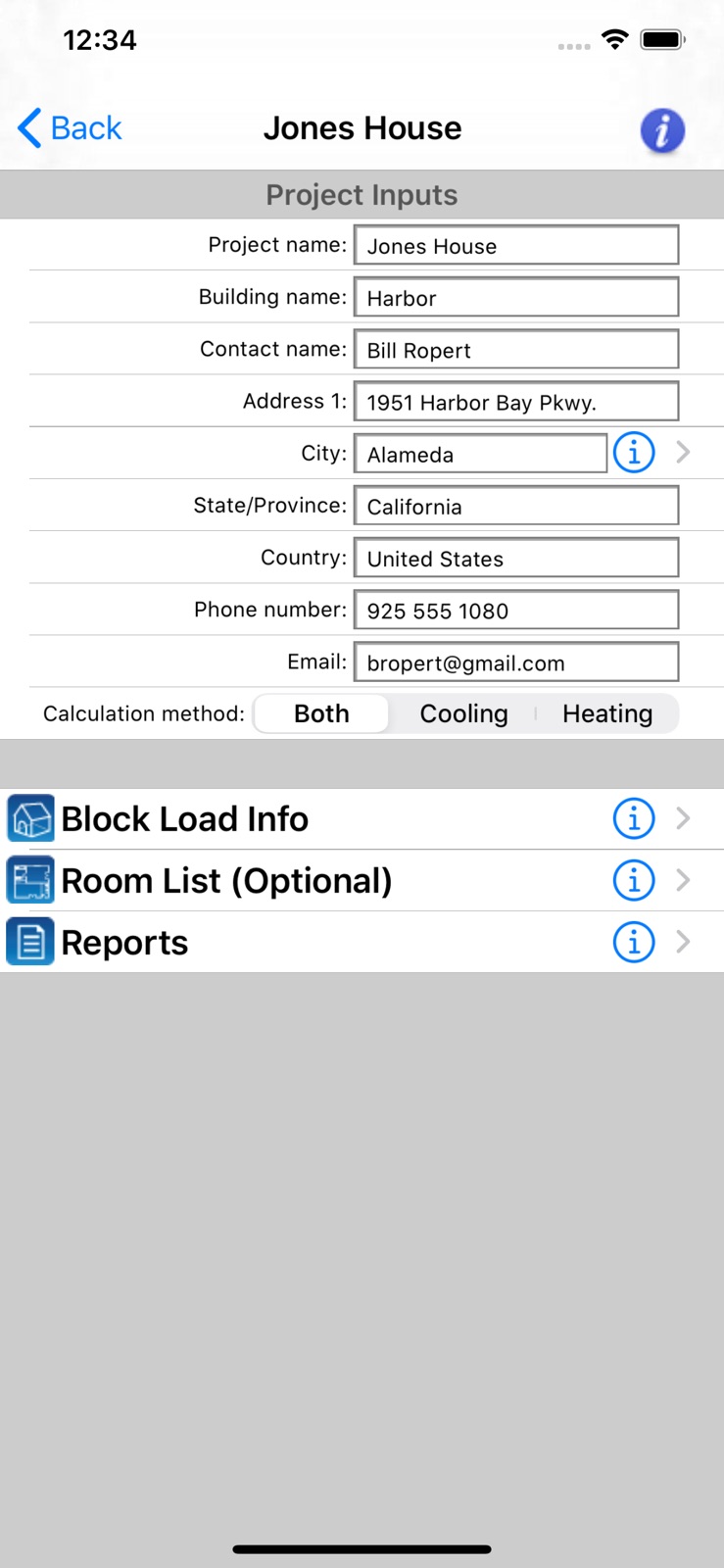
10 store screenshots



Pricing & paywalls
App Store
- Price: $34.99
- HVAC Equipment Locator — $9.99
Ratings & reviews
App Store
-
3/5Envelopes are confusing
3 stars because it does the job. What job that is, whether it is accurate… Dunno yet. Envelope categories: Not positive but I think that in Manual J, 16B- refers to a vented attic with insulation at the roof deck, meaning the insulation follows the slope of the roof rather than sitting on the ceiling. Not in this app! It is classified as “Under attic”. The descriptions are not the best. And the categories seem incomplete too. Pretty sure there are many not listed here. But I’m mostly worried they are completely wrong. Another weird thing: when I define, say a floor, in the Block Load Info > Envelope, it asks for length and width (say, 14’ x 10’). Great! Changing the length and width values in this section definitely affects overall heat load. Also great! But then if you go to Room List > Envelope and assign that floor to the room, it asks me for Area… Not great! Why, if it already knows the area from the Block Load info > Envelope section, am I entering Area?But ok… it asks, so I enter: 140 sq ft. Heres the weird thing though. If I change the Area of the envelope when assigning it to a room, it affects the Heat Load for that room. Kind of what you would expect. But if I go to the Block Load Info > Envelope list and change the length and width, it also affects the Heat Load for that room! Since changing either of them has an effect, are both being applied and, if so, why? I am tempted to make the Block Info > Envelope simple 1 square foot (1’x1’) — mostly because the number it is spitting out for my 1660 sq ft house (50k BTUh) seems a bit high. Still hoping these are quirks with the app that have solutions after learning it better. I am probably going to calculate all by hand against manual j and find out.
smallcitydesign · 6 Aug 2026
-
5/5Go to load Calc app.
Used this app many times to perform load calculations with success.
battson34 · 6 Aug 2026
-
1/5DW
Can’t open app customer service will not respond. Don’t waste your money like I just did.
airoworth · 6 Aug 2026
-
5/5Good app and great support
I downloaded this app and, yes, it was a little hard to use at first. Isn't all software? I called Carmel, and they got back to me ASAP and trained our guys for 1/2 hour for FREE. After the training, we knew how to use it much better, and now 3 of my guys use it constantly in the field. It's a great tool and I love the email capabilities so I can review their work later on. Yes, it's not perfect, like I wish the reports were simpler and more appropriate for customers, but they are working on that. As far as I know, this is the only load calc app out there, and it's a great first step in this whole mobile app world. Great app and look forward to more......
AirConReseller1001 · 6 Aug 2026
-
5/5Great HVAC load calc app
I've been using this app for a couple weeks now at the recommendation of Trane. It's been very useful and accurate. I've compared it to my desktop Manual J software, and it is the same heating and cooling loads. I especially like the fact that when I first downloaded it, I called Carmel and asked if they could help me out. In fact, they offered to train me and a couple of my guys on how to use the app for about 1/2 hour. It really made a difference in using it after the training session. I would highly suggest being trained. The negative comments that have been posted may be due to the fact that they do not know how to use the software properly. I would suggest the training. Great app!
HVAC Reseller · 6 Aug 2026
Privacy & accessibility
App Store
Privacy
- Data Not Collected Developer declared
Accessibility
No accessibility labels collected yet.
Versions
App Store
- 1.1
-
1.6
1. Added new city weather data 2. Tested with iOS 4.0+ 3. Fixed bug that occurs when selected a certain window frame type selection 4. Fixed bug that occurs when emailing report on device with iOS 4.0
-
1.7
1. Added the "HVAC Equipment Locator" module that allows you to input information about HVAC equipment and all maintenance work performed, upload that information to a web portal, print reports, and share that information with other techs. 2. Confirms works with iOS 4.0 and above 3. Updated the help
-
1.8
1. Fixed issue with "info" icon not displaying 2. Updated help
-
1.9
1. Updated the Cooling - Checksums report to include more information such as infiltration and ventilation airflow quantities, in addition to other values 2. Fixed bug dealing w/ the Delete button displaying for non-deletable items (only displayed, did not actually delete) 3. Updated the UI to make it a bit more intuitive
-
2.0
1. Converted to iOS 7 2. Optimized for iPhone 3.5" and 4" screens 3. Fixed some minor user input bugs 4. Updated in-app icons 5. Updated help 6. This new version does not include the new HVAC Equipment Locator app. If you wish to keep your Locator data, do not download this version of the Residential Loads app.
-
2.1
1. Updated for iOS 8 2. Fixes bug dealing with numerical formatting on iOS 8
-
2.3
1. Added HVAC Equipment Locator app
-
3.0
1. Optimized for iOS 11 2. Optimized for all iPhone screen sizes including the new iPhone X 3. Updated UI 4. Updated help
-
4.0
1. Optimized for iOS 13 and iPhone 11x 2. Updated help
-
4.5
1. Fixed "negative" sign issue that occurs in iOS 13
-
4.7
1. Fixed the issue that occurs on some devices where the Climatic Data screen does not appear when the user clicks the City icon.
-
4.8
Updated the app launch screen per new Apple iOS guidelines.
-
4.9
Fixed minor version bug.
-
5.0
1. Updated the app launch screen per new Apple iOS guidelines. 2. Updated Google Analytics and Crashlytics
-
5.5
1. Optimized for iOS 14 and iPhone 13 2. Updated help
-
5.6
1. Fixed issue with sending email when using the app on iOS 16 2. Optimized for latest iOS and iPhone
-
6.01
· 20 Apr 2026
1. Fixed issues with screen scrolling all over the place on iOS versions 18.x and 26.x. 2. Added a Share button so you can now text, email, and download reports. 3. Updated help. 4. Optimized for iOS 26.
Alternatives
- SwiftSize — Same category + similar ratings
- LaserCalc Mobile — Same category + similar ratings
- AirMatch Pro — Same category + similar ratings
- Ductulator - Duct Sizing — Same category + similar ratings
- East Coast Metal Distributors — Same category + similar ratings
Availability by market
- US
Data quality & evidence
- Page completeness
- Live store listing
- Last verified
- 6 Aug 2026
- Sources
- App Store
- Independent summary has not been published yet.