
Quick verdict
- What it is
- Store information collected; independent summary not yet available.
- At a glance
-
- $9.99
- In-app purchases
Categories and search queries
Official categories
- Navigation
- Utilities
AppCorpus categories
Key functions
| Function | Availability | Access | Scope | Evidence |
|---|---|---|---|---|
| In-app purchases | Yes | Limited free | — | Store published |
Screens
App Store
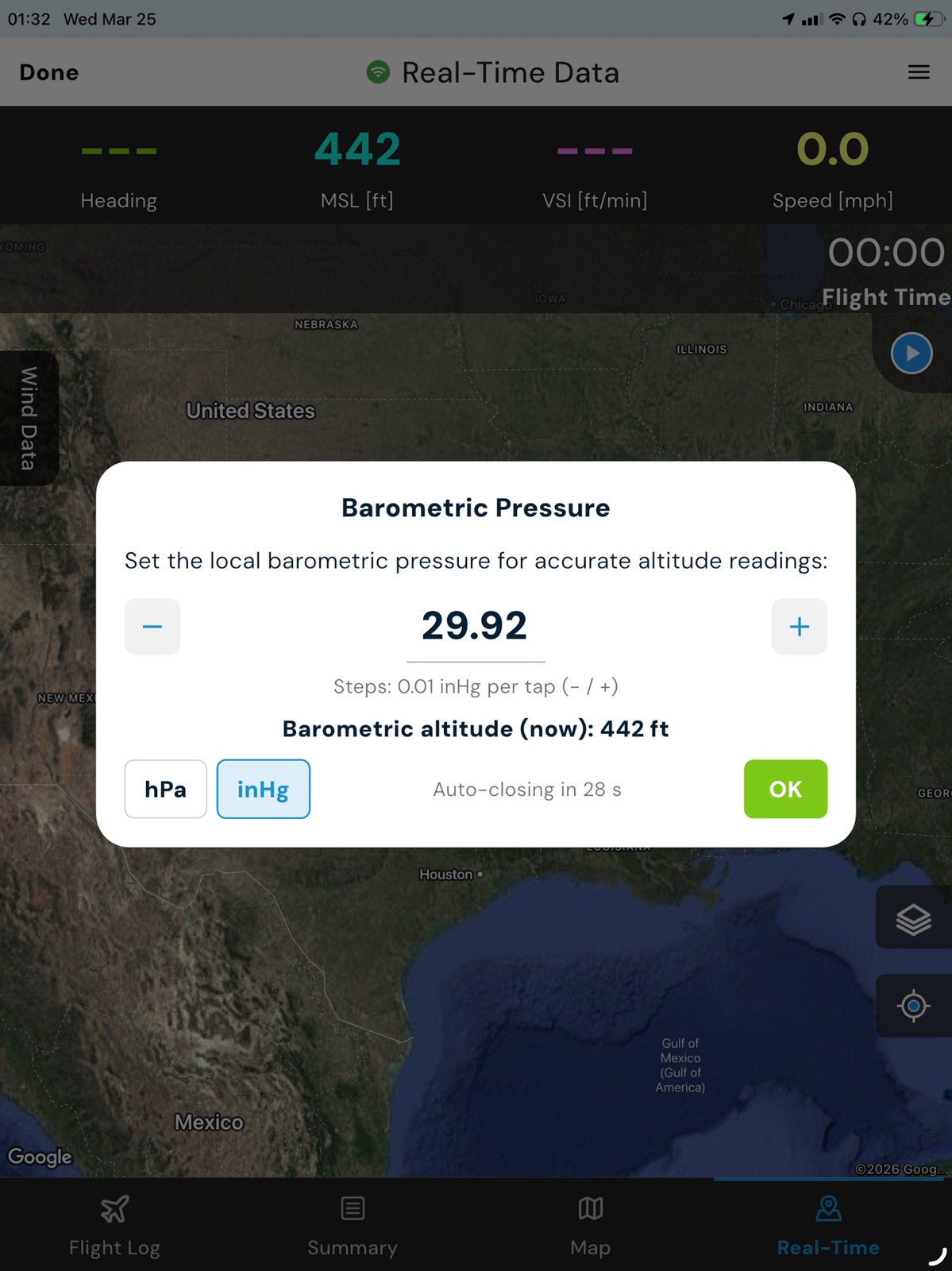
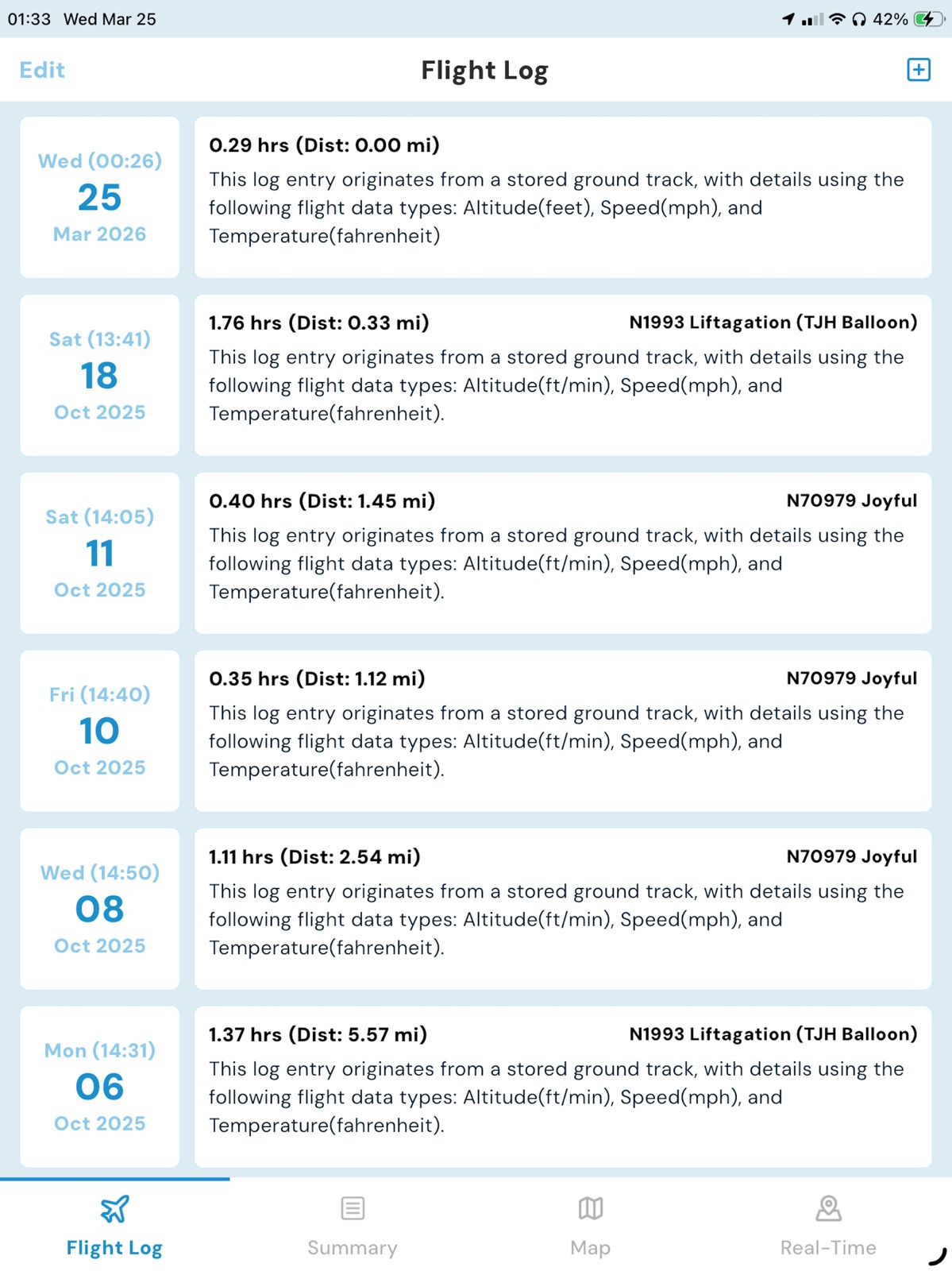
18 store screenshots


Pricing & paywalls
App Store
- Price: $9.99
- In-app purchases
Ratings & reviews
App Store
-
5/5Love it but…
Please make it an option not to send a Glympse! It’s not necessary and a waste of time to some of us. Other than that, it’s great and I use it for every flight.
Balloon Woman in the Sky · 31 Jul 2026
-
5/5Excellent App, caring developer is a pilot too
This is very well done by a pilot with a great attention to detail that shows throughout the app. I’m a Commercial pilot flying in a heavily forested area with tight landing spots, and the “projected path” is a great feature. Join the Hot Air Facebook group for great information and tips.
ajstrang · 31 Jul 2026
-
5/5A must have tool for every LTA pilot!
The Hot Air App was the first app developed specifically to meet the needs of LTA pilots! The suite of tools included for flight planning, tracking, and logging is exceptional. Several years ago, the Hot Air app quickly became one of my must-have flight tools, but the recent addition of airspace maps, “AirTalk” (for communication) and “AirScout” (for drone detection) further the commitment to ensuring flight safety.
DesignJoe · 31 Jul 2026
-
5/5Best thing in the basket!
I have been using the app since its inception. It goes above and beyond my expectations! Love all the extra features and the excellent support!
Z-Balloon Adventures · 31 Jul 2026
-
5/5Excellent value
Combines real time tracking with logging and documentation - sharing the track as a 3D Google Earth display really wows the crew, passengers and student pilots.
Vangoghnads · 31 Jul 2026
Privacy & accessibility
App Store
Privacy
- Data Not Linked to You — Analytics — Usage Data — Product Interaction Developer declared
- Data Not Linked to You — App Functionality — Location — Precise Location Developer declared
- Data Not Linked to You — App Functionality — Usage Data — Product Interaction Developer declared
- Data Not Linked to You — Location Developer declared
- Data Not Linked to You — Usage Data Developer declared
Accessibility
No accessibility labels collected yet.
Versions
App Store
-
12.3.2
- Fixed an issue that caused Glympse to not work correctly on iPads (v12.3.2)
-
12.3.3
V12.3.3 - Resolved additional Glympse issues - iOS 17 compatibility improvements
-
13
Major Updates: Hot Air Pro Version to include: Waypoints AirShare Auto Flight Record Auto Backup to Google Drive Virtual Flight Recorder and more....
-
13.1.1
Resolved an issue where the altitude would not update after pressing the play button. Corrected the VSI label to display in m/s properly.
-
13.1.5
The following Bugs have been fixed. Automatic Recording now set to 6 Meters for recording to start. Waypoints Folder Share. UTM: 4X4 Changed to Under Development. Waypoints not displaying on map once checked. Waypoints showing even if not selected. Unable to import a .GPX file from inside the app. Altitude not updating after recording of flight started. Airshare stops sending location during flight.
-
13.1.6
Bug Fixes: 1. Record Data Every, was stuck on default. 2. Backup All Data by email, removed the Pro Subscription requirement. 3. About, updated version number and date.
-
13.1.7
AirShare updates.
-
13.2
VSI m/s now has a decimal point. Improvements to the Auto Start Recording. Virtual Flight Data Recorder to Google Drive / updated file not uploading.
-
14
Hot Air iOS App Update Version 14 Here’s what’s new in the latest version of the app: 1. AirShare Slider: Fixed an issue when disabling this feature it would also disable the projected path. 2. Waypoint Improvements: Fixed issues converting between formats. UTM support is still under testing please disregard the displayed numbers for UTM at this time. 3. Added Decimal Point to VSI for Meters. 4. Long-Press Target Text: Adjusted text size and color for better readability when adding a target. 5. Winds Tab Updates: General improvements. 6. Magenta Line Restored: Now displays your current altitude on the Winds Tab. 7. Updated Weather Links: Default weather links have been changed. 8. Export Crash Fix: Resolved an issue causing crashes when exporting flights. 9. Glympse Fix: Sending Glympse now works correctly, even with phone numbers that include country codes. You can also now have more than two contacts listed again. 10. Location Button Relocated: The “center and zoom to current location” button has been moved to the bottom-right corner for easier access. This allows you to not have to close the winds tab to recenter on the map. Main Menu • With iOS 18 for iPads, you’ll notice a new menu at the top of the application. This change, introduced by Apple, is starting to grow on us! It also opens up more space at the bottom of the screen, paving the way for future features. iPhones, however, will not be affected by this update. Flight Log Enhancements • Added the selected data types to: Max Altitude, Max Envelope Temp, Ground Distance, and Wind Speeds. Real-Time Screen Updates • Ground Distance added to the top hamburger menu.(Mi, NM, or km). • Speed Max/Avg display includes a new background and enhanced text. Bug Fixes and Improvements • Fixed an issue where Max Envelope Temp wasn’t saving correctly in flight logs. • Single-pressing on a waypoint now updates distance, bearing, and ETE directly on the live data screen. Your feedback keeps us improving! Let us know how these updates are working for you. Thank you for being part of the Hot Air community!
-
14.0.1
Minor bug fix: Clicking on a crew member icon previously displayed some application code. This has been corrected to only show the nickname.
-
14.0.3
Fixed: Resolved an issue that was preventing the Live Data screen from displaying correctly when Glympse is enabled. Updated: Improved handling of magnetic north for more accurate readings.
-
14.0.4
Airshare bug fix, not displaying Icons correctly.
-
14.1
Major improvements to waypoint conversion accuracy — UTM4X4 format now works correctly. Fixed an issue where the map view was not displaying correctly in track details. Updated the alert message shown when saving a flight log to improve clarity. Removed the unnecessary back button from the About section for a cleaner navigation experience.
-
14.1.1
UTM 4x4 Update.
-
15.0
Introducing HotAir 15.0 — our biggest update yet. • Completely redesigned UI for a cleaner, faster experience • New Airspace features for better flight awareness • New AirTalk to improve in-app communication • AirShare enhancements for smoother sharing and collaboration • New ability to view altitude in both AGL and MSL • Added Best Left and Right Winds insights for better planning • Plus additional performance improvements and bug fixes
-
15.01
1. Airspace now displays properly on the Measure Tool 2. Export/Import of .hat file bug fix 3. Introduction of AirScout (Drone Detection) 4. Added sort feature for Balloons and Crew
-
15.02
Backup to Google Drive is no longer a Pro Feature, to help assist with automatic backups for all users. Fixed the database error for showing incorrect data on flight log Fixed Database error when updating/opening app (flight log) Fixed flight track deletion issues Resolved airspace not showing for Pro users on Maps Fixed Measure Tool text overlapping header on mobile Fixed automatic backup via Google Drive Cleaned up maps help section Cleaned up KML help section Fixed Live Data map controls (rotation & auto-center issues) Improved map behavior to prevent unwanted recentering Fixed unit display issues in Load Calculator (feet/meters) General UI cleanup and bug fixes
-
15.03
Version 15.03 • Fixed issue where selecting a flight log could result in a persistent loading spinner • Resolved issue where takeoff and landing locations were not saving correctly and could be deleted unexpectedly • Resolved error preventing creation of logbook entries from track files • Map tab now displays airspace and KML overlays with interactive pin details • Fixed issue preventing map rotation in Track Details view
-
15.04
View Flight on Map View/Export Flight Tracks Flight Details back to Flight Log Slow Enable Waypoints(long press) accidentally setup as a pro feature UTC Time conversion issue on flight logs 4x4s waypoints are now fixed. Real Time Data Map returns to last location Pro Version Restore / Subscribe bug for using restore.
-
15.05
1. Flight Summary Calculations are not taking into account flights in the new app. 2. Payload Calculator, can not hide the keyboard 3. Pro Version Restore completed but can't enable some features New Feature: 1. Hold down the +/- on the Barometric Pressure window to adjust it more quickly without a ton of taps.
-
15.06
Map Pins: Reverted to the classic small pin design for better map clarity. Interaction: Improved tap accuracy for pins located within airspace boundaries. Measure Tool: Fixed an issue where airport pins remained hidden while using the Mapbox measure tool. KML Management: Resolved a bug where deleted KML files would reappear after an app update. Sensor Settings: Fixed a saving issue to ensure your selected temperature sensor remains active across sessions.
-
15.07
Pro User Subscription screen revamped New Pro feature: Wind Line References GMT time conversion fix under Backup & Export AVG/MAX speed adjustments Corrected manual wind speed entry in Flight Logs Ability to text/share .KMZ and .KML files directly into HotAir for import Glympse updates AirScout improvements for drone detection Removed “Cancel” from the time picker when saving a flight log Updated waypoint color picker New option to change all waypoints in a folder to the same color
-
15.09
• New tabular wind panel view • Navigate directly to a crew or another balloon’s location • “Last Updated” timestamp added when viewing another balloon’s flight info • Fixed saved takeoff and landing locations • Removed .HTML and .KML export options and replaced them with a PDF summary report • Introduction of AirHub Sync (beta testers only) • Automatic flight recovery after app crash or force close • Imported .KML files now display pin colors correctly • Improvements to waypoint navigation • Balloon size, AX class, and Group added to balloon data • Fixed .KMZ import issues • .KML exports now include Balloon ID and corrected time/date stamps • UTM 4x4 updates
-
15.10
• Fixed Map Tab database issue • Flight Details now supports full-screen view • Fixed database conversion issue when updating from the original iOS app to the current version • Added “Navigate To” option when selecting an airport pin • Fixed altitude restriction issue in the Wind tab when reviewing flight details • Added backend crash reporting to help identify and resolve issues faster • General screen updates and performance improvements • Updated the error screen related to the required “Always” Location setting
-
15.11
· 6 Jun 2026
NEW: LTAPZMAP overlay (Pro) — FAA obstacles, power lines, protected lands, prison boundaries, and community waypoints live on the real-time map. NEW: Long-press the live map → "Look up parcel" for US parcel owner, address, and acres. NEW: "Navigate" button on airfield info sheets, plus a flat-track KML export tagged with your aircraft ID. Fixes: • Saved waypoints render at every zoom level. • Tapping the head of a Mapbox waypoint pin now registers. • Wind altitude in meters persists typed values exactly instead of rounding through feet. • Clearer prompt when "Always" location permission is required to start tracking.
Alternatives
- Glympse -Share your location — Same category + similar ratings
Availability by market
- US
Data quality & evidence
- Page completeness
- Live store listing
- Last verified
- 31 Jul 2026
- Sources
- App Store
- Independent summary has not been published yet.