
Quick verdict
- What it is
- Store information collected; independent summary not yet available.
- At a glance
-
- Free to download
- In-app purchases
Categories and search queries
Official categories
- Productivity
AppCorpus categories
Key functions
| Function | Availability | Access | Scope | Evidence |
|---|---|---|---|---|
| Family Sharing | Yes | Unknown | App Store | Store published |
| Free app | Yes | Free | — | Store published |
| In-app purchases | Yes | Limited free | — | Store published |
Screens
App Store
21 store screenshots


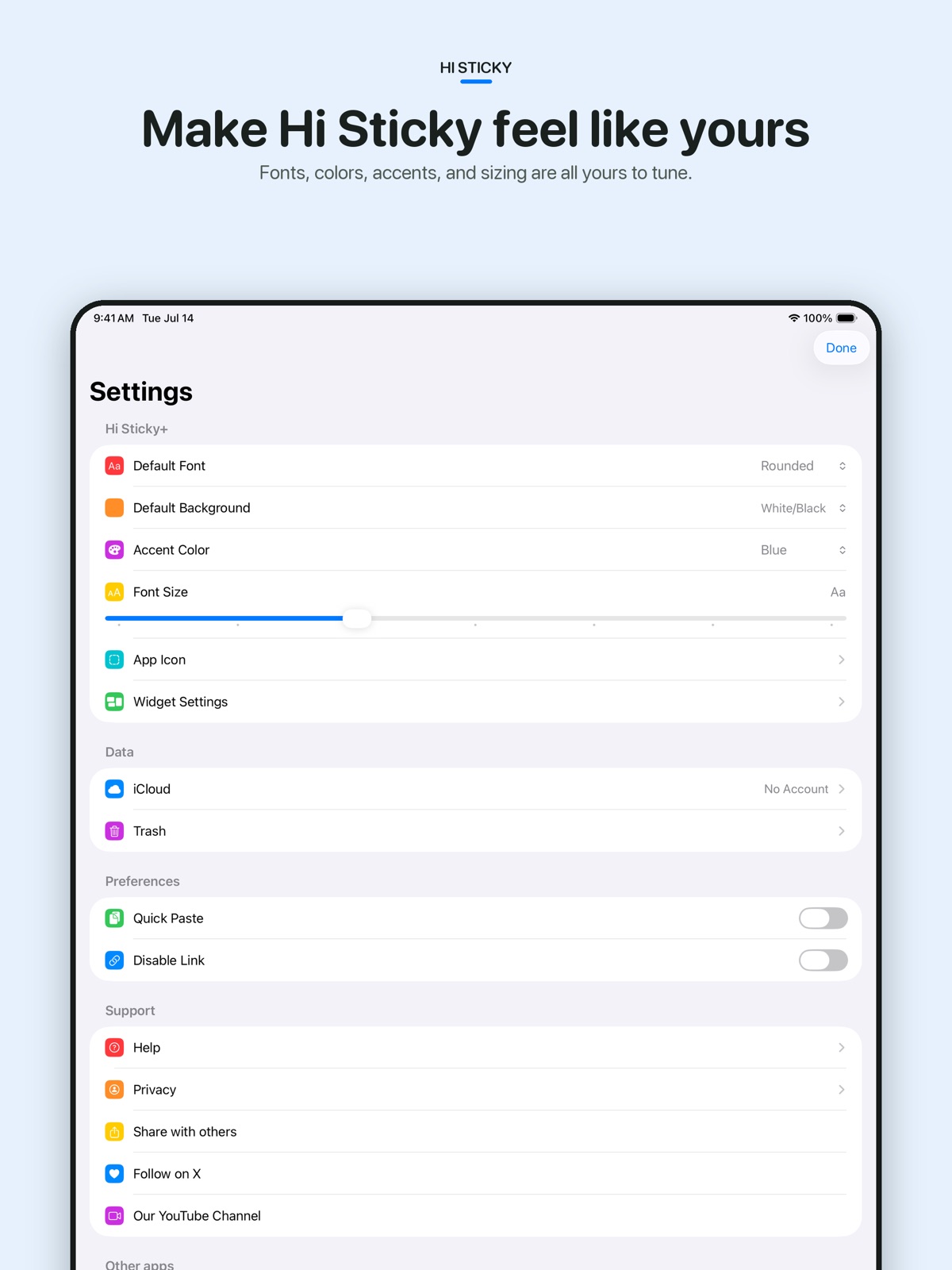

Pricing & paywalls
App Store
- Free to download
- In-app purchases
Ratings & reviews
App Store
-
5/5best notes app
I love this app it is my favorite for note-taking on all devices. it's a No Nonsense note taking app that does exactly what it's intended to do and then some. developer really did a great job with this. only issue I think could be a better feature is expanding on the amount of fonts available for use. in a way having less fonts is nice because you don't get analysis paralysis from way too many options to choose from and the available fonts are actually the best looking fonts for taking notes. but sometimes I want something weird or different and it would be nice to have more options. all in all, worth purchasing for sure
k.money_ · 31 Jul 2026
-
5/5Fast and simple
If you are looking for an app to store and manage lengthy notes, I would argue that there are much better and robust apps out there. The strength of this app comes in its simplicity and speed. I use this app to quickly capture thoughts and to-do’s because I think that is where it shines. The default Notes app that comes standard on all Apple devices can be a little clunky at times and doesn’t let me get to writing things down fast enough. This one does. It opens very fast and lets you jot something down quickly on your iPhone / Mac. It also seamlessly syncs across both of my devices which is a must have for me.
StrawwHatt · 31 Jul 2026
-
5/5Simply Perfect
Now this is exactly what I needed...something to replace the Stickies app on my Mac that could sync with all of my other Apple devices. That sync feature is what really makes it worth the download! The only small suggestions I would have are: 1. Add a Mac widget for quicker access 2. Ability to change background color 3. Ability to have multiple notes open on the Mac at the same time rather than viewing them individually. Like I said, very small thoughts that came to mind. Even without those features I still would highly recommend this download. P.S. AWESOME job on the GoodTask app!! Precisely what I needed as well. A bit on the pricey side, but fortunately it comes with my SetApp subscription. Yet another app I would STRONGLY encourage others to check out.
ID10Tengo · 31 Jul 2026
-
5/5Simple. Seamless. Free.
I love having a separate place outside of my organized notes app to write temporary down stuff! My main Notes app has never looked cleaner! No adds, a simple UI, and seamless iCloud sync between iOS, iPadOS, WatchOS, and MacOS. What else could I ask for, no adds? Oh wait, there aren't any adds! Even if this app was a couple dollars I'd still buy it. Easily a daily-use app now.
I-Wrote-A-Review · 31 Jul 2026
-
5/5Simple and very well designed
I love the developers design aesthetic here - so simple and clean yet allows multiple notes open at same time and can easily swipe between them. Can also create links to these notes - from GoodTask for instance. I love minimalistic design when done well and this dev really gets it. Fantastic app!
Sekiro45 · 31 Jul 2026
Privacy & accessibility
App Store
Privacy
- Data Not Linked to You — Analytics — Diagnostics — Crash Data Developer declared
- Data Not Linked to You — Analytics — Diagnostics — Performance Data Developer declared
- Data Not Linked to You — Analytics — Identifiers — Device ID Developer declared
- Data Not Linked to You — Analytics — Identifiers — User ID Developer declared
- Data Not Linked to You — Analytics — Usage Data — Other Usage Data Developer declared
- Data Not Linked to You — Analytics — Usage Data — Product Interaction Developer declared
- Data Not Linked to You — Diagnostics Developer declared
- Data Not Linked to You — Identifiers Developer declared
- Data Not Linked to You — Usage Data Developer declared
Accessibility
No accessibility labels collected yet.
Versions
App Store
- 1.0
-
1.0.1
Fixed some bugs on Apple Watch & also made some changes so that device rotation can be handled better. :)
-
1.0.2
Quick Bug Fix for iOS 16
-
1.0.4
Bug fix update
-
2.0.0
Notes SE is now Sticky! Improvements are made overall and Sticky+ with additional features has been added. Sticky+ is simple one-time purchase to unlock additional features on all devices. - Additional Fonts - Additional Background Colors - More App Icons - Widget Settings: Hide Date / Remove Empty Lines / Font size - Family sharing support Hope you like it. Thanks!
-
2.0.1
Notes SE is now Hi Sticky! Improvements are made overall and Hi Sticky+ with additional features has been added. Hi Sticky+ is simple one-time purchase to unlock additional features on all devices. - Additional Fonts - Additional Background Colors - More App Icons - Widget Settings: Hide Date / Remove Empty Lines / Font size - Family sharing support Hope you like it. Thanks!
-
2.1
- Lock Screen widget added - Bug fixes and improvements & Happy Holidays. :) (Previously) Notes SE is now Hi Sticky! Improvements are made overall and Hi Sticky+ with additional features has been added. Hi Sticky+ is simple one-time purchase to unlock additional features on all devices. - Additional Fonts - Additional Background Colors - More App Icons - Widget Settings: Hide Date / Remove Empty Lines / Font size - Family sharing support Hope you like it. Thanks!
-
2.2
- Name changed to 'Hi Sticky' in every places - Dark gray background color added - Bug fixes and performance improvements Thanks! :) (Previously) - Lock Screen widget added Notes SE is now Hi Sticky! Improvements are made overall and Hi Sticky+ with additional features has been added. Hi Sticky+ is simple one-time purchase to unlock additional features on all devices. - Additional Fonts - Additional Background Colors - More App Icons - Widget Settings: Hide Date / Remove Empty Lines / Font size - Family sharing support Hope you like it. Thanks!
-
2.3
- Bug fixes and performance improvements Thanks! :) (Previously) - Name changed to 'Hi Sticky' in every places - Dark gray background color added - Lock Screen widget added Notes SE is now Hi Sticky! Improvements are made overall and Hi Sticky+ with additional features has been added. Hi Sticky+ is simple one-time purchase to unlock additional features on all devices. - Additional Fonts - Additional Background Colors - More App Icons - Widget Settings: Hide Date / Remove Empty Lines / Font size - Family sharing support Hope you like it. Thanks!
-
2.4
- Quick Paste: Long press on 'New Note' button to paste from clipboard directly (Can be turned on inside Settings) - Better sync on Apple Watch - Bug fixes and performance improvements Thanks! :) (Previously) - Name changed to 'Hi Sticky' in every places - Dark gray background color added - Lock Screen widget added Notes SE is now Hi Sticky! Improvements are made overall and Hi Sticky+ with additional features has been added. Hi Sticky+ is simple one-time purchase to unlock additional features on all devices. - Additional Fonts - Additional Background Colors - More App Icons - Widget Settings: Hide Date / Remove Empty Lines / Font size - Family sharing support Hope you like it. Thanks!
-
2.5
## Better watch app on watchOS 10 New Note complication added to directly add a new note Font and background changes are reflected to each notes Widget can be added on Smart Stack ## Lock Screen widgets New Note widget added to directly add a new note Other bugs fixed and improvements.
-
2.6
Some adjustments and fixes (Previously..) ## Better watch app on watchOS 10 New Note complication added to directly add a new note Font and background changes are reflected to each notes Widget can be added on Smart Stack ## Lock Screen widgets New Note widget added to directly add a new note Other bugs fixed and improvements.
-
2.7
- Controls on Control Center, Lock Screen and Action Button (iOS 18) : Open app or Start a New Note directly - Dark & Tinted icon support (iOS 18) - Disable Link option - Mac) Show Menu Bar Icon option - Mac) Remove Shadow on Window option - Other improvements and bug fixes
-
2.7.1
Bug fixes (v2.7) - Controls on Control Center, Lock Screen and Action Button (iOS 18) : Open app or Start a New Note directly - Dark & Tinted icon support (iOS 18) - Disable Link option - Mac) Show Menu Bar Icon option - Mac) Remove Shadow on Window option - Other improvements and bug fixes
-
2.8
- Improved Notes list page with search and sort options - Haptic feedback added on iPhone - Export as TXT added on Mac
-
2.9
- Notes List page improved - iOS Font size settings added (+) - Larger Widget font size added (+) - 4 New Fonts (Noteworthy, Bradley Hand Bold, Avenir Next, and Baskerville) added (+) - 6 New Background Colors (Cream, Sage, Dusty Blue, Terracotta, Forest, Navy) added (+)
-
3.0
This update makes Hi Sticky more expressive, organized, and personal. - Format text with bold, italic, underline, and strikethrough. - On Mac, active formatting appears in the title bar. - Use Command-B, Command-I, Command-U, and Command-Shift-X on Mac and compatible iPad/iPhone keyboards. - Bulleted and numbered lists now continue automatically on the next line. - Create interactive checklists, then tap or click to mark items complete. - Mark notes as Favorites to keep them at the top of every list. - Updated the main app icon and added more alternative icons for Hi Sticky+. - Added custom app accent colors for Hi Sticky+. - Improved the font and background pickers for easier customization. - Additional improvements and bug fixes across all platforms.
-
3.1
- Widget improvements - Stability in Note Widget improved - New List Widget - Grid / List type available - Choose to open note directly from the widget - Modernized App Intents and Shortcuts / Siri Connection - Get Active Notes Shortcut action added - Prepend to Note Shortcut action added (Previously..) This update makes Hi Sticky more expressive, organized, and personal. - Format text with bold, italic, underline, and strikethrough. - On Mac, active formatting appears in the title bar. - Use Command-B, Command-I, Command-U, and Command-Shift-X on Mac and compatible iPad/iPhone keyboards. - Bulleted and numbered lists now continue automatically on the next line. - Create interactive checklists, then tap or click to mark items complete. - Mark notes as Favorites to keep them at the top of every list. - Updated the main app icon and added more alternative icons for Hi Sticky+. - Added custom app accent colors for Hi Sticky+. - Improved the font and background pickers for easier customization. - Additional improvements and bug fixes across all platforms.
-
3.2
- Notes List Widget's Grid layout does not follow widget font size and gets its own Grid Size settings. - Stability improvements and bugs fixed (v3.1) - Widget improvements - Stability in Note Widget improved - New List Widget - Grid / List type available - Choose to open note directly from the widget - Modernized App Intents and Shortcuts / Siri Connection - Get Active Notes Shortcut action added - Prepend to Note Shortcut action added (v3.0) This update makes Hi Sticky more expressive, organized, and personal. - Format text with bold, italic, underline, and strikethrough. - On Mac, active formatting appears in the title bar. - Use Command-B, Command-I, Command-U, and Command-Shift-X on Mac and compatible iPad/iPhone keyboards. - Bulleted and numbered lists now continue automatically on the next line. - Create interactive checklists, then tap or click to mark items complete. - Mark notes as Favorites to keep them at the top of every list. - Updated the main app icon and added more alternative icons for Hi Sticky+. - Added custom app accent colors for Hi Sticky+. - Improved the font and background pickers for easier customization. - Additional improvements and bug fixes across all platforms.
-
3.3
New Settings for ‘Buttons above Keyboard’ where you can turn on/off and rearrange buttons above keyboard. Additional buttons are also available. Move caret to left, right, up, down, start, end, Quick Paste, Copy all, and Select all. Hope you enjoy the update! (v3.2) - Notes List Widget's Grid layout does not follow widget font size and gets its own Grid Size settings. - Stability improvements and bugs fixed (v3.1) - Widget improvements - Stability in Note Widget improved - New List Widget - Grid / List type available - Choose to open note directly from the widget - Modernized App Intents and Shortcuts / Siri Connection - Get Active Notes Shortcut action added - Prepend to Note Shortcut action added (v3.0) This update makes Hi Sticky more expressive, organized, and personal. - Format text with bold, italic, underline, and strikethrough. - On Mac, active formatting appears in the title bar. - Use Command-B, Command-I, Command-U, and Command-Shift-X on Mac and compatible iPad/iPhone keyboards. - Bulleted and numbered lists now continue automatically on the next line. - Create interactive checklists, then tap or click to mark items complete. - Mark notes as Favorites to keep them at the top of every list. - Updated the main app icon and added more alternative icons for Hi Sticky+. - Added custom app accent colors for Hi Sticky+. - Improved the font and background pickers for easier customization. - Additional improvements and bug fixes across all platforms.
-
3.4
· 30 Jul 2026
'Find in Note' added. You can search text in current note directly. (v3.3) New Settings for ‘Buttons above Keyboard’ where you can turn on/off and rearrange buttons above keyboard. Additional buttons are also available. Move caret to left, right, up, down, start, end, Quick Paste, Copy all, and Select all. Hope you enjoy the update! (v3.2) - Notes List Widget's Grid layout does not follow widget font size and gets its own Grid Size settings. - Stability improvements and bugs fixed (v3.1) - Widget improvements - Stability in Note Widget improved - New List Widget - Grid / List type available - Choose to open note directly from the widget - Modernized App Intents and Shortcuts / Siri Connection - Get Active Notes Shortcut action added - Prepend to Note Shortcut action added (v3.0) This update makes Hi Sticky more expressive, organized, and personal. - Format text with bold, italic, underline, and strikethrough. - On Mac, active formatting appears in the title bar. - Use Command-B, Command-I, Command-U, and Command-Shift-X on Mac and compatible iPad/iPhone keyboards. - Bulleted and numbered lists now continue automatically on the next line. - Create interactive checklists, then tap or click to mark items complete. - Mark notes as Favorites to keep them at the top of every list. - Updated the main app icon and added more alternative icons for Hi Sticky+. - Added custom app accent colors for Hi Sticky+. - Improved the font and background pickers for easier customization. - Additional improvements and bug fixes across all platforms.
Availability by market
- US
Data quality & evidence
- Page completeness
- Live store listing
- Last verified
- 31 Jul 2026
- Sources
- App Store
- Independent summary has not been published yet.