AppCorpus MCP gives your agent current app data, prices, screens, features and sources.
View JSON
GET /api/v3/apps/6744650800
{
  "app_id": 6744650800,
  "canonical_url": "https://appcorpus.com/apps/gym-geek-calorie-counter-6744650800",
  "identity": {
    "name": "Gym Geek Calorie Counter",
    "slug": "gym-geek-calorie-counter",
    "developer": {
      "name": "Recoreo Ltd",
      "url": "https://appcorpus.com/developers/recoreo-ltd-developer_36efa929be89daaa3f84f660eaf8824d"
    },
    "icon_url": "https://is1-ssl.mzstatic.com/image/thumb/Purple211/v4/b8/ec/fd/b8ecfd2e-e4d3-1ce4-0834-a7d8c7e0d3eb/AppIcon-0-0-1x_U007epad-0-1-85-220.png/512x512bb.jpg",
    "stores": [
      "apple"
    ],
    "platforms": [
      "iphone",
      "ipad"
    ],
    "status": {
      "state": "active",
      "label": "Active",
      "last_checked": "2026-08-07",
      "last_checked_label": "7 Aug 2026",
      "banner": null,
      "region_note": null
    }
  },
  "listings": [
    {
      "store": "apple",
      "status": "ACTIVE",
      "url": "https://apps.apple.com/us/app/gym-geek-calorie-counter/id6744650800?uo=4",
      "rating": 4.8,
      "rating_count": 1152,
      "formatted_price": "Free",
      "is_free": true,
      "has_iap": true,
      "has_subscription": false,
      "version": "2.8.0",
      "updated": "2026-03-04",
      "currency": "USD"
    }
  ],
  "summary": {
    "one_liner": null,
    "summary": null,
    "best_for": [],
    "not_for": [],
    "status": "fallback",
    "at_a_glance": [
      "From $11.99/mo",
      "Free to download",
      "In-app purchases"
    ]
  },
  "categories": {
    "official": [
      "Health & Fitness"
    ],
    "appcorpus": [
      {
        "category_id": "health-fitness",
        "label": "Health & fitness",
        "url": "https://appcorpus.com/categories/health-fitness"
      }
    ]
  },
  "use_cases": [],
  "features": [
    {
      "capability_id": "free_app",
      "label": "Free app",
      "availability": "yes",
      "access_level": "free",
      "scope": null,
      "evidence": "Store published"
    },
    {
      "capability_id": "in_app_purchases",
      "label": "In-app purchases",
      "availability": "yes",
      "access_level": "free_limited",
      "scope": null,
      "evidence": "Store published"
    }
  ],
  "pricing": [
    {
      "store": "apple",
      "formatted_price": "Free",
      "is_free": true,
      "has_iap": true,
      "has_subscription": false,
      "currency": "USD",
      "market": "us",
      "last_verified": "2026-08-07",
      "rows": [
        "Gym Geek Premium (6 months) — $9.99/month",
        "Gym Geek Premium (6 months) — $11.99/month",
        "Gym Geek Premium (6 months) — $14.99/month",
        "Gym Geek Premium (6 months) — $29.99/year ($2.49/mo)",
        "Gym Geek Premium (6 months) — $44.99/year ($3.74/mo)",
        "Gym Geek Premium (6 months) — $74.99/year ($6.24/mo)",
        "Gym Geek Premium (6 months) — $24.99",
        "Gym Geek Premium (6 months) — $39.99"
      ]
    }
  ],
  "screens": [
    {
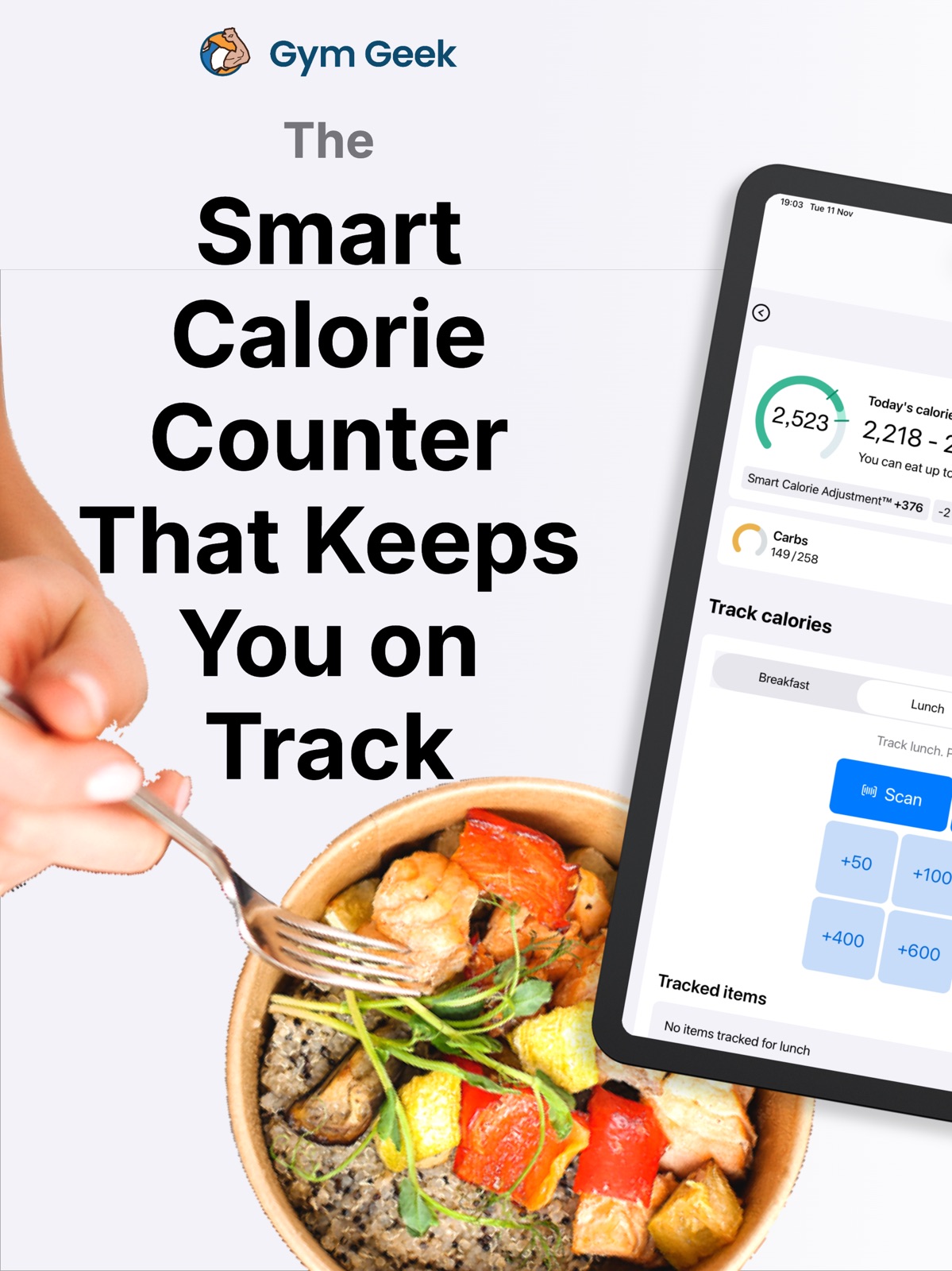
      "url": "https://is1-ssl.mzstatic.com/image/thumb/PurpleSource211/v4/2e/ef/da/2eefda2e-3829-7b13-50f8-40fb4d6aaef3/01.png/1600x1600bb.jpg",
      "store": "apple",
      "platform": "ipad",
      "alt": "Gym Geek Calorie Counter ipad screenshot 1"
    },
    {
      "url": "https://is1-ssl.mzstatic.com/image/thumb/PurpleSource211/v4/2e/ef/da/2eefda2e-3829-7b13-50f8-40fb4d6aaef3/01.png/360x480bb.jpg",
      "store": "apple",
      "platform": "ipad",
      "alt": "Gym Geek Calorie Counter ipad screenshot 2"
    },
    {
      "url": "https://is1-ssl.mzstatic.com/image/thumb/PurpleSource221/v4/50/0c/5f/500c5f38-826a-526f-3081-973a64f8bbf8/02.png/1600x1600bb.jpg",
      "store": "apple",
      "platform": "ipad",
      "alt": "Gym Geek Calorie Counter ipad screenshot 3"
    },
    {
      "url": "https://is1-ssl.mzstatic.com/image/thumb/PurpleSource221/v4/50/0c/5f/500c5f38-826a-526f-3081-973a64f8bbf8/02.png/360x480bb.jpg",
      "store": "apple",
      "platform": "ipad",
      "alt": "Gym Geek Calorie Counter ipad screenshot 4"
    },
    {
      "url": "https://is1-ssl.mzstatic.com/image/thumb/PurpleSource211/v4/fe/d8/07/fed807b1-1ffd-4cd5-b1b6-a4ca726a14f3/03.png/1600x1600bb.jpg",
      "store": "apple",
      "platform": "ipad",
      "alt": "Gym Geek Calorie Counter ipad screenshot 5"
    },
    {
      "url": "https://is1-ssl.mzstatic.com/image/thumb/PurpleSource211/v4/fe/d8/07/fed807b1-1ffd-4cd5-b1b6-a4ca726a14f3/03.png/360x480bb.jpg",
      "store": "apple",
      "platform": "ipad",
      "alt": "Gym Geek Calorie Counter ipad screenshot 6"
    },
    {
      "url": "https://is1-ssl.mzstatic.com/image/thumb/PurpleSource221/v4/f6/05/57/f6055722-b364-a702-b5b6-6ea818a9ba81/04.png/1600x1600bb.jpg",
      "store": "apple",
      "platform": "ipad",
      "alt": "Gym Geek Calorie Counter ipad screenshot 7"
    },
    {
      "url": "https://is1-ssl.mzstatic.com/image/thumb/PurpleSource221/v4/f6/05/57/f6055722-b364-a702-b5b6-6ea818a9ba81/04.png/360x480bb.jpg",
      "store": "apple",
      "platform": "ipad",
      "alt": "Gym Geek Calorie Counter ipad screenshot 8"
    },
    {
      "url": "https://is1-ssl.mzstatic.com/image/thumb/PurpleSource211/v4/0c/12/e8/0c12e852-6e14-0fff-5679-654f124a9771/05.png/1600x1600bb.jpg",
      "store": "apple",
      "platform": "ipad",
      "alt": "Gym Geek Calorie Counter ipad screenshot 9"
    },
    {
      "url": "https://is1-ssl.mzstatic.com/image/thumb/PurpleSource211/v4/0c/12/e8/0c12e852-6e14-0fff-5679-654f124a9771/05.png/360x480bb.jpg",
      "store": "apple",
      "platform": "ipad",
      "alt": "Gym Geek Calorie Counter ipad screenshot 10"
    },
    {
      "url": "https://is1-ssl.mzstatic.com/image/thumb/PurpleSource211/v4/1d/6b/6f/1d6b6f83-6693-243c-09c0-15f4b3839d55/06.png/1600x1600bb.jpg",
      "store": "apple",
      "platform": "ipad",
      "alt": "Gym Geek Calorie Counter ipad screenshot 11"
    },
    {
      "url": "https://is1-ssl.mzstatic.com/image/thumb/PurpleSource211/v4/1d/6b/6f/1d6b6f83-6693-243c-09c0-15f4b3839d55/06.png/360x480bb.jpg",
      "store": "apple",
      "platform": "ipad",
      "alt": "Gym Geek Calorie Counter ipad screenshot 12"
    },
    {
      "url": "https://is1-ssl.mzstatic.com/image/thumb/PurpleSource221/v4/a0/67/92/a0679215-388c-711f-1e32-97c135f1e025/07.png/1600x1600bb.jpg",
      "store": "apple",
      "platform": "ipad",
      "alt": "Gym Geek Calorie Counter ipad screenshot 13"
    },
    {
      "url": "https://is1-ssl.mzstatic.com/image/thumb/PurpleSource221/v4/a0/67/92/a0679215-388c-711f-1e32-97c135f1e025/07.png/360x480bb.jpg",
      "store": "apple",
      "platform": "ipad",
      "alt": "Gym Geek Calorie Counter ipad screenshot 14"
    },
    {
      "url": "https://is1-ssl.mzstatic.com/image/thumb/PurpleSource221/v4/2c/3d/34/2c3d34e9-7937-8be5-a21e-bc4bc1870a33/08.png/1600x1600bb.jpg",
      "store": "apple",
      "platform": "ipad",
      "alt": "Gym Geek Calorie Counter ipad screenshot 15"
    },
    {
      "url": "https://is1-ssl.mzstatic.com/image/thumb/PurpleSource221/v4/2c/3d/34/2c3d34e9-7937-8be5-a21e-bc4bc1870a33/08.png/360x480bb.jpg",
      "store": "apple",
      "platform": "ipad",
      "alt": "Gym Geek Calorie Counter ipad screenshot 16"
    },
    {
      "url": "https://is1-ssl.mzstatic.com/image/thumb/PurpleSource211/v4/0c/cc/45/0ccc451a-3696-2ddb-3b47-7c96e5b461cc/01.png/1290x1600bb.jpg",
      "store": "apple",
      "platform": "iphone",
      "alt": "Gym Geek Calorie Counter iphone screenshot 17"
    },
    {
      "url": "https://is1-ssl.mzstatic.com/image/thumb/PurpleSource221/v4/68/03/62/680362c1-b480-890c-910a-c6bd69b4ee32/02.png/1290x1600bb.jpg",
      "store": "apple",
      "platform": "iphone",
      "alt": "Gym Geek Calorie Counter iphone screenshot 18"
    },
    {
      "url": "https://is1-ssl.mzstatic.com/image/thumb/PurpleSource221/v4/3f/f6/21/3ff62190-b942-0bb8-d66d-94cb2c1bb1a6/03.png/1290x1600bb.jpg",
      "store": "apple",
      "platform": "iphone",
      "alt": "Gym Geek Calorie Counter iphone screenshot 19"
    },
    {
      "url": "https://is1-ssl.mzstatic.com/image/thumb/PurpleSource221/v4/0a/93/14/0a931413-5d81-37e0-2b1d-667ef9844cdb/04.png/1290x1600bb.jpg",
      "store": "apple",
      "platform": "iphone",
      "alt": "Gym Geek Calorie Counter iphone screenshot 20"
    },
    {
      "url": "https://is1-ssl.mzstatic.com/image/thumb/PurpleSource221/v4/57/72/66/57726638-229a-c6fd-cd83-918ef7192e04/05.png/1290x1600bb.jpg",
      "store": "apple",
      "platform": "iphone",
      "alt": "Gym Geek Calorie Counter iphone screenshot 21"
    },
    {
      "url": "https://is1-ssl.mzstatic.com/image/thumb/PurpleSource211/v4/1b/12/8e/1b128e91-75f3-111b-7e97-5d7bfd46a769/06.png/1290x1600bb.jpg",
      "store": "apple",
      "platform": "iphone",
      "alt": "Gym Geek Calorie Counter iphone screenshot 22"
    },
    {
      "url": "https://is1-ssl.mzstatic.com/image/thumb/PurpleSource221/v4/39/52/19/395219ba-0af6-12e8-c587-ef257a629566/07.png/1290x1600bb.jpg",
      "store": "apple",
      "platform": "iphone",
      "alt": "Gym Geek Calorie Counter iphone screenshot 23"
    },
    {
      "url": "https://is1-ssl.mzstatic.com/image/thumb/PurpleSource211/v4/ad/43/a6/ad43a61e-1c72-d807-4dcc-76c10d75a5f1/08.png/1290x1600bb.jpg",
      "store": "apple",
      "platform": "iphone",
      "alt": "Gym Geek Calorie Counter iphone screenshot 24"
    }
  ],
  "ratings": [
    {
      "store": "apple",
      "average": 4.8,
      "count": 1152,
      "market": "us",
      "observed_at": "2026-08-07",
      "reviews": [
        {
          "rating": 5,
          "title": "Just be in calorie deficit",
          "body": "This app works great for tracking calories. It’s got an AI search for foods. It’s simple to lose weight. Be in a calorie deficit, don’t cheat, don’t lie to yourself. You’re going to be hungry. You get used to it. You got this. Try and get healthy foods, but in a pinch; you don’t need them. Just track your calories",
          "author": "meowtrain",
          "date": "7 Aug 2026"
        },
        {
          "rating": 3,
          "title": "Good for pure calorie tracking",
          "body": "The app works well for purely calorie tracking and has a cool ai integration, although it’s not always accurate. Compared to other apps I would say this one falls short in several ways. First, there is no way I could find to input foods with macros that I can’t find in the database. So I can either just purely track the calories or try to find a similar food with incorrect macros. When trying for a specific daily protein intake, this can be pretty annoying. Saving meals or foods is not intuitive. The bar scanning feature is nice but often the data base can’t find the food or barcode. There is no integration between smart calorie trackers and the app. I know the app attempts to calculate metabolic rate and daily caloric need over time with weight loss but it would be nice to see what days more calories were burned and how that effected by caloric intake and macro break down. It also would more accurately track the metabolic rate. I think with some tweaks the app could work great but compared to something like HitMeal for iOS, it falls well short.",
          "author": "Gogogadget PA",
          "date": "7 Aug 2026"
        },
        {
          "rating": 5,
          "title": "Helps me understand just how much I’m eating",
          "body": "I love this app! I find being able to write down what I’m eating and have the app add it up is very helpful. I love too how it adjusts your calories based on your goals. :) Good app for my basic needs.",
          "author": "ReviewingIsFun12",
          "date": "7 Aug 2026"
        },
        {
          "rating": 3,
          "title": "Needs to be more user friendly",
          "body": "Wish I could add exercise that I do daily and choose multiple already searched items to the tracker. I have a desk job but I get up and walk for an hour in 15 min increments during the day. It’s very time consuming the way it is set up. I do love the fact that it tells you how many calories you can have and shifts based on progression.",
          "author": "Boocat1650",
          "date": "7 Aug 2026"
        },
        {
          "rating": 5,
          "title": "It’s a good weight loss app",
          "body": "I have lost weight with this app. It helps a lot and it’s free so it’s 10x better because every other weight app that I’ve seen you always end up having to pay for it so it’s a good app and it will help you.",
          "author": "RedGMC311",
          "date": "7 Aug 2026"
        }
      ]
    }
  ],
  "privacy": [
    {
      "store": "apple",
      "declarations": [
        {
          "title": "Data Linked to You",
          "detail": "Analytics — Diagnostics — Performance Data",
          "source": "Developer declared"
        },
        {
          "title": "Data Linked to You",
          "detail": "Analytics — Identifiers — Device ID",
          "source": "Developer declared"
        },
        {
          "title": "Data Linked to You",
          "detail": "Analytics — Location — Coarse Location",
          "source": "Developer declared"
        },
        {
          "title": "Data Linked to You",
          "detail": "Analytics — Usage Data — Advertising Data",
          "source": "Developer declared"
        },
        {
          "title": "Data Linked to You",
          "detail": "Analytics — Usage Data — Product Interaction",
          "source": "Developer declared"
        },
        {
          "title": "Data Linked to You",
          "detail": "Third-Party Advertising — Diagnostics — Performance Data",
          "source": "Developer declared"
        },
        {
          "title": "Data Linked to You",
          "detail": "Third-Party Advertising — Identifiers — Device ID",
          "source": "Developer declared"
        },
        {
          "title": "Data Linked to You",
          "detail": "Third-Party Advertising — Location — Coarse Location",
          "source": "Developer declared"
        },
        {
          "title": "Data Linked to You",
          "detail": "Third-Party Advertising — Usage Data — Advertising Data",
          "source": "Developer declared"
        },
        {
          "title": "Data Linked to You",
          "detail": "Third-Party Advertising — Usage Data — Product Interaction",
          "source": "Developer declared"
        },
        {
          "title": "Data Linked to You",
          "detail": "Diagnostics",
          "source": "Developer declared"
        },
        {
          "title": "Data Linked to You",
          "detail": "Identifiers",
          "source": "Developer declared"
        },
        {
          "title": "Data Linked to You",
          "detail": "Location",
          "source": "Developer declared"
        },
        {
          "title": "Data Linked to You",
          "detail": "Usage Data",
          "source": "Developer declared"
        },
        {
          "title": "Data Not Linked to You",
          "detail": "Analytics — Diagnostics — Crash Data",
          "source": "Developer declared"
        },
        {
          "title": "Data Not Linked to You",
          "detail": "Analytics — Identifiers — User ID",
          "source": "Developer declared"
        },
        {
          "title": "Data Not Linked to You",
          "detail": "Analytics — Purchases — Purchase History",
          "source": "Developer declared"
        },
        {
          "title": "Data Not Linked to You",
          "detail": "App Functionality — Diagnostics — Crash Data",
          "source": "Developer declared"
        },
        {
          "title": "Data Not Linked to You",
          "detail": "App Functionality — Identifiers — User ID",
          "source": "Developer declared"
        },
        {
          "title": "Data Not Linked to You",
          "detail": "App Functionality — Purchases — Purchase History",
          "source": "Developer declared"
        },
        {
          "title": "Data Not Linked to You",
          "detail": "App Functionality — Search History",
          "source": "Developer declared"
        },
        {
          "title": "Data Not Linked to You",
          "detail": "Third-Party Advertising — Diagnostics — Crash Data",
          "source": "Developer declared"
        },
        {
          "title": "Data Not Linked to You",
          "detail": "Diagnostics",
          "source": "Developer declared"
        },
        {
          "title": "Data Not Linked to You",
          "detail": "Identifiers",
          "source": "Developer declared"
        },
        {
          "title": "Data Not Linked to You",
          "detail": "Purchases",
          "source": "Developer declared"
        },
        {
          "title": "Data Not Linked to You",
          "detail": "Search History",
          "source": "Developer declared"
        },
        {
          "title": "Data Used to Track You",
          "detail": "Diagnostics — Crash Data",
          "source": "Developer declared"
        },
        {
          "title": "Data Used to Track You",
          "detail": "Diagnostics — Performance Data",
          "source": "Developer declared"
        },
        {
          "title": "Data Used to Track You",
          "detail": "Diagnostics",
          "source": "Developer declared"
        },
        {
          "title": "Data Used to Track You",
          "detail": "Identifiers — Device ID",
          "source": "Developer declared"
        },
        {
          "title": "Data Used to Track You",
          "detail": "Identifiers",
          "source": "Developer declared"
        },
        {
          "title": "Data Used to Track You",
          "detail": "Location — Coarse Location",
          "source": "Developer declared"
        },
        {
          "title": "Data Used to Track You",
          "detail": "Location",
          "source": "Developer declared"
        },
        {
          "title": "Data Used to Track You",
          "detail": "Usage Data — Advertising Data",
          "source": "Developer declared"
        },
        {
          "title": "Data Used to Track You",
          "detail": "Usage Data — Product Interaction",
          "source": "Developer declared"
        },
        {
          "title": "Data Used to Track You",
          "detail": "Usage Data",
          "source": "Developer declared"
        }
      ],
      "accessibility": []
    }
  ],
  "changes": [
    {
      "store": "apple",
      "version": "1.0",
      "released_at": null,
      "notes": ""
    },
    {
      "store": "apple",
      "version": "2.0",
      "released_at": null,
      "notes": "Introducing new tools to make it even easier to track calories: * Search - Search our food database of 3.8 million items, complete with calorie, macronutrient and portion data. * Barcode scanner - Track in seconds by scanning any product's barcode. * Add your own items - Add your own saved items to quickly track custom foods and drinks. Easily enter new nutrition labels and portion sizes for quick tracking. Plus these new features to give better data and insight into your weight plan: * Energy and weight insights - View trends in your metabolism over time, with charts showing how your metabolism compares to the average person. * Intelligent macro goals - Automatically adjust your protein intake based on your weight goal, current weight and activity level. Choose from Tailored or High Protein. * Macronutrient insights - Compare a food's macronutrient counts against your daily carbs, fat and protein goals. See the distribution of carbs, fat and protein as a % of total calories."
    },
    {
      "store": "apple",
      "version": "2.0.1",
      "released_at": null,
      "notes": "Bug fix: Fix to ensure that Insights charts now show today's data when device is in a US timezone. Bug fix: Accessibility improvements. Ensure text scales correctly throughout the app."
    },
    {
      "store": "apple",
      "version": "2.1.0",
      "released_at": null,
      "notes": "- Click on your daily calorie goal to see a complete breakdown of how your calorie goal range was calculated. - Edit existing food logs (quantity and units) by pressing any item from your daily diary. - Improves to Search, including suggestions of your recently tracked and most often tracked items."
    },
    {
      "store": "apple",
      "version": "2.2.0",
      "released_at": null,
      "notes": "* Set up daily reminders - Get daily reminders to track your calories in the morning, afternoon or evening, or create your own custom schedule. * Get Started screen - Find a guide to setting up and using Gym Geek's features, available from the \"Get Started\" tab for new users (and available under \"Settings\" for existing users). * Improved the Insights experience - Charts that require tracking data will now guide you through what to track to unlock the insights."
    },
    {
      "store": "apple",
      "version": "2.2.1",
      "released_at": null,
      "notes": "* Fix to prevent reminder push notifications being duplicated. * Fix to show reminder notifications in the 12hr time format."
    },
    {
      "store": "apple",
      "version": "2.3.0",
      "released_at": null,
      "notes": "* The app now shows the Smart Calorie Adjustment applied directly on the Track screen. * Fix on the \"Explain how this was calculated screen\" to correctly show calorie deficit or surplus. * New users can now set up daily reminders when they first set up the app."
    },
    {
      "store": "apple",
      "version": "2.4.0",
      "released_at": null,
      "notes": "* Track even faster with AI meal and recipe results - Simply describe a meal or recipe from the \"Search\" tool. If Gym Geek thinks your query is best served by an AI result, we will create a meal for you. Simply Quick Track if you're happy with the meal, or click on the meal to edit the ingredient quantities."
    },
    {
      "store": "apple",
      "version": "2.5.0",
      "released_at": null,
      "notes": "* Support imperial units in AI-generated search results * Fix UX bug on iPad to ensure full height search results are displayed."
    },
    {
      "store": "apple",
      "version": "2.5.1",
      "released_at": null,
      "notes": "Fixes a bug that caused (rare) intermittent crashes of the app."
    },
    {
      "store": "apple",
      "version": "2.6.0",
      "released_at": null,
      "notes": "* Create a meal or recipe from 'Saved items' - You can now save your own meal in Gym Geek by adding one or more ingredients into a saved item. The meal will show you the calorie and macro breakdown of the meal, allowing you to quickly track your nutrients in a single tap. Once tracked, you can easily add or remove ingredients to tweak your meal. * Improved AI experience - By default, AI meals and recipes show up when Gym Geek thinks they are relevant. You can now also generate an AI result for any search query by tapping the \"AI\" button on the Search tool. If you prefer, you can also permanently turn off AI results by tapping the button again."
    },
    {
      "store": "apple",
      "version": "2.6.1",
      "released_at": null,
      "notes": "* Fix UX issue: Ability to track half/decimal quantities by entering \".5\" for example. * Fix UX issue: Support decimal places in regions that use the comma as a decimal separator (\"100,5 kg\")"
    },
    {
      "store": "apple",
      "version": "2.7.0",
      "released_at": null,
      "notes": "- Add BMI tracking to the Insights tab. - Update app to use Liquid Glass design principles."
    },
    {
      "store": "apple",
      "version": "2.7.1",
      "released_at": null,
      "notes": "Updated age requirements for app"
    },
    {
      "store": "apple",
      "version": "2.7.3",
      "released_at": null,
      "notes": "Bug fixes: Fix rare crashes when app starts."
    },
    {
      "store": "apple",
      "version": "2.7.5",
      "released_at": null,
      "notes": "* Fix layout issue on \"new weight\" modals. * Introduce advertisement on Track screen."
    },
    {
      "store": "apple",
      "version": "2.7.6",
      "released_at": null,
      "notes": "Fix intermittent crashes when scanning barcodes."
    },
    {
      "store": "apple",
      "version": "2.8.0",
      "released_at": "2026-03-04",
      "notes": "* Improve onboarding to include more information about features and free trial (if eligible). * Remove ads from the app"
    }
  ],
  "alternatives": [
    {
      "app_id": 6754943623,
      "name": "LeanBites - Healthy Dining",
      "url": "https://appcorpus.com/apps/leanbites-healthy-dining-6754943623",
      "reason": "Same category + similar ratings"
    },
    {
      "app_id": 6474290049,
      "name": "Calorie Counter by Numify",
      "url": "https://appcorpus.com/apps/calorie-counter-by-numify-6474290049",
      "reason": "Same category + similar ratings"
    },
    {
      "app_id": 6746144481,
      "name": "MenuFit - Healthy Eating Out",
      "url": "https://appcorpus.com/apps/menufit-healthy-eating-out-6746144481",
      "reason": "Same category + similar ratings"
    },
    {
      "app_id": 1529962914,
      "name": "Calorie Deficit Calculator",
      "url": "https://appcorpus.com/apps/calorie-deficit-calculator-1529962914",
      "reason": "Same category + similar ratings"
    },
    {
      "app_id": 1636398776,
      "name": "ZOZOFIT: 3D Body Scanner",
      "url": "https://appcorpus.com/apps/zozofit-3d-body-scanner-1636398776",
      "reason": "Same category + similar ratings"
    },
    {
      "app_id": 6464128379,
      "name": "calorie.ai - Calorie Tracker",
      "url": "https://appcorpus.com/apps/calorie-ai-calorie-tracker-6464128379",
      "reason": "Same category + similar ratings"
    }
  ],
  "evidence_summary": {
    "index_state": "S1",
    "evidence_level": 1,
    "level_label": "Live store listing",
    "indexable": true,
    "last_verified_at": "2026-08-07",
    "unknown_fields": [
      "Independent summary has not been published yet."
    ],
    "sources": [
      "App Store"
    ]
  },
  "availability_markets": {
    "live": [
      "us"
    ],
    "selected": "us",
    "note": null
  },
  "feature_events": {
    "events": []
  },
  "features_slice": {
    "plans": [
      {
        "code": "geek-premium",
        "label": "Gym Geek Premium (6 months)",
        "kind": "subscription",
        "status": "store_listed",
        "prices": [
          {
            "storefront": "us",
            "formatted": "$24.99",
            "billing_period": null
          },
          {
            "storefront": "us",
            "formatted": "$39.99",
            "billing_period": null
          },
          {
            "storefront": "us",
            "formatted": "$11.99",
            "billing_period": "monthly"
          },
          {
            "storefront": "us",
            "formatted": "$14.99",
            "billing_period": "monthly"
          },
          {
            "storefront": "us",
            "formatted": "$9.99",
            "billing_period": "monthly"
          },
          {
            "storefront": "us",
            "formatted": "$29.99",
            "billing_period": "yearly"
          },
          {
            "storefront": "us",
            "formatted": "$44.99",
            "billing_period": "yearly"
          },
          {
            "storefront": "us",
            "formatted": "$74.99",
            "billing_period": "yearly"
          }
        ],
        "trial": null
      }
    ],
    "features": [],
    "unknown_features": [],
    "data_cutoff": "7 Aug 2026"
  }
}