
Quick verdict
- What it is
- Store information collected; an Apoku editorial summary is not yet published.
- At a glance
-
- Free to download
Categories and search queries
Official categories
- Weather
- News
Apoku categories
Key functions
| Function | Availability | Access | Scope | Evidence |
|---|---|---|---|---|
| Free app | Yes | Free | Context-specific | Store published |
Screens
App Store
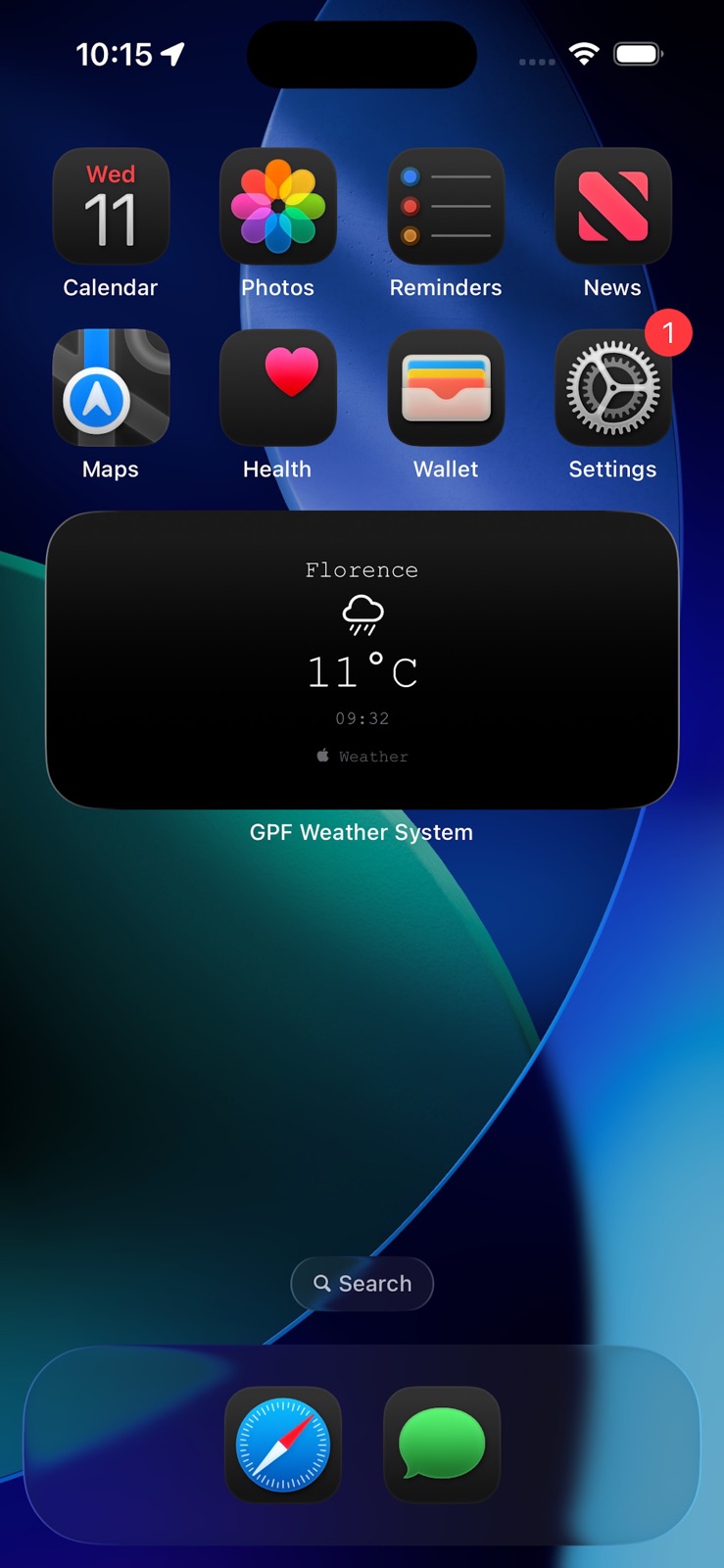
7 store screenshots


Pricing & paywalls
App Store
- Free to download
Ratings & reviews
App Store
No store reviews collected for App Store · US
Privacy & accessibility
App Store
Privacy
- Data Not Collected Developer declared
Accessibility
No accessibility labels collected yet.
Versions
App Store
- 2.1
-
3.0
• Temperature alerts (low and high thresholds) • Feels-like temperature display: verify that “Feels like” appears under the main temperature (in orange), above Humidity, and matches the apparent temperature value from WeatherKit • Rain alerts based on minute forecast or hourly fallback • Customizable thresholds and cooldown interval • Toggle enable/disable for temperature and rain alerts • Automatic refresh behavior (1-minute interval and foreground return) • Notification permission flow and correct alert delivery • Widget: add the “GPF Weather System” widget (small/medium) and verify it displays city, condition icon, temperature, feels-like temperature (if enabled), and last updated time • Widget refresh: confirm the widget updates after opening the app and after a manual refresh, using the latest saved data (App Group) • Apple Watch app: open the companion app on Apple Watch and verify it displays city, condition icon, temperature, and last updated time. Tap “Refresh” and confirm it requests an update from the iPhone and updates correctly. If the iPhone is not reachable, verify that a “refresh queued” message appears and that the watch updates when connectivity is restored. Verify that alerts trigger only when thresholds are crossed and do not repeat excessively (cooldown logic). No login or account setup is required. Grant location and notification permissions when prompted.
-
3.1
· 3 Mar 2026
This build introduces configurable weather alert notifications, a new Settings panel, a new Home Screen widget, a new Apple Watch companion app, and upgraded weather visuals with realistic animations (sun glow/rays, rain, snow, cloud drift, storm flash). Please test: • Temperature alerts (low and high thresholds) • Feels-like temperature display: verify “Feels like” appears under the main temperature (orange), above Humidity, and matches the apparent temperature value from WeatherKit • Rain alerts based on minute forecast or hourly fallback • Customizable thresholds and cooldown interval • Toggle enable/disable for temperature and rain alerts • Automatic refresh behavior (1-minute interval and foreground return) • Notification permission flow and correct alert delivery • Alert cooldown behavior: confirm alerts trigger only when thresholds are crossed and do not repeat excessively • Main weather graphics: verify realistic condition effects render correctly (sun rays/glow, rain streaks/splash, snow drift, cloud drift, storm flash) and remain smooth during updates • Accessibility: with Reduce Motion enabled, confirm weather effects are reduced/tempered appropriately Widget (Home Screen): • Add the “GPF Weather System” widget (small/medium) and verify it displays city, condition icon, temperature, feels-like temperature (if enabled), and last updated time • Widget refresh: confirm the widget updates after opening the app and after a manual refresh, using the latest saved data (App Group) Apple Watch companion app: • Open the companion app and verify it displays city, condition icon, temperature, and last updated time • Tap Refresh and confirm it requests an update from iPhone and updates promptly • If iPhone is not reachable, confirm the “refresh queued” status appears and the watch updates later when connectivity returns No login or account setup is required. Grant location and notification permissions when prompted.
Alternatives
- E Weather — Same category + similar ratings
- Weather Basic — Same category + similar ratings
Availability by market
- US
Data quality & evidence
- Page completeness
- Live store listing
- Last verified
- 7 Aug 2026
- Sources
- App Store
- Apoku editorial summary has not been published yet.