
Quick verdict
- What it is
- Store information collected; independent summary not yet available.
- At a glance
-
- $8.99
Categories and search queries
Official categories
- Productivity
- Developer Tools
AppCorpus categories
Key functions
| Function | Availability | Access | Scope | Evidence |
|---|---|---|---|---|
| Family Sharing | Yes | Unknown | App Store | Store published |
Screens
App Store
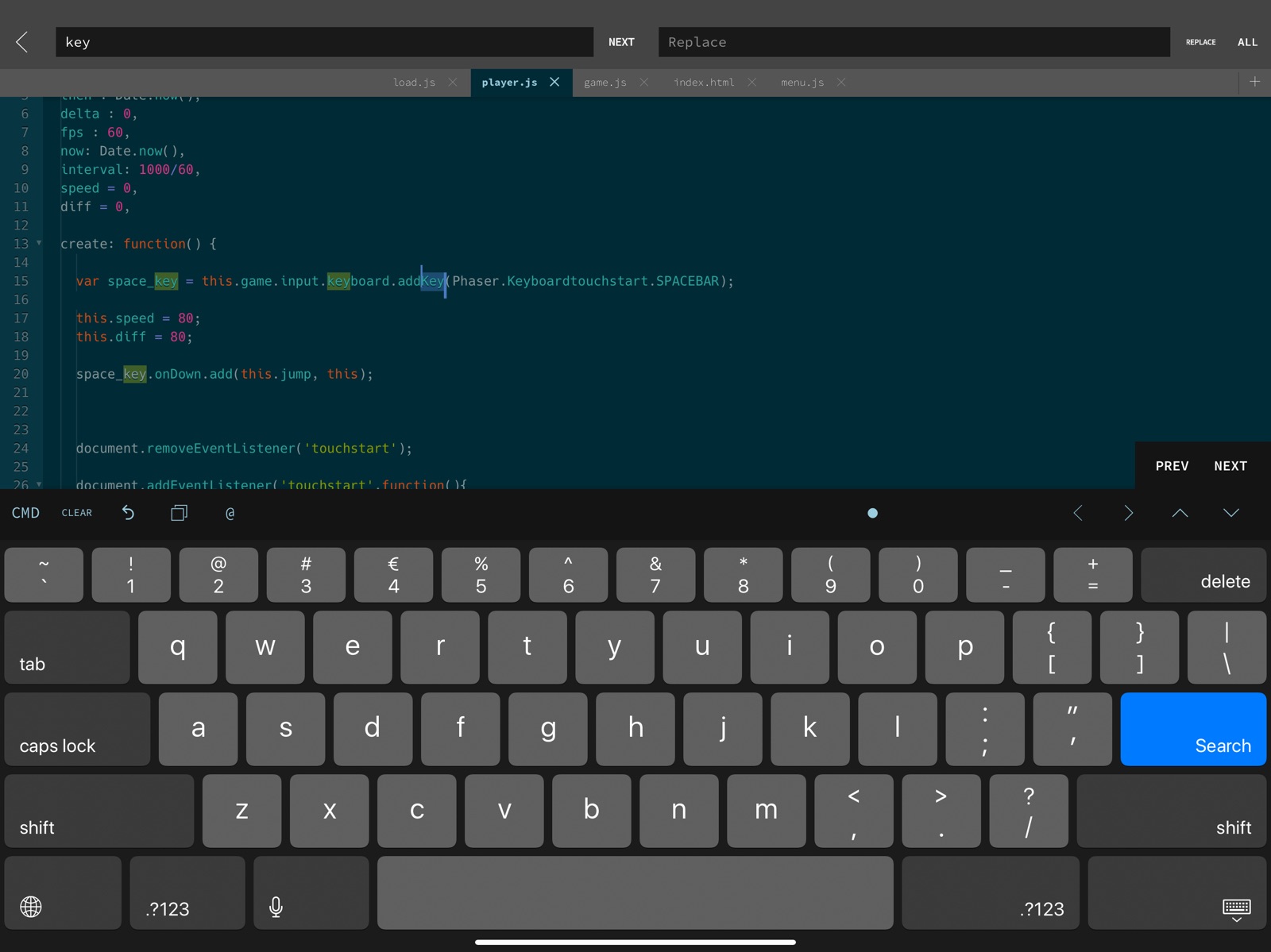
13 store screenshots



Pricing & paywalls
App Store
Shown for US
- Price: $8.99
Ratings & reviews
App Store
Shown for US
-
5/5An Interesting and Powerful Editor
I give GoCoEdit five stars because the things it does, it does extremely well. As far as I know it’s the only iOS editor with multiple cursors (like Sublime), which is a wonderful feature. On the downside, it’s lack of clear documentation can mean untangling its power can be a bit tricky. It also (I assume_ enforces a specific workflow: you are either working on local files, or remote server files, but I can’t seem to discover any way to edit a local file, then connect it with a remote server for publishing. In my case this is problematic, because I can easily open files from my Working Copy git repositories, but there doesn’t seem to be an easy way to then publish any changes I make to the server. Working directly on the server just doesn’t make sense when you’re using version control. Hopefully as it matures features such as these will be added, but GoCoEdit really is a powerful editor I would like to spend more time with.
Tovokas · 31 Jul 2026
-
5/5Great Development App that has many Features
This is a very impressive app, and thanks for the new update, I love the interactive JavaScript console! The only problem/suggestion I have is when entering commands, etc into the new JavaScript console, and I need to type quotes, the keyboard by default types the rich text “fancy” quotes, not the plain text ones... so I get errors. And actually, now that there is the interactive console, I think it would just be a big improvement to have the extra row of ‘keys, on top of the keyboard, (just like when you’re in regular editing a file mode). Loving this app, thanks again for the update, I will use the js console a lot!
Ryan-H · 31 Jul 2026
-
4/5Wish I could give it a 5
If you’re an old-school text editing coder, this app is a great bridge between touch screen and raw text editing. It will also integrate with several cloud storage solutions, so you can use any storage you already use. The only problem is: it doesn’t remember your preferences across updates (like every other app on the planet does). A simple, but important detail that is the reason I can’t give it a 5/5. My workaround: I have a note in the Notes app where I keep track of whatever settings I change in this app. Otherwise it would be like reinventing the wheel every time this app (or the OS) updates. But this shouldn’t be necessary. The app should remember settings across updates. It seems like it should also be able to remember your last position in a file, and take you there instead of the top of the file every time you re-open a file. A setting for “top, bottom, previous” location on open would be nice. My other (less important) feature request would be that if you’re using an external keyboard, being able to set VI or Emacs key bindings would be a bit awesome. (I’m an old vi / vim user)
johnkzin · 31 Jul 2026
-
5/5Great mobile editor!
I’ve tried all the free apps and frankly, they’re all rubbish. I couldn’t bring myself to drop a wad of money on an app like coda either. I decided to give Goco a try and it is definitely a great app - a good balance of price and functionality. The only thing really limiting the app is the janky “file manager”included with iOS. However, the creator of this app has added the ability to specify / bookmark preferred directories which allows you to easily access specific files and folders. This lemon is definitely worth the squeeze.
Rokkett77 · 31 Jul 2026
-
5/5Feels like a desktop editor
Really useful to have on the iPad Pro for a lightweight workspace to tweak embedded systems via SSH. The only major complaint I have is that it seems to insist on Internet access before it will allow a remote connection. I often use an Ethernet dongle to connect with embedded systems on private networks, so if I’m working in an environment where I can’t also connect to the Internet via WiFi, GoCoEdit becomes useless for no technical reason. Please consider fixing.
realjoshfreeman · 31 Jul 2026
Privacy & accessibility
App Store
Privacy
- Data Not Collected Developer declared
Accessibility
No accessibility labels collected yet.
Versions
App Store
-
17.2
• • • NEW in GoCoEdit 17.2 • • • • Updated for further os releases • Some minor bugfixes Another new App: (attention shameless self promotion) ••• Use VSCode in the Cloud (code-server) on iOS ••• "UCoW - Ultimate Code Wrapper" makes it possible & better usable on iOS & iPadOS •••••••••••••••
-
18.0
• • • NEW in GoCoEdit 18 • • • • Rewritten Onedrive integration (Onedrive personal / Onedrive for Office 365 / Onedrive business) • Updated Dropbox integration • Updated for further iOS releases • Some minor bugfixes Another new App: (attention shameless self promotion) ••• Use VSCode in the Cloud (code-server) on iOS ••• "UCoW - Ultimate Code Wrapper" makes it possible & better usable on iOS & iPadOS •••••••••••••••
-
18.1
• • • NEW in GoCoEdit 18.x • • • • NEW! Svelte Mode added • Updated touchpad/mouse selection • Rewritten Onedrive integration (Onedrive personal / Onedrive for Office 365 / Onedrive business) • Updated Dropbox integration • Updated for further iOS releases • Some minor bugfixes Another new App: (attention shameless self promotion) ••• Use VSCode in the Cloud (code-server) on iOS ••• "UCoW - Ultimate Code Wrapper" makes it possible & better usable on iOS & iPadOS •••••••••••••••
-
18.2
• • • NEW in GoCoEdit 18.x • • • • Support for Shellfish App fileprovider added • NEW! Svelte Mode added • Updated touchpad/mouse selection • Rewritten Onedrive integration (Onedrive personal / Onedrive for Office 365 / Onedrive business) • Updated Dropbox integration • Updated for further iOS releases • Some minor bugfixes Another new App: (attention shameless self promotion) ••• Use VSCode in the Cloud (code-server) on iOS ••• "UCoW - Ultimate Code Wrapper" makes it possible & better usable on iOS & iPadOS •••••••••••••••
-
18.2.1
• • • NEW in GoCoEdit 18.x • • • • Support for Shellfish App fileprovider added • NEW! Svelte Mode added • Updated touchpad/mouse selection • Rewritten Onedrive integration (Onedrive personal / Onedrive for Office 365 / Onedrive business) • Updated Dropbox integration • Updated for further iOS releases • Some minor bugfixes Another new App: (attention shameless self promotion) ••• Use VSCode in the Cloud (code-server) on iOS ••• "UCoW - Ultimate Code Wrapper" makes it possible & better usable on iOS & iPadOS •••••••••••••••
-
18.3
• • • NEW in GoCoEdit 18.x • • • • autoformat all code with CMD + l without selection (keyboard command-alt+l, >=18.3) • Fixed a dropbox login bug (>=18.3) • Fixed a file listing bug (>=18.3) • Support for Shellfish App fileprovider added • NEW! Svelte Mode added • Updated touchpad/mouse selection • Rewritten Onedrive integration (Onedrive personal / Onedrive for Office 365 / Onedrive business) • Updated Dropbox integration • Updated for further iOS releases • Some minor bugfixes Another new App: (attention shameless self promotion) ••• Use VSCode in the Cloud (code-server) on iOS ••• "UCoW - Ultimate Code Wrapper" makes it possible & better usable on iOS & iPadOS •••••••••••••••
-
18.3.1
• • • NEW in GoCoEdit 18.x • • • • autoformat all code with CMD + l without selection (keyboard command-alt+l, >=18.3) • Fixed a dropbox login bug (>=18.3) • Fixed a file listing bug (>=18.3) • Support for Shellfish App fileprovider added • NEW! Svelte Mode added • Updated touchpad/mouse selection • Rewritten Onedrive integration (Onedrive personal / Onedrive for Office 365 / Onedrive business) • Updated Dropbox integration • Updated for further iOS releases • Some minor bugfixes Another new App: (attention shameless self promotion) ••• Use VSCode in the Cloud (code-server) on iOS ••• "UCoW - Ultimate Code Wrapper" makes it possible & better usable on iOS & iPadOS •••••••••••••••
-
19.0
• • • NEW in GoCoEdit 19 • • • • New Google Drive integration • Updated Dropbox integration • Fixed a Dropbox file listing bug • Support for Shellfish App fileprovider added • Updated Modes • Improved Support for the new iOS & iPadOS devices • Some minor bugfixes Try also my other Apps: (attention shameless self promotion) ••• Use VSCode in the Cloud (code-server) on iOS ••• "UCoW - Ultimate Code Wrapper" makes it possible & better usable on iOS & iPadOS •••••••••••••••••• ••• GTW - Text & Markdown Editor ••• some similar to GCE but focused on Markdown and Text editing ••••••••••••••••••
-
19.0.1
• • • NEW in GoCoEdit 19 • • • • New Google Drive integration • Updated Dropbox integration • Fixed a Dropbox file listing bug • Support for Shellfish App fileprovider added • Updated Modes • Improved Support for the new iOS & iPadOS devices • Some minor bugfixes Try also my other Apps: (attention shameless self promotion) ••• Use VSCode in the Cloud (code-server) on iOS ••• "UCoW - Ultimate Code Wrapper" makes it possible & better usable on iOS & iPadOS •••••••••••••••••• ••• GTW - Text & Markdown Editor ••• some similar to GCE but focused on Markdown and Text editing ••••••••••••••••••
-
19.1
• • • NEW in GoCoEdit 19.1 • • • • Updated Syntax-Modes • New .tsx support • New Option for "set curser to end of a word" on touch • Minor bugfixes • • • NEW in GoCoEdit 19 • • • • New Google Drive integration • Updated Dropbox integration • Fixed a Dropbox file listing bug • Support for Shellfish App fileprovider added • Updated Modes • Improved Support for the new iOS & iPadOS devices • Some minor bugfixes Try also my other Apps: (attention shameless self promotion) ••• Use VSCode in the Cloud (code-server) on iOS ••• "UCoW - Ultimate Code Wrapper" makes it possible & better usable on iOS & iPadOS •••••••••••••••••• ••• GTW - Text & Markdown Editor ••• some similar to GCE but focused on Markdown and Text editing ••••••••••••••••••
-
19.1.1
• • • NEW in GoCoEdit 19.1 • • • • Updated Syntax-Modes • New .tsx support • New Option for "set curser to end of a word" on touch • Minor bugfixes • • • NEW in GoCoEdit 19 • • • • New Google Drive integration • Updated Dropbox integration • Fixed a Dropbox file listing bug • Support for Shellfish App fileprovider added • Updated Modes • Improved Support for the new iOS & iPadOS devices • Some minor bugfixes Try also my other Apps: (attention shameless self promotion) ••• Use VSCode in the Cloud (code-server) on iOS ••• "UCoW - Ultimate Code Wrapper" makes it possible & better usable on iOS & iPadOS •••••••••••••••••• ••• GTW - Text & Markdown Editor ••• some similar to GCE but focused on Markdown and Text editing ••••••••••••••••••
-
19.1.2
• • • NEW in GoCoEdit 19.1 • • • • Updated Syntax-Modes • New .tsx support • New Option for "set curser to end of a word" on touch • Minor bugfixes • • • NEW in GoCoEdit 19 • • • • New Google Drive integration • Updated Dropbox integration • Fixed a Dropbox file listing bug • Support for Shellfish App fileprovider added • Updated Modes • Improved Support for the new iOS & iPadOS devices • Some minor bugfixes Try also my other Apps: (attention shameless self promotion) ••• Use VSCode in the Cloud (code-server) on iOS ••• "UCoW - Ultimate Code Wrapper" makes it possible & better usable on iOS & iPadOS •••••••••••••••••• ••• GTW - Text & Markdown Editor ••• some similar to GCE but focused on Markdown and Text editing ••••••••••••••••••
-
20.0
• • • NEW in GoCoEdit 20 • • • • Added autosave option • Updated Syntax-Modes • Partly rewritten engine • Updated remote modules • Minor bugfixes Try also my other Apps: (attention shameless self promotion) ••• Use VSCode in the Cloud (code-server) on iOS ••• "UCoW - Ultimate Code Wrapper" makes it possible & better usable on iOS & iPadOS •••••••••••••••••• ••• GTW - Text & Markdown Editor ••• some similar to GCE but focused on Markdown and Text editing ••••••••••••••••••
-
20.0.1
• • • NEW in GoCoEdit 20 • • • • Added autosave option • Updated Syntax-Modes • Partly rewritten engine • Updated remote modules • Minor bugfixes Try also my other Apps: (attention shameless self promotion) ••• Use VSCode in the Cloud (code-server) on iOS ••• "UCoW - Ultimate Code Wrapper" makes it possible & better usable on iOS & iPadOS •••••••••••••••••• ••• GTW - Text & Markdown Editor ••• some similar to GCE but focused on Markdown and Text editing ••••••••••••••••••
-
21.0
• • • NEW in GoCoEdit 21 • • • • Updated libssh2 integration (added SHA-256 Key support and more) • Improved sftp integration • Updated for the upcomming iOS Release • cd to start directory on connect (Terminal/Minishell) • • • NEW in GoCoEdit 20 • • • • Added autosave option • Updated Syntax-Modes • Partly rewritten engine • Updated remote modules • Minor bugfixes Try also my other Apps: (attention shameless self promotion) ••• Use VSCode in the Cloud (code-server) on iOS ••• "UCoW - Ultimate Code Wrapper" makes it possible & better usable on iOS & iPadOS •••••••••••••••••• ••• GTW - Text & Markdown Editor ••• some similar to GCE but focused on Markdown and Text editing ••••••••••••••••••
-
21.1
• • • NEW in GoCoEdit 21 • • • • Updated libssh2 integration (added SHA-256 Key support and more) • Improved sftp integration • Updated for the upcomming iOS Release • cd to start directory on connect (Terminal/Minishell) • • • NEW in GoCoEdit 20 • • • • Added autosave option • Updated Syntax-Modes • Partly rewritten engine • Updated remote modules • Minor bugfixes Try also my other Apps: (attention shameless self promotion) ••• Use VSCode in the Cloud (code-server) on iOS ••• "UCoW - Ultimate Code Wrapper" makes it possible & better usable on iOS & iPadOS •••••••••••••••••• ••• GTW - Text & Markdown Editor ••• some similar to GCE but focused on Markdown and Text editing ••••••••••••••••••
-
22.0
• • • NEW in GoCoEdit 22 • • • • Updated for the upcomming iOS Release • Maintenance and tiny bugfixes Try also my other Apps: (attention shameless self promotion) ••• Rowing Workout ••• indoor rowing for Apple Watch ••••••••••••••••••••••••
-
22.0.1
• • • NEW in GoCoEdit 22 • • • • Updated for the upcomming iOS Release • Maintenance and tiny bugfixes Try also my other Apps: (attention shameless self promotion) ••• Rowing Workout ••• indoor rowing for Apple Watch ••••••••••••••••••••••••
-
22.0.2
• • • NEW in GoCoEdit 22 • • • • Updated for the upcomming iOS Release • Maintenance and tiny bugfixes Try also my other Apps: (attention shameless self promotion) ••• Rowing Workout ••• indoor rowing for Apple Watch ••••••••••••••••••••••••
-
22.0.3
• Maintenance update support me & try my other Apps: (attention shameless self promotion follows) ••• Intervals - The Training timer ••• interval workouts for Apple Watch
-
22.2
• Updated Dropbox API support me & try my other Apps: (attention shameless self promotion follows) ••• Intervals - The Training timer ••• interval workouts for Apple Watch
-
22.3
• Fixed a bug with persistent settings storage support me & try my other Apps: (attention shameless self promotion follows) ••• Intervals - The Training timer ••• interval workouts for Apple Watch
-
23.0
• Fixed a with copy and paste in upcomming iOS versions • Fixed some minor layout issues support me & try my other Apps: (attention shameless self promotion follows) ••• Intervals - The Training timer ••• interval workouts for Apple Watch
-
23.1
• Fixed a with copy and paste in upcomming iOS versions • Fixed some minor layout issues
-
24.0
· 7 Jul 2026
- Google Drive is back :) - minor bugfixes
Availability by market
- US
Data quality & evidence
- Page completeness
- Live store listing
- Last verified
- 31 Jul 2026
- Sources
- App Store
- Independent summary has not been published yet.